17 |
22 |
18 | 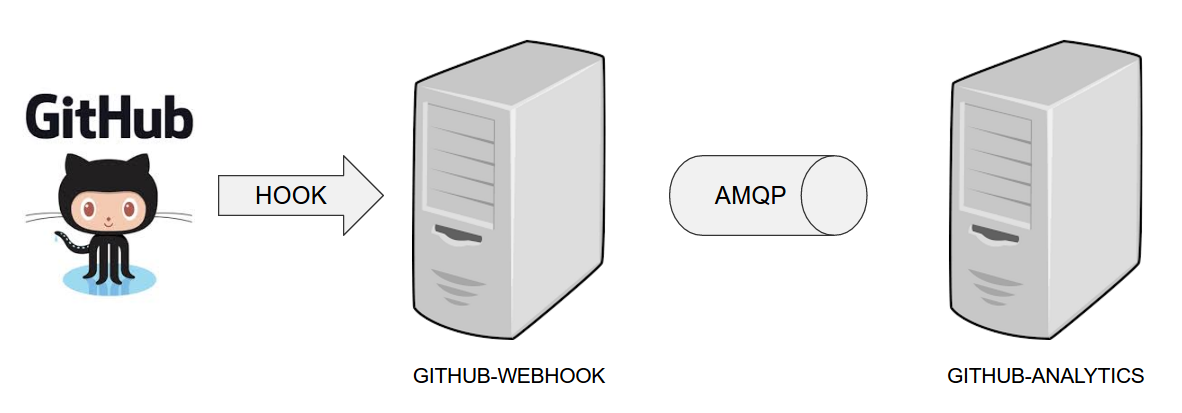 19 |
19 |
20 |
19 | The overview of the demo: Github Webhook listens to HTTP calls and sends a message to Github Analytics
21 |
23 |
26 | 24 |
25 |
27 |
33 | For the demo scenario we have two applications. Github Analytics and Github Webhook.
28 | Let’s imagine a case where Github is emitting events via HTTP. Github Webhook has
29 | an API that could register to such hooks and receive those messages. Once this happens
30 | Github Webhook sends a message by RabbitMQ to a channel. Github Analytics is
31 | listening to those messages and stores them in a MySQL database.
34 |
39 |
35 | 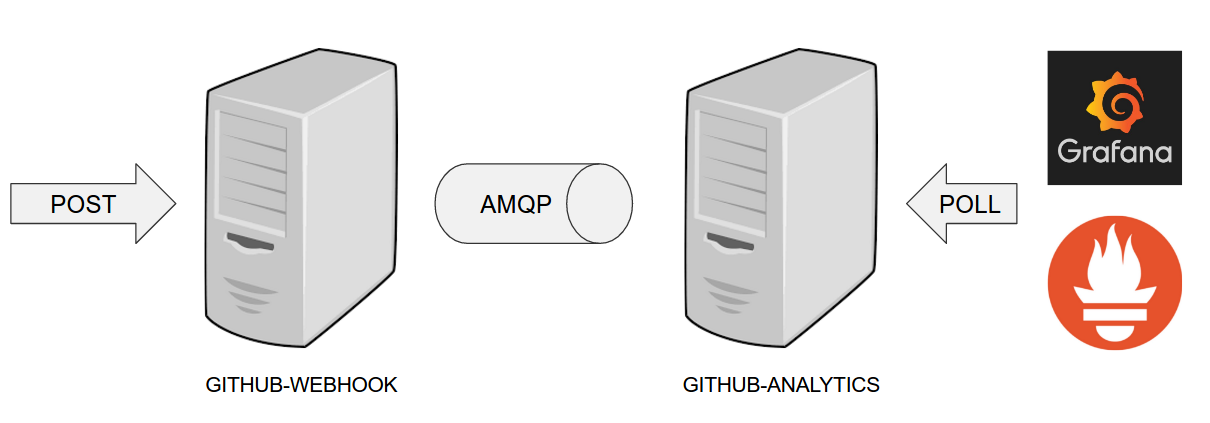 36 |
36 |
37 |
36 | Gathering metrics: Github Analytics exposes metrics that are polled by Prometheus
38 |
40 |
43 | 41 |
42 |
44 |
47 | Github Analytics has its KPIs (Key Performance Indicators) monitored. In the case
45 | of that application the KPI is number of issues.
48 |
53 |
49 | 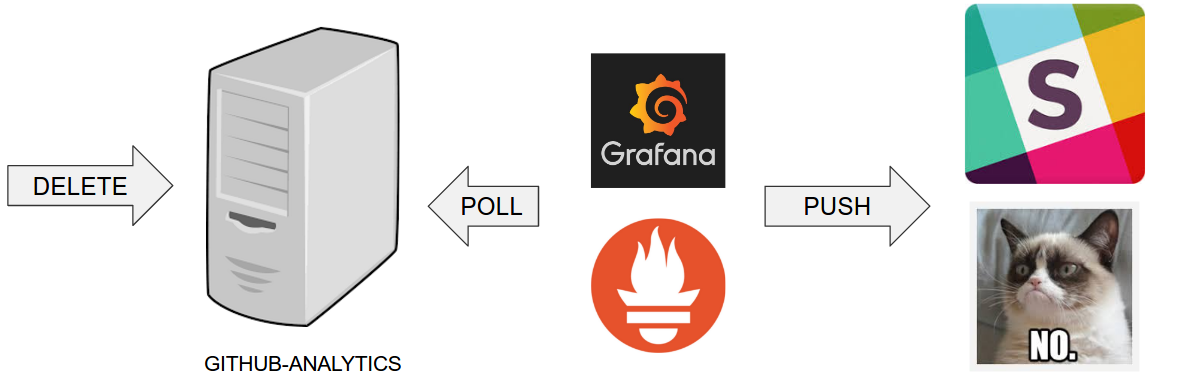 50 |
50 |
51 |
50 | Alerting over metrics: Grafana alerts Slack over Prometheus metrics
52 |
54 |
57 | 55 |
56 |
58 |
61 | Let’s assume that if we go below the threshold of X issues then an alert should be 59 | sent to Slack.
60 | 37 |
37 |  47 |
47 |  57 |
57 |  67 |
67 |