├── docs
├── CNAME
├── blog
│ ├── .meta.yml
│ ├── index.md
│ ├── posts
│ │ ├── 2022
│ │ │ ├── nfd29-ndk copy.md
│ │ │ ├── json-rpc-ansible.md
│ │ │ ├── json-rpc-basics.md
│ │ │ ├── packetpusher-ndk.md
│ │ │ ├── packetpusher-hn653-dcfabric.md
│ │ │ └── cfg-backup-with-eh.md
│ │ ├── 2023
│ │ │ ├── show-commands.md
│ │ │ ├── packetpusher-eventhandler.md
│ │ │ ├── nanog88-srlinux-pygnmi-gnmic-chatgpt.md
│ │ │ ├── intent-based-ansible.md
│ │ │ └── sshx.md
│ │ ├── 2024
│ │ │ ├── image.png
│ │ │ ├── codespaces.md
│ │ │ ├── srl-cli-filter-fields.md
│ │ │ ├── srl-pp-2024-1.md
│ │ │ ├── srl-nrx-pp.md
│ │ │ ├── rt5-l3evpn.md
│ │ │ └── srlinux-arm.md
│ │ └── 2025
│ │ │ └── pydantic-srlinux.md
│ ├── tags.md
│ ├── media.md
│ ├── author
│ │ └── rdodin.md
│ ├── subscribe.md
│ └── .authors.yml
├── ndk
│ ├── .meta.yml
│ ├── releases
│ │ ├── 0.2.md
│ │ ├── 0.3.md
│ │ ├── index.md
│ │ ├── 0.5.md
│ │ └── 0.4.md
│ ├── apps
│ │ ├── srl-gpt.md
│ │ ├── satellite.md
│ │ ├── index.md
│ │ ├── evpn-proxy.md
│ │ └── kbutler.md
│ ├── guide
│ │ └── dev
│ │ │ ├── go
│ │ │ ├── the-hard-way
│ │ │ │ ├── index.md
│ │ │ │ ├── app-start.md
│ │ │ │ ├── receiving-config.md
│ │ │ │ ├── processing-config.md
│ │ │ │ ├── main.md
│ │ │ │ └── updating-state.md
│ │ │ ├── with-bond
│ │ │ │ ├── bond.md
│ │ │ │ └── main.md
│ │ │ └── build-and-package.md
│ │ │ └── py
│ │ │ └── index.md
│ └── index.md
├── get-started
│ ├── igp.md
│ ├── interface.md
│ ├── network-instance.md
│ ├── bgp.md
│ └── index.md
├── index.md
├── tutorials
│ ├── l2evpn
│ │ ├── .meta.yml
│ │ ├── evpn01-imet-routes.pcapng
│ │ ├── evpn01-macip-routes.pcapng
│ │ └── summary.md
│ ├── mpls
│ │ └── mpls-ldp
│ │ │ ├── .meta.yml
│ │ │ ├── icmp-mpls.pcapng
│ │ │ └── ldp-neighborship.pcapng
│ ├── evpn-mh
│ │ └── basics
│ │ │ └── .meta.yml
│ ├── programmability
│ │ ├── event-handler
│ │ │ └── oper-group
│ │ │ │ ├── .meta.yml
│ │ │ │ ├── summary.md
│ │ │ │ ├── lab.md
│ │ │ │ └── oper-group-intro.md
│ │ └── ansible
│ │ │ └── intent-based-management
│ │ │ ├── env.md
│ │ │ └── summary.md
│ ├── index.md
│ ├── infrastructure
│ │ └── kne
│ │ │ └── index.md
│ └── l3evpn
│ │ └── rt5-only
│ │ └── summary.md
├── images
│ ├── site-card.webp
│ ├── srlinux.svg
│ └── srl-icong-1.svg
├── stylesheets
│ ├── diagrams.css
│ ├── animations.css
│ ├── nokia-fonts.css
│ └── expandable-blocks.css
├── javascripts
│ └── sh-annotation.js
├── mgmt
│ └── index.md
├── cli
│ ├── show-commands
│ │ ├── dhcp-relay.md
│ │ ├── cpm-filter.md
│ │ ├── index.md
│ │ ├── mirroring.md
│ │ ├── tacacs.md
│ │ ├── lag.md
│ │ ├── acl.md
│ │ └── is-is.md
│ └── index.md
├── ansible
│ ├── collection
│ │ ├── validate.md
│ │ └── cli.md
│ └── index.md
├── htmltest.yml
├── community.md
├── overrides
│ ├── partials
│ │ ├── copyright.html
│ │ └── comments.html
│ ├── main.html
│ └── .icons
│ │ └── nokia
│ │ └── srlinux.svg
├── yang
│ └── index.md
└── programmability
│ └── index.md
├── README.md
├── .gitignore
├── .gitlab-ci.yml
├── .markdownlint.yml
├── .github
└── workflows
│ ├── publish.yml
│ └── cicd.yml
├── labs
├── mpls-ldp
│ ├── mpls-ldp.clab.yml
│ └── srl2.cfg
└── evpn01.clab.yml
├── LICENSE
├── Makefile
└── macros
└── main.py
/docs/CNAME:
--------------------------------------------------------------------------------
1 | learn.srlinux.dev
--------------------------------------------------------------------------------
/docs/blog/.meta.yml:
--------------------------------------------------------------------------------
1 | comments: true
2 |
--------------------------------------------------------------------------------
/docs/ndk/.meta.yml:
--------------------------------------------------------------------------------
1 | comments: true
2 |
--------------------------------------------------------------------------------
/docs/get-started/igp.md:
--------------------------------------------------------------------------------
1 | This section is under construction...
2 |
--------------------------------------------------------------------------------
/docs/index.md:
--------------------------------------------------------------------------------
1 | ---
2 | template: home.html
3 | title: Home
4 | ---
5 |
--------------------------------------------------------------------------------
/README.md:
--------------------------------------------------------------------------------
1 | Nokia SR Linux open documentation portal - https://learn.srlinux.dev
--------------------------------------------------------------------------------
/docs/tutorials/l2evpn/.meta.yml:
--------------------------------------------------------------------------------
1 | comments: true
2 | title: L2 EVPN with SR Linux
3 |
--------------------------------------------------------------------------------
/docs/blog/index.md:
--------------------------------------------------------------------------------
1 | ---
2 | hide:
3 | - toc
4 | # - navigation
5 | title: Blog
6 | ---
7 |
--------------------------------------------------------------------------------
/docs/tutorials/mpls/mpls-ldp/.meta.yml:
--------------------------------------------------------------------------------
1 | comments: true
2 | title: LDP-based MPLS with SR Linux
3 |
--------------------------------------------------------------------------------
/docs/tutorials/evpn-mh/basics/.meta.yml:
--------------------------------------------------------------------------------
1 | comments: true
2 | title: L2 EVPN Multihoming with SR Linux
3 |
--------------------------------------------------------------------------------
/docs/images/site-card.webp:
--------------------------------------------------------------------------------
https://raw.githubusercontent.com/srl-labs/learn-srlinux/HEAD/docs/images/site-card.webp
--------------------------------------------------------------------------------
/docs/blog/posts/2024/image.png:
--------------------------------------------------------------------------------
https://raw.githubusercontent.com/srl-labs/learn-srlinux/HEAD/docs/blog/posts/2024/image.png
--------------------------------------------------------------------------------
/docs/blog/tags.md:
--------------------------------------------------------------------------------
1 | ---
2 | comments: false
3 | icon: material/tag
4 | ---
5 | # Tags
6 |
7 |
8 |
--------------------------------------------------------------------------------
/docs/stylesheets/diagrams.css:
--------------------------------------------------------------------------------
1 | div.geDiagramContainer div {
2 | line-height: 1 !important;
3 | box-sizing: initial;
4 | }
--------------------------------------------------------------------------------
/docs/tutorials/programmability/event-handler/oper-group/.meta.yml:
--------------------------------------------------------------------------------
1 | comments: true
2 | title: Event Handler-based Oper Groups tutorial
3 |
--------------------------------------------------------------------------------
/docs/tutorials/mpls/mpls-ldp/icmp-mpls.pcapng:
--------------------------------------------------------------------------------
https://raw.githubusercontent.com/srl-labs/learn-srlinux/HEAD/docs/tutorials/mpls/mpls-ldp/icmp-mpls.pcapng
--------------------------------------------------------------------------------
/docs/tutorials/l2evpn/evpn01-imet-routes.pcapng:
--------------------------------------------------------------------------------
https://raw.githubusercontent.com/srl-labs/learn-srlinux/HEAD/docs/tutorials/l2evpn/evpn01-imet-routes.pcapng
--------------------------------------------------------------------------------
/docs/tutorials/l2evpn/evpn01-macip-routes.pcapng:
--------------------------------------------------------------------------------
https://raw.githubusercontent.com/srl-labs/learn-srlinux/HEAD/docs/tutorials/l2evpn/evpn01-macip-routes.pcapng
--------------------------------------------------------------------------------
/.gitignore:
--------------------------------------------------------------------------------
1 | .vscode
2 | private
3 | clab-*
4 | site/
5 | tmp
6 | .*clab.y*ml
7 | .*clab.y*ml.bak
8 | .cache
9 | srlinux-getting-started
10 | **/__pycache__
--------------------------------------------------------------------------------
/docs/tutorials/mpls/mpls-ldp/ldp-neighborship.pcapng:
--------------------------------------------------------------------------------
https://raw.githubusercontent.com/srl-labs/learn-srlinux/HEAD/docs/tutorials/mpls/mpls-ldp/ldp-neighborship.pcapng
--------------------------------------------------------------------------------
/docs/ndk/releases/0.2.md:
--------------------------------------------------------------------------------
1 | # NDK v0.2.0 Release Notes
2 |
3 | * Introduced with SR Linux `v23.10.1`.
4 | * Diff with the previous release: [`v0.1.1...v0.2.0`](https://github.com/nokia/srlinux-ndk-protobufs/compare/v0.1.1...v0.2.0)
5 |
--------------------------------------------------------------------------------
/.gitlab-ci.yml:
--------------------------------------------------------------------------------
1 | pages:
2 | image:
3 | name: squidfunk/mkdocs-material:7.3.6
4 | entrypoint: [""]
5 | stage: deploy
6 | when: manual
7 | script:
8 | - mkdocs build --clean --site-dir public
9 | artifacts:
10 | paths:
11 | - public
12 |
--------------------------------------------------------------------------------
/docs/blog/media.md:
--------------------------------------------------------------------------------
1 | ---
2 | comments: false
3 | icon: fontawesome/solid/podcast
4 | hide: navigation
5 | ---
6 |
7 | # SR Linux in the Media
8 |
9 | We love to talk about SR Linux and all things around it. Here are some of the podcats, screencasts and demos we did in the past.
10 |
11 |
--------------------------------------------------------------------------------
/.markdownlint.yml:
--------------------------------------------------------------------------------
1 | "MD007":
2 | "indent": 4
3 | "MD038": false
4 | "MD033": false # inline html
5 | "MD013": false # line-length
6 | "MD034": false # bare links
7 | "MD040": false # fenced code blocks should have language selected
8 | "MD053": false # do not remove mkdocs materials footnotes
9 | "MD046": false # do not check code fence vs indent style
10 |
--------------------------------------------------------------------------------
/docs/stylesheets/animations.css:
--------------------------------------------------------------------------------
1 | @-webkit-keyframes heart {
2 |
3 | 0%,
4 | 40%,
5 | 80%,
6 | to {
7 | transform: scale(1)
8 | }
9 |
10 | 20%,
11 | 60% {
12 | transform: scale(1.15)
13 | }
14 | }
15 |
16 | @keyframes heart {
17 |
18 | 0%,
19 | 40%,
20 | 80%,
21 | to {
22 | transform: scale(1)
23 | }
24 |
25 | 20%,
26 | 60% {
27 | transform: scale(1.15)
28 | }
29 | }
--------------------------------------------------------------------------------
/docs/javascripts/sh-annotation.js:
--------------------------------------------------------------------------------
1 | // this script is used to remove extra leading space when annotating shell code blocks ending with `\`
2 | // character. See https://github.com/squidfunk/mkdocs-material/issues/3846 for more info.
3 | document$.subscribe(() => {
4 | const tags = document.querySelectorAll("code .se")
5 | tags.forEach(tag => {
6 | if (tag.innerText.startsWith("\\")) {
7 | tag.innerText = "\\"
8 | }
9 | })
10 | })
--------------------------------------------------------------------------------
/docs/mgmt/index.md:
--------------------------------------------------------------------------------
1 | # SR Linux Management
2 |
3 | Nokia SR Linux Network OS offers performant, fully-modelled and standardized management interfaces such as:
4 |
5 | * Open-sourced, fully customizable and feature-rich [CLI](../cli/index.md).
6 | * High-performant, telemetry-optimized gNMI.
7 | * Friendly and easy-going [JSON-RPC](../blog/posts/2022/json-rpc-basics.md) interface.
8 |
9 | We can't wait to populate this page with extensive examples showcasing every one of them. Stay tuned!
10 |
--------------------------------------------------------------------------------
/docs/get-started/interface.md:
--------------------------------------------------------------------------------
1 | # Interfaces
2 |
3 | While we are working on this section, please refer to the [official documentation][interfaces-docs] and check out the video tutorials presented by the Nokia Education team.
4 |
5 | [interfaces-docs]: https://documentation.nokia.com/srlinux/24-10/books/product-overview/sr-linux-interfaces.html
6 |
7 | ## Regular interfaces
8 |
9 | -{{youtube(url='https://www.youtube.com/embed/vTeh_RARkZU')}}-
10 |
11 | ## Link Aggregation Group (LAG) interface
12 |
13 | -{{youtube(url='https://www.youtube.com/embed/KYH3L49x4Jg')}}-
14 |
--------------------------------------------------------------------------------
/docs/get-started/network-instance.md:
--------------------------------------------------------------------------------
1 | # Network Instances
2 |
3 | While we are working on this section, please refer to the [official documentation][network-instance-docs] and check out the video tutorials presented by the Nokia Education team.
4 |
5 | [network-instance-docs]: https://documentation.nokia.com/srlinux/24-10/books/config-basics/network-instances.html
6 |
7 | ## Default Network Instance
8 |
9 | -{{youtube(url='https://www.youtube.com/embed/f6szzPYOvM8')}}-
10 |
11 | ## Layer 2 Network Instance
12 |
13 | -{{youtube(url='https://www.youtube.com/embed/PANc-KuJ0Sc')}}-
14 |
--------------------------------------------------------------------------------
/docs/tutorials/index.md:
--------------------------------------------------------------------------------
1 | # Tutorials
2 |
3 | Learning by doing is not only the most effective method but also an extremely fun one.
4 |
5 | The hands-on tutorials we provide in this section are designed in such a way that anyone can launch them
6 |
7 | * at absolutely no cost
8 | * whenever they want it
9 | * whatever machine they have
10 | * and run it for as long as required
11 |
12 | The tutorials use the open-source [containerlab](https://containerlab.srlinux.dev) project to deploy the lab environment with all the needed components. This ensures that both the tutorial authors and the readers work in the same environment. No more second-guessing why the tutorial's outputs differ from yours!
13 |
--------------------------------------------------------------------------------
/docs/get-started/bgp.md:
--------------------------------------------------------------------------------
1 | # BGP
2 |
3 | While we are working on this section, please refer to the [official documentation][bgp-docs] and check out the video tutorials presented by the Nokia Education team.
4 |
5 | [bgp-docs]: https://documentation.nokia.com/srlinux/24-10/books/routing-protocols/bgp.html
6 |
7 | ## eBGP for Data Center underlay
8 |
9 | -{{youtube(url='https://www.youtube.com/embed/qAOKypoy4wo')}}-
10 |
11 | ## eBGP unnumbered peering
12 |
13 | -{{youtube(url='https://www.youtube.com/embed/owsJL84zwVU')}}-
14 |
15 | ## ECMP for BGP
16 |
17 | -{{youtube(url='https://www.youtube.com/embed/6SJ_FonVZ4E')}}-
18 |
19 | ## BFD for BGP
20 |
21 | -{{youtube(url='https://www.youtube.com/embed/Lu-N5E63GhE')}}-
22 |
--------------------------------------------------------------------------------
/docs/blog/posts/2024/codespaces.md:
--------------------------------------------------------------------------------
1 | ---
2 | date: 2024-07-04
3 | tags:
4 | - codespaces
5 | authors:
6 | - rdodin
7 | ---
8 |
9 | # SR Linux labs in GitHub Codespaces
10 |
11 | The best labs are the labs that you can run anywhere, anytime, with a single click and preferrably for free.
12 |
13 | The public SR Linux container image made labs easy to run on any machine with Docker. How about we also rule out the requirement to have a machine? Let us introduce you to GitHub Codespaces.
14 |
15 |
16 |
17 |
18 |
--------------------------------------------------------------------------------
/.github/workflows/publish.yml:
--------------------------------------------------------------------------------
1 | ---
2 | name: Publish docs
3 | on:
4 | workflow_dispatch:
5 |
6 | env:
7 | MKDOCS_MATERIAL_VER: 9.4.14-insiders-4.46.0-hellt # insiders version
8 |
9 | jobs:
10 | publish-docs:
11 | runs-on: ubuntu-20.04
12 | steps:
13 | - name: Checkout
14 | uses: actions/checkout@v2
15 | with:
16 | fetch-depth: 0
17 |
18 | - name: Login to GitHub Container Registry
19 | uses: docker/login-action@v1
20 | with:
21 | registry: ghcr.io
22 | username: ${{ github.actor }}
23 | password: ${{ secrets.GITHUB_TOKEN }}
24 |
25 | - run: docker run --env CI=true -v $(pwd):/docs --entrypoint mkdocs ghcr.io/srl-labs/mkdocs-material-insiders:$MKDOCS_MATERIAL_VER gh-deploy --force
26 |
--------------------------------------------------------------------------------
/labs/mpls-ldp/mpls-ldp.clab.yml:
--------------------------------------------------------------------------------
1 | # topology documentation: http://learn.srlinux.dev/tutorials/mpls/mpls-ldp/intro/
2 | name: mpls-ldp
3 | prefix: ""
4 |
5 | topology:
6 | defaults:
7 | kind: srl
8 | kinds:
9 | srl:
10 | image: ghcr.io/nokia/srlinux:23.3.1
11 | type: ixr6e # MPLS dataplane is supported on 7250 IXR chassis only as of 23.3.1 release
12 | nodes:
13 | # uncomment startup-config option to have lab nodes to boot with a fully provisioned use case
14 | srl1:
15 | # startup-config: srl1.cfg
16 | srl2:
17 | # startup-config: srl2.cfg
18 | srl3:
19 | # startup-config: srl3.cfg
20 |
21 | links:
22 | # link wiring diagram: srl1:e1-1 <--> e1-1:srl2:e1-2 <--> e1-1:srl3
23 | - endpoints: ["srl1:e1-1", "srl2:e1-1"]
24 | - endpoints: ["srl2:e1-2", "srl3:e1-1"]
25 |
--------------------------------------------------------------------------------
/docs/ndk/apps/srl-gpt.md:
--------------------------------------------------------------------------------
1 | # SR Linux GPT Agent a.k.a `askai`
2 |
3 | ## Description
4 |
5 | NDK framework is universal and allows you to build apps that don't necessarily have to be related to networking. The SR Linux GPT app is a great example of that. It uses the [NDK][ndk] framework to build an AI assistant that lives right on your router and knows its state, logs, configuration and a great deal about the world.
6 |
7 | We've written a blog post about the app with a few cool examples embedded. Check it out here - [SR Linux GPT](../../blog/posts/2023/srlgpt.md).
8 |
9 | We have published the application so everyone can try it out and unleash the power of AI on their routers. The app [installation process](../../blog/posts/2023/srlgpt.md#installing-sr-linux-gpt-ndk-application) is provided within the post.
10 |
11 | [ndk]: ../index.md
12 |
--------------------------------------------------------------------------------
/docs/cli/show-commands/dhcp-relay.md:
--------------------------------------------------------------------------------
1 | ---
2 | comments: true
3 | title: Show commands for DHCP Relay
4 | ---
5 |
6 | # DHCP Relay
7 |
8 | ## DHCP Relay Status
9 |
10 | ```srl
11 | A:srl-b# info from state interface ethernet-1/1 subinterface 1 ipv4 dhcp-relay
12 | interface ethernet-1/1 {
13 | subinterface 1 {
14 | ipv4 {
15 | dhcp-relay {
16 | admin-state enable
17 | oper-state down
18 | gi-address 192.168.101.1
19 | use-gi-addr-as-src-ip-addr true
20 | option [
21 | circuit-id
22 | remote-id
23 | ]
24 | server [
25 | 172.16.32.1
26 | 172.16.64.1
27 | ]
28 | }
29 | ```
30 |
--------------------------------------------------------------------------------
/docs/blog/posts/2024/srl-cli-filter-fields.md:
--------------------------------------------------------------------------------
1 | ---
2 | date: 2024-02-25
3 | tags:
4 | - cli
5 | authors:
6 | - rdodin
7 | links:
8 | - blog/posts/2023/cli-ranges.md
9 | ---
10 |
11 | # Filtering fields in the SR Linux CLI
12 |
13 | CLI is still king when you start managing the network's and perform all those day2+ operations.
14 |
15 | Network troubleshooting, in particular, is one of the tasks where having a performant, intuitive, and flexible CLI is a game changer.
16 |
17 | In this video, we explore SR Linux's CLI feature that allows you to filter the fields and order them the way the operator needs.
18 |
19 | **CLI is dead**
20 | **Long live CLI**
21 |
22 |
23 |
24 |
25 |
--------------------------------------------------------------------------------
/docs/blog/posts/2023/show-commands.md:
--------------------------------------------------------------------------------
1 | ---
2 | date: 2023-12-22
3 | tags:
4 | - cli
5 | authors:
6 | - sabdulra
7 | links:
8 | - cli/show-commands/index.md
9 | ---
10 |
11 | # Show Commands
12 |
13 | Show commands are the bread and butter of any network engineer. They are used to view the current configuration and state of the network element and are often a key tool used in troubleshooting.
14 |
15 | Naturally, there are many show commands available on the SR Linux platform ranging from the basic commands to display environmental information to more advanced commands to display the state of the network element and its protocols. And since the SR Linux is a relatively new Network OS we wanted to make sure you can easily find the show commands you need by providing a growing list most useful show commands cataloged by topic.
16 |
17 | Please welcome the new [SR Linux Show Commands](../../../cli/show-commands/index.md) page that gets you on the fast track to finding the show commands you need.
18 |
--------------------------------------------------------------------------------
/docs/cli/show-commands/cpm-filter.md:
--------------------------------------------------------------------------------
1 | ---
2 | comments: true
3 | title: Show commands for ACL
4 | ---
5 |
6 | # CPM
7 |
8 | ## CPM Filter Status
9 |
10 | ```srl
11 | A:srl-a# show acl cpm-filter ipv4-filter
12 | =============================================================================================
13 | Filter : CPM IPv4-filter
14 | Entry-stats: yes
15 | Entries : 38
16 | ---------------------------------------------------------------------------------------------
17 | Entry 10
18 | Match : protocol=icmp, any(*)->any(*)
19 | Action : accept
20 | Matched Packets: 0
21 | Last Match : never
22 | TCAM Entries : 12
23 | Entry 20
24 | Match : protocol=icmp, any(*)->any(*)
25 | Action : accept
26 | Matched Packets: 0
27 | Last Match : never
28 | TCAM Entries : 2
29 | Entry 30
30 | Match : protocol=icmp, any(*)->any(*)
31 | Action : accept
32 | Matched Packets: 0
33 | Last Match : never
34 | TCAM Entries : 2
35 | ```
36 |
--------------------------------------------------------------------------------
/docs/blog/author/rdodin.md:
--------------------------------------------------------------------------------
1 | # Roman Dodin
2 |
3 |
13 | Hey there! I'm Roman Dodin, a member of the SR Linux Product Management team at Nokia. Although I am much more often called a "[containerlab](https://containerlab.dev) guy" as I am one of the maintainers of the project.
14 |
15 | Network automation, virtual networking labs and beautifully looking docs with reproducible examples are my passion. I am also a big fan of open source initiatives and community building.
16 |
17 |
18 |
19 |
20 |
21 |
--------------------------------------------------------------------------------
/labs/evpn01.clab.yml:
--------------------------------------------------------------------------------
1 | name: evpn01
2 |
3 | topology:
4 | kinds:
5 | nokia_srlinux:
6 | image: ghcr.io/nokia/srlinux:25.10
7 | linux:
8 | image: ghcr.io/srl-labs/network-multitool:latest
9 |
10 | nodes:
11 | leaf1:
12 | kind: nokia_srlinux
13 | type: ixr-d2
14 | leaf2:
15 | kind: nokia_srlinux
16 | type: ixr-d2
17 | spine1:
18 | kind: nokia_srlinux
19 | type: ixr-d3
20 | srv1:
21 | kind: linux
22 | exec:
23 | - ip link set address 00:c1:ab:00:00:01 dev eth1
24 | - ip addr add 192.168.0.1/24 dev eth1
25 | srv2:
26 | kind: linux
27 | exec:
28 | - ip link set address 00:c1:ab:00:00:02 dev eth1
29 | - ip addr add 192.168.0.2/24 dev eth1
30 |
31 | links:
32 | # inter-switch links
33 | - endpoints: ["leaf1:e1-49", "spine1:e1-1"]
34 | - endpoints: ["leaf2:e1-49", "spine1:e1-2"]
35 | # server links
36 | - endpoints: ["srv1:eth1", "leaf1:e1-1"]
37 | - endpoints: ["srv2:eth1", "leaf2:e1-1"]
38 |
--------------------------------------------------------------------------------
/docs/blog/posts/2022/nfd29-ndk copy.md:
--------------------------------------------------------------------------------
1 | ---
2 | date: 2022-09-09
3 | tags:
4 | - media
5 | - nfd
6 | - demo
7 | - presentation
8 | ---
9 |
10 | # DevOps Approaches for Enhanced NetOps with Nokia Data Center Fabric Solution
11 |
12 | :material-youtube: [NFD 29](https://techfieldday.com/video/devops-approaches-for-enhanced-netops-with-nokia-data-center-fabric-solution/)
13 |
14 | This presentation provides a quick review and update of the Nokia Data Center Fabric solution, and a review of how DevOps approaches may be adapted for data center fabric NetOps. This is followed by a demo featuring how Nokia SR Linux supports network application warm restart.
15 |
16 |
17 |
18 |
19 |
20 | Participants: [:material-linkedin:][brw-linkedin] Bruce Wallis
21 |
22 | [brw-linkedin]: https://www.linkedin.com/in/bruce-wallis-77755a129/
23 |
--------------------------------------------------------------------------------
/docs/blog/posts/2022/json-rpc-ansible.md:
--------------------------------------------------------------------------------
1 | ---
2 | date: 2022-12-08
3 | tags:
4 | - sr linux
5 | - json-rpc
6 | - ansible
7 | authors:
8 | - rdodin
9 | ---
10 |
11 | # Using Ansible with SR Linux's JSON-RPC Interface
12 |
13 | A few days after we fleshed out our [:material-book: JSON-RPC Basics](../../../tutorials/programmability/json-rpc/basics.md) tutorial, and we are releasing another one. While basics tutorial is essential to read to understand how the interface works, the `curl` utility we used in the examples there is not something you would like to automate your network with.
14 |
15 | Quite a lot of network ops teams we've been talking to used Ansible to manage their infra, and they wanted to keep using it for network automation as well. While this is a questionable tactic, we still can give you the "fishing rod".
16 |
17 | Please welcome - **[:material-book: Using Ansible with SR Linux's JSON-RPC Interface](../../../tutorials/programmability/ansible/using-nokia-srlinux-collection.md)** tutorial, which puts our JSON-RPC interface to work under Ansible command through a set of task-oriented exercises.
18 |
--------------------------------------------------------------------------------
/docs/tutorials/infrastructure/kne/index.md:
--------------------------------------------------------------------------------
1 | ---
2 | tags:
3 | - kne
4 | - openconfig
5 | ---
6 |
7 | # SR Linux with KNE
8 |
9 | For easy-to-spin personal network labs, we have open-sourced [containerlab](https://containerlab.dev) project, which many companies and individuals use with and without SR Linux. The simplicity and user-friendliness of containerlab, while being the key ingredients of its success, also bear some limitations. For example, multi-node topologies are not yet possible with containerlab, which means that your lab size is limited by the resources your containerlab host has.
10 |
11 | Today, Kubernetes is often seen as a de facto standard container orchestration system that enables horizontal scaling of applications. Thanks to the [KNE (Kubernetes Network Emulation)][knedoc] project, it is now possible to leverage Kubernetes'es extensibility, programmability, and scalability and deploy networking labs using the Kubernetes backend.
12 |
13 | Following this tutorial, you will learn how to deploy the Nokia SR Linux node using KNE in different deployment scenarios.
14 |
15 | [knedoc]: https://github.com/openconfig/kne/#readme
16 |
--------------------------------------------------------------------------------
/docs/blog/subscribe.md:
--------------------------------------------------------------------------------
1 | ---
2 | icon: material/rss
3 | ---
4 |
5 | # Subscribe To This Blog
6 |
7 | If you want to get notified when a new post is published on this blog - consider subscribing via one of the following channels.
8 |
9 | ## RSS
10 |
11 | This blog publishes two RSS feeds:
12 |
13 | - `https://learn.srlinux.dev/feed_rss_created.xml` - feed is updated whenever a new post is created.
14 | - `https://learn.srlinux.dev/feed_rss_updated.xml` - feed is updated whenever a new post is **created or updated**.
15 |
16 | Depending on how thoroughly you want to monitor the blog choose between those two feeds.
17 |
18 | ## Email
19 |
20 | You can get notifications in your mailbox by channeling the RSS feed using one of the RSS-to-Email services.
21 |
22 | A popular option is a free [blogtrottr](https://blogtrottr.com/) service, but if it doesn't suit you, there are alternatives like feedrabbit and IFTT.
23 |
24 | In blogtrottr, all you need to do is to enter `https://learn.srlinux.dev` in the site input field, type in your email and select the "Realtime" delivery option. Then select which feed you want to receive (see [rss section](#rss) for an explanation).
25 |
--------------------------------------------------------------------------------
/docs/ansible/collection/validate.md:
--------------------------------------------------------------------------------
1 | ---
2 | comments: true
3 | title: Validate Module
4 | ---
5 |
6 | # `validate` Module
7 |
8 | The `validate` module is used to validate intended configuration. The module doesn't make any changes to the target device and just ensures that the intended change set passes validation checks performed by SR Linux.
9 |
10 | Module semantics is similar to the `config` module with the `update`, `replace` and `delete` parameters carrying the intended change set.
11 |
12 | ```yaml
13 | - name: Validate
14 | hosts: clab
15 | gather_facts: false
16 | tasks:
17 | - name: Validate a valid change set
18 | nokia.srlinux.validate:
19 | update:
20 | - path: /system/information
21 | value:
22 | location: Some location
23 | contact: Some contact
24 | register: response
25 |
26 | - debug:
27 | var: response
28 |
29 | - name: Validate an invalid change set
30 | nokia.srlinux.validate:
31 | update:
32 | - path: /system/information
33 | value:
34 | wrong: Some location
35 | contact: Some contact
36 | ```
37 |
--------------------------------------------------------------------------------
/docs/blog/posts/2022/json-rpc-basics.md:
--------------------------------------------------------------------------------
1 | ---
2 | date: 2022-12-06
3 | tags:
4 | - sr linux
5 | - json-rpc
6 | authors:
7 | - rdodin
8 | ---
9 |
10 | # JSON-RPC Management Interface
11 |
12 | Nokia SR Linux Network OS architecture has been built on strong principles of model-driven APIs and interfaces. Not a single thing in SR Linux datastores can get away without having a matching YANG module describing it.
13 |
14 | The ground-up model-driven approach allowed us to build management interfaces that don't have shortness of sight as every interface, in essence, uses the common API layer presented by the management server. One of such interfaces - JSON-RPC - that SR Linux offers has been in the shade of a cool-kid gNMI, though JSON-RPC has lots to offer.
15 |
16 | We are glad to present you with an in-depth tutorial on SR Linux's JSON-RPC interface - **[:material-book: JSON-RPC Basics](../../../tutorials/programmability/json-rpc/basics.md)**.
17 |
18 | In this tutorial, we explain the JSON-RPC capabilities and provide practical examples for every method this interface offers. Be it retrieval of state, model-driven configuration using JSON, or pushing CLI-styled commands - JSON-RPC has you covered.
19 |
--------------------------------------------------------------------------------
/docs/blog/posts/2023/packetpusher-eventhandler.md:
--------------------------------------------------------------------------------
1 | ---
2 | date: 2023-02-13
3 | tags:
4 | - media
5 | - packet pushers
6 | - podcast
7 | - event handler
8 | ---
9 |
10 | # Event-Driven Automation With Nokia’s SR Linux Event Handler Framework
11 |
12 | :material-podcast: [Packet Pushers](https://packetpushers.net/podcast/tech-bytes-event-driven-automation-with-nokias-sr-linux-event-handler-framework-sponsored/)
13 |
14 | In this Tech Bytes podcast we talk about Event Handler, a new automation feature in Nokia’s SR Linux network OS that lets you automatically run scripts to fix problems when an event occurs.
15 |
16 | We discuss:
17 |
18 | - SR Linux’s modular design
19 | - The new Event Handler Framework
20 | - How Event Handler works
21 | - Use cases for network engineers and operations teams
22 |
23 |
24 |
25 |
26 |
27 | Participants: [:material-twitter:][rdodin-twitter][:material-linkedin:][rdodin-linkedin] Roman Dodin
28 |
29 | [rdodin-linkedin]: https://linkedin.com/in/rdodin
30 | [rdodin-twitter]: https://twitter.com/ntdvps
31 |
--------------------------------------------------------------------------------
/docs/blog/posts/2022/packetpusher-ndk.md:
--------------------------------------------------------------------------------
1 | ---
2 | date: 2022-09-06
3 | tags:
4 | - media
5 | - packet pushers
6 | - podcast
7 | - ndk
8 | ---
9 |
10 | # Develop Custom Network Apps With Nokia’s SR Linux NDK
11 |
12 | :material-podcast: [Packet Pushers](https://packetpushers.net/podcast/tech-bytes-develop-custom-network-apps-with-nokias-sr-linux-ndk-sponsored/)
13 |
14 | In this Tech Bytes podcast we talk with sponsor Nokia about its SR Linux network OS. More specifically, because SR Linux is open, customers can write homegrown applications to solve specific problems with the network OS using Nokia’s [NetOps Development Kit (NDK)](../../../ndk/index.md).
15 |
16 | The NDK provides documentation and examples to help you write apps quickly and easily. The NDK supports industry standards including YANG, gRPC, and gNMI. Is this a good idea? Do customers actually do this?
17 |
18 |
19 |
20 |
21 |
22 | Participants: [:material-linkedin:][jon-linkedin] Jon Lundstrom
23 |
24 | [jon-linkedin]: https://www.linkedin.com/in/jonathon-lundstrom-2b6034a/
25 |
--------------------------------------------------------------------------------
/docs/ndk/guide/dev/go/the-hard-way/index.md:
--------------------------------------------------------------------------------
1 | # Developing NDK applications with Go
2 |
3 | Given that a helper package called [`srl-labs/bond`][bond-repo] exists that abstracts the low-level NDK API and assists in the development of the NDK applications, there are not a lot of reasons to not use it. But, not a lot of reasons doesn't mean none.
4 |
5 | Maybe your app needs a very specific manual control over the NDK API and convenience abstractions provided by Bond are not required. In that case, you are welcome to use the [NDK Go bindings](https://github.com/nokia/srlinux-ndk-go) directly.
6 |
7 | The project structure stays exactly the same, regardless of using Bond or not, what changes is the amount of code required to interact with the NDK services. Let's take the same [`greeter` app](../index.md#meet-the-greeter) and implement it using the NDK Go bindings directly. It is recommended to get through the Bond-based development workflow first, as we will skip the parts that stay the same for both approaches.
8 |
9 | The greeter app written with the NDK Go bindings directly is available at the same [`srl-labs/ndk-greeter-go`][greeter-go-repo] under the v0.1.0 tag.
10 |
11 | [bond-repo]: https://github.com/srl-labs/bond
12 | [greeter-go-repo]: https://github.com/srl-labs/ndk-greeter-go/tree/v0.1.0
13 |
--------------------------------------------------------------------------------
/docs/htmltest.yml:
--------------------------------------------------------------------------------
1 | # adopted from https://github.com/goreleaser/goreleaser/blob/5adf43295767b5be05fa38a01ffb3ad25bd21797/www/htmltest.yml
2 | # using https://github.com/wjdp/htmltest
3 | DirectoryPath: ./site
4 | IgnoreURLs:
5 | - fonts.gstatic.com
6 | - www.nokia.com/networks/solutions/data-center-switching-fabric/
7 | - https://www.linkedin.com/in/ # any linkedin user http check will return 999 code.
8 | - documentation.nokia.com
9 | - bit.ly/iondoc
10 | # ghcr packages return 404 for non authz gh users
11 | - https://github.com/orgs/nokia/packages/container/package/srlinux
12 | - https://github.com/orgs/nokia/packages/container/srlinux/versions
13 | - on.srlinux.dev
14 | - localhost
15 | - https://github.com/srl-labs/learn-srlinux/edit/
16 | - twitter.com
17 | - https://linkedin.com/in
18 | - https://linkedin.com/feed
19 | - https://www.nokia.com/networks/products/service-router-linux-NOS
20 | - https://www.nanog.org # responds with 403
21 | - x.com
22 |
23 | IgnoreDirectoryMissingTrailingSlash: true
24 | IgnoreAltMissing: true
25 | IgnoreSSLVerify: true
26 | IgnoreDirs:
27 | - overrides
28 | IgnoreInternalEmptyHash: true
29 | ExternalTimeout: 120
30 | HTTPHeaders:
31 | "Range": "bytes=0-10"
32 | "Accept": "*/*"
33 | CacheExpires: "96h"
34 | HTTPConcurrencyLimit: 1
35 |
--------------------------------------------------------------------------------
/docs/blog/posts/2024/srl-pp-2024-1.md:
--------------------------------------------------------------------------------
1 | ---
2 | date: 2024-03-25
3 | tags:
4 | - media
5 | - packet pushers
6 | - podcast
7 | ---
8 |
9 | # How SR Linux Lets You Take Control Of Your Data Center
10 |
11 | :material-podcast: [Packet Pushers](https://packetpushers.net/podcasts/tech-bytes/tech-bytes-how-sr-linux-lets-you-take-control-of-your-data-center-sponsored/)
12 |
13 | On today’s Tech Bytes, we explore SR Linux, the network operating system developed by today’s sponsor Nokia. Why should you care about the network OS running in your data center? Nokia designed SR Linux to support automation, orchestration, and customization. We’ll dig into SR Linux’s support for YANG and gNMI and how that ties into northbound orchestration platforms, how SR Linux provides streaming telemetry, and Nokia’s development kit that lets you customize this Linux-based network OS.
14 |
15 | Our guest is Igor Giangrossi, Sr. Director, Consulting Engineering at Nokia
16 |
17 |
18 |
19 |
20 |
21 | Participants: [:material-linkedin:](https://www.linkedin.com/in/igiangrossi/) Igor Giangrossi
22 |
--------------------------------------------------------------------------------
/docs/cli/show-commands/index.md:
--------------------------------------------------------------------------------
1 | ---
2 | comments: true
3 | hide: toc
4 | title: SR Linux CLI. Show Commands.
5 | ---
6 |
7 | # SR Linux CLI. Show Commands
8 |
9 | This community-oriented practical guide lists common `show` commands available on Nokia 7220/7250 routers running Nokia SR Linux software. It is not intended to be a comprehensive guide to all possible commands, nor it is a substitution for the [official docs](https://documentation.nokia.com/srlinux), but rather a curated list of *most-common* commands an operator might need in their day-to-day operations.
10 |
11 | This Guide is a living document, we will update the chapters with new troubleshooting steps as we go forward and provide containerlab labs to let you practice the steps in a controlled lab environment.
12 |
13 | ## Structure
14 |
15 | The Guide is structured as a collection of chapters where each chapter is dedicated to a specific topic with associated show commands and output examples. Some CLI commands are augmented with the XPATH paths that can be used with gNMI or [JSON-RPC](../../tutorials/programmability/json-rpc/basics.md) management interfaces.
16 |
17 | ## Contributions
18 |
19 | We absolutely welcome your feedback and contributions, you can leave comments on the pages or reach us on [Discord](../../community.md#discord-server). If you want to contribute to the content, please submit a pull request.
20 |
--------------------------------------------------------------------------------
/docs/community.md:
--------------------------------------------------------------------------------
1 | ## Discord server
2 |
3 | SR Linux has lots to offer to various groups of engineers...
4 |
5 | Those with a strong networking background will find themselves at home with proven routing stack SR Linux inherited from Nokia SR OS.
6 |
7 | Automation engineers will appreciate the vast automation and programmability options thanks to SR Linux NetOps Development Kit and customizable CLI.
8 |
9 | Monitoring-obsessed networkers would be pleased with SR Linux 100% YANG coverage and thus through-and-through gNMI-based telemetry support.
10 |
11 | **We are happy to chat with you all!** And the chosen venue for our new-forming SR Linux Community[^1] is the SR Linux Discord Server which everyone can join!
12 |
13 |
[:fontawesome-brands-discord: Join SR Linux Discord Server](https://discord.gg/tZvgjQ6PZf){ .md-button .md-button--primary }
14 |
15 |
19 |
20 | [^1]: this is an unofficial community. Engineers to engineers.
21 |
--------------------------------------------------------------------------------
/docs/ndk/releases/0.3.md:
--------------------------------------------------------------------------------
1 | ---
2 | version: v0.3.0
3 | prev_version: v0.2.0
4 | ---
5 | # NDK -{{version}}- Release Notes
6 |
7 | * Documentation - [ndk.srlinux.dev](https://ndk.srlinux.dev/doc/sdk?version=-{{version}}-)
8 | * Protobuf definitions - [github.com/nokia/srlinux-ndk-protobufs](https://github.com/nokia/srlinux-ndk-protobufs/tree/-{{version}}-)
9 | * Language bindings - [Go](https://github.com/nokia/srlinux-ndk-go/tree/-{{version}}-), [Python](https://github.com/nokia/srlinux-ndk-py/tree/-{{version}}-).
10 | * Introduced with SR Linux `v24.3.1`.
11 | * Diff with the previous release: [`-{{prev_version}}-...-{{version}}-`](https://github.com/nokia/srlinux-ndk-protobufs/compare/-{{prev_version}}-...-{{version}}-)
12 |
13 | ## Configuration Acknowledgements
14 |
15 | To allow NDK agents to explicitly acknowledge the received configuration a new agent registration option - `wait_config_ack` - has been added to the [`AgentRegistrationRequest`][agent-reg-req-doc].
16 |
17 | To facilitate acknowledgment exchange, a new gRPC service - [`SdkMgrConfigService`][sdk-mgr-config-svc-doc] - has been introduced in this release. Clients (NDK agents) send `AcknowledgeConfigRequest` to the NDK server to explicitly acknowledge each configuration update they received.
18 |
19 | [agent-reg-req-doc]: https://ndk.srlinux.dev/doc/sdk?version=-{{version}}-#AgentRegistrationRequest
20 | [sdk-mgr-config-svc-doc]: https://ndk.srlinux.dev/doc/config?version=-{{version}}-#SdkMgrConfigService
21 |
--------------------------------------------------------------------------------
/docs/blog/posts/2024/srl-nrx-pp.md:
--------------------------------------------------------------------------------
1 | ---
2 | date: 2024-08-01
3 | tags:
4 | - media
5 | - packet pushers
6 | - containerlab
7 | - digital twin
8 | ---
9 |
10 | # Creating a Network Digital Twin with Containerlab and NetBox
11 |
12 | :material-youtube: [Packet Pushers Video Byte](https://www.youtube.com/watch?v=jMHf8pVNV_c)
13 |
14 | A network digital twin can let engineers test changes before they get pushed into production. In this Video Byte, we discuss how to Nokia's Containerlab, in tandem with NetBox, to build a digital twin. [Containerlab][clab] is an open-source tool that lets you run containerized versions of network operating systems and build network topologies. And by pairing with NetBox, a network source of truth, you can pull actual device configurations into your Containerlab environment to build your digital twin.
15 |
16 | The Packet Pushers' Ethan Banks talks with Tim Raphael from Nokia and Mark Coleman from NetBox Labs on how make this happen.
17 |
18 |
19 |
20 |
21 |
22 | Participants:
23 |
24 | - [:material-linkedin:](https://www.linkedin.com/in/timraphael215) Tim Raphael
25 | - [:material-linkedin:](https://www.linkedin.com/in/markrobertcoleman) Mark Coleman
26 |
27 | [clab]: https://containerlab.dev/
28 |
--------------------------------------------------------------------------------
/docs/tutorials/programmability/event-handler/oper-group/summary.md:
--------------------------------------------------------------------------------
1 | ---
2 | comments: true
3 | ---
4 |
5 | Event-driven automation is a popular paradigm in the networks field. One practical implementation of that paradigm is [Nokia SR Linux Event Handler framework](https://documentation.nokia.com/srlinux/22-6/SR_Linux_Book_Files/Event_Handler_Guide/eh-overview.html) that allows users to programmatically react to events happening in a network OS.
6 |
7 | This tutorial covers Event Handler concepts by explaining how they can be used to implement [Operational Group feature](oper-group-intro.md).
8 |
9 | Theoretical data is backed by a [containerlab-based lab](lab.md) that we exclusively use throughout the tutorial. Readers can therefore repeat every step in their own time.
10 |
11 | Before explaining how to configure an event handler-based oper-group instance, we first explain what [problem](problem-statement.md) oper-group is set to fix.
12 |
13 | Once the problem statement is set, we proceed with [configuration steps](oper-group-cfg.md) for the event handler instance.
14 |
15 | A key piece of the Event Handler framework is the script that is getting executed every time an event to which users subscribed happens. In the [Script chapter](script.md) we explain how oper-group script is composed.
16 |
17 | Finally, it is time to see how the Event Handler instance powered by the oper-group script works. We follow through with the [various scenarios](opergroup-operation.md) and capture the behavior of the fabric.
18 |
--------------------------------------------------------------------------------
/docs/ndk/releases/index.md:
--------------------------------------------------------------------------------
1 | # NDK Releases
2 |
3 | NDK release cycle does not follow the SR Linux release cycle. NDK releases are published independently due to the fact that not every SR Linux release contains NDK updates.
4 | For the same reason the NDK versioning scheme is different from the SR Linux's one and uses [Semantic Versioning](https://semver.org/).
5 |
6 | At the same time, new NDK release appear together with a certain SR Linux release where NDK updates were made.
7 |
8 | /// admonition | Semantic Versioning and Non Backwards Compatible Changes
9 | type: subtle-note
10 | Semantic Versioning imposes certain rules on how to version software releases. The most important one is that a new major version release (e.g. 2.0.0) may contain non backwards compatible changes.
11 |
12 | Since NDK is versioned with `v0`, we may introduce non backwards compatible changes in the forthcoming releases until we reach `v1`. The non-backwards compatible (NBC) changes will be mentioned in the release notes.
13 | ///
14 |
15 | The following table shows the mapping between SR Linux and NDK releases:
16 |
17 | | NDK Release | SR Linux Release[^1] | Comments |
18 | | ---------------- | -------------------- | -------- |
19 | | [v0.2.0](0.2.md) | 23.10.1 | |
20 | | [v0.3.0](0.3.md) | 24.3.1 | |
21 | | [v0.4.0](0.4.md) | 24.10.1 | |
22 | | [v0.5.0](0.5.md) | 25.3.1 | Breaking changes! |
23 |
24 | [^1]: SR Linux release where NDK changes were introduced.
25 |
--------------------------------------------------------------------------------
/docs/cli/show-commands/mirroring.md:
--------------------------------------------------------------------------------
1 | ---
2 | comments: true
3 | title: Show commands for Mirroring
4 | ---
5 |
6 | # Mirroring
7 |
8 | Mirror source config (can be either interface or ACL)
9 |
10 | ```srl
11 | A:srl-a# /info system mirroring
12 | system {
13 | mirroring {
14 | mirroring-instance 1 {
15 | admin-state enable
16 | mirror-source {
17 | interface ethernet-1/1 {
18 | direction ingress-egress
19 | }
20 | acl {
21 | ipv4-filter ip_tcp {
22 | entry 100 {
23 | }
24 | }
25 | }
26 | }
27 | }
28 | ```
29 |
30 | Local Mirror Destination
31 |
32 | ```srl
33 | A:srl-a# info /system mirroring
34 | mirroring-instance 1 {
35 | admin-state enable
36 | mirror-source {
37 | interface ethernet-1/1 {
38 | direction ingress-egress
39 | }
40 | acl {
41 | ipv4-filter ip_tcp {
42 | entry 100 {
43 | }
44 | }
45 | }
46 | }
47 | mirror-destination {
48 | local ethernet-1/2.1
49 | }
50 | }
51 | ```
52 |
53 | ## Mirror Statistics
54 |
55 | ```srl
56 | A:srl-a# info from state interface ethernet-1/1 statistics | grep mirror
57 | out-mirror-octets 0
58 | out-mirror-packets 0
59 | ```
60 |
--------------------------------------------------------------------------------
/docs/cli/show-commands/tacacs.md:
--------------------------------------------------------------------------------
1 | ---
2 | comments: true
3 | title: Show commands for TACACS
4 | ---
5 |
6 | # TACACS
7 |
8 | ## TACACS Status
9 |
10 | ```srl
11 | A:leaf1# show system aaa authentication session
12 | +----+-------+-------------+----------------+----------+-------+-------------+--------
13 | | ID | User | Service | Authentication | Priv-lvl | TTY | Remote | Login time
14 | +====+=======+=============+================+==========+=======+=========+===========|
15 | | 4 | bob | srlinux-cli | tacacs | 15 | pts/1 | 2.1.0.2 | 2021-12-06T21:24:07.80Z |
16 | | 11 | user* | srlinux-cli | local | | pts/4 | | 2021-12-07T04:06:06.93Z |
17 | +----+-------+-------------+----------------+----------+-------+---------+------------
18 | ```
19 |
20 | ## Active sessions on the router
21 | ```srl
22 | A:leaf1# show system aaa authentication session
23 | +----+-----------+--------------+-----------------------+----------+-----+-------------------+--------------------------+------+
24 | | ID | User name | Service name | Authentication method | Priv-lvl | TTY | Remote host | Login time | Role |
25 | +====+===========+==============+=======================+==========+=====+===================+==========================+======+
26 | | 11 | admin* | sshd | local | | ssh | 2001:172:20:20::1 | 2023-11-22T15:20:42.610Z | |
27 | +----+-----------+--------------+-----------------------+----------+-----+-------------------+--------------------------+------+
28 | ```
29 |
--------------------------------------------------------------------------------
/LICENSE:
--------------------------------------------------------------------------------
1 | Copyright (c) 2021 Nokia. All rights reserved.
2 |
3 |
4 | Redistribution and use in source and binary forms, with or without
5 | modification, are permitted provided that the following conditions are met:
6 |
7 | 1. Redistributions of source code must retain the above copyright notice, this
8 | list of conditions and the following disclaimer.
9 |
10 | 2. Redistributions in binary form must reproduce the above copyright notice,
11 | this list of conditions and the following disclaimer in the documentation
12 | and/or other materials provided with the distribution.
13 |
14 | 3. Neither the name of the copyright holder nor the names of its
15 | contributors may be used to endorse or promote products derived from
16 | this software without specific prior written permission.
17 |
18 | THIS SOFTWARE IS PROVIDED BY THE COPYRIGHT HOLDERS AND CONTRIBUTORS "AS IS"
19 | AND ANY EXPRESS OR IMPLIED WARRANTIES, INCLUDING, BUT NOT LIMITED TO, THE
20 | IMPLIED WARRANTIES OF MERCHANTABILITY AND FITNESS FOR A PARTICULAR PURPOSE ARE
21 | DISCLAIMED. IN NO EVENT SHALL THE COPYRIGHT HOLDER OR CONTRIBUTORS BE LIABLE
22 | FOR ANY DIRECT, INDIRECT, INCIDENTAL, SPECIAL, EXEMPLARY, OR CONSEQUENTIAL
23 | DAMAGES (INCLUDING, BUT NOT LIMITED TO, PROCUREMENT OF SUBSTITUTE GOODS OR
24 | SERVICES; LOSS OF USE, DATA, OR PROFITS; OR BUSINESS INTERRUPTION) HOWEVER
25 | CAUSED AND ON ANY THEORY OF LIABILITY, WHETHER IN CONTRACT, STRICT LIABILITY,
26 | OR TORT (INCLUDING NEGLIGENCE OR OTHERWISE) ARISING IN ANY WAY OUT OF THE USE
27 | OF THIS SOFTWARE, EVEN IF ADVISED OF THE POSSIBILITY OF SUCH DAMAGE.
28 |
--------------------------------------------------------------------------------
/docs/ndk/guide/dev/go/the-hard-way/app-start.md:
--------------------------------------------------------------------------------
1 | # Application Start
2 |
3 | Recall that our program's entrypoint [finishes](main.md#initializing-the-application) with initializing the app struct and calling the `app.Start(ctx)` function. The `Start` function is a place where we start the application's lifecycle.
4 |
5 | ```{.go title="greeter/app.go"}
6 | --8<-- "https://raw.githubusercontent.com/srl-labs/ndk-greeter-go/v0.1.0/greeter/app.go:app-start"
7 | ```
8 |
9 | The `Start` function is composed of the following parts:
10 |
11 | 1. [Start](#__codelineno-0-2) receiving configuration notifications with `receiveConfigNotifications` function. In this function we:
12 | 1. Start Configuration Stream
13 | 2. Receive notifications from the stream
14 | 3. When the configuration notification is received, unmarshal received config into the `ConfigState` struct
15 | 4. Upon "commit.end" marker seen in the config notification, signal that the whole config set has been read by sending a message to the `receivedCh` channel
16 | 2. [Process the configuration](#__codelineno-0-9) by computing the `greeting` value
17 | 3. [Update application's state](#__codelineno-0-11) by with `name` and `greeting` values
18 | 4. [Stop](#__codelineno-0-13:15){ data-proofer-ignore } the application when the context is cancelled
19 |
20 | Here the major difference with the Bond-based approach is that we have to manually handle the configuration notifications.
21 |
22 | Time to have a closer look at the first part of the `Start` function - receiving configuration notifications with `go a.receiveConfigNotifications(ctx)` function.
23 |
--------------------------------------------------------------------------------
/docs/ansible/index.md:
--------------------------------------------------------------------------------
1 | # Ansible
2 |
3 | Ansible is one of the leading configuration management frameworks both in the application and networking realms. It provides a quick route to network automation by offering a simple[^1] domain-specific language (DSL) and a rich collection of modules written for different platforms and services.
4 |
5 | Nokia provides Ansible users with the [`nokia.srlinux`](collection/index.md) Ansible collection that stores plugins and modules designed to perform automation tasks against Nokia SR Linux Network OS. The modules in `nokia.srlinux` collection are designed in a generic way with universal modules enabling configuration operations.
6 |
7 | In contrast to the supported `nokia.srlinux` collection, a community collection `srllabs.srlinux` is in the works where the community members work on the network resource modules for SR Linux.
8 |
9 | ## See also
10 |
11 | We strive to create hands-on material demonstrating the use of `nokia.srlinux` collection in various scenarios. The following tutorials, blog posts, and examples may be exactly what you're looking for:
12 |
13 | * [Using `nokia.srlinux` Ansible collection](../tutorials/programmability/ansible/using-nokia-srlinux-collection.md) tutorial.
14 |
15 | [^1]: Simplicity of a DSL often goes hand with constraints that a DSL has to impose when compared with a generic programming language. This may lead to complications when advanced data processing or branching control is required. For that reason it is common to hear sentiments that Ansible is easy to start with but may become a problem over time when automation tasks become more complex.
16 |
--------------------------------------------------------------------------------
/docs/blog/posts/2022/packetpusher-hn653-dcfabric.md:
--------------------------------------------------------------------------------
1 | ---
2 | date: 2022-10-28
3 | tags:
4 | - media
5 | - packet pushers
6 | - podcast
7 | - fss
8 | ---
9 |
10 | # Design, Deploy, And Operate With Nokia Data Center Fabric Solution
11 |
12 | :material-podcast: [Packet Pushers](https://packetpushers.net/podcast/heavy-networking-653-design-deploy-and-operate-with-nokia-data-center-fabric-solution-sponsored/)
13 |
14 | In this Heavy Networking piece we’re talking data center operations and automation. Data centers aren’t immune from the pressures being felt across the IT organization: things like enabling new applications and services more quickly, getting better visibility to monitor performance and speed up troubleshooting, and tying into new capabilities that come from automation, APIs, containers, and microservices.
15 |
16 | Today’s sponsor, Nokia, has been thinking about these pressures, and is here to talk about its fabric-based approach to the data center. That approach includes its SR Linux network OS, its Fabric Services System intent-based platform, its NetOps Development Kit, or NDK, and how all this ties together to address your operational life cycle across Day zero, Day 1, Day Two, and beyond.
17 |
18 |
26 | {% endif %}
27 | {% if not config.extra.generator == false %}
28 | Made with
29 |
30 | {% include ".icons/octicons/heart-fill-24.svg" %}
31 | by
32 |
33 | SR Linux team
34 |
35 | {% endif %}
36 |
3 |
8 |
9 |
10 |
38 | {% endif %}
--------------------------------------------------------------------------------
/docs/ndk/releases/0.5.md:
--------------------------------------------------------------------------------
1 | ---
2 | version: v0.5.0
3 | prev_version: v0.4.0
4 | ---
5 | # NDK -{{version}}- Release Notes
6 |
7 | * Documentation - [ndk.srlinux.dev](https://ndk.srlinux.dev/doc/sdk?version=-{{version}}-)
8 | * Protobuf definitions - [github.com/nokia/srlinux-ndk-protobufs](https://github.com/nokia/srlinux-ndk-protobufs/tree/-{{version}}-)
9 | * Language bindings - [Go](https://github.com/nokia/srlinux-ndk-go/tree/-{{version}}-), [Python](https://github.com/nokia/srlinux-ndk-py/tree/-{{version}}-).
10 | * Introduced with SR Linux `v25.3.1`.
11 | * Diff with the previous release: [`-{{prev_version}}-...-{{version}}-`](https://github.com/nokia/srlinux-ndk-protobufs/compare/-{{prev_version}}-...-{{version}}-)
12 |
13 | ## NDK Admin state
14 |
15 | Release 25.3.1 changes the default enablement state of the NDK server and introduces the `system ndk-server admin-state` leaf to control the server's status. From Release 25.3.1 onwards, the NDK server is disabled by default.
16 |
17 | If a system that has NDK applications is upgraded from a previous release, the NDK server is kept enabled to ensure seamless operation.
18 |
19 | ## Defining Linux capabilities for the NDK agents
20 |
21 | From Release 25.3.1 onwards, a user may specify the Linux capability set that will be granted to the NDK application. When an app needs to perform privileged operations, it may set the capability set instead of running with `sudo` privileges.
22 |
23 | A user may specify the capability bounding set as a list of capability keys (without the `CAP_` prefix) as a list under the `capability-bounding-set` key in the [application YAML file](../guide/agent.md#application-manager-and-application-configuration-file).
24 |
25 | ## NDK proto messages harmonization
26 |
27 | Release 25.3.1 aligns the majority of the NDK proto messages and fields in them to the protobuf style guide as outlined in the protobuf specification. This alignment may require NDK developers to rename the methods and field accessors accordingly.
28 |
--------------------------------------------------------------------------------
/docs/ndk/guide/dev/go/the-hard-way/receiving-config.md:
--------------------------------------------------------------------------------
1 | # Receiving Configuration
2 |
3 | For our application to work it needs to receive its own configuration from the SR Linux Management Server. This process is facilitated by the NDK and subscriptions to the configuration notifications.
4 |
5 | In the NDK Operations section about [Subscribing to Notifications][operations-subscr-to-notif] we explained how NDK plays a somewhat "proxy" role for your application when it needs to receive updates from other SR Linux applications.
6 |
7 | --8<-- "docs/ndk/guide/operations.md:notif-diagram"
8 |
9 | Our greeter app is no different, it needs to receive notifications from the NDK, but it only needs to receive a particular notification type - its own configuration updates.
10 | Whenever we configure the `/greeter/name` leaf and commit the configuration, our app needs to receive updates and act on them.
11 |
12 | It all begins in the `Start` function where we called `a.receiveConfigNotifications(ctx)` function.
13 |
14 | ```{.go title="greeter/app.go" hl_lines="2"}
15 | --8<-- "https://raw.githubusercontent.com/srl-labs/ndk-greeter-go/v0.1.0/greeter/app.go:app-start"
16 | ```
17 |
18 | We start this function in a goroutine because we want this function to signal when the full configuration has been received by writing to `receivedCh` channel. We will see how this is used later.
19 |
20 | Inside the `receiveConfigNotifications` function we start by creating the Configuration Notification Stream; this is the stream of notifications about greeter's config.
21 |
22 | ```{.go title="greeter/config.go"}
23 | --8<-- "https://raw.githubusercontent.com/srl-labs/ndk-greeter-go/v0.1.0/greeter/config.go:rcv-cfg-notif"
24 | ```
25 |
26 | Then we start receiving notifications from the stream. For every received [`NotificationStreamResponse`][notif_stream_resp_doc] from the `configStream` channel we handle that notification with `handleConfigNotifications` function.
27 |
28 | But first, let's understand how the notification stream is started in the next chapter.
29 |
30 | [operations-subscr-to-notif]: ../../../operations.md#subscribing-to-notifications
31 | [notif_stream_resp_doc]: https://ndk.srlinux.dev/doc/sdk#NotificationStreamResponse
32 |
--------------------------------------------------------------------------------
/docs/ndk/guide/dev/go/the-hard-way/processing-config.md:
--------------------------------------------------------------------------------
1 | # Processing Config
2 |
3 | Now that our application has its config stored in the `ConfigState` struct, we can use it to perform the application logic. While in the case of `greeter` the app logic is trivial, in real-world applications it might be more complex.
4 |
5 | ```{.go title="greeter/app.go" hl_lines="9"}
6 | --8<-- "https://raw.githubusercontent.com/srl-labs/ndk-greeter-go/v0.1.0/greeter/app.go:app-start"
7 | ```
8 |
9 | Greeter' core app logic is to calculate the greeting message that consists of a name and the last-booted time of SR Linux system.
10 |
11 | ```{.go title="greeter/config.go"}
12 | --8<-- "https://raw.githubusercontent.com/srl-labs/ndk-greeter-go/v0.1.0/greeter/config.go:process-config"
13 | ```
14 |
15 | The `processConfig` function first checks if the `name` field is not an empty string. If it is an empty, it means the config name was either deleted or not configured at all. In this case we set the `ConfigState` struct to an empty value which should result in the empty state in the SR Linux data store.
16 |
17 | If `name` is set we proceed with calculating the greeting message. Remember that we need to retrieve the `last-booted` time value from the SR Linux system. We do this by calling the `getUptime` function.
18 |
19 | ```{.go title="greeter/app.go"}
20 | --8<-- "https://raw.githubusercontent.com/srl-labs/ndk-greeter-go/v0.1.0/greeter/app.go:get-uptime"
21 | ```
22 |
23 | [Earlier on](app-instance.md#gnmi-client), we created the gNMI Target and now it is time to use it. We use the **gNMI Get** request to retrieve the `/system/information/last-booted` value from the SR Linux. The `Get` function returns a **gNMI Get Response** from which we extract the `last-booted` value as string.
24 |
25 | Now that we have the `name` value retrieved from the configuration notification and `last-booted` value fetched via gNMI, we can compose the greeting message:
26 |
27 | ```{.go title="greeter/config.go"}
28 | --8<-- "https://raw.githubusercontent.com/srl-labs/ndk-greeter-go/v0.1.0/greeter/config.go:greeting-msg"
29 | ```
30 |
31 | With our `ConfigState` struct populated with the `name` and `greeting` values we have only one step left: to [update the state](updating-state.md) datastore with them.
32 |
--------------------------------------------------------------------------------
/docs/tutorials/l2evpn/summary.md:
--------------------------------------------------------------------------------
1 | ---
2 | comments: true
3 | ---
4 |
5 |
6 | Layer 2 EVPN services with VXLAN dataplane are very common in multi-tenant data centers. In this tutorial we walked through every step that is needed to configure a basic Layer 2 EVPN with VXLAN dataplane service deployed on SR Linux switches:
7 |
8 | * [IP fabric config](fabric.md) using eBGP in the underlay
9 | * [EVPN service config](evpn.md) on leaf switches with the control and data plane verification
10 |
11 | The highly detailed configuration & verification steps helped us achieve the goal of creating an overlay Layer 2 broadcast domain for the two servers in our topology. So that the high level service diagram transformed into a detailed map of configuration constructs and instances.
12 |
13 |
14 |
15 | During the verification phases we collected the following packet captures to prove the control/data plane behavior:
16 |
17 | * [Exchange of the IMET/RT3 EVPN routes][capture-imets]. IMET/RT3 routes are the starting point in the L2 EVPN-VXLAN services, as they are used to dynamically discover the VXLAN VTEPs participating in the same EVI.
18 | * [Exchange of MAC-IP/RT2 EVPN routes][capture-rt2-datapath] which convey the MAC information of the attached servers. These routes are used to create unicast tunnel destinations that the dataplane frames will use.
19 |
20 | !!!info
21 | The more advanced EVPN topics listed below will be covered in separate tutorials:
22 |
23 | * EVPN L2 multi-homing
24 | * MAC mobility
25 | * MAC duplication and loop protection
26 |
27 | [capture-imets]: https://github.com/srl-labs/learn-srlinux/blob/master/docs/tutorials/l2evpn/evpn01-imet-routes.pcapng
28 | [capture-rt2-datapath]: https://github.com/srl-labs/learn-srlinux/blob/master/docs/tutorials/l2evpn/evpn01-macip-routes.pcapng
29 |
--------------------------------------------------------------------------------
/docs/ndk/releases/0.4.md:
--------------------------------------------------------------------------------
1 | ---
2 | version: v0.4.0
3 | prev_version: v0.3.0
4 | ---
5 | # NDK -{{version}}- Release Notes
6 |
7 | * Documentation - [ndk.srlinux.dev](https://ndk.srlinux.dev/doc/sdk?version=-{{version}}-)
8 | * Protobuf definitions - [github.com/nokia/srlinux-ndk-protobufs](https://github.com/nokia/srlinux-ndk-protobufs/tree/-{{version}}-)
9 | * Language bindings - [Go](https://github.com/nokia/srlinux-ndk-go/tree/-{{version}}-), [Python](https://github.com/nokia/srlinux-ndk-py/tree/-{{version}}-).
10 | * Introduced with SR Linux `v24.10.1`.
11 | * Diff with the previous release: [`-{{prev_version}}-...-{{version}}-`](https://github.com/nokia/srlinux-ndk-protobufs/compare/-{{prev_version}}-...-{{version}}-)
12 |
13 | ## Project Bond
14 |
15 | --8<-- "docs/ndk/guide/dev/go/index.md:bond-intro"
16 |
17 | We have created a tutorial demonstrating how to use Bond to develop a simple [NDK Greeter](../guide/dev/go/with-bond/index.md) application in Go.
18 | Developing NDK agents is much simpler with the help of the [Bond][bond-repo] package and we recommend new users to start with it.
19 |
20 | ## Disabled NDK caching
21 |
22 | Starting with SR Linux 24.10.1 caching will be disabled by default for all NDK services except Network instance, Appid, and Config. This is done to ensure high performance of the NDK server while keeping the memory consumption low.
23 |
24 | A user can enable caching by registering the agent with the `enable_cache` registration option against the NDK manager server. With disabled caching, the services will have to use `CreateOrUpdate` SDK Manager Operation, instead of a separate `Create` and `Update` operations.
25 |
26 | ## Auto Telemetry State
27 |
28 | The [`auto_telemetry_state`][ats-proto] field has been added to the `AgentRegistrationRequest` message to instruct the NDK server to automatically mirror the NDK app's configuration to the state database.
29 |
30 | When this field is set to `true`, the application will no longer need to set the its configuration to state manually via Telemetry service. This can be useful for applications that do not manage their own state and only need to have configuration values. For such apps, it is no longer needed to update the state manually as it will be done automatically by the NDK server.
31 |
32 | [bond-repo]: https://github.com/srl-labs/bond
33 |
34 | [bond-pkg]: https://pkg.go.dev/github.com/srl-labs/bond
35 | [ats-proto]: https://github.com/nokia/srlinux-ndk-protobufs/blob/v0.4.0/ndk/sdk_service.proto#L69
36 |
--------------------------------------------------------------------------------
/docs/blog/posts/2023/nanog88-srlinux-pygnmi-gnmic-chatgpt.md:
--------------------------------------------------------------------------------
1 | ---
2 | date: 2023-06-26
3 | tags:
4 | - media
5 | - nanog
6 | - chatgpt
7 | - gnmi
8 | - gnmic
9 | - pygnmi
10 | authors:
11 | - mau
12 | ---
13 |
14 | # NANOG88: gNMI and ChatGPT To Troubleshoot EVPN Datacenter Fabrics
15 |
16 | :material-youtube: [NANOG88](https://youtu.be/dyY4PUFV2nw)
17 |
18 | I am happy that during [NANOG88](https://www.nanog.org/events/nanog-88/) conference, I had the privilege of presenting a tutorial that I am now pleased to inform you is available for viewing by the wider audience on YouTube.
19 |
20 | NANOG88 provided a remarkable platform for knowledge exchange and collaboration among esteemed professionals in the field of networking and Internet operations. I was fortunate to have the opportunity to contribute to this extraordinary event by delivering this tutorial.
21 |
22 | Are you interested in learning about EVPN-VXLAN technologies for Datacenters and creating a virtual network lab using containerlab? Then check this tutorial where we will guide you through the process.
23 |
24 | We will cover everything from installing the necessary requirements for Python scripting using libraries like [pyGNMI](https://github.com/akarneliuk/pygnmi), a powerful tool used for operating and troubleshooting network elements with access via gRPC, and with the help of ChatGPT. We will show how to configure many network elements at once using Go Templates and [gNMIc](https://gnmic.openconfig.net). By the end of the tutorial, you will have tips and tricks to perform various network automation tasks in your network datacenter environment and troubleshoot any issues that arise.
25 |
26 | This tutorial is suitable for both experienced network engineers and beginners who want to enhance their knowledge of network design and operation with tools like GNMI, python and ChatGPT. The Information is available at [:material-github: Repo](https://github.com/cloud-native-everything/pygnmi-srl-nanog88)
27 |
28 | Don't miss out on this opportunity to improve your network engineering abilities and take your skills to the next level.
29 |
30 |
31 |
32 |
33 |
34 | Participants: [:material-linkedin:][pin-linkedin] Mauricio (Mau) Rojas
35 |
36 | [pin-linkedin]: https://www.linkedin.com/in/pinrojas/
37 |
--------------------------------------------------------------------------------
/docs/blog/.authors.yml:
--------------------------------------------------------------------------------
1 | authors:
2 | rdodin:
3 | name: Roman Dodin
4 | description: SR Linux PLM
5 | avatar: https://avatars.githubusercontent.com/u/5679861
6 |
7 | jbemmel:
8 | name: Jeroen van Bemmel
9 | description: Webscale Architect
10 | avatar: https://avatars.githubusercontent.com/u/2031627
11 |
12 | sogawa:
13 | name: Satoshi Ogawa
14 | description: Webscale Solutions Architect
15 | avatar: https://avatars.githubusercontent.com/u/2031627
16 |
17 | azyablov:
18 | name: Anton Zyablov
19 | description: Lead Solution Architect
20 | avatar: https://avatars.githubusercontent.com/u/22647209
21 |
22 | amitk:
23 | name: Amit K
24 | description: Consulting Engineer
25 | avatar: https://gitlab.com/rdodin/pics/-/wikis/uploads/6e635cf946b54f33d7d314143ad4144d/image.png
26 |
27 | mau:
28 | name: Mauricio Rojas
29 | description: Network Automation Consulting Engineer
30 | avatar: https://avatars.githubusercontent.com/u/69992138
31 |
32 | wdesmedt:
33 | name: Walter De Smedt
34 | description: Consulting Engineer
35 | avatar: https://avatars.githubusercontent.com/u/13483865
36 |
37 | michelredondo:
38 | name: Míchel Redondo
39 | description: Solution Architect
40 | avatar: https://avatars.githubusercontent.com/u/130749542
41 |
42 | ejames:
43 | name: Erwan James
44 | description: OG SR Linux/FSS/EDA PLM
45 | avatar: https://gitlab.com/rdodin/pics/-/wikis/uploads/65bab06e9d99c22b2923c0e6f1637e6a/image.png
46 |
47 | sabdulra:
48 | name: Saju Salahudeen
49 | description: Principal Consulting Engineer
50 | avatar: https://gitlab.com/rdodin/pics/-/wikis/uploads/f2ddd9f71671832defa9c358e00de544/image.png
51 |
52 | reda:
53 | name: Reda Laichi
54 | description: Principal Consulting Engineer
55 | avatar: https://gitlab.com/rdodin/pics/-/wikis/uploads/5bf3dab5d3fb65077ed5658d32a03300/image.png
56 |
57 | sfomin:
58 | name: Sergey Fomin
59 | description: SR Linux PLM
60 | avatar: https://avatars.githubusercontent.com/u/7695
61 |
62 | tweber:
63 | name: Tobias Weber
64 | description: Solution Architect
65 | avatar: https://gitlab.com/rdodin/pics/-/wikis/uploads/ae1e237ce86e1e2c1b6496b86d4aa812/lnknprof.jfif
66 |
67 | aninda:
68 | name: Aninda Chatterjee
69 | description: Solutions Engineer
70 | avatar: https://gitlab.com/rdodin/pics/-/wikis/uploads/53648a5d466c526062c1780790c17989/aninda.webp
71 |
72 | vivek:
73 | name: Vivek Venugopal
74 | description: Solutions Engineer
75 | avatar: https://gitlab.com/rdodin/pics/-/wikis/uploads/e0006374c840dca1a8d9fa165ac1499f/vivek.webp
76 |
--------------------------------------------------------------------------------
/docs/blog/posts/2024/rt5-l3evpn.md:
--------------------------------------------------------------------------------
1 | ---
2 | date: 2024-07-23
3 | tags:
4 | - evpn
5 | authors:
6 | - rdodin
7 | ---
8 |
9 | # Route Type 5 L3 EVPN Tutorial
10 |
11 | Since the inception of our Data Center Fabric program in 2019 we have been focusing on EVPN-based deployments as the preferred choice for data centers of all sizes. And historically, EVPN has been associated with Layer 2 services, such as VPLS, VPWS, E-LAN. However, network engineers know it all too well that BGP can take it all, and over time EVPN grew to support inter-subnet routing, and subsequently, layer 3 VPNs.
12 |
13 | Now you can deploy L3 VPN services with EVPN, both in and outside of the data center. Yes, a single control plane EVPN umbrella can cover all your needs, or at least most of them.
14 |
15 | It was important for us to start with [L2 EVPN basics](../../../tutorials/l2evpn/intro.md) and cover the EVPN origins first, but now more and more workloads ditching the arcane requirement to have layer 2 connectivity, and more and more data centers can be built with pure layer 3 services.
16 |
17 | But Layer 3 EVPN services have many flavors... Some, such as RT5-only EVPN, are quite simple, while others offer more advanced features and require symmetric IRBs, SBDs, Interfacefull mode of operation, and ESI support. To ease in the L3 EVPN introduction we chose to start with the simplest form of L3 EVPN - RT5-only EVPN.
18 |
19 | To introduce you to the concept of L3 EVPN we prepared a comprehensive tutorial - **[:material-book: RT5-only L3 EVPN Tutorial](../../../tutorials/l3evpn/rt5-only/index.md)** - that covers gets you through a fun lab exercise where you will configure a small but representative multitenant L3 EVPN network:
20 |
21 |
22 |
23 | You'll get exposed to many interesting concepts, such as:
24 |
25 | * eBGP Unnumbered underlay to support the overlay services
26 | * iBGP overlay with EVPN address family
27 | * RT5-only EVPN service configuration for L3 workloads
28 | * EVPN service with BGP PE-CE routing protocol to support clients with routing on the host
29 |
30 | So, have your favorite drink ready, and let's have [our first dive](../../../tutorials/l3evpn/rt5-only/index.md) into the world of L3 EVPN!
31 |
32 | --8<-- "docs/tutorials/l3evpn/rt5-only/summary.md:linkedin-question"
33 |
34 |
35 |
--------------------------------------------------------------------------------
/docs/ndk/guide/dev/go/the-hard-way/main.md:
--------------------------------------------------------------------------------
1 | # Application Entry Point
2 |
3 | In Go, the `main()` function is the entry point of the binary application and is defined in the [`main.go`][main-go] file of our application. As in the case of Bond-assisted development, we perform the following same steps
4 |
5 | * handling the application's version
6 | * setting up the logger
7 | * creating the context and appending app metadata
8 |
9 | ## Exit Handler
10 |
11 | Here is the first part that we have to manually implement when not using Bond.
12 |
13 | In the context of the NDK application life cycle the exit handler is a function that is called when the application receives Interrupt or SIGTERM signals. The exit handler is a good place to perform cleanup actions like closing the open connections, releasing resources, etc.
14 |
15 | We execute `exitHandler` function passing it the cancel function of the context:
16 |
17 | ```go linenums="1"
18 | --8<-- "https://raw.githubusercontent.com/srl-labs/ndk-greeter-go/v0.1.0/main.go:exit-handler"
19 | ```
20 |
21 | This function is non-blocking as it spawns a goroutine that waits for the registered signals and then execute the `cancel` function of the context. This will propagate the cancellation signal to all the child contexts and our application [reacts](#__codelineno-6-13:15){ data-proofer-ignore } to it.
22 |
23 | ```go linenums="1" hl_lines="19-21" title="greeter/app.go"
24 | --8<-- "https://raw.githubusercontent.com/srl-labs/ndk-greeter-go/v0.1.0/greeter/app.go:app-start"
25 | ```
26 |
27 | We will cover the `func (a *App) Start()` function properly when we get there, but for now, it is important to highlight how cancellation of the main context is intercepted in this function and leading to `a.stop()` call.
28 |
29 | The `a.stop()` function is responsible to perform the graceful shutdown of the application.
30 |
31 | ```go linenums="1" title="greeter/app.go"
32 | --8<-- "https://raw.githubusercontent.com/srl-labs/ndk-greeter-go/v0.1.0/greeter/app.go:app-stop"
33 | ```
34 |
35 | Following the [Graceful Exit](../../../operations.md#exiting-gracefully) section we first unregister the agent with the NDK manager and then closing all connections that our app had opened.
36 |
37 | ## Initializing the Application
38 |
39 | In the end, we initializa the app the same way:
40 |
41 | ```go title="main.go"
42 | --8<-- "https://raw.githubusercontent.com/srl-labs/ndk-greeter-go/v0.1.0/main.go:main-init-app"
43 | ```
44 |
45 | This is where the application logic starts to kick in. Let's turn the page and start digging into it in the [next chapter](app-instance.md).
46 |
47 | [runsh]: https://github.com/srl-labs/ndk-greeter-go/blob/v0.1.0/run.sh
48 | [main-go]: https://github.com/srl-labs/ndk-greeter-go/blob/v0.1.0/main.go
49 |
--------------------------------------------------------------------------------
/docs/blog/posts/2024/srlinux-arm.md:
--------------------------------------------------------------------------------
1 | ---
2 | date: 2024-09-12
3 | tags:
4 | - arm64
5 | authors:
6 | - rdodin
7 | ---
8 |
9 | # SR Linux container image for ARM64
10 |
11 | I still remember the day when we announced general availability of the SR Linux container image that everyone could just `docker pull` and start building their dream labs:
12 |
13 |
🚨This is not a drill🚨 🥳This day has come and I'm delighted it has happened on my birthday.
🚀Nokia makes its Data Center NOS - SR Linux - available to everybody without any regwall, paywall, licwall or any other wall typical for a vendor
14 |
15 | The availability of a free, lightweight and fast-to-boot containerized NOS served as a catalyst for the community to start building labs as code and use the image in the CI pipelines as it was easy and quick to run it on the free runners.
16 | However, the container image was only available for x86_64 architecture, and as a result for a long time we were saying that running SR Linux on macOS, for instance, was a "no-go".
17 |
18 | It was not only about macOS, though. The rise of ARM-based server systems also made it hard to say that SR Linux can run on any compute you might have in your possession. I would lie if I say that we had RaspberryPi in mind, but hey, people run all kinds of workloads on rPI, why not networking labs?
19 |
20 | And, finally, the day has come! We are happy to announce that the SR Linux container image is now available as a preview for ARM64 architecture, and is ready to be used on any ARM64 system, including devices with Apple M chips.
21 |
22 | The first preview release is distributed via the same **ghcr.io/nokia** registry, but as long as we are in the preview cycle, we will use a separate tag for it:
23 |
24 | ```bash
25 | sudo docker pull ghcr.io/nokia/srlinux:24.7.2-arm-preview
26 | ```
27 |
28 | There is a lot to be said as to how SR Linux labs powered by [Containerlab](https://containerlab.dev) can be run on ARM64 systems, and to make it more interactive, I recorded a video about it:
29 |
30 |
31 |
32 |
33 |
34 | Put those performance cores to work, and **lfl** (let's *ucking lab)! 🚀
35 |
--------------------------------------------------------------------------------
/Makefile:
--------------------------------------------------------------------------------
1 | MKDOCS_VER = 9.6.1
2 | # insiders version/tag https://github.com/srl-labs/mkdocs-material-insiders/pkgs/container/mkdocs-material-insiders
3 | # when changing the version, update the version in the cicd.yml file
4 | MKDOCS_INS_VER = 9.6.16-insiders-4.53.16-hellt
5 |
6 | .PHONY: docs
7 | docs:
8 | docker run --rm -v $$(pwd):/docs --entrypoint mkdocs registry.srlinux.dev/pub/mkdocs-material-insiders:$(MKDOCS_INS_VER) build --clean --strict
9 |
10 | # serve the site locally using mkdocs-material public container
11 | .PHONY: serve
12 | serve:
13 | docker run -it --rm -p 8001:8000 -v $$(pwd):/docs squidfunk/mkdocs-material:$(MKDOCS_VER)
14 |
15 | # serve the site locally using mkdocs-material insiders container
16 | .PHONY: serve-insiders
17 | serve-insiders:
18 | docker run -it --rm -p 8001:8000 -v $$(pwd):/docs registry.srlinux.dev/pub/mkdocs-material-insiders:$(MKDOCS_INS_VER)
19 |
20 | # serve the site locally using mkdocs-material insiders container using dirty-reloader
21 | .PHONY: serve-insiders-dirty
22 | serve-insiders-dirty:
23 | docker run -it --rm -p 8001:8000 -v $$(pwd):/docs registry.srlinux.dev/pub/mkdocs-material-insiders:$(MKDOCS_INS_VER) serve --dirtyreload -a 0.0.0.0:8000
24 |
25 | .PHONY: serve-docs
26 | serve-docs: serve-insiders-dirty
27 |
28 | .PHONY: htmltest
29 | htmltest:
30 | docker run --rm -v $$(pwd):/docs --entrypoint mkdocs registry.srlinux.dev/pub/mkdocs-material-insiders:$(MKDOCS_INS_VER) build --clean --strict
31 | docker run --rm -v $$(pwd):/test wjdp/htmltest --conf ./site/htmltest.yml
32 | rm -rf ./site
33 |
34 | build-insiders:
35 | docker run -v $$(pwd):/docs --entrypoint mkdocs registry.srlinux.dev/pub/mkdocs-material-insiders:$(MKDOCS_INS_VER) build --clean --strict
36 |
37 | push-docs: # push docs to gh-pages branch manually. Use when pipeline misbehaves
38 | docker run -v ${SSH_AUTH_SOCK}:/ssh-agent --env SSH_AUTH_SOCK=/ssh-agent --env GIT_SSH_COMMAND="ssh -o UserKnownHostsFile=/dev/null -o StrictHostKeyChecking=no" -v $$(pwd):/docs --entrypoint mkdocs ghcr.io/srl-labs/mkdocs-material-insiders:$(MKDOCS_INS_VER) gh-deploy --force --strict
39 |
40 | add-no-index: # replace noindex commen in main template to include robots noindex instruction. This is needed prior pushing to staging, so that staging is not indexed by robots
41 | sed -i 's///g' docs/overrides/main.html
42 |
43 | # build html docs and push to staging1 server - https://hellt.github.io/learn-srlinux-stage1
44 | push-to-staging1: add-no-index build-insiders
45 | # revert changes to main so that main.html remains unchanged
46 | git checkout docs/overrides/main.html
47 | rm -rf ~/hellt/learn-srlinux-stage1/*
48 | cp -a site/* ~/hellt/learn-srlinux-stage1
49 | cd ~/hellt/learn-srlinux-stage1 && echo 'stage1.learn.srlinux.dev' > CNAME && git add . && git commit -m "update" && git push --force
50 |
--------------------------------------------------------------------------------
/docs/ndk/guide/dev/py/index.md:
--------------------------------------------------------------------------------
1 | # Python Development Environment
2 |
3 | /// admonition | Work in progress
4 | type: warning
5 | This tutorial might be outdated. Please check Go tutorial for the latest updates until this version is updated.
6 | ///
7 |
8 | Although every developer's environment is different and is subject to a personal preference, we will provide some recommendations for a [Python](https://www.python.org/) toolchain setup suitable for the development of NDK applications.
9 |
10 | ## Environment components
11 |
12 | The toolchain that can be used to develop Python-based NDK apps consists of the following components:
13 |
14 | 1. [Python programming language](https://www.python.org/downloads/) - Python interpreter, toolchain, and standard library. Python2 is not supported.
15 | 2. [Python NDK bindings](https://github.com/nokia/srlinux-ndk-py) - generated data access classes for gRPC based NDK service.
16 |
17 | ## Project structure
18 |
19 | Here is an example project structure that you can use for the NDK agent development:
20 |
21 | ```
22 | . # Root of a project
23 | ├── app # Contains agent core logic
24 | ├── yang # A directory with agent YANG modules
25 | ├── agent.yml # Agent yml config file
26 | ├── main.py # Package main that calls agent logic
27 | ├── requirements.txt # Python packages required by the app logic
28 | ```
29 |
30 | ## NDK language bindings
31 |
32 | As explained in the [NDK Architecture](../../architecture.md) section, NDK is a gRPC based service. The [language bindings](https://grpc.io/docs/languages/python/quickstart/) have to be generated from the source proto files to use gRPC services in a Python program.
33 |
34 | Nokia provides both the [proto files](https://github.com/nokia/srlinux-ndk-protobufs) for the SR Linux NDK service and also [NDK Python language bindings](https://github.com/nokia/srlinux-ndk-py).
35 |
36 | With the provided Python bindings, the NDK can be installed with `pip`
37 |
38 | ```bash
39 | # it is a good practice to use virtual env
40 | sudo python3 -m venv /opt/myApp/venv
41 |
42 | # activate the newly created venv
43 | source /opt/myApp/venv/bin/activate
44 |
45 | # update pip/setuptools in the venv
46 | pip3 install -U pip setuptools
47 |
48 | # install the latest pip package of the NDK
49 | pip install srlinux-ndk # (1)
50 | ```
51 |
52 | 1. To install a specific version of the NDK check the [NDK install instructions](https://github.com/nokia/srlinux-ndk-py#installation) on the [NDK github repo](https://github.com/nokia/srlinux-ndk-py).
53 |
54 | Once installed, NDK services are imported in a Python project like that:
55 |
56 | ```python
57 | from ndk import appid_service_pb2 # (1)
58 | ```
59 |
60 | 1. The example is provided for `appid_service_pb2` service but every service is imported the same way.
61 |
--------------------------------------------------------------------------------
/docs/ndk/apps/satellite.md:
--------------------------------------------------------------------------------
1 | # Satellite Tracker
2 |
3 | | | |
4 | | ------------------------ | ------------------------------------------------------------------------------------------------- |
5 | | **Description** | A fun and inspirational SR Linux agent displays current ISS[^1] coordinates on an ASCII world map |
6 | | **Components** | [Nokia SR Linux][srl] |
7 | | **Programming Language** | Python |
8 | | **Source Code** | [`KTodts/srl-satellite-tracker`][src] |
9 | | **Authors** | [Kevin Todts][auth1] |
10 |
11 | ## Description
12 |
13 | {: .img-shadow}
14 |
15 | With SR Linux we provide a NetOps Development Kit (NDK) for writing your own on-box applications which we refer to as agents. This protobuf-based gRPC framework allows users to interact with the NOS on a whole new level: directly installing routes or MPLS routes in the FIB, receiving notifications when state changes for interfaces, BFD sessions or LLDP neighborships.
16 |
17 | Or, you make an application that can track the international space station location. But why on earth would you make such application for a router you may ask? Just because we can 😎
18 |
19 | ## Satellite tracker
20 |
21 | The Satellite Tracker app is a nice little [NDK][ndk] app that introduces the NDK concepts and bridges it with a pinch of CLI programmability topping. The app provides a fun way to learn how NDK apps can communicate with the Internet services by switching to the management network namespace and firing up HTTP requests towards the public ISS tracking services.
22 |
23 | In addition to showcasing the interaction with external services, the app touches on our programmable CLI by creating a custom output plugin that displays the ISS coordinates on an ASCII app.
24 |
25 | 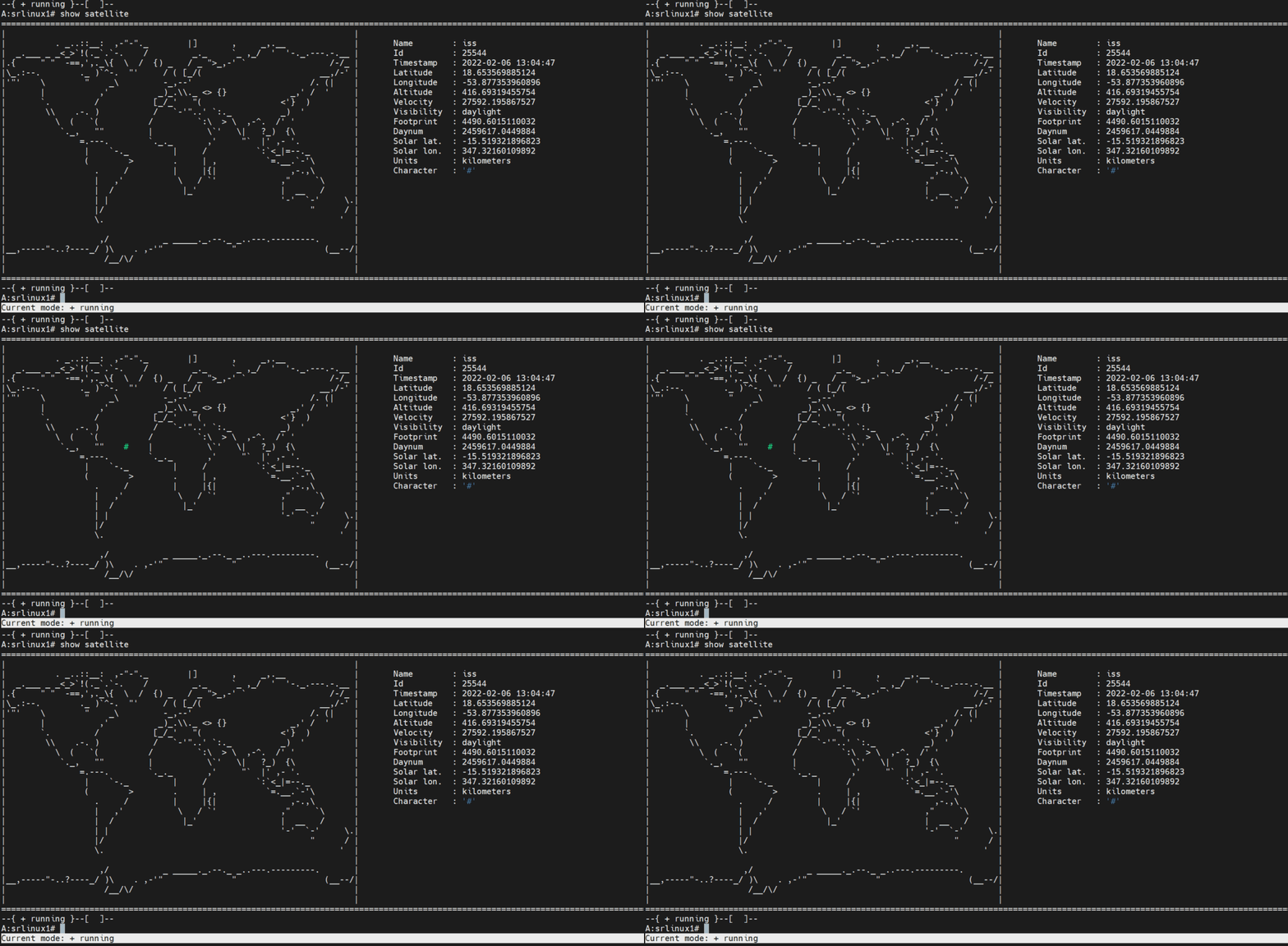{: .img-shadow}
26 |
27 | ISS coordinates are populated into the SR Linux'es state datastore and can be retrieved via any available interface (CLI, gNMI, JSON-RPC).
28 |
29 | 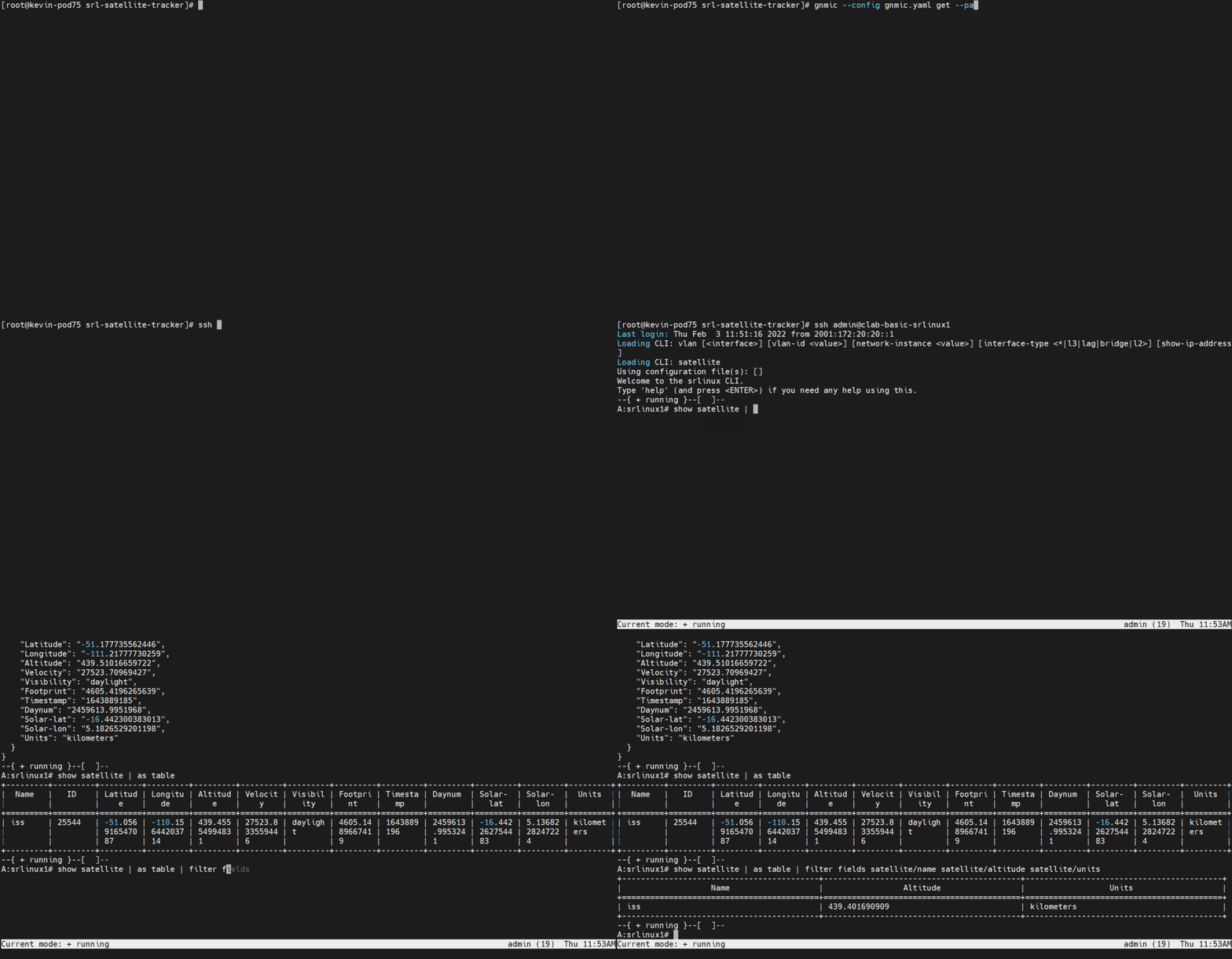{: .img-shadow}
30 |
31 | [^1]: International Space Station
32 | [srl]: https://www.nokia.com/networks/products/service-router-linux-NOS/
33 | [src]: https://github.com/KTodts/srl-satellite-tracker
34 | [ndk]: ../index.md
35 | [auth1]: https://www.linkedin.com/in/kevin-todts/
36 |
--------------------------------------------------------------------------------
/docs/blog/posts/2023/intent-based-ansible.md:
--------------------------------------------------------------------------------
1 | ---
2 | date: 2023-07-06
3 | tags:
4 | - srlinux
5 | - ansible
6 | authors:
7 | - wdesmedt
8 | hide:
9 | - toc
10 | ---
11 |
12 | # Intent-based fabric management with Ansible
13 |
14 | :material-book: [Tutorial: Intent-based management with Ansible][tutorial]
15 |
16 | Ansible is today the _lingua franca_ for many network engineers to automate the configuration of network devices. Due to its simplicity and low entry barrier, it is a popular choice for network automation that features modular and reusable automation tasks available to network teams.
17 |
18 | Broadly speaking, there are two common approaches to network automation with Ansible:
19 |
20 | 1. Smaller, per-device configuration management using Ansible modules
21 | 2. And a more broad and generic, per-service/role (or even per-fabric) configuration management using higher-level Ansible abstractions like roles and custom modules.
22 |
23 | The first approach is the most common and straightforward one, as it is easy to get started with and requires little to no development skills. Just take the off-the-shelf module provided by the Ansible community or a vendor and start moving configuration tasks from the CLI snippets saved in a notebook to a playbook.
24 | While sounding simple, this approach can become a maintenance nightmare as the number of devices and configuration tasks grows. The playbook will become a long list of tasks that are hard to maintain and reuse.
25 |
26 | This is when the second approach comes into play. It requires a deeper understanding of Ansible concepts, but it is more scalable and maintainable in the long run. The idea is to abstract the configuration tasks into reusable Ansible roles and use variables to pass the configuration parameters to the roles. This way, the playbook becomes a list of roles that are applied to the devices in the inventory.
27 |
28 | When roles are designed in a way that make services provisioned on all the devices in the inventory, the playbook becomes an intent-based service provisioning tool. To provide a practical example of using Ansible to manage the configuration of an SR Linux fabric with the **intent-based approach** leveraging the official [Ansible collection for SR Linux][collection-doc-link] we created a comprehensive tutorial that covers A to Z the steps required to start managing a fabric in that way - **[:material-book: Intent-based management with Ansible][tutorial]** tutorial.
29 |
30 | We are eager to hear your thoughts on that approach and the tutorial itself. Please drop a comment below or open an issue in the [GitHub repository][intent-based-ansible-lab] if you have any questions or remarks.
31 |
32 | [collection-doc-link]: ../../../ansible/collection/index.md
33 | [intent-based-ansible-lab]: https://github.com/srl-labs/intent-based-ansible-lab
34 | [tutorial]: ../../../tutorials/programmability/ansible/intent-based-management/index.md
35 |
--------------------------------------------------------------------------------
/docs/blog/posts/2023/sshx.md:
--------------------------------------------------------------------------------
1 | ---
2 | date: 2023-11-07
3 | tags:
4 | - sr linux
5 | - ssh
6 | authors:
7 | - rdodin
8 | ---
9 |
10 | # Sharing SR Linux Terminal with SSHX
11 |
12 | Countless times I've been in a situation where I needed to share my terminal with someone or being asked to connect to someone's device instead.
13 |
14 | Either I exhausted my networking foo and needed help from a colleague, or I was the one who was asked to help. In both cases, the problem was the same - how to **quickly**, **securely**[^1] and **effortlessly** share the terminal with someone else.
15 |
16 | The problem is not new and there are many options on the table. From installing a VPN software and sharing the credentials, through zero-trust solutions like Teleport, to using a simple SSH tunnel. All of these solutions are great, but they require some setup and configuration. And sometimes you just want to share your terminal with someone without going through the hassle of setting up a VPN or a zero-trust solution.
17 |
18 | The [sshx.io](https://sshx.io) open-source service that [just](https://twitter.com/ekzhang1/status/1721288674204131523) popped out offers a simple solution to this problem.
19 |
20 | 1. Install the multi-arch lightweight[^2] `sshx` binary on your machine
21 | 2. Run `sshx`
22 | 3. Share the URL with someone
23 | 4. Enjoy collaborative terminal in a responsive web UI with a multi panel canvas
24 |
25 | I felt an immediate urge to try it out with SR Linux. And it worked like a charm!
26 |
27 |
28 |
29 |
30 |
31 |
32 |
33 | It is super easy to bring `sshx` to SR Linux, here is a quick demo environment that you can spin up to try it out:
34 |
35 | 1. Deploy a single-node SR Linux lab
36 |
37 | ```
38 | curl -sL srlinux.dev/clab-srl | sudo clab dep -c -t -
39 | ```
40 |
41 | 2. Login to the newly-created `srl` node
42 |
43 | ```
44 | ssh srl
45 | ```
46 |
47 | 3. In the SR Linux terminal go to `bash` and install `sshx`
48 |
49 | ```srl
50 | --{ running }--[ ]--
51 | A:srl# bash
52 | [admin@srl ~]$
53 | ```
54 |
55 | 4. Install `sshx`
56 |
57 | ```bash
58 | [admin@srl ~]$ curl -sSf https://sshx.io/get | sh
59 | ```
60 |
61 | 5. Run `sshx`, grab a link and pop up the Web UI with the terminal
62 |
63 | ```bash
64 | [admin@srl ~]$ sshx
65 |
66 | sshx v0.2.0
67 |
68 | ➜ Link: https://sshx.io/s/bRPTeBxXiY#YKcwyLj03r0tik
69 | ➜ Shell: /bin/bash
70 | ```
71 |
72 | [^1]: Usual security measures apply. Vet the installation binary, keep a vetted copy of the binary, etc.
73 | [^2]: The binary is around 3MB in size
74 |
--------------------------------------------------------------------------------
/macros/main.py:
--------------------------------------------------------------------------------
1 | """
2 | Mkdocs-macros module
3 | """
4 |
5 |
6 | def define_env(env):
7 | """
8 | Macroses used in SR Linux documentation
9 | """
10 |
11 | @env.macro
12 | def diagram(url, page: int, title: str, zoom: int = 2):
13 | """
14 | Diagram macro
15 | """
16 |
17 | # to allow shorthand syntax for drawio URLs, like:
18 | # srl-labs/srlinux-getting-started/main/diagrams/topology.drawio
19 | # we will append the missing prefix to it if it doesn't start with http already
20 | if not url.startswith("http"):
21 | url = "https://raw.githubusercontent.com/" + url
22 |
23 | diagram_tmpl = f"""
24 |
25 |
59 | """
60 |
61 | return yt_tmpl
62 |
63 | @env.macro
64 | def image(url: str, width: int = 0, title: str = "", shadow: bool = True):
65 | """
66 | Image macro
67 | :param url: image URL
68 | :param width: image width in percent
69 | :param title: image title
70 | :param shadow: whether to add shadow to the image
71 | """
72 |
73 | shadow_component = ""
74 | if shadow:
75 | shadow_component = ".img-shadow"
76 |
77 | width_component = ""
78 | if width is not None and width != 0:
79 | width_component = f"width={width}%"
80 |
81 | return f"""
82 | {{{shadow_component} {width_component} }}
83 | {f"{title}" if title else ""}
84 | """
85 |
--------------------------------------------------------------------------------
/docs/ndk/apps/index.md:
--------------------------------------------------------------------------------
1 | # App Catalog
2 |
3 | SR Linux NetOps Development Kit (NDK) enables its users to write apps to solve many automation tasks, operational hurdles, or optimization problems.
4 |
5 | gRPC based service that provides deep integration with Network OS is quite a novel thing for a networking domain, making NDK application examples the second most valuable asset after the NDK documentation. Sometimes the best applications are born after getting inspired by others' work or ideas implemented in different projects.
6 |
7 | With the App Catalog, we intend to collect references to the noteworthy NDK applications that Nokia engineers or 3rd parties have open-sourced. With that growing catalog of examples, we hope that both new and seasoned NDK users will find something that can inspire them to create their next app.
8 |
9 | !!!warning "Disclaimer"
10 |
11 | The examples listed in the App Catalog are not of production quality and should not be used "as is." Visitors of App Catalog should treat those applications/agents as demo examples of what can be achieved with NDK.
12 |
13 | The applications kept under `srl-labs` or `nokia` GitHub organizations are not official Nokia products unless explicitly mentioned.
14 |
15 | ## NDK agents
16 |
17 | ### EVPN Proxy
18 |
19 | :material-language-python: · [`jbemmel/srl-evpn-proxy`](https://github.com/jbemmel/srl-evpn-proxy)
20 |
21 | SR Linux EVPN Proxy agent that allows bridging EVPN domains with domains that only employ static VXLAN.
22 | [:octicons-arrow-right-24: Read more](evpn-proxy.md)
23 |
24 | ### kButler
25 |
26 | :material-language-go: · [`brwallis/srlinux-kbutler`](https://github.com/brwallis/srlinux-kbutler)
27 |
28 | kButler agent ensures that for every worker node which hosts an application with an exposed service, there is a corresponding FIB entry for the service's external IP with a next-hop of the worker node.
29 | [:octicons-arrow-right-24: Read more](kbutler.md)
30 |
31 | ### Prometheus Exporter
32 |
33 | :material-language-go: · [`karimra/srl-prometheus-exporter`](https://github.com/karimra/srl-prometheus-exporter)
34 |
35 | SR Linux Prometheus Exporter agent creates Prometheus scrape-able endpoints on individual switches. This horizontally-scaled telemetry collection model has additional operational enhancements over traditional setups with a central telemetry collector.
36 | [:octicons-arrow-right-24: Read more](srl-prom-exporter.md)
37 |
38 | ### SR Linux GPT Agent a.k.a `askai`
39 |
40 | :material-language-go:
41 |
42 | An NDK app that leverages OpenAI and context learning with local embeddings to create a Clippy you always wanted to have in your CLI.
43 | [:octicons-arrow-right-24: Read more](srl-gpt.md)
44 |
45 | ### Satellite Tracker
46 |
47 | :material-language-python: · [`KTodts/srl-satellite-tracker`](https://github.com/KTodts/srl-satellite-tracker)
48 |
49 | A fun educational NDK app that displays current coordinates of the Internation Space Station by querying public Internet service providing raw location data.
50 | [:octicons-arrow-right-24: Read more](satellite.md)
51 |
--------------------------------------------------------------------------------
/docs/ndk/apps/evpn-proxy.md:
--------------------------------------------------------------------------------
1 | # SR Linux EVPN Proxy
2 |
3 | | | |
4 | | ------------------------ | ------------------------------------------------------------------------------------------------------- |
5 | | **Description** | SR Linux EVPN Proxy agent that allows to bridge EVPN domains with domains that only employ static VXLAN |
6 | | **Components** | [Nokia SR Linux][srl], Cumulus VX |
7 | | **Programming Language** | Python |
8 | | **Source Code** | [`jbemmel/srl-evpn-proxy`][src] |
9 | | **Authors** | [Jeroen van Bemmel][auth1] |
10 |
11 | ## Introduction
12 |
13 | Most data center designs start small before they evolve. At small scale, it may make sense to manually configure static VXLAN tunnels between leaf switches, as implemented on the 2 virtual lab nodes on the left side.
14 |
15 | 
16 |
17 | There is nothing wrong with such an initial design, but as the fabric grows and the number of leaves reaches a certain threshold, having to touch every switch each time a device is added can get cumbersome and error prone.
18 |
19 | The internet and most modern large scale data center designs use dynamic control plane protocols and volatile in-memory configuration to configure packet forwarding. BGP is a popular choice, and the Ethernet VPN address family ([EVPN RFC8365](https://datatracker.ietf.org/doc/html/rfc8365)) can support both L2 and L3 overlay services. However, legacy fabrics continue to support business critical applications, and there is a desire to keep doing so without service interruptions, and with minimal changes.
20 |
21 | So how can we move to the new dynamic world of EVPN based data center fabrics, while transitioning gradually and smoothly from these static configurations?
22 |
23 | ## EVPN Proxy Agent
24 |
25 | The `evpn-proxy` agent developed with [NDK][ndk] can answer the need of gradually transitioning from the static VXLAN dataplane to the EVPN based service. It has a lot of embedded functionality, we will cover the core feature here which is the Static VXLAN <-> EVPN Proxy functionality for point to point tunnels.
26 |
27 | The agent gets installed on SR Linux NOS and enables the control plane stitching between static VXLAN VTEP and EVPN-enabled service by generating EVPN routes on behalf of a legacy VTEP device.
28 |
29 | 
30 |
31 | [srl]: https://www.nokia.com/networks/products/service-router-linux-NOS/
32 | [src]: https://github.com/jbemmel/srl-evpn-proxy
33 | [ndk]: ../index.md
34 | [auth1]: https://www.linkedin.com/in/jeroenvbemmel/
35 |
--------------------------------------------------------------------------------
/docs/ndk/guide/dev/go/with-bond/bond.md:
--------------------------------------------------------------------------------
1 | # Creating the Bond agent
2 |
3 | It doesn't matter if the application is written in Go, Python, or any other gRPC-enabled language. It doesn't matter if the application is feature-rich or a simple greeting service. Every NDK app should perform the same routine steps to become a functional piece of the SR Linux Network OS.
4 |
5 | We covered these steps in the [NDK Operations](../../../operations.md) guide in a great detail. Now we need to put this knowledge to practice and make our greeter application to do all these steps. Since dealing with these low level RPCs presented by the NDK is not always fun, we created the [**`srl-labs/bond`**][bond-repo] package.
6 |
7 | Bond package is a helper Go package that abstracts the low-level NDK API and assists in the development of the NDK applications. It is a wrapper around the NDK gRPC services with utility functions that were designed to provide a more pleasant development experience. It deals with all the routine steps an app should go through and exposes some helper functions that can make writing NDK apps a fun experience.
8 |
9 | We initialize our bond agent in the [`main.go`][main-go] file by specifying options of the Bond agent and starting it.
10 |
11 | ```{.go .code-scroll-lg}
12 | --8<-- "https://raw.githubusercontent.com/srl-labs/ndk-greeter-go/main/main.go:main-init-bond-agent"
13 | ```
14 |
15 | We pass the logger instance created earlier to make the Bond agent log its messages to the same destination as the application.
16 |
17 | Next, we pass the application context so that Bond can use this context with the attached metadata as well as cancelling its operations when the app's context is cancelled.
18 |
19 | And last option is the application's root path, that we set as a constant in the `greeter` package. The application root path is the gNMI path of the root object of the application. Since our application's `greeter` container is mounted directly to the root of the SR Linux schema, the root path simply points to `/greeter`.
20 |
21 | Once all the Bond options are set, we can start the Bond agent by calling the [`Start`][bond-pkg-start-fn] function. Start function will deal with the following:
22 |
23 | 1. Connect to the NDK service socket
24 | 2. Create gRPC service clients for all NDK services
25 | 3. Register the application within the NDK
26 | 4. Create a gNMI client to allow users to use gNMI when fetching or setting the data outside of the application' domain
27 | 5. Implement the graceful exit handler for the application
28 | 6. Listen to the notifications from the NDK's Config service to pass them to the application
29 |
30 | As you can see, there is a lot that bond does for your application, which otherwise would be on developer' shoulders. We won't dive into the Bond operations in this guide, we wanted the app developer to focus on the application logic, and that is what we are going to do next.
31 |
32 | :octicons-arrow-right-24: [Greeter application](app.md)
33 |
34 | [bond-repo]: https://github.com/srl-labs/bond
35 | [main-go]: https://github.com/srl-labs/ndk-greeter-go/blob/main/main.go
36 | [bond-pkg-start-fn]: https://pkg.go.dev/github.com/srl-labs/bond#Agent.Start
37 |
--------------------------------------------------------------------------------
/docs/ndk/guide/dev/go/the-hard-way/updating-state.md:
--------------------------------------------------------------------------------
1 | # Updating State
2 |
3 | When `processConfig` function finished processing the configuration, we need to update the state datastore with the new values. We do this by calling the `updateState` function.
4 |
5 | ```{.go title="greeter/app.go" hl_lines="11"}
6 | --8<-- "https://raw.githubusercontent.com/srl-labs/ndk-greeter-go/v0.1.0/greeter/app.go:app-start"
7 | ```
8 |
9 | In SR Linux, the state data store contains both configuration and read-only elements, so we need to update the state datastore with the `ConfigState` struct that contains both the `name` and `greeting` values.
10 |
11 | ```{.go title="greeter/state.go"}
12 | --8<-- "https://raw.githubusercontent.com/srl-labs/ndk-greeter-go/v0.1.0/greeter/state.go:state-const"
13 | --8<-- "https://raw.githubusercontent.com/srl-labs/ndk-greeter-go/v0.1.0/greeter/state.go:update-state"
14 | ```
15 |
16 | The `updateState` function first marshals the `ConfigState` struct to JSON and then calls `telemetryAddOrUpdate` function to post these changes to the state datastore.
17 |
18 | Let's see what's inside the `telemetryAddOrUpdate`:
19 |
20 | ```{.go title="greeter/state.go"}
21 | --8<-- "https://raw.githubusercontent.com/srl-labs/ndk-greeter-go/v0.1.0/greeter/state.go:telemetry-add-or-update"
22 | ```
23 |
24 | As we covered in the [Handling application's configuration and state](../../../operations.md#handling-applications-configuration-and-state) section, NDK's [Telemetry service][sdk_mgr_telem_svc_doc] provides the RPCs to add/update and delete data from SR Linux's state data store. We initialized the Telemetry service client when we [created](app-instance.md#creating-ndk-clients) the application's instance at the very beginning of this tutorial, and now we use it to modify the state data.
25 |
26 | First we craft the [`TelemetryUpdateRequest`][sdk_mgr_telem_upd_req_doc] that has `TelemetryInfo` message nested in it, which contains the `TelemetryKey` and `TelemetryData` messages. The `TelemetryKey` message contains the `path` field that specifies the path to the state data element we want to update. The `TelemetryData` message contains the `json` field that contains the JSON representation of the data we want to add/update.
27 |
28 | Our `ConfigState` struct was already marshaled to JSON, so we just need to set the `json` field of the `TelemetryData` message to the marshaled JSON and call `TelemetryAddOrUpdate` function of the Telemetry service client.
29 |
30 | This will update the state data store with the new values.
31 |
32 | Congratulations :partying_face:! You have successfully implemented the greeter application with bare NDK Go bindings and reached the end of this tutorial. Using bare NDK Go bindings without the [srl-labs/bond][bond-repo] helper package is not an easy task, therefore most likely you will use Bond to implement your applications.
33 |
34 | [sdk_mgr_telem_svc_doc]: https://rawcdn.githack.com/nokia/srlinux-ndk-protobufs/v0.2.0/doc/index.html#srlinux.sdk.SdkMgrTelemetryService
35 | [sdk_mgr_telem_upd_req_doc]:https://rawcdn.githack.com/nokia/srlinux-ndk-protobufs/v0.2.0/doc/index.html#srlinux.sdk.TelemetryUpdateRequest
36 | [bond-repo]: https://github.com/srl-labs/bond
37 |
--------------------------------------------------------------------------------
/docs/images/srlinux.svg:
--------------------------------------------------------------------------------
1 |
2 |
--------------------------------------------------------------------------------
/docs/overrides/.icons/nokia/srlinux.svg:
--------------------------------------------------------------------------------
1 |
2 |
--------------------------------------------------------------------------------
/docs/ndk/index.md:
--------------------------------------------------------------------------------
1 | ---
2 | tags:
3 | - ndk
4 | hide:
5 | - toc
6 | ---
7 | # NetOps Development Kit (NDK)
8 |
9 | Nokia SR Linux enables its users to create high-performance applications that run alongside native apps on SR Linux Network OS. These "on-box custom applications" can deeply integrate with the rest of the SR Linux system and therefore can perform tasks that are not feasible to perform with traditional out-of-the-box automation done via management interfaces.
10 |
11 |
12 | {.img-shadow width="640" }
13 | Custom applications run natively on SR Linux NOS
14 |
15 |
16 | The on-box applications (which we also refer to as "agents") leverage the SR Linux software development kit called **NetOps Development Kit** or NDK for short.
17 |
18 | Applications developed with SR Linux NDK have a set of unique characteristics which set them aside from the traditional off-box automation solutions:
19 |
20 | 1. **Native integration with SR Linux system**
21 | SR Linux architecture is built in a way that let NDK agents look and feel like any other regular application such as BGP or ACL. This seamless integration is achieved on several levels:
22 | 1. **System** integration: when deployed on SR Linux system, an NDK agent renders itself like any other "standard" application. That makes lifecycle management unified between Nokia-provided system apps and custom agents.
23 | 2. **Management** integration: each NDK app configuration and state model automatically becomes a part of the global SR Linux management tree, making it possible to configure the agent and query its state the same way as for any other configuration region.
24 | 3. **Telemetry** integration: an NDK agent configuration and state data will automatically become available for Streaming Telemetry consumption.
25 | 2. **Programming language-neutral**
26 | With SR Linux NDK, the developers are not forced to use any particular language when writing their apps. As NDK is based on gRPC, it is possible to use any[^1] programming language that supports protobuf.
27 | 3. **Deep integration with system components**
28 | NDK apps are not constrained to only configuration and state management, as often happens with traditional north-bound interfaces. On the contrary, the NDK service exposes additional services that enable deep integration with the SR Linux system, such as listening to RIB/FIB updates or having direct access to the datapath.
29 |
30 | Developers are welcomed to dig into the [NDK Developers Guide](guide/architecture.md) to learn all about NDK architecture and how to develop apps with this kit.
31 |
32 | Browse our [Apps Catalog](apps/index.md) with a growing list of NDK apps that Nokia or 3rd parties published.
33 |
34 | ## NDK artifacts
35 |
36 | A list of links to various NDK artifacts:
37 |
38 | * NDK Proto files: [`nokia/srlinux-ndk-protobufs`](https://github.com/nokia/srlinux-ndk-protobufs)
39 | * [Generated NDK Service documentation](https://ndk.srlinux.dev)
40 | * Go bindings for NDK: [`nokia/srlinux-ndk-go`](https://github.com/nokia/srlinux-ndk-go)
41 | * Python bindings for NDK: [`nokia/srlinux-ndk-py`](https://github.com/nokia/srlinux-ndk-py)
42 |
43 | [^1]: This in practice covers all popular programming languages: Python, Go, C#, C, C++, Java, JS, etc.
44 |
--------------------------------------------------------------------------------
/docs/blog/posts/2025/pydantic-srlinux.md:
--------------------------------------------------------------------------------
1 | ---
2 | date: 2025-01-30
3 | tags:
4 | - pydantify
5 | - api
6 | - automation
7 | authors:
8 | - rdodin
9 | ---
10 |
11 | # Pydantic SR Linux - Pydantic models for SR Linux Network OS
12 |
13 | It may feel sometime that network automation always catches up with the developments in the wider IT industry. While managing services with structured APIs and Infrastructure as Code is a common practice in IT, the network industry is still largely sending hand-made CLI commands over the command line interfaces, dealing with prompts and terminal width wrapping issues.
14 |
15 | Many network automation engineers acknowledge that the reason they have to deal with decades old network management interfaces is rooted in the old(ish) NOS software, incomplete APIs when compared to CLI and lack of tools and libraries using the modern model-driven APIs.
16 |
17 | When designing the SR Linux we wanted to set an example of what a modern network OS should look like. Delivering the state of the art management interfaces and fully modelled management stack.
18 |
19 | When it comes to the tools and libraries, we have to rely on the open source community, as tools are seldom developed by a single vendor. And in the YANG-based network automation ecosystem there is, without doubt, a shortage of maintained and up-to-date tools one can pick from.
20 |
21 | Today we wanted to share the results of a recent collaboration between the SR Linux and [Pydantify](https://pydantify.github.io/pydantify/) teams that led to the creation of the [Pydantic SR Linux](https://github.com/srl-labs/pydantic-srlinux/) experimental project.
22 |
23 | -{{youtube(url='https://www.youtube.com/embed/oClamTj4LiY')}}-
24 |
25 | **Pydantic SR Linux** is a collection of Pydantic models generated with Pydantify from the SR Linux YANG models. Using this python package a network automation engineer can easily create configuration payloads using strictly typed objects without dropping down to the runtime text templating.
26 |
27 | In essence, this allows dealing with configuration management in a more reliable, maintainable and verifiable way.
28 |
29 | After we created the Pydantic SR Linux prototype, a few issues popped up around some modelling gaps Pydantify had. In less than two weeks Urs and Dan rectified most of these issues and kicked off Pydantify 0.8.0 release.
30 |
31 | With the new Pydantify version I have regenerated the pydantic SR Linux models and created another tutorial that demonstrates how you can progressively enhance your configuration management with Pydantic SR Linux.
32 |
33 | Taking it step by step, we first parametrized our script and introduced functions that take care of the narrow parts of the configuration.
34 |
35 | Then we added custom classes and convenience methods to make our code more composable.
36 |
37 | Finally we added tests and set off to create a bigger automation example that creates the ISIS network with loopback prefix exchange.
38 |
39 | -{{youtube(url='https://www.youtube.com/embed/CM3sT55zwt0')}}-
40 |
41 | Consider the [examples](https://github.com/srl-labs/pydantic-srlinux/tree/main/example) in the project's repository to see the code in action.
42 |
43 | > The Pydantic SR Linux project is an experimental project and we are looking forward to your feedback. If you want to see these models generated automatically for each release - please let us know here in the comments or in our [Discord](https://discord.gg/tZvgjQ6PZf).
44 |
--------------------------------------------------------------------------------
/docs/ndk/guide/dev/go/with-bond/main.md:
--------------------------------------------------------------------------------
1 | # Application Entry Point
2 |
3 | In Go, the `main()` function is the entry point of the binary application and is defined in the [`main.go`][main-go][^1] file of our application:
4 |
5 | ```{.go .code-scroll-lg}
6 | --8<-- "https://raw.githubusercontent.com/srl-labs/ndk-greeter-go/main/main.go:pkg-main"
7 | --8<-- "https://raw.githubusercontent.com/srl-labs/ndk-greeter-go/main/main.go:pkg-main-vars"
8 | --8<-- "https://raw.githubusercontent.com/srl-labs/ndk-greeter-go/main/main.go:main"
9 | ```
10 |
11 | ## Application version
12 |
13 | As you can see, the `main` function is rather simple. First, we [handle the `version`](#__codelineno-0-9:16){ data-proofer-ignore } CLI flag to make sure our application can return its version when asked.
14 |
15 | Application config has a [`version-command`](index.md#__codelineno-7-4) field that indicates which command needs to be executed to get the application version. In our case, the `version` field is set to `greeter --version` and we just went through the handler of this flag.
16 |
17 | In SR Linux CLI we can get the version of the `greeter` app by executing the `show system application greeter` command:
18 |
19 | ```srl
20 | --{ + running }--[ ]--
21 | A:greeter# show system application greeter
22 | +---------+------+---------+-------------+--------------------------+
23 | | Name | PID | State | Version | Last Change |
24 | +=========+======+=========+=============+==========================+
25 | | greeter | 4676 | running | dev-a6f880b | 2023-11-29T21:29:04.243Z |
26 | +---------+------+---------+-------------+--------------------------+
27 | ```
28 |
29 | /// details | Why the version is `dev-a6f880b`?
30 | Attentive readers might have noticed that the version of the `greeter` app is `dev-a6f880b` instead of `v0.0.0-` following the [`version` and `commit` variables](#__codelineno-0-3:6){ data-proofer-ignore } values in [`main.go`][main-go] file. This is because we set the values for these variables at build time using the Go linker flags in the [`run.sh`][runsh] script:
31 |
32 | ```bash
33 | LDFLAGS="-s -w -X main.version=dev -X main.commit=$(git rev-parse --short HEAD)"
34 | ```
35 |
36 | These variables are then set to the correct values when we build the application with Goreleaser.
37 | ///
38 |
39 | ## Setting up the Logger
40 |
41 | Logging is an important part of any application. It aids the developer in debugging the application and provides valuable information about the application's state for its users.
42 |
43 | ```go
44 | func main() {
45 | // snip
46 | logger := setupLogger()
47 | // snip
48 | }
49 | ```
50 |
51 | We create the logger before initializing the application so that we can pass it to the application and use it to log the application's state.
52 |
53 | Logging from the NDK application is a separate topic that is covered in the [Logging](logging.md) section of this guide.
54 |
55 | ## Context
56 |
57 | Moving down the `main` function, we create the [context](https://www.ardanlabs.com/blog/2019/09/context-package-semantics-in-go.html) that will control the lifecycle of our greeter application.
58 |
59 | ```go
60 | --8<-- "https://raw.githubusercontent.com/srl-labs/ndk-greeter-go/main/main.go:metadata"
61 | ```
62 |
63 | And with the context piece out of the way, we are standing in front of the actual NDK application machinery. Let's turn the page and start digging into it.
64 |
65 | :octicons-arrow-right-16: [Creating the Bond agent](bond.md).
66 |
67 | [runsh]: https://github.com/srl-labs/ndk-greeter-go/blob/main/run.sh
68 | [main-go]: https://github.com/srl-labs/ndk-greeter-go/blob/main/main.go
69 |
70 | [^1]: Imports are omitted for brevity.
71 |
--------------------------------------------------------------------------------
/docs/cli/show-commands/lag.md:
--------------------------------------------------------------------------------
1 | ---
2 | comments: true
3 | title: Troubleshooting LAGs
4 | ---
5 |
6 | # LAG
7 |
8 | ## Status
9 |
10 | /// tab | CLI
11 |
12 | ```srl
13 | A:srl-a# show lag
14 | ======================================================================================
15 | lag5 is down, reason no-active-links, min links 1
16 | +-----------------+------------+---------------------------+
17 | | Member Name | oper-state | oper-down-reason |
18 | +=================+============+===========================+
19 | | ethernet-1/2 | down | port-oper-disabled |
20 | | ethernet-1/3 | down | port-oper-disabled |
21 | +-----------------+------------+---------------------------+
22 | --------------------------------------------------------------------------------------
23 | ======================================================================================
24 | Summary
25 | 0 LAG interfaces are up, 1 are down
26 | ======================================================================================
27 | ```
28 |
29 | ///
30 | /// tab | Path
31 | `/lag[name=lag5]`
32 | ///
33 |
34 | ## Statistics
35 |
36 | /// tab | CLI
37 |
38 | ```srl
39 | A:srl-a# show lag lag5 detail
40 | ======================================================================================
41 | LagInterface: lag5
42 | --------------------------------------------------------------------------------------
43 | Description :
44 | Oper state : down
45 | Down reason : no-active-links
46 | Min links : 1
47 | Aggregate Speed: 0
48 | +--------------+------------+--------------------+-----------------+
49 | | Member Name | oper-state | oper-down-reason | micro-bfd state |
50 | +==============+============+====================+=================+
51 | | ethernet-1/2 | down | port-oper-disabled | false |
52 | | ethernet-1/3 | down | port-oper-disabled | false |
53 | +--------------+------------+--------------------+-----------------+
54 |
55 | --------------------------------------------------------------------------------------
56 | Traffic statistics for lag5
57 | --------------------------------------------------------------------------------------
58 | counter Rx Tx
59 | Octets 0 0
60 | Unicast packets 0 0
61 | Broadcast packets 0 0
62 | Multicast packets 0 0
63 | Errored packets 0 0
64 | FCS error packets 0 N/A
65 | MAC Pause frames 0 0
66 | Oversize frames 0 N/A
67 | Jabber frames 0 N/A
68 | Fragment frames 0 N/A
69 | CRC errors 0 N/A
70 | ```
71 |
72 | ```srl
73 | A:srl-a# show lag lag5 member-statistics
74 | ======================================================================================
75 | LagInterface: lag5
76 | --------------------------------------------------------------------------------------
77 | Description:
78 | Oper state : down
79 | +-----------------+-----------+-----------+-----------+-----------+-----------+----+--------+
80 | | Members | Rx Octets | Tx Octets | Rx | Tx | Rx Errors | Tx | Errors |
81 | | | | | Packets | Packets | | | +
82 | +=================+===========+===========+===========+===========+===========+======+========+
83 | | ethernet-1/2 | 0 | 0 | 0 | 0 | 0 | 0 | |
84 | | ethernet-1/3 | 0 | 0 | 0 | 0 | 0 | 0 | |
85 | +-----------------+-----------+-----------+-----------+-----------+-----------+----+--------+
86 | ```
87 |
88 | ///
89 | /// tab | Path
90 | `/lag[name=lag5]/statistics`
91 | ///
92 |
--------------------------------------------------------------------------------
/docs/tutorials/l3evpn/rt5-only/summary.md:
--------------------------------------------------------------------------------
1 | ---
2 | comments: true
3 | ---
4 |
5 | # Summary
6 |
7 | While originally designed for layer 2 VPNs, EVPN has been extended to support inter-subnet routing, and subsequently, layer 3 VPNs. This tutorial walked you through the configuration of **a simple, interface-less, RT5-only layer 3 EVPN service**[^1] deployed on top of an IP fabric.
8 |
9 | The two scenarios covered in this tutorial included a Layer 3 CE end device connected to a leaf switch and a Layer 3 CE router device that utilized a PE-CE routing protocol to exchange prefixes. In both scenarios, the EVPN service was configured to provide end-to-end Layer 3 reachability between the CE prefixes.
10 |
11 | Since no IRB interfaces were used in this tutorial, the EVPN control plane was extremely simple, with only EVPN RT5 routes being exchanged between the leaf switches. No ARP/ND synchronization, no IMET routes, not MAC tables. This is a significant simplification compared to state required to support the Layer 2-based services.
12 |
13 | However, there are, as always, some considerations to keep in mind:
14 |
15 | 1. When connecting servers to the fabric using L3 routed interfaces (as opposed to L2 interfaces), the servers must be reconfigured to use the leaf switch as the default gateway. You will have to configure routed interfaces on leaf switches per each server. This may become a challenge in certain environments.
16 | All active load balancing must be done with ECMP and may require a routing protocol that supports ECMP. This, again, may or may not be feasible.
17 | 2. When a PE-CE protocol is used, the configuration tasks are more complex on the CE side when compared to a simple LAG configuration in the case of L2 EVPN service or L3 EVPN with IRB.
18 | 3. And lastly, another consideration to keep in mind when opting for pure Layer 3 services is the legacy workloads that may _require_ Layer 2 connectivity. In such cases, a Layer 2 EVPN is a must.
19 |
20 | In a nutshell, network designers and operators should carefully consider the trade-offs between the simplicity of the EVPN control plane and the additional tasks required on the server and CE device side when deciding on the type of EVPN service to deploy.
21 |
22 |
23 | /// admonition | Pure L3 EVPN fabrics in the wild?
24 | type: quote
25 | We shout out to the community to share their experiences with pure L3 EVPN fabrics. Have you deployed one? What were the challenges? What were the benefits?
26 |
27 | Here is a [linkedin post with some pretty interesting comments](https://www.linkedin.com/feed/update/urn:li:activity:7221449552220823552/) on the topic by Pavel Lunin from Scaleway.
28 | ///
29 |
30 |
31 | We are going to cover more advanced L3 EVPN scenarios with symmetric IRB interfaces, Interface-full mode of operation, and ESI support in the upcoming tutorials. Stay tuned!
32 |
33 | /// details | Resulting configs
34 | If you wish to start a lab with the resulting configurations from this tutorial already in place, you need to uncomment the `startup-config` knobs in the [topology file][lab-topo] prior to the lab deployment.
35 |
36 | In the repository, you therefore can find the full startup configs per each device in the [`startup_configs`][startup-configs-dir] directory.
37 |
38 | ///
39 |
40 | [lab-topo]: https://github.com/srl-labs/srl-l3evpn-tutorial-lab/tree/main/l3evpn-tutorial.clab.yml
41 | [startup-configs-dir]: https://github.com/srl-labs/srl-l3evpn-tutorial-lab/tree/main/startup_configs
42 |
43 | [^1]: A more advanced, feature rich, and therefore complex L3 EVPN service introduces a combination of MAC and IP VRFs with IRB interfaces and ESI support. This tutorial does not cover these advanced topics.
44 |
--------------------------------------------------------------------------------
/docs/ndk/guide/dev/go/build-and-package.md:
--------------------------------------------------------------------------------
1 | # Building and packaging the application
2 |
3 | The local [`run.sh`][run-sh] script that we ship with the demo [`greeter` app][greeter-go-repo] has convenience functions to build, compress and package the application. For example, to build a development package one can simply run:
4 |
5 | ```bash
6 | ./run.sh package
7 | ```
8 |
9 | This function will build, compress and package the application in a deb package in your `./build` directory. You can then copy this file over to an SR Linux container or hardware system and try it out.
10 |
11 | /// admonition | Packaging with nFPM
12 | The packaging step is explained in detail in [Packaging the NDK app section](../../agent-install-and-ops.md#packaging-the-ndk-application).
13 | ///
14 |
15 | While using the `run.sh` script is fine for a quick local development, you would rather have a build pipeline that can use something like [Goreleaser][goreleaser] and build, package and push the application in a single step.
16 |
17 | The greeter app repo uses [Goreleaser][goreleaser] to build, package and push the application to a free package repository. Checkout the GitHub actions workflow defined in the [`cicd.yml`][cicd-wf] file for more details as well as the [`goreleaser.yml`][goreleaser-yml] file for the Goreleaser configuration.
18 |
19 | ## Postinstall script
20 |
21 | Packaging the application in a deb package has a benefit of having a built-in mechanism to run a post-installation script. As an app developer you can craft a script that can prepare the grounds for your application to run successfully.
22 |
23 | It can be as complex as your application requirements dictate, or as simple as just reloading the app manager once the app is installed. The latter is the case with the greeter app.
24 |
25 | Recall, that whenever we install a new application on SR Linux system, we need to reload the application manager. App manager is like an manager of all the applications installed on the system. It parses the configuration of each app and manages the lifecycle of each app.
26 |
27 | Thus, with every new app onboarded on the system we require to reload the application manager in order for the new app to be recognized by the system. But it is not fun to always manually type `tools system app-management application app_mgr reload` whenever you install a new app...
28 |
29 | That's where the post-install script comes in. Consider the following [`postinstall.sh`][postinstall-sh] script that we ship with the greeter app:
30 |
31 | ```bash
32 | --8<-- "https://raw.githubusercontent.com/srl-labs/ndk-greeter-go/main/postinstall.sh"
33 | ```
34 |
35 | It does only one thing - reload the application manager - but does it just in time when the app is installed.
36 |
37 | To make the postinstall script part of your deb package, you add the postinstall script path in your nfpm section of the [`goreleaser.yml`][goreleaser-yml] file. The rest is done by the Apt package manager. Cool!
38 |
39 | ## Try greeter
40 |
41 | Once the application package is published in our package repository, containerlab users can install it on their SR Linux system:
42 |
43 | ```srl
44 | --{ running }--[ ]--
45 | A:srl# bash sudo apt update && sudo apt install -y ndk-greeter-go
46 | ```
47 |
48 | Once the package is installed, reload your app manager and try configuring the greeter app:
49 |
50 | ```srl
51 | --{ running }--[ ]--
52 | A:srl# /tools system app-management application app_mgr reload
53 | ```
54 |
55 | [goreleaser]: https://goreleaser.com/
56 | [run-sh]: https://github.com/srl-labs/ndk-greeter-go/blob/main/run.sh
57 | [goreleaser-yml]: https://github.com/srl-labs/ndk-greeter-go/blob/main/goreleaser.yml
58 | [cicd-wf]: https://github.com/srl-labs/ndk-greeter-go/blob/main/.github/workflows/cicd.yml
59 | [greeter-go-repo]: https://github.com/srl-labs/ndk-greeter-go
60 | [postinstall-sh]: https://github.com/srl-labs/ndk-greeter-go/blob/main/postinstall.sh
61 |
--------------------------------------------------------------------------------
/docs/cli/show-commands/acl.md:
--------------------------------------------------------------------------------
1 | ---
2 | comments: true
3 | title: Show commands for ACL
4 | ---
5 |
6 | # ACL
7 |
8 | ## Status
9 |
10 | ```{.srl .code-scroll-lg}
11 | A:srl-a# show acl summary
12 | --------------------------------------------------------------------------------------
13 | CPM Filter ACLs
14 | --------------------------------------------------------------------------------------
15 | ipv4-entries: 38
16 | ipv6-entries: 39
17 | mac-entries : 0
18 | --------------------------------------------------------------------------------------
19 | Capture Filter ACLs
20 | --------------------------------------------------------------------------------------
21 | ipv4-entries: 0
22 | ipv6-entries: 0
23 | --------------------------------------------------------------------------------------
24 | IPv4 Filter ACLs
25 | --------------------------------------------------------------------------------------
26 | Filter : ip_tcp
27 | Active On: 1 subinterfaces (input) and 0 subinterfaces (output)
28 | Entries : 1
29 | --------------------------------------------------------------------------------------
30 | IPv6 Filter ACLs
31 | --------------------------------------------------------------------------------------
32 | --------------------------------------------------------------------------------------
33 | MAC Filter ACLs
34 | --------------------------------------------------------------------------------------
35 |
36 | A:srl-a# show acl ipv4-filter ip_tcp
37 | ======================================================================================
38 | Filter : ip_tcp
39 | SubIf-Specific: disabled
40 | Entry-stats : no
41 | Entries : 1
42 | --------------------------------------------------------------------------------------
43 | Subinterface Input Output
44 | ethernet-1/1.10 yes no
45 | --------------------------------------------------------------------------------------
46 | Entry 100
47 | Match : protocol=tcp, any(*)->any(*)
48 | Action : accept
49 | Input Match Packets : 0
50 | Input Last Match : never
51 | Output Match Packets: 0
52 | Output Last Match : never
53 | TCAM Entries : 2 for one subinterface and direction
54 | --------------------------------------------------------------------------------------
55 | ```
56 |
57 | ```srl
58 | A:srl-a# show acl ipv4-filter ip_tcp entry 100 subinterface ethernet-1/1.10
59 | ======================================================================================
60 | Filter : ip_tcp
61 | SubIf-Specific: disabled
62 | Entry-stats : no
63 | Entries : 1
64 | --------------------------------------------------------------------------------------
65 | Subinterface Input Output
66 | ethernet-1/1.10 yes no
67 | --------------------------------------------------------------------------------------
68 | Entry 100
69 | Match : protocol=tcp, any(*)->any(*)
70 | Action : accept
71 | Input Match Packets : 0
72 | Output Match Packets: 0
73 | TCAM Entries : 2 for one subinterface and direction
74 | --------------------------------------------------------------------------------------
75 | ```
76 |
77 | ## Logging
78 |
79 | ```srl
80 | A:srl-a# info system logging file acl-log-1
81 | system {
82 | logging {
83 | file acl-log-1 {
84 | directory /var/log/srlinux/file/
85 | rotate 5
86 | size 1M
87 | subsystem acl {
88 | }
89 | }
90 | }
91 | A:srl-a# info acl ipv4-filter ip_tcp
92 | acl {
93 | ipv4-filter ip_tcp {
94 | entry 100 {
95 | action {
96 | drop {
97 | log true
98 | }
99 | }
100 | match {
101 | protocol tcp
102 | }
103 | ```
104 |
--------------------------------------------------------------------------------
/docs/tutorials/programmability/ansible/intent-based-management/env.md:
--------------------------------------------------------------------------------
1 | # Setting up the environment
2 |
3 | To demonstrate the intent-based configuration management with Ansible we prepared a lab environment that you can set up on your own machine[^1]. The lab environment consists of a small SR Linux-based Clos fabric that is going to be configured by Ansible using intents declared in the Ansible roles.
4 |
5 | ## Clone the project repository
6 |
7 | The entire project is contained in the [intent-based-ansible-lab][intent-based-ansible-lab] repository. Following command will clone the repository to the current directory on your machine (in `intent-based-ansible-lab` directory):
8 |
9 | ```bash
10 | git clone https://github.com/srl-labs/intent-based-ansible-lab.git
11 | cd intent-based-ansible-lab
12 | ```
13 |
14 | The following sections assume you are in the `intent-based-ansible-lab` directory.
15 |
16 | ## Install Ansible and dependencies
17 |
18 | - To run the playbooks in the above repo, Ansible and related dependencies must be installed. The recommended way is to use uv. Next to the Python packages, the `nokia.srlinux` Ansible collection is required that provides the connection plugin to interact with SR Linux using JSON-RPC.
19 |
20 |
21 | ```bash title="Installing dependencies"
22 | # Install uv (Linux/macOS)
23 | curl -LsSf https://astral.sh/uv/install.sh | sh
24 |
25 | # Sync uv
26 | uv sync
27 |
28 | # Install the Nokia SR Linux Ansible collection
29 | uv run ansible-galaxy collection install nokia.srlinux
30 | ```
31 |
32 | - Ensure you have the [Containerlab](https://containerlab.dev/install)[^2] installed and are meeting its installation requirements.
33 |
34 | - We recommend you install the [fcli](https://github.com/srl-labs/nornir-srl#readme) tool that generates fabric-wide reports to verify things like configured services, interfaces, routes, etc.
35 | `fcli` is not required to run the project, but it's useful to verify the state of the fabric after running the playbook and is used throughout this tutorial to illustrate the effects of the Ansible playbooks. It is packaged in a container and run via a shell alias via the following command:
36 |
37 | ```bash
38 | uv tool install git+https://github.com/srl-labs/nornir-srl
39 | ```
40 |
41 | ## Deploying the lab
42 |
43 | You need an SR Linux test topology to run the Ansible playbook and roles against. We will use [Containerlab](https://containerlab.dev/) to create a lab environment with 6 SR Linux nodes: 4 leaves and 2 spines:
44 |
45 | ```bash
46 | containerlab deploy -t topo.clab.yml --reconfigure
47 | ```
48 |
49 | This will create a lab environment with 6 SR Linux nodes and a set of Linux containers to act as hosts:
50 |
51 |
52 |
53 | Fabric topology
54 |
55 |
56 | Containerlab populates the `/etc/hosts` file on the host machine with the IP addresses of the deployed nodes. This allows Ansible to connect to the nodes that has a matching inventory file inside the `inv` directory.
57 |
58 | ```bash title="Verifying that all lab nodes are up and running"
59 | containerlab inspect -t topo.clab.yml
60 | ```
61 |
62 | With the lab deployed, we can now explore the project's structure and understand the role's layout that powers the intent-based configuration management.
63 |
64 | [intent-based-ansible-lab]: https://github.com/srl-labs/intent-based-ansible-lab
65 | [^1]: As always, the lab is completely free to run, featuring our free and public SR Linux container image.
66 | [^2]: Using the version not older than the one mentioned in the [tutorial summary](index.md) section.
67 |
68 |
--------------------------------------------------------------------------------
/docs/tutorials/programmability/event-handler/oper-group/lab.md:
--------------------------------------------------------------------------------
1 | ---
2 | comments: true
3 | ---
4 |
5 |
6 |
7 | As always, this tutorial will be backed up by a lab that readers can effortlessly deploy on their machine and follow along. Oper-group lab is contained within [srl-labs/oper-group-lab](https://github.com/srl-labs/opergroup-lab) repository and features:
8 |
9 | 1. A Clos based fabric with 4 leaves and 2 spines, forming the fabric
10 | 2. Two dual-homed clients emulated with linux containers and running `iperf` software to generate traffic
11 | 3. L2 EVPN service[^1] configured across the leaves of the fabric
12 | 4. A telemetry stack to demonstrate oper-group operations in action.
13 |
14 | -{{ diagram(url='srl-labs/learn-srlinux/diagrams/opergroup.drawio',zoom=2.1, title='', page=0) }}-
15 |
16 | ## Physical topology
17 |
18 | On a physical layer topology interconnections are laid down as follows:
19 |
20 | -{{ diagram(url='srl-labs/learn-srlinux/diagrams/opergroup.drawio',zoom=2.1, title='', page=5) }}-
21 |
22 | Each client is dual-homed to corresponding leaves; To achieve that, interfaces `eth1` and `eth2` are formed into a `bond0` interface.
23 | On the leaves side, the access interface `Ethernet-1/1` is part of a LAG interface that is "stretched" between a pair of leaves, forming a logical construct similar to MC-LAG.
24 |
25 | -{{ diagram(url='srl-labs/learn-srlinux/diagrams/opergroup.drawio',zoom=3, title='', page=6) }}-
26 |
27 | ## Fabric underlay
28 |
29 | In the underlay of a fabric leaves and spines run eBGP protocol to enable leaves to exchange reachability information for their `system0` interfaces.
30 |
31 | -{{ diagram(url='srl-labs/learn-srlinux/diagrams/opergroup.drawio',zoom=3, title='', page=7) }}-
32 |
33 | eBGP peerings are formed between each leaf and spine pair.
34 |
35 | ## Fabric overlay
36 |
37 | To support BGP EVPN service, in the overlay iBGP peerings with EVPN address family are established from each leaf to each spine, with spines acting as route reflectors.
38 |
39 | -{{ diagram(url='srl-labs/learn-srlinux/diagrams/opergroup.drawio',zoom=3, title='', page=8) }}-
40 |
41 | From the EVPN service standpoint, the mac-vrf instance named `vrf-1` is created on leaves and `ES-1` ethernet segment is formed from a LAG interface.
42 |
43 | -{{ diagram(url='srl-labs/learn-srlinux/diagrams/opergroup.drawio',zoom=3, title='', page=9) }}-
44 |
45 | Ethernet segments are configured to be in an all-active mode to make sure that every access link is utilized in the fabric.
46 |
47 | ## Telemetry stack
48 |
49 | We have enhanced the lab with a telemetry stack featuring [gnmic](https://gnmic.openconfig.net), prometheus, and grafana - our famous GPG stack. Nothing beats real-time visualization, especially when we want to correlate events happening in the network.
50 |
51 | | Element | Address |
52 | | ---------- | ---------------------- |
53 | | Grafana | https://localhost:3000 |
54 | | Prometheus | https://localhost:9090 |
55 |
56 | ## Lab deployment
57 |
58 | Start with cloning lab's repository
59 |
60 | ```
61 | git clone https://github.com/srl-labs/opergroup-lab.git && cd opergroup-lab
62 | ```
63 |
64 | Lab repository contains startup configuration files for the fabric nodes, as well as necessary files for the telemetry stack to come up online operational. To deploy the lab:
65 |
66 | ```
67 | containerlab deploy
68 | ```
69 |
70 | This will bring up a lab with an already pre-configured fabric using startup configs contained within [`configs`](https://github.com/srl-labs/opergroup-lab/tree/main/configs) directory.
71 |
72 | -{{ diagram(url='srl-labs/learn-srlinux/diagrams/opergroup.drawio',zoom=3, title='', page=10) }}-
73 |
74 | The deployed lab starts up in a pre-provisioned step, where underlay/overlay configuration has already been done. We proceed with oper-group use case exploration in the next chapter of this tutorial.
75 |
76 | [^1]: Check [L2 EVPN tutorial](../../../l2evpn/intro.md) to get the basics of L2 EVPN service configuration.
77 |
--------------------------------------------------------------------------------
/docs/ansible/collection/cli.md:
--------------------------------------------------------------------------------
1 | ---
2 | title: CLI Module
3 | comments: true
4 | ---
5 | # `cli` Module
6 |
7 | The `cli` module is used to execute CLI commands on SR Linux devices. It is most often used to get the output of `show` or to execute CLI plugins that do not belong to the YANG module.
8 |
9 | === "Playbook"
10 |
11 | ```yaml
12 | - name: Run "show version" CLI command
13 | hosts: clab
14 | gather_facts: false
15 | tasks:
16 | - name: Run "show version" CLI command
17 | nokia.srlinux.cli:
18 | commands:
19 | - show version
20 | register: response
21 |
22 | - debug:
23 | var: response
24 | ```
25 | === "Response with default format"
26 |
27 | ```json
28 | {
29 | "changed": false,
30 | "failed": false,
31 | "jsonrpc_req_id": "2023-05-01 10:06:52:663255",
32 | "jsonrpc_version": "2.0",
33 | "result": [
34 | {
35 | "basic system info": {
36 | "Architecture": "x86_64",
37 | "Build Number": "343-gab924f2e64",
38 | "Chassis Type": "7250 IXR-6",
39 | "Free Memory": "27532316 kB",
40 | "Hostname": "srl",
41 | "Last Booted": "2023-04-26T20:14:32.259Z",
42 | "Part Number": "Sim Part No.",
43 | "Serial Number": "Sim Serial No.",
44 | "Software Version": "v23.3.1",
45 | "System HW MAC Address": "1A:2E:00:FF:00:00",
46 | "Total Memory": "36087609 kB"
47 | }
48 | }
49 | ]
50 | }
51 | ```
52 | === "Response with text format"
53 |
54 | ```json
55 | {
56 | "response": {
57 | "changed": false,
58 | "failed": false,
59 | "failed_when_result": false,
60 | "jsonrpc_req_id": "2023-05-01 10:06:55:082540",
61 | "jsonrpc_version": "2.0",
62 | "result": [
63 | "--------------------------------------------------------------------------------------------------------------------------------------------------------------------------------------------------------\nHostname : srl\nChassis Type : 7250 IXR-6\nPart Number : Sim Part No.\nSerial Number : Sim Serial No.\nSystem HW MAC Address: 1A:2E:00:FF:00:00\nSoftware Version : v23.3.1\nBuild Number : 343-gab924f2e64\nArchitecture : x86_64\nLast Booted : 2023-04-26T20:14:32.259Z\nTotal Memory : 36087609 kB\nFree Memory : 27532316 kB\n--------------------------------------------------------------------------------------------------------------------------------------------------------------------------------------------------------\n"
64 | ]
65 | }
66 | }
67 | ```
68 |
69 | It is possible to use this module to configure the system by sending over CLI commands that will enter into the candidate mode, make changes and then commit them. However, this is not recommended as it is not idempotent.
70 |
71 | ## Parameters
72 |
73 | ### commands
74 |
75 | List of commands to execute.
76 |
77 | ### output_format
78 |
79 | choice: `json`, `text`, `table`
80 |
81 | Format of the output. Default is `json`.
82 |
83 | SR Linux CLI subsystem supports three output formats: `json`, `text` and `table`.
84 |
85 | The `json` format is the default format and is used when `output_format` is not specified.
86 |
87 | The `text` format will return the output of the command as a string exactly as it would be displayed on the CLI.
88 |
89 | The `table` format will return the output of the command as a string but will apply a table formatting to it. This format is useful when users want to have a table view of `info show` commands.
90 |
91 | ## Return Values
92 |
93 | Common Ansible return values such as `changed`, `failed` and common SR Linux values such as `jsonrpc_req_id` and `jsonrpc_version` are documented in the [Get](get.md) module.
94 |
95 | ### result
96 |
97 | List of responses for each command using the specified output format.
98 |
--------------------------------------------------------------------------------
/docs/stylesheets/nokia-fonts.css:
--------------------------------------------------------------------------------
1 | @font-face {
2 | font-family: 'NokiaPureHeadlineLight';
3 | src: url('https://cdn.jsdelivr.net/gh/hellt/fonts@v0.1.0/nokia/NokiaPureHeadline_Lt.eot');
4 | /* IE9 Compat Modes */
5 | src: url('https://cdn.jsdelivr.net/gh/hellt/fonts@v0.1.0/nokia/NokiaPureHeadline_Lt.woff2') format('woff2'),
6 | /* Super Modern Browsers */
7 | url('https://cdn.jsdelivr.net/gh/hellt/fonts@v0.1.0/nokia/NokiaPureHeadline_Lt.woff') format('woff'),
8 | /* Pretty Modern Browsers */
9 | url('https://cdn.jsdelivr.net/gh/hellt/fonts@v0.1.0/nokia/NokiaPureHeadline_Lt.ttf') format('truetype'),
10 | /* Safari, Android, iOS */
11 | url('https://cdn.jsdelivr.net/gh/hellt/fonts@v0.1.0/nokia/NokiaPureHeadline_Lt.svg#svgFontName') format('svg');
12 | /* Legacy iOS */
13 | font-weight: normal;
14 | font-style: normal;
15 | font-display: swap;
16 | }
17 |
18 | @font-face {
19 | font-family: 'NokiaPureHeadlineUltralight';
20 | src: url('https://cdn.jsdelivr.net/gh/hellt/fonts@v0.1.0/nokia/NokiaPureHeadline_ULt.eot');
21 | /* IE9 Compat Modes */
22 | src: url('https://cdn.jsdelivr.net/gh/hellt/fonts@v0.1.0/nokia/NokiaPureHeadline_ULt.woff2') format('woff2'),
23 | /* Super Modern Browsers */
24 | url('https://cdn.jsdelivr.net/gh/hellt/fonts@v0.1.0/nokia/NokiaPureHeadline_ULt.woff') format('woff'),
25 | /* Pretty Modern Browsers */
26 | url('https://cdn.jsdelivr.net/gh/hellt/fonts@v0.1.0/nokia/NokiaPureHeadline_ULt.ttf') format('truetype'),
27 | /* Safari, Android, iOS */
28 | url('https://cdn.jsdelivr.net/gh/hellt/fonts@v0.1.0/nokia/NokiaPureHeadline_ULt.svg#svgFontName') format('svg');
29 | /* Legacy iOS */
30 | font-weight: normal;
31 | font-style: normal;
32 | font-display: swap;
33 | }
34 |
35 | @font-face {
36 | font-family: 'NokiaPureText';
37 | src: url('https://cdn.jsdelivr.net/gh/hellt/fonts@v0.1.0/nokia/NokiaPureText_Lt.eot');
38 | /* IE9 Compat Modes */
39 | src: url('https://cdn.jsdelivr.net/gh/hellt/fonts@v0.1.0/nokia/NokiaPureText_Lt.woff2') format('woff2'),
40 | /* Super Modern Browsers */
41 | url('https://cdn.jsdelivr.net/gh/hellt/fonts@v0.1.0/nokia/NokiaPureText_Lt.woff') format('woff'),
42 | /* Pretty Modern Browsers */
43 | url('https://cdn.jsdelivr.net/gh/hellt/fonts@v0.1.0/nokia/NokiaPureText_Lt.ttf') format('truetype'),
44 | /* Safari, Android, iOS */
45 | url('https://cdn.jsdelivr.net/gh/hellt/fonts@v0.1.0/nokia/NokiaPureText_Lt.svg#svgFontName') format('svg');
46 | /* Legacy iOS */
47 | font-weight: normal;
48 | font-style: normal;
49 | font-display: swap;
50 | }
51 |
52 |
53 | @font-face {
54 | font-family: 'NokiaPureText';
55 | src: url('https://cdn.jsdelivr.net/gh/hellt/fonts@v0.1.0/nokia/NokiaPureText_Bd.eot');
56 | /* IE9 Compat Modes */
57 | src: url('https://cdn.jsdelivr.net/gh/hellt/fonts@v0.1.0/nokia/NokiaPureText_Bd.woff2') format('woff2'),
58 | /* Super Modern Browsers */
59 | url('https://cdn.jsdelivr.net/gh/hellt/fonts@v0.1.0/nokia/NokiaPureText_Bd.woff') format('woff'),
60 | /* Pretty Modern Browsers */
61 | url('https://cdn.jsdelivr.net/gh/hellt/fonts@v0.1.0/nokia/NokiaPureText_Bd.ttf') format('truetype'),
62 | /* Safari, Android, iOS */
63 | url('https://cdn.jsdelivr.net/gh/hellt/fonts@v0.1.0/nokia/NokiaPureText_Bd.svg#svgFontName') format('svg');
64 | /* Legacy iOS */
65 | font-weight: 700;
66 | font-style: normal;
67 | font-display: swap;
68 | }
69 |
70 | @font-face {
71 | font-family: 'NokiaPureText';
72 | src: url('https://cdn.jsdelivr.net/gh/hellt/fonts@v0.1.0/nokia/NokiaPureText_Bd.eot');
73 | /* IE9 Compat Modes */
74 | src: url('https://cdn.jsdelivr.net/gh/hellt/fonts@v0.1.0/nokia/NokiaPureText_Bd.woff2') format('woff2'),
75 | /* Super Modern Browsers */
76 | url('https://cdn.jsdelivr.net/gh/hellt/fonts@v0.1.0/nokia/NokiaPureText_Bd.woff') format('woff'),
77 | /* Pretty Modern Browsers */
78 | url('https://cdn.jsdelivr.net/gh/hellt/fonts@v0.1.0/nokia/NokiaPureText_Bd.ttf') format('truetype'),
79 | /* Safari, Android, iOS */
80 | url('https://cdn.jsdelivr.net/gh/hellt/fonts@v0.1.0/nokia/NokiaPureText_Bd.svg#svgFontName') format('svg');
81 | /* Legacy iOS */
82 | font-weight: bold;
83 | font-style: normal;
84 | font-display: swap;
85 | }
--------------------------------------------------------------------------------
/docs/stylesheets/expandable-blocks.css:
--------------------------------------------------------------------------------
1 | /* START overlay code block styles */
2 | .code-overlay {
3 | position: fixed;
4 | top: 0;
5 | left: 0;
6 | width: 100vw;
7 | height: 100vh;
8 | background-color: rgba(0, 0, 0, 0.5);
9 | display: flex;
10 | align-items: center;
11 | justify-content: center;
12 | z-index: 1000;
13 | backdrop-filter: blur(4px);
14 | }
15 |
16 | .code-overlay pre {
17 | max-width: 90vw;
18 | max-height: 90vh;
19 | overflow: auto;
20 | }
21 |
22 | /* Table overlay specific styles */
23 | .code-overlay .table-wrapper {
24 | max-width: 90vw;
25 | max-height: 90vh;
26 | overflow: auto;
27 | background-color: var(--md-default-bg-color);
28 | border-radius: 0.2rem;
29 | }
30 |
31 | .code-overlay table {
32 | /* min-width: 100vw; */
33 | width: auto;
34 | /* white-space: nowrap; */
35 | }
36 |
37 | .md-typeset .md-code__button[data-md-type="expand"] {
38 | right: 2.6rem;
39 | }
40 |
41 | .md-typeset .md-code__button[data-md-type="expand"]::after {
42 | mask-image: url('data:image/svg+xml,');
43 | }
44 |
45 | .md-typeset .md-code__button[data-md-type="collapse"] {
46 | right: 2.6rem;
47 | }
48 |
49 | .md-typeset .md-code__button[data-md-type="collapse"]::after {
50 | mask-image: url('data:image/svg+xml,');
51 | }
52 |
53 | /* END overlay code block styles */
54 |
55 | /* START overlay table styles */
56 | .table-wrapper {
57 | position: relative;
58 | }
59 |
60 | .md-typeset .md-table__button {
61 | margin-top: 0rem !important;
62 | position: absolute;
63 | top: 0.5rem;
64 | right: 0.5rem;
65 | width: 1.5em;
66 | height: 1.5em;
67 | cursor: pointer;
68 | display: flex;
69 | align-items: center;
70 | justify-content: center;
71 | color: var(--md-default-fg-color--lightest);
72 | background-color: var(--md-default-bg-color);
73 | border: 1px solid var(--md-default-fg-color--lightest);
74 | border-radius: 0.2rem;
75 | transition: all 250ms;
76 | z-index: 10;
77 | opacity: 0;
78 | visibility: hidden;
79 | }
80 |
81 | /* Show button at half opacity when hovering over header */
82 | .table-wrapper.header-hover .md-table__button {
83 | opacity: 0.5;
84 | visibility: visible;
85 | }
86 |
87 | /* Only highlight with accent color when hovering directly over the button */
88 | .md-typeset .md-table__button:hover,
89 | .md-typeset .md-table__button:focus {
90 | color: var(--md-accent-fg-color);
91 | border-color: var(--md-accent-fg-color);
92 | opacity: 1;
93 | }
94 |
95 | .md-typeset .md-table__button::after {
96 | display: block;
97 | width: 1em;
98 | height: 1em;
99 | content: "";
100 | background-color: currentcolor;
101 | mask-repeat: no-repeat;
102 | mask-position: center;
103 | mask-size: contain;
104 | }
105 |
106 | .md-typeset .md-table__button[data-md-type="expand"]::after {
107 | mask-image: url('data:image/svg+xml,');
108 | }
109 |
110 | .md-typeset .md-table__button[data-md-type="collapse"]::after {
111 | mask-image: url('data:image/svg+xml,');
112 | }
113 |
114 | /* END overlay table styles */
--------------------------------------------------------------------------------
/docs/cli/index.md:
--------------------------------------------------------------------------------
1 | # SR Linux CLI
2 |
3 | It seems that the technological progress touched every bit of a network OS, but CLI. We've witnessed significant development in the speeds and feeds, network management protocols, automation paradigms and yet CLI is largely the same as 20 years ago.
4 |
5 | Maybe there is not much one could ask from a CLI? It accepts an input from a user and spits out the text output, what else does one need?
6 | Or maybe CLI is so dead that no one is interested to spend time thinking how to make it better?
7 |
8 | We at SR Linux product team believe that CLI is still very much relevant and is an important human-facing interface to any Network OS. And there is definitely a lot of improvement to be found when thinking what a modern network CLI should be.
9 |
10 | When designing the SR Linux CLI we made sure it feels fresh and powerful, leverages the recent software advancements, all with unprecedented customization capabilities and operator' UX at its heart.
11 |
12 | ## Core features
13 |
14 | Even before touching any of the CLI programmability aspects, there are some core CLI features we made better in SR Linux. Starting from a modern two-line prompt with a customizable toolbar with clear indication of a current context a user is in, through the powerful autocompletion engine with autosuggestions, all the way to a wide range of output modifiers to give you the ultimate flexibility in the output format.
15 |
16 | These core features are explained in details in our [getting started guide](../get-started/cli.md) and we encourage every user to get through it.
17 |
18 | ## Plugins
19 |
20 | Pluggable architecture is at the core of our CLI. It enables our users to customize almost every bit of the CLI behavior and that is something no other CLI can offer.
21 |
22 | Ever found yourself in need of a CLI command that a vendor does not provide? With SR Linux CLI we allow you write your own CLI commands. And not just show commands!
23 | By giving you access to the same infrastructure and APIs that our stock CLI commands use, you will be able to create the CLI experience tailored for your ops teams.
24 |
25 | As with every powerful system, there are some bits and pieces you will first need to get familiar with. Open the [CLI Plugins section](plugins/index.md) to become a professional CLI plugin developer.
26 |
27 | ## Aliases
28 |
29 | Have you seen power Linux users swiftly typing in `gcb new-branch` or `k get po` and getting a meaningful output? These are command aliases that allow you to type less to get more. And we have them in SR Linux!
30 |
31 | Aliases in SR Linux can be used to substitute a long command and can even be customized to take in arguments to have an ultimate CLI experience.
32 |
33 | While we are working on an in-depth blog post about aliases, check out the [Hackathon exercise around aliases](https://github.com/nokia/SReXperts/tree/399867a5ace452c8bbc0e422b9db37e87bd95621/hackathon/activities/srlinux-b-cli-aliasing) to learn more about them, you'll love them!
34 |
35 | ## Wildcards and ranges
36 |
37 | Let's talk about something that SR Linux CLI doesn't have -- apply groups :scared_face: Apply groups bloat the device model and makes the YANG-based code bindings bloated out of proportion.
38 |
39 | But fear not, you won't miss apply groups, because SR Linux CLI comes with wildcards and ranges. These two will make the bulk edits a joy as they allow you to use familiar shell-like expansion and wildcards.
40 |
41 | Checkout [Wildcards and ranges blog post](../blog/posts/2023/cli-ranges.md) for a deep dive on these concepts. Master it and you'll feel like having a CLI black belt!
42 |
43 | ## Prompt customization
44 |
45 | SR Linux ships with a powerful two-line prompt conveying the most important information like the CLI mode, current context, username and hostname, and current date. A sane default. But what if you don't like it?
46 |
47 | In Linux world the prompt customization is a form of art. There are hundreds of prompt engines for different prompts and power users create the custom prompt for their shells first thing they log in in a new system.
48 |
49 | We wanted to give you the same flexibility in choosing what your prompt should look like in case you are not happy with the default one. You can customize both the prompt look and feel as well as the bottom toolbar. We plan to have a post about all the options and give you some ideas for prompt customization.
50 |
--------------------------------------------------------------------------------
/docs/yang/index.md:
--------------------------------------------------------------------------------
1 | ---
2 | comments: true
3 | tags:
4 | - yang
5 | ---
6 |
7 | # SR Linux & YANG
8 |
9 |
10 | Model-driven (MD) interfaces are becoming essential for robust and modern Network OSes. The changes required to create fully model-driven interfaces can not happen overnight - it is a long and tedious process that requires substantial R&D effort.
11 | Traditional Network OSes often had to take an evolutionary route with adding MD interfaces on top of the existing internal infrastructure.
12 |
13 |
14 | {: class="img-shadow"}
15 | SR Linux ground-up support for YANG
16 |
17 |
18 | Unfortunately, bolting on model-driven interfaces while keeping the legacy internal infrastructure layer couldn't fully deliver on the promises of MD interfaces. In reality, those new interfaces had visibility discrepancies[^1], which often led to a situation where users needed to mix and match different interfaces to achieve some configuration goal. Apparently, without adopting a fully modeled universal API, it is impossible to make a uniform set of interfaces offering the same visibility level into the NOS.
19 |
20 | Nokia SR Linux was ground-up designed with YANG[^2] data modeling taking a central role. SR Linux makes extensive use of structured data models with each application regardless if it's being provided by Nokia or written by a user has a YANG model that defines its configuration and state.
21 |
22 |
23 | 
24 | Both Nokia and customer's apps are modeled in YANG
25 |
26 |
27 | SR Linux exposes the YANG models to the supported management APIs. For example, the command tree in the CLI is derived from the SR Linux YANG models loaded into the system, and a gNMI client uses RPCs to configure an application based on its YANG model. When a configuration is committed, the SR Linux management server validates the YANG models and translates them into protocol buffers for the impart database (IDB).
28 |
29 | With this design, there is no way around YANG; the data model is defined first for any application SR Linux has, then the CLI, APIs, and show output formats derived from it.
30 |
31 | [rfc6020]: https://datatracker.ietf.org/doc/html/rfc6020
32 | [rfc7950]: https://datatracker.ietf.org/doc/html/rfc7950
33 |
34 | ## SR Linux YANG Models
35 |
36 | As YANG models play a central role in SR Linux NOS, it is critical to have unobstructed access. With that in mind, we offer SR Linux users many ways to get ahold of SR Linux YANG models:
37 |
38 | 1. Download modules from SR Linux NOS itself.
39 | The models can be found at `/opt/srlinux/models/*` location.
40 | 2. Fetch modules from [`nokia/srlinux-yang-models`](https://github.com/nokia/srlinux-yang-models) repo.
41 | 3. Use SR Linux YANG Browser to consume modules in a human-friendly way
42 |
43 | SR Linux employs a uniform mapping between a YANG module name and the CLI context, making it easy to correlate modules with CLI contexts.
44 |
45 |
46 |
47 | YANG modules and CLI aligned
48 |
49 |
50 | The structure of the Nokia SR Linux native models may look familiar to the OpenConfig standard, where different high-level domains are contained in their modules.
51 |
52 | Source `.yang` files are great for YANG-based automation tools such as [ygot](https://github.com/openconfig/ygot) but are not so easy for a human's eye. For living creatures, we offer a [YANG Browser](browser.md) portal. We suggest people use it when they want to consume the models in a non-programmable way.
53 |
54 | [^1]: indicated by the blue color on the diagram and explained in detail in [NFD25 talk](https://youtu.be/yyoZk9hqptk?t=65).
55 | [^2]: [RFC 6020][rfc6020] and [RFC 7950][rfc7950]
56 |
--------------------------------------------------------------------------------
/labs/mpls-ldp/srl2.cfg:
--------------------------------------------------------------------------------
1 | set / interface ethernet-1/1
2 | set / interface ethernet-1/1 admin-state enable
3 | set / interface ethernet-1/1 subinterface 0
4 | set / interface ethernet-1/1 subinterface 0 admin-state enable
5 | set / interface ethernet-1/1 subinterface 0 ipv4 admin-state enable
6 | set / interface ethernet-1/1 subinterface 0 ipv4 address 10.1.2.2/30
7 |
8 | set / interface ethernet-1/2
9 | set / interface ethernet-1/2 admin-state enable
10 | set / interface ethernet-1/2 subinterface 0
11 | set / interface ethernet-1/2 subinterface 0 admin-state enable
12 | set / interface ethernet-1/2 subinterface 0 ipv4 admin-state enable
13 | set / interface ethernet-1/2 subinterface 0 ipv4 address 10.2.3.1/30
14 |
15 |
16 | set / interface system0
17 | set / interface system0 admin-state enable
18 | set / interface system0 subinterface 0
19 | set / interface system0 subinterface 0 admin-state enable
20 | set / interface system0 subinterface 0 ipv4 admin-state enable
21 | set / interface system0 subinterface 0 ipv4 address 10.0.0.2/32
22 |
23 | set / network-instance default
24 | set / network-instance default interface ethernet-1/1.0
25 | set / network-instance default interface ethernet-1/2.0
26 | set / network-instance default interface system0.0
27 |
28 | set / system mpls
29 | set / system mpls label-ranges
30 | set / system mpls label-ranges dynamic D1
31 | set / system mpls label-ranges dynamic D1 start-label 200
32 | set / system mpls label-ranges dynamic D1 end-label 299
33 |
34 |
35 | set / network-instance default protocols
36 | set / network-instance default protocols ldp
37 | set / network-instance default protocols ldp admin-state enable
38 | set / network-instance default protocols ldp dynamic-label-block D1
39 | set / network-instance default protocols ldp discovery
40 |
41 | set / network-instance default protocols ldp discovery interfaces
42 | set / network-instance default protocols ldp discovery interfaces interface ethernet-1/1.0
43 | set / network-instance default protocols ldp discovery interfaces interface ethernet-1/1.0 ipv4
44 | set / network-instance default protocols ldp discovery interfaces interface ethernet-1/1.0 ipv4 admin-state enable
45 |
46 | set / network-instance default protocols ldp discovery interfaces interface ethernet-1/2.0
47 | set / network-instance default protocols ldp discovery interfaces interface ethernet-1/2.0 ipv4
48 | set / network-instance default protocols ldp discovery interfaces interface ethernet-1/2.0 ipv4 admin-state enable
49 |
50 |
51 | set / network-instance default protocols isis
52 | set / network-instance default protocols isis instance ISIS
53 | set / network-instance default protocols isis instance ISIS admin-state enable
54 | set / network-instance default protocols isis instance ISIS level-capability L2
55 | set / network-instance default protocols isis instance ISIS net [ 49.0001.0000.0000.0002.00 ]
56 | set / network-instance default protocols isis instance ISIS ipv4-unicast
57 | set / network-instance default protocols isis instance ISIS ipv4-unicast admin-state enable
58 | set / network-instance default protocols isis instance ISIS interface ethernet-1/1.0
59 | set / network-instance default protocols isis instance ISIS interface ethernet-1/1.0 circuit-type point-to-point
60 | set / network-instance default protocols isis instance ISIS interface ethernet-1/1.0 ipv4-unicast
61 | set / network-instance default protocols isis instance ISIS interface ethernet-1/1.0 ipv4-unicast admin-state enable
62 | set / network-instance default protocols isis instance ISIS interface ethernet-1/1.0 level 2
63 |
64 | set / network-instance default protocols isis instance ISIS interface ethernet-1/2.0
65 | set / network-instance default protocols isis instance ISIS interface ethernet-1/2.0 circuit-type point-to-point
66 | set / network-instance default protocols isis instance ISIS interface ethernet-1/2.0 ipv4-unicast
67 | set / network-instance default protocols isis instance ISIS interface ethernet-1/2.0 ipv4-unicast admin-state enable
68 | set / network-instance default protocols isis instance ISIS interface ethernet-1/2.0 level 2
69 |
70 | set / network-instance default protocols isis instance ISIS interface system0.0
71 | set / network-instance default protocols isis instance ISIS interface system0.0 admin-state enable
72 | set / network-instance default protocols isis instance ISIS interface system0.0 passive true
73 | set / network-instance default protocols isis instance ISIS interface system0.0 ipv4-unicast
74 | set / network-instance default protocols isis instance ISIS interface system0.0 ipv4-unicast admin-state enable
75 | set / network-instance default protocols isis instance ISIS interface system0.0 level 2
--------------------------------------------------------------------------------
/docs/tutorials/programmability/event-handler/oper-group/oper-group-intro.md:
--------------------------------------------------------------------------------
1 | ---
2 | tags:
3 | - event handler
4 | ---
5 |
6 |
7 |
8 | # Introduction to oper group
9 |
10 | | | |
11 | | --------------------------- | ------------------------------------------------------------------------------------------------------------------- |
12 | | **Tutorial name** | Oper Groups with Event Handler |
13 | | **Lab components** | 6 Nokia SR Linux nodes, 2 Linux nodes |
14 | | **Resource requirements** | :fontawesome-solid-microchip: 4 vCPU :fontawesome-solid-memory: 6 GB |
15 | | **Lab** | [srl-labs/opergroup-lab][lab] |
16 | | **Main ref documents** | [Event Handler Guide][eh-guide] |
17 | | **Version information**[^1] | [`containerlab:0.65.1`][clab-install], [`srlinux:24.10.2`][srlinux-container], [`docker-ce:26.0.0`][docker-install] |
18 |
19 | [lab]: https://github.com/srl-labs/opergroup-lab
20 | [clab-install]: https://containerlab.dev/install/
21 | [srlinux-container]: https://github.com/nokia/srlinux-container-image
22 | [docker-install]: https://docs.docker.com/engine/install/
23 | [eh-guide]: https://documentation.nokia.com/srlinux/24-10/books/event-handler/event-handler-overview.html
24 |
25 | One of the most common use cases that can be covered with the Event Handler framework is known as "Operational group" or "Oper-group" for short. An oper-group feature covers several use cases, but in essence, it creates a relationship between logical elements of a network node so that they become aware of each other - forming a logical group.
26 |
27 | In the data center space oper-group feature can tackle the problem of traffic black-holing when leaves lose all connectivity to the spine layer. Consider the following simplified Clos topology where clients are multi-homed to leaves:
28 |
29 | -{{ diagram(url='srl-labs/learn-srlinux/diagrams/opergroup.drawio',zoom=2.1, title='', page=1) }}-
30 |
31 | With EVPN [all-active multihoming](https://documentation.nokia.com/srlinux/22-3/SR_Linux_Book_Files/Advanced_Solutions_Guide/evpn-l2-multihome.html#ariaid-title22) enabled in fabric traffic from `client1` is load-balanced over the links attached to the upstream leaves and propagates via fabric to its destination.
32 |
33 | Since all links of a client' bond interface are active, traffic is hashed to each of the constituent links and thus utilizes all available bandwidth. A problem occurs when a leaf looses connectivity to all upstream spines, as illustrated below:
34 |
35 | -{{ diagram(url='srl-labs/learn-srlinux/diagrams/opergroup.drawio',zoom=2.1, title='', page=2) }}-
36 |
37 | When `leaf1` loses its uplinks, traffic from `client1` still gets sent to it since the client is not aware of any link loss problems happening on the leaf. This results in traffic blackholing on `leaf1`.
38 |
39 | To remedy this particular failure scenario an oper-group can be used. The idea here is to make a logical grouping between certain uplink and downlink interfaces on the leaves so that downlinks would share fate with uplink status. In our example, oper-group can be configured in such a way that leaves will shutdown their downlink interfaces should they detect that uplinks went down. This operational group's workflow depicted below:
40 |
41 | -{{ diagram(url='srl-labs/learn-srlinux/diagrams/opergroup.drawio',zoom=3, title='', page=3) }}-
42 |
43 | When a leaf loses its uplinks, the oper-group gets notified about that fact and reacts accordingly by operationally disabling the access link towards the client. Once the leaf's downlink transitions to a `down` state, the client's bond interface stops using that particular interface for hashing, and traffic moves over to healthy links. In our example, the client stops sending to `leaf1` and everything gets sent over to `leaf2`.
44 |
45 | In this tutorial, we will see how SR Linux's Event Handler framework enables oper-group capability.
46 |
47 | [^1]: the following versions have been used to create this tutorial. The newer versions might work; please pin the version to the mentioned ones if they don't.
48 |
--------------------------------------------------------------------------------
/docs/programmability/index.md:
--------------------------------------------------------------------------------
1 | ---
2 | hide:
3 | - toc
4 | - edit-button
5 | title: Programmability
6 | ---
7 |
8 |
13 |
14 |
15 |
16 | - :material-yin-yang:{ .lg .middle } **YANG**
17 |
18 | ---
19 |
20 | Nokia SR Linux was ground-up designed with YANG data models taking a central role.
21 | Full YANG coverage for every component of SR Linux[^1] powers model-driven management interfaces and enables unprecedented automation capabilities.
22 |
23 | [:octicons-arrow-right-24: Continue](../yang/index.md)
24 |
25 | - :octicons-stack-24:{ .lg .middle } **NetOps Development Kit (NDK)**
26 |
27 | ---
28 |
29 | The NDK enables operators to integrate their own and third-party applications into the system with all the same benefits as Nokia applications.
30 |
31 | [:octicons-arrow-right-24: Reference](../ndk/index.md)
32 |
33 | - :material-puzzle-plus:{ .lg .middle } **Customizable CLI**
34 |
35 | ---
36 |
37 | An advanced, Python-based CLI provides a flexible framework for accessing the system’s underlying data models.
38 |
39 | Operators can leverage CLI plugins to customize the way CLI looks, feels, and reacts.
40 |
41 | [:octicons-arrow-right-24: Reference](../cli/plugins/index.md)
42 |
43 | - :fontawesome-brands-golang:{ .lg .middle } **Go API**
44 |
45 | ---
46 |
47 | Up your automation workflows using Go API[^2] for SR Linux and leverage type hinting, compile-time validation and full schema conformance.
48 |
49 | Time to leave confguration templating at runtime in the past!
50 |
51 | [:octicons-arrow-right-24: Experiment](https://github.com/srl-labs/ygotsrl)
52 |
53 | - :material-arrow-decision-outline:{ .lg .middle } **Event Handler**
54 |
55 | ---
56 |
57 | Event handler is a framework that enables SR Linux to react to specific system events, using programmable logic to define the actions taken in response to the events.
58 |
59 | Couple the fully-modelled configuration and state datastores with a versatile and simple Python language and you get a powerful automation execution framework running on the NOS.
60 |
61 | [:octicons-arrow-right-24: Checkout examples](../blog/tags.md#tag:event-handler)
62 |
63 | - :material-ansible:{ .lg .middle } **Ansible**
64 |
65 | ---
66 |
67 | Does your networking team rely on Ansible for network automation, and you'd rather continue using it with SR Linux fabric?
68 | We have you covered with Ansible collection developed for SR Linux fully modelled management interfaces.
69 |
70 | [:octicons-arrow-right-24: Documentation](../ansible/index.md)
71 |
72 | - :octicons-terminal-24:{ .lg .middle } **Screen Scraping**
73 |
74 | ---
75 |
76 | Fully modeled, structured, and performant interfaces is not particularly your cup of tea? No worries, we added plugins for the two most popular screen craping libraries:
77 |
78 |
79 |
80 | - Scrapli ([py][scraplipy-srl], [go][scrapligo-srl])
81 | - [Netmiko][netmiko-srl]
82 |
83 |
84 |
85 | :material-progress-wrench: Tutorials coming soon...
86 |
87 | - :material-emoticon-devil:{ .lg .middle } **Custom SNMP MIBs for Gets and Traps**
88 |
89 | ---
90 |
91 | We have gNMI, we have JSON-RPC, we have NETCONF, we have a CLI with JSON and YAML outputs, but if you are still using SNMP...
92 |
93 | We have SNMP, and it's fully programmable to define custom MIBs!
94 |
95 | [:octicons-arrow-right-24: SNMP Framework](../snmp/snmp_framework.md)
96 |
97 | - :octicons-flame-24:{ .lg .middle } **NAPALM**
98 |
99 | ---
100 |
101 | Familiar with a multi-vendor network automation interface that spits fire?
102 |
103 | With [`napalm-srlinux`](https://github.com/napalm-automation-community/napalm-srlinux) community driver we plug in the NAPALM ecosystem using gNMI as the underlying management interface.
104 |
105 | :material-progress-wrench: [Refactoring needed...](https://github.com/napalm-automation-community/napalm-srlinux)
106 |
107 |
108 |
109 | [scraplipy-srl]: https://github.com/scrapli/scrapli_community/tree/main/scrapli_community/nokia/srlinux
110 | [scrapligo-srl]: https://github.com/scrapli/scrapligo/blob/main/assets/platforms/nokia_srl.yaml
111 | [netmiko-srl]: https://github.com/ktbyers/netmiko/blob/develop/netmiko/nokia/nokia_srl.py
112 |
113 | [^1]: Including [NDK applications](../ndk/apps/index.md) written by users.
114 | [^2]: Generated with [openconfig/ygot](https://github.com/openconfig/ygot).
115 |
--------------------------------------------------------------------------------
/.github/workflows/cicd.yml:
--------------------------------------------------------------------------------
1 | ---
2 | name: CICD
3 | on:
4 | push:
5 | branches:
6 | - main
7 | tags:
8 | - "v*"
9 | pull_request:
10 |
11 | env:
12 | MKDOCS_MATERIAL_VER: 9.6.16-insiders-4.53.16-hellt
13 |
14 | jobs:
15 | docs-test:
16 | runs-on: ubuntu-22.04
17 | steps:
18 | - uses: actions/checkout@v4
19 |
20 | - name: Login to GitHub Container Registry
21 | uses: docker/login-action@v3
22 | with:
23 | registry: ghcr.io
24 | username: ${{ github.actor }}
25 | password: ${{ secrets.GITHUB_TOKEN }}
26 |
27 | - run: docker run -v $(pwd):/docs --entrypoint mkdocs ghcr.io/srl-labs/mkdocs-material-insiders:$MKDOCS_MATERIAL_VER build --clean --strict
28 |
29 | - name: Cache htmltest external links
30 | id: cache-htmltest
31 | uses: actions/cache@v4
32 | with:
33 | path: tmp/.htmltest
34 | # key will contain hash of all md files to check if files have changed
35 | # when files are changed, a new key name is formed, and thus a new cache will be saved
36 | key: htmltest-${{ hashFiles('docs/**/*.md') }}
37 | # the restore key will fetch any previously saved cache even if there is no match on key
38 | # this allows to use cache from prev runs and update it
39 | restore-keys: |
40 | htmltest-
41 |
42 | - name: htmltest
43 | uses: wjdp/htmltest-action@master
44 | with:
45 | config: docs/htmltest.yml
46 |
47 | # this action deploys mkdocs-material to gh-pages. It is commented out because we moved to cloudflare pages
48 | # publish-docs-gh-pages:
49 | # runs-on: ubuntu-20.04
50 | # if: startsWith(github.ref, 'refs/heads/main')
51 | # needs: docs-test
52 | # steps:
53 | # # this is to mitigate unsafe dir errors from git
54 | # # https://github.com/actions/checkout/issues/760
55 | # - name: Add workspace as safe directory
56 | # run: |
57 | # git config --global --add safe.directory /__w/learn-srlinux/learn-srlinux
58 |
59 | # - name: Checkout
60 | # uses: actions/checkout@v3
61 | # with:
62 | # fetch-depth: 0
63 |
64 | # - name: Login to GitHub Container Registry
65 | # uses: docker/login-action@v1
66 | # with:
67 | # registry: ghcr.io
68 | # username: ${{ github.actor }}
69 | # password: ${{ secrets.GITHUB_TOKEN }}
70 |
71 | # - run: docker run -v $(pwd):/docs --entrypoint ash ghcr.io/srl-labs/mkdocs-material-insiders:$MKDOCS_MATERIAL_VER -c 'git config --global --add safe.directory /docs; mkdocs gh-deploy --force'
72 |
73 | publish-docs:
74 | runs-on: ubuntu-22.04
75 | env:
76 | BRANCH_NAME: ${{ github.head_ref || github.ref_name }}
77 | steps:
78 | - name: Checkout
79 | uses: actions/checkout@v4
80 | with:
81 | fetch-depth: 0 # needed for commit authors plugin
82 |
83 | - name: Login to GitHub Container Registry
84 | uses: docker/login-action@v3
85 | with:
86 | registry: ghcr.io
87 | username: ${{ github.actor }}
88 | password: ${{ secrets.GITHUB_TOKEN }}
89 |
90 | - name: Build docs
91 | run: |
92 | docker run --env CI=true --env MKDOCS_GIT_COMMITTERS_APIKEY=${{ secrets.GITHUB_TOKEN }} -v $(pwd):/docs --user $(id -u):$(id -g) --entrypoint mkdocs ghcr.io/srl-labs/mkdocs-material-insiders:$MKDOCS_MATERIAL_VER build
93 |
94 | - name: Publish to Cloudflare Pages
95 | uses: cloudflare/wrangler-action@v3
96 | id: wrangler-deploy
97 | env:
98 | CLOUDFLARE_API_TOKEN: ${{ secrets.CLOUDFLARE_API_TOKEN }}
99 | with:
100 | apiToken: ${{ secrets.CLOUDFLARE_API_TOKEN }}
101 | accountId: 62e7f50db0ad5b34dbf1fb9b0ed2ef81
102 | command: pages deploy site --project-name=learn-srlinux --branch=${{ env.BRANCH_NAME }}
103 |
104 | - name: Add deploy comment to PR
105 | uses: actions/github-script@v7
106 | if: github.event_name == 'pull_request'
107 | with:
108 | script: |
109 | const branchName = process.env.BRANCH_NAME.replace(/\./g, '-');
110 | github.rest.issues.createComment({
111 | issue_number: context.issue.number,
112 | owner: context.repo.owner,
113 | repo: context.repo.repo,
114 | body: `🏗 Preview site has been deployed to:
115 |
116 | * https://${branchName}.learn-srlinux.pages.dev
117 | * ${{ steps.wrangler-deploy.outputs.deployment-url }}
118 | `
119 | })
120 |
--------------------------------------------------------------------------------
/docs/get-started/index.md:
--------------------------------------------------------------------------------
1 | ---
2 | comments: true
3 | ---
4 |
5 | # Get started with Nokia SR Linux
6 |
7 | SR Linux packs a lot of unique features that the IP and data center networking teams can get excited about. Some of the features are truly new to the networking domain and make the Network OS a perfect fit for the new generation of deployments.
8 |
9 | By adopting the modern software development practices and architectures we made SR Linux answer the requirements of the highly dynamic and programmable networks. The clean slate in front of us allowed us to build a modern software platform without carrying the legacy baggage of the previous generations.
10 |
11 | At the same time, the new concepts and paradigms implemented in SR Linux might feel, well, _new_, to a seasoned network engineer who spent years punching commands in the industry-standard CLI. To help newcomers to get started with SR Linux we invite you on an interactive journey that walks you through the basics of SR Linux Network Operating System (NOS) in a practical way.
12 |
13 | The journey starts with deploying a small lab environment that we will use to get familiar with various SR Linux concepts and learn the core configuration and operational tasks. If your muscle memory forced you to open a tab to search where to download the SR Linux image, you can close it right now. The lightweight SR Linux container image is free and available to everyone.
14 |
15 | /// admonition | SR Linux release numbering convention and the version used in this guide
16 | type: warning
17 | SR Linux uses the following release numbering convention:
18 |
19 | * The major release number uses the last two digits of the year in which it is released.
20 | For example, the 2024 releases use the major release number 24.x.
21 | * The minor release number uses the month number in which the feature release was initially made available.
22 | For example, a feature release made available in March 2024 has the release number 24.3, where 3 indicates the third month. The minor release number remains fixed even if the minor release is delayed past the end of the intended month.
23 | * In addition, the final number appended at the end of the release number indicates the maintenance release.
24 | For example, the first iteration of a release will be appended with x.x.1 as in 24.3.1. The second iteration of a release will be appended with x.x.2 as in 24.3.2, and so on.
25 |
26 | The last minor release of the year (e.g 24.10) - is considered the long term release and will get security and bug fixes longer than the other minor releases in the same major release.
27 |
28 | This getting started tutorial is based on **SR Linux 24.10.X** version and will adapt to newer releases over time. If you are using a different version, you may see slight differences in the command outputs.
29 | Let us know in the comments, or in our [Discord](https://discord.gg/tZvgjQ6PZf), if you would notice any discrepancies.
30 | ///
31 |
32 | :octicons-arrow-right-24: [**Deploying a lab**](lab.md)
33 |
34 | If instead of following this in-depth getting started guide you prefer to cut corners and quickly skim through the basics, you can check out the [Navigating SR Linux blog post](../blog/posts/2024/navigating-srl.md) that introduces the SR Linux concepts in a condensed format.
35 |
36 | ## Documentation
37 |
38 | This portal does not substitute but augments the official SR Linux documentation. You can find official docs using one of the following links:
39 |
40 | 1. SR Linux documentation collection - https://documentation.nokia.com/srlinux
41 | 2. Short and sweet URLs with the release version being part of the URL
42 | 1. https://doc.srlinux.dev/22-11 for the main documentation pages of SR Linux 22.11 release.
43 | 2. https://doc.srlinux.dev/rn22-11-2 for a direct link to Release Notes.
44 | 3. Nokia Network Infrastructure documentation collection - https://bit.ly/iondoc
45 |
46 | ## SR Linux videos
47 |
48 | If your way of learning is through videos, you will appreciate short and to-the-point videos introducing various SR Linux concepts on Nokia's YouTube channel. This [YouTube playlist](https://www.youtube.com/playlist?list=PLgKNvl454Bxe-ZRGR3huFBQajVSH6Ns4J) is for you to explore.
49 |
50 | -{{youtube(url="https://www.youtube.com/embed/-EV8XnJp7zY?si=-KYJt47ROwbqdgED")}}-
51 |
52 | ## My DCF Learning Labs
53 |
54 | More than just a lab service, **My DCF Learning Labs** offers lab exercises complete with inline instructions and solutions, giving you everything you need in one easy-to-use browser-based application - access multiple lab types and exercises to develop your SR Linux skills.
55 |
56 | [Learn more](https://www.nokia.com/networks/training/dcf/my-dcf-learning-labs/?utm_source=Learn+SR+Linux) about My DCF Learning Labs and [watch a tutorial](https://www.youtube.com/watch?v=ycDNLoYrdko), or [request your free access now](https://forms.office.com/e/x8d1P1rdNt).
57 |
--------------------------------------------------------------------------------
/docs/images/srl-icong-1.svg:
--------------------------------------------------------------------------------
1 |
2 |
--------------------------------------------------------------------------------
/docs/blog/posts/2022/cfg-backup-with-eh.md:
--------------------------------------------------------------------------------
1 | ---
2 | date: 2022-10-27
3 | authors:
4 | - jbemmel
5 | tags:
6 | - event handler
7 | - config management
8 | - backup
9 | ---
10 | # Configuration backup with Event Handler
11 |
12 | The year is 2023. You wake up to a subtle 'ping' from your phone 📱, signifying there is a message from someone important. Still half asleep you reach out and grab it, glancing at the screen. It says: "The network went out - you're fired!"
13 |
14 | Rollback to the present day, where I can confidentially share that this is exactly the kind of scenario that our engineers had in mind when they designed the new [Event Handler](https://learn.srlinux.dev/tutorials/programmability/event-handler/oper-group/oper-group-intro/) feature for SR Linux. Because you can never have enough flexibility to add just the right amount of automation, configuring things properly and - critically - keeping track of changes to the configuration (and whichever #!$!! person made them)
15 |
16 |
17 |
19 |
20 | To make things more practical, take a look at [this Python script](https://github.com/jbemmel/opergroup-lab/blob/main/backup_config.py) which uses [the Event Handler](https://documentation.nokia.com/srlinux/22-6/SR_Linux_Book_Files/Event_Handler_Guide/eh-overview.html) mechanism to scp a backup of the config to any destination of your choice, whenever something or someone commits a change.
21 |
22 | ``` py title="backup_config.py" linenums="1"
23 | import json, time
24 |
25 | # main entry function for event handler
26 | def event_handler_main(in_json_str):
27 | # parse input json string passed by event handler
28 | in_json = json.loads(in_json_str)
29 | paths = in_json["paths"]
30 | options = in_json["options"]
31 | debug = options.get("debug") == "true"
32 |
33 | if debug:
34 | print( in_json_str )
35 |
36 | target = options.get("target", None)
37 | if target:
38 | timestamp = None
39 | for p in paths:
40 | if p['path']=="system configuration last-change":
41 | timestamp = p['value']
42 | break
43 | # elif p['path'] starts with "system aaa authentication session" ...
44 |
45 | if not timestamp:
46 | t = time.gmtime() # in UTC
47 | timestamp = '{:04d}-{:02d}-{:02d}_{:02d}:{:02d}:{:02d}_UTC'.format(t[0], t[1], t[2], t[3], t[4], t[5])
48 | response = { "actions": [
49 | { "run-script": {
50 | "cmdline": f"ip netns exec srbase-mgmt /usr/bin/scp /etc/opt/srlinux/config.json {target}/config-{timestamp}.json"
51 | }
52 | }
53 | ] }
54 | return json.dumps(response)
55 |
56 | print( "Error: no 'target' defined" )
57 | return { "actions": [] }
58 | ```
59 |
60 | The script should be fairly self-explanatory: It gets the `target` from the configuration and the timestamp of the change, and then invokes a standard Linux `scp` command (making sure it runs in the correct [network namespace](https://linuxhint.com/use-linux-network-namespace/)). Although it does not currently do anything with the username, those skilled in the art will appreciate that this could easily be added.
61 |
62 | !!!question
63 | Anyone stopped here for a moment thinking "Why not use Git?". Valid question, and a reasonable enhancement to the backup function presented here.
64 |
65 | The reason plain `scp` has been used in this example is because `scp` is shipped with the linux subsystem of SR Linux, and `git` is not. When `git` becomes available on SR Linux, we may update this example with a `git`-friendly backup option.
66 |
67 | The above is just a quick starting point of course - you may want to make it more elaborate and (for example) have the system send you a text for approval, with automatic rollback in case you don't approve within a certain amount of time (configurable). Or maybe you're thinking to add some Blockchain logic there, creating indisputable proof that things happened the way you say they did. Go for it![^1]
68 |
69 | My point is simple: You need a truly open system. A platform that allows you to configure and automate things the way you like to do them, unrestricted by vendor imposed limitations or poor product design choices. Because if not, one day you may find yourself waking up to that 'ping'. Root cause? You didn't pick that truly open network platform when you had the chance...
70 |
71 | !!! note "Disclaimer"
72 | Events and people referenced in this story are fictional. Any resemblance to existing persons or events is completely accidental.
73 | And we both know this would never happen to you, right? Because you always make the right choices :man_raising_hand:
74 |
75 | [^1]: Micro Python backend that powers the Event Handler framework doesn't allow you to install extra packages. But you can use external APIs via standard lib HTTP client and integrate with them to build advanced pipelines. Another option is to leverage the `run-script` action and call an external binary/script that can leverage external dependencies.
76 |
--------------------------------------------------------------------------------
/docs/tutorials/programmability/ansible/intent-based-management/summary.md:
--------------------------------------------------------------------------------
1 | ---
2 | comments: true
3 | ---
4 |
5 | # Summary
6 |
7 | In this project, we took the approach to translate intents or desired-state from the variables associated with each role. These variables contain structured data and follow a model that is interpreted by the role's template to generate input for the `config` module. Only one role, the `common/configure` role, uses the `nokia.srlinux.config` module directly and is run as a last step in the play. The other roles only generate the low-level intent, i.e. the input to the `config` module, from the higher-level intent stored in the role's variables and in the inventory.
8 |
9 | The reasons for this approach are:
10 |
11 | - avoid _dependencies_ between resources and _sequencing_ issues. Since SR Linux is a model-driven NOS, dependencies of resources, as described in the Yang modules are enforced by SR Linux. Pushing config snippets rather than complete configs will be more error-prone to model constraints, e.g. pushing configuration that adds sub-interfaces to a network instance that are not created beforehand, will result in a configuration error. By grouping all configuration statements together and call the config module only once, we avoid these issues. SR Linux will take care of the sequencing and apply changes in a single transaction.
12 | - support for _resource pruning_. By building a full intent for managed resources, we know exactly the desired state the fabric should be in. Using the SR Linux node as configuration state store, we can compare the desired state with the actual configuration state of the node and prune any resources that are not part of the desired state. There is no need to flag such resources for deletion which is the typical approach with Ansible NetRes modules for other NOS's.
13 | - support for _network audit_. The same playbook that is used to apply the desired state can be used to audit the network. By comparing the full desired state with the actual configuration state of the node, we can detect any drift and report it to the user. This is achieved by running the playbook in _dry-run_ or _check_ mode.
14 | - keeping role-specific intent with the role itself, in the associated variables, results in separation of concerns and makes the playbook more readable and maintainable. It's like functions in a generic programming language: the role is the function and the variables are the arguments.
15 | - device-level single transaction. The `config` module is called only once per device and results in a single transaction per device - _all or nothing_. This is important to keep the device configuration consistent. If the playbook would call the `config` module multiple times, e.g. once per role, and some of the roles would fail, this would leave the device in an inconsistent state with only partial config applied.
16 |
17 | This is a 'low-code' approach to network automation using only Jinja templating and the Ansible domain-specific language. It does require some basic development and troubleshooting skills as playbook errors will happen and debugging will be required. For example, when adding new capabilities to roles/templates, invalid data in intent variables, when SR Linux model changes happen across software releases, etc. These events may break template rendering inside the roles. Most of the logic is embedded in the Jinja templates but runtime errors are not always easy to pinpoint as Ansible does not provide a stack trace or position of failure within the template. A general troubleshooting process is as follows:
18 |
19 | 1. Reduce the output by limiting the playbook run to a single host that exhibits the problem (`hosts` variable in `cf_fabric.yml`)
20 | 2. run `uv run ansible-playbook` with the `-vvv` option to get verbose output during the playbook run
21 | 3. insert `debug` tasks at strategic places in the playbook to narrow down the problem. Debugging variables `my_intent`, which is local to the role, `intent`, which is built up incrementally as the playbook progresses and `replace`, `update` and `delete` in the `configure` role usually point you to the root cause of the problem. Running a playbook with the debug statements in place will show the values of these variables during a regular playbook run
22 |
23 | _Network-wide transactions_ could be implemented with _Git_. You `git commit` your changes (intents/roles) to a Git repository after any change to intents or roles. If some issues occur during the playbook run, e.g. some nodes fail in the playbook resulting in a partial fabric-wide deployment or changes appear to be permanently service-affecting, you can revert back to a previous commit with e.g. `git revert` and run the playbook again from a known good state (intent/roles).
24 |
25 | Transformation from high-level intent to per-device low-level configuration is a one-way street. There is no way to go back from the low-level configuration to the high-level intent. This means that it is not possible to _reconcile_ changes in the network that were not driven by intent. For this to happen, a manual step is required to update the intent with the new state of the network.
26 |
27 | Finally, we would appreciate your feedback on this project. Please open an issue in the [GitHub repository][intent-based-ansible-lab] if you have any questions or remarks.
28 |
29 | [intent-based-ansible-lab]: https://github.com/srl-labs/intent-based-ansible-lab
30 |
--------------------------------------------------------------------------------
/docs/ndk/apps/kbutler.md:
--------------------------------------------------------------------------------
1 | # kButler - k8s aware agent
2 |
3 | | | |
4 | | ------------------------ | ------------------------------------------------------------------------------------------------------------------------------------------------------------------------------------------------------ |
5 | | **Description** | kButler agent ensures that for every worker node which hosts an application with an exposed service, there is a corresponding FIB entry for the service external IP with a next-hop of the worker node |
6 | | **Components** | [Nokia SR Linux][srl], Kubernetes, [MetalLB][metallb_doc] |
7 | | **Programming Language** | Go |
8 | | **Source Code** | [`brwallis/srlinux-kbutler`][src] |
9 | | **Additional resources** | This agent was demonstrated at [NFD 25][nfd25_yt] |
10 | | **Authors** | Bruce Wallis [:material-linkedin:][auth1_linkedin] [:material-twitter:][auth1_twitter] |
11 |
12 |
13 | ## Introduction
14 | In the datacenter fabrics where applications run in Kubernetes clusters it is common to see [Metallb][metallb_doc] to be used as a mean to advertise k8s services external IP addresses towards the fabric switches over BGP.
15 |
16 | { width="640" }
17 | kButler agent demo setup
18 |
19 |
20 | From the application owner standpoint as long as all the nodes advertise IP addresses of the application-related services things are considered to work as expected. But applications users do not get connected to the apps directly, there is always a network in-between which needs to play in unison with the applications.
21 |
22 | How can we make sure, that the network state matches the expectations of the applications? The networking folks may have little to no visibility into the application land, thus they may not have the necessary information to say if a network state reflects the applications configuration.
23 |
24 | Consider the diagram above, and the following state of affairs:
25 |
26 | * application App1 is scaled to run on all three nodes of a cluster
27 | * a service is created to make this application available from the outside of the k8s cluster
28 | * all three nodes advertise the virtual IP of the App1 with its own nexthop via BGP
29 |
30 | If all goes well, the Data Center leaf switch will install three routes in its forwarding and will ECMP load balance requests towards the nodes running application pods.
31 |
32 | But what if the leaf switch has installed only two routes in its FIB? This can be a result of a fat fingering during the BGP configuration, or a less likely event of a resources congestion. In any case, the disparity between the network state and the application can arise.
33 |
34 | The questions becomes, how can we make the network to be aware of the applications configuration and make sure that those deviations can be easily spotted by the NetOps teams?
35 |
36 | ## kButler
37 | The kButler NDK agent is designed to demonstrate how data center switches can tap into the application land and correlated the network state with the application configuration.
38 |
39 | At a high level, the agent does the following:
40 |
41 | * subscribes to the K8S service API and is specifically interested in any new services being exposed or changes to existing exposed services. Objective is to gain view of which worker nodes host an application which has an associated exposed service
42 | * subscribes to the SR Linux NDK API listening for any changes to the FIB
43 | * ensures that for every worker node which hosts an application with an exposed service, there is a corresponding FIB entry for the service external IP with a next-hop of the worker node
44 | * reports the operational status within SR Linux allowing quick alerts of any K8S service degradation
45 | * provides contextualized monitoring, alerting and troubleshooting, exposing its data model through all available SR Linux management interfaces
46 |
47 |
48 |
49 |
50 |
51 | [srl]: https://www.nokia.com/networks/products/service-router-linux-NOS/
52 | [metallb_doc]: https://metallb.universe.tf/
53 | [src]: https://github.com/brwallis/srlinux-kbutler
54 | [ndk]: ../../intro
55 | [nfd25_yt]: https://youtu.be/yyoZk9hqptk?t=2434
56 | [auth1_linkedin]: https://www.linkedin.com/in/bruce-wallis-77755a129/
57 | [auth1_twitter]: https://twitter.com/bwallislol
--------------------------------------------------------------------------------
/docs/cli/show-commands/is-is.md:
--------------------------------------------------------------------------------
1 | ---
2 | comments: true
3 | title: Troubleshooting IS-IS
4 | ---
5 |
6 | # IS-IS
7 |
8 | ## Summary
9 |
10 | /// tab | CLI
11 |
12 | ```{.srl .code-scroll-lg}
13 | A:srl-a# show network-instance default protocols isis summary
14 | --------------------------------------------------------------------------------------
15 | Network instance "default", isis instance "isis-1" is enable and up
16 | Level Capability : L2
17 | Export policy : None
18 | --------------------------------------------------------------------------------------
19 | System-id : 0100.1010.0001
20 | NET : [ 49.0000.0100.1010.0001.00 ]
21 | Area-id : [ 49.0000 ]
22 | --------------------------------------------------------------------------------------
23 | IPv4 routing is enable
24 | IPv6 routing is enable using None
25 | Max ECMP path : 1
26 | --------------------------------------------------------------------------------------
27 | Overload
28 | Current Status : not in overload
29 | --------------------------------------------------------------------------------------
30 | Metric
31 | Reference bandwidth: NA
32 | L1 metric style: None
33 | L2 metric style: wide
34 | --------------------------------------------------------------------------------------
35 | Graceful Restart
36 | Helper Mode : disabled
37 | Current Status : not helping any neighbors
38 | --------------------------------------------------------------------------------------
39 | Timers
40 | LSP Lifetime : 1200
41 | LSP Refresh : 600
42 | SPF initial wait : 1000
43 | SPF second wait : 1000
44 | SPF max wait : 10000
45 | LSP generation initial wait : 10
46 | LSP generation second wait : 1000
47 | LSP generation max wait : 5000
48 | --------------------------------------------------------------------------------------
49 | Route Preference
50 | L1 internal : None
51 | L1 external : None
52 | L2 internal : 18
53 | L2 external : 165
54 | --------------------------------------------------------------------------------------
55 | L1->L2 Summary Addresses Not configured
56 | --------------------------------------------------------------------------------------
57 | Instance Statistics
58 | SPF run : 2
59 | Last SPF : 2023-04-10T19:24:24.100Z
60 | Partial SPF run : 0
61 | Last Partial SPF : None
62 | --------------------------------------------------------------------------------------
63 | PDU Statistics
64 | +----------+----------+-----------+---------+------+
65 | | pdu-name | received | processed | dropped | sent |
66 | +==========+==========+===========+=========+======+
67 | | LSP | 0 | 0 | 0 | 0 |
68 | | IIH | 9 | 0 | 9 | 9 |
69 | | CSNP | 0 | 0 | 0 | 0 |
70 | | PSNP | 0 | 0 | 0 | 0 |
71 | +----------+----------+-----------+---------+------+
72 | ```
73 |
74 | ///
75 | /// tab | Path
76 | `/network-instance[name=*]/protocols/isis`
77 | ///
78 |
79 | ## Adjacency
80 |
81 | /// tab | CLI
82 |
83 | ```srl
84 | A:srl-a# show network-instance default protocols isis adjacency
85 | ---------------------------------------------------------------------------------
86 | Network Instance: default
87 | Instance : isis-1
88 | +----------+----------+---------+---------+---------+-------+---------+---------+
89 | | Interfac | Neighbor | Adjacen | Ip | Ipv6 | State | Last tr | Remaini |
90 | | e Name | System | cy | Address | Address | | ansitio | ng hold |
91 | | | Id | Level | | | | n | time |
92 | +==========+==========+=========+=========+=========+=======+=========+=========+
93 | | ethernet | 0100.101 | L2 | 192.168 | :: | up | 2023-04 | 27 |
94 | | -1/1.10 | 0.0002 | | .10.2 | | | -10T19: | |
95 | | | | | | | | 29:56.3 | |
96 | | | | | | | | 00Z | |
97 | +----------+----------+---------+---------+---------+-------+---------+---------+
98 | Adjacency Count: 1
99 | ---------------------------------------------------------------------------------
100 | ```
101 |
102 | ///
103 | /// tab | Path
104 | `/network-instance[name=*]/protocols/isis/instance[name=*]/interface[interface-name=*]`
105 | ///
106 |
107 | ## Database
108 |
109 | /// tab | CLI
110 |
111 | ```srl
112 | A:srl-a# show network-instance default protocols isis database
113 | ---------------------------------------------------------------------------------
114 |
115 | Network Instance: default
116 | Instance : isis-1
117 | +--------------+------------------+----------+----------+----------+------------+
118 | | Level Number | Lsp Id | Sequence | Checksum | Lifetime | Attributes |
119 | +==============+==================+==========+==========+==========+============+
120 | | 2 | 0100.1010.0001.0 | 0x3 | 0x66b7 | 924 | L1 L2 |
121 | | | 0-00 | | | | |
122 | | 2 | 0100.1010.0002.0 | 0x3 | 0x62b9 | 924 | L1 L2 |
123 | | | 0-00 | | | | |
124 | +--------------+------------------+----------+----------+----------+------------+
125 | LSP Count: 2
126 | ---------------------------------------------------------------------------------
127 | ```
128 |
129 | ///
130 | /// tab | Path
131 | `/network-instance[name=*]/protocols/isis/instance[name=*]/level-database[level-number=*][lsp-id=*]`
132 | ///
133 |
--------------------------------------------------------------------------------
 42 |
42 |