${name}
14 | 15 | `
16 | todoList[0].appendChild(todoElement)
17 | }
18 |
--------------------------------------------------------------------------------
/week-react/reactapp/src/App.jsx:
--------------------------------------------------------------------------------
1 | import "./App.css"
2 | import { createBrowserRouter, RouterProvider } from "react-router-dom"
3 | import { RecipeDetails } from "./Recepie/RecipeDetails"
4 | import { RecipeHome } from "./Recepie/RecipeHome"
5 |
6 | const router = createBrowserRouter([
7 | {
8 | path: "/",
9 | element:
15 | `
16 | todoList[0].appendChild(todoElement)
17 | }
18 |
--------------------------------------------------------------------------------
/week-react/reactapp/src/App.jsx:
--------------------------------------------------------------------------------
1 | import "./App.css"
2 | import { createBrowserRouter, RouterProvider } from "react-router-dom"
3 | import { RecipeDetails } from "./Recepie/RecipeDetails"
4 | import { RecipeHome } from "./Recepie/RecipeHome"
5 |
6 | const router = createBrowserRouter([
7 | {
8 | path: "/",
9 | element: Sorry, an unexpected error has occurred.
14 | 15 | ) 16 | }, 17 | { 18 | path: "/details/:id", 19 | element:19 | {title} 20 |
21 |15 | Lorem ipsum dolor sit amet consectetur adipisicing elit. Quisquam 16 | voluptates, quod, quia, voluptate quae voluptatem quibusdam 17 | necessitatibus quidem voluptatum quos quas. Quisquam, quae. Quisquam 18 | voluptates, quod, quia, voluptate quae voluptatem quibusdam 19 | necessitatibus quidem voluptatum quos quas. Quisquam, quae. 20 | Get yours now 23 |
24 | 25 | 33 | 36 |
37 |
38 |
--------------------------------------------------------------------------------
/week-react/reactapp/public/vite.svg:
--------------------------------------------------------------------------------
1 |
--------------------------------------------------------------------------------
/week_eight/learning.js:
--------------------------------------------------------------------------------
1 | const fs = require("fs")
2 |
3 | // // Learning Call backs
4 | const printFunc = function () {
5 | console.log("I am writing by own without co pilot")
6 | setTimeout(printFunc, 1000)
7 | }
8 |
9 | setTimeout(printFunc, 1000)
10 |
11 | // Learning Recursion
12 |
13 | function printNumber(number) {
14 | console.log(number)
15 |
16 | if (number > 10) {
17 | return printNumber(number - 1)
18 | } else {
19 | return number
20 | }
21 | }
22 | printNumber(20)
23 |
24 | // Learning Promises
25 | const promise = new Promise((resolve, reject) => {
26 | if (1 > 2) {
27 | reject("Error")
28 | } else {
29 | resolve("Success")
30 | }
31 | })
32 |
33 | promise.then(
34 | (data) => console.log(data),
35 | (err) => {
36 | console.log(err)
37 | }
38 | )
39 | // Learning Async Await
40 |
41 | const findUsers = new Promise((resolve, reject) => {
42 | resolve(["Ali", "Nasir"])
43 | })
44 |
45 | const updateUser = new Promise((resolve, reject) => {
46 | resolve("User Updated")
47 | })
48 |
49 | const runWithPromise = function () {
50 | findUsers.then((users) => {
51 | const user = users.find((user) => user === "Ali")
52 | updateUser.then((result) => {
53 | console.log(result)
54 | })
55 | })
56 | }
57 |
58 | const run = async function () {
59 | const users = await findUsers
60 | const user = users.find((user) => user === "Ali")
61 | const result = await updateUser
62 | console.log(result)
63 | }
64 |
65 | runWithPromise()
66 | run()
67 |
--------------------------------------------------------------------------------
/week-react/reactapp/src/Recepie/RecipeDetails.jsx:
--------------------------------------------------------------------------------
1 | import { useParams, useNavigate } from "react-router-dom"
2 | import { recipeList } from "./data"
3 |
4 | export const RecipeDetails = () => {
5 | const { id } = useParams()
6 | const navigate = useNavigate()
7 |
8 | const recipe = recipeList[id - 1]
9 |
10 | return (
11 |
36 |
37 |
38 |
--------------------------------------------------------------------------------
/week-react/reactapp/public/vite.svg:
--------------------------------------------------------------------------------
1 |
--------------------------------------------------------------------------------
/week_eight/learning.js:
--------------------------------------------------------------------------------
1 | const fs = require("fs")
2 |
3 | // // Learning Call backs
4 | const printFunc = function () {
5 | console.log("I am writing by own without co pilot")
6 | setTimeout(printFunc, 1000)
7 | }
8 |
9 | setTimeout(printFunc, 1000)
10 |
11 | // Learning Recursion
12 |
13 | function printNumber(number) {
14 | console.log(number)
15 |
16 | if (number > 10) {
17 | return printNumber(number - 1)
18 | } else {
19 | return number
20 | }
21 | }
22 | printNumber(20)
23 |
24 | // Learning Promises
25 | const promise = new Promise((resolve, reject) => {
26 | if (1 > 2) {
27 | reject("Error")
28 | } else {
29 | resolve("Success")
30 | }
31 | })
32 |
33 | promise.then(
34 | (data) => console.log(data),
35 | (err) => {
36 | console.log(err)
37 | }
38 | )
39 | // Learning Async Await
40 |
41 | const findUsers = new Promise((resolve, reject) => {
42 | resolve(["Ali", "Nasir"])
43 | })
44 |
45 | const updateUser = new Promise((resolve, reject) => {
46 | resolve("User Updated")
47 | })
48 |
49 | const runWithPromise = function () {
50 | findUsers.then((users) => {
51 | const user = users.find((user) => user === "Ali")
52 | updateUser.then((result) => {
53 | console.log(result)
54 | })
55 | })
56 | }
57 |
58 | const run = async function () {
59 | const users = await findUsers
60 | const user = users.find((user) => user === "Ali")
61 | const result = await updateUser
62 | console.log(result)
63 | }
64 |
65 | runWithPromise()
66 | run()
67 |
--------------------------------------------------------------------------------
/week-react/reactapp/src/Recepie/RecipeDetails.jsx:
--------------------------------------------------------------------------------
1 | import { useParams, useNavigate } from "react-router-dom"
2 | import { recipeList } from "./data"
3 |
4 | export const RecipeDetails = () => {
5 | const { id } = useParams()
6 | const navigate = useNavigate()
7 |
8 | const recipe = recipeList[id - 1]
9 |
10 | return (
11 | Sent Emails
62 |
63 | Buy Coffe
66 |
67 | Go Home
70 |
71 | Read book
74 |
75 |  70 |
70 | 133+
75 |Courses and subject
76 |304+
79 |Courses and subject
80 |56k+
83 |Courses and subject
84 |11m+
87 |Courses and subject
88 |Rice Price: 4$
68 |Beans Price: 3$
69 |Chicken Price: 7$
70 |Total Price:
71 |Here is my recipe for Kashmiri Tea:
18 | 23 |
23 |  24 |
24 | 39 | In kettle, add water,kashimiri tea leaves,star anise,cloves,cardamom 40 | seeds,salt and baking soda,bring it to boil. Let it simmer for 20-30 41 | minutes until it reduces to half. Add chilled water and mix well for 8 42 | to 10 minutes and cook for 5 minutes. Strain and set aside, kehwa is 43 | ready and can be refrigerated for up to 4-5 days. For Kashmiri tea,in 44 | kettle,add milk,almonds(crushed),pistachio(crushed),sugar (optional)and 45 | give it a good mix. Add kehwa and cook for few minutes. Finally pour the 46 | tea in cups,add almonds(crushed) and pistachio(crushed). Kashmiri tea is 47 | ready. 48 |
49 || Calories | 60 |Protein | 61 |Carbohydrates | 62 |Fat | 63 |
|---|---|---|---|
| 100 | 68 |10 | 69 |20 | 70 |30 | 71 |
Quoted97 |
Code
101 | 142 | Made with reference to 143 | 147 | Food Fusion 149 |
150 | 151 | 152 | -------------------------------------------------------------------------------- /week_bonus_git/README.md: -------------------------------------------------------------------------------- 1 | # Lets Learn Git 2 | 3 | 4 |
5 | ## What is Git?
6 |
7 | Git is a version control system for tracking changes in computer files and coordinating work on those files among multiple people. It is primarily used for source code management in software development, but it can be used to keep track of changes in any set of files. As a distributed revision control system it is aimed at speed, data integrity, and support for distributed, non-linear workflows.
8 |
9 | ## What is GitHub?
10 |
11 | GitHub is a web-based hosting service for version control using Git. It is mostly used for computer code. It offers all of the distributed version control and source code management (SCM) functionality of Git as well as adding its own features. It provides access control and several collaboration features such as bug tracking, feature requests, task management, and wikis for every project.
12 |
13 | ## What is Git used for?
14 |
15 | Git is a version control system that is used for tracking changes in source code during software development. It allows developers to collaborate on the same codebase, keep track of changes made to the code over time, and easily revert back to previous versions if necessary. Git is also used to manage project workflows and to facilitate communication between team members.
16 |
17 | Here's an example of how Git might be used in real life:
18 |
19 | Imagine a team of developers working on a web application. They use Git to keep track of all changes made to the codebase, which is stored on a central repository. Each developer works on their own local copy of the codebase and pushes their changes to the central repository when they are ready to be shared.
20 |
21 | If a developer makes a mistake or introduces a bug into the code, they can use Git to easily revert back to a previous version of the code to fix the issue. Git also allows developers to collaborate on the same codebase without overwriting each other's changes. This means that multiple developers can work on different features of the application simultaneously, without interfering with each other's work.
22 |
23 | Overall, Git is an essential tool for software development teams, helping to improve collaboration, productivity, and code quality.
24 |
25 |
4 |
5 | ## What is Git?
6 |
7 | Git is a version control system for tracking changes in computer files and coordinating work on those files among multiple people. It is primarily used for source code management in software development, but it can be used to keep track of changes in any set of files. As a distributed revision control system it is aimed at speed, data integrity, and support for distributed, non-linear workflows.
8 |
9 | ## What is GitHub?
10 |
11 | GitHub is a web-based hosting service for version control using Git. It is mostly used for computer code. It offers all of the distributed version control and source code management (SCM) functionality of Git as well as adding its own features. It provides access control and several collaboration features such as bug tracking, feature requests, task management, and wikis for every project.
12 |
13 | ## What is Git used for?
14 |
15 | Git is a version control system that is used for tracking changes in source code during software development. It allows developers to collaborate on the same codebase, keep track of changes made to the code over time, and easily revert back to previous versions if necessary. Git is also used to manage project workflows and to facilitate communication between team members.
16 |
17 | Here's an example of how Git might be used in real life:
18 |
19 | Imagine a team of developers working on a web application. They use Git to keep track of all changes made to the codebase, which is stored on a central repository. Each developer works on their own local copy of the codebase and pushes their changes to the central repository when they are ready to be shared.
20 |
21 | If a developer makes a mistake or introduces a bug into the code, they can use Git to easily revert back to a previous version of the code to fix the issue. Git also allows developers to collaborate on the same codebase without overwriting each other's changes. This means that multiple developers can work on different features of the application simultaneously, without interfering with each other's work.
22 |
23 | Overall, Git is an essential tool for software development teams, helping to improve collaboration, productivity, and code quality.
24 |
25 | 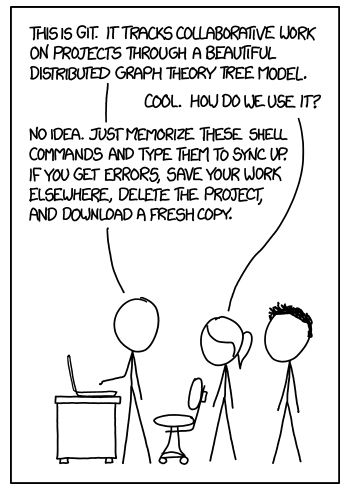 27 |
27 |
6 |
7 |  11 |
11 |
 28 |
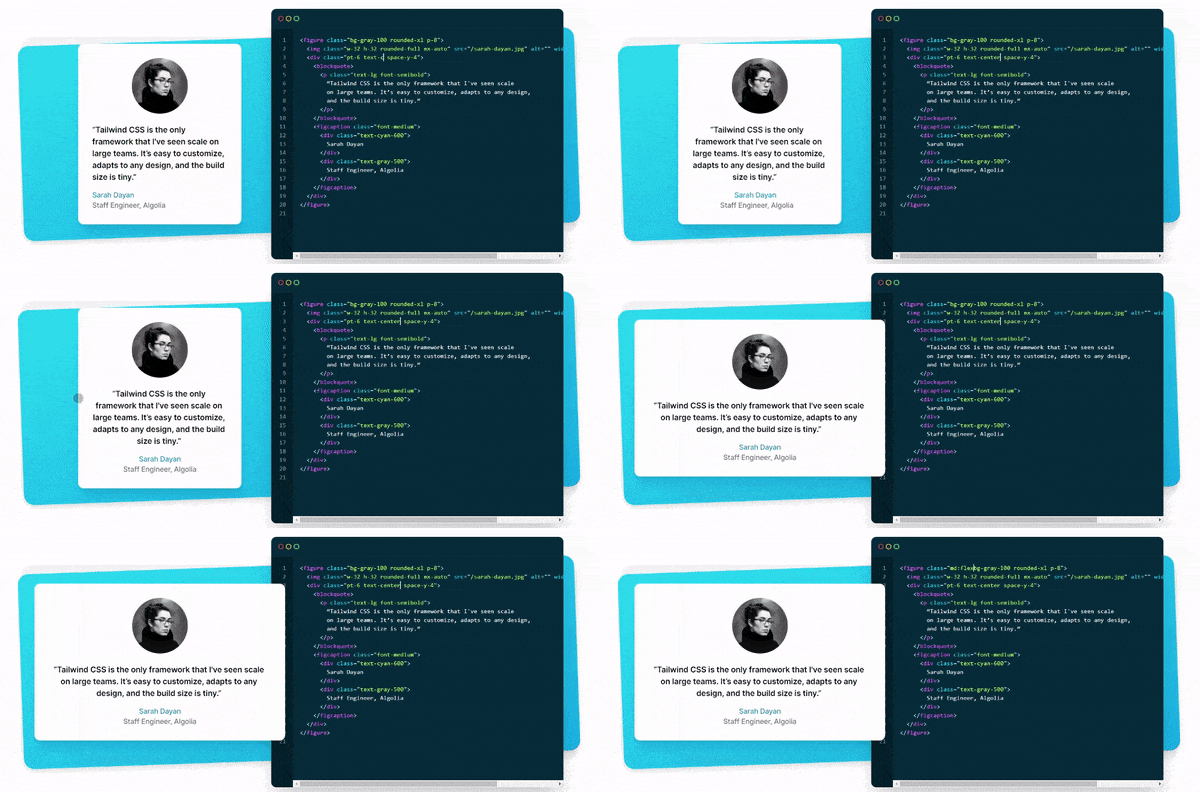
29 | ## How to use Tailwind?
30 |
31 | ### Installation
32 |
33 | ```bash
34 | npm install tailwindcss
35 | ```
36 |
37 | or
38 |
39 | ```bash
40 | yarn add tailwindcss
41 | ```
42 |
43 | or add as a CDN
44 |
45 | ```html
46 |
47 |
48 |
49 |
50 |
51 |
52 |
53 |
54 |
55 |
56 |
57 |
58 |
28 |
29 | ## How to use Tailwind?
30 |
31 | ### Installation
32 |
33 | ```bash
34 | npm install tailwindcss
35 | ```
36 |
37 | or
38 |
39 | ```bash
40 | yarn add tailwindcss
41 | ```
42 |
43 | or add as a CDN
44 |
45 | ```html
46 |
47 |
48 |
49 |
50 |
51 |
52 |
53 |
54 |
55 |
56 |
57 |
58 | 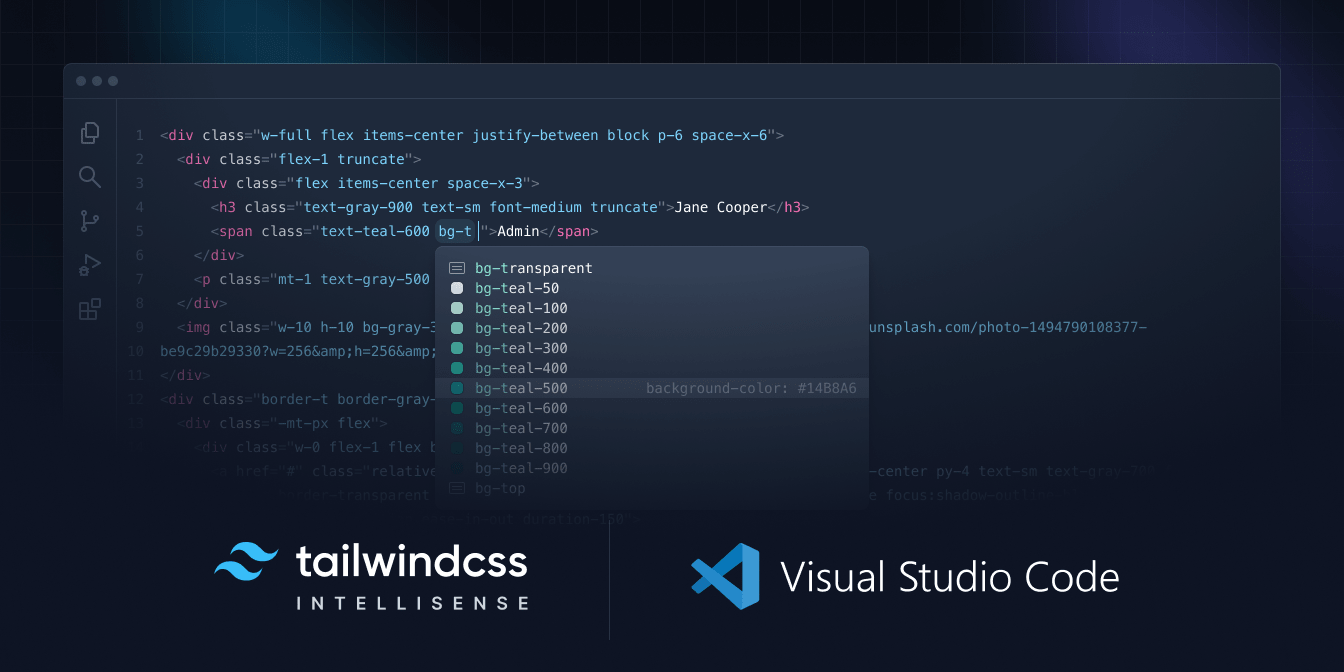 74 |
74 | 96 | Lorem ipsum dolor sit amet, consectetur adipiscing elit. Nullam faucibus, 97 | est vel scelerisque bibendum, mi enim elementum odio, vel faucibus nibh 98 | nibh ut quam. Sed ut justo euismod, bibendum quam a, rhoncus eros. 99 |
100 |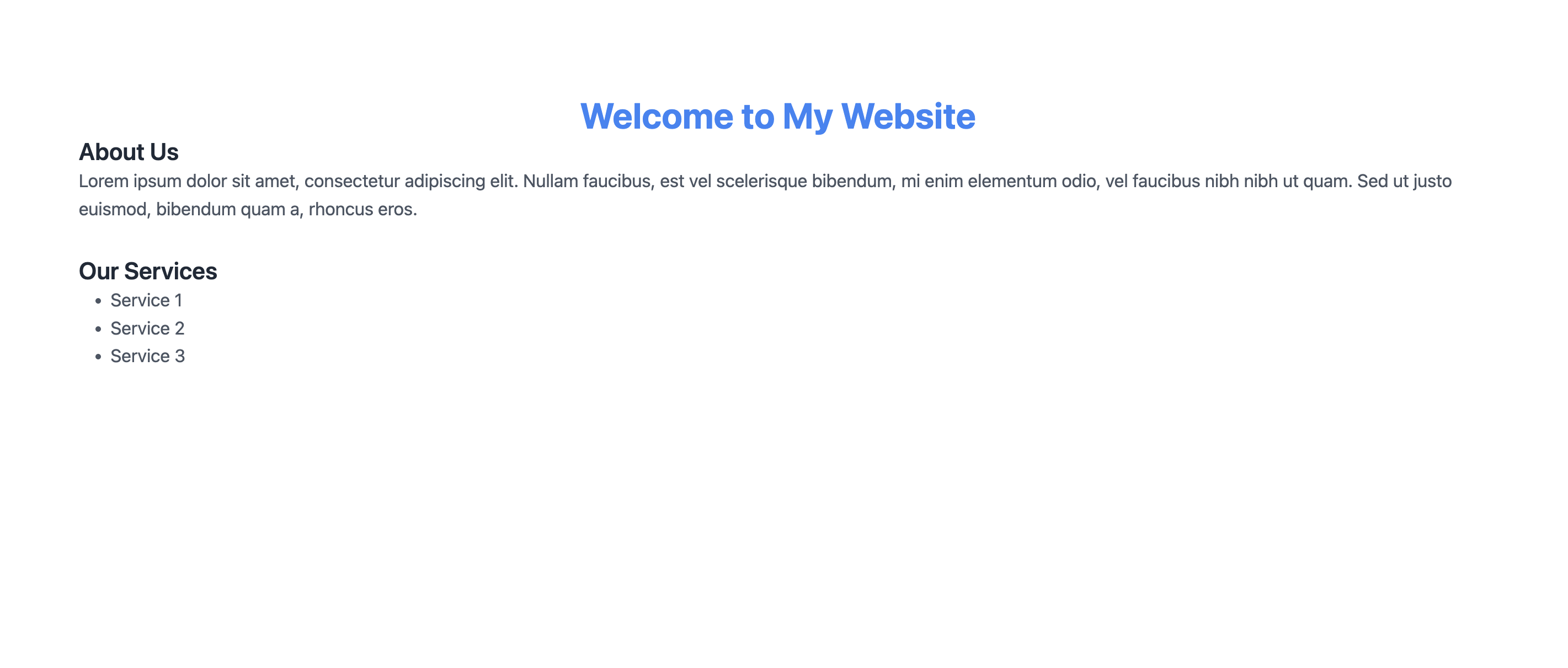 128 |
129 | ### Best way to learn Tailwind CSS
130 |
131 | Tailwind can be easily learn by its documentation and by watching videos. I have listed some of the best videos to learn Tailwind CSS.
132 |
133 | [Tailwind CSS Crash Course](https://www.youtube.com/watch?v=UBOj6rqRUME)
134 |
135 | ---
136 |
137 | For full documentation, visit [tailwindcss.com](https://tailwindcss.com/).
138 |
139 | For cheat sheet visit [tailwind-cheat-sheet](https://tailwindcomponents.com/cheatsheet/)
140 |
--------------------------------------------------------------------------------
/week-one/README.md:
--------------------------------------------------------------------------------
1 | ## Week 2 - Lets write some mark up - HTML
2 |
3 | - What is HTML
4 | - Basic Structure of an HTML Document
5 | - Common HTML Elements
6 | - Headings, Paragraphs, Lists, Links, Images, Tables, etc.
7 | - Element Attributes
8 | - id, class, style, etc.
9 | - Semantic HTML Elements
10 | - header, nav, article, section, etc.
11 | - Text Formatting
12 | - Bold, Italic, Underline, etc.
13 | - Styles with CSS
14 | - Internal, External, Inline CSS
15 | - CSS Selectors & Properties
16 | - Classes, IDs, Elements, Backgrounds, Borders, etc.
17 | - Adding Images & Videos
18 | - Embedding Audio & YouTube Videos
19 | - HTML5 Multimedia Elements
20 | - audio, video, etc.
21 | - Form Elements & Attributes
22 | - input, textarea, select, button, etc.
23 | - HTML Best Practices & Accessibility
24 | - Writing Clean & Valid HTML Code
25 |
26 | ### Tags
27 |
28 | - `` : The root element of an HTML document
29 | - `` : Contains meta information about the document
30 | - `
128 |
129 | ### Best way to learn Tailwind CSS
130 |
131 | Tailwind can be easily learn by its documentation and by watching videos. I have listed some of the best videos to learn Tailwind CSS.
132 |
133 | [Tailwind CSS Crash Course](https://www.youtube.com/watch?v=UBOj6rqRUME)
134 |
135 | ---
136 |
137 | For full documentation, visit [tailwindcss.com](https://tailwindcss.com/).
138 |
139 | For cheat sheet visit [tailwind-cheat-sheet](https://tailwindcomponents.com/cheatsheet/)
140 |
--------------------------------------------------------------------------------
/week-one/README.md:
--------------------------------------------------------------------------------
1 | ## Week 2 - Lets write some mark up - HTML
2 |
3 | - What is HTML
4 | - Basic Structure of an HTML Document
5 | - Common HTML Elements
6 | - Headings, Paragraphs, Lists, Links, Images, Tables, etc.
7 | - Element Attributes
8 | - id, class, style, etc.
9 | - Semantic HTML Elements
10 | - header, nav, article, section, etc.
11 | - Text Formatting
12 | - Bold, Italic, Underline, etc.
13 | - Styles with CSS
14 | - Internal, External, Inline CSS
15 | - CSS Selectors & Properties
16 | - Classes, IDs, Elements, Backgrounds, Borders, etc.
17 | - Adding Images & Videos
18 | - Embedding Audio & YouTube Videos
19 | - HTML5 Multimedia Elements
20 | - audio, video, etc.
21 | - Form Elements & Attributes
22 | - input, textarea, select, button, etc.
23 | - HTML Best Practices & Accessibility
24 | - Writing Clean & Valid HTML Code
25 |
26 | ### Tags
27 |
28 | - `` : The root element of an HTML document
29 | - `` : Contains meta information about the document
30 | - `