├── Chromium Screenshot.jpg
├── Old
├── crmscrnshtOLD.jpg
├── configSample.txt
├── test.sh
├── easychromium OLD.sh
└── updater OLD.sh
├── thanks.md
├── .gitignore
├── LICENSE
├── README.md
├── xcodehelp.txt
├── easychromium.sh
└── easychromium2.sh
/Chromium Screenshot.jpg:
--------------------------------------------------------------------------------
https://raw.githubusercontent.com/the-bobo/easychromium/HEAD/Chromium Screenshot.jpg
--------------------------------------------------------------------------------
/Old/crmscrnshtOLD.jpg:
--------------------------------------------------------------------------------
https://raw.githubusercontent.com/the-bobo/easychromium/HEAD/Old/crmscrnshtOLD.jpg
--------------------------------------------------------------------------------
/thanks.md:
--------------------------------------------------------------------------------
1 | Thanks: Christian Biesinger, Torne (Richard Coles), Sylvain Defresne, Thiago Farina, Marshall Greenblatt, Stuart Morgan, Primiano Tucci, Nico Weber.
2 |
--------------------------------------------------------------------------------
/.gitignore:
--------------------------------------------------------------------------------
1 | # ignore config file with secrets
2 | config.txt
3 |
4 | # ignore others
5 | .DS_Store
6 | logeasychromium.log
7 |
8 | # google depot_tools folder
9 | depot_tools
--------------------------------------------------------------------------------
/LICENSE:
--------------------------------------------------------------------------------
1 | Copyright (c) 2016, Bobo
2 |
3 | Permission to use, copy, modify, and/or distribute this software for any
4 | purpose with or without fee is hereby granted, provided that the above
5 | copyright notice and this permission notice appear in all copies.
6 |
7 | THE SOFTWARE IS PROVIDED "AS IS" AND THE AUTHOR DISCLAIMS ALL WARRANTIES
8 | WITH REGARD TO THIS SOFTWARE INCLUDING ALL IMPLIED WARRANTIES OF
9 | MERCHANTABILITY AND FITNESS. IN NO EVENT SHALL THE AUTHOR BE LIABLE FOR
10 | ANY SPECIAL, DIRECT, INDIRECT, OR CONSEQUENTIAL DAMAGES OR ANY DAMAGES
11 | WHATSOEVER RESULTING FROM LOSS OF USE, DATA OR PROFITS, WHETHER IN AN
12 | ACTION OF CONTRACT, NEGLIGENCE OR OTHER TORTIOUS ACTION, ARISING OUT OF
13 | OR IN CONNECTION WITH THE USE OR PERFORMANCE OF THIS SOFTWARE.
14 |
--------------------------------------------------------------------------------
/README.md:
--------------------------------------------------------------------------------
1 | # easychromium
2 | Bash script to build and install latest stable Chromium from source on OS X
3 |
4 | Run with:
5 |
6 | bash easychromium.sh
7 |
8 | Can be run as a cron job for automatic updates.
9 |
10 | 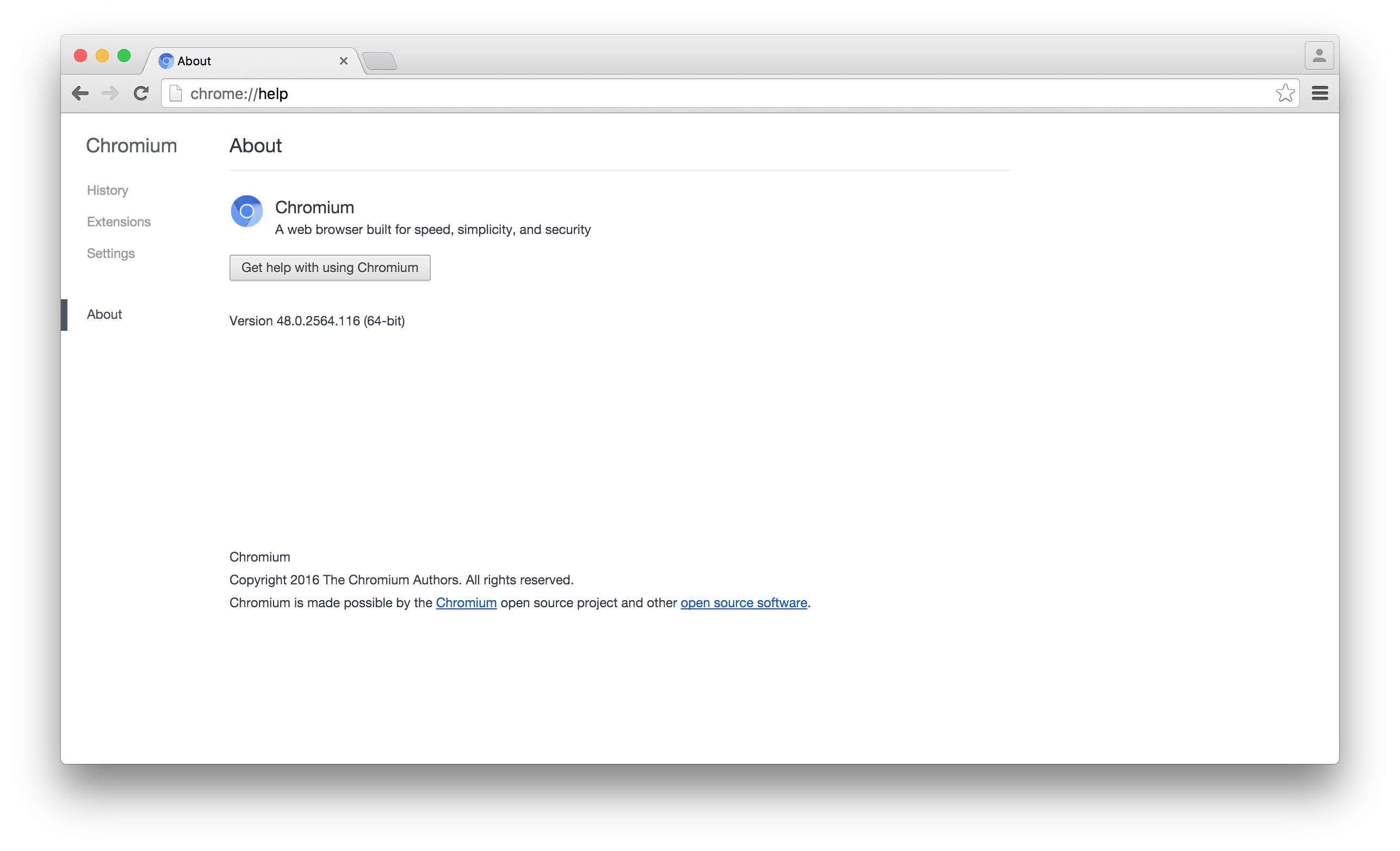
11 |
12 | Copy the [your folder]/src/out/Release/Chromium.app file into /Applications/ when it finishes.
13 |
14 | You need: git 1.9+, XCode 5+, OS X 10.9+, ~15-20GB of space, ~3-5 hours on 16GB RAM, more otherwise.
15 |
16 | Tested on:
17 | * OS X El Capitan 10.11.2
18 | * XCode 7.2
19 | * git version 2.6.4 (git-scm, not apple git)
20 | * Python 2.7.10
21 | * gclient.py 0.7 (from depot_tools)
22 |
23 | Successfully built Chromium Version 48.0.2564.116 (64-bit), the latest stable release for OSX.
--------------------------------------------------------------------------------
/xcodehelp.txt:
--------------------------------------------------------------------------------
1 | You are here either because you don't have Xcode 5+ installed, don't have xcode-cli installed, or both.
2 |
3 | If you already have Xcode 5+ installed but not xcode-cli, try:
4 | xcode-select --install
5 |
6 | If you need to update Xcode, please update it.
7 |
8 | If you need to install Xcode, please read below:
9 |
10 | Be aware, this download takes forever (>= 5 hours). You will need an Apple Developer account (free) to sign in.
11 |
12 | You should use curl from the command line to download XCode since it permits resuming from partial downloads,
13 | and is faster.
14 |
15 | Make sure you set System Preferences -> Energy Saver to PREVENT computer from sleeping when display turns off.
16 |
17 | After installing Xcode run the following to agree to the Xcode licenses:
18 | sudo xcodebuild
19 |
20 | You will need a cookie exporter:
21 | Firefox - https://addons.mozilla.org/en-US/firefox/addon/cookie-exporter/
22 |
23 | Chrome - https://chrome.google.com/webstore/detail/cookiestxt/njabckikapfpffapmjgojcnbfjonfjfg?hl=en
24 |
25 | After signing in to the Apple developer site, export your cookies to the folder you want to download
26 | XCode into and name them "cookies.txt" Then, use the following command:
27 |
28 | curl --cookie cookies.txt -O -C - http://adcdownload.apple.com/Developer_Tools/Xcode_7.2/Xcode_7.2.dmg
29 |
30 | --cookie cookies.txt: tells curl to look in cookies.txt for cookies
31 | -O: tells curl to name the output file identically to its name on the remote host (so we'll save this file as Xcode_7.2.dmg)
32 | -C : (note the space after the C) tells curl to resume automatically from the last point in the file, the space indicates
33 | we want curl to figure out the byte offset instead of specifying one ourselves
34 | - url: (note the space after the -) tells curl where to fetch the file from
35 |
--------------------------------------------------------------------------------
/Old/configSample.txt:
--------------------------------------------------------------------------------
1 | # This is a sample. Rename to "config.txt" and place in same folder as easychromium.sh
2 |
3 | # API keys for building Chromium
4 | # keep your keys private, **DO NOT** commit these to github
5 | # replace NULL with the appropriate key
6 | # see https://sites.google.com/a/chromium.org/dev/developers/how-tos/api-keys for details
7 |
8 | # actually i think this needs to be replaced -- seems like you just need these three keys?
9 | #'google_api_key': 'your_api_key',
10 | #'google_default_client_id': 'your_client_id',
11 | #'google_default_client_secret': 'your_client_secret',
12 | # see http://dev.chromium.org/developers/how-tos/api-keys
13 |
14 |
15 | # Chrome Remote Desktop API
16 | RemoteDesktop=NULL
17 |
18 | # Chrome Spelling API
19 | Spelling=NULL
20 |
21 | # Chrome Suggest API
22 | Suggest=NULL
23 |
24 | # Chrome Sync API
25 | Sync=NULL
26 |
27 | # Chrome Translate Element
28 | Translate=NULL
29 |
30 | # Chrome Web Store API
31 | WebStore=NULL
32 |
33 | # Google Maps Geolocation API
34 | # (requires enabling billing but is free to use; you can skip this one, in which case geolocation features of Chrome will not
35 | # work)
36 | MapsLocation=NULL
37 |
38 | # Safe Browsing API
39 | # while enhancing security against malware and phishing, this feature spies on you:
40 | # see "Cookies from Nowhere" - http://ashkansoltani.org/2012/02/25/cookies-from-nowhere/
41 | # and "NSA uses Google cookies to pinpoint targets for hacking" - https://www.washingtonpost.com/news/the-switch/wp/2013/12/10/nsa-uses-google-cookies-to-pinpoint-targets-for-hacking/
42 |
43 | MotherShouldITrustTheGovernment=NULL
44 |
45 | # Speech API
46 | Speech=NULL
47 |
48 | # Google Maps Time Zone API
49 | MapsTimeZone=NULL
50 |
51 | # Google Cloud Messaging for Chrome
52 | CloudMessaging=NULL
53 |
54 | # Drive API (Optional, enable this for Files.app on Chrome OS and SyncFileSystem API)
55 | DriveAPI=NULL
56 |
57 | # Google Now For Chrome API (Optional, enabled to show Google Now cards)
58 | Now=NULL
59 |
60 | # Google+ API
61 | Plus=NULL
62 |
63 | #Chrome OS Hardware ID API (Optional, Chrome OS)
64 | HardwareID=NULL
65 |
66 | # Device Registration API (Optional, Chrome OS)
67 | DeviceRegistration=NULL
--------------------------------------------------------------------------------
/easychromium.sh:
--------------------------------------------------------------------------------
1 | #!/bin/bash
2 |
3 | # run by typing: bash easychromium.sh
4 |
5 | # you need: XCode 5+, OSX 10.9+, ~10-20GB of space, ~3-5 hours (on 16GB RAM, more if less RAM)
6 |
7 | # This script builds the latest version of the open source Chromium browser for OS X from source
8 | # Copy the [your folder]/src/out/Release/Chromium.app file into /Applications/ when it finishes
9 |
10 | # DOES check to see if you already have the source code downloaded
11 | # DOES check to see if the latest version is ahead of locally installed version
12 |
13 |
14 | ####################
15 | ####################
16 | # PRE-BUILD BEGIN
17 | ####################
18 | ####################
19 |
20 | # initialize logfile, appends by default and creates if not found
21 |
22 | LOGFILE="./logeasychromium.log"
23 |
24 | echo "=========New Build Attempt=========" | tee -a $LOGFILE
25 | echo $(date) | tee -a $LOGFILE
26 | echo "=========New Build Attempt=========" | tee -a $LOGFILE
27 |
28 | # check OS X version, can be used in future for choosing different code flows on basis of OS version
29 |
30 | OS_VERSION=$(sw_vers -productVersion)
31 | echo "OS X Version "$OS_VERSION" detected" | tee -a $LOGFILE
32 |
33 |
34 |
35 | #########################
36 | # SOFTWARE VERSION CHECKS
37 | #########################
38 |
39 | echo "Beginning software version checks" | tee -a $LOGFILE
40 |
41 | ###
42 | # Based in part on version checker code cc by-sa 3.0
43 | # Courtesy http://stackoverflow.com/users/1032785/jordanm at http://stackoverflow.com/a/11602790
44 | ###
45 |
46 |
47 | #########################
48 | # git check
49 | #########################
50 |
51 |
52 | if command -V git >/dev/null 2>&1; then
53 |
54 | for cmd in git; do
55 | [[ $("$cmd" --version) =~ ([0-9][.][0-9.]*) ]] && version="${BASH_REMATCH[1]}"
56 | var1=$(echo "$version" | cut -d. -f1)
57 | var2=$(echo "$version" | cut -d. -f2)
58 | var3=$(echo "$version" | cut -d. -f3)
59 |
60 | if [[ $var1 -lt 2 ]]; then
61 | echo 'ERROR: '$cmd' version 2.2.1 or higher required' | tee -a $LOGFILE
62 | exit 1;
63 | fi
64 | if [[ $var1 -gt 2 && $var2 -lt 2 ]]; then
65 | echo 'ERROR: '$cmd' version 2.2.1 or higher required' | tee -a $LOGFILE
66 | exit 1;
67 | fi
68 | if [[ $var1 -gt 2 && $var2 -gt 2 && $var3 -lt 1 ]]; then
69 | echo 'ERROR: '$cmd' version 2.2.1 or higher required' | tee -a $LOGFILE
70 | exit 1;
71 | fi
72 | done
73 | else
74 | echo "ERROR: git is not installed, please install Xcode and xcode-cli to get git, or brew install git" | tee -a $LOGFILE
75 | exit 1;
76 | fi
77 |
78 |
79 | #########################
80 | # xcode check
81 | #########################
82 |
83 |
84 | XCODE_CHECK="$(command xcodebuild -version 2>&1)"
85 | if [[ "$XCODE_CHECK" =~ "requires" ]]; then
86 | echo "Xcode not found, please see xcodehelp.txt in this repository and install Xcode." | tee -a $LOGFILE
87 | exit 1;
88 |
89 | elif [[ "$XCODE_CHECK" =~ "note" ]]; then
90 | echo "Xcode and xcode-cli not found, please see xcodehelp.txt in this repository and install Xcode." | tee -a $LOGFILE
91 | exit 1;
92 |
93 | else
94 | echo "Xcode detected, testing version" | tee -a $LOGFILE
95 | for cmd in xcodebuild; do
96 | [[ $("$cmd" -version) =~ ([0-9][.][0-9.]*) ]] && version="${BASH_REMATCH[1]}"
97 | if ! awk -v ver="$version" 'BEGIN { if (ver < 5.0) exit 1; }'; then
98 | echo 'ERROR: '$cmd' version 5.0 or higher required' | tee -a $LOGFILE
99 | echo 'XCode version detected was: '$version | tee -a $LOGFILE
100 | exit 1;
101 | fi
102 | echo 'XCode version detected was: '$version | tee -a $LOGFILE
103 | done
104 | fi
105 |
106 |
107 | #########################
108 | # depot_tools check
109 | #########################
110 |
111 |
112 | if [ -d ./depot_tools/ ]
113 | then
114 | echo "./depot_tools/ found, updating PATH" | tee -a $LOGFILE
115 | else
116 | echo "./depot_tools/ not found, git cloning to get it" | tee -a $LOGFILE
117 | git clone https://chromium.googlesource.com/chromium/tools/depot_tools.git
118 | if [[ $? -eq 0 ]]; then
119 | echo "git clone of depot_tools successful" | tee -a $LOGFILE
120 | else
121 | echo "git clone of depot_tools failed, exiting" | tee -a $LOGFILE
122 | exit 1;
123 | fi
124 | fi
125 |
126 | export PATH=`pwd`/depot_tools:"$PATH"
127 | if [[ $? -eq 0 ]]; then
128 | echo "PATH successfully updated to $PATH" | tee -a $LOGFILE
129 | echo "this PATH update is non-permanent, only for this shell session" | tee -a $LOGFILE
130 | else
131 | echo "Error updating PATH with depot_tools, exiting" | tee -a $LOGFILE
132 | exit 1;
133 | fi
134 |
135 | ####################
136 | ####################
137 | # PRE-BUILD END
138 | ####################
139 | ####################
140 |
141 | echo "#### PRE-BUILD COMPLETE ####" | tee -a $LOGFILE
142 |
143 |
144 | ####################
145 | ####################
146 | # BUILD BEGIN
147 | ####################
148 | ####################
149 |
150 | echo "#### BEGIN BUILD ####" | tee -a $LOGFILE
151 |
152 | # retrieves CSV of current Chromium releases, saves in a file "releasestargets" without extension
153 | curl https://omahaproxy.appspot.com/all -o releasestargets
154 |
155 | # returns the version number of the current stable Chromium release for mac, cutting on the comma
156 | # sample: 48.0.2564.116
157 | TARGET=$(grep mac,stable, releasestargets | cut -d, -f3)
158 | echo "target Chromium version is: $TARGET" | tee -a $LOGFILE
159 | rm releasestargets
160 |
161 | if [ -d /Applications/Chromium.app/ ]
162 | then
163 | echo "Chromium exists in /Applications/" | tee -a $LOGFILE
164 | echo "checking if latest stable release is newer than current install" | tee -a $LOGFILE
165 | CURRENT=$(mdls -name kMDItemVersion /Applications/Chromium.app/ | awk '/kMDItemVersion/{print $NF}' | sed 's/"//g')
166 | echo "current version is: $CURRENT"
167 |
168 | version_1=$TARGET
169 | version_2=$CURRENT
170 |
171 | #The following bash function will return 0 (true) if $version_1 > $version_2, 1 (false) otherwise,
172 | #as long as the variables $version_1 and $version_2 both contain only an arbitrary number of digit groups separated by periods
173 | #adapted from code by kopischke (credit cc-by-sa 3.0) on stack exchange: http://apple.stackexchange.com/a/86362
174 |
175 | function versions_check {
176 | while [[ $version_1 != "0" || $version_2 != "0" ]]; do
177 | (( ${version_1%%.*} > ${version_2%%.*} )) && return 0
178 | [[ ${version_1} =~ "." ]] && version_1="${version_1#*.}" || version_1=0
179 | [[ ${version_2} =~ "." ]] && version_2="${version_2#*.}" || version_2=0
180 | done
181 | false
182 | }
183 | #Implementing other comparisons, like greater or equal, is as simple as changing the comparison operator of the arithmetic
184 | #evaluation, i.e. (( ${version_1%%.*} >= "${version_2%%.*}" )).
185 |
186 | versions_check $version_1 $version_2
187 | if [[ $? -eq 0 ]]; then
188 | echo "TARGET version is newer than CURRENT, proceeding to update" | tee -a $LOGFILE
189 | else
190 | echo "TARGET version is NOT newer than CURRENT, aborting" | tee -a $LOGFILE
191 | exit 1;
192 | fi
193 | else
194 | echo "Chromium not found in /Applications/, proceeding to build from latest stable release" | tee -a $LOGFIE
195 | fi
196 |
197 | if [ -d ./src/ ]
198 | then
199 | echo "./src/ found, proceeding to gclient sync master" | tee -a $LOGFILE
200 | else
201 | echo "./src/ not found, assuming this is a fresh install, fetching chromium" | tee -a $LOGFILE
202 | fetch chromium | tee -a $LOGFILE
203 | fi
204 |
205 | cd src
206 | SRC_PATH=`pwd`
207 | echo "$SRC_PATH"
208 |
209 |
210 | git checkout master
211 | git fetch --tags origin | tee -a $LOGFILE
212 | # export GYP_DEFINES="fastbuild=1 mac_strip_release=1 ffmpeg_branding=Chrome proprietary_codecs=1 buildtype=Official"
213 |
214 | gclient sync --verbose --verbose --verbose --jobs 16 | tee -a $LOGFILE
215 | git checkout -b new_release$TARGET tags/$TARGET | tee -a $LOGFILE
216 | gclient sync --verbose --verbose --verbose --with_branch_heads --jobs 16 | tee -a $LOGFILE
217 | git checkout master | tee -a $LOGFILE
218 | gclient sync --verbose --verbose --verbose --jobs 16 | tee -a $LOGFILE
219 | git checkout new_release$TARGET | tee -a $LOGFILE
220 |
221 | #export GYP_DEFINES="fastbuild=1 mac_strip_release=1 ffmpeg_branding=Chrome proprietary_codecs=1 buildtype=Official"
222 |
223 | # build args.gn (replacement for obsolete GYP_DEFINES)
224 | touch "args.gn"
225 | echo -e 'symbol_level=1\nenable_stripping=true\nffmpeg_branding="Chrome"\nproprietary_codecs=1\nis_official_build=true' > ./args.gn
226 |
227 | gclient sync --verbose --verbose --verbose --with_branch_heads --jobs 16 | tee -a $LOGFILE
228 |
229 | echo "after all the gclient sync my pwd is: " | tee -a $LOGFILE
230 | pwd | tee -a $LOGFILE
231 | echo "gonna try to cd to src_path" | tee -a $LOGFILE
232 | cd "$SRC_PATH" | tee -a $LOGFILE
233 | echo "my new pwd is: " | tee -a $LOGFILE
234 | pwd | tee -a $LOGFILE
235 | gn gen out/foo | tee -a $LOGFILE
236 | ninja -C out/foo chrome | tee -a $LOGFILE
237 |
238 | #ARG_VAR="$SRC_VAR/out/Release chrome"
239 | #ninja -C "$ARG_VAR"
--------------------------------------------------------------------------------
/Old/test.sh:
--------------------------------------------------------------------------------
1 | #!/bin/bash
2 |
3 | # this outputs to console and appends it to logfile (creating logfile if needed)
4 | # echo "my message" | tee -a ./easychromium.log
5 |
6 | # this is a multiline comment
7 | # : <<'COMMENT'
8 | # code
9 | # code
10 | # code
11 | # COMMENT
12 |
13 | # save to a filepath determined by a variable
14 | # LOGFILE="./logtest.log"
15 | # echo "does this work?" | tee -a $LOGFILE
16 |
17 | # $? - use that to see what the last executed command exited with
18 | # 1 is an error condition, 0 is a successful exit
19 |
20 | # see http://mywiki.wooledge.org/BashFAQ/031
21 | # for notes on [ ] vs. [[ ]] (for bash on OS X, just use [[ ]])
22 |
23 | # redirect stderr to stdout: append 2>&1 to the command
24 | # example: XCODE_CHECK="$(command xcodebuild 2>&1)"
25 | # that captures the stderr and stdout of that command in the variable "$XCODE_CHECK"
26 | # use double quotes to preserve newlines in the variable
27 | # 0 == stdin, 1 == stdout, 2 == stderr
28 |
29 | # command -v is verbose. -V is more verbose.
30 |
31 | # list of conditionals in bash: http://tldp.org/LDP/Bash-Beginners-Guide/html/sect_07_01.html
32 |
33 | if [ $# -lt 1 ]; then
34 | echo "Usage : bash easychromium.sh "
35 | echo ""
36 | echo "Currently supported 's: defaults, interactive"
37 | echo ""
38 | echo "defaults builds and installs Release version of stable branch of Chromium"
39 | echo " -defaults uses a local .gclient if one exists"
40 | echo "defaults copies built Chromium to /Applications/"
41 | echo " -defaults does not replace or remove existing user profiles"
42 | echo " -move or rename existing Chromium.app files in /Applications/ to avoid overwriting"
43 | echo ""
44 | echo "interactive permits user interaction for various build options"
45 | echo ""
46 | echo "Future pull requests welcome to enable other 's"
47 | echo "e.g.: debug, beta, canary"
48 | echo ""
49 | echo ""
50 | exit 1;
51 | fi
52 |
53 | case "$1" in
54 | defaults )
55 | echo "Running with defaults" | tee -a $LOGFILE
56 | flag="defaults"
57 | ;;
58 |
59 | interactive )
60 | echo "Running with interactive" | tee -a $LOGFILE
61 | flag="interactive"
62 | ;;
63 |
64 | * )
65 | echo "Usage : bash easychromium.sh "
66 | echo ""
67 | echo "Currently supported 's: defaults, interactive"
68 | echo ""
69 | echo "defaults builds and installs Release version of stable branch of Chromium"
70 | echo " -defaults uses a local .gclient if one exists"
71 | echo "defaults copies built Chromium to /Applications/"
72 | echo " -defaults does not replace or remove existing user profiles"
73 | echo " -move or rename existing Chromium.app file in /Applications/ to avoid overwriting"
74 | echo ""
75 | echo "interactive permits user interaction for various build options"
76 | echo ""
77 | echo "Future pull requests welcome to enable other 's"
78 | echo "e.g.: debug, beta, canary"
79 | echo ""
80 | echo ""
81 | exit 1;
82 | ;;
83 | esac
84 |
85 |
86 |
87 | case "$flag" in
88 | defaults )
89 | echo "flag is defaults" | tee -a $LOGFILE
90 | response="yes"
91 | ;;
92 |
93 | interactive )
94 | echo "flag is interactive" | tee -a $LOGFILE
95 | read -r -p "Automatically tweak .gclient config file for faster download/build time? (Y/n) " response
96 | ;;
97 | esac
98 |
99 | if [[ $response =~ ^([yY][eE][sS]|[yY])$ ]]; then
100 | echo "you said yes!"
101 | else
102 | echo "you said no"
103 | fi
104 |
105 | OS_VERSION=$(sw_vers -productVersion)
106 | LOGFILE="./logtest.log"
107 |
108 | echo "does this work?" | tee -a $LOGFILE
109 |
110 | echo "testing substring match"
111 | fuu="hello harry"
112 | bar=""
113 |
114 | if [[ $fuu =~ $bar ]]; then
115 | echo "found it"
116 | else
117 | echo "did not find it"
118 | fi
119 |
120 | : <<'COMMENT'
121 | echo "testing xcode_check"
122 |
123 | XCODE_CHECK="$(command xcodebuild -version 2>&1)"
124 | echo "$XCODE_CHECK"
125 | foo="requires"
126 |
127 | if [[ "$XCODE_CHECK"=~"$foo" ]]; then
128 | echo "Xcode not found, please see xcodehelp.txt in this repository and install Xcode." | tee -a $LOGFILE
129 | exit 1;
130 | fi
131 | COMMENT
132 |
133 | echo "testing updating url in .gclient"
134 | cat ./.gclient
135 | insert=' "url" : "https://chromium.googlesource.com/chromium/src.git",'
136 | match=' "url" : "https://src.chromium.org/svn/trunk/src",'
137 | sed -i "" "s%$match%$insert%" ./.gclient
138 | cat ./.gclient
139 |
140 | : <<'COMMENT'
141 | echo "testing line insertion in .gclient"
142 | filetext="$(cat ./.gclient)"
143 | echo "$filetext"
144 | insert=" \"src\/third_party\/WebKit\/LayoutTests\": None,"'\
145 | '" \"src\/chrome\/tools\/test\/reference_build\/chrome\": None,"'\
146 | '" \"src\/chrome_frame\/tools\/test\/reference_build\/chrome\": None,"'\
147 | '" \"src\/chrome\/tools\/test\/reference_build\/chrome_linux\": None,"'\
148 | '" \"src\/chrome\/tools\/test\/reference_build\/chrome_mac\": None,"'\
149 | '" \"src\/third_party\/hunspell_dictionaries\": None,"
150 | match=' "custom_deps" : {'
151 | #match='solutions'
152 | echo "match: $match"
153 | # the empty "" is needed because sed -i on OS X expects a mandatory file extension, which .gclient lacks
154 | # see http://stackoverflow.com/a/28592391
155 | # the actual newline instead of \n is necessary because OS X's old BSD sed is weird
156 | # see http://stackoverflow.com/a/24276470/3277902 for the comprehensive BSD/linux sed differences
157 | sed -i "" "s/$match/$match"'\
158 | '"$insert/" .gclient
159 | echo "new file"
160 | cat .gclient
161 | COMMENT
162 |
163 | :<<'COMMENT'
164 | echo "testing export"
165 |
166 | export FOO="bar"
167 | if [[ $? -eq 0 ]]; then
168 | echo "$FOO"
169 | else
170 | echo "failed"
171 | fi
172 |
173 | PATH=`pwd`/lalala/hoohah
174 | echo $PATH
175 | COMMENT
176 |
177 | : <<'COMMENT'
178 | echo "=========New Build Attempt=========" | tee -a ./logtest.log
179 | echo $(date) | tee -a ./logtest.log
180 | echo "=========New Build Attempt=========" | tee -a ./logtest.log
181 | echo "OS X Version "$OS_VERSION" detected" | tee -a ./logtest.log
182 | echo "more output" | tee -a ./logtest.log
183 |
184 | if [[ $(git --version) =~ "2" ]]; then
185 | echo "git version 2.x detected"
186 | fi
187 | echo "end"
188 | COMMENT
189 |
190 | # testing git version
191 | # sample respnonses:
192 | # git version 2.5.4 (Apple Git-61)
193 | # git version 2.6.4
194 | # -bash: git: command not found
195 |
196 | ###
197 | # Based on version checker code cc by-sa 3.0
198 | # Courtesy http://stackoverflow.com/users/1032785/jordanm at http://stackoverflow.com/a/11602790
199 | ###
200 |
201 | : <<'COMMENT'
202 | for cmd in git; do
203 | [[ $("$cmd" --version) =~ ([0-9][.][0-9.]*) ]] && version="${BASH_REMATCH[1]}"
204 | echo "that command returned: "$?
205 | if ! awk -v ver="$version" 'BEGIN { if (ver < 2.6.5) exit 1; }'; then
206 | echo 'ERROR: '$cmd' version 2.6.5 or higher required' | tee -a $LOGFILE
207 | fi
208 | done
209 | COMMENT
210 |
211 | :<<'COMMENT'
212 | XCODE_CHECK="$(command xcodebuild 2>&1)"
213 | if [[ "$XCODE_CHECK"=~"error" ]]; then
214 | echo "Xcode not found, please see xcodehelp.txt in this repository and install Xcode." | tee -a $LOGFILE
215 | exit 1;
216 | else
217 | echo "Xcode detected, testing version" | tee -a LOGFILE
218 | for cmd in xcodebuild; do
219 | [[ $("$cmd" -version) =~ ([0-9][.][0-9.]*) ]] && version="${BASH_REMATCH[1]}"
220 | if ! awk -v ver="$version" 'BEGIN { if (ver < 5.0) exit 1; }'; then
221 | echo 'ERROR: '$cmd' version 5.0 or higher required' | tee -a $LOGFILE
222 | echo 'Version detected was: '$version | tee -a $LOGFILE
223 | exit 1;
224 | fi
225 | done
226 | fi
227 | COMMENT
228 |
229 | : <<'COMMENT'
230 | echo "pre"
231 | DEPOT_CHECK="$(command -V gclient 2>&1)"
232 | if [[ DEPOT_CHECK=~"not found" ]]; then
233 | echo "depot_tools not found, try checking your PATH" | tee -a $LOGFILE
234 | echo "Alternatively, easychromium can try to install depot_tools for you." | tee -a $LOGFILE
235 | read -r -p "Install depot_tools? (Y/n) " response
236 | if [[ $response =~ ^([yY][eE][sS]|[yY])$ ]]; then
237 | echo "trying to install depot_tools"
238 | else
239 | echo "no depot_tools found, exiting"
240 | exit 1;
241 | fi
242 | else
243 | echo "found"
244 | fi
245 |
246 |
247 | if [[ -f "./config.txt" ]]; then
248 | echo "./config.txt exists"
249 | else
250 | echo "does not exist"
251 | fi
252 | COMMENT
253 |
254 | : <<'COMMENT'
255 | if ! grep "error" "${XCODE_CHECK}"; then
256 | echo "xcode found"
257 | else
258 | echo "not found"
259 | fi
260 | COMMENT
261 |
262 | : <<'COMMENT'
263 | if command -v xcodebuild >/dev/null 2>&1; then
264 |
265 | for cmd in xcodebuild; do
266 | [[ $("$cmd" -version) =~ ([0-9][.][0-9.]*) ]] && version="${BASH_REMATCH[1]}"
267 | echo "that command returned: "$?
268 | if ! awk -v ver="$version" 'BEGIN { if (ver < 5.0.0) exit 1; }'; then
269 | echo 'ERROR: '$cmd' version 5.0.0 or higher required. Please update Xcode.' | tee -a $LOGFILE
270 | exit 1;
271 | fi
272 | done
273 |
274 | else
275 | echo "ERROR: xcode is not installed. See xcodehelp.txt in easychromium repository." | tee -a $LOGFILE
276 | exit 1;
277 | fi
278 | COMMENT
--------------------------------------------------------------------------------
/easychromium2.sh:
--------------------------------------------------------------------------------
1 | #!/bin/bash
2 |
3 | # run by typing: bash easychromium.sh
4 |
5 | # you need: XCode 7+, OSX 10.9+, ~10-20GB of space, ~3-5 hours (on 16GB RAM, more if less RAM)
6 |
7 | # This script builds the latest release of the open source Chromium browser for OS X from source
8 | # Copy the [your folder]/src/out/Release/Chromium.app file into /Applications/ when it finishes
9 |
10 | # DOES check to see if you already have the source code downloaded
11 | # DOES check to see if the latest version is ahead of locally installed version
12 |
13 |
14 | ####################
15 | ####################
16 | # PRE-BUILD BEGIN
17 | ####################
18 | ####################
19 |
20 | # initialize logfile, appends by default and creates if not found
21 |
22 | LOGFILE="$(pwd)/logeasychromium.log"
23 |
24 | tput setaf 1
25 |
26 | echo "=========New Build Attempt=========" | tee -a $LOGFILE
27 | echo $(date) | tee -a $LOGFILE
28 | echo "easychromium2.sh" | tee -a $LOGFILE
29 | echo "=========New Build Attempt=========" | tee -a $LOGFILE
30 |
31 | # check OS X version, can be used in future for choosing different code flows on basis of OS version
32 |
33 | OS_VERSION=$(sw_vers -productVersion)
34 | echo "OS X Version "$OS_VERSION" detected" | tee -a $LOGFILE
35 |
36 |
37 |
38 | #########################
39 | # SOFTWARE VERSION CHECKS
40 | #########################
41 |
42 | echo "Beginning software version checks" | tee -a $LOGFILE
43 |
44 | ###
45 | # Based in part on version checker code cc by-sa 3.0
46 | # Courtesy http://stackoverflow.com/users/1032785/jordanm at http://stackoverflow.com/a/11602790
47 | ###
48 |
49 | tput sgr0
50 |
51 | #########################
52 | # git check
53 | #########################
54 |
55 |
56 | if command -V git >/dev/null 2>&1; then
57 |
58 | for cmd in git; do
59 | [[ $("$cmd" --version) =~ ([0-9][.][0-9.]*) ]] && version="${BASH_REMATCH[1]}"
60 | var1=$(echo "$version" | cut -d. -f1)
61 | var2=$(echo "$version" | cut -d. -f2)
62 | var3=$(echo "$version" | cut -d. -f3)
63 |
64 | if [[ $var1 -lt 2 ]]; then
65 | tput setaf 1
66 | echo 'ERROR: '$cmd' version 2.2.1 or higher required' | tee -a $LOGFILE
67 | exit 1;
68 | fi
69 | if [[ $var1 -gt 2 && $var2 -lt 2 ]]; then
70 | tput setaf 1
71 | echo 'ERROR: '$cmd' version 2.2.1 or higher required' | tee -a $LOGFILE
72 | exit 1;
73 | fi
74 | if [[ $var1 -gt 2 && $var2 -gt 2 && $var3 -lt 1 ]]; then
75 | tput setaf 1
76 | echo 'ERROR: '$cmd' version 2.2.1 or higher required' | tee -a $LOGFILE
77 | exit 1;
78 | fi
79 | done
80 | else
81 | tput setaf 1
82 | echo "ERROR: git is not installed, please install Xcode and xcode-cli to get git, or brew install git" | tee -a $LOGFILE
83 | exit 1;
84 | fi
85 |
86 |
87 | #########################
88 | # xcode check
89 | #########################
90 |
91 |
92 | XCODE_CHECK="$(command xcodebuild -version 2>&1)"
93 | if [[ "$XCODE_CHECK" =~ "requires" ]]; then
94 | tput setaf 1
95 | echo "Xcode not found, please see xcodehelp.txt in this repository and install Xcode." | tee -a $LOGFILE
96 | exit 1;
97 |
98 | elif [[ "$XCODE_CHECK" =~ "note" ]]; then
99 | tput setaf 1
100 | echo "Xcode and xcode-cli not found, please see xcodehelp.txt in this repository and install Xcode." | tee -a $LOGFILE
101 | exit 1;
102 |
103 | else
104 | tput setaf 1
105 | echo "Xcode detected, testing version" | tee -a $LOGFILE
106 | tput sgr0
107 | for cmd in xcodebuild; do
108 | [[ $("$cmd" -version) =~ ([0-9][.][0-9.]*) ]] && version="${BASH_REMATCH[1]}"
109 | if ! awk -v ver="$version" 'BEGIN { if (ver < 7.0) exit 1; }'; then
110 | tput setaf 1
111 | echo 'ERROR: '$cmd' version 7.0 or higher required' | tee -a $LOGFILE
112 | echo 'XCode version detected was: '$version | tee -a $LOGFILE
113 | exit 1;
114 | fi
115 | tput setaf 1
116 | echo 'XCode version detected was: '$version | tee -a $LOGFILE
117 | done
118 | fi
119 |
120 |
121 | #########################
122 | # depot_tools check
123 | #########################
124 | tput setaf 1
125 |
126 | if [ -d ./depot_tools/ ]
127 | then
128 | echo "./depot_tools/ found, updating PATH" | tee -a $LOGFILE
129 | else
130 | echo "./depot_tools/ not found, git cloning to get it" | tee -a $LOGFILE
131 | tput sgr0
132 | git clone https://chromium.googlesource.com/chromium/tools/depot_tools.git
133 | if [[ $? -eq 0 ]]; then
134 | tput setaf 1
135 | echo "git clone of depot_tools successful" | tee -a $LOGFILE
136 | else
137 | tput setaf 1
138 | echo "git clone of depot_tools failed, exiting" | tee -a $LOGFILE
139 | exit 1;
140 | fi
141 | fi
142 |
143 | export PATH=`pwd`/depot_tools:"$PATH"
144 | if [[ $? -eq 0 ]]; then
145 | echo "PATH successfully updated to $PATH" | tee -a $LOGFILE
146 | echo "this PATH update is non-permanent, only for this shell session" | tee -a $LOGFILE
147 | else
148 | echo "Error updating PATH with depot_tools, exiting" | tee -a $LOGFILE
149 | exit 1;
150 | fi
151 |
152 | ####################
153 | ####################
154 | # PRE-BUILD END
155 | ####################
156 | ####################
157 |
158 | echo "#### PRE-BUILD COMPLETE ####" | tee -a $LOGFILE
159 |
160 |
161 | ####################
162 | ####################
163 | # BUILD BEGIN
164 | ####################
165 | ####################
166 |
167 | echo "#### BEGIN BUILD ####" | tee -a $LOGFILE
168 |
169 | tput sgr0
170 |
171 | # retrieves CSV of current Chromium releases, saves in a file "releasestargets" without extension
172 | curl https://omahaproxy.appspot.com/all -o releasestargets
173 |
174 | # returns the version number of the current stable Chromium release for mac, cutting on the comma
175 | # sample: 48.0.2564.116
176 | TARGET=$(grep mac,stable, releasestargets | cut -d, -f3)
177 |
178 | tput setaf 1
179 | echo "target Chromium version is: $TARGET" | tee -a $LOGFILE
180 | rm releasestargets
181 |
182 | if [ -d /Applications/Chromium.app/ ]
183 | then
184 | echo "Chromium exists in /Applications/" | tee -a $LOGFILE
185 | echo "checking if latest stable release is newer than current install" | tee -a $LOGFILE
186 | CURRENT=$(mdls -name kMDItemVersion /Applications/Chromium.app/ | awk '/kMDItemVersion/{print $NF}' | sed 's/"//g')
187 | echo "current version is: $CURRENT"
188 |
189 | version_1=$TARGET
190 | version_2=$CURRENT
191 |
192 | #The following bash function will return 0 (true) if $version_1 > $version_2, 1 (false) otherwise,
193 | #as long as the variables $version_1 and $version_2 both contain only an arbitrary number of digit groups separated by periods
194 | #adapted from code by kopischke (credit cc-by-sa 3.0) on stack exchange: http://apple.stackexchange.com/a/86362
195 |
196 | function versions_check {
197 | while [[ $version_1 != "0" || $version_2 != "0" ]]; do
198 | (( ${version_1%%.*} > ${version_2%%.*} )) && return 0
199 | [[ ${version_1} =~ "." ]] && version_1="${version_1#*.}" || version_1=0
200 | [[ ${version_2} =~ "." ]] && version_2="${version_2#*.}" || version_2=0
201 | done
202 | false
203 | }
204 | #Implementing other comparisons, like greater or equal, is as simple as changing the comparison operator of the arithmetic
205 | #evaluation, i.e. (( ${version_1%%.*} >= "${version_2%%.*}" )).
206 |
207 | versions_check $version_1 $version_2
208 | if [[ $? -eq 0 ]]; then
209 | echo "TARGET version $TARGET is newer than CURRENT $CURRENT, proceeding to update" | tee -a $LOGFILE
210 | else
211 | echo "TARGET version $TARGET is NOT newer than CURRENT $CURRENT, aborting" | tee -a $LOGFILE
212 | exit 1;
213 | fi
214 | else
215 | echo "Chromium not found in /Applications/, proceeding to build from latest stable release" | tee -a $LOGFIE
216 | fi
217 |
218 | if [ -d ./chromium/src/ ]
219 | then
220 | echo "./chromium/src/ found, proceeding to gclient sync master" | tee -a $LOGFILE
221 | else
222 | echo "./chromium/src/ not found, assuming this is a fresh install, fetching chromium" | tee -a $LOGFILE
223 | echo "this will take many hours, possibly overnight depending on connection speed. ~50GB of data" | tee -a $LOGFILE
224 | tput sgr0
225 | mkdir chromium && cd chromium
226 | fetch chromium
227 | fi
228 |
229 | cd src
230 | tput setaf 1
231 | echo "updating master branch with git checkout master, git rebase-update, gclient-sync" | tee -a $LOGFILE
232 | tput sgr0
233 | git checkout master
234 | git rebase-update
235 | gclient sync --verbose --verbose --verbose --jobs 16
236 |
237 | tput setaf 1
238 | echo "grabbing tags with git fetch --tags origin" | tee -a $LOGFILE
239 | tput sgr0
240 | git fetch --tags origin
241 |
242 | tput setaf 1
243 | echo "running gclient sync" | tee -a $LOGFILE
244 | tput sgr0
245 | gclient sync --verbose --verbose --verbose --jobs 16
246 |
247 | tput setaf 1
248 | echo "checking out new_release$TARGET branch" | tee -a $LOGFILE
249 | tput sgr0
250 | git checkout -b new_release$TARGET tags/$TARGET | tee -a $LOGFILE
251 |
252 | tput setaf 1
253 | echo "last gclient sync before building" | tee -a $LOGFILE
254 | tput sgr0
255 | gclient sync --verbose --verbose --verbose --with_branch_heads --jobs 16 | tee -a $LOGFILE
256 |
257 | # last switch to master to sync now that we have branch_heads for the new_release$TARGET branch
258 | #git checkout master | tee -a $LOGFILE
259 | #gclient sync --verbose --verbose --verbose --jobs 16 | tee -a $LOGFILE
260 | #git checkout new_release$TARGET | tee -a $LOGFILE
261 |
262 | # build args.gn (replacement for obsolete GYP_DEFINES)
263 | tput setaf 1
264 | echo "writing args.gn" | tee -a $LOGFILE
265 | touch "args.gn"
266 |
267 | tput sgr0
268 | echo -e 'symbol_level=1\nenable_stripping=true\nffmpeg_branding="Chrome"\nis_official_build=true' > ./args.gn
269 | #\nproprietary_codecs=1
270 |
271 | tput setaf 1
272 | echo "creating build directory with gn gen out/Default" | tee -a $LOGFILE
273 | tput sgr0
274 | gn gen out/Default
275 |
276 | tput setaf 1
277 | echo "entering build with ninja -C out/Default chrome" | tee -a $LOGFILE
278 | tput sgr0
279 | ninja -C out/Default chrome
--------------------------------------------------------------------------------
/Old/easychromium OLD.sh:
--------------------------------------------------------------------------------
1 | #!/bin/bash
2 |
3 | # run by typing: bash easychromium.sh
4 |
5 | # you need: XCode 5+, OSX 10.9+, ~5-10GB of space, ~3-5 hours
6 |
7 | # This script installs the latest version of the open source Chromium browser for OS X
8 | # It pulls the code from google and builds it locally on your machine
9 | # Run it in the folder where you want to install Chromium
10 | # WARNING: path to build directory must NOT contain spaces
11 | # After it builds cp [PATH TO YOUR CHROMIUM DIRECTORY]/Chromium/src/out/Debug/Chromium.app /Applications
12 |
13 | # Warning - in bash if [[ whatever ]] is not a normal if conditional, it just
14 | # tests if the command whatever succesfully executes (looks at its exit code)
15 |
16 | # TO DO ONE
17 | # add auto-updating - can be accomplished with careful management of lkgr hashes, but
18 | # need to differentiate between initial checkout and upgrade checkout, because gclient sync is broken if using
19 | # safesync-url on first checkout
20 | # see https://code.google.com/p/chromium/issues/detail?id=230691#c36 and https://code.google.com/p/chromium/issues/detail?id=109191
21 | # maybe just have user tell us if we should run update script or fresh install script?
22 |
23 | # TO DO TWO
24 | # change commands to output everything to stdout and $LOGFILE simultaneously - this avoids doubling the command
25 | # text in a $LOGFILE / stdout output and for the actual execution of the command. Maybe a here-doc?
26 |
27 | # TO DO THREE
28 | # need to add a version number to this script so it can respond to bash easychromium.sh --version (or -version or -v)
29 |
30 | # TO DO BONUS
31 | # add ccache support - check for existence of ccache, proper versioning, update/patch to correct version, compile with it
32 | # search for @#@ as an in-line to do marker thoughout the script
33 |
34 | ####################
35 | ####################
36 | # CONTROL FLOW
37 | ####################
38 | ####################
39 |
40 | if [ $# -lt 1 ]; then
41 | echo "Usage : bash easychromium.sh "
42 | echo ""
43 | echo "Currently supported 's: defaults, interactive"
44 | echo ""
45 | echo "defaults builds and installs Release version of stable branch of Chromium"
46 | echo " -defaults uses a local .gclient if one exists"
47 | echo "defaults copies built Chromium to /Applications/"
48 | echo " -defaults does not replace or remove existing user profiles"
49 | echo " -move or rename existing Chromium.app files in /Applications/ to avoid overwriting"
50 | echo ""
51 | echo "interactive permits user interaction for various build options"
52 | echo ""
53 | echo "Future pull requests welcome to enable other 's"
54 | echo "e.g.: debug, beta, canary"
55 | echo ""
56 | echo ""
57 | exit 1;
58 | fi
59 |
60 | case "$1" in
61 | defaults )
62 | echo "Running with defaults" | tee -a $LOGFILE
63 | flag="defaults"
64 | ;;
65 |
66 | interactive )
67 | echo "Running with interactive" | tee -a $LOGFILE
68 | flag="interactive"
69 | ;;
70 |
71 | * )
72 | echo "Usage : bash easychromium.sh "
73 | echo ""
74 | echo "Currently supported 's: defaults, interactive"
75 | echo ""
76 | echo "defaults builds and installs Release version of stable branch of Chromium"
77 | echo " -defaults uses a local .gclient if one exists"
78 | echo "defaults copies built Chromium to /Applications/"
79 | echo " -defaults does not replace or remove existing user profiles"
80 | echo " -move or rename existing Chromium.app file in /Applications/ to avoid overwriting"
81 | echo ""
82 | echo "interactive permits user interaction for various build options"
83 | echo ""
84 | echo "Future pull requests welcome to enable other 's"
85 | echo "e.g.: debug, beta, canary"
86 | echo ""
87 | echo ""
88 | exit 1;
89 | ;;
90 | esac
91 |
92 | ####################
93 | ####################
94 | # PRE-BUILD BEGIN
95 | ####################
96 | ####################
97 |
98 | # initialize logfile, appends by default and creates if not found
99 |
100 | LOGFILE="./logeasychromium.log"
101 |
102 | echo "=========New Build Attempt=========" | tee -a $LOGFILE
103 | echo $(date) | tee -a $LOGFILE
104 | echo "=========New Build Attempt=========" | tee -a $LOGFILE
105 |
106 | # check OS X version, can be used in future for choosing different code flows on basis of OS version
107 |
108 | OS_VERSION=$(sw_vers -productVersion)
109 | echo "OS X Version "$OS_VERSION" detected" | tee -a $LOGFILE
110 |
111 |
112 |
113 | #########################
114 | # SOFTWARE VERSION CHECKS
115 | #########################
116 |
117 | echo "Beginning software version checks" | tee -a $LOGFILE
118 |
119 | ###
120 | # Based in part on version checker code cc by-sa 3.0
121 | # Courtesy http://stackoverflow.com/users/1032785/jordanm at http://stackoverflow.com/a/11602790
122 | ###
123 |
124 | # git >= 2.2.1
125 | # @#@ - make this automatically upgrade git , see comments below
126 | # @#@ - make this output git path (which git) to LOGFILE - which may behave unexpectedly: http://stackoverflow.com/a/677212
127 | # @#@ - do i need commmand -v git or command -V git? which will work correctly on a system without git?
128 |
129 | if command -V git >/dev/null 2>&1; then
130 |
131 | for cmd in git; do
132 | [[ $("$cmd" --version) =~ ([0-9][.][0-9.]*) ]] && version="${BASH_REMATCH[1]}"
133 | if ! awk -v ver="$version" 'BEGIN { if (ver < 2.2.1) exit 1; }'; then
134 | echo 'ERROR: '$cmd' version 2.2.1 or higher required' | tee -a $LOGFILE
135 | exit 1;
136 | fi
137 | done
138 | else
139 | echo "ERROR: git is not installed, please install Xcode and xcode-cli to get git, or brew install git" | tee -a $LOGFILE
140 | exit 1;
141 | fi
142 | # git version --> $LOGFILE
143 | # git path --> $LOGFILE
144 | # if git not detected, advise user to install Xcode
145 | # else, if git detected
146 | # which git
147 | # if /usr/local/bin/git stdout "attempting to update git using homebrew" and --> LOGFILE
148 | # brew update && brew upgrade git
149 | # else if /usr/bin/git
150 | # stdout "STOPPING - you need to update xcode to 5+ before proceeding, recommended version is 6.4: https://developer.apple.com/support/xcode/" and --> $LOGFILE
151 |
152 | # XCode >= 5
153 | # @#@ need to validate this works when user has Xcode 5.0 installed - should we check against 5.0 or 5.0.0?
154 | # @#@ need to validate the if logic works for users with neither xcode nor xcode-cli installed
155 | # @#@ need to output path of XCode to logfile (useful for users with multiple XCode versions installed, eventually
156 | # we can enable user selecting specific version of Xcode to build with by providing a path maybe?)
157 |
158 | # sample response when Xcode is not installed but xcode-cli is:
159 | # xcode-select: error: tool 'xcodebuild' requires Xcode, but active developer directory '/Library/Developer/CommandLineTools' is a command line tools instance
160 | # sample response when Xcode and xcode-cli are both missing:
161 | # xcode-select: note: no developer tools were found at '/Applications/Xcode.app', requesting install. Choose an option in the dialog to download the command line developer tools.
162 | # sample response when Xcode 7.2 build ver 7C68 is installed (for running xcodebuild):
163 | # xcodebuild: error: The directory /Users/bobo does not contain an Xcode project.
164 | # sample response when Xcode 7.2 is installed, but license not agreed to:
165 | # Agreeing to the Xcode/iOS license requires admin privileges, please re-run as root via sudo.
166 |
167 | XCODE_CHECK="$(command xcodebuild -version 2>&1)"
168 | if [[ "$XCODE_CHECK" =~ "requires" ]]; then
169 | echo "Xcode not found, please see xcodehelp.txt in this repository and install Xcode." | tee -a $LOGFILE
170 | exit 1;
171 |
172 | elif [[ "$XCODE_CHECK" =~ "note" ]]; then
173 | echo "Xcode and xcode-cli not found, please see xcodehelp.txt in this repository and install Xcode." | tee -a $LOGFILE
174 | exit 1;
175 |
176 | else
177 | echo "Xcode detected, testing version" | tee -a $LOGFILE
178 | for cmd in xcodebuild; do
179 | [[ $("$cmd" -version) =~ ([0-9][.][0-9.]*) ]] && version="${BASH_REMATCH[1]}"
180 | if ! awk -v ver="$version" 'BEGIN { if (ver < 5.0) exit 1; }'; then
181 | echo 'ERROR: '$cmd' version 5.0 or higher required' | tee -a $LOGFILE
182 | echo 'XCode version detected was: '$version | tee -a $LOGFILE
183 | exit 1;
184 | fi
185 | echo 'XCode version detected was: '$version | tee -a $LOGFILE
186 | done
187 | fi
188 |
189 | # has xcode-cli?
190 | # @#@ need to implement xcode-cli testing and path output to $LOGFILE
191 | # xcode-cli version --> $LOGFILE
192 | # xcode-cli path --> $LOGFILE
193 | # else, xcode-select --install
194 | # installed xcode-cli using xcode-select --install --> $LOGFILE
195 | # xcode-cli version and path --> $LOGFILE
196 |
197 | # has depot_tools? (check by trying 'gclient')
198 | # @#@ need to output depot_tools version and path to $LOGFILE
199 | # @#@ is there version checking we need to do here?
200 | # see http://dev.chromium.org/developers/how-tos/install-depot-tools
201 | # see http://dev.chromium.org/developers/how-tos/depottools
202 | # see http://commondatastorage.googleapis.com/chrome-infra-docs/flat/depot_tools/docs/html/depot_tools.html
203 |
204 | DEPOT_CHECK="$(command -V gclient 2>&1)"
205 | echo "depot var: $DEPOT_CHECK"
206 | if [[ $DEPOT_CHECK =~ "not found" ]]; then
207 | echo "depot_tools not found, try checking your PATH" | tee -a $LOGFILE
208 | echo "Alternatively, easychromium can try to install depot_tools for you." | tee -a $LOGFILE
209 |
210 | case "$flag" in
211 | defaults )
212 | echo "flag is defaults, choosing yes for auto-installing depot_tools" | tee -a $LOGFILE
213 | response="yes"
214 | ;;
215 |
216 | interactive )
217 | echo "flag is interactive" | tee -a $LOGFILE
218 | read -r -p "Install depot_tools? (Y/n) " response
219 | ;;
220 |
221 | * )
222 | echo "flag is unstable, defaulting to yes for auto-installing depot_tools" | tee -a $LOGFILE
223 | response="yes"
224 | ;;
225 | esac
226 |
227 | if [[ $response =~ ^([yY][eE][sS]|[yY])$ ]]; then
228 | echo "Trying to install depot_tools, see http://dev.chromium.org/developers/how-tos/install-depot-tools for more" | tee -a $LOGFILE
229 | echo "Downloading depot_tools from https://chromium.googlesource.com/chromium/tools/depot_tools.git" | tee -a $LOGFILE
230 | git clone https://chromium.googlesource.com/chromium/tools/depot_tools.git
231 |
232 | if [[ $? -eq 0 ]]; then
233 | echo "git clone successful" | tee -a $LOGFILE
234 | echo "Exporting depot_tools to PATH" | tee -a $LOGFILE
235 | export PATH=`pwd`/depot_tools:"$PATH"
236 |
237 | if [[ $? -eq 0 ]]; then
238 | echo "PATH updated to $PATH" | tee -a $LOGFILE
239 | echo "this PATH update is non-permanent, only for this shell session" | tee -a $LOGFILE
240 |
241 | else
242 | echo "Error updating PATH with depot_tools, exiting" | tee -a $LOGFILE
243 | exit 1;
244 | fi
245 | else
246 | echo "git clone of depot_tools failed, exiting" | tee -a $LOGFILE
247 | exit 1;
248 | fi
249 | else
250 | echo "no depot_tools found, user chose not to auto-install, exiting" | tee -a $LOGFILE
251 | exit 1;
252 | fi
253 | else
254 | echo "depot_tools found, proceeding" | tee -a $LOGFILE
255 | fi
256 |
257 |
258 | echo "Checking for updates to depot_tools by running gclient without arguments" | tee -a $LOGFILE
259 | gclient
260 | echo "Software checks finished" | tee -a $LOGFILE
261 |
262 |
263 | ####################
264 | ####################
265 | # PRE-BUILD END
266 | ####################
267 | ####################
268 |
269 | echo "#### PRE-BUILD COMPLETE ####" | tee -a $LOGFILE
270 |
271 |
272 | ####################
273 | ####################
274 | # BUILD SETUP BEGIN
275 | ####################
276 | ####################
277 |
278 | echo "#### BUILD SETUP BEGINNING ####" | tee -a $LOGFILE
279 |
280 | echo "Checking for config file ./config.txt" | tee -a $LOGFILE
281 |
282 | if [[ -f "./config.txt" ]]; then
283 | echo "./config.txt exists, but integration not supported yet, not using - no google APIs will be installed" | tee -a $LOGFILE
284 | # @#@ to do - implement scrubbing config.txt for paramaters into ./build/gyp_chromium or a GYP_DEFINES environment variable
285 | # @#@ to do - or, do these need to go elsewhere? seems like we just need client id, secret, and one other? http://dev.chromium.org/developers/how-tos/api-keys
286 | # @#@ - after importing keys run gclient sync, test to make sure runs successfully
287 | else
288 | echo "./config.txt does not exist, proceeding with defaults - no google APIs will be installed" | tee -a $LOGFILE
289 | fi
290 |
291 | if [[ -f "./.gclient" ]]; then
292 | echo ".gclient already exists, using it" | tee -a $LOGFILE
293 | else
294 | echo ".gclient not found, building" | tee -a $LOGFILE
295 |
296 | echo "Building local gclient config file for build using gclient config https://chromium.googlesource.com/chromium/src.git" | tee -a $LOGFILE
297 | # future safesync url? probably not needed since it's canary/bleeding edge - https://chromium-status.appspot.com/lkgr
298 | # note: see http://stackoverflow.com/a/27853827/3277902 and https://www.ulyaoth.net/resources/tutorial-install-chromium-from-source-on-mac-os-x.43/
299 | # for the thoughts behind the safesync url and the git url; lkgr is last known good revision
300 | # # @#@ - evidently you have to fetch a fresh version first before using a safesync url - see https://code.google.com/p/chromium/issues/detail?id=230691#c36
301 | #gclient config https://chromium.googlesource.com/chromium/src.git https://chromium-status.appspot.com/lkgr
302 | gclient config https://chromium.googlesource.com/chromium/src.git
303 |
304 | if [[ $? -eq 0 ]]; then
305 | echo ".gclient config file successfully built" | tee -a $LOGFILE
306 | else
307 | echo ".gclient config file failed, check console for errors, exiting" | tee -a $LOGFILE
308 | exit 1;
309 | fi
310 |
311 | # DO NOT CHANGE INDENTATION
312 | # yes we're still inside the ".gclient not found, building" else statement
313 |
314 | case "$flag" in
315 | defaults )
316 | echo "flag is defaults, choosing yes for tweaking .gclient config file" | tee -a $LOGFILE
317 | response="yes"
318 | ;;
319 |
320 | interactive )
321 | echo "flag is interactive" | tee -a $LOGFILE
322 | read -r -p "Automatically tweak .gclient config file for faster download/build time? (Y/n) " response
323 | ;;
324 |
325 | * )
326 | echo "flag is unstable, defaulting to yes for tweaking .gclient config file" | tee -a $LOGFILE
327 | response="yes"
328 | ;;
329 | esac
330 |
331 | if [[ $response =~ ^([yY][eE][sS]|[yY])$ ]]; then
332 | insert=" \"src\/third_party\/WebKit\/LayoutTests\": None,"'\
333 | '" \"src\/chrome\/tools\/test\/reference_build\/chrome\": None,"'\
334 | '" \"src\/chrome_frame\/tools\/test\/reference_build\/chrome\": None,"'\
335 | '" \"src\/chrome\/tools\/test\/reference_build\/chrome_linux\": None,"'\
336 | '" \"src\/chrome\/tools\/test\/reference_build\/chrome_mac\": None,"'\
337 | '" \"src\/third_party\/hunspell_dictionaries\": None,"
338 | match=' "custom_deps" : {'
339 | # do NOT change indentation of the sed command on following line:
340 | sed -i "" "s/$match/$match"'\
341 | '"$insert/" .gclient
342 | # notes:
343 | # the empty "" is needed because sed -i on OS X expects a mandatory file extension, which .gclient lacks
344 | # see http://stackoverflow.com/a/28592391
345 | # the actual newline instead of \n is necessary because OS X's old BSD sed is weird
346 | # see http://stackoverflow.com/a/24276470/3277902 for the comprehensive BSD/linux sed differences
347 | # this was helpful also: http://stackoverflow.com/questions/13316437/insert-lines-in-a-file-starting-from-a-specific-line
348 | if [[ $? -eq 0 ]]; then
349 | echo ".gclient config file successfully tweaked, appending content to logfile" | tee -a $LOGFILE
350 | file="$(cat ./.gclient)"
351 | echo "$file" | tee -a $LOGFILE
352 | else
353 | echo ".gclient config file tweaks failed, appending .gclient to logfile and conservatively terminating" | tee -a $LOGFILE
354 | file="$(cat./.gclient)"
355 | echo "$file" | tee -a $LOGFILE
356 | exit 1;
357 | fi
358 | else
359 | echo "User chose not to tweak .gclient config file, proceeding with defaults" | tee -a $LOGFILE
360 | file="$(cat ./.gclient)"
361 | echo "$file" | tee -a $LOGFILE
362 | fi
363 |
364 | fi
365 |
366 |
367 | ####################
368 | ####################
369 | # BUILD SETUP END
370 | ####################
371 | ####################
372 |
373 | echo "#### BUILD SETUP COMPLETE ####" | tee -a $LOGFILE
374 |
375 | ####################
376 | ####################
377 | # BUILD BEGIN
378 | ####################
379 | ####################
380 |
381 | echo "#### BEGIN BUILD ####" | tee -a $LOGFILE
382 | echo "#### NO MORE INTERACTION REQUIRED ####" | tee -a $LOGFILE
383 | echo "#### NO MORE INTERACTION REQUIRED ####" | tee -a $LOGFILE
384 | echo "#### NO MORE INTERACTION REQUIRED ####" | tee -a $LOGFILE
385 |
386 | # check waterfall status
387 |
388 | echo "Checking waterfall to confirm Tree is Open - this is not implemented yet, assuimg Tree OPEN" | tee -a $LOGFILE
389 | # @#@ see https://build.chromium.org/p/chromium/console and https://build.chromium.org/p/chromium/json/help
390 | # appears to have a JSON API but not sure how to poll it
391 | # need to implement automatic confirmation of open status on tree before proceeding
392 | # see also http://chromium.googlecode.com/svn-history/r4675/wiki/UsefulURLs.wiki
393 | # appears that http://chromium-status.appspot.com/lkgr provides a commit hash of last known good revision
394 | # and https://build.chromium.org/p/chromium/lkgr-status/ includes a link for that hash
395 | # example: https://chromium.googlesource.com/chromium/src/+/ba29be9b6599986753d10305513c10a87f0764d8
396 | # what's after /+/ is the hash returned by /lkgr and linked to on /lkgr-status
397 |
398 | echo "Fetching fresh stable version of the code, ~6.5GB expected" | tee -a $LOGFILE
399 | echo "Future versions of this script should permit updating a current fetch instead of fetching full source" | tee -a $LOGFILE
400 | # @#@ - evidently you have to fetch a fresh version first before using a safesync url - see https://code.google.com/p/chromium/issues/detail?id=230691#c36
401 | #echo "fetching this last known good revision (hash): " | tee -a $LOGFILE
402 | #curl https://chromium-status.appspot.com/lkgr | tee -a $LOGFILE
403 | echo ""
404 |
405 |
406 | # get the shallow version of the code, ~6.5GB:
407 | # @#@ - GET THE CODE
408 | #fetch --nohooks --no-history chromium
409 | # for some reason using fetch will not work, even without a safesync url specified in the .gclient - documentation is
410 | # not very good for building Chromium...
411 |
412 | gclient sync --nohooks --no-history --verbose --verbose --verbose | tee -a $LOGFILE
413 | # this line should be edited to: gclient sync --nohooks --no-history --with_tags --verbose --verbose --verbose
414 | # can get partial gclient sync output on screen with --verbose --verbose --verbose
415 | # | tee -a $LOGFILE at the end will not append to $LOGFILE
416 | # still am not getting the output for the git download progress
417 | # we can't get this output without modifying depot_tools/gclient_utils.py
418 | # edits should be around this line: print >> task_item.outbuf, '[%s] Started.' % Elapsed(task_item.start)
419 | # should wait ~30min for first output to come on stdout
420 |
421 | # can't get gclient sync's output on the screen or in logfile, we've tried:
422 | # &>> $LOGFILE
423 | # >> $LOGFILE
424 | # 2>&1
425 | # --output-json $LOGFILE
426 | # --output-json ./tmp.json
427 | if [[ $? -eq 0 ]]; then
428 | echo "code successfully fetched" | tee -a $LOGFILE
429 | else
430 | echo "code fetch failed, check console for errors, exiting" | tee -a $LOGFILE
431 | exit 1;
432 | fi
433 | # should this be "gclient sync" instead? see - https://www.ulyaoth.net/resources/tutorial-install-chromium-from-source-on-mac-os-x.43/
434 | # @#@ - fetching code should allow updating the code instead of pulling down a fresh copy
435 | # @#@ - for example: gclient sync --revision src@##### where ##### is the latest green revision number
436 | # can use curl https://chromium-status.appspot.com/lkgr to grab the last known good revision number
437 | # then need a way to compare that hash value to the hash value of the current build installed, maybe by
438 | # checking against a previous logfile? if this hash number is that important it should be output as a
439 | # separate logfile, like: lkgr.log or something, upon build -- can use this to check for updates
440 | # see - https://www.ulyaoth.net/resources/tutorial-install-chromium-from-source-on-mac-os-x.43/
441 |
442 | echo 'setting GYP_DEFINES using: ./src/build/gyp_chromium -Dfastbuild=1 -Dmac_strip_release=1' | tee -a $LOGFILE
443 | ./src/build/gyp_chromium -Dfastbuild=1 -Dmac_strip_release=1 | tee -a $LOGFILE
444 | # should be edited to ./src/build/gyp_chromium -Dfastbuild=1 -Dmac_strip_release=1 -Dbuildtype=Official | tee -a $LOGFILE
445 | # see - https://www.chromium.org/developers/gyp-environment-variables
446 | if [[ $? -eq 0 ]]; then
447 | echo "GYP_DEFINES successfuly set" | tee -a $LOGFILE
448 | else
449 | echo "GYP_DEFINES failed to set, exiting" | tee -a $LOGFILE
450 | exit 1;
451 | fi
452 |
453 | #echo "running gclient sync again after updating GYP_DEFINES" | tee -a $LOGFILE
454 | #gclient sync --nohooks --no-history --verbose --verbose --verbose | tee -a $LOGFILE
455 | echo "running gclient runhooks after updating GYP_DEFINES" | tee -a $LOGFILE
456 | gclient runhooks | tee -a $LOGFILE
457 | if [[ $? -eq 0 ]]; then
458 | echo "gclient runhooks successful" | tee -a $LOGFILE
459 | else
460 | echo "gclient runhooks failed, exiting" | tee -a $LOGFILE
461 | exit 1;
462 | fi
463 |
464 |
465 | echo 'building Release version using ninja -C out/Release chrome' | tee -a $LOGFILE
466 | echo 'cd ./src/' | tee -a $LOGFILE
467 | # build the code
468 | # @#@ - on unsuccessful build the success message below outputs to console but not to $LOGFILE
469 | cd ./src/
470 | ninja -C out/Release chrome | tee -a $LOGFILE
471 |
472 | if [[ $? -eq 0 ]]; then
473 | echo "Chromium successfully built, exiting without errors" | tee -a $LOGFILE
474 | exit 0;
475 | else
476 | echo "Chromium build failed, check console for errors, exiting" | tee -a $LOGFILE
477 | exit 1;
478 | fi
479 |
--------------------------------------------------------------------------------
/Old/updater OLD.sh:
--------------------------------------------------------------------------------
1 | #!/bin/bash
2 | # script to be run from crontab to update Chromium install
3 | # tested on OS X El Capitan 10.11.2
4 |
5 |
6 | # retrieves CSV of current Chromium releases, saves in a file "releases" without extension
7 | curl https://omahaproxy.appspot.com/all -o releases
8 |
9 | # returns the version number of the current stable Chromium release for mac, cutting on the comma
10 | # sample: 48.0.2564.109
11 | TARGET=$(grep mac,stable, releases | cut -d, -f3)
12 | echo "target is: "
13 | echo "$TARGET"
14 |
15 | # returns version number of currently installed Chromium
16 | # sample: 50.0.2624.0
17 | CURRENT=$(mdls -name kMDItemVersion /Applications/Chromium.app/ | awk '/kMDItemVersion/{print $NF}' | sed 's/"//g')
18 | echo "current is: "
19 | echo "$CURRENT"
20 |
21 | echo "deleting CSV"
22 | rm releases
23 |
24 | # probably we'll want to do:
25 | # cd ./src/
26 | # gclient sync --no-history --with_tags --verbose --verbose --verbose
27 | #
28 | # this command resulted in ~5.4GB of files being pulled down
29 | #
30 | # git checkout -b new_release tags/$TARGET
31 | # see https://www.chromium.org/developers/how-tos/get-the-code/working-with-release-branches
32 | # RESULT:
33 | # git checkout -b new_release tags/48.0.2564.109
34 | # Checking out files: 100% (71266/71266), done.
35 | # Previous HEAD position was 26f3c55... CC Animation: Move files from cc_blink to Source/platform/animation
36 | # Branch new_release set up to track remote ref refs/tags/48.0.2564.109.
37 | # Switched to a new branch 'new_release'
38 | # git show-ref --tags should work after gclient syncing with_tags
39 | #
40 | # gclient sync --no-history --with_branch_heads --jobs 16 --verbose --verbose --verbose
41 | # OR
42 | # just a regular: gclient sync (see https://groups.google.com/a/chromium.org/forum/#!msg/chromium-dev/VTOniO05UDc/nG3F2e67_4sJ)
43 |
44 | # now we build?
45 | # probably don't need the second gclient sync after we did the one --with_tags ?
46 | # do we need to do gclient runhooks? see the easychromium.sh file for however we did runhooks there?
47 |
48 | # gclient sync --nohooks --no-history --with_tags --verbose --verbose --verbose
49 | # git checkout -b new_release tags/$TARGET
50 | # ./build/gyp_chromium -Dfastbuild=1 -Dmac_strip_release=1 -Dbuildtype=Official
51 | # got an error: crashpad.gyp not found
52 | # gclient runhooks
53 | # got an error: Updating projects from gyp files...
54 | # gyp: /Users/bobo/Code/betatest/src/third_party/crashpad/crashpad/crashpad.gyp not found (cwd: /Users/bobo/Code/betatest)
55 | # Error: Command '/usr/bin/python src/build/gyp_chromium' returned non-zero exit status 1 in /Users/bobo/Code/betatest
56 | #
57 |
58 | # this is what it should look like:
59 | # gclient sync --nohooks --no-history --with_tags --verbose --verbose --verbose
60 | # git checkout -b new_release tags/$TARGET
61 | # gclient sync --no-history --verbose --verbose --verbose
62 | # ./src/build/gyp_chromium -Dfastbuild=1 -Dmac_strip_release=1 -Dbuildtype=Official
63 | # gclient runhooks
64 |
65 | # 16th try: based on https://www.chromium.org/developers/how-tos/get-the-code/working-with-release-branches
66 | # switch to master branch
67 | # export GYP_DEFINES="fastbuild=1 mac_strip_release=1 buildtype=Official"
68 | # git fetch --tags
69 | # git checkout -b gamma_new_release tags/48.0.2564.109
70 | # ../depot_tools/gclient sync --with_branch_heads --jobs 16
71 | # same error, now trying Primiano's method of rm .git/shallow in each directory where the error appears
72 | # first directory: /src/buildtools
73 | # rm ./buildtools/.git/shallow
74 | # ../depot_tools/gclient sync --with_branch_heads --force --reset --jobs 16
75 | # error:
76 | # bobo@bobos-MacBook-Pro:~/Code/gammatest/src$ rm ./buildtools/.git/shallow
77 | # bobo@bobos-MacBook-Pro:~/Code/gammatest/src$ ../depot_tools/gclient sync --with_branch_heads --force --reset --jobs 16
78 | # Syncing projects: 15% (10/65) src/native_client
79 |
80 | # src/buildtools (ERROR)
81 | # ----------------------------------------
82 | # [0:00:00] Started.
83 | # ----------------------------------------
84 | # Error: Command 'git rev-list -n 1 HEAD' returned non-zero exit status 128 in /Users/bobo/Code/gammatest/src/buildtools
85 | # error: Could not read 81863fe70639e85606b541d9d36e9e98c96b957e
86 | # fatal: Failed to traverse parents of commit 0f8e6e4b126ee88137930a0ae4776c4741808740
87 | #
88 | # decided to try: git fetch --tags origin (still on branch gamma_new_release)
89 | # then try this again: ../depot_tools/gclient sync --with_branch_heads --force --reset --jobs 16
90 | # same error
91 |
92 |
93 | ######################
94 | ######################
95 | ###################### - newest current version for mac is now: 48.0.2564.116 as of 2/23/2016
96 | ######################
97 | ######################
98 | ######################
99 |
100 | # here's what it should probably be (v24):
101 | # fetch chromium
102 | # export PATH=`pwd`/depot_tools:"$PATH"
103 | # cd src
104 | # git fetch --tags origin
105 | # export GYP_DEFINES="fastbuild=1 mac_strip_release=1 buildtype=Official"
106 | # gclient sync --verbose --verbose --verbose --jobs 16
107 | # git checkout -b new_release tags/48.0.2564.116
108 | # gclient sync --verbose --verbose --verbose --with_branch_heads --jobs 16
109 | # **** maybe here we need to git checkout master and then gclient sync in master before git checkout new_release ?
110 | # **** i noticed it updating clang after we tried gclient sync in master once ninja failed (after we gclient sync'd in the tag)
111 | # LOGFILE="./logeasychromium.log"
112 | # ninja -C out/Release chrome | tee -a $LOGFILE
113 |
114 | # old try:
115 | # 1) get code
116 | # 2) get tags
117 | # 3) sync
118 | # 4) checkout tag
119 | # 5) sync branch heads
120 | # 6) build x ---- fail
121 |
122 | # new try:
123 | # 1) get code
124 | # 2) get tags
125 | # 3) sync
126 | # 4) checkout tag
127 | # 5) sync branch heads
128 | # 6) checkout master
129 | # 7) sync
130 | # 8) checkout tag
131 | # 9) build x ---- failed, going to try syncing branch heads first then building again
132 | # 10) after syncing branch heads (on the tag) again and then building, it worked!
133 |
134 | # possible good version (after "new try") - you have to sync both branches twice:
135 | # fetch chromium
136 | # export PATH=`pwd`/depot_tools:"$PATH"
137 | # cd src
138 | # git fetch --tags origin
139 | # export GYP_DEFINES="fastbuild=1 mac_strip_release=1 buildtype=Official"
140 | # gclient sync --verbose --verbose --verbose --jobs 16
141 | # git checkout -b new_release tags/48.0.2564.116
142 | # gclient sync --verbose --verbose --verbose --with_branch_heads --jobs 16
143 | # git checkout master
144 | # gclient sync --verbose --verbose --verbose --jobs 16
145 | # git checkout new_release
146 | # gclient sync --verbose --verbose --verbose --with_branch_heads --jobs 16
147 | # LOGFILE="./logeasychromium.log"
148 | # ninja -C out/Release chrome | tee -a $LOGFILE
149 |
150 | ################## the script should check to see if ./src exists, if yes then update, else fetch code
151 | ################## the checks for dependencies should happen each time regardless
152 | ################## updating is tricky, because it requires compiling, when should the cron job run?
153 |
154 | # the updater script should just start at "cd src" and go from there, eventually /bin/cp (or rsync)
155 | # rsync -ac --delete Chromium.app /Application/Chromium.app (double check this)
156 | # or: /bin/cp Chromium.app /Applications/ to put the new Chromium app file to the appropriate place
157 | # go ahead and scrub omahaproxy for the correct $TARGET tag to git checkout to
158 | # also, longterm someone should just release a minisigned binary, this is way too cumbersome for most users
159 |
160 |
161 |
162 | # 23rd try: /hammertest
163 | # let's gclient sync (no branch heads) the master branch
164 |
165 | # git checkout master
166 | # echo $GYP_DEFINES
167 | # gclient sync --jobs 16 --verbose --verbose --verbose
168 | # git checkout -b 7new_release tags/48.0.2564.116
169 | # echo $GYP_DEFINES
170 | # gclient sync --jobs 16 --with_branch_heads --verbose --verbose --verbose
171 | # echo $LOGFILE
172 | # ninja -C out/Release chrome | tee -a $LOGFILE
173 | ################ IT FINISHED!, now to test the file...
174 |
175 |
176 |
177 | # 22nd try: /hammertest
178 | # delete the tag 48.0.2564.116 that we named, then git fetch --tags origin again,
179 | # then git fetch origin again
180 |
181 | # git branch -d 48.0.2564.116
182 | # git checkout master
183 | # git fetch --tags origin
184 | # git checkout -b 6new_release tags/48.0.2564.116
185 | # echo $GYP_DEFINES
186 | # gclient sync --jobs 16 --with_branch_heads --verbose --verbose --verbose
187 | # same error for crashpad unstaged changes
188 | # let's try deleting /src/thrid_party/crashpad/
189 | # rm -rf ./third_party/crashpad/
190 | # gclient sync --jobs 16 --with_branch_heads --verbose --verbose --verbose
191 | # output: runs successfully
192 | # echo $LOGFILE
193 | ### ninja -C out/Release chrome | tee -a $LOGFILE
194 | # same ##NINJA ERROR## generated
195 |
196 |
197 | # 21st try: /hammertest
198 | # we'll do a full gclient sync when we checkout the branch, not a --with_branch_heads
199 | # git checkout -b 5new_release tags/48.0.2564.116
200 | # gclient sync --jobs 16 --verbose --verbose --verbose
201 | # same unstaged changes error
202 |
203 |
204 | # 20th try: /hammertest
205 | # we'll try to update our local so that we don't get these unstaged changes error again
206 | # git checkout master
207 | # git fetch origin
208 | # git fetch --tags origin
209 | # git checkout -b 4new_release tags/48.0.2564.116
210 | # echo $GYP_DEFINES
211 | # gclient sync --jobs 16 --with_branch_heads --verbose --verbose --verbose
212 | # output: same unstaged changes error (crashpad)
213 | # git status
214 | # output:
215 | # On branch 4new_release
216 | # Your branch is up-to-date with '48.0.2564.116'.
217 | # Untracked files:
218 | # (use "git add ..." to include in what will be committed)
219 |
220 | # logeasychromium.log
221 | # third_party/re2/src/
222 | # git reset --hard HEAD
223 | # gclient sync --jobs 16 --with_branch_heads --verbose --verbose --verbose
224 | # same unstaged changes error (/src/thirdparty/crashpad/crashpad)
225 |
226 |
227 | # 19th try: /hammertest
228 |
229 | ######################## - Shit, maybe we messed up by checking out 48.0.2564.109 instead of 48.0.2564.116
230 | # in these past couple builds...
231 |
232 | # git checkout master
233 | # git checkout -b 3new_release tags/48.0.2564.116
234 | # echo $GYP_DEFINES
235 | # gclient sync --jobs 16 --with_branch_heads --verbose --verbose --verbose
236 | # output: same "unstaged changes" error for crashpad as before
237 |
238 |
239 |
240 |
241 |
242 |
243 | # 18th try: /hammertest
244 | # we've fetched WITH history and got ALL tags,
245 | # trying a new checkout of our tag 48.0.2564.109
246 |
247 | # git checkout master
248 | # echo $GYP_DEFINES
249 | # git checkout -b 2new_release tags/48.0.2564.109
250 | # echo $GYP_DEFINES
251 | # gclient sync --jobs 16 --with_branch_heads --verbose --verbose --verbose
252 | # same error for unstaged changes:
253 | # Error: 19>
254 | # 19> ____ src/third_party/crashpad/crashpad at 97b0f86d0ccb095391ca64b3948f0d6c02975ac1
255 | # 19> You have unstaged changes.
256 | # 19> Please commit, stash, or reset.
257 | # gclient sync --jobs 16 --force --reset --with_branch_heads --verbose --verbose --verbose
258 | # ninja -C out/Release chrome | tee -a $LOGFILE
259 | # output: ##NINJA ERROR##
260 |
261 |
262 | # 17th try: /hammertest
263 | # we'll try fetching WITH history and getting only ONE tag
264 | #
265 | # git clone https://chromium.googlesource.com/chromium/tools/depot_tools.git
266 | # export PATH=`pwd`/depot_tools:"$PATH"
267 | # export GYP_DEFINES="fastbuild=1 mac_strip_release=1 buildtype=Official"
268 | # gclient
269 | # fetch chromium
270 | # cd src
271 | # git fetch origin 48.0.2564.116:48.0.2564.116 --dry-run
272 | # otherwise try: git fetch --tags origin
273 | # output of the --dry-run:
274 | # From https://chromium.googlesource.com/chromium/src
275 | # * [new tag] 48.0.2564.116 -> 48.0.2564.116
276 | # git fetch origin 48.0.2564.116:48.0.2564.116
277 | # git checkout -b new_release tags/48.0.2564.109
278 | # output was:
279 | # Checking out files: 100% (75657/75657), done.
280 | # Previous HEAD position was 80fab8c... Roll src/native_client/ bd5edeb19..902e00158 (3 commits).
281 | # Branch new_release set up to track remote ref refs/tags/48.0.2564.109.
282 | # Switched to a new branch 'new_release'
283 | # echo $GYP_DEFINES
284 | # git branch
285 | # output was:
286 | # 48.0.2564.116
287 | # master
288 | # * new_release
289 | # gclient sync --jobs 16 --with_branch_heads --verbose --verbose --verbose
290 | # command executed successfully!!!!
291 | # one weird warning i saw:
292 | # WARNING: 'src/third_party/re2/src' is no longer part of this client. It is recommended that you manually remove it.
293 | # LOGFILE="./logeasychromium.log"
294 | # ninja -C out/Release chrome | tee -a $LOGFILE
295 | # output was:
296 | # a big error, see below (search for ##NINJA ERROR##)
297 | # ninja -C out/Release chrome
298 | # same error ##NINJA ERROR## outputted
299 | # git checkout master
300 | # git fetch --tags origin
301 | # interesting note - should have just done this from the beginning, only saved ~100MB
302 | # by just doing git fetch origin 48.0.2564.116:48.0.2564.116 instead
303 | # git checkout new_release
304 | # echo $GYP_DEFINES
305 | # echo $LOGFILE
306 | # gclient sync --jobs 16 --with_branch_heads --verbose --verbose --verbose
307 | # output was:
308 | # Error: 19>
309 | # 19> ____ src/third_party/crashpad/crashpad at 97b0f86d0ccb095391ca64b3948f0d6c02975ac1
310 | # 19> You have unstaged changes.
311 | # 19> Please commit, stash, or reset.
312 | # gclient sync --jobs 16 --with_branch_heads --force --reset --verbose --verbose --verbose
313 | # ninja -C out/Release chrome | tee -a $LOGFILE
314 | # output was:
315 | # same error, search ##NINJA ERROR##
316 | # gclient sync --jobs 16 --verbose --verbose --verbose
317 | ### ninja -C out/Release chrome | tee -a $LOGFILE
318 | # output was same error, bailing on this attempt
319 |
320 |
321 |
322 | ##NINJA ERROR##
323 | 4 errors generated.
324 | FAILED: ../../third_party/llvm-build/Release+Asserts/bin/clang++ -MMD -MF obj/third_party/webrtc/base/rtc_base_approved.ratetracker.o.d -DV8_DEPRECATION_WARNINGS -DCLD_VERSION=2 -D__ASSERT_MACROS_DEFINE_VERSIONS_WITHOUT_UNDERSCORE=0 -DCHROMIUM_BUILD -DCR_CLANG_REVISION=247874-1 -DUSE_LIBJPEG_TURBO=1 -DENABLE_ONE_CLICK_SIGNIN -DENABLE_PRE_SYNC_BACKUP -DENABLE_WEBRTC=1 -DENABLE_MEDIA_ROUTER=1 -DENABLE_PEPPER_CDMS -DENABLE_CONFIGURATION_POLICY -DENABLE_NOTIFICATIONS -DENABLE_HIDPI=1 -DFIELDTRIAL_TESTING_ENABLED -DENABLE_TASK_MANAGER=1 -DENABLE_EXTENSIONS=1 -DENABLE_PDF=1 -DENABLE_PLUGIN_INSTALLATION=1 -DENABLE_PLUGINS=1 -DENABLE_SESSION_SERVICE=1 -DENABLE_THEMES=1 -DENABLE_AUTOFILL_DIALOG=1 -DENABLE_PROD_WALLET_SERVICE=1 -DENABLE_BACKGROUND=1 -DENABLE_GOOGLE_NOW=1 -DENABLE_PRINTING=1 -DENABLE_BASIC_PRINTING=1 -DENABLE_PRINT_PREVIEW=1 -DENABLE_SPELLCHECK=1 -DUSE_BROWSER_SPELLCHECKER=1 -DENABLE_CAPTIVE_PORTAL_DETECTION=1 -DENABLE_APP_LIST=1 -DENABLE_SETTINGS_APP=1 -DENABLE_SUPERVISED_USERS=1 -DENABLE_SERVICE_DISCOVERY=1 -DV8_USE_EXTERNAL_STARTUP_DATA -DFULL_SAFE_BROWSING -DSAFE_BROWSING_CSD -DSAFE_BROWSING_DB_LOCAL -DWEBRTC_RESTRICT_LOGGING -DEXPAT_RELATIVE_PATH -DWEBRTC_CHROMIUM_BUILD -DLOGGING_INSIDE_WEBRTC -DWEBRTC_POSIX -DWEBRTC_MAC -DUSE_LIBPCI=1 -DUSE_OPENSSL=1 -D__STDC_CONSTANT_MACROS -D__STDC_FORMAT_MACROS -DNDEBUG -DOFFICIAL_BUILD -DNVALGRIND -DDYNAMIC_ANNOTATIONS_ENABLED=0 -D_FORTIFY_SOURCE=2 -Igen -I../.. -I../../third_party/webrtc_overrides -I../../third_party -isysroot /Applications/Xcode.app/Contents/Developer/Platforms/MacOSX.platform/Developer/SDKs/MacOSX10.11.sdk -O2 -fvisibility=hidden -Werror -Wnewline-eof -mmacosx-version-min=10.6 -arch x86_64 -Wall -Wendif-labels -Wextra -Wno-unused-parameter -Wno-missing-field-initializers -Wno-selector-type-mismatch -Wpartial-availability -Wheader-hygiene -Wno-char-subscripts -Wno-unneeded-internal-declaration -Wno-covered-switch-default -Wstring-conversion -Wno-c++11-narrowing -Wno-deprecated-register -Wno-inconsistent-missing-override -Wno-shift-negative-value -Wno-bitfield-width -std=c++11 -stdlib=libc++ -fno-rtti -fno-exceptions -fvisibility-inlines-hidden -fno-threadsafe-statics -Xclang -load -Xclang /Users/bobo/Code/hammertest/src/third_party/llvm-build/Release+Asserts/lib/libFindBadConstructs.dylib -Xclang -add-plugin -Xclang find-bad-constructs -Xclang -plugin-arg-find-bad-constructs -Xclang check-templates -fcolor-diagnostics -fno-strict-aliasing -c ../../third_party/webrtc/base/ratetracker.cc -o obj/third_party/webrtc/base/rtc_base_approved.ratetracker.o
325 | In file included from ../../third_party/webrtc/base/ratetracker.cc:17:
326 | In file included from ../../third_party/webrtc/base/checks.h:14:
327 | In file included from /Users/bobo/Code/hammertest/src/third_party/llvm-build/Release+Asserts/bin/../include/c++/v1/sstream:174:
328 | In file included from /Users/bobo/Code/hammertest/src/third_party/llvm-build/Release+Asserts/bin/../include/c++/v1/ostream:140:
329 | In file included from /Users/bobo/Code/hammertest/src/third_party/llvm-build/Release+Asserts/bin/../include/c++/v1/locale:192:
330 | /Users/bobo/Code/hammertest/src/third_party/llvm-build/Release+Asserts/bin/../include/c++/v1/cstdlib:167:44: error: declaration conflicts with target of using declaration already in scope
331 | inline _LIBCPP_INLINE_VISIBILITY long abs( long __x) _NOEXCEPT {return labs(__x);}
332 | ^
333 | /Users/bobo/Code/hammertest/src/third_party/llvm-build/Release+Asserts/bin/../include/c++/v1/stdlib.h:115:44: note: target of using declaration
334 | inline _LIBCPP_INLINE_VISIBILITY long abs( long __x) _NOEXCEPT {return labs(__x);}
335 | ^
336 | /Users/bobo/Code/hammertest/src/third_party/llvm-build/Release+Asserts/bin/../include/c++/v1/cstdlib:135:9: note: using declaration
337 | using ::abs;
338 | ^
339 | /Users/bobo/Code/hammertest/src/third_party/llvm-build/Release+Asserts/bin/../include/c++/v1/cstdlib:169:44: error: declaration conflicts with target of using declaration already in scope
340 | inline _LIBCPP_INLINE_VISIBILITY long long abs(long long __x) _NOEXCEPT {return llabs(__x);}
341 | ^
342 | /Users/bobo/Code/hammertest/src/third_party/llvm-build/Release+Asserts/bin/../include/c++/v1/stdlib.h:117:44: note: target of using declaration
343 | inline _LIBCPP_INLINE_VISIBILITY long long abs(long long __x) _NOEXCEPT {return llabs(__x);}
344 | ^
345 | /Users/bobo/Code/hammertest/src/third_party/llvm-build/Release+Asserts/bin/../include/c++/v1/cstdlib:135:9: note: using declaration
346 | using ::abs;
347 | ^
348 | /Users/bobo/Code/hammertest/src/third_party/llvm-build/Release+Asserts/bin/../include/c++/v1/cstdlib:172:42: error: declaration conflicts with target of using declaration already in scope
349 | inline _LIBCPP_INLINE_VISIBILITY ldiv_t div( long __x, long __y) _NOEXCEPT {return ldiv(__x, __y);}
350 | ^
351 | /Users/bobo/Code/hammertest/src/third_party/llvm-build/Release+Asserts/bin/../include/c++/v1/stdlib.h:120:42: note: target of using declaration
352 | inline _LIBCPP_INLINE_VISIBILITY ldiv_t div( long __x, long __y) _NOEXCEPT {return ldiv(__x, __y);}
353 | ^
354 | /Users/bobo/Code/hammertest/src/third_party/llvm-build/Release+Asserts/bin/../include/c++/v1/cstdlib:143:9: note: using declaration
355 | using ::div;
356 | ^
357 | /Users/bobo/Code/hammertest/src/third_party/llvm-build/Release+Asserts/bin/../include/c++/v1/cstdlib:174:42: error: declaration conflicts with target of using declaration already in scope
358 | inline _LIBCPP_INLINE_VISIBILITY lldiv_t div(long long __x, long long __y) _NOEXCEPT {return lldiv(__x, __y);}
359 | ^
360 | /Users/bobo/Code/hammertest/src/third_party/llvm-build/Release+Asserts/bin/../include/c++/v1/stdlib.h:122:42: note: target of using declaration
361 | inline _LIBCPP_INLINE_VISIBILITY lldiv_t div(long long __x, long long __y) _NOEXCEPT {return lldiv(__x, __y);}
362 | ^
363 | /Users/bobo/Code/hammertest/src/third_party/llvm-build/Release+Asserts/bin/../include/c++/v1/cstdlib:143:9: note: using declaration
364 | using ::div;
365 | ^
366 | 4 errors generated.
367 | ninja: build stopped: subcommand failed.
368 |
369 |
370 | # 15.5-th try: /foxtrottest
371 | # git checkout master -f
372 | # git fetch --tags origin
373 | # could i just do a git fetch tag 48.0.2564.109 instead?
374 | # git checkout -b new_release tags/48.0.2564.109
375 | # gclient sync --no-history --verbose --verbose --verbose
376 | # SAME ERROR - CONCLUSION: SHALLOW GIT FETCHES CANNOT BE USED TO BUILD RELEASE TAGS
377 | # Error: Command 'git checkout --quiet 3ba3ca22ec610fe95683f6bfdeea9d90c768abd7' returned non-zero exit status 128 in /Users/bobo/Code/foxtrottest/src/buildtools
378 | # fatal: reference is not a tree: 3ba3ca22ec610fe95683f6bfdeea9d90c768abd7
379 |
380 |
381 |
382 |
383 | # 15th try: fresh fetch of the source code (/foxtrottest)
384 | # git clone https://chromium.googlesource.com/chromium/tools/depot_tools.git
385 | # export PATH=`pwd`/depot_tools:"$PATH"
386 | # export GYP_DEFINES="fastbuild=1 mac_strip_release=1 buildtype=Official"
387 | # gclient
388 | # fetch --no-history chromium
389 | # git fetch --tags origin
390 | # git checkout -b new_release tags/48.0.2564.109
391 | # gclient sync --no-history --verbose --verbose --verbose
392 |
393 | # IT WORKS - this script ran fine and the gclient sync on the release tag worked fine
394 | # Updating projects from gyp files...
395 | # Hook '/usr/bin/python src/build/gyp_chromium' took 73.19 secs
396 | # bobo@bobos-MacBook-Pro:~/Code/foxtrottest$ echo $?
397 | # 0
398 |
399 | # Now to try building
400 | # cd src
401 | # LOGFILE="./logeasychromium.log"
402 | # ninja -C out/Release chrome | tee -a $LOGFILE
403 |
404 | # it built...but it seemed to build 50.0.2624.0, not 48.0.2564.109, and my branch new_release has disappeared
405 | # bobo@bobos-MacBook-Pro:~/Code/foxtrottest/src$ git branch
406 | # * (HEAD detached at origin/master)
407 | # master
408 | # I think I forgot to checkout the 48.0.2564.109 tag
409 |
410 |
411 |
412 |
413 |
414 | # 14th try: using an older checkout of the main src code as our base (/gammatest/)
415 | # git fetch --tags origin
416 | # downloaded like 7GB...took forever!
417 | # export GYP_DEFINES="fastbuild=1 mac_strip_release=1 buildtype=Official"
418 | # git checkout -b gamma_new_release tags/48.0.2564.109
419 | # ../depot_tools/gclient sync --no-history --verbose --verbose --verbose
420 |
421 | # Same Error!
422 | # ________ running 'git -c core.deltaBaseCacheLimit=2g fetch origin --verbose' in '/Users/bobo/Code/gammatest/src/chrome/tools/test/reference_build/chrome_mac'
423 | # [0:07:23] From https://chromium.googlesource.com/chromium/reference_builds/chrome_mac
424 | # [0:07:23] = [up to date] master -> origin/master
425 | # [0:07:24] Checked out 8dc181329e7c5255f83b4b85dc2f71498a237955 to a detached HEAD. Before making any commits
426 | # in this repo, you should use 'git checkout ' to switch to
427 | # an existing branch or use 'git checkout origin -b ' to
428 | # create a new branch for your work.
429 | # [0:07:24] Finished.
430 | # ----------------------------------------
431 | # gclient_utils(887) flush:No more worker threads or can't queue anything.
432 |
433 | # src/buildtools (ERROR)
434 | # ----------------------------------------
435 | # [0:00:00] Started.
436 | # _____ src/buildtools at 3ba3ca22ec610fe95683f6bfdeea9d90c768abd7
437 | # [0:00:03] Fetching origin
438 |
439 | # ________ running 'git -c core.deltaBaseCacheLimit=2g fetch origin --verbose' in '/Users/bobo/Code/gammatest/src/buildtools'
440 | # [0:00:05] From https://chromium.googlesource.com/chromium/buildtools
441 | # [0:00:05] = [up to date] master -> origin/master
442 | # ----------------------------------------
443 | # Error: Command 'git checkout --quiet 3ba3ca22ec610fe95683f6bfdeea9d90c768abd7' returned non-zero exit status 128 in /Users/bobo/Code/gammatest/src/buildtools
444 | # fatal: reference is not a tree: 3ba3ca22ec610fe95683f6bfdeea9d90c768abd7
445 |
446 | # 13th try: copied .gclient_entries back into /betatest
447 | # git fetch --tags origin
448 | # taking a long time, like ~350MB of stuff to download, ton of stuff updated
449 | # export GYP_DEFINES="fastbuild=1 mac_strip_release=1 buildtype=Official"
450 | # git checkout -b 12new_release tags/48.0.2564.109
451 | # gclient sync --no-history --verbose --verbose --verbose
452 | # same error, fatal: reference is not a tree
453 |
454 | # 12th try:
455 | # git checkout -b 11new_release tags/48.0.2564.109
456 | # gclient sync
457 | # .gclient file in parent directory /Users/bobo/Code/betatest might not be the file you want to use
458 | # Syncing projects: 18% (12/65) src/testing/gtest
459 |
460 | # src/buildtools (ERROR)
461 | # ----------------------------------------
462 | # [0:00:00] Started.
463 | # ----------------------------------------
464 | # Error: Command 'git checkout --quiet 3ba3ca22ec610fe95683f6bfdeea9d90c768abd7' returned non-zero exit status 128 in /Users/bobo/Code/betatest/src/buildtools
465 | # fatal: reference is not a tree: 3ba3ca22ec610fe95683f6bfdeea9d90c768abd7
466 |
467 | # 11th try:
468 | # git fetch --tags origin
469 | # export GYP_DEFINES="fastbuild=1 mac_strip_release=1 buildtype=Official"
470 | # git checkout -b 10new_release tags/48.0.2564.109
471 | # gclient sync --no-history --with_branch_heads --force --reset --verbose --verbose --verbose
472 |
473 |
474 | # Tenth try: not going to interrupt the gclient sync
475 | # git fetch origin
476 | # export GYP_DEFINES="fastbuild=1 mac_strip_release=1 buildtype=Official"
477 | # git checkout -b 9new_release tags/48.0.2564.109
478 | # (echo $GYP_DEFINES shows they still exist)
479 | # gclient sync --no-history --verbose --verbose --verbose
480 | # runs for a while, grabs a bunch of stuff, then it spits out this error:
481 | # [0:00:00] Started.
482 | # _____ src/native_client at 546ef11ffcbedf8c33bfa12643408c1182b6839e
483 | # [0:00:01] Fetching origin
484 |
485 | # ________ running 'git -c core.deltaBaseCacheLimit=2g fetch origin --verbose' in '/Users/bobo/Code/betatest/src/native_client'
486 | # [0:00:02] From https://chromium.googlesource.com/native_client/src/native_client
487 | # [0:00:02] = [up to date] bradnelson/pnacl-in-pnacl -> origin/bradnelson/pnacl-in-pnacl
488 | # [0:00:02] = [up to date] branch_heads/2311 -> origin/branch_heads/2311
489 | # [0:00:02] = [up to date] infra/config -> origin/infra/config
490 | # [0:00:02] = [up to date] master -> origin/master
491 | # [0:00:02] = [up to date] togit -> togit
492 | # ----------------------------------------
493 | # Error: Command 'git checkout --quiet 546ef11ffcbedf8c33bfa12643408c1182b6839e' returned non-zero exit status 128 in /Users/bobo/Code/betatest/src/native_client
494 | # fatal: reference is not a tree: 546ef11ffcbedf8c33bfa12643408c1182b6839e
495 |
496 | # trying gclient sync two more times gives the same error, though with different hashes:
497 | # Error: Command 'git checkout --quiet 615a6b0e2b376e3ae946972a52ef897bf6daaff3' returned non-zero exit status 128 in /Users/bobo/Code/betatest/src/breakpad/src
498 | # fatal: reference is not a tree: 615a6b0e2b376e3ae946972a52ef897bf6daaff3
499 |
500 | # trying gclient sync --no-history --with_branch_heads --verbose --verbose --verbose
501 | # gave the same error
502 |
503 | # trying gclient sync --no-history --with_branch_heads --verbose --verbose --verbose --force --reset
504 | # gave same/similar error:
505 | # ________ running 'git reset --hard HEAD' in '/Users/bobo/Code/betatest/src/breakpad/src'
506 | # [0:00:02] HEAD is now at 7fef95a Fix usage of deprecated method sendSynchronousRequest:returningResponse:error:.
507 | # ----------------------------------------
508 | # Error: Command 'git checkout --quiet 615a6b0e2b376e3ae946972a52ef897bf6daaff3' returned non-zero exit status 128 in /Users/bobo/Code/betatest/src/breakpad/src
509 | # fatal: reference is not a tree: 615a6b0e2b376e3ae946972a52ef897bf6daaff3
510 |
511 | # Ninth try: delete .gclient and .gclient_entries (back them up elsewhere), use the Managed Mode: False (fetch version)
512 | # of the .gclient file
513 |
514 | # git fetch origin
515 | # export GYP_DEFINES="fastbuild=1 mac_strip_release=1 buildtype=Official"
516 | # git checkout -b 8new_release tags/48.0.2564.109
517 | # (echo $GYP_DEFINES shows they still exist)
518 | # gclient sync --no-history --verbose --verbose --verbose
519 | # Error: client not configured; see 'gclient config' -- (this was before I copied over the fetch version of .gclient)
520 | # fetch --no-history
521 | # this gives an error:
522 | # Traceback (most recent call last):
523 | # File "/Users/bobo/Code/betatest/depot_tools/fetch.py", line 346, in
524 | # sys.exit(main())
525 | # File "/Users/bobo/Code/betatest/depot_tools/fetch.py", line 339, in main
526 | # options, config, props = handle_args(sys.argv)
527 | # File "/Users/bobo/Code/betatest/depot_tools/fetch.py", line 279, in handle_args
528 | # config = argv[1]
529 | # IndexError: list index out of range
530 |
531 | # gclient sync --no-history --verbose --verbose --verbose
532 | # was working, i interrupted it because i thought it was hanging
533 |
534 |
535 | # Eighth try: git fetch origin instead of gclient sync --with_tags
536 | # git fetch origin
537 | # export GYP_DEFINES="fastbuild=1 mac_strip_release=1 buildtype=Official"
538 | # git checkout -b 7new_release tags/48.0.2564.109
539 | # (echo $GYP_DEFINES shows they still exist)
540 | # gclient sync --no-history --verbose --verbose --verbose
541 | # Same error - the reason is because i have a .gclient file
542 |
543 | # Seventh try: skipping gclient sync inside the target branch
544 | # gclient sync --nohooks --no-history --with_tags --verbose --verbose --verbose
545 | # git checkout -b 6new_release tags/48.0.2564.109
546 | # ./build/gyp_chromium -Dfastbuild=1 -Dmac_strip_release=1 -Dbuildtype=Official
547 | # Updating projects from gyp files...
548 | # gyp: /Users/bobo/Code/betatest/src/third_party/crashpad/crashpad/crashpad.gyp not found (cwd: /Users/bobo/Code/betatest/src)
549 | # gclient sync --no-history --with_tags --verbose --verbose --verbose
550 | # hangs, same error for Attempting rebase
551 |
552 |
553 | # Sixth try: trying a plain gclient sync inside the target branch
554 | # skipping first gclient sync since switching to master has git saying that i am up to date with origin/master
555 | # git checkout -b 5new_release tags/48.0.2564.109
556 | # gclient sync
557 | # hangs, same error for Attempting rebase
558 |
559 |
560 | # Fifth try:
561 | # skipping first gclient sync since switching to master has git saying that i am up to date with origin/master
562 | # git checkout -b 4new_release tags/48.0.2564.109
563 | # trying --nohooks on this sync
564 | # gclient sync --nohooks --no-history --verbose --verbose --verbose
565 | # same error as First Error (the extra gclient_utils.Error text comes because I ctrl+c before it says "still working on src")
566 | # gclient sync --nohooks --no-history --verbose --verbose --verbose
567 | #
568 | # [0:00:07] = [up to date] 9.0.600.0 -> 9.0.600.0
569 | # [0:00:07] = [up to date] pre_blink_merge -> pre_blink_merge
570 | # [0:00:07] Attempting rebase onto origin...
571 | # ----------------------------------------gclient_utils(1034) run:Caught exception in thread src
572 | #
573 | # gclient_utils(1035) run:(, Error('1> Unrecognized error, please merge or rebase manually.\n1> cd /Users/bobo/Code/betatest/src && git rebase --verbose origin',), )
574 | # gclient_utils(1038) run:_Worker.run(src) done
575 | # interrupted
576 | #
577 | # trying the sync again
578 | # new error:
579 | #
580 | # [0:00:07] = [up to date] pre_blink_merge -> pre_blink_merge
581 | # [0:00:07] Attempting rebase onto origin...
582 | # [0:00:08]
583 | # [0:00:08] Rebase produced error output:
584 | # Cannot rebase: You have unstaged changes.
585 | # Please commit or stash them.
586 | # ----------------------------------------
587 | # Error: 1> Unrecognized error, please merge or rebase manually.
588 | # 1> cd /Users/bobo/Code/betatest/src && git rebase --verbose origin
589 | #
590 | # had to git checkout -f master because of "local changes to the following files" (hundreds or thousands of them)
591 |
592 |
593 | # Fourth try:
594 | # trying again from master branch
595 | # gclient sync --nohooks --no-history --with_tags --verbose --verbose --verbose
596 | # git checkout -b 3new_release tags/48.0.2564.109
597 | # gclient sync --no-history --verbose --verbose --verbose
598 | # got the same error as First error, but with some more text:
599 | # [0:00:09] = [up to date] pre_blink_merge -> pre_blink_merge
600 | # [0:00:23] Attempting rebase onto origin...
601 | # ----------------------------------------gclient_utils(1034) run:Caught exception in thread src
602 | #
603 | # gclient_utils(1035) run:(, Error('1> Unrecognized error, please merge or rebase manually.\n1> cd /Users/bobo/Code/betatest/src && git rebase --verbose origin',), )
604 | # interrupted
605 | # gclient_utils(1038) run:_Worker.run(src) done
606 |
607 | # Third try:
608 | # git checkout -b 2new_release tags/48.0.2564.109
609 | # gclient sync --no-history --verbose --verbose --verbose
610 | # get the same error as First error, deleted 2new_release branch
611 |
612 | # Second error:
613 | # Okay, the above five commands works fine, though i had to interrupt the second gclient sync and run it again
614 | # So now the thing to test is building it. But when I do git status I get
615 | # HEAD detached at origin/master
616 | # So gonna re-do those five commands (skipping the first one)
617 |
618 | # First error:
619 | # okay.....when doing the gclient sync after git checkout i hang on gclient sync, it keeps saying "still working on src"
620 | # the error after ctrl+c'ing looks like this: Attempting rebase onto origin... - after that line it just hangs, then
621 | # shows "interrupted" from when i ctrl+c'd
622 |
623 | # after building, copy new build over:
624 | # rsync -ac --delete Chromium.app /Application/Chromium.app
625 | # OR
626 | # /bin/cp Chromium.app /Applications/
--------------------------------------------------------------------------------