├── .gitignore
├── .idea
├── .gitignore
├── misc.xml
├── vcs.xml
├── inspectionProfiles
│ ├── profiles_settings.xml
│ └── Project_Default.xml
├── modules.xml
└── python_n_r_tutorials.iml
├── .DS_Store
├── 00_data
├── Customer Call List.xlsx
└── data_breaks.csv
├── 00_scripts
├── quarto_tutorial_3.pdf
├── quarto_tutorial_3_files
│ └── libs
│ │ ├── bootstrap
│ │ └── bootstrap-icons.woff
│ │ ├── quarto-html
│ │ ├── tippy.css
│ │ ├── quarto-syntax-highlighting.css
│ │ └── anchor.min.js
│ │ └── clipboard
│ │ └── clipboard.min.js
├── data_visualization_with_seaborn_files
│ ├── figure-pdf
│ │ ├── cell-11-output-1.pdf
│ │ ├── cell-12-output-1.pdf
│ │ ├── cell-13-output-1.pdf
│ │ ├── cell-14-output-1.pdf
│ │ ├── cell-15-output-1.pdf
│ │ ├── cell-16-output-1.pdf
│ │ ├── cell-17-output-1.pdf
│ │ ├── cell-18-output-1.pdf
│ │ ├── cell-19-output-1.pdf
│ │ ├── cell-20-output-1.pdf
│ │ ├── cell-21-output-1.pdf
│ │ ├── cell-22-output-1.pdf
│ │ └── cell-23-output-1.pdf
│ ├── figure-html
│ │ ├── cell-11-output-1.png
│ │ ├── cell-12-output-1.png
│ │ ├── cell-13-output-1.png
│ │ ├── cell-14-output-1.png
│ │ ├── cell-15-output-1.png
│ │ ├── cell-16-output-1.png
│ │ ├── cell-17-output-1.png
│ │ ├── cell-18-output-1.png
│ │ ├── cell-19-output-1.png
│ │ ├── cell-20-output-1.png
│ │ ├── cell-21-output-1.png
│ │ ├── cell-22-output-1.png
│ │ └── cell-23-output-1.png
│ └── libs
│ │ ├── bootstrap
│ │ └── bootstrap-icons.woff
│ │ ├── quarto-html
│ │ ├── tippy.css
│ │ ├── quarto-syntax-highlighting.css
│ │ └── anchor.min.js
│ │ └── clipboard
│ │ └── clipboard.min.js
├── rsconnect
│ └── documents
│ │ └── quarto_tutorial_3.qmd
│ │ └── rpubs.com
│ │ └── rpubs
│ │ ├── Document.dcf
│ │ └── Publish Document.dcf
├── scripts.py
├── code_challenge_02.qmd
├── quarto_tutorial_3.qmd
└── data_visualization_with_seaborn.qmd
├── .ipynb_checkpoints
└── Untitled-checkpoint.ipynb
├── data_wrangling_with_polars
├── polars_img.png
├── index_files
│ └── libs
│ │ ├── bootstrap
│ │ └── bootstrap-icons.woff
│ │ ├── quarto-html
│ │ ├── tippy.css
│ │ ├── quarto-syntax-highlighting.css
│ │ ├── quarto-syntax-highlighting-29e2c20b02301cfff04dc8050bf30c7e.css
│ │ └── anchor.min.js
│ │ └── clipboard
│ │ └── clipboard.min.js
├── customer_call_data_analysis
│ └── index.qmd
└── index.qmd
├── README_files
└── libs
│ ├── bootstrap
│ └── bootstrap-icons.woff
│ ├── quarto-html
│ ├── tippy.css
│ ├── quarto-syntax-highlighting-2f5df379a58b258e96c21c0638c20c03.css
│ └── anchor.min.js
│ └── clipboard
│ └── clipboard.min.js
├── data_wrangling_with_pandas
├── customer_call_data.pdf
├── __pycache__
│ ├── custopy.cpython-310.pyc
│ └── custopy.cpython-313.pyc
├── customer_call_data_files
│ └── libs
│ │ ├── bootstrap
│ │ └── bootstrap-icons.woff
│ │ ├── quarto-html
│ │ ├── tippy.css
│ │ ├── zenscroll-min.js
│ │ ├── quarto-syntax-highlighting.css
│ │ └── anchor.min.js
│ │ └── clipboard
│ │ └── clipboard.min.js
├── customer_call_data_analysis_files
│ └── libs
│ │ ├── bootstrap
│ │ └── bootstrap-icons.woff
│ │ ├── quarto-html
│ │ ├── tippy.css
│ │ ├── quarto-syntax-highlighting-29e2c20b02301cfff04dc8050bf30c7e.css
│ │ └── anchor.min.js
│ │ └── clipboard
│ │ └── clipboard.min.js
├── custopy.py
└── customer_call_data_analysis.qmd
├── python_tutorials.Rproj
├── README.md
├── python_r_code_comparison
├── results.csv
├── data.csv
├── python_solution.py
├── r_solution.R
└── scripts
│ └── analysis.qmd
├── styles.scss
├── Plotly-Express-Quick-Fixes-main
└── README.md
├── replace_strict_example.qmd
└── analysis_02.qmd
/.gitignore:
--------------------------------------------------------------------------------
1 | .Rproj.user
2 | .Rhistory
3 | .RData
4 | .Ruserdata
5 |
--------------------------------------------------------------------------------
/.idea/.gitignore:
--------------------------------------------------------------------------------
1 | # Default ignored files
2 | /shelf/
3 | /workspace.xml
4 |
--------------------------------------------------------------------------------
/.DS_Store:
--------------------------------------------------------------------------------
https://raw.githubusercontent.com/tongakuot/python_tutorials/HEAD/.DS_Store
--------------------------------------------------------------------------------
/00_data/Customer Call List.xlsx:
--------------------------------------------------------------------------------
https://raw.githubusercontent.com/tongakuot/python_tutorials/HEAD/00_data/Customer Call List.xlsx
--------------------------------------------------------------------------------
/00_scripts/quarto_tutorial_3.pdf:
--------------------------------------------------------------------------------
https://raw.githubusercontent.com/tongakuot/python_tutorials/HEAD/00_scripts/quarto_tutorial_3.pdf
--------------------------------------------------------------------------------
/.ipynb_checkpoints/Untitled-checkpoint.ipynb:
--------------------------------------------------------------------------------
1 | {
2 | "cells": [],
3 | "metadata": {},
4 | "nbformat": 4,
5 | "nbformat_minor": 5
6 | }
7 |
--------------------------------------------------------------------------------
/data_wrangling_with_polars/polars_img.png:
--------------------------------------------------------------------------------
https://raw.githubusercontent.com/tongakuot/python_tutorials/HEAD/data_wrangling_with_polars/polars_img.png
--------------------------------------------------------------------------------
/README_files/libs/bootstrap/bootstrap-icons.woff:
--------------------------------------------------------------------------------
https://raw.githubusercontent.com/tongakuot/python_tutorials/HEAD/README_files/libs/bootstrap/bootstrap-icons.woff
--------------------------------------------------------------------------------
/data_wrangling_with_pandas/customer_call_data.pdf:
--------------------------------------------------------------------------------
https://raw.githubusercontent.com/tongakuot/python_tutorials/HEAD/data_wrangling_with_pandas/customer_call_data.pdf
--------------------------------------------------------------------------------
/data_wrangling_with_pandas/__pycache__/custopy.cpython-310.pyc:
--------------------------------------------------------------------------------
https://raw.githubusercontent.com/tongakuot/python_tutorials/HEAD/data_wrangling_with_pandas/__pycache__/custopy.cpython-310.pyc
--------------------------------------------------------------------------------
/data_wrangling_with_pandas/__pycache__/custopy.cpython-313.pyc:
--------------------------------------------------------------------------------
https://raw.githubusercontent.com/tongakuot/python_tutorials/HEAD/data_wrangling_with_pandas/__pycache__/custopy.cpython-313.pyc
--------------------------------------------------------------------------------
/00_scripts/quarto_tutorial_3_files/libs/bootstrap/bootstrap-icons.woff:
--------------------------------------------------------------------------------
https://raw.githubusercontent.com/tongakuot/python_tutorials/HEAD/00_scripts/quarto_tutorial_3_files/libs/bootstrap/bootstrap-icons.woff
--------------------------------------------------------------------------------
/.idea/misc.xml:
--------------------------------------------------------------------------------
1 |
2 |
3 |
4 |
--------------------------------------------------------------------------------
/.idea/vcs.xml:
--------------------------------------------------------------------------------
1 |
2 |
3 |
4 |
5 |
6 |
--------------------------------------------------------------------------------
/data_wrangling_with_polars/index_files/libs/bootstrap/bootstrap-icons.woff:
--------------------------------------------------------------------------------
https://raw.githubusercontent.com/tongakuot/python_tutorials/HEAD/data_wrangling_with_polars/index_files/libs/bootstrap/bootstrap-icons.woff
--------------------------------------------------------------------------------
/00_scripts/data_visualization_with_seaborn_files/figure-pdf/cell-11-output-1.pdf:
--------------------------------------------------------------------------------
https://raw.githubusercontent.com/tongakuot/python_tutorials/HEAD/00_scripts/data_visualization_with_seaborn_files/figure-pdf/cell-11-output-1.pdf
--------------------------------------------------------------------------------
/00_scripts/data_visualization_with_seaborn_files/figure-pdf/cell-12-output-1.pdf:
--------------------------------------------------------------------------------
https://raw.githubusercontent.com/tongakuot/python_tutorials/HEAD/00_scripts/data_visualization_with_seaborn_files/figure-pdf/cell-12-output-1.pdf
--------------------------------------------------------------------------------
/00_scripts/data_visualization_with_seaborn_files/figure-pdf/cell-13-output-1.pdf:
--------------------------------------------------------------------------------
https://raw.githubusercontent.com/tongakuot/python_tutorials/HEAD/00_scripts/data_visualization_with_seaborn_files/figure-pdf/cell-13-output-1.pdf
--------------------------------------------------------------------------------
/00_scripts/data_visualization_with_seaborn_files/figure-pdf/cell-14-output-1.pdf:
--------------------------------------------------------------------------------
https://raw.githubusercontent.com/tongakuot/python_tutorials/HEAD/00_scripts/data_visualization_with_seaborn_files/figure-pdf/cell-14-output-1.pdf
--------------------------------------------------------------------------------
/00_scripts/data_visualization_with_seaborn_files/figure-pdf/cell-15-output-1.pdf:
--------------------------------------------------------------------------------
https://raw.githubusercontent.com/tongakuot/python_tutorials/HEAD/00_scripts/data_visualization_with_seaborn_files/figure-pdf/cell-15-output-1.pdf
--------------------------------------------------------------------------------
/00_scripts/data_visualization_with_seaborn_files/figure-pdf/cell-16-output-1.pdf:
--------------------------------------------------------------------------------
https://raw.githubusercontent.com/tongakuot/python_tutorials/HEAD/00_scripts/data_visualization_with_seaborn_files/figure-pdf/cell-16-output-1.pdf
--------------------------------------------------------------------------------
/00_scripts/data_visualization_with_seaborn_files/figure-pdf/cell-17-output-1.pdf:
--------------------------------------------------------------------------------
https://raw.githubusercontent.com/tongakuot/python_tutorials/HEAD/00_scripts/data_visualization_with_seaborn_files/figure-pdf/cell-17-output-1.pdf
--------------------------------------------------------------------------------
/00_scripts/data_visualization_with_seaborn_files/figure-pdf/cell-18-output-1.pdf:
--------------------------------------------------------------------------------
https://raw.githubusercontent.com/tongakuot/python_tutorials/HEAD/00_scripts/data_visualization_with_seaborn_files/figure-pdf/cell-18-output-1.pdf
--------------------------------------------------------------------------------
/00_scripts/data_visualization_with_seaborn_files/figure-pdf/cell-19-output-1.pdf:
--------------------------------------------------------------------------------
https://raw.githubusercontent.com/tongakuot/python_tutorials/HEAD/00_scripts/data_visualization_with_seaborn_files/figure-pdf/cell-19-output-1.pdf
--------------------------------------------------------------------------------
/00_scripts/data_visualization_with_seaborn_files/figure-pdf/cell-20-output-1.pdf:
--------------------------------------------------------------------------------
https://raw.githubusercontent.com/tongakuot/python_tutorials/HEAD/00_scripts/data_visualization_with_seaborn_files/figure-pdf/cell-20-output-1.pdf
--------------------------------------------------------------------------------
/00_scripts/data_visualization_with_seaborn_files/figure-pdf/cell-21-output-1.pdf:
--------------------------------------------------------------------------------
https://raw.githubusercontent.com/tongakuot/python_tutorials/HEAD/00_scripts/data_visualization_with_seaborn_files/figure-pdf/cell-21-output-1.pdf
--------------------------------------------------------------------------------
/00_scripts/data_visualization_with_seaborn_files/figure-pdf/cell-22-output-1.pdf:
--------------------------------------------------------------------------------
https://raw.githubusercontent.com/tongakuot/python_tutorials/HEAD/00_scripts/data_visualization_with_seaborn_files/figure-pdf/cell-22-output-1.pdf
--------------------------------------------------------------------------------
/00_scripts/data_visualization_with_seaborn_files/figure-pdf/cell-23-output-1.pdf:
--------------------------------------------------------------------------------
https://raw.githubusercontent.com/tongakuot/python_tutorials/HEAD/00_scripts/data_visualization_with_seaborn_files/figure-pdf/cell-23-output-1.pdf
--------------------------------------------------------------------------------
/00_scripts/data_visualization_with_seaborn_files/figure-html/cell-11-output-1.png:
--------------------------------------------------------------------------------
https://raw.githubusercontent.com/tongakuot/python_tutorials/HEAD/00_scripts/data_visualization_with_seaborn_files/figure-html/cell-11-output-1.png
--------------------------------------------------------------------------------
/00_scripts/data_visualization_with_seaborn_files/figure-html/cell-12-output-1.png:
--------------------------------------------------------------------------------
https://raw.githubusercontent.com/tongakuot/python_tutorials/HEAD/00_scripts/data_visualization_with_seaborn_files/figure-html/cell-12-output-1.png
--------------------------------------------------------------------------------
/00_scripts/data_visualization_with_seaborn_files/figure-html/cell-13-output-1.png:
--------------------------------------------------------------------------------
https://raw.githubusercontent.com/tongakuot/python_tutorials/HEAD/00_scripts/data_visualization_with_seaborn_files/figure-html/cell-13-output-1.png
--------------------------------------------------------------------------------
/00_scripts/data_visualization_with_seaborn_files/figure-html/cell-14-output-1.png:
--------------------------------------------------------------------------------
https://raw.githubusercontent.com/tongakuot/python_tutorials/HEAD/00_scripts/data_visualization_with_seaborn_files/figure-html/cell-14-output-1.png
--------------------------------------------------------------------------------
/00_scripts/data_visualization_with_seaborn_files/figure-html/cell-15-output-1.png:
--------------------------------------------------------------------------------
https://raw.githubusercontent.com/tongakuot/python_tutorials/HEAD/00_scripts/data_visualization_with_seaborn_files/figure-html/cell-15-output-1.png
--------------------------------------------------------------------------------
/00_scripts/data_visualization_with_seaborn_files/figure-html/cell-16-output-1.png:
--------------------------------------------------------------------------------
https://raw.githubusercontent.com/tongakuot/python_tutorials/HEAD/00_scripts/data_visualization_with_seaborn_files/figure-html/cell-16-output-1.png
--------------------------------------------------------------------------------
/00_scripts/data_visualization_with_seaborn_files/figure-html/cell-17-output-1.png:
--------------------------------------------------------------------------------
https://raw.githubusercontent.com/tongakuot/python_tutorials/HEAD/00_scripts/data_visualization_with_seaborn_files/figure-html/cell-17-output-1.png
--------------------------------------------------------------------------------
/00_scripts/data_visualization_with_seaborn_files/figure-html/cell-18-output-1.png:
--------------------------------------------------------------------------------
https://raw.githubusercontent.com/tongakuot/python_tutorials/HEAD/00_scripts/data_visualization_with_seaborn_files/figure-html/cell-18-output-1.png
--------------------------------------------------------------------------------
/00_scripts/data_visualization_with_seaborn_files/figure-html/cell-19-output-1.png:
--------------------------------------------------------------------------------
https://raw.githubusercontent.com/tongakuot/python_tutorials/HEAD/00_scripts/data_visualization_with_seaborn_files/figure-html/cell-19-output-1.png
--------------------------------------------------------------------------------
/00_scripts/data_visualization_with_seaborn_files/figure-html/cell-20-output-1.png:
--------------------------------------------------------------------------------
https://raw.githubusercontent.com/tongakuot/python_tutorials/HEAD/00_scripts/data_visualization_with_seaborn_files/figure-html/cell-20-output-1.png
--------------------------------------------------------------------------------
/00_scripts/data_visualization_with_seaborn_files/figure-html/cell-21-output-1.png:
--------------------------------------------------------------------------------
https://raw.githubusercontent.com/tongakuot/python_tutorials/HEAD/00_scripts/data_visualization_with_seaborn_files/figure-html/cell-21-output-1.png
--------------------------------------------------------------------------------
/00_scripts/data_visualization_with_seaborn_files/figure-html/cell-22-output-1.png:
--------------------------------------------------------------------------------
https://raw.githubusercontent.com/tongakuot/python_tutorials/HEAD/00_scripts/data_visualization_with_seaborn_files/figure-html/cell-22-output-1.png
--------------------------------------------------------------------------------
/00_scripts/data_visualization_with_seaborn_files/figure-html/cell-23-output-1.png:
--------------------------------------------------------------------------------
https://raw.githubusercontent.com/tongakuot/python_tutorials/HEAD/00_scripts/data_visualization_with_seaborn_files/figure-html/cell-23-output-1.png
--------------------------------------------------------------------------------
/00_scripts/data_visualization_with_seaborn_files/libs/bootstrap/bootstrap-icons.woff:
--------------------------------------------------------------------------------
https://raw.githubusercontent.com/tongakuot/python_tutorials/HEAD/00_scripts/data_visualization_with_seaborn_files/libs/bootstrap/bootstrap-icons.woff
--------------------------------------------------------------------------------
/data_wrangling_with_pandas/customer_call_data_files/libs/bootstrap/bootstrap-icons.woff:
--------------------------------------------------------------------------------
https://raw.githubusercontent.com/tongakuot/python_tutorials/HEAD/data_wrangling_with_pandas/customer_call_data_files/libs/bootstrap/bootstrap-icons.woff
--------------------------------------------------------------------------------
/.idea/inspectionProfiles/profiles_settings.xml:
--------------------------------------------------------------------------------
1 |
2 |
3 |
4 |
5 |
6 |
--------------------------------------------------------------------------------
/data_wrangling_with_pandas/customer_call_data_analysis_files/libs/bootstrap/bootstrap-icons.woff:
--------------------------------------------------------------------------------
https://raw.githubusercontent.com/tongakuot/python_tutorials/HEAD/data_wrangling_with_pandas/customer_call_data_analysis_files/libs/bootstrap/bootstrap-icons.woff
--------------------------------------------------------------------------------
/python_tutorials.Rproj:
--------------------------------------------------------------------------------
1 | Version: 1.0
2 |
3 | RestoreWorkspace: Default
4 | SaveWorkspace: Default
5 | AlwaysSaveHistory: Default
6 |
7 | EnableCodeIndexing: Yes
8 | UseSpacesForTab: Yes
9 | NumSpacesForTab: 2
10 | Encoding: UTF-8
11 |
12 | RnwWeave: Sweave
13 | LaTeX: pdfLaTeX
14 |
--------------------------------------------------------------------------------
/README.md:
--------------------------------------------------------------------------------
1 | # Python Tutorials
2 |
3 | The Python Tutorials repository is where I share insightful tutorials on data science and analytics using Python, along with helpful Python tips and best practices. Join us to enhance your Python programming skills and excel in the world of data science and analytics!
4 |
--------------------------------------------------------------------------------
/.idea/modules.xml:
--------------------------------------------------------------------------------
1 |
2 |
3 |
4 |
5 |
6 |
7 |
8 |
--------------------------------------------------------------------------------
/.idea/python_n_r_tutorials.iml:
--------------------------------------------------------------------------------
1 |
2 |
3 |
4 |
5 |
6 |
7 |
8 |
--------------------------------------------------------------------------------
/python_r_code_comparison/results.csv:
--------------------------------------------------------------------------------
1 | "Variable","Jan 2022","Feb 2022","Mar 2022","Apr 2022","May 2022","Jun 2022","Jul 2022","Aug 2022","Sep 2022","Oct 2022","Nov 2022","Dec 2022","Year Total"
2 | "Salary",1000,1000,0,0,0,0,0,0,0,1000,1000,0,4000
3 | "Taxes",-300,-300,0,0,0,0,0,0,0,-300,-300,0,-1200
4 | "Bonus",100,0,0,0,0,0,0,0,0,300,10,0,410
5 | "TotalBrutto",800,700,0,0,0,0,0,0,0,1000,710,0,3210
6 |
--------------------------------------------------------------------------------
/python_r_code_comparison/data.csv:
--------------------------------------------------------------------------------
1 | Name,Month,Year,Variable,Amount
2 | John Henry,Jan,2022,Salary,1000
3 | John Henry,Jan,2022,Taxes,-300
4 | John Henry,Jan,2022,Bonus,100
5 | John Henry,Feb,2022,Salary,1000
6 | John Henry,Feb,2022,Taxes,-300
7 | John Henry,Feb,2022,Bonus,0
8 | John Henry,Oct,2022,Salary,1000
9 | John Henry,Oct,2022,Taxes,-300
10 | John Henry,Oct,2022,Bonus,300
11 | John Henry,Nov,2022,Salary,1000
12 | John Henry,Nov,2022,Taxes,-300
13 | John Henry,Nov,2022,Bonus,10
14 |
--------------------------------------------------------------------------------
/00_scripts/rsconnect/documents/quarto_tutorial_3.qmd/rpubs.com/rpubs/Document.dcf:
--------------------------------------------------------------------------------
1 | name: Document
2 | title:
3 | username:
4 | account: rpubs
5 | server: rpubs.com
6 | hostUrl: rpubs.com
7 | appId: https://api.rpubs.com/api/v1/document/894571/aee324173d274d3081a1423c1a44a6c0
8 | bundleId: https://api.rpubs.com/api/v1/document/894571/aee324173d274d3081a1423c1a44a6c0
9 | url: http://rpubs.com/publish/claim/894571/f3852972ae244227814140e176ec53f4
10 | when: 1650933473.00907
11 | lastSyncTime: 1650933473.00907
12 |
--------------------------------------------------------------------------------
/00_scripts/rsconnect/documents/quarto_tutorial_3.qmd/rpubs.com/rpubs/Publish Document.dcf:
--------------------------------------------------------------------------------
1 | name: Publish Document
2 | title:
3 | username:
4 | account: rpubs
5 | server: rpubs.com
6 | hostUrl: rpubs.com
7 | appId: https://api.rpubs.com/api/v1/document/894571/aee324173d274d3081a1423c1a44a6c0
8 | bundleId: https://api.rpubs.com/api/v1/document/894571/aee324173d274d3081a1423c1a44a6c0
9 | url: http://rpubs.com/publish/claim/894571/f3852972ae244227814140e176ec53f4
10 | when: 1650933621.12331
11 | lastSyncTime: 1650933621.12332
12 |
--------------------------------------------------------------------------------
/00_scripts/scripts.py:
--------------------------------------------------------------------------------
1 | def tweak_ss_census(df):
2 | return(df
3 | [cols]
4 | .rename(columns = cols_names)
5 | .query('~age_cat.isna() & gender != "Total" & age_cat != "Total"')
6 | .assign(gender = lambda df_: df_['gender'].str.split('\s+').str[1],
7 | age_cat = lambda df_: df_['age_cat'].replace(new_age_cats),
8 | population = lambda df_: df_['population'].astype('int')
9 | )
10 | # .query('gender != "Total" & age_cat != "Total"'
11 | .groupby(['state', 'gender', 'age_cat'])['population']
12 | .sum()
13 | .reset_index()
14 | )
15 |
--------------------------------------------------------------------------------
/python_r_code_comparison/python_solution.py:
--------------------------------------------------------------------------------
1 | import pandas as pd
2 | import datetime as dt
3 |
4 | df = pd.read_csv('data.csv')
5 |
6 | df['date'] = df['Month']+' '+df['Year'].astype(str)
7 |
8 | dates_df = pd.DataFrame([d.strftime('%b %Y') for d in pd.date_range('Jan 2022','Jan 2023',freq='M')],columns=['date'])
9 |
10 | new_df = pd.pivot_table(df, values='Amount', index=['Variable'],
11 | columns=['date'], aggfunc=sum, fill_value=0).T\
12 | .merge(dates_df,on='date',how='right').T\
13 | .fillna(0).rename(index={'date':'Variable'}).T.set_index('Variable')\
14 | .T.assign(YearTotal = lambda x: x.sum(axis=1).astype(int))\
15 | .reindex(['Salary','Bonus', 'Taxes']).astype('int32')
16 |
17 | new_df.loc['TotalBrutto'] = new_df.sum()
18 | new_df
19 |
--------------------------------------------------------------------------------
/00_data/data_breaks.csv:
--------------------------------------------------------------------------------
1 | Portfolio,Period,Return
2 | Mixed Equity,1/31/2016,-2.25%
3 | Mixed Equity,2/29/2016,0.24%
4 | Mixed Equity,3/31/2016,4.00%
5 | Mixed Equity,4/30/2016,0.20%
6 | Mixed Equity,5/31/2016,1.07%
7 | Mixed Equity,6/30/2016,0.90%
8 | Mixed Equity,7/31/2016,NA
9 | Mixed Equity,8/31/2016,NA
10 | Mixed Equity,9/30/2016,NA
11 | Mixed Equity,10/31/2016,-1.47%
12 | Mixed Equity,11/30/2016,1.35%
13 | Mixed Equity,12/31/2016,1.19%
14 | Mixed Equity,1/31/2017,1.22%
15 | Mixed Equity,2/28/2017,2.57%
16 | Mixed Equity,3/31/2017,0.06%
17 | Mixed Equity,4/30/2017,0.86%
18 | Mixed Equity,5/31/2017,1.08%
19 | Mixed Equity,6/30/2017,NA
20 | Mixed Equity,7/31/2017,NA
21 | Mixed Equity,8/31/2017,0.55%
22 | Mixed Equity,9/30/2017,1.00%
23 | Mixed Equity,10/31/2017,1.43%
24 | Mixed Equity,11/30/2017,1.90%
25 | Mixed Equity,12/31/2017,0.81%
26 | Mixed Equity,1/31/2018,2.98%
27 | Mixed Equity,2/28/2018,-2.51%
28 | Mixed Equity,3/31/2018,-1.22%
29 |
--------------------------------------------------------------------------------
/styles.scss:
--------------------------------------------------------------------------------
1 | /*-- scss:defaults --*/
2 | $theme-black: #0d0c0c;
3 | $theme-white: #ffffff;
4 | $theme-teal: #142c2f;
5 | $theme-blue: #3268ad;
6 |
7 | @import
8 | url(‘https://fonts.googleapis.com/css2?family=Montserrat:ital,wght@0,400;0,600;1,400;1,600&display=swap’);
9 |
10 | @import
11 | url('https://fonts.googleapis.com/css2?family=Dancing+Script:wght@400;500;600;700&display=swap');
12 |
13 | @import
14 | url('https://fonts.googleapis.com/css2?family=Open+Sans:ital,wght@0,400;0,500;0,600;1,400&display=swap');
15 |
16 | @import
17 | url('https://fonts.googleapis.com/css2?family=Pacifico&display=swap');
18 |
19 | @import
20 | url('https://fonts.googleapis.com/css2?family=Great+Vibes&display=swap');
21 |
22 | $font-size-root: 20px;
23 | $h1-font-size: $font-size-root * 3;
24 |
25 | $body-bg: $theme-white;
26 | $body-color: $theme-black;
27 | $link-color: $theme-teal;
28 | $code-color: $theme-teal;
29 |
30 | /*-- scss:rules --*/
31 | h1 {
32 | color: darken($theme-blue, 50%);
33 | font-family: "Dancing Script";
34 | }
35 |
36 | h2, h3, h4, h5 {
37 | color: $theme-blue;
38 | font-family: "Pacifico";
39 | }
40 |
41 | body {
42 | font-family: "Open Sans";
43 | }
44 |
--------------------------------------------------------------------------------
/README_files/libs/quarto-html/tippy.css:
--------------------------------------------------------------------------------
1 | .tippy-box[data-animation=fade][data-state=hidden]{opacity:0}[data-tippy-root]{max-width:calc(100vw - 10px)}.tippy-box{position:relative;background-color:#333;color:#fff;border-radius:4px;font-size:14px;line-height:1.4;white-space:normal;outline:0;transition-property:transform,visibility,opacity}.tippy-box[data-placement^=top]>.tippy-arrow{bottom:0}.tippy-box[data-placement^=top]>.tippy-arrow:before{bottom:-7px;left:0;border-width:8px 8px 0;border-top-color:initial;transform-origin:center top}.tippy-box[data-placement^=bottom]>.tippy-arrow{top:0}.tippy-box[data-placement^=bottom]>.tippy-arrow:before{top:-7px;left:0;border-width:0 8px 8px;border-bottom-color:initial;transform-origin:center bottom}.tippy-box[data-placement^=left]>.tippy-arrow{right:0}.tippy-box[data-placement^=left]>.tippy-arrow:before{border-width:8px 0 8px 8px;border-left-color:initial;right:-7px;transform-origin:center left}.tippy-box[data-placement^=right]>.tippy-arrow{left:0}.tippy-box[data-placement^=right]>.tippy-arrow:before{left:-7px;border-width:8px 8px 8px 0;border-right-color:initial;transform-origin:center right}.tippy-box[data-inertia][data-state=visible]{transition-timing-function:cubic-bezier(.54,1.5,.38,1.11)}.tippy-arrow{width:16px;height:16px;color:#333}.tippy-arrow:before{content:"";position:absolute;border-color:transparent;border-style:solid}.tippy-content{position:relative;padding:5px 9px;z-index:1}
--------------------------------------------------------------------------------
/00_scripts/quarto_tutorial_3_files/libs/quarto-html/tippy.css:
--------------------------------------------------------------------------------
1 | .tippy-box[data-animation=fade][data-state=hidden]{opacity:0}[data-tippy-root]{max-width:calc(100vw - 10px)}.tippy-box{position:relative;background-color:#333;color:#fff;border-radius:4px;font-size:14px;line-height:1.4;outline:0;transition-property:transform,visibility,opacity}.tippy-box[data-placement^=top]>.tippy-arrow{bottom:0}.tippy-box[data-placement^=top]>.tippy-arrow:before{bottom:-7px;left:0;border-width:8px 8px 0;border-top-color:initial;transform-origin:center top}.tippy-box[data-placement^=bottom]>.tippy-arrow{top:0}.tippy-box[data-placement^=bottom]>.tippy-arrow:before{top:-7px;left:0;border-width:0 8px 8px;border-bottom-color:initial;transform-origin:center bottom}.tippy-box[data-placement^=left]>.tippy-arrow{right:0}.tippy-box[data-placement^=left]>.tippy-arrow:before{border-width:8px 0 8px 8px;border-left-color:initial;right:-7px;transform-origin:center left}.tippy-box[data-placement^=right]>.tippy-arrow{left:0}.tippy-box[data-placement^=right]>.tippy-arrow:before{left:-7px;border-width:8px 8px 8px 0;border-right-color:initial;transform-origin:center right}.tippy-box[data-inertia][data-state=visible]{transition-timing-function:cubic-bezier(.54,1.5,.38,1.11)}.tippy-arrow{width:16px;height:16px;color:#333}.tippy-arrow:before{content:"";position:absolute;border-color:transparent;border-style:solid}.tippy-content{position:relative;padding:5px 9px;z-index:1}
--------------------------------------------------------------------------------
/00_scripts/data_visualization_with_seaborn_files/libs/quarto-html/tippy.css:
--------------------------------------------------------------------------------
1 | .tippy-box[data-animation=fade][data-state=hidden]{opacity:0}[data-tippy-root]{max-width:calc(100vw - 10px)}.tippy-box{position:relative;background-color:#333;color:#fff;border-radius:4px;font-size:14px;line-height:1.4;outline:0;transition-property:transform,visibility,opacity}.tippy-box[data-placement^=top]>.tippy-arrow{bottom:0}.tippy-box[data-placement^=top]>.tippy-arrow:before{bottom:-7px;left:0;border-width:8px 8px 0;border-top-color:initial;transform-origin:center top}.tippy-box[data-placement^=bottom]>.tippy-arrow{top:0}.tippy-box[data-placement^=bottom]>.tippy-arrow:before{top:-7px;left:0;border-width:0 8px 8px;border-bottom-color:initial;transform-origin:center bottom}.tippy-box[data-placement^=left]>.tippy-arrow{right:0}.tippy-box[data-placement^=left]>.tippy-arrow:before{border-width:8px 0 8px 8px;border-left-color:initial;right:-7px;transform-origin:center left}.tippy-box[data-placement^=right]>.tippy-arrow{left:0}.tippy-box[data-placement^=right]>.tippy-arrow:before{left:-7px;border-width:8px 8px 8px 0;border-right-color:initial;transform-origin:center right}.tippy-box[data-inertia][data-state=visible]{transition-timing-function:cubic-bezier(.54,1.5,.38,1.11)}.tippy-arrow{width:16px;height:16px;color:#333}.tippy-arrow:before{content:"";position:absolute;border-color:transparent;border-style:solid}.tippy-content{position:relative;padding:5px 9px;z-index:1}
--------------------------------------------------------------------------------
/Plotly-Express-Quick-Fixes-main/README.md:
--------------------------------------------------------------------------------
1 | # 6 Quick Fixes to Improve Your Plotly Express Charts
2 | In this tutorial, we will explore six simple yet effective techniques to enhance your data visualization experience with Plotly Express in Python. These quick fixes will enable you to present your data in a more appealing and insightful manner, no matter the complexity of your dataset.
3 |
4 | ## Video Tutorial
5 | [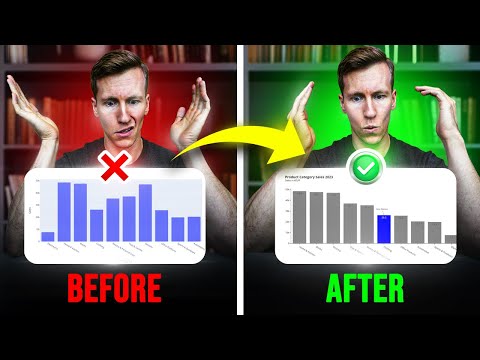](https://youtu.be/4Ii2WO0Uh_4)
6 |
7 | ## 🤝 Get to Know Me & Stay Connected
8 | - 📺 **YouTube:** [CodingIsFun](https://youtube.com/c/CodingIsFun)
9 | - 🌐 **Website:** [PythonAndVBA](https://pythonandvba.com)
10 | - 💬 **Discord:** [Join our Community](https://pythonandvba.com/discord)
11 | - 💼 **LinkedIn:** [Sven Bosau](https://www.linkedin.com/in/sven-bosau/)
12 | - 📸 **Instagram:** [Follow me](https://www.instagram.com/sven_bosau/)
13 |
14 | ## ☕️ Support My Work
15 | Love my content and want to show appreciation? Why not [buy me a coffee](https://pythonandvba.com/coffee-donation) to fuel my creative engine? Your support means the world to me! 😊
16 |
17 | [](https://pythonandvba.com/coffee-donation)
18 |
19 | ## 💌 Feedback
20 | Got some thoughts or suggestions? Don't hesitate to reach out to me at contact@pythonandvba.com. I'd love to hear from you! 💡
21 | 
22 |
--------------------------------------------------------------------------------
/data_wrangling_with_polars/index_files/libs/quarto-html/tippy.css:
--------------------------------------------------------------------------------
1 | .tippy-box[data-animation=fade][data-state=hidden]{opacity:0}[data-tippy-root]{max-width:calc(100vw - 10px)}.tippy-box{position:relative;background-color:#333;color:#fff;border-radius:4px;font-size:14px;line-height:1.4;white-space:normal;outline:0;transition-property:transform,visibility,opacity}.tippy-box[data-placement^=top]>.tippy-arrow{bottom:0}.tippy-box[data-placement^=top]>.tippy-arrow:before{bottom:-7px;left:0;border-width:8px 8px 0;border-top-color:initial;transform-origin:center top}.tippy-box[data-placement^=bottom]>.tippy-arrow{top:0}.tippy-box[data-placement^=bottom]>.tippy-arrow:before{top:-7px;left:0;border-width:0 8px 8px;border-bottom-color:initial;transform-origin:center bottom}.tippy-box[data-placement^=left]>.tippy-arrow{right:0}.tippy-box[data-placement^=left]>.tippy-arrow:before{border-width:8px 0 8px 8px;border-left-color:initial;right:-7px;transform-origin:center left}.tippy-box[data-placement^=right]>.tippy-arrow{left:0}.tippy-box[data-placement^=right]>.tippy-arrow:before{left:-7px;border-width:8px 8px 8px 0;border-right-color:initial;transform-origin:center right}.tippy-box[data-inertia][data-state=visible]{transition-timing-function:cubic-bezier(.54,1.5,.38,1.11)}.tippy-arrow{width:16px;height:16px;color:#333}.tippy-arrow:before{content:"";position:absolute;border-color:transparent;border-style:solid}.tippy-content{position:relative;padding:5px 9px;z-index:1}
--------------------------------------------------------------------------------
/data_wrangling_with_pandas/customer_call_data_files/libs/quarto-html/tippy.css:
--------------------------------------------------------------------------------
1 | .tippy-box[data-animation=fade][data-state=hidden]{opacity:0}[data-tippy-root]{max-width:calc(100vw - 10px)}.tippy-box{position:relative;background-color:#333;color:#fff;border-radius:4px;font-size:14px;line-height:1.4;white-space:normal;outline:0;transition-property:transform,visibility,opacity}.tippy-box[data-placement^=top]>.tippy-arrow{bottom:0}.tippy-box[data-placement^=top]>.tippy-arrow:before{bottom:-7px;left:0;border-width:8px 8px 0;border-top-color:initial;transform-origin:center top}.tippy-box[data-placement^=bottom]>.tippy-arrow{top:0}.tippy-box[data-placement^=bottom]>.tippy-arrow:before{top:-7px;left:0;border-width:0 8px 8px;border-bottom-color:initial;transform-origin:center bottom}.tippy-box[data-placement^=left]>.tippy-arrow{right:0}.tippy-box[data-placement^=left]>.tippy-arrow:before{border-width:8px 0 8px 8px;border-left-color:initial;right:-7px;transform-origin:center left}.tippy-box[data-placement^=right]>.tippy-arrow{left:0}.tippy-box[data-placement^=right]>.tippy-arrow:before{left:-7px;border-width:8px 8px 8px 0;border-right-color:initial;transform-origin:center right}.tippy-box[data-inertia][data-state=visible]{transition-timing-function:cubic-bezier(.54,1.5,.38,1.11)}.tippy-arrow{width:16px;height:16px;color:#333}.tippy-arrow:before{content:"";position:absolute;border-color:transparent;border-style:solid}.tippy-content{position:relative;padding:5px 9px;z-index:1}
--------------------------------------------------------------------------------
/data_wrangling_with_pandas/customer_call_data_analysis_files/libs/quarto-html/tippy.css:
--------------------------------------------------------------------------------
1 | .tippy-box[data-animation=fade][data-state=hidden]{opacity:0}[data-tippy-root]{max-width:calc(100vw - 10px)}.tippy-box{position:relative;background-color:#333;color:#fff;border-radius:4px;font-size:14px;line-height:1.4;white-space:normal;outline:0;transition-property:transform,visibility,opacity}.tippy-box[data-placement^=top]>.tippy-arrow{bottom:0}.tippy-box[data-placement^=top]>.tippy-arrow:before{bottom:-7px;left:0;border-width:8px 8px 0;border-top-color:initial;transform-origin:center top}.tippy-box[data-placement^=bottom]>.tippy-arrow{top:0}.tippy-box[data-placement^=bottom]>.tippy-arrow:before{top:-7px;left:0;border-width:0 8px 8px;border-bottom-color:initial;transform-origin:center bottom}.tippy-box[data-placement^=left]>.tippy-arrow{right:0}.tippy-box[data-placement^=left]>.tippy-arrow:before{border-width:8px 0 8px 8px;border-left-color:initial;right:-7px;transform-origin:center left}.tippy-box[data-placement^=right]>.tippy-arrow{left:0}.tippy-box[data-placement^=right]>.tippy-arrow:before{left:-7px;border-width:8px 8px 8px 0;border-right-color:initial;transform-origin:center right}.tippy-box[data-inertia][data-state=visible]{transition-timing-function:cubic-bezier(.54,1.5,.38,1.11)}.tippy-arrow{width:16px;height:16px;color:#333}.tippy-arrow:before{content:"";position:absolute;border-color:transparent;border-style:solid}.tippy-content{position:relative;padding:5px 9px;z-index:1}
--------------------------------------------------------------------------------
/replace_strict_example.qmd:
--------------------------------------------------------------------------------
1 | ---
2 | title: "Untitled"
3 | format: html
4 | ---
5 |
6 | ```{python}
7 | import polars as pl
8 | import polars.selectors as cs
9 | ```
10 | ```{python}
11 | # Create a dataframe with student grades
12 | df = pl.DataFrame({
13 | 'student': ['Alier', 'Akuien', 'Ayen', 'Angeth', 'Garang', 'Atong'],
14 | 'mathematics': [87, 92, 76, None, 85, 91],
15 | 'data_science': [81, 95, 88, 79, None, 84],
16 | 'statistics': [90, 89, None, 83, 78, 88]
17 | })
18 |
19 | print('Original DataFrame:')
20 | print(df)
21 | ```
22 |
23 |
24 | ```{python}
25 | # Using replace_strict() to replace None values with 0
26 | replace_strict_df = (
27 | df
28 | .with_columns(
29 | pl.col('mathematics').replace_strict(None, pl.col('mathematics').mean(), default=pl.col('mathematics')),
30 | pl.col('data_science').replace_strict(None, pl.col('data_science').min(), default=pl.col('data_science')),
31 | pl.col('statistics').replace_strict(None, pl.col('statistics').median(), default=pl.col('statistics'))
32 | )
33 | )
34 |
35 | print(f'\nDataFrame after replacing None values with mean, min, \nand median, respectively: {replace_strict_df}')
36 | ```
37 |
38 |
39 | ```{python}
40 | # Another example: replacing specific values
41 | math_mapping = {None: 80, 76: 80}
42 | ds_mapping = {None: 80, 79: 80}
43 | stat_mapping = {None: 80, 78: 80}
44 | adjusted_grades_df = (
45 | df
46 | .with_columns(
47 | # Replace any grade below 80 with a minimum passing grade of 80
48 | pl.col('mathematics').replace_strict(math_mapping, default=pl.col('mathematics')),
49 | pl.col('data_science').replace_strict(ds_mapping, default=pl.col('data_science')),
50 | pl.col('statistics').replace_strict(stat_mapping, default=pl.col('statistics'))
51 | )
52 | )
53 |
54 | print(f'\nDataFrame after adjusting grades below 80: {adjusted_grades_df}')
55 | ```
--------------------------------------------------------------------------------
/python_r_code_comparison/r_solution.R:
--------------------------------------------------------------------------------
1 |
2 | library(dplyr)
3 | library(tidyr)
4 |
5 | # Initial solution (12 steps)
6 | res <- read.csv('data.csv') %>%
7 | mutate(Date = paste(Month, Year)) %>%
8 | mutate(Variable = factor(Variable, levels = c('Salary', 'Taxes', 'Bonus'))) %>%
9 | select(-Month, -Year, -Name) %>%
10 | complete(Date = paste(month.abb, 2022), nesting(Variable)) %>%
11 | mutate(Date = factor(Date, levels = paste(month.abb, 2022))) %>%
12 | arrange(Date, Variable) %>%
13 | replace_na(list(Amount = 0)) %>%
14 | pivot_wider(names_from = Date, values_from = Amount) %>%
15 | bind_rows(summarise(., across(where(is.numeric), sum, na.rm = T), across(where(is.factor), ~"TotalBrutto"))) %>%
16 | rowwise() %>%
17 | mutate(`Year Total` = sum(across(-Variable)))
18 |
19 | #Second iteration (9 steps)
20 | res <- read.csv('data.csv') %>%
21 | mutate(Date = paste(Month, Year)) %>%
22 | select(-Month, -Year, -Name) %>%
23 | mutate(Variable = factor(Variable, levels = c('Salary', 'Taxes', 'Bonus'))) %>%
24 | mutate(Date = factor(Date, levels = paste(month.abb, 2022))) %>%
25 | complete(Date, nesting(Variable), fill = list(Amount = 0)) %>%
26 | pivot_wider(names_from = Date, values_from = Amount) %>%
27 | bind_rows(summarise(., across(where(is.numeric), sum, na.rm = T), across(Variable, ~"TotalNetto"))) %>%
28 | rowwise() %>%
29 | mutate(`Year Total` = sum(across(-Variable)))
30 |
31 | # Third iteration (with janitor), 7 steps!
32 | res <- read.csv('data.csv') %>%
33 | mutate(Date = paste(Month, Year)) %>%
34 | select(-Month, -Year, -Name) %>%
35 | mutate(Variable = factor(Variable, levels = c('Salary', 'Taxes', 'Bonus'))) %>%
36 | mutate(Date = factor(Date, levels = paste(month.abb, 2022))) %>%
37 | complete(Date, nesting(Variable), fill = list(Amount = 0)) %>%
38 | pivot_wider(names_from = Date, values_from = Amount) %>%
39 | janitor::adorn_totals(c("row","col"), name = c('TotalNetto', 'Year Total'))
40 |
41 |
--------------------------------------------------------------------------------
/00_scripts/data_visualization_with_seaborn_files/libs/quarto-html/quarto-syntax-highlighting.css:
--------------------------------------------------------------------------------
1 | /* quarto syntax highlight colors */
2 | :root {
3 | --quarto-hl-ot-color: #00769E;
4 | --quarto-hl-at-color: #677623;
5 | --quarto-hl-ss-color: #20794D;
6 | --quarto-hl-an-color: #5E5E5E;
7 | --quarto-hl-fu-color: #4758AB;
8 | --quarto-hl-st-color: #20794D;
9 | --quarto-hl-cf-color: #00769E;
10 | --quarto-hl-op-color: #5E5E5E;
11 | --quarto-hl-er-color: #AD0000;
12 | --quarto-hl-bn-color: #AD0000;
13 | --quarto-hl-al-color: #AD0000;
14 | --quarto-hl-va-color: #111111;
15 | --quarto-hl-bu-color: inherit;
16 | --quarto-hl-ex-color: inherit;
17 | --quarto-hl-pp-color: #AD0000;
18 | --quarto-hl-in-color: #5E5E5E;
19 | --quarto-hl-vs-color: #20794D;
20 | --quarto-hl-wa-color: #5E5E5E;
21 | --quarto-hl-do-color: #5E5E5E;
22 | --quarto-hl-im-color: inherit;
23 | --quarto-hl-ch-color: #20794D;
24 | --quarto-hl-dt-color: #AD0000;
25 | --quarto-hl-fl-color: #AD0000;
26 | --quarto-hl-co-color: #5E5E5E;
27 | --quarto-hl-cv-color: #5E5E5E;
28 | --quarto-hl-cn-color: #8f5902;
29 | --quarto-hl-sc-color: #5E5E5E;
30 | --quarto-hl-dv-color: #AD0000;
31 | --quarto-hl-kw-color: #00769E;
32 | }
33 |
34 | /* other quarto variables */
35 | :root {
36 | --quarto-font-monospace: SFMono-Regular, Menlo, Monaco, Consolas, "Liberation Mono", "Courier New", monospace;
37 | }
38 |
39 | code span {
40 | color: #00769E;
41 | }
42 |
43 | div.sourceCode {
44 | color: #00769E;
45 | }
46 |
47 | code span.ot {
48 | color: #00769E;
49 | }
50 |
51 | code span.at {
52 | color: #677623;
53 | }
54 |
55 | code span.ss {
56 | color: #20794D;
57 | }
58 |
59 | code span.an {
60 | color: #5E5E5E;
61 | }
62 |
63 | code span.fu {
64 | color: #4758AB;
65 | }
66 |
67 | code span.st {
68 | color: #20794D;
69 | }
70 |
71 | code span.cf {
72 | color: #00769E;
73 | }
74 |
75 | code span.op {
76 | color: #5E5E5E;
77 | }
78 |
79 | code span.er {
80 | color: #AD0000;
81 | }
82 |
83 | code span.bn {
84 | color: #AD0000;
85 | }
86 |
87 | code span.al {
88 | color: #AD0000;
89 | }
90 |
91 | code span.va {
92 | color: #111111;
93 | }
94 |
95 | code span.pp {
96 | color: #AD0000;
97 | }
98 |
99 | code span.in {
100 | color: #5E5E5E;
101 | }
102 |
103 | code span.vs {
104 | color: #20794D;
105 | }
106 |
107 | code span.wa {
108 | color: #5E5E5E;
109 | font-style: italic;
110 | }
111 |
112 | code span.do {
113 | color: #5E5E5E;
114 | font-style: italic;
115 | }
116 |
117 | code span.ch {
118 | color: #20794D;
119 | }
120 |
121 | code span.dt {
122 | color: #AD0000;
123 | }
124 |
125 | code span.fl {
126 | color: #AD0000;
127 | }
128 |
129 | code span.co {
130 | color: #5E5E5E;
131 | }
132 |
133 | code span.cv {
134 | color: #5E5E5E;
135 | font-style: italic;
136 | }
137 |
138 | code span.cn {
139 | color: #8f5902;
140 | }
141 |
142 | code span.sc {
143 | color: #5E5E5E;
144 | }
145 |
146 | code span.dv {
147 | color: #AD0000;
148 | }
149 |
150 | code span.kw {
151 | color: #00769E;
152 | }
153 |
154 | /*# sourceMappingURL=debc5d5d77c3f9108843748ff7464032.css.map */
155 |
--------------------------------------------------------------------------------
/data_wrangling_with_pandas/customer_call_data_files/libs/quarto-html/zenscroll-min.js:
--------------------------------------------------------------------------------
1 | !function(t,e){"function"==typeof define&&define.amd?define([],e()):"object"==typeof module&&module.exports?module.exports=e():function n(){document&&document.body?t.zenscroll=e():setTimeout(n,9)}()}(this,function(){"use strict";var t=function(t){return t&&"getComputedStyle"in window&&"smooth"===window.getComputedStyle(t)["scroll-behavior"]};if("undefined"==typeof window||!("document"in window))return{};var e=function(e,n,o){n=n||999,o||0===o||(o=9);var i,r=function(t){i=t},u=function(){clearTimeout(i),r(0)},c=function(t){return Math.max(0,e.getTopOf(t)-o)},a=function(o,i,c){if(u(),0===i||i&&i<0||t(e.body))e.toY(o),c&&c();else{var a=e.getY(),f=Math.max(0,o)-a,s=(new Date).getTime();i=i||Math.min(Math.abs(f),n),function t(){r(setTimeout(function(){var n=Math.min(1,((new Date).getTime()-s)/i),o=Math.max(0,Math.floor(a+f*(n<.5?2*n*n:n*(4-2*n)-1)));e.toY(o),n<1&&e.getHeight()+os?f(t,n,i):u+o>d?a(u-s+o,n,i):i&&i()},l=function(t,n,o,i){a(Math.max(0,e.getTopOf(t)-e.getHeight()/2+(o||t.getBoundingClientRect().height/2)),n,i)};return{setup:function(t,e){return(0===t||t)&&(n=t),(0===e||e)&&(o=e),{defaultDuration:n,edgeOffset:o}},to:f,toY:a,intoView:s,center:l,stop:u,moving:function(){return!!i},getY:e.getY,getTopOf:e.getTopOf}},n=document.documentElement,o=function(){return window.scrollY||n.scrollTop},i=e({body:document.scrollingElement||document.body,toY:function(t){window.scrollTo(0,t)},getY:o,getHeight:function(){return window.innerHeight||n.clientHeight},getTopOf:function(t){return t.getBoundingClientRect().top+o()-n.offsetTop}});if(i.createScroller=function(t,o,i){return e({body:t,toY:function(e){t.scrollTop=e},getY:function(){return t.scrollTop},getHeight:function(){return Math.min(t.clientHeight,window.innerHeight||n.clientHeight)},getTopOf:function(t){return t.offsetTop}},o,i)},"addEventListener"in window&&!window.noZensmooth&&!t(document.body)){var r="history"in window&&"pushState"in history,u=r&&"scrollRestoration"in history;u&&(history.scrollRestoration="auto"),window.addEventListener("load",function(){u&&(setTimeout(function(){history.scrollRestoration="manual"},9),window.addEventListener("popstate",function(t){t.state&&"zenscrollY"in t.state&&i.toY(t.state.zenscrollY)},!1)),window.location.hash&&setTimeout(function(){var t=i.setup().edgeOffset;if(t){var e=document.getElementById(window.location.href.split("#")[1]);if(e){var n=Math.max(0,i.getTopOf(e)-t),o=i.getY()-n;0<=o&&o<9&&window.scrollTo(0,n)}}},9)},!1);var c=new RegExp("(^|\\s)noZensmooth(\\s|$)");window.addEventListener("click",function(t){for(var e=t.target;e&&"A"!==e.tagName;)e=e.parentNode;if(!(!e||1!==t.which||t.shiftKey||t.metaKey||t.ctrlKey||t.altKey)){if(u){var n=history.state&&"object"==typeof history.state?history.state:{};n.zenscrollY=i.getY();try{history.replaceState(n,"")}catch(t){}}var o=e.getAttribute("href")||"";if(0===o.indexOf("#")&&!c.test(e.className)){var a=0,f=document.getElementById(o.substring(1));if("#"!==o){if(!f)return;a=i.getTopOf(f)}t.preventDefault();var s=function(){window.location=o},l=i.setup().edgeOffset;l&&(a=Math.max(0,a-l),r&&(s=function(){history.pushState({},"",o)})),i.toY(a,null,s)}}},!1)}return i});
--------------------------------------------------------------------------------
/00_scripts/quarto_tutorial_3_files/libs/quarto-html/quarto-syntax-highlighting.css:
--------------------------------------------------------------------------------
1 | /* quarto syntax highlight colors */
2 | :root {
3 | --quarto-hl-al-color: #ff5555;
4 | --quarto-hl-an-color: #6a737d;
5 | --quarto-hl-at-color: #d73a49;
6 | --quarto-hl-bn-color: #005cc5;
7 | --quarto-hl-bu-color: #d73a49;
8 | --quarto-hl-ch-color: #032f62;
9 | --quarto-hl-co-color: #6a737d;
10 | --quarto-hl-cv-color: #6a737d;
11 | --quarto-hl-cn-color: #005cc5;
12 | --quarto-hl-cf-color: #d73a49;
13 | --quarto-hl-dt-color: #d73a49;
14 | --quarto-hl-dv-color: #005cc5;
15 | --quarto-hl-do-color: #6a737d;
16 | --quarto-hl-er-color: #ff5555;
17 | --quarto-hl-ex-color: #d73a49;
18 | --quarto-hl-fl-color: #005cc5;
19 | --quarto-hl-fu-color: #6f42c1;
20 | --quarto-hl-im-color: #032f62;
21 | --quarto-hl-in-color: #6a737d;
22 | --quarto-hl-kw-color: #d73a49;
23 | --quarto-hl-op-color: #24292e;
24 | --quarto-hl-pp-color: #d73a49;
25 | --quarto-hl-re-color: #6a737d;
26 | --quarto-hl-sc-color: #005cc5;
27 | --quarto-hl-ss-color: #032f62;
28 | --quarto-hl-st-color: #032f62;
29 | --quarto-hl-va-color: #e36209;
30 | --quarto-hl-vs-color: #032f62;
31 | --quarto-hl-wa-color: #ff5555;
32 | }
33 |
34 | /* other quarto variables */
35 | :root {
36 | --quarto-font-monospace: SFMono-Regular, Menlo, Monaco, Consolas, "Liberation Mono", "Courier New", monospace;
37 | }
38 |
39 | code span.al {
40 | font-weight: bold;
41 | color: #ff5555;
42 | }
43 |
44 | code span.an {
45 | color: #6a737d;
46 | }
47 |
48 | code span.at {
49 | color: #d73a49;
50 | }
51 |
52 | code span.bn {
53 | color: #005cc5;
54 | }
55 |
56 | code span.bu {
57 | color: #d73a49;
58 | }
59 |
60 | code span.ch {
61 | color: #032f62;
62 | }
63 |
64 | code span.co {
65 | color: #6a737d;
66 | }
67 |
68 | code span.cv {
69 | color: #6a737d;
70 | }
71 |
72 | code span.cn {
73 | color: #005cc5;
74 | }
75 |
76 | code span.cf {
77 | color: #d73a49;
78 | }
79 |
80 | code span.dt {
81 | color: #d73a49;
82 | }
83 |
84 | code span.dv {
85 | color: #005cc5;
86 | }
87 |
88 | code span.do {
89 | color: #6a737d;
90 | }
91 |
92 | code span.er {
93 | color: #ff5555;
94 | text-decoration: underline;
95 | }
96 |
97 | code span.ex {
98 | font-weight: bold;
99 | color: #d73a49;
100 | }
101 |
102 | code span.fl {
103 | color: #005cc5;
104 | }
105 |
106 | code span.fu {
107 | color: #6f42c1;
108 | }
109 |
110 | code span.im {
111 | color: #032f62;
112 | }
113 |
114 | code span.in {
115 | color: #6a737d;
116 | }
117 |
118 | code span.kw {
119 | color: #d73a49;
120 | }
121 |
122 | code span {
123 | color: #24292e;
124 | }
125 |
126 | div.sourceCode {
127 | color: #24292e;
128 | }
129 |
130 | code span.op {
131 | color: #24292e;
132 | }
133 |
134 | code span.pp {
135 | color: #d73a49;
136 | }
137 |
138 | code span.re {
139 | color: #6a737d;
140 | }
141 |
142 | code span.sc {
143 | color: #005cc5;
144 | }
145 |
146 | code span.ss {
147 | color: #032f62;
148 | }
149 |
150 | code span.st {
151 | color: #032f62;
152 | }
153 |
154 | code span.va {
155 | color: #e36209;
156 | }
157 |
158 | code span.vs {
159 | color: #032f62;
160 | }
161 |
162 | code span.wa {
163 | color: #ff5555;
164 | }
165 |
166 | /*# sourceMappingURL=debc5d5d77c3f9108843748ff7464032.css.map */
167 |
--------------------------------------------------------------------------------
/data_wrangling_with_polars/customer_call_data_analysis/index.qmd:
--------------------------------------------------------------------------------
1 | ---
2 | title: 'Cleaning and Transforming Customer Call Data with Polars'
3 | author: 'Alier Reng'
4 | date: '2025-01-05'
5 | format: html
6 | ---
7 |
8 |
9 | ```{python}
10 | import polars as pl
11 | import polars.selectors as cs
12 | import re
13 | import sys
14 |
15 | print(f'1) My system is {sys.version};\n2) Polars version is {pl.__version__}')
16 | ```
17 |
18 | ## Load the data
19 |
20 | ```{python}
21 | # Load data; remove unwanted column; remove duplicates; tidy column names
22 | customer_raw = (
23 | pl.read_excel('00_data/Customer Call List.xlsx')
24 | .select(pl.all().exclude(['Not_Useful_Column']))
25 | .unique()
26 | .rename(lambda col: col.lower().replace(' ', '_'))
27 | )
28 |
29 | # Inspect output
30 | print(customer_raw)
31 | ```
32 |
33 | ## Clean and transform data
34 |
35 | ```{python}
36 | # Clean and transform last_name, paying_customer, do_not_contact, and address columns
37 | customer = (
38 | customer_raw
39 | .with_columns(cs.string().str.to_titlecase())
40 | .with_columns(
41 | last_name=pl.col('last_name').str.replace(r'\...|/|_| ', ''),
42 | paying_customer=pl.when(pl.col('paying_customer').is_in(['Y', 'Ye'])).then(pl.lit('Yes'))
43 | .when(pl.col('paying_customer').is_in(['N'])).then(pl.lit('No'))
44 | .otherwise(pl.col('paying_customer')),
45 | do_not_contact=pl.when(pl.col('do_not_contact').is_in(['Y', 'Ye'])).then(pl.lit('Yes'))
46 | .when(pl.col('do_not_contact').is_in(['N'])).then(pl.lit('No'))
47 | .otherwise(pl.col('do_not_contact'))
48 | )
49 | .with_columns(
50 | pl.col('address').str.split_exact(',', 2)
51 | .struct.rename_fields(['street_address', 'state', 'zip_code']).alias('fields')
52 | )
53 | .unnest('fields')
54 | .sort('customerid', descending=False)
55 | )
56 |
57 | # Inspect output
58 | print(customer.head())
59 | ```
60 |
61 | ```{python}
62 | # Clean and transform phone_number column
63 | # Define a function to clean and format phone numbers
64 | def clean_phone_number(phone_number):
65 | # Check if the phone number has 10 digits
66 | if len(phone_number) == 10:
67 | # Format the phone number as xxx-xxx-xxxx
68 | return f'{phone_number[:3]}-{phone_number[3:6]}-{phone_number[6:]}'
69 | else:
70 | # Return None for invalid phone numbers
71 | return None
72 |
73 | # Pattern to remove
74 | phone_pattern = r'[a-zA-Z\-\|/]'
75 | clean_customer_list = (
76 | customer
77 | .with_columns(phone_number=pl.col('phone_number').str.replace_all(phone_pattern, '') )
78 | .with_columns(phone_number=pl.col('phone_number').map_elements(clean_phone_number, return_dtype=pl.String))
79 | .filter(pl.col('phone_number').is_not_null(), pl.col('do_not_contact') != 'Yes')
80 | )
81 |
82 | # Inspect output
83 | print(clean_customer_list)
84 | ```
85 |
86 |
87 | ```{python}
88 | def clean_phone_number(phone_number: str) -> str:
89 | # Remove non-numeric characters
90 | cleaned = re.sub(r'\D', '', str(phone_number))
91 |
92 | # Check if the phone number has 10 digits
93 | if len(cleaned) == 10:
94 | # Format the phone number as xxx-xxx-xxxx
95 | return f'{cleaned[:3]}-{cleaned[3:6]}-{cleaned[6:]}'
96 | else:
97 | return None
98 |
99 | # Usage with Polars:
100 | df = (
101 | customer
102 | .with_columns(
103 | phone_number=pl.col('phone_number').map_elements(clean_phone_number, return_dtype=pl.String)
104 | )
105 | .filter(pl.col('phone_number').is_not_null(), pl.col('do_not_contact') != 'Yes')
106 | )
107 |
108 | print(df)
109 | ```
110 |
111 |
112 |
--------------------------------------------------------------------------------
/data_wrangling_with_pandas/custopy.py:
--------------------------------------------------------------------------------
1 | # Creating a Module for Our Customer Call Project
2 |
3 | # Define a function
4 | def tweak_customer_call_data(df, labels, column_names):
5 | """
6 | Clean and format customer call data.
7 |
8 | This function takes a DataFrame as input, performs various data cleaning and
9 | formatting operations on it, and returns the cleaned DataFrame.
10 |
11 | Parameters:
12 | df (pandas.DataFrame): The input DataFrame containing customer call data.
13 |
14 | Returns:
15 | pandas.DataFrame: A cleaned and formatted DataFrame with the following
16 | modifications:
17 | - Cleaned last names in the 'last_name' column.
18 | - Transformed 'paying_customer' and 'do_not_contact' columns.
19 | - Cleaned and formatted 'phone_number' column.
20 | - Split 'address' column into 'Street Address', 'State', and 'Zip Code'.
21 | - Dropped unwanted columns 'not_useful_column' and 'address'.
22 | - Filtered rows where 'do_not_contact' is not 'Yes' or is not NaN and 'phone_number' is not NaN.
23 | - Renamed the 'customerid' column to 'customer_id'.
24 | - Reset the DataFrame index.
25 |
26 | Notes:
27 | - The 'clean_last_name_revised' function is used to clean the 'last_name' column.
28 | - The 'clean_phone_number' function is used to clean and format phone numbers.
29 | - The 'clean_address' function is used to split the 'address' column into 'Street Address', 'State', and 'Zip Code'.
30 |
31 | Example:
32 | df = tweak_customer_call_data(customer_raw)
33 | """
34 | # Include required libraries
35 | import re
36 | import numpy as np
37 | import pandas as pd
38 | from janitor import clean_names
39 |
40 | # Define a function to clean and format phone numbers
41 | def clean_phone_number(phone):
42 | # Convert the value to a string, and then remove non-alphanumeric characters
43 | phone = re.sub(r'\D', '', str(phone))
44 |
45 | # Check if the phone number has 10 digits
46 | if len(phone) == 10:
47 | # Format the phone number as xxx-xxx-xxxx
48 | phone = f'{phone[:3]}-{phone[3:6]}-{phone[6:]}'
49 | else:
50 | # Handle other formats or invalid phone numbers
51 | phone = np.nan
52 |
53 | return phone
54 |
55 | # Define a function to clean last names
56 | def clean_last_name_revised(name):
57 | if pd.isna(name):
58 | return ''
59 | # Remove non-alphabetic characters but keep spaces, single quotes, and hyphens
60 | name = re.sub(r"[^A-Za-z\-\s']", '', name).strip()
61 | name = re.sub(r"\s+", " ", name)
62 | return name
63 |
64 | # Define a function to clean and transform the address column
65 | def clean_address(df):
66 | df[['street_address', 'state', 'zip_code']] = df['address'].str.split(',', n=2, expand=True)
67 | return df
68 |
69 | # Clean and transform the data
70 | # ----------------------------
71 | return (
72 | df
73 | # Clean and transform column values
74 | .assign(
75 | last_name=lambda x: x['last_name'].apply(clean_last_name_revised),
76 | paying_customer=lambda x: x['paying_customer'].str.lower().replace(labels),
77 | do_not_contact=lambda x: x['do_not_contact'].str.lower().replace(labels),
78 | phone_number=lambda x: x['phone_number'].apply(clean_phone_number)
79 | )
80 | # Split address column into: Street Address, State, and Zip Code
81 | .pipe(clean_address)
82 | # Delete unwanted columns
83 | .drop(columns=['not_useful_column', 'address'])
84 | .query('~(do_not_contact == "yes" | do_not_contact.isna() | phone_number.isna())')
85 | .rename(columns=column_names)
86 | .reset_index(drop=True)
87 | )
88 |
--------------------------------------------------------------------------------
/analysis_02.qmd:
--------------------------------------------------------------------------------
1 | ---
2 | title: "Code Challenge 2"
3 | author: "Alier Reng"
4 | format: html
5 | editor: visual
6 | ---
7 |
8 | ## CODE CHALLENGE - PART 2
9 |
10 | This tutorial will teach you how to solve the same problem in R and Python. This is a mini-code by Arkadi.
11 |
12 | ## Importing Libraries
13 |
14 | ```{python}
15 | import pandas as pd
16 | import numpy as np
17 |
18 | ```
19 |
20 | ```{python}
21 | raw = pd.read_csv('00_data/data_breaks.csv')
22 |
23 | # Inspect the first 5 rows
24 | raw.head()
25 | ```
26 |
27 | ## Transforming the data
28 |
29 | ```{python}
30 | #| code-overflow: wrap
31 | # Clean and transform the data
32 |
33 | df = (raw
34 | .assign(
35 | Period = lambda raw: pd.to_datetime(raw['Period']).dt.strftime('%Y-%m-%d'),
36 | Return = lambda raw_: raw_['Return'].str.rstrip('%').astype(float) / 100,
37 | value = lambda raw_: np.where(raw_['Return'].isna() & ~ raw_['Return'].shift(1).isna(), 1, 0),
38 | Group_id = lambda raw_: np.cumsum(raw_['value']) + 1
39 | )
40 | .drop(columns = ['value'])
41 | .dropna()
42 | .reset_index(drop=True)
43 |
44 | )
45 |
46 |
47 | # Inspect the first 5 rows
48 | df
49 | ```
50 |
51 | Confirm the number of observations (rows) and variables (columns)
52 |
53 | ```{python}
54 | print(f'This dataset has {df.shape[0]} rows and {df.shape[1]} columns.')
55 |
56 | ```
57 |
58 | ## Converting our `Python` code into a function
59 |
60 | ```{python}
61 | # Define a function
62 | def compute_group_ids(df):
63 | """
64 | Objective: Compute group breaks and convert them into group ids.
65 |
66 | args: pandas DataFrame to be transformed.
67 | Return: DataFrame
68 | """
69 | return (df
70 | .assign(
71 | Period = lambda df: pd.to_datetime(df['Period']).dt.strftime('%Y-%m-%d'),
72 | Return = lambda df_: df_['Return'].str.rstrip('%').astype(float) / 100,
73 | value = lambda df_: np.where(df_['Return'].isna() & \
74 | ~ df_['Return'].shift(1).isna(), 1, 0),
75 | group_id = lambda df_: np.cumsum(df_['value']) + 1
76 | )
77 | .drop(columns = ['value'])
78 | .dropna()
79 | .reset_index(drop=True)
80 | .rename(columns=lambda col: col.lower())
81 | )
82 |
83 | # Testing our new function
84 | aa = compute_group_ids(raw)
85 |
86 | # Inspect the first 5 rows
87 | aa.head()
88 | ```
89 |
90 | ```{r}
91 | #| warning: false
92 | #| message: false
93 |
94 | # Libraries
95 | library(tidyverse)
96 |
97 | # compute unique ID's using cumsum
98 | data_raw <- read_csv('00_data/data_breaks.csv', show_col_types = FALSE)
99 |
100 | # Subsetting the data
101 | results_tbl <-
102 |
103 | data_raw %>%
104 |
105 | mutate(
106 | Period = mdy(Period),
107 | Return = as.numeric(Return %>% str_remove_all("%")) / 100,
108 | BreakGroup = if_else(is.na(Return) & !is.na(lag(Return)), 1, 0),
109 | BreakGroup = cumsum(BreakGroup) + 1
110 | ) %>%
111 | drop_na(Return)
112 |
113 | # Inspect the first 10 rows
114 | slice_head(results_tbl, n = 10)
115 | ```
116 |
117 | ## Converting our `R` code into a function
118 |
119 | ```{r}
120 | # Defining a function: we assume that the data variables will be constant; otherwise, we should not hard code them in our function.
121 | compute_clusters <- function(data, .date) {
122 |
123 | data %>%
124 | mutate(
125 | Period = mdy({{ .date }}),
126 | Return = as.numeric(Return %>% str_remove_all("%")) / 100,
127 | BreakGroup = if_else(is.na(Return) & !is.na(lag(Return)), 1, 0),
128 | BreakGroup = cumsum(BreakGroup) + 1
129 | ) %>%
130 |
131 | # Remove rows with nas
132 | drop_na(Return)
133 |
134 | }
135 |
136 | # Testing our new function
137 | # ========================
138 | aa <- compute_clusters(data_raw, .date = Period)
139 | aa
140 | ```
--------------------------------------------------------------------------------
/00_scripts/code_challenge_02.qmd:
--------------------------------------------------------------------------------
1 | ---
2 | title: "Code Challenge 2"
3 | author: "Alier Reng"
4 | format: html
5 | editor: visual
6 | ---
7 |
8 | ## CODE CHALLENGE - PART 2
9 |
10 | This tutorial will teach you how to solve the same problem in R and Python.
11 | This is a mini-code by Arkadi.
12 |
13 | ## Importing Libraries
14 |
15 | ```{python}
16 | import pandas as pd
17 | import numpy as np
18 |
19 | ```
20 |
21 | ```{python}
22 | # Import raw data
23 | raw = pd.read_csv('../00_data/data_breaks.csv')
24 |
25 | # Inspect the first 5 rows
26 | raw.head()
27 | ```
28 |
29 | ## Transforming the data
30 |
31 | ```{python}
32 | #| code-overflow: wrap
33 | # Clean and transform the data
34 |
35 | df = (raw
36 | .assign(
37 | Period = lambda raw: pd.to_datetime(raw['Period']).dt.strftime('%Y-%m-%d'),
38 | Return = lambda raw_: raw_['Return'].str.rstrip('%').astype(float) / 100,
39 | value = lambda raw_: np.where(raw_['Return'].isna() & ~ raw_['Return'].shift(1).isna(), 1, 0),
40 | Group_id = lambda raw_: np.cumsum(raw_['value']) + 1
41 | )
42 | .drop(columns = ['value'])
43 | .dropna()
44 | .reset_index(drop=True)
45 |
46 | )
47 |
48 |
49 | # Inspect the first 5 rows
50 | df
51 | ```
52 |
53 | Confirm the number of observations (rows) and variables (columns)
54 |
55 | ```{python}
56 | print(f'This dataset has {df.shape[0]} rows and {df.shape[1]} columns.')
57 |
58 | ```
59 |
60 | ## Converting our `Python` code into a function
61 |
62 | ```{python}
63 | # Define a function
64 | def compute_group_ids(df):
65 | """
66 | Objective: Compute group breaks and convert them into group ids.
67 |
68 | args: pandas DataFrame to be transformed.
69 | Return: DataFrame
70 | """
71 | return (df
72 | .assign(
73 | Period = lambda df: pd.to_datetime(df['Period']).dt.strftime('%Y-%m-%d'),
74 | Return = lambda df_: df_['Return'].str.rstrip('%').astype(float) / 100,
75 | value = lambda df_: np.where(df_['Return'].isna() & \
76 | ~ df_['Return'].shift(1).isna(), 1, 0),
77 | group_id = lambda df_: np.cumsum(df_['value']) + 1
78 | )
79 | .drop(columns = ['value'])
80 | .dropna()
81 | .reset_index(drop=True)
82 | .rename(columns=lambda col: col.lower())
83 | )
84 |
85 | # Testing our new function
86 | aa = compute_group_ids(raw)
87 |
88 | # Inspect the first 5 rows
89 | aa.head()
90 | ```
91 |
92 | ```{r}
93 | #| warning: false
94 | #| message: false
95 |
96 | # Libraries
97 | library(tidyverse)
98 |
99 | # compute unique ID's using cumsum
100 | data_raw <- read_csv('00_data/data_breaks.csv', show_col_types = FALSE)
101 |
102 | # Subsetting the data
103 | results_tbl <-
104 |
105 | data_raw %>%
106 |
107 | mutate(
108 | Period = mdy(Period),
109 | Return = as.numeric(Return %>% str_remove_all("%")) / 100,
110 | BreakGroup = if_else(is.na(Return) & !is.na(lag(Return)), 1, 0),
111 | BreakGroup = cumsum(BreakGroup) + 1
112 | ) %>%
113 | drop_na(Return)
114 |
115 | # Inspect the first 10 rows
116 | slice_head(results_tbl, n = 10)
117 | ```
118 |
119 | ## Converting our `R` code into a function
120 |
121 | ```{r}
122 | # Defining a function: we assume that the data variables will be constant; otherwise, we should not hard code them in our function.
123 | compute_clusters <- function(data, .date) {
124 |
125 | data %>%
126 | mutate(
127 | Period = mdy({{ .date }}),
128 | Return = as.numeric(Return %>% str_remove_all("%")) / 100,
129 | BreakGroup = if_else(is.na(Return) & !is.na(lag(Return)), 1, 0),
130 | BreakGroup = cumsum(BreakGroup) + 1
131 | ) %>%
132 |
133 | # Remove rows with nas
134 | drop_na(Return)
135 |
136 | }
137 |
138 | # Testing our new function
139 | # ========================
140 | aa <- compute_clusters(data_raw, .date = Period)
141 | aa
142 | ```
143 |
144 | ```{python}
145 | for i in range(8):
146 | if i % 2 == 1:
147 | print(f'The value of {i=}')
148 | else:
149 | print(f'The value of {i**2 = } & {i = }.')
150 | ```
151 |
152 | ```{}
153 | ```
154 |
--------------------------------------------------------------------------------
/data_wrangling_with_polars/index_files/libs/quarto-html/quarto-syntax-highlighting.css:
--------------------------------------------------------------------------------
1 | /* quarto syntax highlight colors */
2 | :root {
3 | --quarto-hl-ot-color: #003B4F;
4 | --quarto-hl-at-color: #657422;
5 | --quarto-hl-ss-color: #20794D;
6 | --quarto-hl-an-color: #5E5E5E;
7 | --quarto-hl-fu-color: #4758AB;
8 | --quarto-hl-st-color: #20794D;
9 | --quarto-hl-cf-color: #003B4F;
10 | --quarto-hl-op-color: #5E5E5E;
11 | --quarto-hl-er-color: #AD0000;
12 | --quarto-hl-bn-color: #AD0000;
13 | --quarto-hl-al-color: #AD0000;
14 | --quarto-hl-va-color: #111111;
15 | --quarto-hl-bu-color: inherit;
16 | --quarto-hl-ex-color: inherit;
17 | --quarto-hl-pp-color: #AD0000;
18 | --quarto-hl-in-color: #5E5E5E;
19 | --quarto-hl-vs-color: #20794D;
20 | --quarto-hl-wa-color: #5E5E5E;
21 | --quarto-hl-do-color: #5E5E5E;
22 | --quarto-hl-im-color: #00769E;
23 | --quarto-hl-ch-color: #20794D;
24 | --quarto-hl-dt-color: #AD0000;
25 | --quarto-hl-fl-color: #AD0000;
26 | --quarto-hl-co-color: #5E5E5E;
27 | --quarto-hl-cv-color: #5E5E5E;
28 | --quarto-hl-cn-color: #8f5902;
29 | --quarto-hl-sc-color: #5E5E5E;
30 | --quarto-hl-dv-color: #AD0000;
31 | --quarto-hl-kw-color: #003B4F;
32 | }
33 |
34 | /* other quarto variables */
35 | :root {
36 | --quarto-font-monospace: SFMono-Regular, Menlo, Monaco, Consolas, "Liberation Mono", "Courier New", monospace;
37 | }
38 |
39 | pre > code.sourceCode > span {
40 | color: #003B4F;
41 | }
42 |
43 | code span {
44 | color: #003B4F;
45 | }
46 |
47 | code.sourceCode > span {
48 | color: #003B4F;
49 | }
50 |
51 | div.sourceCode,
52 | div.sourceCode pre.sourceCode {
53 | color: #003B4F;
54 | }
55 |
56 | code span.ot {
57 | color: #003B4F;
58 | font-style: inherit;
59 | }
60 |
61 | code span.at {
62 | color: #657422;
63 | font-style: inherit;
64 | }
65 |
66 | code span.ss {
67 | color: #20794D;
68 | font-style: inherit;
69 | }
70 |
71 | code span.an {
72 | color: #5E5E5E;
73 | font-style: inherit;
74 | }
75 |
76 | code span.fu {
77 | color: #4758AB;
78 | font-style: inherit;
79 | }
80 |
81 | code span.st {
82 | color: #20794D;
83 | font-style: inherit;
84 | }
85 |
86 | code span.cf {
87 | color: #003B4F;
88 | font-style: inherit;
89 | }
90 |
91 | code span.op {
92 | color: #5E5E5E;
93 | font-style: inherit;
94 | }
95 |
96 | code span.er {
97 | color: #AD0000;
98 | font-style: inherit;
99 | }
100 |
101 | code span.bn {
102 | color: #AD0000;
103 | font-style: inherit;
104 | }
105 |
106 | code span.al {
107 | color: #AD0000;
108 | font-style: inherit;
109 | }
110 |
111 | code span.va {
112 | color: #111111;
113 | font-style: inherit;
114 | }
115 |
116 | code span.bu {
117 | font-style: inherit;
118 | }
119 |
120 | code span.ex {
121 | font-style: inherit;
122 | }
123 |
124 | code span.pp {
125 | color: #AD0000;
126 | font-style: inherit;
127 | }
128 |
129 | code span.in {
130 | color: #5E5E5E;
131 | font-style: inherit;
132 | }
133 |
134 | code span.vs {
135 | color: #20794D;
136 | font-style: inherit;
137 | }
138 |
139 | code span.wa {
140 | color: #5E5E5E;
141 | font-style: italic;
142 | }
143 |
144 | code span.do {
145 | color: #5E5E5E;
146 | font-style: italic;
147 | }
148 |
149 | code span.im {
150 | color: #00769E;
151 | font-style: inherit;
152 | }
153 |
154 | code span.ch {
155 | color: #20794D;
156 | font-style: inherit;
157 | }
158 |
159 | code span.dt {
160 | color: #AD0000;
161 | font-style: inherit;
162 | }
163 |
164 | code span.fl {
165 | color: #AD0000;
166 | font-style: inherit;
167 | }
168 |
169 | code span.co {
170 | color: #5E5E5E;
171 | font-style: inherit;
172 | }
173 |
174 | code span.cv {
175 | color: #5E5E5E;
176 | font-style: italic;
177 | }
178 |
179 | code span.cn {
180 | color: #8f5902;
181 | font-style: inherit;
182 | }
183 |
184 | code span.sc {
185 | color: #5E5E5E;
186 | font-style: inherit;
187 | }
188 |
189 | code span.dv {
190 | color: #AD0000;
191 | font-style: inherit;
192 | }
193 |
194 | code span.kw {
195 | color: #003B4F;
196 | font-style: inherit;
197 | }
198 |
199 | .prevent-inlining {
200 | content: " code.sourceCode > span {
40 | color: #003B4F;
41 | }
42 |
43 | code span {
44 | color: #003B4F;
45 | }
46 |
47 | code.sourceCode > span {
48 | color: #003B4F;
49 | }
50 |
51 | div.sourceCode,
52 | div.sourceCode pre.sourceCode {
53 | color: #003B4F;
54 | }
55 |
56 | code span.ot {
57 | color: #003B4F;
58 | font-style: inherit;
59 | }
60 |
61 | code span.at {
62 | color: #657422;
63 | font-style: inherit;
64 | }
65 |
66 | code span.ss {
67 | color: #20794D;
68 | font-style: inherit;
69 | }
70 |
71 | code span.an {
72 | color: #5E5E5E;
73 | font-style: inherit;
74 | }
75 |
76 | code span.fu {
77 | color: #4758AB;
78 | font-style: inherit;
79 | }
80 |
81 | code span.st {
82 | color: #20794D;
83 | font-style: inherit;
84 | }
85 |
86 | code span.cf {
87 | color: #003B4F;
88 | font-style: inherit;
89 | }
90 |
91 | code span.op {
92 | color: #5E5E5E;
93 | font-style: inherit;
94 | }
95 |
96 | code span.er {
97 | color: #AD0000;
98 | font-style: inherit;
99 | }
100 |
101 | code span.bn {
102 | color: #AD0000;
103 | font-style: inherit;
104 | }
105 |
106 | code span.al {
107 | color: #AD0000;
108 | font-style: inherit;
109 | }
110 |
111 | code span.va {
112 | color: #111111;
113 | font-style: inherit;
114 | }
115 |
116 | code span.bu {
117 | font-style: inherit;
118 | }
119 |
120 | code span.ex {
121 | font-style: inherit;
122 | }
123 |
124 | code span.pp {
125 | color: #AD0000;
126 | font-style: inherit;
127 | }
128 |
129 | code span.in {
130 | color: #5E5E5E;
131 | font-style: inherit;
132 | }
133 |
134 | code span.vs {
135 | color: #20794D;
136 | font-style: inherit;
137 | }
138 |
139 | code span.wa {
140 | color: #5E5E5E;
141 | font-style: italic;
142 | }
143 |
144 | code span.do {
145 | color: #5E5E5E;
146 | font-style: italic;
147 | }
148 |
149 | code span.im {
150 | color: #00769E;
151 | font-style: inherit;
152 | }
153 |
154 | code span.ch {
155 | color: #20794D;
156 | font-style: inherit;
157 | }
158 |
159 | code span.dt {
160 | color: #AD0000;
161 | font-style: inherit;
162 | }
163 |
164 | code span.fl {
165 | color: #AD0000;
166 | font-style: inherit;
167 | }
168 |
169 | code span.co {
170 | color: #5E5E5E;
171 | font-style: inherit;
172 | }
173 |
174 | code span.cv {
175 | color: #5E5E5E;
176 | font-style: italic;
177 | }
178 |
179 | code span.cn {
180 | color: #8f5902;
181 | font-style: inherit;
182 | }
183 |
184 | code span.sc {
185 | color: #5E5E5E;
186 | font-style: inherit;
187 | }
188 |
189 | code span.dv {
190 | color: #AD0000;
191 | font-style: inherit;
192 | }
193 |
194 | code span.kw {
195 | color: #003B4F;
196 | font-style: inherit;
197 | }
198 |
199 | .prevent-inlining {
200 | content: " code.sourceCode > span {
40 | color: #003B4F;
41 | }
42 |
43 | code span {
44 | color: #003B4F;
45 | }
46 |
47 | code.sourceCode > span {
48 | color: #003B4F;
49 | }
50 |
51 | div.sourceCode,
52 | div.sourceCode pre.sourceCode {
53 | color: #003B4F;
54 | }
55 |
56 | code span.ot {
57 | color: #003B4F;
58 | font-style: inherit;
59 | }
60 |
61 | code span.at {
62 | color: #657422;
63 | font-style: inherit;
64 | }
65 |
66 | code span.ss {
67 | color: #20794D;
68 | font-style: inherit;
69 | }
70 |
71 | code span.an {
72 | color: #5E5E5E;
73 | font-style: inherit;
74 | }
75 |
76 | code span.fu {
77 | color: #4758AB;
78 | font-style: inherit;
79 | }
80 |
81 | code span.st {
82 | color: #20794D;
83 | font-style: inherit;
84 | }
85 |
86 | code span.cf {
87 | color: #003B4F;
88 | font-weight: bold;
89 | font-style: inherit;
90 | }
91 |
92 | code span.op {
93 | color: #5E5E5E;
94 | font-style: inherit;
95 | }
96 |
97 | code span.er {
98 | color: #AD0000;
99 | font-style: inherit;
100 | }
101 |
102 | code span.bn {
103 | color: #AD0000;
104 | font-style: inherit;
105 | }
106 |
107 | code span.al {
108 | color: #AD0000;
109 | font-style: inherit;
110 | }
111 |
112 | code span.va {
113 | color: #111111;
114 | font-style: inherit;
115 | }
116 |
117 | code span.bu {
118 | font-style: inherit;
119 | }
120 |
121 | code span.ex {
122 | font-style: inherit;
123 | }
124 |
125 | code span.pp {
126 | color: #AD0000;
127 | font-style: inherit;
128 | }
129 |
130 | code span.in {
131 | color: #5E5E5E;
132 | font-style: inherit;
133 | }
134 |
135 | code span.vs {
136 | color: #20794D;
137 | font-style: inherit;
138 | }
139 |
140 | code span.wa {
141 | color: #5E5E5E;
142 | font-style: italic;
143 | }
144 |
145 | code span.do {
146 | color: #5E5E5E;
147 | font-style: italic;
148 | }
149 |
150 | code span.im {
151 | color: #00769E;
152 | font-style: inherit;
153 | }
154 |
155 | code span.ch {
156 | color: #20794D;
157 | font-style: inherit;
158 | }
159 |
160 | code span.dt {
161 | color: #AD0000;
162 | font-style: inherit;
163 | }
164 |
165 | code span.fl {
166 | color: #AD0000;
167 | font-style: inherit;
168 | }
169 |
170 | code span.co {
171 | color: #5E5E5E;
172 | font-style: inherit;
173 | }
174 |
175 | code span.cv {
176 | color: #5E5E5E;
177 | font-style: italic;
178 | }
179 |
180 | code span.cn {
181 | color: #8f5902;
182 | font-style: inherit;
183 | }
184 |
185 | code span.sc {
186 | color: #5E5E5E;
187 | font-style: inherit;
188 | }
189 |
190 | code span.dv {
191 | color: #AD0000;
192 | font-style: inherit;
193 | }
194 |
195 | code span.kw {
196 | color: #003B4F;
197 | font-weight: bold;
198 | font-style: inherit;
199 | }
200 |
201 | .prevent-inlining {
202 | content: " code.sourceCode > span {
40 | color: #003B4F;
41 | }
42 |
43 | code span {
44 | color: #003B4F;
45 | }
46 |
47 | code.sourceCode > span {
48 | color: #003B4F;
49 | }
50 |
51 | div.sourceCode,
52 | div.sourceCode pre.sourceCode {
53 | color: #003B4F;
54 | }
55 |
56 | code span.ot {
57 | color: #003B4F;
58 | font-style: inherit;
59 | }
60 |
61 | code span.at {
62 | color: #657422;
63 | font-style: inherit;
64 | }
65 |
66 | code span.ss {
67 | color: #20794D;
68 | font-style: inherit;
69 | }
70 |
71 | code span.an {
72 | color: #5E5E5E;
73 | font-style: inherit;
74 | }
75 |
76 | code span.fu {
77 | color: #4758AB;
78 | font-style: inherit;
79 | }
80 |
81 | code span.st {
82 | color: #20794D;
83 | font-style: inherit;
84 | }
85 |
86 | code span.cf {
87 | color: #003B4F;
88 | font-weight: bold;
89 | font-style: inherit;
90 | }
91 |
92 | code span.op {
93 | color: #5E5E5E;
94 | font-style: inherit;
95 | }
96 |
97 | code span.er {
98 | color: #AD0000;
99 | font-style: inherit;
100 | }
101 |
102 | code span.bn {
103 | color: #AD0000;
104 | font-style: inherit;
105 | }
106 |
107 | code span.al {
108 | color: #AD0000;
109 | font-style: inherit;
110 | }
111 |
112 | code span.va {
113 | color: #111111;
114 | font-style: inherit;
115 | }
116 |
117 | code span.bu {
118 | font-style: inherit;
119 | }
120 |
121 | code span.ex {
122 | font-style: inherit;
123 | }
124 |
125 | code span.pp {
126 | color: #AD0000;
127 | font-style: inherit;
128 | }
129 |
130 | code span.in {
131 | color: #5E5E5E;
132 | font-style: inherit;
133 | }
134 |
135 | code span.vs {
136 | color: #20794D;
137 | font-style: inherit;
138 | }
139 |
140 | code span.wa {
141 | color: #5E5E5E;
142 | font-style: italic;
143 | }
144 |
145 | code span.do {
146 | color: #5E5E5E;
147 | font-style: italic;
148 | }
149 |
150 | code span.im {
151 | color: #00769E;
152 | font-style: inherit;
153 | }
154 |
155 | code span.ch {
156 | color: #20794D;
157 | font-style: inherit;
158 | }
159 |
160 | code span.dt {
161 | color: #AD0000;
162 | font-style: inherit;
163 | }
164 |
165 | code span.fl {
166 | color: #AD0000;
167 | font-style: inherit;
168 | }
169 |
170 | code span.co {
171 | color: #5E5E5E;
172 | font-style: inherit;
173 | }
174 |
175 | code span.cv {
176 | color: #5E5E5E;
177 | font-style: italic;
178 | }
179 |
180 | code span.cn {
181 | color: #8f5902;
182 | font-style: inherit;
183 | }
184 |
185 | code span.sc {
186 | color: #5E5E5E;
187 | font-style: inherit;
188 | }
189 |
190 | code span.dv {
191 | color: #AD0000;
192 | font-style: inherit;
193 | }
194 |
195 | code span.kw {
196 | color: #003B4F;
197 | font-weight: bold;
198 | font-style: inherit;
199 | }
200 |
201 | .prevent-inlining {
202 | content: " code.sourceCode > span {
40 | color: #003B4F;
41 | }
42 |
43 | code span {
44 | color: #003B4F;
45 | }
46 |
47 | code.sourceCode > span {
48 | color: #003B4F;
49 | }
50 |
51 | div.sourceCode,
52 | div.sourceCode pre.sourceCode {
53 | color: #003B4F;
54 | }
55 |
56 | code span.ot {
57 | color: #003B4F;
58 | font-style: inherit;
59 | }
60 |
61 | code span.at {
62 | color: #657422;
63 | font-style: inherit;
64 | }
65 |
66 | code span.ss {
67 | color: #20794D;
68 | font-style: inherit;
69 | }
70 |
71 | code span.an {
72 | color: #5E5E5E;
73 | font-style: inherit;
74 | }
75 |
76 | code span.fu {
77 | color: #4758AB;
78 | font-style: inherit;
79 | }
80 |
81 | code span.st {
82 | color: #20794D;
83 | font-style: inherit;
84 | }
85 |
86 | code span.cf {
87 | color: #003B4F;
88 | font-weight: bold;
89 | font-style: inherit;
90 | }
91 |
92 | code span.op {
93 | color: #5E5E5E;
94 | font-style: inherit;
95 | }
96 |
97 | code span.er {
98 | color: #AD0000;
99 | font-style: inherit;
100 | }
101 |
102 | code span.bn {
103 | color: #AD0000;
104 | font-style: inherit;
105 | }
106 |
107 | code span.al {
108 | color: #AD0000;
109 | font-style: inherit;
110 | }
111 |
112 | code span.va {
113 | color: #111111;
114 | font-style: inherit;
115 | }
116 |
117 | code span.bu {
118 | font-style: inherit;
119 | }
120 |
121 | code span.ex {
122 | font-style: inherit;
123 | }
124 |
125 | code span.pp {
126 | color: #AD0000;
127 | font-style: inherit;
128 | }
129 |
130 | code span.in {
131 | color: #5E5E5E;
132 | font-style: inherit;
133 | }
134 |
135 | code span.vs {
136 | color: #20794D;
137 | font-style: inherit;
138 | }
139 |
140 | code span.wa {
141 | color: #5E5E5E;
142 | font-style: italic;
143 | }
144 |
145 | code span.do {
146 | color: #5E5E5E;
147 | font-style: italic;
148 | }
149 |
150 | code span.im {
151 | color: #00769E;
152 | font-style: inherit;
153 | }
154 |
155 | code span.ch {
156 | color: #20794D;
157 | font-style: inherit;
158 | }
159 |
160 | code span.dt {
161 | color: #AD0000;
162 | font-style: inherit;
163 | }
164 |
165 | code span.fl {
166 | color: #AD0000;
167 | font-style: inherit;
168 | }
169 |
170 | code span.co {
171 | color: #5E5E5E;
172 | font-style: inherit;
173 | }
174 |
175 | code span.cv {
176 | color: #5E5E5E;
177 | font-style: italic;
178 | }
179 |
180 | code span.cn {
181 | color: #8f5902;
182 | font-style: inherit;
183 | }
184 |
185 | code span.sc {
186 | color: #5E5E5E;
187 | font-style: inherit;
188 | }
189 |
190 | code span.dv {
191 | color: #AD0000;
192 | font-style: inherit;
193 | }
194 |
195 | code span.kw {
196 | color: #003B4F;
197 | font-weight: bold;
198 | font-style: inherit;
199 | }
200 |
201 | .prevent-inlining {
202 | content: "%
45 |
46 | # Convert column names to lower and replace spaces with underscores if applicable
47 | janitor::clean_names() %>%
48 | rename(category = variable) %>%
49 |
50 | # Add year - month column
51 | mutate(
52 | date = str_c(year, month, sep = " ")
53 | ) %>%
54 |
55 | # Spread the data
56 | select(-month, -year) %>%
57 | pivot_wider(
58 | names_from = date,
59 | values_from = amount
60 | ) %>%
61 |
62 | # Add row and column sums
63 | janitor::adorn_totals(c("row","col"))
64 |
65 | # Print the output as a gt table
66 | data_tbl %>%
67 | gt::gt() %>%
68 | gtExtras::gt_theme_espn()
69 | ```
70 |
71 | ## Computing the Results in Python
72 |
73 | Next, let's replicate the above results in `pandas`.
74 |
75 | ## Loading the Libraries
76 |
77 | Here we'll only import `pandas` and `numpy`.
78 |
79 | ```{python}
80 | # Import libraries
81 | import pandas as pd
82 | import numpy as np
83 | ```
84 |
85 | ## Importing the Data in Python
86 |
87 | ```{python}
88 | #| echo: true
89 | # Import the data
90 | raw = pd.read_csv('python_r_code_comparison/data.csv')
91 |
92 | # Inspect the first 5 rows
93 | raw.head()
94 | ```
95 |
96 | ## Transforming the Data
97 |
98 | ```{python}
99 | # Clean and transform the data
100 | cols = ['Category','2022 Jan' ,'2022 Feb', '2022 Oct', '2022 Nov', 'total']
101 |
102 | df = (raw
103 | # Add a date column with the assign() method
104 | .assign(
105 | date = raw['Year'].astype('str') + ' ' + raw['Month']
106 | )
107 | # Initialize a pivot table
108 | .pivot_table(index=['Variable'], columns=['date'],
109 | values='Amount', aggfunc = np.sum,
110 | margins = True, margins_name = 'total'
111 | )
112 | .reset_index()
113 | .rename(columns = {'Variable':'Category'})
114 | [cols] # Reorder columns
115 | .set_index('Category')
116 |
117 | )
118 |
119 | df
120 | ```
121 |
122 | ```{python}
123 | # Writing a function
124 | report_year = str(raw['Year'][0])
125 |
126 | def report_sort(cols):
127 |
128 | def internal_sort(name):
129 | months = {'Jan':1, 'Feb':2, 'Mar':3, 'Apr':4, 'May':5, 'Jun':6,
130 | 'Jul':7, 'Aug':8, 'Sep':9, 'Oct':10, 'Nov':11, 'Dec':12}
131 |
132 | if name == 'Category':
133 | return 0
134 | elif name == 'total':
135 | return 20
136 | else:
137 | idx = name.split()[1]
138 | return months[idx]
139 | return sorted(cols, key=internal_sort)
140 |
141 | df = (raw
142 | # Add a date column with the assign() method
143 | .assign(
144 | date = raw['Year'].astype('str') + ' ' + raw['Month']
145 | )
146 | # Initialize a pivot table
147 | .pivot_table(
148 | index=['Variable', 'Name'],
149 | columns=['date'],
150 | values='Amount',
151 | aggfunc = np.sum,
152 | margins = True,
153 | margins_name = 'Total'
154 | )
155 | .reset_index()
156 | .rename(columns = {'Variable':'Category'})
157 | .filter(regex=rf'Category|Total|^{report_year}*')
158 | .sort_index(axis='columns', key=report_sort)
159 | .set_index('Category')
160 |
161 | )
162 |
163 | df
164 | ```
165 |
166 | # Data Link:
167 |
168 | ```{python}
169 |
170 | ```
--------------------------------------------------------------------------------
/.idea/inspectionProfiles/Project_Default.xml:
--------------------------------------------------------------------------------
1 |
2 |
3 |
4 |
5 |
12 |
13 |
14 |
15 |
28 |
29 |
30 |
31 |
137 |
138 |
139 |
--------------------------------------------------------------------------------
/README_files/libs/quarto-html/anchor.min.js:
--------------------------------------------------------------------------------
1 | // @license magnet:?xt=urn:btih:d3d9a9a6595521f9666a5e94cc830dab83b65699&dn=expat.txt Expat
2 | //
3 | // AnchorJS - v5.0.0 - 2023-01-18
4 | // https://www.bryanbraun.com/anchorjs/
5 | // Copyright (c) 2023 Bryan Braun; Licensed MIT
6 | //
7 | // @license magnet:?xt=urn:btih:d3d9a9a6595521f9666a5e94cc830dab83b65699&dn=expat.txt Expat
8 | !function(A,e){"use strict";"function"==typeof define&&define.amd?define([],e):"object"==typeof module&&module.exports?module.exports=e():(A.AnchorJS=e(),A.anchors=new A.AnchorJS)}(globalThis,function(){"use strict";return function(A){function u(A){A.icon=Object.prototype.hasOwnProperty.call(A,"icon")?A.icon:"",A.visible=Object.prototype.hasOwnProperty.call(A,"visible")?A.visible:"hover",A.placement=Object.prototype.hasOwnProperty.call(A,"placement")?A.placement:"right",A.ariaLabel=Object.prototype.hasOwnProperty.call(A,"ariaLabel")?A.ariaLabel:"Anchor",A.class=Object.prototype.hasOwnProperty.call(A,"class")?A.class:"",A.base=Object.prototype.hasOwnProperty.call(A,"base")?A.base:"",A.truncate=Object.prototype.hasOwnProperty.call(A,"truncate")?Math.floor(A.truncate):64,A.titleText=Object.prototype.hasOwnProperty.call(A,"titleText")?A.titleText:""}function d(A){var e;if("string"==typeof A||A instanceof String)e=[].slice.call(document.querySelectorAll(A));else{if(!(Array.isArray(A)||A instanceof NodeList))throw new TypeError("The selector provided to AnchorJS was invalid.");e=[].slice.call(A)}return e}this.options=A||{},this.elements=[],u(this.options),this.add=function(A){var e,t,o,i,n,s,a,r,l,c,h,p=[];if(u(this.options),0!==(e=d(A=A||"h2, h3, h4, h5, h6")).length){for(null===document.head.querySelector("style.anchorjs")&&((A=document.createElement("style")).className="anchorjs",A.appendChild(document.createTextNode("")),void 0===(h=document.head.querySelector('[rel="stylesheet"],style'))?document.head.appendChild(A):document.head.insertBefore(A,h),A.sheet.insertRule(".anchorjs-link{opacity:0;text-decoration:none;-webkit-font-smoothing:antialiased;-moz-osx-font-smoothing:grayscale}",A.sheet.cssRules.length),A.sheet.insertRule(":hover>.anchorjs-link,.anchorjs-link:focus{opacity:1}",A.sheet.cssRules.length),A.sheet.insertRule("[data-anchorjs-icon]::after{content:attr(data-anchorjs-icon)}",A.sheet.cssRules.length),A.sheet.insertRule('@font-face{font-family:anchorjs-icons;src:url(data:n/a;base64,AAEAAAALAIAAAwAwT1MvMg8yG2cAAAE4AAAAYGNtYXDp3gC3AAABpAAAAExnYXNwAAAAEAAAA9wAAAAIZ2x5ZlQCcfwAAAH4AAABCGhlYWQHFvHyAAAAvAAAADZoaGVhBnACFwAAAPQAAAAkaG10eASAADEAAAGYAAAADGxvY2EACACEAAAB8AAAAAhtYXhwAAYAVwAAARgAAAAgbmFtZQGOH9cAAAMAAAAAunBvc3QAAwAAAAADvAAAACAAAQAAAAEAAHzE2p9fDzz1AAkEAAAAAADRecUWAAAAANQA6R8AAAAAAoACwAAAAAgAAgAAAAAAAAABAAADwP/AAAACgAAA/9MCrQABAAAAAAAAAAAAAAAAAAAAAwABAAAAAwBVAAIAAAAAAAIAAAAAAAAAAAAAAAAAAAAAAAMCQAGQAAUAAAKZAswAAACPApkCzAAAAesAMwEJAAAAAAAAAAAAAAAAAAAAARAAAAAAAAAAAAAAAAAAAAAAQAAg//0DwP/AAEADwABAAAAAAQAAAAAAAAAAAAAAIAAAAAAAAAIAAAACgAAxAAAAAwAAAAMAAAAcAAEAAwAAABwAAwABAAAAHAAEADAAAAAIAAgAAgAAACDpy//9//8AAAAg6cv//f///+EWNwADAAEAAAAAAAAAAAAAAAAACACEAAEAAAAAAAAAAAAAAAAxAAACAAQARAKAAsAAKwBUAAABIiYnJjQ3NzY2MzIWFxYUBwcGIicmNDc3NjQnJiYjIgYHBwYUFxYUBwYGIwciJicmNDc3NjIXFhQHBwYUFxYWMzI2Nzc2NCcmNDc2MhcWFAcHBgYjARQGDAUtLXoWOR8fORYtLTgKGwoKCjgaGg0gEhIgDXoaGgkJBQwHdR85Fi0tOAobCgoKOBoaDSASEiANehoaCQkKGwotLXoWOR8BMwUFLYEuehYXFxYugC44CQkKGwo4GkoaDQ0NDXoaShoKGwoFBe8XFi6ALjgJCQobCjgaShoNDQ0NehpKGgobCgoKLYEuehYXAAAADACWAAEAAAAAAAEACAAAAAEAAAAAAAIAAwAIAAEAAAAAAAMACAAAAAEAAAAAAAQACAAAAAEAAAAAAAUAAQALAAEAAAAAAAYACAAAAAMAAQQJAAEAEAAMAAMAAQQJAAIABgAcAAMAAQQJAAMAEAAMAAMAAQQJAAQAEAAMAAMAAQQJAAUAAgAiAAMAAQQJAAYAEAAMYW5jaG9yanM0MDBAAGEAbgBjAGgAbwByAGoAcwA0ADAAMABAAAAAAwAAAAAAAAAAAAAAAAAAAAAAAAAAAAAAAAAAAAAAAAABAAH//wAP) format("truetype")}',A.sheet.cssRules.length)),h=document.querySelectorAll("[id]"),t=[].map.call(h,function(A){return A.id}),i=0;i\]./()*\\\n\t\b\v\u00A0]/g,"-").replace(/-{2,}/g,"-").substring(0,this.options.truncate).replace(/^-+|-+$/gm,"").toLowerCase()},this.hasAnchorJSLink=function(A){var e=A.firstChild&&-1<(" "+A.firstChild.className+" ").indexOf(" anchorjs-link "),A=A.lastChild&&-1<(" "+A.lastChild.className+" ").indexOf(" anchorjs-link ");return e||A||!1}}});
9 | // @license-end
--------------------------------------------------------------------------------
/data_wrangling_with_polars/index_files/libs/quarto-html/anchor.min.js:
--------------------------------------------------------------------------------
1 | // @license magnet:?xt=urn:btih:d3d9a9a6595521f9666a5e94cc830dab83b65699&dn=expat.txt Expat
2 | //
3 | // AnchorJS - v5.0.0 - 2023-01-18
4 | // https://www.bryanbraun.com/anchorjs/
5 | // Copyright (c) 2023 Bryan Braun; Licensed MIT
6 | //
7 | // @license magnet:?xt=urn:btih:d3d9a9a6595521f9666a5e94cc830dab83b65699&dn=expat.txt Expat
8 | !function(A,e){"use strict";"function"==typeof define&&define.amd?define([],e):"object"==typeof module&&module.exports?module.exports=e():(A.AnchorJS=e(),A.anchors=new A.AnchorJS)}(globalThis,function(){"use strict";return function(A){function u(A){A.icon=Object.prototype.hasOwnProperty.call(A,"icon")?A.icon:"",A.visible=Object.prototype.hasOwnProperty.call(A,"visible")?A.visible:"hover",A.placement=Object.prototype.hasOwnProperty.call(A,"placement")?A.placement:"right",A.ariaLabel=Object.prototype.hasOwnProperty.call(A,"ariaLabel")?A.ariaLabel:"Anchor",A.class=Object.prototype.hasOwnProperty.call(A,"class")?A.class:"",A.base=Object.prototype.hasOwnProperty.call(A,"base")?A.base:"",A.truncate=Object.prototype.hasOwnProperty.call(A,"truncate")?Math.floor(A.truncate):64,A.titleText=Object.prototype.hasOwnProperty.call(A,"titleText")?A.titleText:""}function d(A){var e;if("string"==typeof A||A instanceof String)e=[].slice.call(document.querySelectorAll(A));else{if(!(Array.isArray(A)||A instanceof NodeList))throw new TypeError("The selector provided to AnchorJS was invalid.");e=[].slice.call(A)}return e}this.options=A||{},this.elements=[],u(this.options),this.add=function(A){var e,t,o,i,n,s,a,r,l,c,h,p=[];if(u(this.options),0!==(e=d(A=A||"h2, h3, h4, h5, h6")).length){for(null===document.head.querySelector("style.anchorjs")&&((A=document.createElement("style")).className="anchorjs",A.appendChild(document.createTextNode("")),void 0===(h=document.head.querySelector('[rel="stylesheet"],style'))?document.head.appendChild(A):document.head.insertBefore(A,h),A.sheet.insertRule(".anchorjs-link{opacity:0;text-decoration:none;-webkit-font-smoothing:antialiased;-moz-osx-font-smoothing:grayscale}",A.sheet.cssRules.length),A.sheet.insertRule(":hover>.anchorjs-link,.anchorjs-link:focus{opacity:1}",A.sheet.cssRules.length),A.sheet.insertRule("[data-anchorjs-icon]::after{content:attr(data-anchorjs-icon)}",A.sheet.cssRules.length),A.sheet.insertRule('@font-face{font-family:anchorjs-icons;src:url(data:n/a;base64,AAEAAAALAIAAAwAwT1MvMg8yG2cAAAE4AAAAYGNtYXDp3gC3AAABpAAAAExnYXNwAAAAEAAAA9wAAAAIZ2x5ZlQCcfwAAAH4AAABCGhlYWQHFvHyAAAAvAAAADZoaGVhBnACFwAAAPQAAAAkaG10eASAADEAAAGYAAAADGxvY2EACACEAAAB8AAAAAhtYXhwAAYAVwAAARgAAAAgbmFtZQGOH9cAAAMAAAAAunBvc3QAAwAAAAADvAAAACAAAQAAAAEAAHzE2p9fDzz1AAkEAAAAAADRecUWAAAAANQA6R8AAAAAAoACwAAAAAgAAgAAAAAAAAABAAADwP/AAAACgAAA/9MCrQABAAAAAAAAAAAAAAAAAAAAAwABAAAAAwBVAAIAAAAAAAIAAAAAAAAAAAAAAAAAAAAAAAMCQAGQAAUAAAKZAswAAACPApkCzAAAAesAMwEJAAAAAAAAAAAAAAAAAAAAARAAAAAAAAAAAAAAAAAAAAAAQAAg//0DwP/AAEADwABAAAAAAQAAAAAAAAAAAAAAIAAAAAAAAAIAAAACgAAxAAAAAwAAAAMAAAAcAAEAAwAAABwAAwABAAAAHAAEADAAAAAIAAgAAgAAACDpy//9//8AAAAg6cv//f///+EWNwADAAEAAAAAAAAAAAAAAAAACACEAAEAAAAAAAAAAAAAAAAxAAACAAQARAKAAsAAKwBUAAABIiYnJjQ3NzY2MzIWFxYUBwcGIicmNDc3NjQnJiYjIgYHBwYUFxYUBwYGIwciJicmNDc3NjIXFhQHBwYUFxYWMzI2Nzc2NCcmNDc2MhcWFAcHBgYjARQGDAUtLXoWOR8fORYtLTgKGwoKCjgaGg0gEhIgDXoaGgkJBQwHdR85Fi0tOAobCgoKOBoaDSASEiANehoaCQkKGwotLXoWOR8BMwUFLYEuehYXFxYugC44CQkKGwo4GkoaDQ0NDXoaShoKGwoFBe8XFi6ALjgJCQobCjgaShoNDQ0NehpKGgobCgoKLYEuehYXAAAADACWAAEAAAAAAAEACAAAAAEAAAAAAAIAAwAIAAEAAAAAAAMACAAAAAEAAAAAAAQACAAAAAEAAAAAAAUAAQALAAEAAAAAAAYACAAAAAMAAQQJAAEAEAAMAAMAAQQJAAIABgAcAAMAAQQJAAMAEAAMAAMAAQQJAAQAEAAMAAMAAQQJAAUAAgAiAAMAAQQJAAYAEAAMYW5jaG9yanM0MDBAAGEAbgBjAGgAbwByAGoAcwA0ADAAMABAAAAAAwAAAAAAAAAAAAAAAAAAAAAAAAAAAAAAAAAAAAAAAAABAAH//wAP) format("truetype")}',A.sheet.cssRules.length)),h=document.querySelectorAll("[id]"),t=[].map.call(h,function(A){return A.id}),i=0;i\]./()*\\\n\t\b\v\u00A0]/g,"-").replace(/-{2,}/g,"-").substring(0,this.options.truncate).replace(/^-+|-+$/gm,"").toLowerCase()},this.hasAnchorJSLink=function(A){var e=A.firstChild&&-1<(" "+A.firstChild.className+" ").indexOf(" anchorjs-link "),A=A.lastChild&&-1<(" "+A.lastChild.className+" ").indexOf(" anchorjs-link ");return e||A||!1}}});
9 | // @license-end
--------------------------------------------------------------------------------
/data_wrangling_with_pandas/customer_call_data_analysis_files/libs/quarto-html/anchor.min.js:
--------------------------------------------------------------------------------
1 | // @license magnet:?xt=urn:btih:d3d9a9a6595521f9666a5e94cc830dab83b65699&dn=expat.txt Expat
2 | //
3 | // AnchorJS - v5.0.0 - 2023-01-18
4 | // https://www.bryanbraun.com/anchorjs/
5 | // Copyright (c) 2023 Bryan Braun; Licensed MIT
6 | //
7 | // @license magnet:?xt=urn:btih:d3d9a9a6595521f9666a5e94cc830dab83b65699&dn=expat.txt Expat
8 | !function(A,e){"use strict";"function"==typeof define&&define.amd?define([],e):"object"==typeof module&&module.exports?module.exports=e():(A.AnchorJS=e(),A.anchors=new A.AnchorJS)}(globalThis,function(){"use strict";return function(A){function u(A){A.icon=Object.prototype.hasOwnProperty.call(A,"icon")?A.icon:"",A.visible=Object.prototype.hasOwnProperty.call(A,"visible")?A.visible:"hover",A.placement=Object.prototype.hasOwnProperty.call(A,"placement")?A.placement:"right",A.ariaLabel=Object.prototype.hasOwnProperty.call(A,"ariaLabel")?A.ariaLabel:"Anchor",A.class=Object.prototype.hasOwnProperty.call(A,"class")?A.class:"",A.base=Object.prototype.hasOwnProperty.call(A,"base")?A.base:"",A.truncate=Object.prototype.hasOwnProperty.call(A,"truncate")?Math.floor(A.truncate):64,A.titleText=Object.prototype.hasOwnProperty.call(A,"titleText")?A.titleText:""}function d(A){var e;if("string"==typeof A||A instanceof String)e=[].slice.call(document.querySelectorAll(A));else{if(!(Array.isArray(A)||A instanceof NodeList))throw new TypeError("The selector provided to AnchorJS was invalid.");e=[].slice.call(A)}return e}this.options=A||{},this.elements=[],u(this.options),this.add=function(A){var e,t,o,i,n,s,a,r,l,c,h,p=[];if(u(this.options),0!==(e=d(A=A||"h2, h3, h4, h5, h6")).length){for(null===document.head.querySelector("style.anchorjs")&&((A=document.createElement("style")).className="anchorjs",A.appendChild(document.createTextNode("")),void 0===(h=document.head.querySelector('[rel="stylesheet"],style'))?document.head.appendChild(A):document.head.insertBefore(A,h),A.sheet.insertRule(".anchorjs-link{opacity:0;text-decoration:none;-webkit-font-smoothing:antialiased;-moz-osx-font-smoothing:grayscale}",A.sheet.cssRules.length),A.sheet.insertRule(":hover>.anchorjs-link,.anchorjs-link:focus{opacity:1}",A.sheet.cssRules.length),A.sheet.insertRule("[data-anchorjs-icon]::after{content:attr(data-anchorjs-icon)}",A.sheet.cssRules.length),A.sheet.insertRule('@font-face{font-family:anchorjs-icons;src:url(data:n/a;base64,AAEAAAALAIAAAwAwT1MvMg8yG2cAAAE4AAAAYGNtYXDp3gC3AAABpAAAAExnYXNwAAAAEAAAA9wAAAAIZ2x5ZlQCcfwAAAH4AAABCGhlYWQHFvHyAAAAvAAAADZoaGVhBnACFwAAAPQAAAAkaG10eASAADEAAAGYAAAADGxvY2EACACEAAAB8AAAAAhtYXhwAAYAVwAAARgAAAAgbmFtZQGOH9cAAAMAAAAAunBvc3QAAwAAAAADvAAAACAAAQAAAAEAAHzE2p9fDzz1AAkEAAAAAADRecUWAAAAANQA6R8AAAAAAoACwAAAAAgAAgAAAAAAAAABAAADwP/AAAACgAAA/9MCrQABAAAAAAAAAAAAAAAAAAAAAwABAAAAAwBVAAIAAAAAAAIAAAAAAAAAAAAAAAAAAAAAAAMCQAGQAAUAAAKZAswAAACPApkCzAAAAesAMwEJAAAAAAAAAAAAAAAAAAAAARAAAAAAAAAAAAAAAAAAAAAAQAAg//0DwP/AAEADwABAAAAAAQAAAAAAAAAAAAAAIAAAAAAAAAIAAAACgAAxAAAAAwAAAAMAAAAcAAEAAwAAABwAAwABAAAAHAAEADAAAAAIAAgAAgAAACDpy//9//8AAAAg6cv//f///+EWNwADAAEAAAAAAAAAAAAAAAAACACEAAEAAAAAAAAAAAAAAAAxAAACAAQARAKAAsAAKwBUAAABIiYnJjQ3NzY2MzIWFxYUBwcGIicmNDc3NjQnJiYjIgYHBwYUFxYUBwYGIwciJicmNDc3NjIXFhQHBwYUFxYWMzI2Nzc2NCcmNDc2MhcWFAcHBgYjARQGDAUtLXoWOR8fORYtLTgKGwoKCjgaGg0gEhIgDXoaGgkJBQwHdR85Fi0tOAobCgoKOBoaDSASEiANehoaCQkKGwotLXoWOR8BMwUFLYEuehYXFxYugC44CQkKGwo4GkoaDQ0NDXoaShoKGwoFBe8XFi6ALjgJCQobCjgaShoNDQ0NehpKGgobCgoKLYEuehYXAAAADACWAAEAAAAAAAEACAAAAAEAAAAAAAIAAwAIAAEAAAAAAAMACAAAAAEAAAAAAAQACAAAAAEAAAAAAAUAAQALAAEAAAAAAAYACAAAAAMAAQQJAAEAEAAMAAMAAQQJAAIABgAcAAMAAQQJAAMAEAAMAAMAAQQJAAQAEAAMAAMAAQQJAAUAAgAiAAMAAQQJAAYAEAAMYW5jaG9yanM0MDBAAGEAbgBjAGgAbwByAGoAcwA0ADAAMABAAAAAAwAAAAAAAAAAAAAAAAAAAAAAAAAAAAAAAAAAAAAAAAABAAH//wAP) format("truetype")}',A.sheet.cssRules.length)),h=document.querySelectorAll("[id]"),t=[].map.call(h,function(A){return A.id}),i=0;i\]./()*\\\n\t\b\v\u00A0]/g,"-").replace(/-{2,}/g,"-").substring(0,this.options.truncate).replace(/^-+|-+$/gm,"").toLowerCase()},this.hasAnchorJSLink=function(A){var e=A.firstChild&&-1<(" "+A.firstChild.className+" ").indexOf(" anchorjs-link "),A=A.lastChild&&-1<(" "+A.lastChild.className+" ").indexOf(" anchorjs-link ");return e||A||!1}}});
9 | // @license-end
--------------------------------------------------------------------------------
/data_wrangling_with_pandas/customer_call_data_files/libs/quarto-html/anchor.min.js:
--------------------------------------------------------------------------------
1 | // @license magnet:?xt=urn:btih:d3d9a9a6595521f9666a5e94cc830dab83b65699&dn=expat.txt Expat
2 | //
3 | // AnchorJS - v4.3.1 - 2021-04-17
4 | // https://www.bryanbraun.com/anchorjs/
5 | // Copyright (c) 2021 Bryan Braun; Licensed MIT
6 | //
7 | // @license magnet:?xt=urn:btih:d3d9a9a6595521f9666a5e94cc830dab83b65699&dn=expat.txt Expat
8 | !function(A,e){"use strict";"function"==typeof define&&define.amd?define([],e):"object"==typeof module&&module.exports?module.exports=e():(A.AnchorJS=e(),A.anchors=new A.AnchorJS)}(this,function(){"use strict";return function(A){function d(A){A.icon=Object.prototype.hasOwnProperty.call(A,"icon")?A.icon:"",A.visible=Object.prototype.hasOwnProperty.call(A,"visible")?A.visible:"hover",A.placement=Object.prototype.hasOwnProperty.call(A,"placement")?A.placement:"right",A.ariaLabel=Object.prototype.hasOwnProperty.call(A,"ariaLabel")?A.ariaLabel:"Anchor",A.class=Object.prototype.hasOwnProperty.call(A,"class")?A.class:"",A.base=Object.prototype.hasOwnProperty.call(A,"base")?A.base:"",A.truncate=Object.prototype.hasOwnProperty.call(A,"truncate")?Math.floor(A.truncate):64,A.titleText=Object.prototype.hasOwnProperty.call(A,"titleText")?A.titleText:""}function w(A){var e;if("string"==typeof A||A instanceof String)e=[].slice.call(document.querySelectorAll(A));else{if(!(Array.isArray(A)||A instanceof NodeList))throw new TypeError("The selector provided to AnchorJS was invalid.");e=[].slice.call(A)}return e}this.options=A||{},this.elements=[],d(this.options),this.isTouchDevice=function(){return Boolean("ontouchstart"in window||window.TouchEvent||window.DocumentTouch&&document instanceof DocumentTouch)},this.add=function(A){var e,t,o,i,n,s,a,c,r,l,h,u,p=[];if(d(this.options),"touch"===(l=this.options.visible)&&(l=this.isTouchDevice()?"always":"hover"),0===(e=w(A=A||"h2, h3, h4, h5, h6")).length)return this;for(null===document.head.querySelector("style.anchorjs")&&((u=document.createElement("style")).className="anchorjs",u.appendChild(document.createTextNode("")),void 0===(A=document.head.querySelector('[rel="stylesheet"],style'))?document.head.appendChild(u):document.head.insertBefore(u,A),u.sheet.insertRule(".anchorjs-link{opacity:0;text-decoration:none;-webkit-font-smoothing:antialiased;-moz-osx-font-smoothing:grayscale}",u.sheet.cssRules.length),u.sheet.insertRule(":hover>.anchorjs-link,.anchorjs-link:focus{opacity:1}",u.sheet.cssRules.length),u.sheet.insertRule("[data-anchorjs-icon]::after{content:attr(data-anchorjs-icon)}",u.sheet.cssRules.length),u.sheet.insertRule('@font-face{font-family:anchorjs-icons;src:url(data:n/a;base64,AAEAAAALAIAAAwAwT1MvMg8yG2cAAAE4AAAAYGNtYXDp3gC3AAABpAAAAExnYXNwAAAAEAAAA9wAAAAIZ2x5ZlQCcfwAAAH4AAABCGhlYWQHFvHyAAAAvAAAADZoaGVhBnACFwAAAPQAAAAkaG10eASAADEAAAGYAAAADGxvY2EACACEAAAB8AAAAAhtYXhwAAYAVwAAARgAAAAgbmFtZQGOH9cAAAMAAAAAunBvc3QAAwAAAAADvAAAACAAAQAAAAEAAHzE2p9fDzz1AAkEAAAAAADRecUWAAAAANQA6R8AAAAAAoACwAAAAAgAAgAAAAAAAAABAAADwP/AAAACgAAA/9MCrQABAAAAAAAAAAAAAAAAAAAAAwABAAAAAwBVAAIAAAAAAAIAAAAAAAAAAAAAAAAAAAAAAAMCQAGQAAUAAAKZAswAAACPApkCzAAAAesAMwEJAAAAAAAAAAAAAAAAAAAAARAAAAAAAAAAAAAAAAAAAAAAQAAg//0DwP/AAEADwABAAAAAAQAAAAAAAAAAAAAAIAAAAAAAAAIAAAACgAAxAAAAAwAAAAMAAAAcAAEAAwAAABwAAwABAAAAHAAEADAAAAAIAAgAAgAAACDpy//9//8AAAAg6cv//f///+EWNwADAAEAAAAAAAAAAAAAAAAACACEAAEAAAAAAAAAAAAAAAAxAAACAAQARAKAAsAAKwBUAAABIiYnJjQ3NzY2MzIWFxYUBwcGIicmNDc3NjQnJiYjIgYHBwYUFxYUBwYGIwciJicmNDc3NjIXFhQHBwYUFxYWMzI2Nzc2NCcmNDc2MhcWFAcHBgYjARQGDAUtLXoWOR8fORYtLTgKGwoKCjgaGg0gEhIgDXoaGgkJBQwHdR85Fi0tOAobCgoKOBoaDSASEiANehoaCQkKGwotLXoWOR8BMwUFLYEuehYXFxYugC44CQkKGwo4GkoaDQ0NDXoaShoKGwoFBe8XFi6ALjgJCQobCjgaShoNDQ0NehpKGgobCgoKLYEuehYXAAAADACWAAEAAAAAAAEACAAAAAEAAAAAAAIAAwAIAAEAAAAAAAMACAAAAAEAAAAAAAQACAAAAAEAAAAAAAUAAQALAAEAAAAAAAYACAAAAAMAAQQJAAEAEAAMAAMAAQQJAAIABgAcAAMAAQQJAAMAEAAMAAMAAQQJAAQAEAAMAAMAAQQJAAUAAgAiAAMAAQQJAAYAEAAMYW5jaG9yanM0MDBAAGEAbgBjAGgAbwByAGoAcwA0ADAAMABAAAAAAwAAAAAAAAAAAAAAAAAAAAAAAAAAAAAAAAAAAAAAAAABAAH//wAP) format("truetype")}',u.sheet.cssRules.length)),u=document.querySelectorAll("[id]"),t=[].map.call(u,function(A){return A.id}),i=0;i\]./()*\\\n\t\b\v\u00A0]/g,"-").replace(/-{2,}/g,"-").substring(0,this.options.truncate).replace(/^-+|-+$/gm,"").toLowerCase()},this.hasAnchorJSLink=function(A){var e=A.firstChild&&-1<(" "+A.firstChild.className+" ").indexOf(" anchorjs-link "),A=A.lastChild&&-1<(" "+A.lastChild.className+" ").indexOf(" anchorjs-link ");return e||A||!1}}});
9 | // @license-end
--------------------------------------------------------------------------------
/00_scripts/quarto_tutorial_3_files/libs/quarto-html/anchor.min.js:
--------------------------------------------------------------------------------
1 | // @license magnet:?xt=urn:btih:d3d9a9a6595521f9666a5e94cc830dab83b65699&dn=expat.txt Expat
2 | //
3 | // AnchorJS - v4.3.0 - 2020-10-21
4 | // https://www.bryanbraun.com/anchorjs/
5 | // Copyright (c) 2020 Bryan Braun; Licensed MIT
6 | //
7 | // @license magnet:?xt=urn:btih:d3d9a9a6595521f9666a5e94cc830dab83b65699&dn=expat.txt Expat
8 | !function(A,e){"use strict";"function"==typeof define&&define.amd?define([],e):"object"==typeof module&&module.exports?module.exports=e():(A.AnchorJS=e(),A.anchors=new A.AnchorJS)}(this,function(){"use strict";return function(A){function d(A){A.icon=Object.prototype.hasOwnProperty.call(A,"icon")?A.icon:"",A.visible=Object.prototype.hasOwnProperty.call(A,"visible")?A.visible:"hover",A.placement=Object.prototype.hasOwnProperty.call(A,"placement")?A.placement:"right",A.ariaLabel=Object.prototype.hasOwnProperty.call(A,"ariaLabel")?A.ariaLabel:"Anchor",A.class=Object.prototype.hasOwnProperty.call(A,"class")?A.class:"",A.base=Object.prototype.hasOwnProperty.call(A,"base")?A.base:"",A.truncate=Object.prototype.hasOwnProperty.call(A,"truncate")?Math.floor(A.truncate):64,A.titleText=Object.prototype.hasOwnProperty.call(A,"titleText")?A.titleText:""}function f(A){var e;if("string"==typeof A||A instanceof String)e=[].slice.call(document.querySelectorAll(A));else{if(!(Array.isArray(A)||A instanceof NodeList))throw new TypeError("The selector provided to AnchorJS was invalid.");e=[].slice.call(A)}return e}this.options=A||{},this.elements=[],d(this.options),this.isTouchDevice=function(){return Boolean("ontouchstart"in window||window.TouchEvent||window.DocumentTouch&&document instanceof DocumentTouch)},this.add=function(A){var e,t,o,n,i,s,a,r,c,l,h,u,p=[];if(d(this.options),"touch"===(h=this.options.visible)&&(h=this.isTouchDevice()?"always":"hover"),0===(e=f(A=A||"h2, h3, h4, h5, h6")).length)return this;for(!function(){if(null!==document.head.querySelector("style.anchorjs"))return;var A,e=document.createElement("style");e.className="anchorjs",e.appendChild(document.createTextNode("")),void 0===(A=document.head.querySelector('[rel="stylesheet"],style'))?document.head.appendChild(e):document.head.insertBefore(e,A);e.sheet.insertRule(".anchorjs-link{opacity:0;text-decoration:none;-webkit-font-smoothing:antialiased;-moz-osx-font-smoothing:grayscale}",e.sheet.cssRules.length),e.sheet.insertRule(":hover>.anchorjs-link,.anchorjs-link:focus{opacity:1}",e.sheet.cssRules.length),e.sheet.insertRule("[data-anchorjs-icon]::after{content:attr(data-anchorjs-icon)}",e.sheet.cssRules.length),e.sheet.insertRule('@font-face{font-family:anchorjs-icons;src:url(data:n/a;base64,AAEAAAALAIAAAwAwT1MvMg8yG2cAAAE4AAAAYGNtYXDp3gC3AAABpAAAAExnYXNwAAAAEAAAA9wAAAAIZ2x5ZlQCcfwAAAH4AAABCGhlYWQHFvHyAAAAvAAAADZoaGVhBnACFwAAAPQAAAAkaG10eASAADEAAAGYAAAADGxvY2EACACEAAAB8AAAAAhtYXhwAAYAVwAAARgAAAAgbmFtZQGOH9cAAAMAAAAAunBvc3QAAwAAAAADvAAAACAAAQAAAAEAAHzE2p9fDzz1AAkEAAAAAADRecUWAAAAANQA6R8AAAAAAoACwAAAAAgAAgAAAAAAAAABAAADwP/AAAACgAAA/9MCrQABAAAAAAAAAAAAAAAAAAAAAwABAAAAAwBVAAIAAAAAAAIAAAAAAAAAAAAAAAAAAAAAAAMCQAGQAAUAAAKZAswAAACPApkCzAAAAesAMwEJAAAAAAAAAAAAAAAAAAAAARAAAAAAAAAAAAAAAAAAAAAAQAAg//0DwP/AAEADwABAAAAAAQAAAAAAAAAAAAAAIAAAAAAAAAIAAAACgAAxAAAAAwAAAAMAAAAcAAEAAwAAABwAAwABAAAAHAAEADAAAAAIAAgAAgAAACDpy//9//8AAAAg6cv//f///+EWNwADAAEAAAAAAAAAAAAAAAAACACEAAEAAAAAAAAAAAAAAAAxAAACAAQARAKAAsAAKwBUAAABIiYnJjQ3NzY2MzIWFxYUBwcGIicmNDc3NjQnJiYjIgYHBwYUFxYUBwYGIwciJicmNDc3NjIXFhQHBwYUFxYWMzI2Nzc2NCcmNDc2MhcWFAcHBgYjARQGDAUtLXoWOR8fORYtLTgKGwoKCjgaGg0gEhIgDXoaGgkJBQwHdR85Fi0tOAobCgoKOBoaDSASEiANehoaCQkKGwotLXoWOR8BMwUFLYEuehYXFxYugC44CQkKGwo4GkoaDQ0NDXoaShoKGwoFBe8XFi6ALjgJCQobCjgaShoNDQ0NehpKGgobCgoKLYEuehYXAAAADACWAAEAAAAAAAEACAAAAAEAAAAAAAIAAwAIAAEAAAAAAAMACAAAAAEAAAAAAAQACAAAAAEAAAAAAAUAAQALAAEAAAAAAAYACAAAAAMAAQQJAAEAEAAMAAMAAQQJAAIABgAcAAMAAQQJAAMAEAAMAAMAAQQJAAQAEAAMAAMAAQQJAAUAAgAiAAMAAQQJAAYAEAAMYW5jaG9yanM0MDBAAGEAbgBjAGgAbwByAGoAcwA0ADAAMABAAAAAAwAAAAAAAAAAAAAAAAAAAAAAAAAAAAAAAAAAAAAAAAABAAH//wAP) format("truetype")}',e.sheet.cssRules.length)}(),t=document.querySelectorAll("[id]"),o=[].map.call(t,function(A){return A.id}),i=0;i\]./()*\\\n\t\b\v\u00A0]/g,"-").replace(/-{2,}/g,"-").substring(0,this.options.truncate).replace(/^-+|-+$/gm,"").toLowerCase()},this.hasAnchorJSLink=function(A){var e=A.firstChild&&-1<(" "+A.firstChild.className+" ").indexOf(" anchorjs-link "),t=A.lastChild&&-1<(" "+A.lastChild.className+" ").indexOf(" anchorjs-link ");return e||t||!1}}});
9 | // @license-end
--------------------------------------------------------------------------------
/00_scripts/data_visualization_with_seaborn_files/libs/quarto-html/anchor.min.js:
--------------------------------------------------------------------------------
1 | // @license magnet:?xt=urn:btih:d3d9a9a6595521f9666a5e94cc830dab83b65699&dn=expat.txt Expat
2 | //
3 | // AnchorJS - v4.3.0 - 2020-10-21
4 | // https://www.bryanbraun.com/anchorjs/
5 | // Copyright (c) 2020 Bryan Braun; Licensed MIT
6 | //
7 | // @license magnet:?xt=urn:btih:d3d9a9a6595521f9666a5e94cc830dab83b65699&dn=expat.txt Expat
8 | !function(A,e){"use strict";"function"==typeof define&&define.amd?define([],e):"object"==typeof module&&module.exports?module.exports=e():(A.AnchorJS=e(),A.anchors=new A.AnchorJS)}(this,function(){"use strict";return function(A){function d(A){A.icon=Object.prototype.hasOwnProperty.call(A,"icon")?A.icon:"",A.visible=Object.prototype.hasOwnProperty.call(A,"visible")?A.visible:"hover",A.placement=Object.prototype.hasOwnProperty.call(A,"placement")?A.placement:"right",A.ariaLabel=Object.prototype.hasOwnProperty.call(A,"ariaLabel")?A.ariaLabel:"Anchor",A.class=Object.prototype.hasOwnProperty.call(A,"class")?A.class:"",A.base=Object.prototype.hasOwnProperty.call(A,"base")?A.base:"",A.truncate=Object.prototype.hasOwnProperty.call(A,"truncate")?Math.floor(A.truncate):64,A.titleText=Object.prototype.hasOwnProperty.call(A,"titleText")?A.titleText:""}function f(A){var e;if("string"==typeof A||A instanceof String)e=[].slice.call(document.querySelectorAll(A));else{if(!(Array.isArray(A)||A instanceof NodeList))throw new TypeError("The selector provided to AnchorJS was invalid.");e=[].slice.call(A)}return e}this.options=A||{},this.elements=[],d(this.options),this.isTouchDevice=function(){return Boolean("ontouchstart"in window||window.TouchEvent||window.DocumentTouch&&document instanceof DocumentTouch)},this.add=function(A){var e,t,o,n,i,s,a,r,c,l,h,u,p=[];if(d(this.options),"touch"===(h=this.options.visible)&&(h=this.isTouchDevice()?"always":"hover"),0===(e=f(A=A||"h2, h3, h4, h5, h6")).length)return this;for(!function(){if(null!==document.head.querySelector("style.anchorjs"))return;var A,e=document.createElement("style");e.className="anchorjs",e.appendChild(document.createTextNode("")),void 0===(A=document.head.querySelector('[rel="stylesheet"],style'))?document.head.appendChild(e):document.head.insertBefore(e,A);e.sheet.insertRule(".anchorjs-link{opacity:0;text-decoration:none;-webkit-font-smoothing:antialiased;-moz-osx-font-smoothing:grayscale}",e.sheet.cssRules.length),e.sheet.insertRule(":hover>.anchorjs-link,.anchorjs-link:focus{opacity:1}",e.sheet.cssRules.length),e.sheet.insertRule("[data-anchorjs-icon]::after{content:attr(data-anchorjs-icon)}",e.sheet.cssRules.length),e.sheet.insertRule('@font-face{font-family:anchorjs-icons;src:url(data:n/a;base64,AAEAAAALAIAAAwAwT1MvMg8yG2cAAAE4AAAAYGNtYXDp3gC3AAABpAAAAExnYXNwAAAAEAAAA9wAAAAIZ2x5ZlQCcfwAAAH4AAABCGhlYWQHFvHyAAAAvAAAADZoaGVhBnACFwAAAPQAAAAkaG10eASAADEAAAGYAAAADGxvY2EACACEAAAB8AAAAAhtYXhwAAYAVwAAARgAAAAgbmFtZQGOH9cAAAMAAAAAunBvc3QAAwAAAAADvAAAACAAAQAAAAEAAHzE2p9fDzz1AAkEAAAAAADRecUWAAAAANQA6R8AAAAAAoACwAAAAAgAAgAAAAAAAAABAAADwP/AAAACgAAA/9MCrQABAAAAAAAAAAAAAAAAAAAAAwABAAAAAwBVAAIAAAAAAAIAAAAAAAAAAAAAAAAAAAAAAAMCQAGQAAUAAAKZAswAAACPApkCzAAAAesAMwEJAAAAAAAAAAAAAAAAAAAAARAAAAAAAAAAAAAAAAAAAAAAQAAg//0DwP/AAEADwABAAAAAAQAAAAAAAAAAAAAAIAAAAAAAAAIAAAACgAAxAAAAAwAAAAMAAAAcAAEAAwAAABwAAwABAAAAHAAEADAAAAAIAAgAAgAAACDpy//9//8AAAAg6cv//f///+EWNwADAAEAAAAAAAAAAAAAAAAACACEAAEAAAAAAAAAAAAAAAAxAAACAAQARAKAAsAAKwBUAAABIiYnJjQ3NzY2MzIWFxYUBwcGIicmNDc3NjQnJiYjIgYHBwYUFxYUBwYGIwciJicmNDc3NjIXFhQHBwYUFxYWMzI2Nzc2NCcmNDc2MhcWFAcHBgYjARQGDAUtLXoWOR8fORYtLTgKGwoKCjgaGg0gEhIgDXoaGgkJBQwHdR85Fi0tOAobCgoKOBoaDSASEiANehoaCQkKGwotLXoWOR8BMwUFLYEuehYXFxYugC44CQkKGwo4GkoaDQ0NDXoaShoKGwoFBe8XFi6ALjgJCQobCjgaShoNDQ0NehpKGgobCgoKLYEuehYXAAAADACWAAEAAAAAAAEACAAAAAEAAAAAAAIAAwAIAAEAAAAAAAMACAAAAAEAAAAAAAQACAAAAAEAAAAAAAUAAQALAAEAAAAAAAYACAAAAAMAAQQJAAEAEAAMAAMAAQQJAAIABgAcAAMAAQQJAAMAEAAMAAMAAQQJAAQAEAAMAAMAAQQJAAUAAgAiAAMAAQQJAAYAEAAMYW5jaG9yanM0MDBAAGEAbgBjAGgAbwByAGoAcwA0ADAAMABAAAAAAwAAAAAAAAAAAAAAAAAAAAAAAAAAAAAAAAAAAAAAAAABAAH//wAP) format("truetype")}',e.sheet.cssRules.length)}(),t=document.querySelectorAll("[id]"),o=[].map.call(t,function(A){return A.id}),i=0;i\]./()*\\\n\t\b\v\u00A0]/g,"-").replace(/-{2,}/g,"-").substring(0,this.options.truncate).replace(/^-+|-+$/gm,"").toLowerCase()},this.hasAnchorJSLink=function(A){var e=A.firstChild&&-1<(" "+A.firstChild.className+" ").indexOf(" anchorjs-link "),t=A.lastChild&&-1<(" "+A.lastChild.className+" ").indexOf(" anchorjs-link ");return e||t||!1}}});
9 | // @license-end
--------------------------------------------------------------------------------
/00_scripts/quarto_tutorial_3.qmd:
--------------------------------------------------------------------------------
1 | ---
2 | title: "Quarto Tutorial 3"
3 | author: "Alier Reng"
4 | date: "April 24, 2022"
5 | format:
6 | html:
7 | toc: true
8 | number-sections: true
9 | html-math-method: katex
10 | highlight-style: github
11 | code-overflow: wrap
12 | editor: visual
13 | jupyter: python3
14 | ---
15 |
16 | ## Introduction
17 |
18 | > Quarto enables you to weave together content and executable code into a finished document.
19 | > To learn more about Quarto see .
20 |
21 | ### Definitions
22 |
23 | Before getting started, let's explain what each option in the `yaml` means.
24 |
25 | - `toc` adds the table of contents to your document.
26 |
27 | - `number-sections` adds number to the section headings when sets to `true`.
28 |
29 | - `Latex` equations are rendered using `MathJax`; however, you can change this to other options, as shown above.
30 |
31 | - `highlight-style` is used to style code outputs.
32 |
33 | - `code-overflow` controls the width of source code.
34 | When sets to `wrap`, the source code wraps around and vice versa.
35 |
36 | There are numerous options to style and format your document, so we recommend reading the documentation on the [Quarto website](https://quarto.org/docs/output-formats).
37 |
38 | ### Loading the Libraries
39 |
40 | Here we will load `pandas`, `seaborn`, and `matplotlib`.
41 |
42 | ```{python}
43 | # Loading packages
44 | import pandas as pd
45 | import matplotlib.pyplot as plt
46 | import seaborn as sns
47 |
48 | # Formatting
49 | sns.set_context('notebook')
50 | sns.set_style('white')
51 | ```
52 |
53 | ### Importing the Dataset
54 |
55 | ```{python}
56 | #| column: page
57 | # Import the data
58 | ss_2008_census_df = pd.read_csv('../00_data/ss_2008_census_data_raw.csv')
59 |
60 | # Inspect the first 5 rows
61 | ss_2008_census_df.head()
62 | ```
63 |
64 | ```{python}
65 | #| column: screen
66 | #| echo: false
67 | # Inspect the last 5 rows
68 | ss_2008_census_df.tail()
69 | ```
70 |
71 | Above, we see that the three last rows contain `nas` (missing values).
72 | One is the data source where we obtained this dataset, and the other is the data URL.
73 |
74 | ## Cleaning and Transforming the Data
75 |
76 | ### Checking for Missing Values
77 |
78 | Now that we have imported our dataset, we will clean and manipulate it.
79 | First, we will reconfirm the missing values and proceed with our data wrangling process.
80 |
81 | ```{python}
82 | # Check for missing values
83 | ss_2008_census_df.isna().sum()
84 | ```
85 |
86 | ### Wrangling the Data Using `Method Chaining`
87 |
88 | ```{python}
89 | # Select desired columns
90 | cols = ['Region Name', 'Variable Name', 'Age Name', '2008']
91 |
92 | # Rename columns
93 | cols_names = {'Region Name':'state',
94 | 'Variable Name':'gender',
95 | 'Age Name':'age_cat',
96 | '2008':'population'}
97 |
98 | # Create new age categories
99 | new_age_cats = {'0 to 4':'0-14',
100 | '5 to 9':'0-14',
101 | '10 to 14':'0-14',
102 | '15 to 19':'15-29',
103 | '20 to 24':'15-29',
104 | '25 to 29':'15-29',
105 | '30 to 34':'30-49',
106 | '35 to 39':'30-49',
107 | '40 to 44':'30-49',
108 | '45 to 49':'30-49',
109 | '50 to 54':'50-64',
110 | '55 to 59':'50-64',
111 | '60 to 64':'50-64',
112 | '65+':'>= 65'
113 | }
114 |
115 |
116 | # Clean the data
117 | df = (ss_2008_census_df
118 | [cols]
119 | .rename(columns = cols_names)
120 | .query('~age_cat.isna()')
121 | .assign(gender = lambda x:x['gender'].str.split('\s+').str[1],
122 | age_cat = lambda x:x['age_cat'].replace(new_age_cats),
123 | population = lambda x:x['population'].astype('int')
124 | )
125 | .query('gender != "Total" & age_cat != "Total"')
126 | # .drop(columns = 'pop_cat', axis = 'column')
127 | .groupby(['state', 'gender', 'age_cat'])['population']
128 | .sum()
129 | .reset_index()
130 | )
131 |
132 | # Inspect the first 5 rows
133 | df.head()
134 | ```
135 |
136 | ## Summarizing Census Data
137 |
138 | ### Population by State
139 |
140 | ```{python}
141 | # Calculate census data by state
142 | st_df = (df
143 | .groupby(['state'])['population']
144 | .sum()
145 | .reset_index()
146 | .sort_values('population',
147 | ascending=False,
148 | ignore_index=True)
149 | )
150 |
151 | # Display the outpout
152 | st_df
153 | ```
154 |
155 | ### Population by State and Gender
156 |
157 | ```{python}
158 | # Calculate census data by state and gender
159 | gender_df = (df
160 | .groupby(['state', 'gender'])['population']
161 | .sum()
162 | .reset_index()
163 | .sort_values('population',
164 | ascending=False,
165 | ignore_index=True)
166 | )
167 |
168 | # Display the outpout
169 | gender_df.head()
170 | ```
171 |
172 | ### Population by State, Gender, and Age Category
173 |
174 | ```{python}
175 | # Calculate census data by state, gender, and age category
176 | age_df = (df
177 | .groupby(['state', 'gender', 'age_cat'])['population']
178 | .sum()
179 | .reset_index()
180 | .sort_values(['state','population'],
181 | ascending = [True, False],
182 | ignore_index = True)
183 | )
184 |
185 | # Display the outpout
186 | age_df.head(5)
187 | ```
188 |
189 | ## Closing Remarks
190 |
191 | This tutorial demonstrates creating a Quarto document with various yaml options to style and format the output.
192 | We hope you will find this tutorial helpful.
193 | Please let us know if there are any topics you want us to do a tutorial on.
194 |
195 | With that said, our next tutorial will be on R.
196 |
--------------------------------------------------------------------------------
/README_files/libs/clipboard/clipboard.min.js:
--------------------------------------------------------------------------------
1 | /*!
2 | * clipboard.js v2.0.11
3 | * https://clipboardjs.com/
4 | *
5 | * Licensed MIT © Zeno Rocha
6 | */
7 | !function(t,e){"object"==typeof exports&&"object"==typeof module?module.exports=e():"function"==typeof define&&define.amd?define([],e):"object"==typeof exports?exports.ClipboardJS=e():t.ClipboardJS=e()}(this,function(){return n={686:function(t,e,n){"use strict";n.d(e,{default:function(){return b}});var e=n(279),i=n.n(e),e=n(370),u=n.n(e),e=n(817),r=n.n(e);function c(t){try{return document.execCommand(t)}catch(t){return}}var a=function(t){t=r()(t);return c("cut"),t};function o(t,e){var n,o,t=(n=t,o="rtl"===document.documentElement.getAttribute("dir"),(t=document.createElement("textarea")).style.fontSize="12pt",t.style.border="0",t.style.padding="0",t.style.margin="0",t.style.position="absolute",t.style[o?"right":"left"]="-9999px",o=window.pageYOffset||document.documentElement.scrollTop,t.style.top="".concat(o,"px"),t.setAttribute("readonly",""),t.value=n,t);return e.container.appendChild(t),e=r()(t),c("copy"),t.remove(),e}var f=function(t){var e=1', 'N/A', 'NA', 'NULL', 'NaN', 'None', 'n/a', 'nan', 'null', 'N/a', 'NaN',
27 | ]
28 |
29 | # Loading the dataset
30 | # -------------------
31 | customer_raw = (
32 | pd.read_excel(
33 | '00_data/Customer Call List.xlsx',
34 | # dtype_backend='pyarrow',
35 | na_values=nan_strings
36 | )
37 | # Clean columns names
38 | .clean_names()
39 | )
40 | print(customer_raw.head())
41 | ```
42 |
43 |
44 | ```{python}
45 | # Adjusting pandas column display option
46 | pd.set_option("display.max_columns", None)
47 |
48 | # Make labels - updated using Andrea's suggestion
49 | labels = {'Y': 'Yes','YES':'Yes', 'YE':'Yes', 'N': 'No', 'NO':'No'}
50 |
51 | # Define a function to clean and format phone numbers
52 | def clean_phone_number(phone):
53 | # Convert the value to a string, and then remove non-alphanumeric characters
54 | # phone = re.sub(r'[^a-zA-Z0-9]', '', str(phone))
55 | phone = re.sub(r'\D', '', str(phone))
56 |
57 | # Check if the phone number has 10 digits
58 | if len(phone) == 10:
59 | # Format the phone number as xxx-xxx-xxxx
60 | phone = f'{phone[:3]}-{phone[3:6]}-{phone[6:]}'
61 | else:
62 | # Handle other formats or invalid phone numbers
63 | phone = np.nan
64 |
65 | return phone
66 |
67 | # Define a function to clean and transform the address column
68 | def clean_address(df):
69 | df[['street_address', 'state', 'zip_code']] = df['address'].str.split(',', n=2, expand=True)
70 | return df
71 | ```
72 |
73 |
74 | ```{python}
75 | # Clean and transform the data
76 | customer_df = (
77 | # Clean and transform column values
78 | customer_raw
79 | .rename(columns={'customerid': 'customer_id'})
80 | # Delete unwanted column
81 | .drop(columns=['not_useful_column'])
82 | .drop_duplicates()
83 | .assign(
84 | last_name=lambda x: x['last_name'].str.strip(r'/|...|_').str.strip(' '),
85 | paying_customer=lambda x: x['paying_customer'].replace(labels),
86 | do_not_contact=lambda x: x['do_not_contact'].replace(labels),
87 | phone_number=lambda x: x['phone_number'].apply(clean_phone_number)
88 | )
89 | # Split address column into: Street Address, State, and Zip Code
90 | .pipe(clean_address)
91 | # # Delete unwanted column
92 | .drop(columns=['address'])
93 | .query('do_not_contact != "Yes" & ~phone_number.isna()')
94 | .reset_index(drop=True)
95 | )
96 |
97 | # Inspecting the first 5 rows
98 | customer_df
99 | ```
100 |
101 |
102 | ```{python}
103 | # Revised version
104 | # Define a function to clean last name
105 | def clean_last_name_revised(name):
106 | if pd.isna(name):
107 | return ''
108 | # Remove non alphabetic characters but keeps spaces ' and -
109 | name = re.sub(r"[^A-Za-z\-\s']", '', name).strip()
110 | name = re.sub(r"\s+", " ", name)
111 | return name
112 |
113 | # Clean and transform the data
114 | # ----------------------------
115 | customer = (
116 | customer_raw
117 | # Clean and transform column values
118 | .assign(
119 | last_name=lambda x: x['last_name'].apply(clean_last_name_revised),
120 | paying_customer=lambda x: x['paying_customer'].replace(labels),
121 | do_not_contact=lambda x: x['do_not_contact'].replace(labels),
122 | phone_number=lambda x: x['phone_number'].apply(clean_phone_number)
123 | )
124 | # Split address column into: Street Address, State, and Zip Code
125 | .pipe(clean_address)
126 | # Delete unwanted column
127 | .drop(columns=['not_useful_column', 'address'])
128 | .query('~((do_not_contact == "Yes") & (phone_number.isna()))')
129 | .rename(columns={'customerid': 'customer_id'})
130 | .reset_index(drop=True)
131 | .drop_duplicates(subset=['customer_id'])
132 | )
133 |
134 | # Inspecting the first 5 rows
135 | customer
136 | ```
137 |
138 |
139 | ```{python}
140 | # Define a function
141 | column_names = {'customerid': 'customer_id'}
142 | def tweak_customer_call_data(df, labels, column_names):
143 | """
144 | Clean and format customer call data.
145 |
146 | This function takes a DataFrame as input, performs various data cleaning and
147 | formatting operations on it, and returns the cleaned DataFrame.
148 |
149 | Parameters:
150 | df (pandas.DataFrame): The input DataFrame containing customer call data.
151 |
152 | Returns:
153 | pandas.DataFrame: A cleaned and formatted DataFrame with the following
154 | modifications:
155 | - Cleaned last names in the 'last_name' column.
156 | - Transformed 'paying_customer' and 'do_not_contact' columns.
157 | - Cleaned and formatted 'phone_number' column.
158 | - Split 'address' column into 'Street Address', 'State', and 'Zip Code'.
159 | - Dropped unwanted columns 'not_useful_column' and 'address'.
160 | - Filtered rows where 'do_not_contact' is not 'Yes' or is not NaN and 'phone_number' is not NaN.
161 | - Renamed the 'customerid' column to 'customer_id'.
162 | - Reset the DataFrame index.
163 |
164 | Notes:
165 | - The 'clean_last_name_revised' function is used to clean the 'last_name' column.
166 | - The 'clean_phone_number' function is used to clean and format phone numbers.
167 | - The 'clean_address' function is used to split the 'address' column into 'Street Address', 'State', and 'Zip Code'.
168 |
169 | Example:
170 | df = tweak_customer_call_data(customer_raw)
171 | """
172 | # Include required libraries
173 | import re
174 | import numpy as np
175 | import pandas as pd
176 | # from janitor import clean_names
177 |
178 | # Make labels - updated using Andrea's suggestion
179 | #labels = {'Y': 'Yes', 'YES': 'Yes', 'YE': 'Yes', 'N': 'No', 'NO': 'No'}
180 |
181 | # Define a function to clean and format phone numbers
182 | def clean_phone_number(phone):
183 | # Convert the value to a string, and then remove non-alphanumeric characters
184 | phone = re.sub(r'\D', '', str(phone))
185 |
186 | # Check if the phone number has 10 digits
187 | if len(phone) == 10:
188 | # Format the phone number as xxx-xxx-xxxx
189 | phone = f'{phone[:3]}-{phone[3:6]}-{phone[6:]}'
190 | else:
191 | # Handle other formats or invalid phone numbers
192 | phone = np.nan
193 |
194 | return phone
195 |
196 | # Define a function to clean last names
197 | def clean_last_name_revised(name):
198 | if pd.isna(name):
199 | return ''
200 | # Remove non-alphabetic characters but keep spaces, single quotes, and hyphens
201 | name = re.sub(r"[^A-Za-z\-\s']", '', name).strip()
202 | name = re.sub(r"\s+", " ", name)
203 | return name
204 |
205 | # Define a function to clean and transform the address column
206 | def clean_address(df):
207 | df[['street_address', 'state', 'zip_code']] = df['address'].str.split(',', n=2, expand=True)
208 | return df
209 |
210 | # Clean and transform the data
211 | # ----------------------------
212 | return (
213 | df
214 | # Clean and transform column values
215 | .assign(
216 | last_name=lambda x: x['last_name'].apply(clean_last_name_revised),
217 | paying_customer=lambda x: x['paying_customer'].str.lower().replace(labels),
218 | do_not_contact=lambda x: x['do_not_contact'].str.lower().replace(labels),
219 | phone_number=lambda x: x['phone_number'].apply(clean_phone_number)
220 | )
221 | # Split address column into: Street Address, State, and Zip Code
222 | .pipe(clean_address)
223 | # Delete unwanted columns
224 | .drop(columns=['not_useful_column', 'address'])
225 | .query('do_not_contact != "yes" & ~phone_number.isna()')
226 | .rename(columns=column_names)
227 | .reset_index(drop=True)
228 | )
229 | ```
230 |
231 |
232 | ```{python}
233 | # Make labels - updated using Andrea's suggestion
234 | labels = {'y': 'yes', 'ye':'yes', 'n': 'no'}
235 | column_names = {'customerid': 'customer_id'}
236 | df = tweak_customer_call_data(customer_raw, labels, column_names)
237 | df
238 | ```
239 |
240 |
241 | ```{python}
242 | |}# Load the Module
243 | import custopy as cy
244 |
245 | # Make labels - updated using Andrea's suggestion
246 | labels = {"y": "yes", "ye": "yes", "n": "no"}
247 | column_names = {"customerid": "customer_id"}
248 |
249 | # Test the module
250 | customer = cy.tweak_customer_call_data(customer_raw, labels, column_names)
251 |
252 | customer
253 | ```
--------------------------------------------------------------------------------
/00_scripts/quarto_tutorial_3_files/libs/clipboard/clipboard.min.js:
--------------------------------------------------------------------------------
1 | /*!
2 | * clipboard.js v2.0.6
3 | * https://clipboardjs.com/
4 | *
5 | * Licensed MIT © Zeno Rocha
6 | */
7 | !function(t,e){"object"==typeof exports&&"object"==typeof module?module.exports=e():"function"==typeof define&&define.amd?define([],e):"object"==typeof exports?exports.ClipboardJS=e():t.ClipboardJS=e()}(this,function(){return n={134:(t,e,n)=>{"use strict";n.d(e,{default:()=>r});var e=n(817),o=n.n(e);function i(t){return(i="function"==typeof Symbol&&"symbol"==typeof Symbol.iterator?function(t){return typeof t}:function(t){return t&&"function"==typeof Symbol&&t.constructor===Symbol&&t!==Symbol.prototype?"symbol":typeof t})(t)}function a(t,e){for(var n=0;n{var e;"undefined"==typeof Element||Element.prototype.matches||((e=Element.prototype).matches=e.matchesSelector||e.mozMatchesSelector||e.msMatchesSelector||e.oMatchesSelector||e.webkitMatchesSelector),t.exports=function(t,e){for(;t&&9!==t.nodeType;){if("function"==typeof t.matches&&t.matches(e))return t;t=t.parentNode}}},438:(t,e,n)=>{var a=n(828);function i(t,e,n,r,o){var i=function(e,n,t,r){return function(t){t.delegateTarget=a(t.target,n),t.delegateTarget&&r.call(e,t)}}.apply(this,arguments);return t.addEventListener(n,i,o),{destroy:function(){t.removeEventListener(n,i,o)}}}t.exports=function(t,e,n,r,o){return"function"==typeof t.addEventListener?i.apply(null,arguments):"function"==typeof n?i.bind(null,document).apply(null,arguments):("string"==typeof t&&(t=document.querySelectorAll(t)),Array.prototype.map.call(t,function(t){return i(t,e,n,r,o)}))}},879:(t,n)=>{n.node=function(t){return void 0!==t&&t instanceof HTMLElement&&1===t.nodeType},n.nodeList=function(t){var e=Object.prototype.toString.call(t);return void 0!==t&&("[object NodeList]"===e||"[object HTMLCollection]"===e)&&"length"in t&&(0===t.length||n.node(t[0]))},n.string=function(t){return"string"==typeof t||t instanceof String},n.fn=function(t){return"[object Function]"===Object.prototype.toString.call(t)}},370:(t,e,n)=>{var u=n(879),s=n(438);t.exports=function(t,e,n){if(!t&&!e&&!n)throw new Error("Missing required arguments");if(!u.string(e))throw new TypeError("Second argument must be a String");if(!u.fn(n))throw new TypeError("Third argument must be a Function");if(u.node(t))return c=e,l=n,(a=t).addEventListener(c,l),{destroy:function(){a.removeEventListener(c,l)}};if(u.nodeList(t))return r=t,o=e,i=n,Array.prototype.forEach.call(r,function(t){t.addEventListener(o,i)}),{destroy:function(){Array.prototype.forEach.call(r,function(t){t.removeEventListener(o,i)})}};if(u.string(t))return t=t,e=e,n=n,s(document.body,t,e,n);throw new TypeError("First argument must be a String, HTMLElement, HTMLCollection, or NodeList");var r,o,i,a,c,l}},817:t=>{t.exports=function(t){var e,n="SELECT"===t.nodeName?(t.focus(),t.value):"INPUT"===t.nodeName||"TEXTAREA"===t.nodeName?((e=t.hasAttribute("readonly"))||t.setAttribute("readonly",""),t.select(),t.setSelectionRange(0,t.value.length),e||t.removeAttribute("readonly"),t.value):(t.hasAttribute("contenteditable")&&t.focus(),n=window.getSelection(),(e=document.createRange()).selectNodeContents(t),n.removeAllRanges(),n.addRange(e),n.toString());return n}},279:t=>{function e(){}e.prototype={on:function(t,e,n){var r=this.e||(this.e={});return(r[t]||(r[t]=[])).push({fn:e,ctx:n}),this},once:function(t,e,n){var r=this;function o(){r.off(t,o),e.apply(n,arguments)}return o._=e,this.on(t,o,n)},emit:function(t){for(var e=[].slice.call(arguments,1),n=((this.e||(this.e={}))[t]||[]).slice(),r=0,o=n.length;r{var e=t&&t.__esModule?()=>t.default:()=>t;return r.d(e,{a:e}),e},r.d=(t,e)=>{for(var n in e)r.o(e,n)&&!r.o(t,n)&&Object.defineProperty(t,n,{enumerable:!0,get:e[n]})},r.o=(t,e)=>Object.prototype.hasOwnProperty.call(t,e),r(134).default;function r(t){if(o[t])return o[t].exports;var e=o[t]={exports:{}};return n[t](e,e.exports,r),e.exports}var n,o});
--------------------------------------------------------------------------------
/00_scripts/data_visualization_with_seaborn_files/libs/clipboard/clipboard.min.js:
--------------------------------------------------------------------------------
1 | /*!
2 | * clipboard.js v2.0.6
3 | * https://clipboardjs.com/
4 | *
5 | * Licensed MIT © Zeno Rocha
6 | */
7 | !function(t,e){"object"==typeof exports&&"object"==typeof module?module.exports=e():"function"==typeof define&&define.amd?define([],e):"object"==typeof exports?exports.ClipboardJS=e():t.ClipboardJS=e()}(this,function(){return n={134:(t,e,n)=>{"use strict";n.d(e,{default:()=>r});var e=n(817),o=n.n(e);function i(t){return(i="function"==typeof Symbol&&"symbol"==typeof Symbol.iterator?function(t){return typeof t}:function(t){return t&&"function"==typeof Symbol&&t.constructor===Symbol&&t!==Symbol.prototype?"symbol":typeof t})(t)}function a(t,e){for(var n=0;n{var e;"undefined"==typeof Element||Element.prototype.matches||((e=Element.prototype).matches=e.matchesSelector||e.mozMatchesSelector||e.msMatchesSelector||e.oMatchesSelector||e.webkitMatchesSelector),t.exports=function(t,e){for(;t&&9!==t.nodeType;){if("function"==typeof t.matches&&t.matches(e))return t;t=t.parentNode}}},438:(t,e,n)=>{var a=n(828);function i(t,e,n,r,o){var i=function(e,n,t,r){return function(t){t.delegateTarget=a(t.target,n),t.delegateTarget&&r.call(e,t)}}.apply(this,arguments);return t.addEventListener(n,i,o),{destroy:function(){t.removeEventListener(n,i,o)}}}t.exports=function(t,e,n,r,o){return"function"==typeof t.addEventListener?i.apply(null,arguments):"function"==typeof n?i.bind(null,document).apply(null,arguments):("string"==typeof t&&(t=document.querySelectorAll(t)),Array.prototype.map.call(t,function(t){return i(t,e,n,r,o)}))}},879:(t,n)=>{n.node=function(t){return void 0!==t&&t instanceof HTMLElement&&1===t.nodeType},n.nodeList=function(t){var e=Object.prototype.toString.call(t);return void 0!==t&&("[object NodeList]"===e||"[object HTMLCollection]"===e)&&"length"in t&&(0===t.length||n.node(t[0]))},n.string=function(t){return"string"==typeof t||t instanceof String},n.fn=function(t){return"[object Function]"===Object.prototype.toString.call(t)}},370:(t,e,n)=>{var u=n(879),s=n(438);t.exports=function(t,e,n){if(!t&&!e&&!n)throw new Error("Missing required arguments");if(!u.string(e))throw new TypeError("Second argument must be a String");if(!u.fn(n))throw new TypeError("Third argument must be a Function");if(u.node(t))return c=e,l=n,(a=t).addEventListener(c,l),{destroy:function(){a.removeEventListener(c,l)}};if(u.nodeList(t))return r=t,o=e,i=n,Array.prototype.forEach.call(r,function(t){t.addEventListener(o,i)}),{destroy:function(){Array.prototype.forEach.call(r,function(t){t.removeEventListener(o,i)})}};if(u.string(t))return t=t,e=e,n=n,s(document.body,t,e,n);throw new TypeError("First argument must be a String, HTMLElement, HTMLCollection, or NodeList");var r,o,i,a,c,l}},817:t=>{t.exports=function(t){var e,n="SELECT"===t.nodeName?(t.focus(),t.value):"INPUT"===t.nodeName||"TEXTAREA"===t.nodeName?((e=t.hasAttribute("readonly"))||t.setAttribute("readonly",""),t.select(),t.setSelectionRange(0,t.value.length),e||t.removeAttribute("readonly"),t.value):(t.hasAttribute("contenteditable")&&t.focus(),n=window.getSelection(),(e=document.createRange()).selectNodeContents(t),n.removeAllRanges(),n.addRange(e),n.toString());return n}},279:t=>{function e(){}e.prototype={on:function(t,e,n){var r=this.e||(this.e={});return(r[t]||(r[t]=[])).push({fn:e,ctx:n}),this},once:function(t,e,n){var r=this;function o(){r.off(t,o),e.apply(n,arguments)}return o._=e,this.on(t,o,n)},emit:function(t){for(var e=[].slice.call(arguments,1),n=((this.e||(this.e={}))[t]||[]).slice(),r=0,o=n.length;r{var e=t&&t.__esModule?()=>t.default:()=>t;return r.d(e,{a:e}),e},r.d=(t,e)=>{for(var n in e)r.o(e,n)&&!r.o(t,n)&&Object.defineProperty(t,n,{enumerable:!0,get:e[n]})},r.o=(t,e)=>Object.prototype.hasOwnProperty.call(t,e),r(134).default;function r(t){if(o[t])return o[t].exports;var e=o[t]={exports:{}};return n[t](e,e.exports,r),e.exports}var n,o});
--------------------------------------------------------------------------------
/00_scripts/data_visualization_with_seaborn.qmd:
--------------------------------------------------------------------------------
1 | ---
2 | title: "Data Visualization with Seaborn"
3 | author: "Alier Reng"
4 | date: "April 23, 2022"
5 | format:
6 | html:
7 | page-layout: article
8 | code-fold: true
9 | editor: visual
10 | jupyter: python3
11 | ---
12 |
13 | ## Visualizing the tips Dataset with Seaborn
14 |
15 | This tutorial serves two purposes: 1) showcase `Quarto`, the next generation of `RMarkdown`, and 2) illustrate how to visualize data in **Python** with `seaborn`.
16 |
17 | So, why `Quarto`?
18 |
19 | According to its website, *quarto.org*, `Quarto` *"is an open-source scientific and technical publishing system built on [Pandoc](https://pandoc.org/)."*
20 |
21 | `Quarto` enables data scientists and analysts to:
22 |
23 | - Create dynamic content with [Python](https://quarto.org/docs/computations/python.html), [R](https://quarto.org/docs/computations/r.html), [Julia](https://quarto.org/docs/computations/julia.html), and [Observable](https://quarto.org/docs/computations/ojs.html);
24 |
25 | - Author documents as plain text markdown or [Jupyter](https://jupyter.org/) notebooks;
26 |
27 | - Publish high-quality articles, reports, presentations, websites, blogs, and books in HTML, PDF, MS Word, ePub, and more; and
28 |
29 | - Author with scientific markdown, including equations, citations, crossrefs, figure panels, callouts, advanced layout, and more. ***(https://quarto.org/)***
30 |
31 | And why `seaborn`?
32 |
33 | `Seaborn` is a **Python** data visualization library built on top of `matplotlib`.
34 |
35 | > Seaborn is a Python data visualization library based on [matplotlib](https://matplotlib.org/). It provides a high-level interface for drawing attractive and informative statistical graphics. *(https://seaborn.pydata.org/)*
36 |
37 | Now let's get started.
38 |
39 | ### Loading the Libraries
40 |
41 | Here we will load `seaborn`, `matplotlib`, `pandas`, and `numpy`.
42 |
43 | ```{python}
44 | # Import libraries
45 | import pandas as pd
46 | import numpy as np
47 | # Install and load the seaborn package
48 | #!pip install seaborn; the alias "sns" stands for Samuel Norman Seaborn from "The West Wing" television show
49 | import seaborn as sns
50 | import matplotlib.pyplot as plt
51 |
52 | # Initialize seaborn styling; context
53 | sns.set_style('white')
54 | sns.set_context('notebook')
55 | ```
56 |
57 | ### Loading the Dataset
58 |
59 | In this tutorial, we will use the `tips` dataset.
60 |
61 | ```{python}
62 | tips_df = sns.load_dataset('tips')
63 | ```
64 |
65 | ### Inspecting the data
66 |
67 | ```{python}
68 | # Inspect the first 5 rows.
69 | tips_df.head()
70 | ```
71 |
72 | ```{python}
73 | # Inspect the last 5 rows.
74 | tips_df.tail()
75 | ```
76 |
77 | ### Checking for Missing Values
78 |
79 | ```{python}
80 | # Check if there are missing values.
81 | tips_df.isna().sum()
82 | ```
83 |
84 | There are no missing values.
85 |
86 | ### Performing a Quick Summary
87 |
88 | ```{python}
89 | # Summarizing the data to get better understanding of our dataset; transpose the results for better view.
90 | tips_df.describe().T
91 | ```
92 |
93 | ```{python}
94 | # Group by sex and smoker columns; compute the mean and round to 2 decimal places
95 |
96 | # Select desired columns.
97 | cols = ['sex', 'smoker', 'day', 'total_bill', 'tip']
98 |
99 | df_1 = (tips_df
100 | [cols]
101 | .groupby(['sex', 'smoker', 'day'])
102 | .mean()
103 | .round(2)
104 | )
105 |
106 | # View the outputa
107 | df_1
108 |
109 |
110 | ```
111 |
112 | ```{python}
113 | # Group by sex and smoker columns; compute the mean and round to 2 decimal places.
114 | df_2 = (tips_df
115 | [cols]
116 | .groupby(['sex', 'smoker'])
117 | .mean()
118 | .round(2)
119 | )
120 |
121 | # View the outputa
122 | df_2
123 | ```
124 |
125 | ```{python}
126 | # Group by the sex column; compute the mean and round to 2 decimal places
127 | df_3 = (tips_df
128 | [cols]
129 | .groupby(['sex'])
130 | .mean()
131 | .round(2)
132 | )
133 |
134 | # View the outputa
135 | df_3
136 | ```
137 |
138 | ### Visualizing Data with `seaborn`
139 |
140 | Let's begin with the `scatterplot`. However, we will use `relplot` instead of `scatterplot` because the `relplot` allows us to create subplots in a single figure.
141 |
142 | ```{python}
143 | # Plot a scatterplot with the relplot() function
144 | sc_g = sns.relplot(x = 'total_bill',
145 | y = 'tip',
146 | data = tips_df,
147 | kind = 'scatter',
148 | hue = 'smoker',
149 | style = 'smoker'
150 | )
151 |
152 | # Add the title
153 | sc_g.figure.suptitle('Tip vs Total Bill')
154 | sc_g.set(xlabel = 'Total Bill',
155 | ylabel = 'Tip')
156 |
157 | # Show the plot.
158 | plt.show()
159 | ```
160 |
161 | ```{python}
162 | # Plot a scatterplot with the relplot() function
163 | sc_g = sns.relplot(x = 'total_bill',
164 | y = 'tip',
165 | data = tips_df,
166 | kind = 'scatter',
167 | hue = 'smoker',
168 | col = 'time',
169 | style = 'smoker'
170 | )
171 |
172 | # Add the title
173 | sc_g.figure.suptitle('Tip vs Total Bill')
174 | sc_g.set(xlabel = 'Total Bill',
175 | ylabel = 'Tip')
176 |
177 | # Show the plot.
178 | plt.show()
179 | ```
180 |
181 | ### Plotting Categorical Plots
182 |
183 | Here we will use the `catplot()` function because it enables us to create subplots with `col=` and `row=` easily.
184 |
185 | ```{python}
186 | # Plot the countplot.
187 | count_g = sns.catplot(
188 | x = 'sex',
189 | data = tips_df,
190 | kind = 'count'
191 | )
192 |
193 | count_g.figure.suptitle('Countplot by Sex')
194 | plt.show()
195 | ```
196 |
197 | ```{python}
198 | # Plot the countplot.
199 | count_g = sns.catplot(
200 | x = 'smoker',
201 | data = tips_df,
202 | kind = 'count',
203 | hue = 'sex'
204 | )
205 |
206 | count_g.figure.suptitle('Countplot by Smoker')
207 | plt.show()
208 | ```
209 |
210 | ```{python}
211 | bar_g = sns.catplot(x = 'day',
212 | y = 'total_bill',
213 | data = tips_df,
214 | kind = 'bar'
215 | )
216 | # Add the title
217 | bar_g.figure.suptitle('Total Bill by Days of the Week')
218 | bar_g.set(xlabel = 'Days of the Week',
219 | ylabel = 'Total Bill')
220 |
221 | plt.show()
222 | ```
223 |
224 | ### Plotting Box Plots
225 |
226 | A box plot shows the underlying distribution of quantitative data, and it can quickly help us compare different data groups.
227 |
228 | ```{python}
229 | bp_g = sns.catplot(x = 'total_bill',
230 | y = 'time',
231 | data = tips_df,
232 | kind = 'box',
233 | order = ['Dinner', 'Lunch']
234 | )
235 |
236 | # Add the title
237 | bp_g.figure.suptitle('Total Bill by Time of the Day')
238 | bp_g.set(xlabel = 'Total Bill',
239 | ylabel = 'Time of the Day')
240 |
241 | plt.show()
242 | ```
243 |
244 | ### Plotting a Box Plot without Outliers
245 |
246 | There're times when it may be necessary not to show outliers on a box plot. If that's the case, we use `sym` to suppress them.
247 |
248 | ```{python}
249 | bp_g = sns.catplot(x = 'total_bill',
250 | y = 'time',
251 | data = tips_df,
252 | kind = 'box',
253 | order = ['Dinner', 'Lunch'],
254 | sym = ''
255 | )
256 |
257 | # Formatting the plot
258 | bp_g.figure.suptitle('Total Bill by Time of the Day')
259 | bp_g.set(xlabel = 'Total Bill',
260 | ylabel = 'Time of the Day')
261 |
262 | # Display the plot
263 | plt.show()
264 | ```
265 |
266 | ```{python}
267 | # Boxplot by smoker column.
268 | b_hue_g = sns.catplot(x = 'day',
269 | y = 'total_bill',
270 | data = tips_df,
271 | kind = 'box',
272 | sym = '',
273 | hue = 'smoker'
274 | )
275 |
276 | # Formatting the plot
277 | b_hue_g.figure.suptitle('Total Bill by Days of the Week')
278 | b_hue_g.set(xlabel = 'Day of the Week',
279 | ylabel = 'Total Bill')
280 |
281 | # Display the plot
282 | plt.show()
283 | ```
284 |
285 | ### Plotting the Violin Plot
286 |
287 | ```{python}
288 | # Plot a Violin Plot.
289 | v_g = sns.catplot(x = 'day',
290 | y = 'total_bill',
291 | data = tips_df,
292 | kind = 'violin',
293 | hue = 'sex'
294 | )
295 |
296 | # Formatting
297 | v_g.figure.suptitle("Total Bill by Days of the Week")
298 | v_g.set(xlabel = 'Days of the Week',
299 | ylabel = 'Total Bill')
300 |
301 | # Display the plot
302 | plt.show()
303 | ```
304 |
305 | ### Plotting the Swarm Plot
306 |
307 | ```{python}
308 | g = sns.catplot(x = 'day',
309 | y = 'total_bill',
310 | data = tips_df,
311 | kind = 'violin',
312 | inner = None
313 | )
314 |
315 |
316 | # Plot a swarm plot
317 | sns.swarmplot(x = 'day',
318 | y = 'total_bill',
319 | color ="k",
320 | size = 3,
321 | data = tips_df,
322 | ax = g.ax
323 | )
324 |
325 | # Display the plot
326 | plt.show()
327 | ```
328 |
329 | ```{python}
330 | # Plot a swarm plot
331 | sns.catplot(x = 'day',
332 | y = 'total_bill',
333 | col = 'time',
334 | aspect = .8,
335 | data = tips_df,
336 | kind = 'swarm',
337 | hue = 'smoker'
338 | )
339 |
340 | # Display the plot
341 | plt.show()
342 | ```
343 |
344 | ### Plotting the Linear Regression Plot
345 |
346 | ```{python}
347 | # Plot histogram
348 | g = sns.lmplot(x = 'total_bill',
349 | y = 'tip',
350 | hue = 'smoker',
351 | col = 'time',
352 | data = tips_df,
353 | markers = ['o', '*'],
354 | palette = 'Set1');
355 | plt.show()
356 | ```
357 |
358 | ```{python}
359 | sns.jointplot(x = 'total_bill',
360 | y = 'tip',
361 | data = tips_df,
362 | kind = 'reg');
363 |
364 | # Display the plot
365 | plt.show()
366 | ```
367 |
368 | ### Closing Remarks
369 |
370 | This brief tutorial aims to teach users how to use Quarto to analyze data with `Python` and visualize it with `seaborn`. A thorough analysis would delve deep into describing the purposes of each data visualization function. But for our purpose, we will leave things as sketchy as they are.
371 |
372 | ### References
373 |
374 | - [Seaborn library website](https://seaborn.pydata.org/)
375 |
376 | - `Datacamp course:` Introduction to [Introduction to Data Visualization with Seaborn](https://www.datacamp.com/courses/introduction-to-data-visualization-with-seaborn).
377 |
--------------------------------------------------------------------------------
/data_wrangling_with_polars/index.qmd:
--------------------------------------------------------------------------------
1 | ---
2 | title: "Beginner's Guide to Data Cleaning and Transformation with Polars"
3 | author: "Alier Reng"
4 | date: 2024-04-20
5 | date-format: full
6 | description: "Discover the power of the Polars library for efficient data cleaning and transformation in Python. This tutorial showcases how to leverage Polars' speed and intuitive syntax to preprocess a real-world dataset - the South Sudan 2008 Census. You'll learn how to load, clean, and transform data using method chaining, and encapsulate the entire process into a reusable function. Jump in to enhance your data science toolkit with Polars, and make your data ready for insightful analysis!"
7 | categories: [Data Wrangling, Python, Polars]
8 | image: "polars_img.png"
9 |
10 | jupyter: python3
11 | execute:
12 | freeze: true
13 |
14 | editor: visual
15 | code-block-bg: true
16 | code-block-border-left: "#4CAF50"
17 | ---
18 |
19 | # **Motivation**
20 |
21 | Data science is an iterative process, often requiring numerous repetitions of steps like cleaning, transformation, and analysis. Efficiency and speed are vital in this repetitive cycle, and that's where the Polars library comes into play. Polars is a DataFrame library implemented in Rust and Python, offering performance benefits, particularly with larger datasets. In this tutorial, we'll explore how to leverage Polars to clean and transform data using a fascinating dataset: the South Sudan 2008 Census dataset.
22 |
23 | # **Introduction**
24 |
25 | Polars is a library well-suited for out-of-core computation, making it an excellent choice for large datasets that do not fit in memory. It boasts lightning-fast operation speeds and is highly parallelized, making it a powerful tool for data scientists and analysts. Our task today involves cleaning and transforming a real-world dataset, the South Sudan 2008 Census dataset. This data presents us with practical challenges and serves as an excellent example to demonstrate the capabilities of the Polars library.
26 |
27 | # **Data Cleaning and Transformation**
28 |
29 | In the following steps, we illustrate how to load the libraries and import the dataset with the `Polars` Python library.
30 |
31 | ## **a) Loading the Libraries**
32 |
33 | We begin by importing the necessary libraries. Our primary library is `Polars`, which we import under the alias 'pl'. We also import the `os` library, which will help us with file path operations.
34 |
35 | ```{python}
36 | #| message: false
37 | #| warning: false
38 | #| label: set-up
39 | # Libraries
40 | import polars as pl
41 | import os
42 | from pathlib import Path
43 | ```
44 |
45 | ## **b) Importing the Dataset**
46 |
47 | Our next step involves reading the dataset. We first identify the file's location and use `Polars`' scan_csv function to read the data into a DataFrame. To handle any missing data, we specify 'NA' as a null value.
48 |
49 | ```{python}
50 | # Set relative path
51 | file_name = '../00_data/ss_2008_census_data_raw.csv'
52 |
53 | ```
54 |
55 | Our data cleaning and transformation process involves selecting specific columns, renaming them, replacing specific strings, filtering, dropping nulls, and grouping the data. We execute these steps using method chaining, which is one of the Polars library's convenient features.
56 |
57 | ::: callout-tip
58 | It's worth noting that `Polars` handles missing values differently from `Pandas`. Therefore, you need to identify how missing values are represented in your dataset before importing it. If you don't, you may encounter an error message.
59 | :::
60 |
61 | ```{python}
62 | # Read in the file with polars; clean and transform
63 | # -------------------------------------------------
64 | census = (
65 | pl.scan_csv(file_name, null_values='NA') # <1>
66 | .select(
67 | pl.col('Region Name').alias('state'),
68 | pl.col('Variable Name').str.replace('Population, ', '').str.replace(' \\(Number\\)', '').alias('gender'),
69 | pl.col('Age Name').alias('age_category'),
70 | pl.col('2008').alias('population')
71 | ) # <2>
72 | .filter(
73 | (pl.col('age_category') != "Total") & (pl.col('gender') != "Total")
74 | ) # <3>
75 | .drop_nulls() # <4>
76 | .group_by(['state', 'gender', 'age_category']) # <5>
77 | .agg(pl.col('population').sum().alias('total')) # <6>
78 | )
79 |
80 | # Inspect the first few rows
81 | # --------------------------
82 | print(census.collect().head()) # <7>
83 | ```
84 |
85 | The above code performs several data manipulation tasks on a CSV file containing census data:
86 |
87 | 1. **`pl.scan_csv(file_path, null_values='NA')`**: This line reads a CSV file from the given file path, treating 'NA' as a null value. The file's contents are loaded into a Polars DataFrame.
88 |
89 | 2. **`.select(...)`**: This line selects specific columns from the DataFrame and does some transformations:
90 |
91 | - **`pl.col('Region Name').alias('state')`**: This selects the column 'Region Name' and renames it to 'state'.
92 |
93 | - **`pl.col('Variable Name').str.replace('Population, ', '').str.replace(' \\(Number\\)', '').alias('gender')`**: This selects the 'Variable Name' column, replaces the string 'Population,' with nothing, replaces ' \\(Number\\)' also with nothing, and renames the column to 'gender'.
94 |
95 | - **`pl.col('Age Name').alias('age_category')`**: This selects the 'Age Name' column and renames it to 'age_category'.
96 |
97 | - **`pl.col('2008').alias('population')`**: This selects the '2008' column and renames it to 'population'.
98 |
99 | 3. **`.filter((pl.col('age_category') != "Total") & (pl.col('gender') != "Total"))`**: This line filters the DataFrame, keeping only rows where 'age_category' and 'gender' are not 'Total'.
100 |
101 | 4. **`.drop_nulls()`**: This line removes any rows from the DataFrame that contain null values.
102 |
103 | 5. **`.group_by('state', 'gender', 'age_category')`**: This line groups the DataFrame by the 'state', 'gender', and 'age_category' columns.
104 |
105 | 6. **`.agg(pl.col('population').sum().alias('total'))`**: This line calculates the sum of the 'population' column within each group (created by the groupby operation), and names this new column 'total'.
106 |
107 | Finally, **`print(census.collect().head())`** prints the first few rows of the transformed DataFrame to give a preview of the resulting data structure. The **`collect()`** function is called to execute all the lazy operations and return the DataFrame.
108 |
109 | # **Converting the Code into a Function**
110 |
111 | For better reusability and modularity, we encapsulate the data cleaning and transformation process into a function named 'tweak_census_data'. The function takes in a file path and a list of grouping columns as arguments and returns a cleaned_df DataFrame.
112 |
113 | ```{python}
114 | # Write a function
115 | def tweak_census_data(file_path: str, columns: list[str]) -> pl.DataFrame:
116 | """
117 | Clean and transform the South Sudan census data.
118 | Params:
119 | file_pth(str): Directory where the data is located.
120 | columns(list[str]): Columns we want to keep.
121 | Return:
122 | pl.DataFrame: Cleaned and transforme Polars DataFrame.
123 | """
124 | return(
125 | pl.scan_csv(file_name, null_values='NA')
126 | .select(
127 | state=pl.col('Region Name'),
128 | gender=pl.col('Variable Name').str.replace('Population, ', '')
129 | .str.replace(' \\(Number\\)', ''),
130 | age_category=pl.col('Age Name'),
131 | population=pl.col('2008')
132 | )
133 | .filter(
134 | (pl.col('age_category') != 'Total') & (pl.col('gender') != 'Total')
135 | )
136 | .drop_nulls()
137 | .group_by(columns)
138 | .agg(pl.col('population').sum().alias('total'))
139 | .collect()
140 | )
141 | ```
142 |
143 | We then test the function with our dataset to ensure it works correctly.
144 |
145 | ```{python}
146 | # Testing the function
147 | # --------------------
148 | census = tweak_census_data(
149 | file_path = file_name,
150 | columns = ['state', 'gender', 'age_category']
151 | )
152 |
153 | # Inspect the first 5 rows
154 | # ------------------------
155 | print(census.head())
156 | ```
157 |
158 | Next, we will request assistance from `ChatGPT` to enhance our function and to include a comprehensive `docstring` for better documentation and understanding.
159 |
160 | ```{python}
161 | #| code-overflow: wrap
162 |
163 |
164 | def preprocess_census_data(file_path: str, columns: list[str]) -> pl.Expr:
165 | """
166 | This function reads a CSV file, preprocesses the data, and returns a data frame.
167 | Preprocessing includes selecting specific columns, renaming them, replacing specific strings,
168 | filtering, dropping nulls, and grouping the data.
169 |
170 | :param file_path: The path to the CSV file.
171 | :param columns: The columns to group by.
172 | :return: A Polars DataFrame after preprocessing.
173 | """
174 | try:
175 | raw_data = pl.scan_csv(file_name, null_values='NA')
176 | except Exception as e:
177 | print(f"Error: {e}")
178 | return None
179 |
180 | preprocessed_data = (
181 | raw_data
182 | .select(pl.col('Region Name').alias('state'),
183 | pl.col('Variable Name').str.replace('Population, ', '')
184 | .str.replace(' \\(Number\\)', '').alias('gender'),
185 | pl.col('Age Name').alias('age_category'),
186 | pl.col('2008').alias('population')
187 | )
188 | .filter(
189 | (pl.col('age_category') != "Total") & (pl.col('gender') != "Total")
190 | )
191 | .drop_nulls()
192 | .group_by(columns)
193 | .agg(pl.col('population').sum().alias('total'))
194 | .collect()
195 | )
196 |
197 | return preprocessed_data
198 |
199 | ```
200 |
201 | We then test the function with our dataset to ensure it works correctly.
202 |
203 | ```{python}
204 | census_chatgpt = preprocess_census_data(
205 | file_path = file_name,
206 | columns = ['state', 'gender', 'age_category']
207 | )
208 |
209 | print(census_chatgpt.head())
210 | ```
211 |
212 | In the below code chunk, we call upon the function **`preprocess_census_data`** to cleanse, transform, and summarize our census data by state. We provide two parameters to this function:
213 |
214 | 1. **`file_path = file_path`**: This parameter sets the path of the file from which we want to read the census data. The exact path depends on the value stored in **`file_path`** variable in your code.
215 |
216 | 2. **`columns = ['state']`**: With this parameter, we instruct the function to group the processed data by the 'state' column.
217 |
218 | The result of this function call, which should be a preprocessed and state-grouped DataFrame, is then stored in the variable **`census_by_state`**.
219 |
220 | Next, we print the first 10 rows of the resulting DataFrame with **`print(census_by_state.head(10))`**. The **`head(10)`** method in Polars, similar to that in Pandas, retrieves the first 10 rows of the DataFrame for a quick glance at our transformed data. This step provides a quick verification of our data processing and grouping tasks.
221 |
222 | ```{python}
223 | census_by_state = preprocess_census_data(
224 | file_path = file_name,
225 | columns = ['state']
226 | )
227 |
228 | print(census_by_state.head(10))
229 | ```
230 |
231 | Next, we group our dataset by 'state' and 'gender'. This operation allows us to perform computations on the data (such as summing or averaging) separately within each group, effectively giving us a summary of the data organized by both geographical region and gender.
232 |
233 | ```{python}
234 | census_by_state_and_gender = preprocess_census_data(
235 | file_path = file_name,
236 | columns = ['state', 'gender']
237 | )
238 |
239 | print(census_by_state_and_gender.head(10))
240 | ```
241 |
242 | # **Conclusion**
243 |
244 | In this tutorial, we have demonstrated how to effectively utilize the Polars library for data cleaning and transformation using the South Sudan 2008 Census dataset. Polars' speed, efficiency, and easy syntax make it a valuable tool for data scientists dealing with large datasets. Remember, clean and well-structured data is the foundation of any successful data analysis project.
245 |
246 | **Happy data cleaning!**
--------------------------------------------------------------------------------