├── cheaters ├── cheatsheets │ ├── JavaScript.css │ ├── css │ │ ├── JavaScript.css │ │ ├── jquery.css │ │ ├── h4dark.scss │ │ ├── jquery.scss │ │ ├── h4dark.css │ │ ├── html5.scss │ │ ├── html5.css │ │ └── emmet.css │ ├── css3.jpg │ ├── html5tags.html │ ├── webkit.gif │ ├── html5cheat.png │ ├── images │ │ ├── uhk1.jpg │ │ ├── uhk2.jpg │ │ ├── uhk3.jpg │ │ └── uhk4.jpg │ ├── TowerGitCheatSheet.png │ ├── css3.html │ ├── webkit.html │ ├── towergit.html │ ├── keyboard.md │ ├── uhk.md │ ├── pdfexpert.md │ ├── paper.md │ ├── alfred.html │ ├── trickster.md │ ├── Xcode.md │ ├── mmdlatext.md │ ├── git.html │ ├── screen.html │ ├── JSStrings.md │ ├── markdown.html │ ├── tmux.md │ ├── ulysses.md │ ├── subl.md │ ├── towergit.md │ ├── applestyle.md │ ├── trickster.html │ ├── hype3pro.md │ ├── html5.html │ ├── selectors.html │ ├── marked2.md │ ├── sketch.md │ ├── rst.html │ ├── jquery1.9.md │ ├── ANSI.md │ ├── scapple.html │ ├── tmux.html │ ├── mmd.html │ ├── subl2.html │ ├── siri.html │ └── drush.md ├── .gitignore ├── cheat.sh ├── images │ ├── hr.png │ ├── body-bg.png │ ├── contrast.png │ ├── zip-icon.png │ ├── highlight-bg.jpg │ ├── octocat-icon.png │ └── tar-gz-icon.png ├── css │ └── fonts │ │ ├── OSP-DIN-webfont.woff │ │ ├── Inconsolata-webfont.woff │ │ ├── Armata-Regular-webfont.woff │ │ ├── League_Gothic-webfont.woff │ │ └── FjordOne-Regular-webfont.woff ├── js │ ├── jquery.cookie.min.js │ ├── mousetrap.min.js │ └── jquery.menutron.min.js ├── index_local.html ├── index-example.html └── cheat.html ├── javascripts └── main.js ├── images ├── hr.png ├── bg_hr.png ├── body-bg.png ├── contrast.png ├── zip-icon.png ├── blacktocat.png ├── tar-gz-icon.png ├── highlight-bg.jpg ├── icon_download.png ├── octocat-icon.png ├── sprite_download.png └── fluid │ └── CheatersIcon.png ├── .gitignore ├── stylesheets ├── print.css ├── pygment_trac.css └── stylesheet.css └── params.json /cheaters/cheatsheets/JavaScript.css: -------------------------------------------------------------------------------- 1 | -------------------------------------------------------------------------------- /cheaters/cheatsheets/css/JavaScript.css: -------------------------------------------------------------------------------- 1 | -------------------------------------------------------------------------------- /cheaters/.gitignore: -------------------------------------------------------------------------------- 1 | index.html 2 | personal 3 | -------------------------------------------------------------------------------- /javascripts/main.js: -------------------------------------------------------------------------------- 1 | console.log('This would be the main JS file.'); 2 | -------------------------------------------------------------------------------- /images/hr.png: -------------------------------------------------------------------------------- https://raw.githubusercontent.com/ttscoff/cheaters/master/images/hr.png -------------------------------------------------------------------------------- /images/bg_hr.png: -------------------------------------------------------------------------------- https://raw.githubusercontent.com/ttscoff/cheaters/master/images/bg_hr.png -------------------------------------------------------------------------------- /cheaters/cheat.sh: -------------------------------------------------------------------------------- 1 | #!/bin/bash 2 | 3 | 4 | python3 -m http.server 4000 &> /dev/null & 5 | -------------------------------------------------------------------------------- /images/body-bg.png: -------------------------------------------------------------------------------- https://raw.githubusercontent.com/ttscoff/cheaters/master/images/body-bg.png -------------------------------------------------------------------------------- /images/contrast.png: -------------------------------------------------------------------------------- https://raw.githubusercontent.com/ttscoff/cheaters/master/images/contrast.png -------------------------------------------------------------------------------- /images/zip-icon.png: -------------------------------------------------------------------------------- https://raw.githubusercontent.com/ttscoff/cheaters/master/images/zip-icon.png -------------------------------------------------------------------------------- /cheaters/images/hr.png: -------------------------------------------------------------------------------- https://raw.githubusercontent.com/ttscoff/cheaters/master/cheaters/images/hr.png -------------------------------------------------------------------------------- /images/blacktocat.png: -------------------------------------------------------------------------------- https://raw.githubusercontent.com/ttscoff/cheaters/master/images/blacktocat.png -------------------------------------------------------------------------------- /images/tar-gz-icon.png: -------------------------------------------------------------------------------- https://raw.githubusercontent.com/ttscoff/cheaters/master/images/tar-gz-icon.png -------------------------------------------------------------------------------- /images/highlight-bg.jpg: -------------------------------------------------------------------------------- https://raw.githubusercontent.com/ttscoff/cheaters/master/images/highlight-bg.jpg -------------------------------------------------------------------------------- /images/icon_download.png: -------------------------------------------------------------------------------- https://raw.githubusercontent.com/ttscoff/cheaters/master/images/icon_download.png -------------------------------------------------------------------------------- /images/octocat-icon.png: -------------------------------------------------------------------------------- https://raw.githubusercontent.com/ttscoff/cheaters/master/images/octocat-icon.png -------------------------------------------------------------------------------- /cheaters/images/body-bg.png: -------------------------------------------------------------------------------- https://raw.githubusercontent.com/ttscoff/cheaters/master/cheaters/images/body-bg.png -------------------------------------------------------------------------------- /images/sprite_download.png: -------------------------------------------------------------------------------- https://raw.githubusercontent.com/ttscoff/cheaters/master/images/sprite_download.png -------------------------------------------------------------------------------- /cheaters/cheatsheets/css3.jpg: -------------------------------------------------------------------------------- https://raw.githubusercontent.com/ttscoff/cheaters/master/cheaters/cheatsheets/css3.jpg -------------------------------------------------------------------------------- /cheaters/cheatsheets/html5tags.html: -------------------------------------------------------------------------------- 1 | 2 | -------------------------------------------------------------------------------- /cheaters/images/contrast.png: -------------------------------------------------------------------------------- https://raw.githubusercontent.com/ttscoff/cheaters/master/cheaters/images/contrast.png -------------------------------------------------------------------------------- /cheaters/images/zip-icon.png: -------------------------------------------------------------------------------- https://raw.githubusercontent.com/ttscoff/cheaters/master/cheaters/images/zip-icon.png -------------------------------------------------------------------------------- /images/fluid/CheatersIcon.png: -------------------------------------------------------------------------------- https://raw.githubusercontent.com/ttscoff/cheaters/master/images/fluid/CheatersIcon.png -------------------------------------------------------------------------------- /cheaters/cheatsheets/webkit.gif: -------------------------------------------------------------------------------- https://raw.githubusercontent.com/ttscoff/cheaters/master/cheaters/cheatsheets/webkit.gif -------------------------------------------------------------------------------- /cheaters/images/highlight-bg.jpg: -------------------------------------------------------------------------------- https://raw.githubusercontent.com/ttscoff/cheaters/master/cheaters/images/highlight-bg.jpg -------------------------------------------------------------------------------- /cheaters/images/octocat-icon.png: -------------------------------------------------------------------------------- https://raw.githubusercontent.com/ttscoff/cheaters/master/cheaters/images/octocat-icon.png -------------------------------------------------------------------------------- /cheaters/images/tar-gz-icon.png: -------------------------------------------------------------------------------- https://raw.githubusercontent.com/ttscoff/cheaters/master/cheaters/images/tar-gz-icon.png -------------------------------------------------------------------------------- /cheaters/cheatsheets/html5cheat.png: -------------------------------------------------------------------------------- https://raw.githubusercontent.com/ttscoff/cheaters/master/cheaters/cheatsheets/html5cheat.png -------------------------------------------------------------------------------- /cheaters/cheatsheets/images/uhk1.jpg: -------------------------------------------------------------------------------- https://raw.githubusercontent.com/ttscoff/cheaters/master/cheaters/cheatsheets/images/uhk1.jpg -------------------------------------------------------------------------------- /cheaters/cheatsheets/images/uhk2.jpg: -------------------------------------------------------------------------------- https://raw.githubusercontent.com/ttscoff/cheaters/master/cheaters/cheatsheets/images/uhk2.jpg -------------------------------------------------------------------------------- /cheaters/cheatsheets/images/uhk3.jpg: -------------------------------------------------------------------------------- https://raw.githubusercontent.com/ttscoff/cheaters/master/cheaters/cheatsheets/images/uhk3.jpg -------------------------------------------------------------------------------- /cheaters/cheatsheets/images/uhk4.jpg: -------------------------------------------------------------------------------- https://raw.githubusercontent.com/ttscoff/cheaters/master/cheaters/cheatsheets/images/uhk4.jpg -------------------------------------------------------------------------------- /cheaters/css/fonts/OSP-DIN-webfont.woff: -------------------------------------------------------------------------------- https://raw.githubusercontent.com/ttscoff/cheaters/master/cheaters/css/fonts/OSP-DIN-webfont.woff -------------------------------------------------------------------------------- /.gitignore: -------------------------------------------------------------------------------- 1 | cheatsheets/moom.html 2 | .DS_Store 3 | *.sublime-project 4 | *.sublime-workspace 5 | *_local.html 6 | *.taskpaper 7 | *.map 8 | -------------------------------------------------------------------------------- /cheaters/cheatsheets/TowerGitCheatSheet.png: -------------------------------------------------------------------------------- https://raw.githubusercontent.com/ttscoff/cheaters/master/cheaters/cheatsheets/TowerGitCheatSheet.png -------------------------------------------------------------------------------- /cheaters/css/fonts/Inconsolata-webfont.woff: -------------------------------------------------------------------------------- https://raw.githubusercontent.com/ttscoff/cheaters/master/cheaters/css/fonts/Inconsolata-webfont.woff -------------------------------------------------------------------------------- /cheaters/css/fonts/Armata-Regular-webfont.woff: -------------------------------------------------------------------------------- https://raw.githubusercontent.com/ttscoff/cheaters/master/cheaters/css/fonts/Armata-Regular-webfont.woff -------------------------------------------------------------------------------- /cheaters/css/fonts/League_Gothic-webfont.woff: -------------------------------------------------------------------------------- https://raw.githubusercontent.com/ttscoff/cheaters/master/cheaters/css/fonts/League_Gothic-webfont.woff -------------------------------------------------------------------------------- /cheaters/css/fonts/FjordOne-Regular-webfont.woff: -------------------------------------------------------------------------------- https://raw.githubusercontent.com/ttscoff/cheaters/master/cheaters/css/fonts/FjordOne-Regular-webfont.woff -------------------------------------------------------------------------------- /cheaters/cheatsheets/css3.html: -------------------------------------------------------------------------------- 1 | 2 |
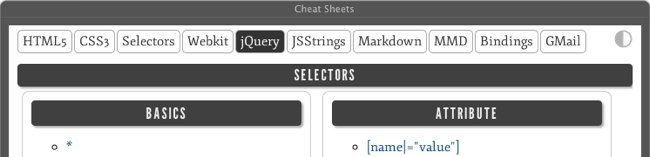
3 |

Taken from GoSquared

-------------------------------------------------------------------------------- /cheaters/cheatsheets/webkit.html: -------------------------------------------------------------------------------- 1 | 2 |
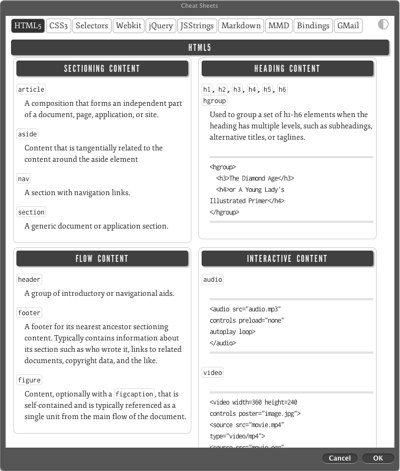
3 |

Taken from the Sencha Webkit CSS3 Cheat Sheet

-------------------------------------------------------------------------------- /cheaters/cheatsheets/towergit.html: -------------------------------------------------------------------------------- 1 | 2 |
3 |

Taken from the FourNova Tower Git Cheat Sheet

4 | -------------------------------------------------------------------------------- /cheaters/cheatsheets/keyboard.md: -------------------------------------------------------------------------------- 1 | { 2 | "id": "mmd", 3 | "style": "css/h4dark.css", 4 | "layout": "default" 5 | } 6 | %%%END 7 | ### Keyboard Shortcuts 8 | 9 | 10 | #### Text shortcuts 11 | 12 | Command|Description 13 | --|-- 14 | ^a|Beginning of line 15 | ^e|End of line 16 | ^f|Cursor forward 17 | ^b|Cursor back 18 | ^n|Next line 19 | ^p|Previous line 20 | ^k|Delete to end of line (kill) 21 | ^y|Paste buffer 22 | 23 | -------------------------------------------------------------------------------- /cheaters/cheatsheets/uhk.md: -------------------------------------------------------------------------------- 1 | { 2 | "id": "auto", 3 | "style": "css/h4dark.css", 4 | "layout": "default" 5 | } 6 | %%%END 7 | ### Ultimate Hacking Keyboard 8 | 9 | #### Base 10 | 11 | ![](cheatsheets/images/uhk1.jpg) 12 | 13 | #### Mod 14 | 15 | ![](cheatsheets/images/uhk2.jpg) 16 | 17 | #### Function 18 | 19 | ![](cheatsheets/images/uhk3.jpg) 20 | 21 | #### Mouse 22 | 23 | ![](cheatsheets/images/uhk4.jpg) 24 | 25 | -------------------------------------------------------------------------------- /cheaters/cheatsheets/css/jquery.css: -------------------------------------------------------------------------------- 1 | @media only screen and (max-width: 600px) { 2 | #jquery div { 3 | width: 100%; } } 4 | #jquery h2:before, #jquery h2:after { 5 | content: ''; } 6 | #jquery section { 7 | border: 1px solid #ccc; 8 | -moz-border-radius: 8px; 9 | -webkit-border-radius: 8px; 10 | border-radius: 8px; 11 | margin: 5px; 12 | padding: 10px; 13 | width: 90%; } 14 | 15 | /*# sourceMappingURL=jquery.css.map */ 16 | -------------------------------------------------------------------------------- /cheaters/cheatsheets/css/h4dark.scss: -------------------------------------------------------------------------------- 1 | h4 { 2 | font-weight: 400; 3 | font-size: 18px; 4 | text-transform: uppercase; 5 | letter-spacing: 1px; 6 | font-family: ArmataRegular; 7 | word-spacing: .2em; 8 | background: rgba(0, 0, 0, 0.75); 9 | color: #EEE; 10 | padding: 4px; 11 | -webkit-border-radius: 4px; 12 | margin: 0; 13 | -webkit-box-shadow: 2px 2px 2px rgba(0, 0, 0, 0.35); 14 | border: none; 15 | text-align: center; 16 | } 17 | -------------------------------------------------------------------------------- /cheaters/cheatsheets/css/jquery.scss: -------------------------------------------------------------------------------- 1 | @media only screen and (max-width: 600px) { 2 | #jquery div { 3 | width: 100%; 4 | } 5 | } 6 | 7 | #jquery { 8 | h2 { 9 | &:before, &:after { 10 | content: ''; 11 | } 12 | } 13 | 14 | section { 15 | border: 1px solid #ccc; 16 | -moz-border-radius: 8px; 17 | -webkit-border-radius: 8px; 18 | border-radius: 8px; 19 | margin: 5px; 20 | padding: 10px; 21 | width: 90%; 22 | } 23 | 24 | } 25 | -------------------------------------------------------------------------------- /cheaters/cheatsheets/css/h4dark.css: -------------------------------------------------------------------------------- 1 | h4 { 2 | font-weight: 400; 3 | font-size: 18px; 4 | text-transform: uppercase; 5 | letter-spacing: 1px; 6 | font-family: ArmataRegular; 7 | word-spacing: .2em; 8 | background: rgba(0, 0, 0, 0.75); 9 | color: #EEE; 10 | padding: 4px; 11 | -webkit-border-radius: 4px; 12 | margin: 0; 13 | -webkit-box-shadow: 2px 2px 2px rgba(0, 0, 0, 0.35); 14 | border: none; 15 | text-align: center; } 16 | 17 | /*# sourceMappingURL=h4dark.css.map */ 18 | -------------------------------------------------------------------------------- /cheaters/cheatsheets/css/html5.scss: -------------------------------------------------------------------------------- 1 | #html5 #container { 2 | div { 3 | float: left; 4 | clear: both; 5 | } 6 | article { 7 | width: 48%; 8 | float: left; 9 | margin: 4px; 10 | @media only screen and (max-width: 600px) { 11 | width: 100%; 12 | } 13 | } 14 | h5 { 15 | font-size: 18px; 16 | border-bottom: 1px dashed #ccc; 17 | font-weight: normal; 18 | margin-top: 8px; 19 | } 20 | } 21 | 22 | #html5.inverted h5 { 23 | border-bottom: 1px dashed #444444; 24 | } 25 | 26 | #html5 #container { 27 | .inner { 28 | border: 1px solid #ccc; 29 | padding: 5px; 30 | -moz-border-radius: 8px; 31 | -webkit-border-radius: 8px; 32 | border-radius: 8px; 33 | margin-top: 0; 34 | } 35 | #page8 { 36 | width: 100%; 37 | } 38 | p { 39 | font-size: .97em; 40 | } 41 | } 42 | -------------------------------------------------------------------------------- /cheaters/cheatsheets/css/html5.css: -------------------------------------------------------------------------------- 1 | #html5 #container div { 2 | float: left; 3 | clear: both; } 4 | #html5 #container article { 5 | width: 48%; 6 | float: left; 7 | margin: 4px; } 8 | @media only screen and (max-width: 600px) { 9 | #html5 #container article { 10 | width: 100%; } } 11 | #html5 #container h5 { 12 | font-size: 18px; 13 | border-bottom: 1px dashed #ccc; 14 | font-weight: normal; 15 | margin-top: 8px; } 16 | 17 | #html5.inverted h5 { 18 | border-bottom: 1px dashed #444444; } 19 | 20 | #html5 #container .inner { 21 | border: 1px solid #ccc; 22 | padding: 5px; 23 | -moz-border-radius: 8px; 24 | -webkit-border-radius: 8px; 25 | border-radius: 8px; 26 | margin-top: 0; } 27 | #html5 #container #page8 { 28 | width: 100%; } 29 | #html5 #container p { 30 | font-size: .97em; } 31 | 32 | /*# sourceMappingURL=html5.css.map */ 33 | -------------------------------------------------------------------------------- /cheaters/cheatsheets/pdfexpert.md: -------------------------------------------------------------------------------- 1 | { 2 | "id": "auto", 3 | "style": "css/h4dark.css", 4 | "layout": "default" 5 | } 6 | %%%END 7 | ### PDF Expert for OS X Keyboard Shortcuts 8 | 9 | #### Open and Save 10 | 11 | Command | Action 12 | --: | :-- 13 | xCMD N | Create new blank document 14 | xCMD O | Open file... 15 | xCMD T | Open new tab 16 | xCMD W | Close tab 17 | xSHIFT xCMD W | Close window 18 | xSHIFT D | Add bookmark to current page 19 | xCMD S | Save 20 | xSHIFT xCMD S | Save as... 21 | 22 | #### Views 23 | 24 | Command | Action 25 | --: | :-- 26 | xCMD + | Zoom in 27 | xCMD - | Zoom out 28 | xCMD 1 | Single page view 29 | xCMD 2 | Two page view 30 | xCMD 3 | Two page view but first one single 31 | xCMD 4 | Thumbnails view 32 | xOPT xCMD 1 | Bookmarks 33 | xOPT xCMD 2 | Outline 34 | xOPT xCMD 3 | Annotation summary 35 | xOPT xCMD 4 | No left panel 36 | 37 | #### Text and Tools 38 | 39 | Command | Action 40 | --: | :-- 41 | ⌃xCMD H | Highlight 42 | ⌃xCMD U | Underline 43 | ⌃xCMD S | Strikethrough 44 | ⌃xCMD T | Text 45 | ⌃xCMD P | Pen 46 | ⌃xCMD E | Eraser 47 | ⌃xCMD N | Note 48 | ⌃xCMD R | Rectangle 49 | ⌃xCMD O | Oval 50 | ⌃xCMD L | Line 51 | ⌃xCMD A | Arrow 52 | -------------------------------------------------------------------------------- /cheaters/js/jquery.cookie.min.js: -------------------------------------------------------------------------------- 1 | /*! 2 | * jQuery Cookie Plugin v1.4.0 3 | * https://github.com/carhartl/jquery-cookie 4 | * 5 | * Copyright 2013 Klaus Hartl 6 | * Released under the MIT license 7 | */ 8 | (function(a){if(typeof define==="function"&&define.amd){define(["jquery"],a)}else{a(jQuery)}}(function(f){var a=/\+/g;function d(i){return b.raw?i:encodeURIComponent(i)}function g(i){return b.raw?i:decodeURIComponent(i)}function h(i){return d(b.json?JSON.stringify(i):String(i))}function c(i){if(i.indexOf('"')===0){i=i.slice(1,-1).replace(/\\"/g,'"').replace(/\\\\/g,"\\")}try{i=decodeURIComponent(i.replace(a," "));return b.json?JSON.parse(i):i}catch(j){}}function e(j,i){var k=b.raw?j:c(j);return f.isFunction(i)?i(k):k}var b=f.cookie=function(q,p,v){if(p!==undefined&&!f.isFunction(p)){v=f.extend({},b.defaults,v);if(typeof v.expires==="number"){var r=v.expires,u=v.expires=new Date();u.setTime(+u+r*86400000)}return(document.cookie=[d(q),"=",h(p),v.expires?"; expires="+v.expires.toUTCString():"",v.path?"; path="+v.path:"",v.domain?"; domain="+v.domain:"",v.secure?"; secure":""].join(""))}var w=q?undefined:{};var s=document.cookie?document.cookie.split("; "):[];for(var o=0,m=s.length;o SPACE | Blockquote | 26 | | [] SPACE | Checkbox | 27 | | xCMD + ENTER | Check/uncheck checkbox | 28 | | \`\`\` | Code block | 29 | | xCMD + v | Paste a link onto selected text | 30 | | xCMD + k | Insert a link | 31 | 32 | #### Insert 33 | 34 | | Shortcut | Action | 35 | | ----:|:---- | 36 | | @ | Mention person (@Christina) | 37 | | + | Link to doc ( + Meeting Notes 1/7/2016) | 38 | | : | Insert emoji 😀 | 39 | 40 | #### Actions 41 | 42 | | Shortcut | Action | 43 | | ----:|:---- | 44 | | TAB | Indent | 45 | | xSHIFT + TAB | Unindent | 46 | | xOPT + ↑ | Move line up | 47 | | xOPT + ↓ | Move line down | 48 | | xCMD + xOPT + m | Add a comment | 49 | | xCMD + ENTER | Post comment | 50 | 51 | #### Application 52 | 53 | | Shortcut | Action | 54 | | ----:|:---- | 55 | | xCMD + xOPT + n | Create new doc | 56 | | xCMD + xSHIFT + s | Share | 57 | | xCMD + xSHIFT + o | Search docs | 58 | | xCMD + / | Open keyboard shortcut help 59 | -------------------------------------------------------------------------------- /cheaters/cheatsheets/alfred.html: -------------------------------------------------------------------------------- 1 |

Alfred

2 |
3 | 4 | 5 | 6 | 7 | 8 | 9 | 10 | 11 | 12 | 13 | 14 | 15 | 16 | 17 | 18 | 19 | 20 | 21 | 22 | 23 | 24 | 25 | 26 | 27 | 28 | 29 |
Tasks
do taskCreate new task in the default group.
do group nameCreate a new group.
do group new taskCreate a new task in a specific group.
do list allList all tasks in all groups.
do list groupList tasks in a specific group
do rem group #Remove specific task number from a specific group.
30 | 31 | 32 | 33 | 34 | 35 | 36 | 37 | 38 | 39 | 40 | 41 | 42 | 43 | 44 | 45 | 46 | 47 | 48 | 49 | 50 | 51 | 52 | 53 | 54 | 55 | 56 | 57 | 58 | 59 | 60 |
Spotify
spot startActivate application
spot playPlay current track
spot nextPlay next track
spot prevPlay previous track
spot muteMute spotify
spot 50Sets volume
spot searchartistSearch for an artist.
61 | -------------------------------------------------------------------------------- /cheaters/cheatsheets/trickster.md: -------------------------------------------------------------------------------- 1 | { 2 | "id": "auto", 3 | "style": "css/h4dark.css", 4 | "layout": "default" 5 | } 6 | %%%END 7 | ### Trickster Keyboard Shortcuts 8 | 9 | **Global Hotkey**: xCTRLZ 10 | 11 | #### Global 12 | 13 | | Shortcut | Action | 14 | | -----: | :------ | 15 | | xCMD1 | Filters | 16 | | xCMD2 | Items | 17 | | xCMD3 | Favorites | 18 | | →, ← | Move between sections | 19 | | xCMD, | Preferences | 20 | | xCMDT | Global File Tracking Settings | 21 | | xCMD- | Basic File View: only filename & icon | 22 | | xCMD= | Extended File View: folder+preview | 23 | | xCMDN | Sort by name | 24 | | xCMDR | Sort by date (recent on top) | 25 | | xCTRLP | Previous item (same as↑ ) | 26 | | xCTRLN | Next item (same as↓ ) | 27 | 28 | 29 | #### In Recent File List 30 | 31 | | Shortcut | Action | 32 | | ------: | ------ | 33 | | xCMDM | Show Context Menu for selected | 34 | | xCMDC | Copy to clipboard | 35 | | xCMDF | Flag selected | 36 | | xCMDxOPTF | Unflag selected | 37 | | xCMDS | Add to favorites | 38 | | xCMDxOPTS | Remove from favorites | 39 | | ⌦ or ⌫ | Remove selected from list | 40 | | xCMD⌦ or ⌫ | Move selected to trash | 41 | | xOPT⌦ or xOPT⌫ | Remove all files that are in the folder as the selected. They'll show up again. | 42 | 43 | #### In File Tracker and Filter Editors 44 | 45 | | Shortcut | Action | 46 | | ------: | ------ | 47 | | 1-5 | Select the relevant section | 48 | | xCMD= | Add new item | 49 | | xCMD- | Remove selected items | 50 | 51 | #### In Search 52 | 53 | | Shortcut | Action | 54 | | ------: | ------ | 55 | | ⎋ | Clear Search | 56 | | ↑ ↓ or xCMD2 | Switch to recent items list | 57 | 58 | -------------------------------------------------------------------------------- /cheaters/cheatsheets/Xcode.md: -------------------------------------------------------------------------------- 1 | { 2 | "id": "auto", 3 | "style": "css/h4dark.css", 4 | "layout": "default" 5 | } 6 | %%%END 7 | ### Xcode Keyboard Shortcuts 8 | 9 | 20 | 21 | #### Navigate 22 | | Shortcut | Action | 23 | | --|--| 24 | | xCMD xSHIFT O | Quick open | 25 | | xCMD xOPT ← | Go back in main editor | 26 | | xCMD xOPT → | Go forward in main editor | 27 | | xCMD xOPT + Click | Open target in the assistant editor | 28 | | xOPT xCMD + Click | Open target in assistant editor | 29 | | xCMD ⏎ | Close the assistant editor | 30 | | xCTRL 1 | Open Related Files menu | 31 | | xCTRL 2 | History drop down | 32 | | xCTRL 6 | Open the Jump Bar | 33 | | xCMD xSHIFT ⏎ | Maximize the editor | 34 | | xCMD J | Move focus to a new area | 35 | | xCMD xOPT xSHIFT + Click | Open target in a new focus area | 36 | 37 | #### Edit 38 | |Command|Description| 39 | |--|--| 40 | | xCTRL SPACE | Show completion list | 41 | | xOPT xCMD [ | Move line up | 42 | | xOPT xCMD ] | Move line down | 43 | | xCTRL xCMD E | Edit all in scope | 44 | | xCTRL I | Re-indent line | 45 | 46 | #### Fold 47 | | Command | Description | 48 | |--|--| 49 | | xCMD xOPT | Fold | 50 | | xCMD xOPT | Unfold | 51 | | xCMD xOPT xSHIFT | Fold methods & functions | 52 | | xCMD xOPT xSHIFT | Unfold methods & functions | 53 | | xCMD xCTRL xSHIFT | Fold comments | 54 | | xCMD xCTRL xSHIFT | Unfold comments | 55 | 56 | #### Build 57 | | Command | Description | 58 | |--|--| 59 | | xCMD B | Build | 60 | | xCMD R | Run | 61 | | xCMD xSHIFT K | Clean | 62 | | xCMD xOPT xSHIFT K | Clean build folder | 63 | | xCMD \ | Add or Remove a breakpoint | 64 | | xCMD ' | Jump to the next issue | 65 | | xCMD xSHIFT ' | Jump to previous next issue | 66 | | xCMD xCTRL ' | Fix the next issue | 67 | | xCMD xCTRL xSHIFT ' | Fix the previous issue | 68 | 69 | #### Schemes 70 | | Command|Description | 71 | | --|-- | 72 | | xCTRL xCMD ] | Select next scheme | 73 | | xCTRL xCMD [ | Select previous scheme | 74 | 75 | #### Other 76 | | Command|Description | 77 | | --|-- | 78 | | xCMD xCTRL J | Jump to the definition | 79 | | xOPT Click | Show the inferred type | 80 | -------------------------------------------------------------------------------- /cheaters/cheatsheets/mmdlatext.md: -------------------------------------------------------------------------------- 1 | { 2 | "id": "mmdlatex", 3 | "style": "css/h4dark.css", 4 | "layout": "default" 5 | } 6 | %%%END 7 | ### Conversion of citations from MultiMarkDown 4 to LaTeX 8 | 9 | 20 | 21 | #### Parenthetical citations 22 | | MMD4 | natbib | Output | 23 | | --|--| 24 | | [#jon90] | \citep{jon90} | (Jones et al., 1990) | 25 | | [#jon90]\[] | \citep{jon90} | 26 | | \[chap. 2][#jon90] | \citep[chap. 2]{jon90} | (Jones et al., 1990, chap. 2) | 27 | | \[chap. 2]\[véase]\[#jon90] | \citep[chap. 2][véase]{jon90} | (véase Jones et al., 1990, chap. 2) | 28 | | | \citep\[véase]\[]{jon90} | (véase Jones et al., 1990) | 29 | 30 | #### Textual citations 31 | | MMD4 | natbib | Output | 32 | |--|--| 33 | | [#jon90;] | \citet{jon90} | Jones et al. (1990) | 34 | | [#jon90;][] | \citet{jon90} | | 35 | | [chap. 2][#jon90;] | \citet[chap. 2]{jon90} | Jones et al. (1990, chap. 2) | 36 | | [chap. 2\]\[véase][#jon90;] | \citet[chap. 2][véase]{jon90} | | 37 | 38 | #### Full author list 39 | | MMD4 | natbib | Output | 40 | |--|--| 41 | | | \citep\ *{jon90} | (Jones, Baker, et Williams, 1990) | 42 | | | \citet\*{jon90} | Jones, Baker, et Williams (1990) | 43 | 44 | #### Multiple citations 45 | | MMD4 | natbib | Output | 46 | |--|--| -- | 47 | | [#jon90,james91] | \citep{jon90,jam91} | (Jones et al., 1990; James et al. 1991) | 48 | | | \citep{jon90,jon91} | (Jones et al., 1990, 1991) | 49 | | | \citep{jon90a,jon90b} | (Jones et al., 1990a,b) | 50 | | | \citet{jon90,jam91} | Jones et al. (1990); James et al. (1991) | 51 | 52 | 53 | 54 | In Scrivener, it is possible to write _[][#jon90],[][#james91]_ if we add to the Compile \| Replacements dialog: 55 | 56 | ][],[# --> , 57 | ],[][# --> , 58 | 59 | #### Partial citations 60 | | MMD4 | natbib | Output | 61 | | --|-- | 62 | | | \citeauthor{jon90} | Jones et al. | 63 | | | \citeauthor*{jon90} | Jones, Baker, et Williams | 64 | | | \citeyear{jon90} | 1990 | 65 | | | \citeyearpar{jon90} | (1990) | 66 | 67 | 68 | #### Forcing upper cased names 69 | | MMD4 | natbib | Output | 70 | | --|-- | 71 | | | \Citep{dRob98} | (Della Robbia, 1998) | 72 | | | \Citet{dRob98} | Della Robbia (1998) | 73 | | | \Citeauthor{dRob98} | Della Robbia | 74 | 75 | #### Including a source in bibliography that was not cited 76 | | MMD4 | natbib | Output | 77 | | --|-- | -- | 78 | | \[Not cited][#jon90] | | | 79 | -------------------------------------------------------------------------------- /cheaters/cheatsheets/git.html: -------------------------------------------------------------------------------- 1 |
2 |

Git

3 |
4 |
5 |
6 |

Creating a repo

7 |
8 |
mkdir ~/Hello-World
9 |
Creates a directory for your project called "Hello-World" in your user directory
10 |
git init
11 |
Sets up the necessary Git files
12 |
touch README
13 |
Creates a file called "README" in your Hello-World directory
14 |
15 |
16 |
17 | 18 |
19 |
20 |

Commiting

21 |
22 |
git add README
23 |
Stages your README file, adding it to the list of files to be committed.
24 |
git commit -m 'first commit'
25 |
Commits your files, adding the message "first commit"
26 |
27 |
28 |
29 |
30 | 31 |
32 |
33 |
34 |

Push your commit

35 |
36 |
git remote add origin https://github.com/username/Hello-World.git
37 |
Creates a remote named "origin" pointing at your GitHub repo.
38 |
git push origin master
39 |
Sends your commits in the "master" branch to GitHub.
40 |
41 |
42 |
43 | 44 |
45 |
46 |

Forks, Cloning, and Remotes

47 |
48 |
git clone https://github.com/username/Spoon-Knife.git
49 |
Clones your fork of the repo into the current directory in terminal
50 |
51 |

When a repo is cloned, it has a default remote called origin that points to your fork on GitHub, not the original repo it was forked from. To keep track of the original repo, you need to add another remote named upstream:

52 |
cd Spoon-Knife
53 |
Changes the active directory in the prompt to the newly cloned "Spoon-Knife" directory
54 |
git remote add upstream https://github.com/octocat/Spoon-Knife.git
55 |
Assigns the original repo to a remote called "upstream"
56 |
git fetch upstream
57 |
Pulls in changes not present in your local repository, without modifying your files
58 |
59 |
60 |
61 |
62 |

Adapted from the Github Help Docs

-------------------------------------------------------------------------------- /cheaters/cheatsheets/screen.html: -------------------------------------------------------------------------------- 1 |
2 |

GNU Screen

3 |
4 |
5 |
6 |

Basics

7 |
8 |
ctrl a c
9 |
Cre­ate new win­dow
10 |
ctrl a A
11 |
Set win­dow name
12 |
ctrl a w
13 |
Show all win­dow
14 |
ctrl a 1|2|3|…
15 |
Switch to win­dow n
16 |
ctrl a ”
17 |
Choose win­dow
18 |
ctrl a ctrl a
19 |
Switch between win­dow
20 |
ctrl a d
21 |
Detach win­dow
22 |
ctrl a ?
23 |
Help
24 |
ctrl a [
25 |
Start copy, move cur­sor to the copy loca­tion, press ENTER, select the chars, press ENTER to copy the selected char­ac­ters to the buffer
26 |
ctrl a ]
27 |
Paste from buffer
28 |
29 |
30 |
31 | 32 |
33 |
34 |

How to start screen

35 |
36 |
screen –DR
37 |
List of detached screen
38 |
screen –r PID
39 |
Attach detached screen ses­sion
40 |
screen –dmS MySes­sion
41 |
Start a detached screen ses­sion
42 |
screen -S MySession
43 |
Start a new screen session with name MySession
44 |
screen –r MySes­sion
45 |
Attach screen ses­sion with name MySession
46 |
47 |
48 |
49 | 50 |
51 |
52 |

Advanced

53 |
54 |
ctrl a S
55 |
cre­ate split screen
56 |
ctrl a TAB
57 |
switch between split screens
58 |
59 | If you cre­ated a new split screen, the cur­rent win­dow is empty. either select an exist­ing win­dow (ctrl a ”) or cre­ate a new split screen (ctrl a n). 60 |
61 |
ctrl a Q
62 |
Kill all regions but the cur­rent one.
63 |
ctrl a X
64 |
Remove active win­dow from split screen
65 |
ctrl a O
66 |
Logout active win­dow (dis­able out­put)
67 |
ctrl a I
68 |
Login active win­dow (enable output)
69 |
70 |
71 |
72 |
73 |
74 |

Adapted from Neophob.com post

-------------------------------------------------------------------------------- /cheaters/cheatsheets/JSStrings.md: -------------------------------------------------------------------------------- 1 | ### JavaScript Strings 2 | 3 | | Method | Summary | 4 | |:--------|:---------| 5 | |**charAt**(x) | Returns the character at the "x" position within the string.| 6 | |**charCodeAt**(x) | Returns the Unicode value of the character at position "x" within the string. | 7 | |**concat**(v1, v2,...) | Combines one or more strings (arguments v1, v2 etc) into the existing one and returns the combined string. Original string is not modified. | 8 | |**fromCharCode**(c1, c2,...) | Returns a string created by using the specified sequence of Unicode values (arguments c1, c2 etc). Method of String object, not String instance. For example: String.fromCharCode(). | 9 | |**indexOf**(substr, [start]) | Searches and (if found) returns the index number of the searched character or substring within the string. If not found, -1 is returned. "Start" is an optional argument specifying the position within string to begin the search. Default is 0.| 10 | |**lastIndexOf**(substr, [start]) | Searches and (if found) returns the index number of the searched character or substring within the string. Searches the string from end to beginning. If not found, -1 is returned. "Start" is an optional argument specifying the position within string to begin the search. Default is string.length-1. | 11 | |**match**(regexp) | Executes a search for a match within a string based on a regular expression. It returns an array of information or null if no match is found. | 12 | |**replace**( regexp, replacetext) | Searches and replaces the regular expression portion (match) with the replaced text instead. | 13 | |**search**(regexp) | Tests for a match in a string. It returns the index of the match, or -1 if not found. | 14 | |**slice**(start, [end]) | Returns a substring of the string based on the "start" and "end" index arguments, NOT including the "end" index itself. "End" is optional, and if none is specified, the slice includes all characters from "start" to end of string. | 15 | |**split**(delimiter, [limit]) | Splits a string into many according to the specified delimiter, and returns an array containing each element. The optional "limit" is an integer that lets you specify the maximum number of elements to return. | 16 | |**substr**(start, [length]) | Returns the characters in a string beginning at "start" and through the specified number of characters, "length". "Length" is optional, and if omitted, up to the end of the string is assumed.| 17 | |**substring**(from, [to]) | Returns the characters in a string between "from" and "to" indexes, NOT including "to" inself. "To" is optional, and if omitted, up to the end of the string is assumed.| 18 | |**toLowerCase**() | Returns the string with all of its characters converted to lowercase. | 19 | |**toUpperCase**() | Returns the string with all of its characters converted to uppercase.| 20 | 21 | -------------------------------------------------------------------------------- /cheaters/cheatsheets/css/emmet.css: -------------------------------------------------------------------------------- 1 | .page-content { 2 | margin-left:0; 3 | padding:30px; 4 | border:0; 5 | } 6 | 7 | .ch-snippet { 8 | margin-bottom:10px; 9 | -webkit-column-break-inside:avoid; 10 | column-break-inside:avoid; 11 | } 12 | 13 | .ch-snippet__name { 14 | font-size:1em; 15 | font-weight:600; 16 | float:left; 17 | padding:0; 18 | } 19 | 20 | .ch-snippet__value { 21 | white-space:pre-wrap; 22 | overflow:hidden; 23 | margin:0; 24 | padding:1px 0 1px 20px; 25 | color:#777; 26 | } 27 | 28 | .ch-tabstop { 29 | background:rgba(200, 200, 200, 1); 30 | display:inline-block; 31 | padding:0 2px; 32 | color:#fff; 33 | text-shadow:1px 1px 1px rgba(0, 0, 0, .5); 34 | -webkit-border-radius:3px; 35 | -moz-border-radius:3px; 36 | border-radius:4px; 37 | } 38 | 39 | .ch-caret { 40 | border-left:2px solid rgba(90, 160, 196, 1); 41 | margin:0 2px -.1em; 42 | display:inline-block; 43 | height:1.1em; 44 | } 45 | 46 | .ch-section { 47 | margin-bottom:20px; 48 | clear:both; 49 | } 50 | 51 | .ch-section:last-of-type { 52 | margin-bottom:0; 53 | } 54 | 55 | .ch-section__content { 56 | -webkit-column-count:3; 57 | -moz-column-count:3; 58 | column-count:3; 59 | -webkit-column-gap:30px; 60 | -moz-column-gap:30px; 61 | column-gap:30px; 62 | } 63 | 64 | .ch-section__title { 65 | margin:0 0 .5em; 66 | page-break-after:avoid; 67 | } 68 | 69 | .ch-subsection { 70 | clear:both; 71 | -webkit-column-break-inside:avoid; 72 | -moz-column-break-inside:avoid; 73 | -ms-column-break-inside:avoid; 74 | -o-column-break-inside:avoid; 75 | column-break-inside:avoid; 76 | } 77 | 78 | .ch-subsection__title { 79 | margin:20px 0 5px; 80 | page-break-after:avoid; 81 | } 82 | 83 | .ch-subsection:first-child .ch-subsection__title { 84 | margin-top:0; 85 | } 86 | 87 | .cn-snippet__alias { 88 | font-size:10px; 89 | margin:5px 0; 90 | } 91 | 92 | .cn-snippet__alias-abbr { 93 | color:#606064; 94 | } 95 | 96 | .ch-section_syntax .ch-snippet__name, .ch-section_html .ch-snippet__name, .ch-section_xsl .ch-snippet__name { 97 | float:none; 98 | } 99 | 100 | .ch-section_syntax .ch-snippet, .ch-section_html .ch-snippet, .ch-section_xsl .ch-snippet { 101 | margin-bottom:20px; 102 | } 103 | 104 | .ch-section_css .ch-snippet__name { 105 | min-width:7em; 106 | } 107 | 108 | @media print, screen and (max-width:870px) { 109 | .ch-section__content { 110 | -webkit-column-count:2; 111 | -moz-column-count:2; 112 | column-count:2; 113 | } 114 | 115 | .page-content { 116 | padding:10px; 117 | } 118 | 119 | }@media print, screen and (max-width:500px) { 120 | .ch-section__content { 121 | -webkit-column-count:1; 122 | -moz-column-count:1; 123 | column-count:1; 124 | } 125 | 126 | .page-content { 127 | padding:5px; 128 | } 129 | 130 | } 131 | -------------------------------------------------------------------------------- /cheaters/cheatsheets/markdown.html: -------------------------------------------------------------------------------- 1 | 9 |

Markdown

10 | 11 |

Phrase Emphasis

12 | 13 |
 14 | *italic*   **bold**
 15 | _italic_   __bold__
 16 | 
17 | 18 |

Links

19 | 20 |

Inline:

21 | 22 |
 23 | An [example](http://url.com/ "Title")
 24 | 
25 | 26 |

Reference-style labels (titles are optional):

27 | 28 |
 29 | An [example][id]. Then, anywhere else in the doc, define the link:
 30 | 
 31 | [id]: http://example.com/  "Title"
 32 | 
33 | 34 |

Images

35 | 36 |

Inline (titles are optional):

37 | 38 |
 39 | ![alt text](/path/img.jpg "Title")
 40 | 
41 | 42 |

Reference-style:

43 | 44 |
 45 | ![alt text][id]
 46 | 
 47 | [id]: /url/to/img.jpg "Title"
 48 | 
49 | 50 |

Headers

51 | 52 |

Setext-style:

53 | 54 |
 55 | Header 1
 56 | ========
 57 | 
 58 | Header 2
 59 | --------
 60 | 
61 | 62 |

atx-style (closing #'s are optional):

63 | 64 |
 65 | # Header 1 #
 66 | 
 67 | ## Header 2 ##
 68 | 
 69 | ###### Header 6
 70 | 
71 | 72 |

Lists

73 | 74 |

Ordered, without paragraphs:

75 | 76 |
 77 | 1.  Foo
 78 | 2.  Bar
 79 | 
80 | 81 |

Unordered, with paragraphs:

82 | 83 |
 84 | *   A list item.
 85 | 
 86 |     With multiple paragraphs.
 87 | 
 88 | *   Bar
 89 | 
90 | 91 |

You can nest them:

92 | 93 |
 94 | *   Abacus
 95 |     * answer
 96 | *   Bubbles
 97 |     1.  bunk
 98 |     2.  bupkis
 99 |         * BELITTLER
100 |     3. burper
101 | *   Cunning
102 | 
103 | 104 |

Blockquotes

105 | 106 |
107 | > Email-style angle brackets
108 | > are used for blockquotes.
109 | 
110 | > > And, they can be nested.
111 | 
112 | > #### Headers in blockquotes
113 | >
114 | > * You can quote a list.
115 | > * Etc.
116 | 
117 | 118 |

Code Spans

119 | 120 |
121 | `<code>` spans are delimited by backticks.
122 | 
123 | You can include literal backticks like `` `this` ``.
124 | 
125 | 126 |

Preformatted Code Blocks

127 | 128 |

Indent every line of a code block by at least 4 spaces or 1 tab.

129 | 130 |
131 | This is a normal paragraph.
132 | 
133 |     This is a preformatted
134 |     code block.
135 | 
136 | 137 |

Horizontal Rules

138 | 139 |

Three or more dashes or asterisks:

140 | 141 |
142 | ---
143 | 
144 | * * *
145 | 
146 | - - - -
147 | 
148 | 149 |

Manual Line Breaks

150 | 151 |

End a line with two or more spaces:

152 | 153 |
154 | Roses are red,
155 | Violets are blue.
156 | 
157 | 158 |
159 |

Taken from WikiPackit.

160 | -------------------------------------------------------------------------------- /cheaters/cheatsheets/tmux.md: -------------------------------------------------------------------------------- 1 | ###Tmux 2 | 3 | | Command | Description | 4 | | ------ | ------ | 5 | | tmux | Start tmux | 6 | | tmux new -s *sessionname* | Start tmux with a new session called *sessionname* | 7 | | tmux ls | Get a list of all running sessions | 8 | | tmux new -s *sessionname* -d | Create a new detached session | 9 | | tmux attach -t *sessionname* | Attach to a session by name | 10 | | tmux kill-session -t *sessionname* | Kill a session by name | 11 | | tmux new -s *name* -n *command* | Run *command* in a new window in a new session | 12 | [Command Line] 13 | 14 | | Command | Description | 15 | | ------ | ------ | 16 | | `prefix`[^1] **d** | Detach from a session | 17 | | `prefix` **c** | Create a new window | 18 | | `prefix` **n** | Next window in this session | 19 | | `prefix` **p** | Previous window in this session | 20 | | `prefix` **,** | Rename current window | 21 | | `prefix` **#** | Switch to window `#` | 22 | | `prefix` **f** | Find a window by name | 23 | | `prefix` **w** | Display a menu to choose a window | 24 | | `prefix` **&** | Prompt to kill the window | 25 | | `prefix` **%** | Divide window vertically into panes | 26 | | `prefix` **"** | Divide window horizontally into panes | 27 | | `prefix` **o** | Cycle through panes | 28 | | `prefix` ***arrow keys*** | Cycle through panes | 29 | | `prefix` ***spacebar*** | Cycle through pane layouts | 30 | | `prefix` **x** | Prompt to kill the pane (or window for last pane) | 31 | | `prefix` **:** | Enter Command Mode | 32 | | `prefix` **?** | List all keybindings | 33 | | `prefix` **[** | Enter Copy Mode | 34 | | `prefix` **]** | Paste from Copy Mode | 35 | [Inside tmux] 36 | 37 | | Command | Description | 38 | | ------ | ------ | 39 | | `Space` | Start copy | 40 | | *movement keys* | Expand your selection | 41 | | ? | Start backward search through buffer | 42 | | / | Start forward search through buffer | 43 | | f *character* | Move to next occurrence of *character* | 44 | | F *character* | Move to previous occurrence of *character* | 45 | | `Enter` | End copy | 46 | [Copy Mode Keys] 47 | 48 | | Setting | Default | Recommended | command[^2] | 49 | | ------ | ------ | ------ | ------ | 50 | | `Prefix` | `ctrl-b` | `ctrl-a` | `set -g prefix C-a`[^3] | 51 | | Escape Time | 500 | 1 | `set -s escape-time 1` | 52 | | Split window into two vertical panes | `prefix` % | `prefix |` | `bind | split-window -h` | 53 | | Split window into two horizontal panes | `prefix` " | `prefix -` | `bind - split-window -v` | 54 | | Use vi-style bindings in Copy Mode | N/A | hjkl for moving around | `sets -g mode-keys vi` | 55 | [Recommended Configuration Changes] 56 | 57 | *Many of these hints are from [tmux: Productive Mouse-Free Development](http://pragprog.com/book/bhtmux/tmux) by Brian P. Hogan.* 58 | 59 | [^1]: By default `prefix` is mapped to `ctrl-b`. If you haven't remapped your `Caps Lock` key to `ctrl` yet, now would be a good time to do so! 60 | 61 | [^2]: This is the line you add to your `.tmux.conf` file 62 | 63 | [^3]: You should probably also add a line to unbind the defaults if you bind new keys for things. Just add a line saying `unbind C-b` to unbind the default `prefix` key. 64 | -------------------------------------------------------------------------------- /cheaters/index_local.html: -------------------------------------------------------------------------------- 1 | 2 | 3 | 4 | 5 | 6 | Cheat Sheets 7 | 8 | 9 | 10 | 11 |
12 | 13 | 55 |
56 |
57 | 58 | 59 | 60 | 61 | 62 | 63 | 64 | 65 | 66 | -------------------------------------------------------------------------------- /cheaters/cheatsheets/ulysses.md: -------------------------------------------------------------------------------- 1 | { 2 | "id": "auto", 3 | "style": "css/h4dark.css", 4 | "layout": "default" 5 | } 6 | %%%END 7 | ### Ulysses Keyboard Shortcuts 8 | 9 | #### Views 10 | Action | Shortcut 11 | -- | -- 12 | xCMD1 | Toggle Sidebars 13 | xCMD2 | Toggle Sheet List 14 | xCMD3 | Toggle Editor-only view 15 | xCMD4 | Toggle Attachment Bar 16 | xCMD5 | Go to Favourites group (5orites) 17 | xCMD6 | Show Quick Export (6port) 18 | xCMD7 | Show Statistics 19 | xCMD8 | Show Navigator (Navig8or) 20 | xCMD9 | Show Markup Bar 21 | 22 | #### Focus 23 | Action | Shortcut 24 | -- | -- 25 | → | Expand selected group(s) in Sidebar 26 | → | In Sidebar to switch focus to Sheet List 27 | ← | In Sheet List to switch focus to Sidebar 28 | → | In Sheet List to switch focus to Editor 29 | xCMD←(twice) | In Editor to switch focus to Sheet List 30 | ⇧xCMDF | Switch focus to Sheet List filter (Global) 31 | 32 | #### Sheets 33 | Action | Shortcut 34 | -- | -- 35 | xCMDN | to create a new sheet 36 | xCMDS | Create new version of current sheet 37 | ⇧xCMDN | Create a new group in Sidebar 38 | xCTRLxCMDN | Create a new Sheet List filter 39 | xCMDO | Look for a sheet in the whole library (Quickpanel) 40 | ⇧xCMDO | Look for a sheet in current section (iCloud, On My Mac, etc.) 41 | xOPTxCMDO | Look for a sheet in currently selected group 42 | ESC | Close Sheet List filter/Quicklook Window 43 | ⇧xCMDP | Preview the current Sheet List/Group selection 44 | 45 | #### Editor 46 | Action | Shortcut 47 | -- | -- 48 | ↩ | Paragraph 49 | ⇧↩︎ | Insert line break 50 | xCMD↩ | New line after paragraph 51 | xCMDZ | Undo edit 52 | ⇧xCMDZ | Redo edit 53 | xCMD+ | Increase font size 54 | xCMD- | Decrease font size 55 | xCMD0 | Reset font size to default value 56 | xCMDF | Show Find panel 57 | xOPTxCMDF | Show Find & Replace panel 58 | ESC | Close Find/Replace panel 59 | xCMDV | Hold to invoke Smart Paste or 60 | ⇧xCMDV | Invoke Smart Paste 61 | xCMD; | Spellcheck current sheet 62 | xCMD⇧; | Open Spellcheck panel 63 | xOPTxCMD↑ | Switch focus to previous sheet 64 | xOPTxCMD↓ | Switch focus to next sheet 65 | xOPTxCMDT | Toggle Typewriter Scrolling 66 | 67 | #### Text Objects 68 | Action | Shortcut 69 | -- | -- 70 | xCMD-Click | Select 71 | Double-click | Open popover 72 | ⇥ | Switch between input fields in Popover 73 | xCMD↩ | Close Text Object Popover and move insertion point forward 74 | esc | Close Text Object Popover and keep object selected 75 | 76 | #### Markup 77 | Action | Shortcut 78 | -- | -- 79 | xCMD\ | Headlines 80 | xCMDI | _emphasize_ 81 | xCMDB | **strong** 82 | xCMDK | [links] 83 | xCMDL | Remove Markup 84 | xCMD9 | Show Markup Bar 85 | ⇥ | Increase list indentation 86 | ⇧⇥ | Decrease list indentation 87 | ↩ | Add another list item (if enabled) 88 | xOPT↩ | Create new paragraph in list item 89 | %% | Mark paragraph as Comment 90 | {} | Add Annotation 91 | (img) | Add Image 92 | (fn) | Add Footnote 93 | \ | Next character(s) as text 94 | ESC | Add end tag placeholder 95 | ↩ | Accept end tag 96 | ⇥ | Accept end tag 97 | ↓ (at end of a sheet) | Accept end tag 98 | Type in the end tag | Accept end tag 99 | ESC | Dismiss end tag 100 | 101 | #### General 102 | Action | Shortcut 103 | -- | -- 104 | xOPTxCMDL | Toggle Dark Theme 105 | xOPTxCMDX | Toggle Dark Mode 106 | xCTRLxCMDF | Toggle Fullscreen Mode 107 | xOPTxCMDN | Open new Window 108 | xCMDW | Close Window 109 | xCTRLxCMDZ | Zoom Wndow 110 | xCTRLxCMDP | Preview 111 | xCMDR | Refresh Previews 112 | xCMDP | Print 113 | -------------------------------------------------------------------------------- /cheaters/cheatsheets/subl.md: -------------------------------------------------------------------------------- 1 | { 2 | "id": "auto", 3 | "style": "css/h4dark.css", 4 | "layout": "default" 5 | } 6 | %%%END 7 | ### Sublime Text 2 8 | 9 | * SUPER = CTRL ^ on PC or CMD ⌘ on Mac 10 | * taken from this [Google Doc](https://docs.google.com/spreadsheet/ccc?key=0AnLDKkpwS2wCdHVoRGdlZ2h0MVhjLXlVTVJFbVFCWWc&hl=en_GB#gid=0) 11 | 12 | #### General 13 | | Keyboard Shortcut | Function | 14 | | ------ | ------- | 15 | |SUPER + y | Redo or repeat | 16 | |SUPER + u | Soft Undo | 17 | |SUPER + SHIFT + u | Soft Redo| 18 | |CTRL + ALT + up | scroll 1 line up | 19 | |CTRL + ALT + down | scroll 1 line down | 20 | |CTRL + tab | next_view_in_stack (next tab) | 21 | |CTRL + SHIFT + tab | prev_view_in_stack (previous tab)| 22 | |SUPER + SHIFT + v | Paste & indent| 23 | 24 | #### Find 25 | | Keyboard Shortcut | Function | 26 | | ------ | ------- | 27 | |SUPER + f | find| 28 | |SUPER + SHIFT + f | find in files | 29 | |SUPER + ALT + f | replace | 30 | |SUPER + g | find_next | 31 | |SUPER + SHIFT + g | find_prev| 32 | |SUPER + e | slurp_find_string| 33 | |SUPER + i | Incremental find| 34 | |SUPER + h | Search and replace| 35 | |CTRL + ALT + SHIFT + left | Move left by subword| 36 | |CTRL + ALT + SHIFT + right | Move right by subword| 37 | 38 | #### Selecting 39 | | Keyboard Shortcut | Function | 40 | | ------ | ------- | 41 | |SUPER + SHIFT + l | split_selection_into_lines| 42 | |SUPER + l | expand selection| 43 | |SUPER + d | expand selection (of each occurrence of that word)| 44 | |SUPER + SHIFT + space | expand selection (to scope)| 45 | |CTRL + SHIFT + m | expand selection (to brackets)| 46 | |CTRL + SUPER + up | Swap Line Up| 47 | |CTRL + SUPER + down | Swap Line Down| 48 | |CTRL + SHIFT + up | select_lines up| 49 | |CTRL + SHIFT + down | select_lines down| 50 | |SUPER + SHIFT + d | duplicate line| 51 | |SUPER + j | join lines| 52 | 53 | #### Commands 54 | | Keyboard Shortcut | Function | 55 | | ------ | ------- | 56 | |SUPER + SHIFT + p | Go to anything| 57 | |SUPER + t | Go to Files| 58 | |SUPER + r | Go to Symbol| 59 | |CTRL + g | Go to line| 60 | |SUPER + p & then : | Go to word| 61 | |SUPER + p & then @ | Go to symbol| 62 | |CTRL + ` | Show console| 63 | |SUPER + b | Build| 64 | |CTRL + t | Transpose| 65 | |SUPER + ] | Indent| 66 | |SUPER + [ | Unindent| 67 | |SUPER + k | Uppercase| 68 | |ENTER | insert best completion| 69 | |CTRL + space | Auto complete| 70 | 71 | #### UI 72 | | Keyboard Shortcut | Function | 73 | | ------ | ------- | 74 | |SUPER + CTRL + f (Win) | Full screen| 75 | |SUPER + CTRL + SHIFT + f | Distraction free| 76 | |SUPER + ALT + 1 | Single View| 77 | |SUPER + ALT + 2 | Two columns| 78 | |SUPER + ALT + 3 | Three columns| 79 | |SUPER + ALT + 4 | Four columns| 80 | |SUPER + ALT + SHIFT + 2 | Two rows| 81 | |SUPER + ALT + SHIFT + 4 | Three rows| 82 | |SUPER + ALT + 5 | Grid 4| 83 | 84 | #### Bookmarks 85 | | Keyboard Shortcut | Function | 86 | | ------ | ------- | 87 | |SUPER + F2 | Toggle bookmark| 88 | |F2 | Next bookmark| 89 | |SHIFT + F2 | Prev bookmark| 90 | 91 | #### Folding 92 | | Keyboard Shortcut | Function | 93 | | ------ | ------- | 94 | |SUPER + SHIFT + j | Fold| 95 | |SUPER + j | Unfold all| 96 | 97 | #### CTags 98 | | Keyboard Shortcut | Function | 99 | | ------ | ------- 100 | |CTRL + t CTRL + r | rebuild_ctags | 101 | |CTRL + t CTRL + t | navigate_to_definition | 102 | |CTRL + t CTRL + b | jump_back | 103 | |CTRL + t CTRL + m | jump_back to_last_modification | 104 | |ALT + s | show_symbols | 105 | |ALT + SHIFT + s | show_symbols multi| 106 | -------------------------------------------------------------------------------- /cheaters/index-example.html: -------------------------------------------------------------------------------- 1 | 2 | 3 | 4 | 5 | 6 | 7 | Cheat Sheets 8 | 9 | 10 | 11 | 12 | 13 |
14 | 15 | 16 | 55 |
56 |

f: quick switch

57 |
58 |
59 |
60 | 61 | 62 | 63 | 64 | 65 | 66 | 67 | 68 | 69 | 70 | -------------------------------------------------------------------------------- /cheaters/cheat.html: -------------------------------------------------------------------------------- 1 | 2 | 3 | 4 | 5 | 6 | 7 | Cheat Sheets 8 | 9 | 10 | 11 | 12 | 13 |
14 | 15 | 16 | 55 |
56 |

f: quick switch

57 |
58 |
59 |
60 | 61 | 62 | 63 | 64 | 65 | 66 | 67 | 68 | 69 | 70 | -------------------------------------------------------------------------------- /cheaters/js/mousetrap.min.js: -------------------------------------------------------------------------------- 1 | /* mousetrap v1.4.6 craig.is/killing/mice */ 2 | (function(J,r,f){function s(a,b,d){a.addEventListener?a.addEventListener(b,d,!1):a.attachEvent("on"+b,d)}function A(a){if("keypress"==a.type){var b=String.fromCharCode(a.which);a.shiftKey||(b=b.toLowerCase());return b}return h[a.which]?h[a.which]:B[a.which]?B[a.which]:String.fromCharCode(a.which).toLowerCase()}function t(a){a=a||{};var b=!1,d;for(d in n)a[d]?b=!0:n[d]=0;b||(u=!1)}function C(a,b,d,c,e,v){var g,k,f=[],h=d.type;if(!l[a])return[];"keyup"==h&&w(a)&&(b=[a]);for(g=0;gg||h.hasOwnProperty(g)&&(p[h[g]]=g)}e=p[d]?"keydown":"keypress"}"keypress"==e&&f.length&&(e="keydown");return{key:c,modifiers:f,action:e}}function F(a,b,d,c,e){q[a+":"+d]=b;a=a.replace(/\s+/g," ");var f=a.split(" ");1":".","?":"/","|":"\\"},G={option:"alt",command:"meta","return":"enter",escape:"esc",mod:/Mac|iPod|iPhone|iPad/.test(navigator.platform)?"meta":"ctrl"},p,l={},q={},n={},D,z=!1,I=!1,u=!1;for(f=1;20>f;++f)h[111+f]="f"+f;for(f=0;9>=f;++f)h[f+96]=f;s(r,"keypress",y);s(r,"keydown",y);s(r,"keyup",y);var m={bind:function(a,b,d){a=a instanceof Array?a:[a];for(var c=0;c').css("display", "none"); 24 | var optGroup = $('').css("display", "none"); 25 | 26 | init(); 27 | 28 | function init() { 29 | checkWidth(); 30 | createMenu(); 31 | transformMenu(); 32 | } 33 | 34 | function checkWidth(){ 35 | 36 | // Media query for device screens (default: 600px) 37 | // *Note, I would like to use window.matchMedia(screenWidth).matches here, but it does not work on 38 | // Android 2.3 (Gingerbread). https://developer.mozilla.org/en/DOM/window.matchMedia#section_4 39 | if ($(window).width() < options.maxScreenWidth){ 40 | 41 | // Hides the original menu list from the display 42 | $(selectMenu).css("display", "inline-block"); 43 | 44 | // Hides the original menu list from the display 45 | $(menu).css("display", "none"); 46 | } else { 47 | 48 | // Hides the select menu from the display 49 | $(selectMenu).css("display", "none"); 50 | 51 | // Show the original menu list 52 | $(menu).css("display", "block"); 53 | } 54 | } 55 | 56 | function createMenu(){ 57 | 58 | // Loop through the current list menu & adds the li's text 59 | // & the anchors url to the option & it's value respectively. 60 | $(menu).children().each(function(i,n) { 61 | 62 | // If using a descriptive list, 'dl', 63 | // this only adds 'dd' to selectMenu & skips over 'dt' 64 | if($(this).get(0).tagName !== 'DT'){ 65 | 66 | if($(this).find('ul,ol,dl').length){ 67 | 68 | $(optGroup).attr("label",$(this).children(':first').text()); 69 | var option = $(''; 94 | 95 | // Appends the newly created list to menu's container element 96 | // $(selectMenu).prepend(menuTitle); 97 | $('
133 |
134 |

Adapted from the natbat's pocketbook

135 | -------------------------------------------------------------------------------- /cheaters/cheatsheets/selectors.html: -------------------------------------------------------------------------------- 1 | 8 |

CSS 3 selector syntax

9 | 10 | 11 | 12 | 13 | 14 | 15 | 16 | 17 | 18 | 19 | 20 | 21 | 22 | 23 | 24 | 25 | 26 | 27 | 28 | 29 | 30 | 31 | 32 | 33 | 34 | 35 |
PatternDescription
Substring matching attribute selector
E[att^="val"]Matches any E element whose att attribute value begins with "val".
E[att$="val"]Matches any E element whose att attribute value ends with “val".
E[att*="val"]Matches any E element whose att attribute value contains the substring “val".
36 | 37 | 38 | 39 | 40 | 41 | 42 | 43 | 44 | 45 | 46 | 47 | 48 | 49 | 50 | 51 | 52 | 53 | 54 | 55 | 56 | 57 | 58 | 59 | 60 | 61 | 62 | 63 | 64 | 65 | 66 | 67 | 68 | 69 | 70 | 71 | 72 | 73 | 74 | 75 | 76 | 77 | 78 | 79 | 80 | 81 | 82 | 83 | 84 | 85 | 86 |
Structural pseudo-class
E:rootMatches the document’s root element. In HTML, the root element is always the HTML element.
E:nth-child(n)Matches any E element that is the n-th child of its parent.
E:nth-last-child(n)Matches any E element that is the n-th child of its parent, counting from the last child.
E:nth-of-type(n)Matches any E element that is the n-th sibling of its type.
E:nth-last-of-type(n)Matches any E element that is the n-th sibling of its type, counting from the last sibling.
E:last-childMatches any E element that is the last child of its parent.
E:first-of-typeMatches any E element that is the first sibling of its type.
E:last-of-typeMatches any E element that is the last sibling of its type.
E:only-childMatches any E element that is the only child of its parent.
E:only-of-typeMatches any E element that is the only sibling of its type.
E:emptyMatches any E element that has no children (including text nodes).
87 | 88 | 89 | 90 | 91 | 92 | 93 | 94 | 95 | 96 | 97 | 98 |
Target pseudo-class
E:targetMatches an E element that is the target of the referring URL.
99 | 100 | 101 | 102 | 103 | 104 | 105 | 106 | 107 | 108 | 109 | 110 | 111 | 112 | 113 | 114 | 115 | 116 | 117 | 118 |
UI element states pseudo-class
E:enabledMatches any user interface element (form control) E that is enabled.
E:disabledMatches any user interface element (form control) E that is disabled.
E:checkedMatches any user interface element (form control) E that is checked.
119 | 120 | 121 | 122 | 123 | 124 | 125 | 126 | 127 | 128 | 129 |
UI element fragments pseudo-element
E::selectionMatches the portion of an element E that is currently selected or highlighted by the user.
130 | 131 | 132 | 133 | 134 | 135 | 136 | 137 | 138 | 139 | 140 |
Negation pseudo-class
E:not(s)Matches any E element that does not match the simple selector s.
141 | 142 | 143 | 144 | 145 | 146 | 147 | 148 | 149 | 150 | 151 | 152 |
General sibling combinator
E ~ FMatches any F element that is preceded by an E element.
153 |
154 |

Taken from 456 BereaSt

155 | -------------------------------------------------------------------------------- /cheaters/cheatsheets/marked2.md: -------------------------------------------------------------------------------- 1 | { 2 | "id": "bt_marked", 3 | "style": "css/h4dark.css", 4 | "layout": "default" 5 | } 6 | %%%END 7 | ### Marked 2 Keyboard Shortcuts 8 | 9 | #### Shortcuts 10 | 11 | | Shortcut | Function | 12 | | -----------------------: | :---------------------------- | 13 | | **⌘,** | Preferences | 14 | | **⌘N** | New File | 15 | | **⌘O** | Open | 16 | | **⌘⇧R** | Re-open Last | 17 | | **⌘W** | Close | 18 | | **⌘P** | Print Preview Window | 19 | | **⌘S** | Save HTML | 20 | | **⌘⇧P** | Save PDF | 21 | | **⌘⇧S** | Save RTF | 22 | | **⌘C** | Copy | 23 | | **⌘⇧C** | Copy HTML Source to clipboard | 24 | | **⌘U** | Toggle Source View | 25 | | **⌘T** | Toggle Table of Contents | 26 | | **⌘R** | Reload Preview | 27 | | **⌘1-9** | Select Built-in Style | 28 | | **⌘⌥1-9** | Select Custom Style | 29 | | **⌘/** | Gear Menu | 30 | | **⌘⇧=** | Zoom In | 31 | | **⌘⇧-** | Zoom Out | 32 | | **⌘⇧0** | Reset Zoom | 33 | | **⌘M** | Minimize | 34 | | **⌘⇧F** | Keep on Top | 35 | | **^⌘W** | Visualize Word Repetition | 36 | | **^⌘B** | Show Boundaries of Included Files | 37 | | **⌘⌥S** | Document Statistics | 38 | | **⌘⇧⌥S** | Readability Statistics | 39 | | **⌘I** | Detailed Statistics | 40 | | **⌘⌥C** | Toggle Custom Processor | 41 | | **⌘F** | Search | 42 | | **⌘G** | Highlight next match | 43 | | **⌘⇧G** | Highlight previous match | 44 | | **⌘⌥←** | Collapse all sections | 45 | | **⌘⌥→** | Expand all sections | 46 | | **⌘⇧V** | Preview Clipbaord | 47 | | **^⌘S** | Save Clipboard Preview | 48 | 49 | 50 | 51 | 52 | #### Quick Toggles 53 | 54 | Extra keyboard shortcuts for toggling common global preferences. 55 | 56 | | Shortcut | Function | 57 | | -----------------------: | :---------------------------- | 58 | | **^⌥⇧L** | Retain Line Breaks | 59 | | **^⌥⇧I** | IDs on Headlines | 60 | | **^⌥⇧Y** | Strip YAML | 61 | | **^⌥⇧M** | Strip MMD Metadata | 62 | | **^⌥⇧S** | Scroll to First Edit | 63 | | **^⌥⇧C** | CriticMarkup Always | 64 | | **^⌥⇧T** | Smart Typography | 65 | | **^⌥⇧H** | Process Inside HTML | 66 | 67 | #### Preview Navigation 68 | 69 | Press "?" at any time to view the following shortcuts in the Preview window. 70 | 71 | | Shortcut | Function | 72 | | -------------------------: | :------------------------------- | 73 | | **t** or **gg** | Jump to Top | 74 | | **b** or **G** | Jump to Bottom | 75 | | **⇧1-9** | Bookmark Scroll position | 76 | | **⌥1-9** | Bookmark Nearest Headline | 77 | | **1-9** | Scroll to Bookmark | 78 | | **0** | Display Mini Map | 79 | | **N/P** | Next/Prev Bookmark Numerically | 80 | | **n/p** | Next/Prev Bookmark in Page Order | 81 | | **j**/**k** | Scroll Down/Up | 82 | | **J**/**K** | Scroll Up/Down Faster | 83 | | **,**/**.** | Navigate All Headers | 84 | | **<**/**>** | Navigate H1/H2 Headers | 85 | | **e** | Jump to Most Recent Edit Point | 86 | | **s** | Auto-scroll | 87 | | **⇧←**/**→** | Speed up/Slow down auto-scroll | 88 | | **f** | Open "fast switcher" | 89 | | **I** | Display current included filename | 90 | | **z** | Zoom Overview toggle | 91 | | **[** / **]** | Navigate target highlights | 92 | | **{** / **}** | Navigate all highlights | 93 | | **Escape** | Close Overlay/Deselect Text | 94 | | **h**/**?** | Show/Hide Help HUD | 95 | 96 | #### Table of Contents Navigation 97 | 98 | When the Table of Contents is open, you can navigate via keyboard. 99 | 100 | | Shortcut | Function | 101 | | -----------------: | :------------------------- | 102 | | **⌘T** | Open TOC | 103 | | **j**/**↑** | Select first/next item | 104 | | **k**/**↓** | Select previous item | 105 | | **o** | Scroll to selection | 106 | | **Space** | Open TOC quick-search | 107 | | **↓**/**Tab** | Select first search result | 108 | | **Escape** | Clear search/Dismiss TOC | 109 | 110 | --- 111 | 112 | **Marked 2** is available at [marked2app.com](http://marked2app.com) 113 | -------------------------------------------------------------------------------- /cheaters/cheatsheets/sketch.md: -------------------------------------------------------------------------------- 1 | { 2 | "id": "auto", 3 | "style": "css/h4dark.css", 4 | "layout": "default" 5 | } 6 | %%%END 7 | ### Sketch 8 | 9 | #### Insert 10 | 11 | | Shortcut | Action | 12 | | :-----: | :------ | 13 | | **A** | New Artboard | 14 | | **S** | Slice | 15 | | **R** | Rectangle | 16 | | **U** | Rounded Rectangle | 17 | | **O** | Oval | 18 | | **L** | Line | 19 | | **V** | Vector Point | 20 | | **P** | Pencil | 21 | | **T** | Text | 22 | 23 | #### Type 24 | 25 | | Shortcut | Action | 26 | | :-----: | :------ | 27 | | **xCMDB** | Bold | 28 | | **xCMDI** | Italic | 29 | | **xCMDU** | Underline | 30 | | **xOPTxCMD+** | Increase Font Size | 31 | | **xOPTxCMD-** | Decrease Font Size | 32 | | **xOPTxCTRLL** | Increase Character Spacing | 33 | | **xOPTxCTRLT** | Decrease Character Spacing | 34 | | **xCMDT** | Change Font | 35 | | **xSHIFTxCMDO** | Convert Text to Outlines | 36 | | **xCMDxSHIFT{** | Align Left | 37 | | **xCMDxSHIFT\\** | Align Center | 38 | | **xCMDxSHIFT}** | Align Right | 39 | | **xCTRLxCMDSpace** | Special Characters | 40 | 41 | #### Canvas View 42 | 43 | | Shortcut | Action | 44 | | :-----: | :------ | 45 | | **xCMD+** | Zoom In | 46 | | **xCMD-** | Zoom Out | 47 | | **xCMD0** | Actual Size | 48 | | **xCMD1** | Center Canvas | 49 | | **xCMD2** | Zoom Selection | 50 | | **xCMD3** | Center Selection | 51 | | **xOPTTab** | Focus on First Input Field** | 52 | | **xOPTG** | Temporary Zoom to Actual Size | 53 | 54 | 55 | | Shortcut | Action | 56 | | :-----: | :------ | 57 | | **xCTRLR** | Toggle Rulers | 58 | | **xCTRLG** | Toggle Grid | 59 | | **xCTRLL** | Toggle Layer Guides | 60 | | **xCTRLP** | Toggle Pixels | 61 | | **xCTRLH** | Toggle Selection Handles | 62 | | **xCTRLX** | Toggle Pixel Grid | 63 | | | | 64 | 65 | #### Window 66 | 67 | | Shortcut | Action | 68 | | :-----: | :------ | 69 | | **xCMD~** | Toggle between Documents | 70 | | **xOPTxCMD1** | Toggle Layers List | 71 | | **xOPTxCMD2** | Toggle Inspector | 72 | | **xOPTxCMD3** | Toggle Layers, Inspector | 73 | | **xOPTxCMDT** | Toggle Toolbar | 74 | | **xCMD.** | Presentation Mode | 75 | | **xCTRLxCMDF** | Enter Fullscreen | 76 | 77 | #### Editing Shapes 78 | 79 | | Shortcut | Action | 80 | | :-----: | :------ | 81 | | **xCMDxOPT** | Keep Current Selection | 82 | | **xCTRLxCMDM** | Use as Mask span (Works for Layers & Groups) | 83 | | **xOPTxCMDU** | Union | 84 | | **xOPTxCMDS** | Substract | 85 | | **xOPTxCMDI** | Intersect | 86 | | **xOPTxCMDX** | Difference | 87 | | **xCMD-Arrows** | Change Object Size | 88 | | **xSHIFTxCMD-Arrows** | Change Units by 10 | 89 | | **1, 2, 3, 4** | Change Vector Point Style | 90 | 91 | #### Editing Layers 92 | 93 | | Shortcut | Action | 94 | | :-----: | :------ | 95 | | **xOPT** | Show Distance to other Layers | 96 | | **xOPTxCMD** | Show Distance to other Layers inside Group | 97 | | **xOPTDrag** | Duplicate (Repeat with D) | 98 | | **xOPTxCMDC** | Copy Style | 99 | | **xOPTxCMDV** | Paste Style | 100 | | **xCTRLC** | Color Picker | 101 | | **xCMDT** | Transform | 102 | | **xSHIFTxCMDR** | Rotate | 103 | | **F** | Toggle Fill | 104 | | **B** | Toggle Border | 105 | 106 | #### Arranging Layers, Groups and Artboards 107 | 108 | | Shortcut | Action | 109 | | :-----: | :------ | 110 | | **xOPTxCMD** | Bring Forward | 111 | | **xCTRLxOPTxCMD** | Bring to Front | 112 | | **xOPTxCMD** | Send Backward | 113 | | **xCTRLxOPTxCMD** | Sent to Back | 114 | | **xSHIFTxCMDH** | Hide | 115 | | **xSHIFTxCMDL** | Lock | 116 | | **xCMDR** | Rename | 117 | | **xCMDG** | Group Layers | 118 | | **xSHIFTxCMDG** | Ungroup Layers | 119 | | **xSHIFTTab** | Select Above Layer | 120 | | **Tab** | Select Layer Below | 121 | | **Esc** | Select Parent Artboard | 122 | | **xCMDF** | Find Layer by Name | 123 | | **Fn + ** | Select Above Page | 124 | | **Fn + ** | Select Page Below | 125 | 126 | ### Creating Custom Shortcuts 127 | 128 | To create your own custom shortcuts, go to Keyboard in your System Preferences and click the Shortcuts tab. Select App Shortcuts and click + to create a new shortcut. Choose Sketch from the Application list, then enter the exact name of the menu item you want to create the shortcut for. Finally choose your own shortcut combination and youre all set. 129 | 130 | #### Useful Custom Shortcuts 131 | 132 | | Shortcut | Action | 133 | | :-----: | :------ | 134 | | **xOPTxCMD (+) +** | Maximize Window (Use Zoom as Menu Title) | 135 | | **xCMD[** | Align Vertically Center | 136 | | **xCMD]** | Align Horizontally Center | 137 | | **xOPTxCMDC** | Collapse Groups and Artboards | 138 | 139 | > Source: [Sketch Shortcuts](http://sketchshortcuts.com/) 140 | -------------------------------------------------------------------------------- /params.json: -------------------------------------------------------------------------------- 1 | {"name":"Cheaters","tagline":"Customizable cheat sheet system for OS X","body":"Support Cheaters by contributing to my [GitTip fund](https://www.gittip.com/ttscoff/) or [making a donation](http://brettterpstra.com/donate/).\r\n\r\n![Cheat Sheets Header](http://brettterpstra.com/uploads/2012/03/Cheat-Sheets-Header.jpg)\r\n\r\n[macdrifter]: http://www.macdrifter.com/2012/02/markdown-cheat-sheets-and-marked/\r\n[gather]: http://brettterpstra.com/introducing-gather-a-cocoa-markdownifier/\r\n[te]: http://smilesoftware.com/TextExpander/\r\n[marky]: http://markdownrules.com/\r\n[demo]: http://ttscoff.github.io/cheaters/cheaters/cheat.html\r\n\r\nFirst and foremost, this is a total ripoff of an idea by Gabe Weatherhead [over at Macdrifter][macdrifter]. I just expanded on the idea a little bit.\r\n\r\nCheaters is a collection of HTML-based cheat sheets meant for display in an Automator-based popup browser which can float on your screen while you work in other apps ([demo the web version][demo]). Most of the time I create [TextExpander][te] snippets for commonly-forgotten formats, but having an overall reference can be handy. I've included a collection of hastily made sheets as examples for you to create your own. Sheets are easy to create with minimal markup and are, for the most part, automatically styled and made to fit in with Cheaters overall aesthetic.\r\n\r\n\r\n![Cheat Sheets wide](http://brettterpstra.com/uploads/2012/03/Cheat-Sheets-wide.jpg)\r\n\r\n### Update\r\n\r\nYou can use the instructions below if you're a cheapskate, but for $5 you can use [Fluid](http://fluidapp.com/) and create a menu bar app that's much more full-featured and usable than the Automator action. Seriously. Do it.\r\n\r\n### Using Cheaters\r\n\r\nThe most useful way to use Cheaters is with an Automator Application.\r\n\r\n![Cheaters Automator Application setup](http://brettterpstra.com/uploads/2012/03/Cheaters-Automator.jpg)\r\n\r\n1. Download the Zip file above and put it anywhere on your computer (I keep mine in Dropbox so that my cheat sheets are available on other machines). \r\n2. Open Automator in your Applications folder. \r\n3. Create a new project with the type \"Application.\" You can also use a Workflow, which can be launched easily from the command line, but I'm using an Application for now because it's easiest to launch with a hotkey program.\r\n4. Drag two actions from the library on the left into the blank area on the right: **Get Specified URLs** and **Website Popup**, in that order. You can find them quickly by selecting \"Library\" on the left and using the filter to locate them.\r\n5. Double click the default URL in the **Get Specified URLs** action and set it to the file path to your Cheaters folder. This will be in the format `file:///Users/yourusername/path/to/Cheaters/index.html`.\r\n6. Set a size in the **Website Popup** action. I'm using a custom size of 700x800, which works well on my setup with two large monitors. The popup is resizable after opening, so it's not critical. Cheaters has a responsive design that will mutate into a single column with a dropdown menu at smaller sizes, so if you have a small screen, use the iPhone preset.\r\n7. Save the application to your /Applications folder (or ~/Applications).\r\n\r\nYou can add a hotkey or other launch method using Launchbar, Keyboard Maestro, Alfred, Apptivator, etc. Lots of choices. When the application launches, it automatically becomes a floating HUD, and you can dismiss it by focusing it and using Escape or ⌘Q.\r\n\r\nYou can also use Cheaters in a web browser, just put it on your disk and point your browser to the `file:///...` location.\r\n\r\n### Deep linking\r\n\r\nAs of a recent update, Cheaters can now handle linking directly to a specific cheat sheet using url hashes. You can use a zero-index number to link to a page if you know the order (index.html#3 to link to the fourth item), but because the order is configurable and subject to change, it also supports name matching. For example, if you want to link the Siri cheat sheet directly, you can use `[your_url_or_path]/index.html#siri`.\r\n\r\nThe hash-matching is case-insensitive and will go to the first menu item whose text matches the hash (in whole or in part, whitespace is ignored). This means that if you have a menu item for \"CSS 3 Selectors\" followed by \"CSS Animation,\" `#css` will go to \"CSS 3 Selectors.\" To target \"CSS Animation,\" you'd want a url like `#cssanim` or the full `#cssanimation`.\r\n\r\nThis is primarily geared toward building more complex workflows using tools like Alfred 2.\r\n\r\n### Customizing\r\n\r\nIf you know a little HTML, adding and editing sheets is easy. Take a look at the existing documents in the included **cheatsheets** folder. The markup varies but a lot of cases are already handled by the CSS. I stole most of the included cheat sheets from existing web sources (credits at the bottom of each). Some of them I just ripped the HTML out of directly, some I [converted][marky] [to Markdown][gather] and then to HTML to get cleaner output. The HTML in the cheat sheets does not need a head, body or containing div, just the markup that goes inside the container in the index.html file.\r\n\r\n#### The menu\r\n\r\nThe index file for Cheaters loads each cheat sheet dynamically into its own markup (using jQuery). To add a new sheet to the menu (or remove/rearrange existing sheets), just edit the unordered list in the #nav ul. The order of the list is the order of the menu items, and the first one in the list is loaded by default. If you only ever want one cheat sheet, just make it the only one in the list. New cheat sheets should be stored as HTML files in the **cheatsheets** folder, and referenced from the links in the #nav list with the relative path `cheatsheets/filename.html`.\r\n\r\n#### The look\r\n\r\n![Narrow, high contrast](http://brettterpstra.com/uploads/2012/03/Cheat-Sheets-narrow-high-contrast.jpg)\r\n\r\nIf you run into markup that isn't handled by the CSS, just wrap it in a div with a unique ID and add specific styles in the main CSS file to override or augment default styles. You can, of course, completely replace that stylesheet if you want an entirely different look. I promise not to be offended.\r\n\r\nThere's also a contrast icon in the upper right, which you can use to flip between light-on-dark and dark-on-light. You can make this change permanent by editing the body class in index.html. Adding a class of \"inverted\" will set it to be light-on-dark by default; without that class it's dark-on-light automatically.\r\n\r\n#### Using PDFs\r\n\r\n![Cheat Sheets with image](http://brettterpstra.com/uploads/2012/03/Cheat-Sheets-Wide-Image.jpg)\r\n\r\nIf you find a PDF cheat sheet that's ideal for this type of display, you'll need to convert it to an image (gif, jpg or png) first. Make it large, between 800px and 1024px wide. Cheaters will automatically scale it to your browser width, and when your browser width gets small enough that the image would be unreadable, it shows it full size and lets you scroll around within the viewport. See the CSS3 cheat sheet markup for an example of using an image; it's just an image tag in an html file. Easy as pie.\r\n\r\nIf you create some great cheat sheets, fork this and send a pull request. Just [let me know](http://brettterpstra.com/contact) if you need a hand!\r\n\r\n","google":"UA-34296025-1","note":"Don't delete this file! It's used internally to help with page regeneration."} -------------------------------------------------------------------------------- /cheaters/cheatsheets/rst.html: -------------------------------------------------------------------------------- 1 |
  2 | 
  3 | =====================================================
  4 |  The reStructuredText_ Cheat Sheet: Syntax Reminders
  5 | =====================================================
  6 | :Info: See  for introductory docs.
  7 | :Author: David Goodger 
  8 | :Date: $Date: 2013-02-20 01:10:53 +0000 (Wed, 20 Feb 2013) $
  9 | :Revision: $Revision: 7612 $
 10 | :Description: This is a "docinfo block", or bibliographic field list
 11 | 
 12 | .. NOTE:: If you are reading this as HTML, please read
 13 |    ``_ instead to see the input syntax examples!
 14 | 
 15 | Section Structure
 16 | =================
 17 | Section titles are underlined or overlined & underlined.
 18 | 
 19 | Body Elements
 20 | =============
 21 | Grid table:
 22 | 
 23 | +--------------------------------+-----------------------------------+
 24 | | Paragraphs are flush-left,     | Literal block, preceded by "::":: |
 25 | | separated by blank lines.      |                                   |
 26 | |                                |     Indented                      |
 27 | |     Block quotes are indented. |                                   |
 28 | +--------------------------------+ or::                              |
 29 | | >>> print 'Doctest block'      |                                   |
 30 | | Doctest block                  | > Quoted                          |
 31 | +--------------------------------+-----------------------------------+
 32 | | | Line blocks preserve line breaks & indents. [new in 0.3.6]       |
 33 | | |     Useful for addresses, verse, and adornment-free lists; long  |
 34 | |       lines can be wrapped with continuation lines.                |
 35 | +--------------------------------------------------------------------+
 36 | 
 37 | Simple tables:
 38 | 
 39 | ================  ============================================================
 40 | List Type         Examples (syntax in the `text source `_)
 41 | ================  ============================================================
 42 | Bullet list       * items begin with "-", "+", or "*"
 43 | Enumerated list   1. items use any variation of "1.", "A)", and "(i)"
 44 |                   #. also auto-enumerated
 45 | Definition list   Term is flush-left : optional classifier
 46 |                       Definition is indented, no blank line between
 47 | Field list        :field name: field body
 48 | Option list       -o  at least 2 spaces between option & description
 49 | ================  ============================================================
 50 | 
 51 | ================  ============================================================
 52 | Explicit Markup   Examples (visible in the `text source`_)
 53 | ================  ============================================================
 54 | Footnote          .. [1] Manually numbered or [#] auto-numbered
 55 |                      (even [#labelled]) or [*] auto-symbol
 56 | Citation          .. [CIT2002] A citation.
 57 | Hyperlink Target  .. _reStructuredText: http://docutils.sf.net/rst.html
 58 |                   .. _indirect target: reStructuredText_
 59 |                   .. _internal target:
 60 | Anonymous Target  __ http://docutils.sf.net/docs/ref/rst/restructuredtext.html
 61 | Directive ("::")  .. image:: images/biohazard.png
 62 | Substitution Def  .. |substitution| replace:: like an inline directive
 63 | Comment           .. is anything else
 64 | Empty Comment     (".." on a line by itself, with blank lines before & after,
 65 |                   used to separate indentation contexts)
 66 | ================  ============================================================
 67 | 
 68 | Inline Markup
 69 | =============
 70 | *emphasis*; **strong emphasis**; `interpreted text`; `interpreted text
 71 | with role`:emphasis:; ``inline literal text``; standalone hyperlink,
 72 | http://docutils.sourceforge.net; named reference, reStructuredText_;
 73 | `anonymous reference`__; footnote reference, [1]_; citation reference,
 74 | [CIT2002]_; |substitution|; _`inline internal target`.
 75 | 
 76 | Directive Quick Reference
 77 | =========================
 78 | See  for full info.
 79 | 
 80 | ================  ============================================================
 81 | Directive Name    Description (Docutils version added to, in [brackets])
 82 | ================  ============================================================
 83 | attention         Specific admonition; also "caution", "danger",
 84 |                   "error", "hint", "important", "note", "tip", "warning"
 85 | admonition        Generic titled admonition: ``.. admonition:: By The Way``
 86 | image             ``.. image:: picture.png``; many options possible
 87 | figure            Like "image", but with optional caption and legend
 88 | topic             ``.. topic:: Title``; like a mini section
 89 | sidebar           ``.. sidebar:: Title``; like a mini parallel document
 90 | parsed-literal    A literal block with parsed inline markup
 91 | rubric            ``.. rubric:: Informal Heading``
 92 | epigraph          Block quote with class="epigraph"
 93 | highlights        Block quote with class="highlights"
 94 | pull-quote        Block quote with class="pull-quote"
 95 | compound          Compound paragraphs [0.3.6]
 96 | container         Generic block-level container element [0.3.10]
 97 | table             Create a titled table [0.3.1]
 98 | list-table        Create a table from a uniform two-level bullet list [0.3.8]
 99 | csv-table         Create a table from CSV data [0.3.4]
100 | contents          Generate a table of contents
101 | sectnum           Automatically number sections, subsections, etc.
102 | header, footer    Create document decorations [0.3.8]
103 | target-notes      Create an explicit footnote for each external target
104 | math              Mathematical notation (input in LaTeX format)
105 | meta              HTML-specific metadata
106 | include           Read an external reST file as if it were inline
107 | raw               Non-reST data passed untouched to the Writer
108 | replace           Replacement text for substitution definitions
109 | unicode           Unicode character code conversion for substitution defs
110 | date              Generates today's date; for substitution defs
111 | class             Set a "class" attribute on the next element
112 | role              Create a custom interpreted text role [0.3.2]
113 | default-role      Set the default interpreted text role [0.3.10]
114 | title             Set the metadata document title [0.3.10]
115 | ================  ============================================================
116 | 
117 | Interpreted Text Role Quick Reference
118 | =====================================
119 | See  for full info.
120 | 
121 | ================  ============================================================
122 | Role Name         Description
123 | ================  ============================================================
124 | emphasis          Equivalent to *emphasis*
125 | literal           Equivalent to ``literal`` but processes backslash escapes
126 | math              Mathematical notation (input in LaTeX format)
127 | PEP               Reference to a numbered Python Enhancement Proposal
128 | RFC               Reference to a numbered Internet Request For Comments
129 | raw               For non-reST data; cannot be used directly (see docs) [0.3.6]
130 | strong            Equivalent to **strong**
131 | sub               Subscript
132 | sup               Superscript
133 | title             Title reference (book, etc.); standard default role
134 | ================  ============================================================
135 | 
136 | -------------------------------------------------------------------------------- /cheaters/cheatsheets/jquery1.9.md: -------------------------------------------------------------------------------- 1 | { 2 | "id": "jquery", 3 | "style": "css/jquery.css", 4 | "layout": "multicolumn" 5 | } 6 | %%%END 7 | 8 | # jQuery 1.9 9 | 10 | 11 | ### Selectors 12 | 13 | 14 | ##### Basics 15 | 16 | 17 | * * 18 | * .class 19 | * element 20 | * \#id 21 | * selector1, selectorN, ... 22 | 23 | ##### Hierarchy 24 | 25 | * parent > child 26 | * ancestor descendant 27 | * prev + next 28 | * prev ~ siblings 29 | 30 | ##### Basic Filters 31 | 32 | * :animated 33 | * :eq() 34 | * :even 35 | * :first 36 | * :gt() 37 | * :header 38 | * :lang() 39 | * :last 40 | * :lt() 41 | * :not() 42 | * :odd 43 | * :root 44 | * :target 45 | 46 | ##### Content Filters 47 | 48 | * :contains() 49 | * :empty 50 | * :has() 51 | * :parent 52 | 53 | ##### Visibility Filters 54 | 55 | * :hidden 56 | * :visible 57 | 58 | ##### Attribute 59 | 60 | * [name|="value"] 61 | * [name*="value"] 62 | * [name~="value"] 63 | * [name$="value"] 64 | * [name="value"] 65 | * [name!="value" 66 | * [name^="value"] 67 | * [name] 68 | * [name="value"][name2="value2"] 69 | 70 | ##### Child Filters 71 | 72 | * :first-child 73 | * :first-of-type 74 | * :last-child 75 | * :last-of-type 76 | * :nth-child() 77 | * :nth-last-child() 78 | * :nth-last-of-type() 79 | * :nth-of-type() 80 | * :only-child 81 | * :only-of-type() 82 | 83 | ##### Forms 84 | 85 | * :button 86 | * :checkbox 87 | * :checked 88 | * :disabled 89 | * :enabled 90 | * :focus 91 | * :file 92 | * :image 93 | * :input 94 | * :password 95 | * :radio 96 | * :reset 97 | * :selected 98 | * :submit 99 | * :text 100 | 101 | ### Attributes / CSS 102 | 103 | 104 | ##### Attributes 105 | 106 | 107 | * .attr() 108 | * .prop() 109 | * .removeAttr() 110 | * .removeProp() 111 | * .val() 112 | 113 | ##### CSS 114 | 115 | * .addClass() 116 | * .css() 117 | * jQuery.cssHooks 118 | * .hasClass() 119 | * .removeClass() 120 | * .toggleClass() 121 | 122 | ##### Dimensions 123 | 124 | * .height() 125 | * .innerHeight() 126 | * .innerWidth() 127 | * .outerHeight() 128 | * .outerWidth() 129 | * .width() 130 | 131 | ##### Offset 132 | 133 | * .offset() 134 | * .offsetParent() 135 | * .position() 136 | * .scrollLeft() 137 | * .scrollTop() 138 | 139 | ##### Data 140 | 141 | * jQuery.data() 142 | * .data() 143 | * jQuery.hasData() 144 | * jQuery.removeData() 145 | * .removeData() 146 | 147 | ### Manipulation 148 | 149 | 150 | ##### Copying 151 | 152 | 153 | * .clone() 154 | 155 | ##### DOM Insertion, Around 156 | 157 | * .wrap() 158 | * .wrapAll() 159 | * .wrapInner() 160 | 161 | ##### DOM Insertion, Inside 162 | 163 | * .append() 164 | * .appendTo() 165 | * .html() 166 | * .prepend() 167 | * .prependTo() 168 | * .text() 169 | 170 | ##### DOM Insertion, Outside 171 | 172 | * .after() 173 | * .before() 174 | * .insertAfter() 175 | * .insertBefore() 176 | 177 | ##### DOM Removal 178 | 179 | * .detach() 180 | * .empty() 181 | * .remove() 182 | * .unwrap() 183 | 184 | ##### DOM Replacement 185 | 186 | * .replaceAll() 187 | * .replaceWith() 188 | 189 | ### Traversing 190 | 191 | ##### Filtering 192 | 193 | * .eq() 194 | * .filter() 195 | * .first() 196 | * .has() 197 | * .is() 198 | * .last() 199 | * .map() 200 | * .not() 201 | * .slice() 202 | 203 | ##### Miscellaneous Traversing 204 | 205 | * .add() 206 | * .andSelf() 207 | * .contents() 208 | * .each() 209 | * .end() 210 | 211 | ##### Tree Traversal 212 | 213 | * .addBack() 214 | * .children() 215 | * .closest() 216 | * .find() 217 | * .next() 218 | * .nextAll() 219 | * .nextUntil() 220 | * .parent() 221 | * .parents() 222 | * .parentsUntil() 223 | * .prev() 224 | * .prevAll() 225 | * .prevUntil() 226 | * .siblings() 227 | 228 | ### Events 229 | 230 | ##### Browser Events 231 | 232 | * .error() 233 | * .resize() 234 | * .scroll() 235 | 236 | ##### Document Loading 237 | 238 | * .holdReady() 239 | * .load() 240 | * .ready() 241 | * .unload() 242 | 243 | ##### Event Handler Attachment 244 | 245 | * .bind() 246 | * .delegate() 247 | * .die() 248 | * .live() 249 | * .off() 250 | * .on() 251 | * .one() 252 | * .trigger() 253 | * .triggerHandler() 254 | * .unbind() 255 | * .undelegate() 256 | 257 | ##### Form Events 258 | 259 | * .blur() 260 | * .change() 261 | * .focus() 262 | * .select() 263 | * .submit() 264 | 265 | ##### Keyboard Events 266 | 267 | * .keydown() 268 | * .keypress() 269 | * .keyup() 270 | 271 | ##### Mouse Events 272 | 273 | * .click() 274 | * .dblclick() 275 | * .focusin() 276 | * .focusout() 277 | * .hover() 278 | * .mousedown() 279 | * .mouseenter() 280 | * .mouseleave() 281 | * .mousemove() 282 | * .mouseout() 283 | * .mouseover() 284 | * .mouseup() 285 | * .toggle() 286 | 287 | ##### Event Object 288 | 289 | * event.currentTarget 290 | * event.data 291 | * event.isDefaultPrevented() 292 | * event.isImmediatePropagationStopped() 293 | * event.isPropagationStopped() 294 | * event.namespace 295 | * event.pageX 296 | * event.pageY 297 | * event.preventDefault() 298 | * event.relatedTarget 299 | * event.result 300 | * event.stopImmediatePropagation() 301 | * event.stopPropagation() 302 | * event.target 303 | * event.timeStamp 304 | * event.type 305 | * event.which 306 | 307 | ### Effects 308 | 309 | ##### Basics 310 | 311 | * .hide() 312 | * .show() 313 | * .toggle() 314 | 315 | ##### Custom 316 | 317 | * .animate() 318 | * .clearQueue() 319 | * .delay() 320 | * .dequeue() 321 | * jQuery.dequeue() 322 | * .finish() 323 | * jQuery.fx.interval 324 | * jQuery.fx.off 325 | * .queue() 326 | * jQuery.queue() 327 | * .stop() 328 | 329 | ##### Fading 330 | 331 | * .fadeIn() 332 | * .fadeOut() 333 | * .fadeTo() 334 | * .fadeToggle() 335 | 336 | ##### Sliding 337 | 338 | * .slideDown() 339 | * .slideToggle() 340 | * .slideUp() 341 | 342 | ### Ajax 343 | 344 | ##### Global Ajax Event Handlers 345 | 346 | * .ajaxComplete() 347 | * .ajaxError() 348 | * .ajaxSend() 349 | * .ajaxStart() 350 | * .ajaxStop() 351 | * .ajaxSuccess() 352 | 353 | ##### Helper Functions 354 | 355 | * jQuery.param() 356 | * .serialize() 357 | * .serializeArray() 358 | 359 | ##### Low-Level Interface 360 | 361 | * jQuery.ajax() 362 | * jQuery.ajaxSetup() 363 | 364 | ##### Shorthand Methods 365 | 366 | * jQuery.get() 367 | * jQuery.getJSON() 368 | * jQuery.getScript() 369 | * .load() 370 | * jQuery.post() 371 | 372 | ### Core 373 | 374 | ##### jQuery Object 375 | 376 | * jQuery() 377 | * jQuery.noConflict() 378 | * jQuery.sub() 379 | * jQuery.when() 380 | 381 | ##### Utilities 382 | 383 | * jQuery.boxModel 384 | * jQuery.browser 385 | * jQuery.contains() 386 | * jQuery.each() 387 | * jQuery.extend() 388 | * jQuery.globalEval() 389 | * jQuery.grep() 390 | * jQuery.inArray() 391 | * jQuery.isArray() 392 | * jQuery.isEmptyObject() 393 | * jQuery.isFunction() 394 | * jQuery.isNumeric() 395 | * jQuery.isPlainObject() 396 | * jQuery.isWindow() 397 | * jQuery.isXMLDoc() 398 | * jQuery.makeArray() 399 | * jQuery.map() 400 | * jQuery.merge() 401 | * jQuery.noop() 402 | * jQuery.now() 403 | * jQuery.parseHTML() 404 | * jQuery.parseJSON() 405 | * jQuery.parseXML() 406 | * jQuery.proxy() 407 | * jQuery.support 408 | * jQuery.trim() 409 | * jQuery.type() 410 | * jQuery.unique() 411 | 412 | ##### DOM Element Methods 413 | 414 | * .get() 415 | * .index() 416 | * .size() 417 | * .toArray() 418 | 419 | ##### Internals 420 | 421 | * .jquery 422 | * .context 423 | * jQuery.error() 424 | * .length 425 | * .pushStack() 426 | * .selector 427 | 428 | ##### Deferred Object 429 | 430 | * deferred.always() 431 | * deferred.done() 432 | * deferred.fail() 433 | * deferred.isRejected() 434 | * deferred.isResolved() 435 | * deferred.notify() 436 | * deferred.notifyWith() 437 | * deferred.pipe() 438 | * deferred.progress() 439 | * deferred.promise() 440 | * deferred.reject() 441 | * deferred.rejectWith() 442 | * deferred.resolve() 443 | * deferred.resolveWith() 444 | * deferred.state() 445 | * deferred.then() 446 | * .promise() 447 | 448 | ##### Callbacks Object 449 | 450 | * jQuery.Callbacks() 451 | * callbacks.add() 452 | * callbacks.disable() 453 | * callbacks.empty() 454 | * callbacks.fire() 455 | * callbacks.fired() 456 | * callbacks.fireWith() 457 | * callbacks.has() 458 | * callbacks.lock() 459 | * callbacks.locked() 460 | * callbacks.remove() 461 | 462 | > Taken from the Oscar Otero's jQuery cheat sheet. 463 | -------------------------------------------------------------------------------- /cheaters/cheatsheets/ANSI.md: -------------------------------------------------------------------------------- 1 | { 2 | "id": "auto", 3 | "style": "css/h4dark.css", 4 | "layout": "default" 5 | } 6 | %%%END 7 | ### ANSI Escape Sequences 8 | 9 | > `"\033[31;1;4mHello\033[0m"` 10 | 11 | #### Colors 12 | 13 | 14 | | Code | Color | Example | 15 | | ---: | :--- | :--- | 16 | | Foreground colors | | | 17 | | 30 | Black | `\033[30;0m` | 18 | | 31 | Red | `\033[31;0m` | 19 | | 32 | Green | `\033[32;0m` | 20 | | 33 | Yellow | `\033[33;0m` | 21 | | 34 | Blue | `\033[34;0m` | 22 | | 35 | Magenta | `\033[35;0m` | 23 | | 36 | Cyan | `\033[36;0m` | 24 | | 37 | White | `\033[37;0m` | 25 | | Background colors | | | 26 | | 40 | Black | `\033[40;0m` | 27 | | 41 | Red | `\033[41;0m` | 28 | | 42 | Green | `\033[42;0m` | 29 | | 43 | Yellow | `\033[43;0m` | 30 | | 44 | Blue | `\033[44;0m` | 31 | | 45 | Magenta | `\033[45;0m` | 32 | | 46 | Cyan | `\033[46;0m` | 33 | | 47 | White | `\033[47;0m` | 34 | 35 | > `"\033[31;1;4mHello\033[0m"` 36 | 37 | #### Font Effects 38 | 39 | | Code | Effect | Note | 40 | | ---: | :--- | :--- | 41 | | 0 | Reset / Normal | all attributes off | 42 | | 1 | Bold or increased intensity | | 43 | | 2 | Faint (decreased intensity) | Not widely supported. | 44 | | 3 | Italic | Not widely supported. Sometimes treated as inverse. | 45 | | 4 | Underline | | 46 | | 5 | Slow Blink | less than 150 per minute | 47 | | 6 | Rapid Blink | MS-DOS ANSI.SYS; 150+ per minute; not widely supported | 48 | | 7 | [[reverse video]] | swap foreground and background colors | 49 | | 8 | Conceal | Not widely supported. | 50 | | 9 | Crossed-out | Characters legible, but marked for deletion. Not widely supported. | 51 | | 10 | Primary(default) font | | 52 | | 11-19 | Alternate font | Select alternate font `n-10` | 53 | | 20 | Fraktur | hardly ever supported | 54 | | 21 | Bold off or Double Underline | Bold off not widely supported; double underline hardly ever supported. | 55 | | 22 | Normal color or intensity | Neither bold nor faint | 56 | | 23 | Not italic, not Fraktur | | 57 | | 24 | Underline off | Not singly or doubly underlined | 58 | | 25 | Blink off | | 59 | | 27 | Inverse off | | 60 | | 28 | Reveal | conceal off | 61 | | 29 | Not crossed out | | 62 | | 30-37 | Set foreground color | See color table below | 63 | | 38 | Set foreground color | Next arguments are `5;n` or `2;r;g;b`, see below | 64 | | 39 | Default foreground color | implementation defined (according to standard) | 65 | | 40-47 | Set background color | See color table below | 66 | | 48 | Set background color | Next arguments are `5;n` or `2;r;g;b`, see below | 67 | | 49 | Default background color | implementation defined (according to standard) | 68 | | 51 | Framed | | 69 | | 52 | Encircled | | 70 | | 53 | Overlined | | 71 | | 54 | Not framed or encircled | | 72 | | 55 | Not overlined | | 73 | | 60 | ideogram underline | hardly ever supported | 74 | | 61 | ideogram double underline | hardly ever supported | 75 | | 62 | ideogram overline | hardly ever supported | 76 | | 63 | ideogram double overline | hardly ever supported | 77 | | 64 | ideogram stress marking | hardly ever supported | 78 | | 65 | ideogram attributes off | reset the effects of all of 60-64 | 79 | | 90-97 | Set bright foreground color | aixterm (not in standard) | 80 | | 100-107 | Set bright background color | aixterm (not in standard) | 81 | 82 | #### Cursor Movement 83 | 84 | | Code | Result | Note| 85 | |:---:|:---|:---| 86 | | `Esc[<Line>;<Column>HEsc[<Line>;<Column>f` | **Cursor Position** | Moves the cursor to the specified position (coordinates). If you do not specify a position, the cursor moves to the home position at the upper-left corner of the screen (line 0, column 0). This escape sequence works the same way as the following Cursor Position escape sequence. | 87 | | `Esc[<Value>A` | **Cursor Up** | Moves the cursor up by the specified number of lines without changing columns. If the cursor is already on the top line, ANSI.SYS ignores this sequence.| 88 | | `Esc[<Value>B` | **Cursor Down** | Moves the cursor down by the specified number of lines without changing columns. If the cursor is already on the bottom line, ANSI.SYS ignores this sequence.| 89 | | `Esc[<Value>C` | **Cursor Forward** | Moves the cursor forward by the specified number of columns without changing lines. If the cursor is already in the rightmost column, ANSI.SYS ignores this sequence. | 90 | | `Esc[<Value>D` | **Cursor Backward** | Moves the cursor back by the specified number of columns without changing lines. If the cursor is already in the leftmost column, ANSI.SYS ignores this sequence.| 91 | | `Esc[s` | **Save Cursor Position** | Saves the current cursor position. You can move the cursor to the saved cursor position by using the Restore Cursor Position sequence.| 92 | | `Esc[u` | **Restore Cursor Position** | Returns the cursor to the position stored by the Save Cursor Position sequence.| 93 | | `Esc[2J` | **Erase Display** | Clears the screen and moves the cursor to the home position (line 0, column 0).| 94 | | `Esc[K` | **Erase <Line>** | Clears all characters from the cursor position to the end of the line (including the character at the cursor position).| 95 | -------------------------------------------------------------------------------- /cheaters/cheatsheets/scapple.html: -------------------------------------------------------------------------------- 1 |

Scapple

2 | 3 | 4 | 5 | 6 | 7 | 10 | 13 | 14 | 15 | 18 | 21 | 22 | 23 | 26 | 29 | 30 | 31 | 34 | 37 | 38 | 39 | 42 | 45 | 46 | 47 | 50 | 53 | 54 | 55 | 58 | 61 | 62 | 63 | 66 | 69 | 70 | 71 | 74 | 77 | 78 | 79 | 82 | 85 | 86 | 87 | 90 | 93 | 94 | 95 | 98 | 101 | 102 | 103 | 106 | 109 | 110 | 111 | 114 | 117 | 118 | 119 | 122 | 125 | 126 |
Notes
8 | ⌘↩ 9 | 11 | New Stacked Note 12 |
16 | ^⌘← 17 | 19 | New Connected Note On Left 20 |
24 | ^⌘→ 25 | 27 | New Connected Note On Right 28 |
32 | ^⌘↑ 33 | 35 | New Connected Note Above 36 |
40 | ^⌘↓ 41 | 43 | New Connected Note Below 44 |
48 | ^⌥⌘← 49 | 51 | New Connected Note On Left With Arrow 52 |
56 | ^⌥⌘→ 57 | 59 | New Connected Note On Right With Arrow 60 |
64 | ^⌥⌘↑ 65 | 67 | New Connected Note Above With Arrow 68 |
72 | ^⌥⌘↓ 73 | 75 | New Connected Note Below With Arrow 76 |
80 | ⌘> 81 | 83 | Connect (Multiple Selected Notes) 84 |
88 | ⌥⌘. 89 | 91 | Connect With Arrow (Multiple Selected Notes) 92 |
96 | ⌥⌘, 97 | 99 | Remove Arrows (Multiple Selected Notes) 100 |
104 | ⌘< 105 | 107 | Disconnect (Multiple Selected Notes) 108 |
112 | ⌘K 113 | 115 | Split Note At Cursor 116 |
120 | ⇧⌘M 121 | 123 | Merge Notes 124 |
127 | 128 | 129 | 130 | 131 | 132 | 133 | 136 | 139 | 140 | 141 | 144 | 147 | 148 | 149 | 152 | 155 | 156 | 157 | 160 | 163 | 164 | 165 | 168 | 171 | 172 | 173 | 176 | 179 | 180 | 181 | 184 | 187 | 188 | 189 | 192 | 195 | 196 |
View
134 | ⌥⌘I 135 | 137 | Show Inspector 138 |
142 | ⌘0 143 | 145 | Actual Size 146 |
150 | ⌘9 151 | 153 | Zoom to Fit 154 |
158 | ⌥⌘↑ 159 | 161 | Zoom In 162 |
166 | ⌥⌘↓ 167 | 169 | Zoom Out 170 |
174 | Z 175 | 177 | Zoom to Fit on Hold, Release to Zoom on Cursor 178 |
182 | ⌘* 183 | 185 | Zoom to Selection 186 |
190 | ⌘R 191 | 193 | Zoom to Random 194 |
197 | 198 | 199 | 200 | 201 | 202 | 203 | 206 | 209 | 210 | 211 | 214 | 217 | 218 | 219 | 222 | 225 | 226 | 227 | 230 | 233 | 234 | 235 | 238 | 241 | 242 | 243 | 246 | 249 | 250 | 251 | 254 | 257 | 258 | 259 | 262 | 265 | 266 | 267 | 270 | 273 | 274 | 275 | 278 | 281 | 282 | 283 | 286 | 289 | 290 | 291 | 294 | 297 | 298 | 299 | 302 | 305 | 306 |
Format
204 | ⌥⌘C 205 | 207 | Copy Note Style 208 |
212 | ⌥⌘V 213 | 215 | Paste Note Style 216 |
220 | ⌘B 221 | 223 | Bold 224 |
228 | ⌘I 229 | 231 | Italic 232 |
236 | ⌘U 237 | 239 | Underline 240 |
244 | ⇧⌘- 245 | 247 | Strikethrough 248 |
252 | ⌘+ 253 | 255 | Make Text Bigger 256 |
260 | ⌘- 261 | 263 | Make Text Smaller 264 |
268 | ⌘{ 269 | 271 | Align Text Left 272 |
276 | ⌘| 277 | 279 | Align Text Center 280 |
284 | ⌥⌘| 285 | 287 | Align Text Justify 288 |
292 | ⌘} 293 | 295 | Align Text Right 296 |
300 | ⇧⌘C 301 | 303 | Change Fill Color 304 |
307 | -------------------------------------------------------------------------------- /stylesheets/stylesheet.css: -------------------------------------------------------------------------------- 1 | /******************************************************************************* 2 | Slate Theme for GitHub Pages 3 | by Jason Costello, @jsncostello 4 | *******************************************************************************/ 5 | 6 | @import url(pygment_trac.css); 7 | 8 | /******************************************************************************* 9 | MeyerWeb Reset 10 | *******************************************************************************/ 11 | 12 | html, body, div, span, applet, object, iframe, 13 | h1, h2, h3, h4, h5, h6, p, blockquote, pre, 14 | a, abbr, acronym, address, big, cite, code, 15 | del, dfn, em, img, ins, kbd, q, s, samp, 16 | small, strike, strong, sub, sup, tt, var, 17 | b, u, i, center, 18 | dl, dt, dd, ol, ul, li, 19 | fieldset, form, label, legend, 20 | table, caption, tbody, tfoot, thead, tr, th, td, 21 | article, aside, canvas, details, embed, 22 | figure, figcaption, footer, header, hgroup, 23 | menu, nav, output, ruby, section, summary, 24 | time, mark, audio, video { 25 | margin: 0; 26 | padding: 0; 27 | border: 0; 28 | font: inherit; 29 | vertical-align: baseline; 30 | } 31 | 32 | /* HTML5 display-role reset for older browsers */ 33 | article, aside, details, figcaption, figure, 34 | footer, header, hgroup, menu, nav, section { 35 | display: block; 36 | } 37 | 38 | ol, ul { 39 | list-style: none; 40 | } 41 | 42 | table { 43 | border-collapse: collapse; 44 | border-spacing: 0; 45 | } 46 | 47 | /******************************************************************************* 48 | Theme Styles 49 | *******************************************************************************/ 50 | 51 | body { 52 | box-sizing: border-box; 53 | color:#373737; 54 | background: #212121; 55 | font-size: 16px; 56 | font-family: 'Myriad Pro', Calibri, Helvetica, Arial, sans-serif; 57 | line-height: 1.5; 58 | -webkit-font-smoothing: antialiased; 59 | } 60 | 61 | h1, h2, h3, h4, h5, h6 { 62 | margin: 10px 0; 63 | font-weight: 700; 64 | color:#222222; 65 | font-family: 'Lucida Grande', 'Calibri', Helvetica, Arial, sans-serif; 66 | letter-spacing: -1px; 67 | } 68 | 69 | h1 { 70 | font-size: 36px; 71 | font-weight: 700; 72 | } 73 | 74 | h2 { 75 | padding-bottom: 10px; 76 | font-size: 32px; 77 | background: url('../images/bg_hr.png') repeat-x bottom; 78 | } 79 | 80 | h3 { 81 | font-size: 24px; 82 | } 83 | 84 | h4 { 85 | font-size: 21px; 86 | } 87 | 88 | h5 { 89 | font-size: 18px; 90 | } 91 | 92 | h6 { 93 | font-size: 16px; 94 | } 95 | 96 | p { 97 | margin: 10px 0 15px 0; 98 | } 99 | 100 | footer p { 101 | color: #f2f2f2; 102 | } 103 | 104 | a { 105 | text-decoration: none; 106 | color: #007edf; 107 | text-shadow: none; 108 | 109 | transition: color 0.5s ease; 110 | transition: text-shadow 0.5s ease; 111 | -webkit-transition: color 0.5s ease; 112 | -webkit-transition: text-shadow 0.5s ease; 113 | -moz-transition: color 0.5s ease; 114 | -moz-transition: text-shadow 0.5s ease; 115 | -o-transition: color 0.5s ease; 116 | -o-transition: text-shadow 0.5s ease; 117 | -ms-transition: color 0.5s ease; 118 | -ms-transition: text-shadow 0.5s ease; 119 | } 120 | 121 | a:hover, a:focus {text-decoration: underline;} 122 | 123 | footer a { 124 | color: #F2F2F2; 125 | text-decoration: underline; 126 | } 127 | 128 | em { 129 | font-style: italic; 130 | } 131 | 132 | strong { 133 | font-weight: bold; 134 | } 135 | 136 | img { 137 | position: relative; 138 | margin: 0 auto; 139 | max-width: 739px; 140 | padding: 5px; 141 | margin: 10px 0 10px 0; 142 | border: 1px solid #ebebeb; 143 | 144 | box-shadow: 0 0 5px #ebebeb; 145 | -webkit-box-shadow: 0 0 5px #ebebeb; 146 | -moz-box-shadow: 0 0 5px #ebebeb; 147 | -o-box-shadow: 0 0 5px #ebebeb; 148 | -ms-box-shadow: 0 0 5px #ebebeb; 149 | } 150 | 151 | p img { 152 | display: inline; 153 | margin: 0; 154 | padding: 0; 155 | vertical-align: middle; 156 | text-align: center; 157 | border: none; 158 | } 159 | 160 | pre, code { 161 | width: 100%; 162 | color: #222; 163 | background-color: #fff; 164 | 165 | font-family: Monaco, "Bitstream Vera Sans Mono", "Lucida Console", Terminal, monospace; 166 | font-size: 14px; 167 | 168 | border-radius: 2px; 169 | -moz-border-radius: 2px; 170 | -webkit-border-radius: 2px; 171 | } 172 | 173 | pre { 174 | width: 100%; 175 | padding: 10px; 176 | box-shadow: 0 0 10px rgba(0,0,0,.1); 177 | overflow: auto; 178 | } 179 | 180 | code { 181 | padding: 3px; 182 | margin: 0 3px; 183 | box-shadow: 0 0 10px rgba(0,0,0,.1); 184 | } 185 | 186 | pre code { 187 | display: block; 188 | box-shadow: none; 189 | } 190 | 191 | blockquote { 192 | color: #666; 193 | margin-bottom: 20px; 194 | padding: 0 0 0 20px; 195 | border-left: 3px solid #bbb; 196 | } 197 | 198 | 199 | ul, ol, dl { 200 | margin-bottom: 15px 201 | } 202 | 203 | ul { 204 | list-style: inside; 205 | padding-left: 20px; 206 | } 207 | 208 | ol { 209 | list-style: decimal inside; 210 | padding-left: 20px; 211 | } 212 | 213 | dl dt { 214 | font-weight: bold; 215 | } 216 | 217 | dl dd { 218 | padding-left: 20px; 219 | font-style: italic; 220 | } 221 | 222 | dl p { 223 | padding-left: 20px; 224 | font-style: italic; 225 | } 226 | 227 | hr { 228 | height: 1px; 229 | margin-bottom: 5px; 230 | border: none; 231 | background: url('../images/bg_hr.png') repeat-x center; 232 | } 233 | 234 | table { 235 | border: 1px solid #373737; 236 | margin-bottom: 20px; 237 | text-align: left; 238 | } 239 | 240 | th { 241 | font-family: 'Lucida Grande', 'Helvetica Neue', Helvetica, Arial, sans-serif; 242 | padding: 10px; 243 | background: #373737; 244 | color: #fff; 245 | } 246 | 247 | td { 248 | padding: 10px; 249 | border: 1px solid #373737; 250 | } 251 | 252 | form { 253 | background: #f2f2f2; 254 | padding: 20px; 255 | } 256 | 257 | /******************************************************************************* 258 | Full-Width Styles 259 | *******************************************************************************/ 260 | 261 | .outer { 262 | width: 100%; 263 | } 264 | 265 | .inner { 266 | position: relative; 267 | max-width: 640px; 268 | padding: 20px 10px; 269 | margin: 0 auto; 270 | } 271 | 272 | #forkme_banner { 273 | display: block; 274 | position: absolute; 275 | top:0; 276 | right: 10px; 277 | z-index: 10; 278 | padding: 10px 50px 10px 10px; 279 | color: #fff; 280 | background: url('../images/blacktocat.png') #0090ff no-repeat 95% 50%; 281 | font-weight: 700; 282 | box-shadow: 0 0 10px rgba(0,0,0,.5); 283 | border-bottom-left-radius: 2px; 284 | border-bottom-right-radius: 2px; 285 | } 286 | 287 | #header_wrap { 288 | background: #212121; 289 | background: -moz-linear-gradient(top, #373737, #212121); 290 | background: -webkit-linear-gradient(top, #373737, #212121); 291 | background: -ms-linear-gradient(top, #373737, #212121); 292 | background: -o-linear-gradient(top, #373737, #212121); 293 | background: linear-gradient(top, #373737, #212121); 294 | } 295 | 296 | #header_wrap .inner { 297 | padding: 50px 10px 30px 10px; 298 | } 299 | 300 | #project_title { 301 | margin: 0; 302 | color: #fff; 303 | font-size: 42px; 304 | font-weight: 700; 305 | text-shadow: #111 0px 0px 10px; 306 | } 307 | 308 | #project_tagline { 309 | color: #fff; 310 | font-size: 24px; 311 | font-weight: 300; 312 | background: none; 313 | text-shadow: #111 0px 0px 10px; 314 | } 315 | 316 | #downloads { 317 | position: absolute; 318 | width: 210px; 319 | z-index: 10; 320 | bottom: -40px; 321 | right: 0; 322 | height: 70px; 323 | background: url('../images/icon_download.png') no-repeat 0% 90%; 324 | } 325 | 326 | .zip_download_link { 327 | display: block; 328 | float: right; 329 | width: 90px; 330 | height:70px; 331 | text-indent: -5000px; 332 | overflow: hidden; 333 | background: url(../images/sprite_download.png) no-repeat bottom left; 334 | } 335 | 336 | .tar_download_link { 337 | display: block; 338 | float: right; 339 | width: 90px; 340 | height:70px; 341 | text-indent: -5000px; 342 | overflow: hidden; 343 | background: url(../images/sprite_download.png) no-repeat bottom right; 344 | margin-left: 10px; 345 | } 346 | 347 | .zip_download_link:hover { 348 | background: url(../images/sprite_download.png) no-repeat top left; 349 | } 350 | 351 | .tar_download_link:hover { 352 | background: url(../images/sprite_download.png) no-repeat top right; 353 | } 354 | 355 | #main_content_wrap { 356 | background: #f2f2f2; 357 | border-top: 1px solid #111; 358 | border-bottom: 1px solid #111; 359 | } 360 | 361 | #main_content { 362 | padding-top: 40px; 363 | } 364 | 365 | #footer_wrap { 366 | background: #212121; 367 | } 368 | 369 | 370 | 371 | /******************************************************************************* 372 | Small Device Styles 373 | *******************************************************************************/ 374 | 375 | @media screen and (max-width: 480px) { 376 | body { 377 | font-size:14px; 378 | } 379 | 380 | #downloads { 381 | display: none; 382 | } 383 | 384 | .inner { 385 | min-width: 320px; 386 | max-width: 480px; 387 | } 388 | 389 | #project_title { 390 | font-size: 32px; 391 | } 392 | 393 | h1 { 394 | font-size: 28px; 395 | } 396 | 397 | h2 { 398 | font-size: 24px; 399 | } 400 | 401 | h3 { 402 | font-size: 21px; 403 | } 404 | 405 | h4 { 406 | font-size: 18px; 407 | } 408 | 409 | h5 { 410 | font-size: 14px; 411 | } 412 | 413 | h6 { 414 | font-size: 12px; 415 | } 416 | 417 | code, pre { 418 | min-width: 320px; 419 | max-width: 480px; 420 | font-size: 11px; 421 | } 422 | 423 | } 424 | -------------------------------------------------------------------------------- /cheaters/cheatsheets/tmux.html: -------------------------------------------------------------------------------- 1 | 2 | 3 | 4 | 5 | 6 | 7 | 8 |

Tmux

9 | 10 | 11 | 12 | 13 | 14 | 15 | 16 | 17 | 18 | 19 | 20 | 21 | 22 | 23 | 24 | 25 | 26 | 27 | 28 | 29 | 30 | 31 | 32 | 33 | 34 | 35 | 36 | 37 | 38 | 39 | 40 | 41 | 42 | 43 | 44 | 45 | 46 | 47 | 48 | 49 | 50 | 51 | 52 | 53 | 54 |
Command Line
CommandDescription
tmuxStart tmux
tmux new -s sessionnameStart tmux with a new session called sessionname
tmux lsGet a list of all running sessions
tmux new -s sessionname -dCreate a new detached session
tmux attach -t sessionnameAttach to a session by name
tmux kill-session -t sessionnameKill a session by name
tmux new -s name -n commandRun command in a new window in a new session
55 | 56 | 57 | 58 | 59 | 60 | 61 | 62 | 63 | 64 | 65 | 66 | 67 | 68 | 69 | 70 | 71 | 72 | 73 | 74 | 75 | 76 | 77 | 78 | 79 | 80 | 81 | 82 | 83 | 84 | 85 | 86 | 87 | 88 | 89 | 90 | 91 | 92 | 93 | 94 | 95 | 96 | 97 | 98 | 99 | 100 | 101 | 102 | 103 | 104 | 105 | 106 | 107 | 108 | 109 | 110 | 111 | 112 | 113 | 114 | 115 | 116 | 117 | 118 | 119 | 120 | 121 | 122 | 123 | 124 | 125 | 127 | 128 | 129 | 130 | 131 | 132 | 133 | 134 | 135 | 136 | 137 | 138 | 139 | 140 | 141 | 142 | 143 | 144 | 145 | 146 | 147 | 148 | 149 | 150 |
Inside tmux
CommandDescription
prefix[1] dDetach from a session
prefix cCreate a new window
prefix xClose window
prefix nNext window in this session
prefix pPrevious window in this session
prefix ,Rename current window
prefix #Switch to window #
prefix fFind a window by name
prefix wDisplay a menu to choose a window
prefix &Prompt to kill the window
prefix %Divide window vertically into panes
prefix "Divide window horizontally into panes
prefix oCycle through panes
prefix arrow keys* | Cycle through panes |
126 | | prefix
spacebar
*
Cycle through pane layouts
prefix xPrompt to kill the pane (or window for last pane)
prefix :Enter Command Mode
prefix ?List all keybindings
prefix [Enter Copy Mode
prefix ]Paste from Copy Mode
151 | 152 | 153 | 154 | 155 | 156 | 157 | 158 | 159 | 160 | 161 | 162 | 163 | 164 | 165 | 166 | 167 | 168 | 169 | 170 | 171 | 172 | 173 | 174 | 175 | 176 | 177 | 178 | 179 | 180 | 181 | 182 | 183 | 184 | 185 | 186 | 187 | 188 | 189 | 190 | 191 | 192 | 193 | 194 | 195 | 196 | 197 |
Copy Mode Keys
CommandDescription
SpaceStart copy
movement keysExpand your selection
?Start backward search through buffer
/Start forward search through buffer
f characterMove to next occurrence of character
F characterMove to previous occurrence of character
EnterEnd copy
198 | 199 | 200 | 201 | 202 | 203 | 204 | 205 | 206 | 207 | 208 | 209 | 210 | 211 | 212 | 213 | 214 | 215 | 216 | 217 | 218 | 219 | 220 | 221 | 222 | 223 | 224 | 225 | 226 | 227 | 228 | 229 | 230 | 231 | 232 | 233 | 234 | 235 | 236 | 237 | 238 | 239 | 240 | 241 | 242 | 243 | 244 | 245 | 246 | 247 | 248 | 249 | 250 |
Recommended Configuration Changes
SettingDefaultRecommendedcommand[2]
Prefixctrl-bctrl-aset -g prefix C-a[3]
Escape Time5001set -s escape-time 1
Split window into two vertical panesprefix %prefix |bind | split-window -h
Split window into two horizontal panesprefix "prefix -bind - split-window -v
Use vi-style bindings in Copy ModeN/Ahjkl for moving aroundsets -g mode-keys vi
251 |

Many of these hints are from tmux: Productive Mouse-Free Development by Brian P. Hogan.

252 | 253 |
254 |
255 |
    256 | 257 |
  1. 258 |

    By default prefix is mapped to ctrl-b. If you haven’t remapped your Caps Lock key to ctrl yet, now would be a good time to do so!  ↩

    259 |
  2. 260 | 261 |
  3. 262 |

    This is the line you add to your .tmux.conf file  ↩

    263 |
  4. 264 | 265 |
  5. 266 |

    You should probably also add a line to unbind the defaults if you bind new keys for things. Just add a line saying unbind C-b to unbind the default prefix key.  ↩

    267 |
  6. 268 | 269 |
270 |
271 | 272 | 273 | -------------------------------------------------------------------------------- /cheaters/cheatsheets/mmd.html: -------------------------------------------------------------------------------- 1 | 9 |

MultiMarkdown

10 | 11 |

Cross-references

12 | 13 |

Cross-references will become your new best friend when writing long documents. They will highly improve the navigability of the generated documents by giving the reader links to jump across sections with a single click.

14 | 15 |
Example
16 | 17 |
 18 | Clicking [here][section-preview] will lead you to the **Preview** section.
 19 | 
20 | 21 |
Result
22 | 23 |

Clicking here will lead you to the Preview section.

24 | 25 |

Footnotes

26 | 27 |

Footnotes are a simple, yet effective way of conveying non-crucial information to the reader.

28 | 29 |

Rather than parenthesizing a side note or place it between em-dashes – as unimportant as it is, the reader will go through it, just like you did now – you can defer its reading and expand on your thoughts there.

30 | 31 |
Example
32 | 33 |
 34 | Clicking this number[^fn-sample_footnote] will lead you to a footnote.
 35 | 
 36 | [^fn-sample_footnote]: Handy! Now click the return link to go back.
 37 | 
38 | 39 |
Result
40 | 41 |

Clicking this number[2] will lead you to a footnote.

42 | 43 |

Definitions

44 | 45 |

Definitions allow you specify different terms or can be set up to show you a chat log.

46 | 47 |

Please note the white space being used.

48 | 49 |
Example
50 | 51 |
 52 | Apple
 53 | :   Pomaceous fruit of plants of the genus Malus in
 54 |     the family Rosaceae.
 55 | 
 56 |     Also the makers of really great products.
 57 | 
 58 | Banana
 59 | :   1. A delicious fruit that can be hazardous
 60 |     if left on the ground.
 61 | 
 62 |     2. A fruit that comes with it's own packaging
 63 | 
 64 | Orange
 65 | :   The fruit of an evergreen tree of the genus Citrus.
 66 | 
67 | 68 |
Result
69 | 70 |
71 |
Apple
72 |
73 |

Pomaceous fruit of plants of the genus Malus in the family Rosaceae.

74 | 75 |

Also the makers of really great products.

76 | 77 |
Banana
78 |
79 |
    80 |
  1. A delicious fruit that can be hazardous if left on the ground.

  2. 81 |
  3. A fruit that comes with it’s own packaging

  4. 82 |
83 | 84 |
Orange
85 |
The fruit of an evergreen tree of the genus Citrus.
86 |
87 | 88 |

Custom attributes

89 | 90 |

MultiMarkdown introduces an unobtrusive way of adding custom attributes to images and links, allowing you to change they way they are displayed.

91 | 92 |
93 |

NOTE
94 | This is not available for inline links or images.

95 |
96 | 97 |
Example
98 | 99 |
100 | The original image is 128x128 and contains no shadow.
101 | ![Original icon][img-icon_original]
102 | 
103 | It will be displayed as 96x96 with a subtle shadow.
104 | ![Styled icon][img-icon_styled]
105 | 
106 | [img-icon_original]: img/icon128.png "B"
107 | [img-icon_styled]: img/icon128.png "B" width="96px" height="96px"
108 | class="shadow"
109 | 
110 | 111 |

Meta information

112 | 113 |

With MultiMarkdown, you can also embed metadata on your documents.

114 | 115 |

Metadata must be placed at the top of the document – there can be no white-spaces before – and it ends with the first empty line. Each entry is composed of key and values, separated by a colon ( 116 | :).

117 | 118 |

There are plenty of keys supported, some of the most common being 119 | Title, 120 | Author, 121 | Date, 122 | Copyright, 123 | Keywords and 124 | Email. Be sure to check Fletcher’s guide for a full reference.

125 | 126 |
127 |

TIP
128 | When adding metadata information to your documents, make sure you always leave two spaces at the end of each metadata line. This will ensure that exporting to plain Markdown will result in a properly formatted piece of text – as opposed to a single run-on paragraph.

129 |
130 | 131 |
Example
132 | 133 |
134 | Title:  Document title
135 | Author: John Doe
136 |         Jane Doe
137 | Date:   January 1st, 2012
138 | 
139 | 140 |

Tables

141 | 142 |

Tables are perfect to display structured data in rows and columns. MultiMarkdown supports the generation of tables by using a couple of simple rules alongside the use of the pipe character – 143 | |.

144 | 145 |
Example
146 | 147 |
148 | | First Header  | Second Header | Third Header         |
149 | | :------------ | :-----------: | -------------------: |
150 | | First row     | Data          | Very long data entry |
151 | | Second row    | **Cell**      | *Cell*               |
152 | | Third row     | Cell that spans across two columns  ||
153 | [Table caption, works as a reference][section-mmd-tables-table1]
154 | 
155 | 156 |
Result
157 | 158 | 159 | 160 | 161 | 162 | 163 | 164 | 165 | 166 | 167 | 168 | 169 | 170 | 171 | 172 | 173 | 174 | 175 | 176 | 177 | 178 | 179 | 180 | 181 | 182 | 183 | 184 | 185 | 186 | 187 | 188 | 189 | 190 |
Table caption, works as a reference
First HeaderSecond HeaderThird Header
First rowDataVery long data entry
Second rowCellCell
Third rowCell that spans across two columns
191 |
Structure
192 | 193 |

If you are familiar with HTML tables, you’ll instantly recognize the structure of the table syntax. All tables must begin with one or more rows of headers, and each row may have one or more columns.

194 | 195 |

These are the most important rules you’ll be dealing with:

196 | 197 |
    198 |
  • There must be at least one 199 | | per line;
  • 200 |
  • After the header rows, there must be a line containing only 201 | |, 202 | -, 203 | :, 204 | ., or spaces;
  • 205 |
  • Cell content must be on one line only;
  • 206 |
  • Columns are separated by 207 | |.
  • 208 |
209 | 210 |
Alignment
211 | 212 |

To align the data cells on the table, you need to introduce a special row right after the headers, that will determine how the following rows – the data rows – will be aligned.

213 | 214 |
215 | | Header One | Header Two | Header Three | Header Four |
216 | | ---------- | :--------- | :----------: | ----------: |
217 | | Default    | Left       | Center       | Right       |
218 | 
219 | 220 | 221 | 222 | 223 | 224 | 225 | 226 | 227 | 228 | 229 | 230 | 231 | 232 | 233 | 234 | 235 | 236 | 237 | 238 | 239 | 240 | 241 | 242 | 243 | 244 | 245 |
Header OneHeader TwoHeader ThreeHeader Four
DefaultLeftCenterRight
246 |

The placing of the colon ( 247 | :) is optional and determines the alignment of columns in the data rows. This line is mandatory and must be placed between the headers and the data rows.

248 | 249 |

Also, the usage of the 250 | | at the beginning or end of the rows is optional – as long as at least one 251 | | is present in each row.

252 | 253 |
Column spanning
254 | 255 |

To make a cell span across multiple columns, instead of using a single pipe ( 256 | |) character to delimit that cell, use the number of pipes corresponding to the columns you wish to span.

257 | 258 |
259 | | Column 1 | Column 2 | Column 3 | Column 4 |
260 | | -------- | :------: | -------- | -------- |
261 | | No span  | Span across three columns    |||
262 | 
263 | 264 | 265 | 266 | 267 | 268 | 269 | 270 | 271 | 272 | 273 | 274 | 275 | 276 | 277 | 278 | 279 | 280 | 281 | 282 | 283 | 284 | 285 | 286 | 287 |
Column 1Column 2Column 3Column 4
No spanSpan across three columns
288 |
289 |

NOTE
290 | This is only an introduction to MultiMarkdown’s tables. For the full reference, please refer to the “Tables” section on the MultiMarkdown user guide.

291 |
292 | 293 |
294 |
295 |

Taken from the Byword MultiMarkdown Guide

296 | -------------------------------------------------------------------------------- /cheaters/cheatsheets/subl2.html: -------------------------------------------------------------------------------- 1 |

Sublime Text

2 |
3 | 4 | 5 | 6 | 7 | 8 | 9 | 10 | 11 | 12 | 13 | 14 | 15 | 16 | 17 | 18 | 19 | 20 | 21 | 22 | 23 | 24 | 25 | 26 | 27 | 28 | 29 | 30 | 31 | 32 | 33 | 34 | 35 | 36 | 37 | 38 | 39 | 40 | 41 | 42 | 43 | 44 | 45 |
General
KeyDescription
⌘TGo to File
⌘ + Control + PGo to Project
⌘RGo to Methods
Control + GGo to Line
⌘KBToggle Side Bar
⌘ + Shift + PCommand Prompt
⌘ + Shift + NNew Window
46 | 47 | 48 | 49 | 50 | 51 | 52 | 53 | 54 | 55 | 56 | 57 | 58 | 59 | 60 | 61 | 62 | 63 | 64 | 65 | 66 | 67 | 68 | 69 |
XML/HTML
KeyDescription
⌘ + Shift + ASelect Content Into Tag
⌘ + Option + .Close Tag
70 | 71 | 72 | 73 | 74 | 75 | 76 | 77 | 78 | 79 | 80 | 81 | 82 | 83 | 84 | 85 | 86 | 87 | 88 | 89 | 90 | 91 | 92 | 93 | 94 | 95 | 96 | 97 | 98 | 99 | 100 | 101 | 102 | 103 | 104 | 105 |
Find / Replace
KeyDescription
⌘FFind
⌘ + Option + FReplace
Option + ⌘ + GFind Next Occurrence of Current Word
Control + ⌘ + GFind All Occurr­ences of Current Word
⌘ + Shift + FFind in Files
106 | 107 | 108 | 109 | 110 | 111 | 112 | 113 | 114 | 115 | 116 | 117 | 118 | 119 | 120 | 121 | 122 | 123 | 124 | 125 | 126 | 127 | 128 | 129 | 130 | 131 | 132 | 133 | 134 | 135 | 136 | 137 | 138 | 139 | 140 | 141 | 142 | 143 | 144 | 145 | 146 | 147 | 148 | 149 | 150 | 151 | 152 | 153 | 154 | 155 | 156 | 157 | 158 | 159 | 160 | 161 | 162 | 163 | 164 | 165 | 166 | 167 | 168 | 169 | 170 | 171 | 172 | 173 | 174 | 175 | 176 | 177 | 178 | 179 | 180 | 181 | 182 | 183 | 184 | 185 | 186 | 187 | 188 | 189 | 190 | 191 | 192 | 193 | 194 | 195 | 196 | 197 | 198 | 199 | 200 | 201 |
Editing
KeyDescription
⌘LSelect Line (repea­table)
⌘DSelect Word (repea­table)
Control + Shift + MSelect Content In Brackets
⌘ + Shift + EnterInsert Line Before
⌘ + EnterInsert Line After
Control + Shift + KDelete Line
⌘KKDelete Line from Cursor to End of Line
⌘K + DeleteDelete Line from Cursor to Start of Line
⌘ + Shift + DDuplicate Line(s)
⌘JJoin Lines
⌘KUUpper Case
⌘KLLower Case
⌘/Comment
⌘ + Option + /Block Comment
⌘YRedo
⌘ + Shift + DPaste and Indent
Control + SpaceAuto Complete (Repeat for next selection)
Control + MJump to Matching Bracket
⌘UUndo Movement (Soft Undo)
⌘ + Shift + URedo Movement (Soft Redo)
202 | 203 | 204 | 205 | 206 | 207 | 208 | 209 | 210 | 211 | 212 | 213 | 214 | 215 | 216 | 217 | 218 | 219 | 220 | 221 | 222 | 223 | 224 | 225 | 226 | 227 | 228 | 229 | 230 | 231 | 232 | 233 |
Bookmarks
KeyDescription
⌘F2Toggle Bookmark
F2Next Bookmark
Shift + F2Previous Bookmark
⌘ + Shift + F2Clear Bookmarks
234 | 235 | 236 | 237 | 238 | 239 | 240 | 241 | 242 | 243 | 244 | 245 | 246 | 247 | 248 | 249 | 250 | 251 | 252 | 253 | 254 | 255 | 256 | 257 | 258 | 259 | 260 | 261 | 262 | 263 | 264 | 265 | 266 | 267 | 268 | 269 | 270 | 271 | 272 | 273 |
Splits / Tabs
KeyDescription
⌘ + Option + 1Single Column
⌘ + Option + 2Two Columns
⌘ + Option + 5Grid
Control + [1,2,3,4]Focus Group
Control + Shift + [1,2,3,4]Move File to Group
⌘ [1,2,3,4]Select Tab
274 |
275 |

Taken from Cheatography

276 | -------------------------------------------------------------------------------- /cheaters/cheatsheets/siri.html: -------------------------------------------------------------------------------- 1 | 7 |

Siri Commands

8 |
9 | 10 |
11 |

Text formatting

12 |
13 |
14 | 15 |

Keywords

16 |
17 |
new line
18 |
move to the next line (like pressing Return on a keyboard)
19 | 20 |
new paragraph
21 |
to start a new paragraph
22 | 23 |
all caps
24 |
to make the next word all uppercase. For example, saying:
25 | 26 |
I am hungry feed me all caps now please
27 | 28 |
produces the text:
29 | 30 |
I am hungry feed me NOW please
31 | 32 |
all caps on / off
33 |
to make part of what you say uppercase. For example, saying:
34 | 35 |
I am hungry all caps on feed me now all caps off please
36 | 37 |
produces the text:
38 | 39 |
I am hungry FEED ME NOW please
40 | 41 |
no caps
42 |
to make the next word lowercase. For example, saying:
43 | 44 |
I like no caps Mike
45 | 46 |
produces the text:
47 | 48 |
I like mike
49 | 50 |
no caps on / off
51 |
to make sure part of what you say is all lowercase. For example, saying:
52 | 53 |
Our friends no caps on Steve and Tina no caps off live in California
54 | 55 |
produces the text:
56 | 57 |
Our friends steve and tina live in California
58 | 59 |
space bar
60 |
to prevent a hyphen from appearing in a normally hyphenated word. For example, saying:
61 | 62 |
This restaurant is first space bar class
63 | 64 |
prevents first-class from being hyphenated, and produces the text:
65 | 66 |
This restaurant is first class
67 |
68 |
69 |
70 |
71 |
72 |

Punctuation

73 | 74 |
    75 |
  • period
  • 76 |
  • comma
  • 77 |
  • apostrophe
  • 78 |
  • exclamation point
  • 79 |
  • question mark
  • 80 |
  • ampersand
  • 81 |
  • asterisk
  • 82 |
  • open parenthesis
  • 83 |
  • close parenthesis
  • 84 |
  • open bracket
  • 85 |
  • close bracket
  • 86 |
  • open brace
  • 87 |
  • close brace
  • 88 |
  • dash
  • 89 |
  • hyphen
  • 90 |
  • em dash
  • 91 |
  • percent sign
  • 92 |
  • copyright sign
  • 93 |
  • registered sign
  • 94 |
  • section sign
  • 95 |
  • dollar sign
  • 96 |
  • cent sign
  • 97 |
  • degree sign
  • 98 |
  • caret
  • 99 |
  • at sign
  • 100 |
  • pound sterling sign
  • 101 |
  • pound sign
  • 102 |
  • greater than sign
  • 103 |
  • less than sign
  • 104 |
  • forward slash
  • 105 |
  • back slash
  • 106 |
  • vertical bar
  • 107 |
  • smiley (or smiley face, or smile face)
  • 108 |
  • frowny (or frowny face, or frown face)
  • 109 |
  • winky (or winky face, or wink face)
  • 110 |
111 |
112 |
113 |
114 |
115 |

App Integration

116 |
117 |
118 |

Calendars

119 | 120 |
Adding Events
121 | 122 |
    123 |
  • Set up a meeting at 9
  • 124 |
  • Set up a meeting with Michael at 9
  • 125 |
  • Meet with Lisa at noon
  • 126 |
  • Set up a meeting about hiring tomorrow at 9am
  • 127 |
  • New appointment with Susan Park Friday at 3
  • 128 |
  • Schedule a planning meeting at 8:30 today in the boardroom
  • 129 |
130 | 131 |
Changing events
132 | 133 |
    134 |
  • Move my 3pm meeting to 4:30
  • 135 |
  • Reschedule my appointment with Dr. Manning to next Monday at 9am
  • 136 |
  • Add Lisa to my meeting with Jason
  • 137 |
  • Cancel the budget review meeting
  • 138 |
139 | 140 |
Asking about events
141 | 142 |
    143 |
  • What does the rest of my day look like?
  • 144 |
  • Whats on my calendar for Friday?
  • 145 |
  • When is my next appointment?
  • 146 |
  • When am I meeting with Michael?
  • 147 |
  • Where is my next meeting?
  • 148 |
149 |
150 |
151 |

Alarms

152 | 153 |
Setting Alarms
154 | 155 |
    156 |
  • Wake me up tomorrow at 7am
  • 157 |
  • Set an alarm for 6:30am
  • 158 |
  • Wake me up in 8 hours
  • 159 |
  • Change my 6:30 alarm to 6:45
  • 160 |
  • Turn off my 6:30 alarm
  • 161 |
  • Delete my 7:30 alarm
  • 162 |
163 | 164 |
Checking the Clock
165 | 166 |
    167 |
  • What time is it?
  • 168 |
  • What time is it in Berlin?
  • 169 |
  • What is todays date?
  • 170 |
  • Whats the date this Saturday?
  • 171 |
172 | 173 |
Using a Timer
174 | 175 |
    176 |
  • Set the timer for ten minutes
  • 177 |
  • Show the timer
  • 178 |
  • Pause the timer
  • 179 |
  • Resume
  • 180 |
  • Reset the timer
  • 181 |
  • Stop it
  • 182 |
183 |
184 |
185 |

Email

186 | 187 |
Sending Messages
188 | 189 |
    190 |
  • Email Lisa about the trip
  • 191 |
  • Email Jennifer about the change in plans
  • 192 |
  • New email to Susan Park
  • 193 |
  • Mail Dad about the rent check
  • 194 |
  • Email Dr. Manning and say I got the forms, thanks
  • 195 |
  • Mail Lisa and Jason about the party and say I had a great time
  • 196 |
197 | 198 |
Checking Messages
199 | 200 |
    201 |
  • Check email
  • 202 |
  • Any new email from Michael today?
  • 203 |
  • Show new mail about the lease
  • 204 |
  • Show the email from Lisa yesterday
  • 205 |
206 | 207 |
Responding to Messages
208 | 209 |
    210 |
  • Reply Dear Susan sorry about the late payment
  • 211 |
  • Call him at work
  • 212 |
213 |
214 |
215 |

Friends

216 | 217 |
Checking Up on Friends
218 | 219 |
    220 |
  • Wheres Jason?
  • 221 |
  • Where is my sister?
  • 222 |
  • Is my wife at home?
  • 223 |
  • Where are all my friends?
  • 224 |
  • Who is here?
  • 225 |
  • Who is near me?
  • 226 |
227 |
228 |
229 |

Maps

230 | 231 |
Directions
232 | 233 |
    234 |
  • How do I get home?
  • 235 |
  • Show 1 Infinite Loop Cupertino California
  • 236 |
  • Directions to my dads work
  • 237 |
238 | 239 |
Local Businesses
240 | 241 |
    242 |
  • Find coffee near me
  • 243 |
  • Where is Starbucks?
  • 244 |
  • Find some burger joints in Baltimore
  • 245 |
  • Find a gas station within walking distance
  • 246 |
  • Good Mexican restaurants around here
  • 247 |
248 |
249 |
250 |

Messages

251 | 252 |
Sending Texts
253 | 254 |
    255 |
  • Tell Susan Ill be right there
  • 256 |
  • Send a message to Jason Russell
  • 257 |
  • Send a message to Lisa saying how about tomorrow
  • 258 |
  • Tell Jennifer the show was great
  • 259 |
  • Send a message to Susan on her mobile saying Ill be late
  • 260 |
  • Send a message to 408 555 1212
  • 261 |
  • Text Jason and Lisa where are you?
  • 262 |
263 | 264 |
Reading Texts
265 | 266 |
    267 |
  • Read my new messages
  • 268 |
  • Read it again
  • 269 |
270 | 271 |
Replying to Texts
272 | 273 |
    274 |
  • Reply thats great news
  • 275 |
  • Tell him Ill be there in 10 minutes
  • 276 |
  • Call her
  • 277 |
278 |
279 |
280 |
281 | 282 |
283 |

Music

284 | 285 |
Playback
286 | 287 |
    288 |
  • Play The Light of the Sun
  • 289 |
  • Play Trouble
  • 290 |
  • Play Taking Back Sunday shuffled
  • 291 |
  • Play Alicia Keys
  • 292 |
  • Play some blues
  • 293 |
  • Play my party mix
  • 294 |
  • Shuffle my roadtrip playlist
  • 295 |
  • Play
  • 296 |
  • Pause
  • 297 |
  • Skip
  • 298 |
299 |
300 | 301 |
302 |

Notes

303 | 304 |
Creating and finding notes
305 | 306 |
    307 |
  • Note that I spent $12 on lunch
  • 308 |
  • Note: check out that new Alicia Keys album
  • 309 |
  • Find my restaurant note
  • 310 |
  • Create a reading list note
  • 311 |
  • Add Tom Sawyer to my reading list note
  • 312 |
313 |
314 |
315 |

Phone

316 | 317 |
Phone calls
318 | 319 |
    320 |
  • Call Jason
  • 321 |
  • Call Jennifer Wright mobile
  • 322 |
  • Call Susan on her work phone
  • 323 |
  • Call 408 555 1212
  • 324 |
  • Call home
  • 325 |
  • FaceTime Lisa
  • 326 |
327 |
328 | 329 |
330 |

Reminders

331 | 332 |
Requesting reminders
333 | 334 |
    335 |
  • Remind me to call mom
  • 336 |
  • Remind me to call my mom when I get home
  • 337 |
  • Remember to take an umbrella
  • 338 |
  • Remind me take my medicine at 6am tomorrow
  • 339 |
  • Remind me to pick up flowers when I leave here
  • 340 |
  • Remind me when I leave to call Jason
  • 341 |
  • Remind me to finish the report by 6
  • 342 |
343 |
344 |
345 |

Stocks

346 | 347 |
Checking Stocks
348 | 349 |
    350 |
  • Whats Apples stock price?
  • 351 |
  • What is Apples PE ratio?
  • 352 |
  • What did Yahoo close at today?
  • 353 |
  • How is the Nikkei doing?
  • 354 |
  • How are the markets doing?
  • 355 |
  • What is the Dow at?
  • 356 |
357 |
358 |
359 |

Weather

360 | 361 |
Checking the Forecast
362 | 363 |
    364 |
  • Whats the weather for today?
  • 365 |
  • Whats the weather for tomorrow?
  • 366 |
  • Will it rain in Cupertino this week?
  • 367 |
  • Check next weeks forecast for Burlington
  • 368 |
  • Whats the forecast for this evening?
  • 369 |
  • Hows the weather in Tampa right now?
  • 370 |
  • How hot will it be in Palm Springs this weekend?
  • 371 |
  • Whats the high for Anchorage on Thursday?
  • 372 |
  • Whats the temperature outside?
  • 373 |
  • How windy is it out there?
  • 374 |
  • When is sunrise in Paris?
  • 375 |
376 |
377 |
378 |

Websearch

379 | 380 |
Looking up information
381 | 382 |
    383 |
  • Search the web for Bora Bora
  • 384 |
  • Search for vegetarian pasta recipes
  • 385 |
  • Search the web for best cable plans
  • 386 |
  • Google the war of 1812
  • 387 |
  • Search Wikipedia for Abraham Lincoln
  • 388 |
  • Search for news about the World Cup
  • 389 |
  • Bing Alicia Keys
  • 390 |
391 | 392 |
Using Wolfram Alpha
393 | 394 |
    395 |
  • How many calories in a bagel?
  • 396 |
  • What is an 18% tip on $86.74 for four people?
  • 397 |
  • Whos buried in Grants tomb?
  • 398 |
  • How long do dogs live?
  • 399 |
  • What is the Gossamer Condor?
  • 400 |
  • Whats the square root of 128?
  • 401 |
  • How many dollars is 45?
  • 402 |
  • What was the Best Picture of 1983?
  • 403 |
  • How many days until Christmas?
  • 404 |
  • How far away is the Sun?
  • 405 |
  • When is the next solar eclipse?
  • 406 |
  • Show me the Orion constellation
  • 407 |
  • Whats the population of Jamaica?
  • 408 |
  • How high is Mt. Everest?
  • 409 |
  • How deep is the Atlantic ocean?
  • 410 |
  • Whats the price of gasoline in Chicago?..
  • 411 |
412 |
413 |
414 |
415 |
416 | 417 |

From Mactalk forums and:

418 | 419 |
    420 |
  1. More Fun With Siri Dictation Jim Rhoades / Crush Apps
  2. 421 |
  3. iPhone 4S: What can you say to Siri? | TUAW - The Unofficial Apple Weblog
  4. 422 |
423 | -------------------------------------------------------------------------------- /cheaters/cheatsheets/drush.md: -------------------------------------------------------------------------------- 1 | ###Drush commands 2 | 3 | ####Execute a drush command 4 | 5 | | Command | Description | 6 | | ----:|:---- | 7 | | Run `drush help [command]` to view command-specific help | Run `drush topic` to read even more documentation | 8 | 9 | ####Global options 10 | 11 | (see `drush topic core-global-options` for the full list) 12 | 13 | | Command | Description | 14 | | ----:|:---- | 15 | | -d, --debug | Display even more information, including internal messages | 16 | | -h, --help | This help system | 17 | | -n, --no | Assume 'no' as answer to all prompts | 18 | | -r , --root= | Drupal root directory to use (default: current directory) | | 19 | | -s, --simulate | Simulate all relevant actions (don't actually change the system) | | 20 | | -l <[URL]>, --uri=<[URL]> | URI of the drupal site to use (only needed in multisite environments or when running on an alternate port) | 21 | | -v, --verbose | Display extra information about the command | 22 | | -y, --yes | Assume 'yes' as answer to all prompts | 23 | 24 | ####Core drush commands: (core) 25 | 26 | | Command | Description | 27 | | ----:|:---- | 28 | | archive-dump (ard), archive-backup (arb) | Backup your code, files, and database into a single file | 29 | | archive-restore (arr) | Expand a site archive into a Drupal web site | 30 | | browse | Display a link to a given path or open link in a browser | 31 | | core-cli (php) | Open an interactive shell on a Drupal site | 32 | | core-config (conf, config) | Edit drushrc, site alias, and Drupal settingsphp files | 33 | | core-cron (cron) | Run all cron hooks in all active modules for specified site | 34 | | core-execute (exec, execute) | Execute a shell command Usually used with a site alias | 35 | | core-quick-drupal (qd) | Download, install, serve and login to Drupal with minimal configuration and dependencies | 36 | | core-requirements (status-report, rq) | Provides information about things that may be wrong in your Drupal installation, if any | 37 | | core-rsync (rsync) | Rsync the Drupal tree to/from another server using ssh | 38 | | core-status (status, st) | Provides a birds-eye view of the current Drupal installation, if any | 39 | | core-topic (topic) | Read detailed documentation on a given topic | 40 | | drupal-directory (dd) | Return path to a given module/theme directory | 41 | | help | Print this help message See `drush help help` for more options | 42 | | image-derive (id) | Create an image derivative | 43 | | image-flush (if) | Flush all derived images for a given style | 44 | | php-eval (eval, ev) | Evaluate arbitrary php code after bootstrapping Drupal (if available) | | 45 | | php-script (scr) | Run php script(s) | | 46 | | queue-list | Returns a list of all defined queues | 47 | | queue-run | Run a specific queue by name | 48 | | shell-alias (sha) | Print all known shell alias records | 49 | | site-alias (sa) | Print site alias records for all known site aliases and local sites | 50 | | site-install (si) | Install Drupal along with modules/themes/configuration using the specified install profile | 51 | | site-set (use) | Set a site alias to work on that will persist for the current session | 52 | | site-ssh (ssh) | Connect to a Drupal site's server via SSH for an interactive session or to run a shell command | 53 | | test-clean | Clean temporary tables and files | 54 | | test-run | Run tests Note that you must use the --uri option via the CLI or via a site alias | 55 | | updatedb (updb) | Apply any database updates required (as with running updatephp) | | 56 | | updatedb-status (updbst) | List any pending database updates | 57 | | usage-send (usend) | Send anonymous Drush usage information to statistics logging site Usage statistics contain the Drush command name and the Drush option names, but no arguments or option values | 58 | | usage-show (ushow) | Show Drush usage information that has been logged but not sent Usage statistics contain the Drush command name and the Drush option names, but no arguments or option values | 59 | | variable-delete (vdel) | Delete a variable | 60 | | variable-get (vget) | Get a list of some or all site variables and values | 61 | | variable-set (vset) | Set a variable | 62 | | version | Show drush version | 63 | 64 | ####Runserver commands: (runserver) 65 | 66 | | Command | Description | 67 | | ----:|:---- | 68 | | runserver (rs) | Runs a lightweight built in http server for development | 69 | 70 | ####Tools for auditing a Drupal site: (site_audit) 71 | 72 | | Command | Description | 73 | | ----:|:---- | 74 | | audit_all (aa) | Executes every Site Audit Report | 75 | | audit_best_practices (abp) | Audit best practices used | 76 | | audit_block (ab) | Audit Block | 77 | | audit_cache (ac) | Audit Drupal's caching settings | 78 | | audit_codebase (acb) | Audit the codebase | 79 | | audit_content (acn) | Audit content | 80 | | audit_cron (acr) | Audit cron | 81 | | audit_database (ad) | Report information about a site environment's database | 82 | | audit_extensions (ae) | Audit extensions (modules and themes) | | 83 | | audit_insights (agi) | Analyze a site using Google PageSpeed Insights | 84 | | audit_security (asec) | Audit the site for known security vulnerabilities | 85 | | audit_status (as) | Audit Drupal's built-in status report | 86 | | audit_users (au) | Audit Users | 87 | | audit_views (av) | Audit Views | 88 | | audit_watchdog (aw) | Audit the database logs | 89 | | site-audit-version | Show the Site Audit version | 90 | 91 | ####Cache commands: (cache) 92 | 93 | | Command | Description | 94 | | ----:|:---- | 95 | | cache-clear (cc) | Clear a specific cache, or all drupal caches | 96 | | cache-get (cg) | Fetch a cached object and display it | 97 | | cache-rebuild (cr, rebuild) | Rebuild a Drupal 8 site and clear all its caches | 98 | | cache-set (cs) | Cache an object expressed in JSON or `var_export()` format | 99 | 100 | ####Config commands: (config) 101 | 102 | | Command | Description | 103 | | ----:|:---- | 104 | | config-edit (cedit) | Open a config file in a text editor Edits are imported into active configration after closing editor | 105 | | config-export (cex) | Export config from the active directory | 106 | | config-get (cget) | Display a config value, or a whole configuration object | 107 | | config-import (cim) | Import config from a config directory | 108 | | config-list (cli) | List config names by prefix | 109 | | config-set (cset) | Set config value directly in active configuration | 110 | 111 | ####Field commands: (field) 112 | 113 | | Command | Description | 114 | | ----:|:---- | 115 | | field-clone | Clone a field and all its instances | 116 | | field-create | Create fields and instances; returns urls for field editing | 117 | | field-delete | Delete a field and its instances | 118 | | field-info | View information about fields, field_types, and widgets | 119 | | field-update | Return URL for field editing web page | 120 | 121 | ####Project manager commands: (pm) 122 | 123 | | Command | Description | 124 | | ----:|:---- | 125 | | pm-disable (dis) | Disable one or more extensions (modules or themes) | | 126 | | pm-download (dl) | Download projects from drupalorg or other sources | 127 | | pm-enable (en) | Enable one or more extensions (modules or themes) | | 128 | | pm-info (pmi) | Show detailed info for one or more extensions (modules or themes) | | 129 | | pm-list (pml) | Show a list of available extensions (modules and themes) | | 130 | | pm-refresh (rf) | Refresh update status information | 131 | | pm-releasenotes (rln) | Print release notes for given projects | 132 | | pm-releases (rl) | Print release information for given projects | 133 | | pm-uninstall (pmu) | Uninstall one or more modules | 134 | | pm-update (up) | Update Drupal core and contrib projects and apply any pending database updates (Same as pm-updatecode + updatedb) | | 135 | | pm-updatecode (upc) | Update Drupal core and contrib projects to latest recommended releases | 136 | | pm-updatestatus (ups) | Show a report of available minor updates to Drupal core and contrib projects | 137 | 138 | ####Role commands: (role) 139 | 140 | | Command | Description | 141 | | ----:|:---- | 142 | | role-add-perm (rap) | Grant a specified permission to a role | 143 | | role-create (rcrt) | Create a new role | 144 | | role-delete (rdel) | Delete a role | 145 | | role-list (rls) | Display a list of all roles defined on the system If a role name is provided as an argument, then all of the permissions of that role will be listed If a permission name is provided as an option, then all of the roles that have been granted that permission will be listed | 146 | | role-remove-perm (rmp) | Remove a specified permission from a role | | 147 | 148 | ####SQL commands: (sql) 149 | 150 | | Command | Description | 151 | | ----:|:---- | 152 | | sql-cli (sqlc) | Open a SQL command-line interface using Drupal's credentials | 153 | | sql-connect | A string for connecting to the DB | 154 | | sql-create | Create a database | 155 | | sql-drop | Drop all tables in a given database | 156 | | sql-dump | Exports the Drupal DB as SQL using mysqldump or equivalent | 157 | | sql-query (sqlq) | Execute a query against a database | 158 | | sql-sanitize (sqlsan) | Run sanitization operations on the current database | 159 | | sql-sync | Copy and import source database to target database Transfers via rsync | 160 | 161 | ####Search commands: (search) 162 | 163 | | Command | Description | 164 | | ----:|:---- | 165 | | search-index | Index the remaining search items without wiping the index | 166 | | search-reindex | Force the search index to be rebuilt | 167 | | search-status | Show how many items remain to be indexed out of the total | 168 | 169 | ####User commands: (user) 170 | 171 | | Command | Description | 172 | | ----:|:---- | 173 | | user-add-role (urol) | Add a role to the specified user accounts | 174 | | user-block (ublk) | Block the specified user(s) | | 175 | | user-cancel (ucan) | Cancel a user account with the specified name | 176 | | user-create (ucrt) | Create a user account with the specified name | 177 | | user-information (uinf) | Print information about the specified user(s) | | 178 | | user-login (uli) | Display a one time login link for the given user account (defaults to uid 1) | | 179 | | user-password (upwd) | (Re)Set the password for the user account with the specified name | 180 | | user-remove-role (urrol) | Remove a role from the specified user accounts | 181 | | user-unblock (uublk) | Unblock the specified user(s) | | 182 | 183 | ####User permission commands: (permissions) 184 | 185 | | Command | Description | 186 | | ----:|:---- | 187 | | permissions-list (perl) | List user permissions | 188 | | permissions-user (peru) | Print permissions of the specified user(s) | | 189 | 190 | ####Watchdog commands: (watchdog) 191 | 192 | | Command | Description | 193 | | ----:|:---- | 194 | | watchdog-delete (wd-del, wd-delete) | Delete watchdog messages | 195 | | watchdog-list (wd-list) | Show available message types and severity levels A prompt will ask for a choice to show watchdog messages | 196 | | watchdog-show (wd-show, ws) | Show watchdog messages | 197 | 198 | ####All commands in devel: (devel) 199 | 200 | | Command | Description | 201 | | ----:|:---- | 202 | | devel-download | Downloads the FirePHP library from http://firephporg/ | 203 | | devel-reinstall (dre) | Disable, Uninstall, and Install a list of projects | 204 | | devel-token (token) | List available tokens | 205 | | fn-hook (fnh, hook) | List implementations of a given hook and explore the source of the selected one | 206 | | fn-view (fnv) | Show the source of specified function or method | 207 | 208 | ####All commands in devel_generate: (devel_generate) 209 | 210 | | Command | Description | 211 | | ----:|:---- | 212 | | generate-content (genc) | Create content | 213 | | generate-menus (genm) | Create menus and menu items | 214 | | generate-terms (gent) | Create terms in specified vocabulary | 215 | | generate-users (genu) | Create users | 216 | | generate-vocabs (genv) | Create vocabularies | 217 | 218 | ####Other commands 219 | 220 | | Command | Description | 221 | | ----:|:---- | 222 | | clean-modules | Find and remove enabled modules that do not exist from the database | 223 | | composer | Perform package management and dependency tracking of your projects and libraries | 224 | | drupalgeddon-test (drugtest) | Check for known indications of Drupalgeddon exploit | 225 | | make | Turns a makefile into a working Drupal codebase | 226 | | make-generate (generate-makefile) | Generate a makefile from the current Drupal site | 227 | | registry-rebuild (rr) | Rebuild the registry table (for classes) and the system table (for module locations) in a Drupal install | 228 | | stripe-download | Downloads the Stripe PHP library from | 229 | 230 | (clean_missing_modules, composer, drupalgeddon, make, registry_rebuild, commerce_stripe) 231 | 232 | --- 233 | 234 | Created by Stuart Hertzog 235 | --------------------------------------------------------------------------------