logger)
16 | {
17 | _logger = logger;
18 | }
19 |
20 | ///
21 | /// 重启应用程序
22 | ///
23 | /// 延迟时间(毫秒)
24 | public void RestartApplication(int delay = 1000)
25 | {
26 | try
27 | {
28 | _logger.LogInformation("准备重启应用程序,延迟 {Delay}ms", delay);
29 |
30 | // 获取当前应用程序路径
31 | var currentProcess = Process.GetCurrentProcess();
32 | var applicationPath = currentProcess.MainModule?.FileName;
33 |
34 | if (string.IsNullOrEmpty(applicationPath))
35 | {
36 | _logger.LogError("无法获取应用程序路径");
37 | return;
38 | }
39 |
40 | // 创建重启脚本
41 | var restartScript = CreateRestartScript(applicationPath, delay);
42 |
43 | // 执行重启脚本
44 | var startInfo = new ProcessStartInfo
45 | {
46 | FileName = "cmd.exe",
47 | Arguments = $"/c \"{restartScript}\"",
48 | UseShellExecute = false,
49 | CreateNoWindow = true,
50 | WindowStyle = ProcessWindowStyle.Hidden
51 | };
52 |
53 | Process.Start(startInfo);
54 |
55 | _logger.LogInformation("重启脚本已启动");
56 |
57 | // 关闭当前应用程序
58 | Application.Current.Shutdown();
59 | }
60 | catch (Exception ex)
61 | {
62 | _logger.LogError(ex, "重启应用程序失败");
63 | MessageBox.Show($"重启失败: {ex.Message}", "错误", MessageBoxButton.OK, MessageBoxImage.Error);
64 | }
65 | }
66 |
67 | ///
68 | /// 创建重启脚本
69 | ///
70 | /// 应用程序路径
71 | /// 延迟时间
72 | /// 脚本路径
73 | private string CreateRestartScript(string applicationPath, int delay)
74 | {
75 | var tempPath = Path.GetTempPath();
76 | var scriptPath = Path.Combine(tempPath, "CSP2_Restart.bat");
77 |
78 | var scriptContent = $@"@echo off
79 | timeout /t {delay / 1000} /nobreak >nul
80 | start """" ""{applicationPath}""
81 | del ""{scriptPath}""
82 | ";
83 |
84 | File.WriteAllText(scriptPath, scriptContent);
85 | return scriptPath;
86 | }
87 |
88 | ///
89 | /// 显示重启确认对话框并执行重启
90 | ///
91 | /// 父窗口
92 | /// 更改类型
93 | /// 是否执行了重启
94 | public bool ShowRestartConfirmation(Window? owner, string changeType = "")
95 | {
96 | try
97 | {
98 | _logger.LogInformation("准备显示重启确认对话框,更改类型: {ChangeType}", changeType);
99 |
100 | var shouldRestart = Views.Dialogs.RestartConfirmDialog.ShowDialog(owner, changeType);
101 |
102 | if (shouldRestart)
103 | {
104 | _logger.LogInformation("用户确认重启应用程序,更改类型: {ChangeType}", changeType);
105 | RestartApplication();
106 | return true;
107 | }
108 | else
109 | {
110 | _logger.LogInformation("用户取消重启应用程序");
111 | return false;
112 | }
113 | }
114 | catch (Exception ex)
115 | {
116 | _logger.LogError(ex, "显示重启确认对话框失败");
117 |
118 | // 如果对话框失败,使用简单的MessageBox作为备用
119 | var result = MessageBox.Show(
120 | $"设置已更改,需要重启应用程序以完全生效。\n\n是否立即重启?",
121 | "需要重启",
122 | MessageBoxButton.YesNo,
123 | MessageBoxImage.Question);
124 |
125 | if (result == MessageBoxResult.Yes)
126 | {
127 | RestartApplication();
128 | return true;
129 | }
130 |
131 | return false;
132 | }
133 | }
134 | }
135 |
--------------------------------------------------------------------------------
/README.zh-CN.md:
--------------------------------------------------------------------------------
1 | # CSP2 - Counter-Strike 2 Server Panel(开发中 需要帮助👋)
2 |
3 | > 🎮 开源的CS2服务器管理面板,让服务器管理变得简单高效
4 |
5 | [](https://opensource.org/licenses/MIT)
6 | [](https://dotnet.microsoft.com/)
7 | [](https://www.microsoft.com/windows)
8 |
9 | [English](README.md) | **简体中文**
10 |
11 | ---
12 |
13 | ## 简介
14 |
15 | CSP2 是一款面向 CS2 服务器管理员的开源桌面管理工具,灵感来源于 Minecraft 的 PCL2 启动器。它提供了直观的图形界面,让服务器管理、插件安装、日志查看等操作变得简单快捷。
16 |
17 | ### 核心特性
18 | - **插件管理**: 浏览、安装、更新插件,支持多种框架
19 | - **一键启动**: 快速启动和管理 CS2 专用服务器
20 | - **实时监控**: 实时查看服务器日志和状态
21 | - **多服务器**: 同时管理多个服务器实例
22 | - **简洁配置**: 直接输入启动参数,最大化灵活性
23 | - **可扩展**: 基于 Provider 机制,社区可贡献新功能
24 | - **现代UI**: 简洁美观的用户界面
25 |
26 | ### 适用人群
27 | - 想快速搭建 CS2 服务器的玩家
28 | - CS2 社区服务器管理员
29 | - 服务器运营者
30 | - 插件开发者
31 |
32 |
33 | ---
34 |
35 | ## 预览
36 |
37 | > 项目仍在开发中
38 |
39 | 
40 |
41 | 
42 |
43 | 
44 | ---
45 |
46 | ## 🚀 快速开始
47 |
48 | ### 安装步骤
49 |
50 | #### 方式一:下载预编译版本(推荐)
51 |
52 | 1. 前往 [Releases](https://github.com/yichen11818/csp2/releases) 页面(开发中 暂无发版)
53 | 2. 下载最新版本的 `CSP2-vX.X.X-Windows.zip`
54 | 3. 解压到任意目录
55 | 4. 运行 `CSP2.Desktop.exe`
56 |
57 | #### 方式二:从源码编译
58 |
59 |
60 | **手动编译**:
61 |
62 | ```bash
63 | # 1. 克隆仓库
64 | git clone https://github.com/yichen11818/csp2.git
65 | cd csp2
66 |
67 | # 2. 还原依赖
68 | dotnet restore
69 |
70 | # 3. 编译项目
71 | dotnet build --configuration Release
72 |
73 | # 4. 运行
74 | cd src/CSP2.Desktop/bin/Release/net8.0-windows
75 | ./CSP2.Desktop.exe
76 | ```
77 |
78 |
79 | ---
80 |
81 | ## 使用指南
82 |
83 | ### 基本流程
84 |
85 | 1. **添加服务器**
86 | - 选择已有的 CS2 安装路径
87 | - 或通过 SteamCMD 下载专用服务器(开发中)
88 |
89 | 2. **安装插件框架**
90 | - 一键安装 Metamod
91 | - 一键安装 CounterStrikeSharp
92 |
93 | 3. **浏览插件市场**
94 | - 搜索并安装所需插件
95 | - 管理已安装的插件
96 |
97 | 4. **启动服务器**
98 | - 配置服务器参数
99 | - 启动并实时查看日志
100 |
101 | ---
102 |
103 | ## 🔌 支持的插件框架
104 |
105 | | 框架 | 状态 | 说明 |
106 | |------|------|------|
107 | | Metamod:Source | ✅ 已支持 | CS2 插件加载器基础 |
108 | | CounterStrikeSharp | ✅ 已支持 | C# 插件开发框架 |
109 | | Swiftly | 🚧 计划中 | 新兴插件框架 |
110 |
111 |
112 | *社区可以通过实现 `IFrameworkProvider` 接口来添加新框架支持*
113 |
114 |
115 | ## 🤝 参与贡献
116 |
117 | 我们欢迎所有形式的贡献!无论是报告 Bug、提出功能建议、改进文档,还是提交代码。
118 |
119 | ### 贡献方式
120 |
121 | 1. **报告 Bug**: 在 [Issues](https://github.com/yichen11818/csp2/issues) 中提交
122 | 2. **功能建议**: 在 [Discussions](https://github.com/yichen11818/csp2/discussions) 中讨论
123 | 3. **提交代码**: Fork 项目,创建 Pull Request
124 | 4. **翻译**: 帮助翻译界面到其他语言
125 |
126 |
127 | ### 开发者指南
128 |
129 | 查看以下文档开始参与开发:
130 |
131 | - [技术设计文档](docs/01-技术设计文档.md)
132 | - [项目结构说明](docs/02-项目结构说明.md)
133 | - [开发路线图](docs/03-开发路线图.md)
134 |
135 |
136 | ---
137 |
138 | ## 项目结构
139 |
140 | ```
141 | csp2/
142 | ├── src/
143 | │ ├── CSP2.Core/ # 核心库(接口和服务)
144 | │ ├── CSP2.Providers/ # 官方 Provider 实现
145 | │ └── CSP2.Desktop/ # WPF 桌面应用
146 | ├── plugin-repository/ # 插件市场仓库(Git 子模块)
147 | │ ├── plugins/ # 插件元数据文件
148 | │ ├── manifest.json # 自动生成的插件清单
149 | │ └── schemas/ # JSON Schema 定义
150 | ├── tests/ # 单元测试
151 | ├── docs/ # 文档
152 | ├── data/ # 运行时数据(服务器、设置)
153 | ├── providers/ # 第三方 Provider
154 | ├── .github/ # GitHub 配置
155 | └── README.md
156 | ```
157 |
158 | ---
159 |
160 | ## 技术栈
161 |
162 | - **前端**: WPF (.NET 8.0)
163 | - **架构**: MVVM (CommunityToolkit.Mvvm)
164 | - **依赖注入**: Microsoft.Extensions.DependencyInjection
165 | - **日志**: Serilog
166 | - **HTTP**: HttpClient + Polly
167 | - **JSON**: System.Text.Json
168 |
169 | 未来计划迁移到 **Avalonia UI** 以实现跨平台支持。
170 |
171 | ---
172 |
173 | ## 常见问题
174 |
175 | ### Q: 支持哪些操作系统?
176 | A: 当前版本仅支持 Windows。Linux 支持将在 v2.0 版本中提供。
177 |
178 |
179 |
180 | ### Q: 插件数据从哪里来?
181 | A: 从我们维护的 [插件仓库](https://github.com/yichen11818/csp2-plugin-repository),该仓库作为 Git 子模块包含在项目中。仓库会自动跟踪和索引 GitHub 上的 CS2 插件。
182 |
183 | ---
184 |
185 | ## 📧 联系方式
186 |
187 | - **Issues**: [GitHub Issues](https://github.com/yichen11818/csp2/issues)
188 | - **Discussions**: [GitHub Discussions](https://github.com/yichen11818/csp2/discussions)
189 |
190 | ---
191 |
192 | ## ⭐ Star History
193 |
194 | 如果这个项目对您有帮助,请给我们一个 Star ⭐!
195 |
196 | [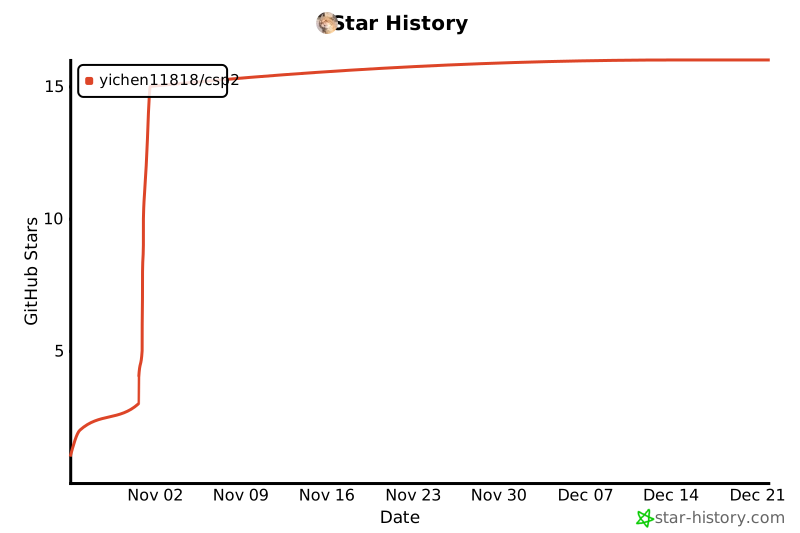](https://star-history.com/#yichen11818/csp2&Date)
197 |
198 | ---
199 |
200 |
201 | Made with ❤️ by CSP2 Community
202 |
203 |
204 |
--------------------------------------------------------------------------------
/src/CSP2.Desktop/Views/Dialogs/SimpleServerConfigDialog.xaml.cs:
--------------------------------------------------------------------------------
1 | using CSP2.Core.Logging;
2 | using CSP2.Core.Models;
3 | using System.Windows;
4 |
5 | namespace CSP2.Desktop.Views.Dialogs;
6 |
7 | ///
8 | /// 简化版服务器配置对话框 - 仅支持启动参数输入
9 | ///
10 | public partial class SimpleServerConfigDialog : Window
11 | {
12 | public ServerConfig ServerConfig { get; private set; }
13 |
14 | public SimpleServerConfigDialog(ServerConfig? config = null)
15 | {
16 | InitializeComponent();
17 |
18 | ServerConfig = config ?? new ServerConfig();
19 |
20 | // 如果提供了配置,则加载现有配置的启动参数
21 | if (config != null)
22 | {
23 | LoadConfig(config);
24 | }
25 | else
26 | {
27 | // 新配置,显示默认启动参数
28 | LoadDefaultArgs();
29 | }
30 | }
31 |
32 | private void LoadConfig(ServerConfig config)
33 | {
34 | // 优先使用用户手动编辑的完整参数
35 | if (!string.IsNullOrEmpty(config.UserEditedFullArgs))
36 | {
37 | LaunchArgsTextBox.Text = config.UserEditedFullArgs;
38 | }
39 | else
40 | {
41 | // 从配置生成启动参数
42 | LoadDefaultArgs();
43 | }
44 | }
45 |
46 | private void LoadDefaultArgs()
47 | {
48 | // 显示默认的启动参数作为示例
49 | var defaultArgs = new List
50 | {
51 | "-dedicated",
52 | "-console",
53 | "-ip 0.0.0.0",
54 | "-port 27015",
55 | "-maxplayers 10",
56 | "-tickrate 128",
57 | "+game_type 0",
58 | "+game_mode 1",
59 | "+mapgroup mg_active",
60 | "+map de_dust2"
61 | };
62 |
63 | LaunchArgsTextBox.Text = string.Join("\n", defaultArgs);
64 | }
65 |
66 | private void SaveButton_Click(object sender, RoutedEventArgs e)
67 | {
68 | var argsText = LaunchArgsTextBox.Text.Trim();
69 |
70 | // 如果用户输入了启动参数,保存它们
71 | if (!string.IsNullOrWhiteSpace(argsText))
72 | {
73 | // 保存用户输入的完整启动参数
74 | ServerConfig.UserEditedFullArgs = argsText;
75 |
76 | // 尝试从启动参数中解析基本信息(端口等)以便在列表中显示
77 | TryParseBasicInfo(argsText);
78 | }
79 | else
80 | {
81 | // 如果留空,使用默认配置
82 | ServerConfig.UserEditedFullArgs = null;
83 | ApplyDefaultConfig();
84 | }
85 |
86 | DialogResult = true;
87 | Close();
88 | }
89 |
90 | ///
91 | /// 尝试从启动参数中解析基本信息(用于列表显示)
92 | ///
93 | private void TryParseBasicInfo(string args)
94 | {
95 | var lines = args.Split(new[] { '\n', '\r', ' ' }, StringSplitOptions.RemoveEmptyEntries);
96 |
97 | for (int i = 0; i < lines.Length; i++)
98 | {
99 | var line = lines[i].Trim();
100 |
101 | // 解析端口
102 | if (line == "-port" && i + 1 < lines.Length)
103 | {
104 | if (int.TryParse(lines[i + 1], out int port))
105 | ServerConfig.Port = port;
106 | }
107 | // 解析地图
108 | else if (line == "+map" && i + 1 < lines.Length)
109 | {
110 | ServerConfig.Map = lines[i + 1].Trim();
111 | }
112 | // 解析最大玩家数
113 | else if (line == "-maxplayers" && i + 1 < lines.Length)
114 | {
115 | if (int.TryParse(lines[i + 1], out int maxPlayers))
116 | ServerConfig.MaxPlayers = maxPlayers;
117 | }
118 | // 解析Tick Rate
119 | else if (line == "-tickrate" && i + 1 < lines.Length)
120 | {
121 | if (int.TryParse(lines[i + 1], out int tickRate))
122 | ServerConfig.TickRate = tickRate;
123 | }
124 | // 解析IP地址
125 | else if (line == "-ip" && i + 1 < lines.Length)
126 | {
127 | ServerConfig.IpAddress = lines[i + 1].Trim();
128 | }
129 | }
130 | }
131 |
132 | ///
133 | /// 应用默认配置
134 | ///
135 | private void ApplyDefaultConfig()
136 | {
137 | ServerConfig.IpAddress = "0.0.0.0";
138 | ServerConfig.Port = 27015;
139 | ServerConfig.Map = "de_dust2";
140 | ServerConfig.MaxPlayers = 10;
141 | ServerConfig.TickRate = 128;
142 | ServerConfig.GameMode = 1;
143 | ServerConfig.GameType = 0;
144 | }
145 |
146 | private void CancelButton_Click(object sender, RoutedEventArgs e)
147 | {
148 | DialogResult = false;
149 | Close();
150 | }
151 | }
152 |
153 |
--------------------------------------------------------------------------------
/src/CSP2.Core/Utilities/CommandHistory.cs:
--------------------------------------------------------------------------------
1 | using System.Collections.Generic;
2 | using System.IO;
3 | using System.Linq;
4 |
5 | namespace CSP2.Core.Utilities;
6 |
7 | ///
8 | /// 命令历史记录管理器
9 | /// 支持 Up/Down 键导航历史命令
10 | ///
11 | public class CommandHistory
12 | {
13 | private readonly List _history = new();
14 | private int _currentIndex = -1;
15 | private readonly int _maxHistorySize;
16 | private readonly string? _persistencePath;
17 |
18 | ///
19 | /// 创建命令历史管理器
20 | ///
21 | /// 最大历史记录数
22 | /// 持久化文件路径(可选)
23 | public CommandHistory(int maxHistorySize = 100, string? persistencePath = null)
24 | {
25 | _maxHistorySize = maxHistorySize;
26 | _persistencePath = persistencePath;
27 |
28 | // 如果指定了持久化路径,尝试加载历史
29 | if (!string.IsNullOrEmpty(_persistencePath))
30 | {
31 | LoadFromFile();
32 | }
33 | }
34 |
35 | ///
36 | /// 添加命令到历史记录
37 | ///
38 | /// 命令文本
39 | public void Add(string command)
40 | {
41 | // 忽略空命令
42 | if (string.IsNullOrWhiteSpace(command))
43 | return;
44 |
45 | // 去除首尾空格
46 | command = command.Trim();
47 |
48 | // 不记录与上一条相同的命令
49 | if (_history.Count > 0 && _history[^1] == command)
50 | {
51 | _currentIndex = _history.Count;
52 | return;
53 | }
54 |
55 | // 添加到历史
56 | _history.Add(command);
57 |
58 | // 限制历史记录大小
59 | if (_history.Count > _maxHistorySize)
60 | {
61 | _history.RemoveAt(0);
62 | }
63 |
64 | // 重置索引到末尾
65 | _currentIndex = _history.Count;
66 |
67 | // 持久化
68 | SaveToFile();
69 | }
70 |
71 | ///
72 | /// 获取较旧的命令(↑ 键)
73 | ///
74 | /// 历史命令,如果已到达最旧则返回当前命令
75 | public string? GetOlder()
76 | {
77 | if (_history.Count == 0)
78 | return null;
79 |
80 | // 向前移动索引
81 | if (_currentIndex > 0)
82 | {
83 | _currentIndex--;
84 | }
85 |
86 | return _history[_currentIndex];
87 | }
88 |
89 | ///
90 | /// 获取较新的命令(↓ 键)
91 | ///
92 | /// 历史命令,如果已到达最新则返回空字符串
93 | public string? GetNewer()
94 | {
95 | if (_history.Count == 0)
96 | return null;
97 |
98 | // 向后移动索引
99 | if (_currentIndex < _history.Count - 1)
100 | {
101 | _currentIndex++;
102 | return _history[_currentIndex];
103 | }
104 |
105 | // 已经到达最新,返回空字符串(清空输入框)
106 | _currentIndex = _history.Count;
107 | return string.Empty;
108 | }
109 |
110 | ///
111 | /// 清空历史记录
112 | ///
113 | public void Clear()
114 | {
115 | _history.Clear();
116 | _currentIndex = -1;
117 | SaveToFile();
118 | }
119 |
120 | ///
121 | /// 获取所有历史记录
122 | ///
123 | public IReadOnlyList GetAll()
124 | {
125 | return _history.AsReadOnly();
126 | }
127 |
128 | ///
129 | /// 保存历史到文件
130 | ///
131 | private void SaveToFile()
132 | {
133 | if (string.IsNullOrEmpty(_persistencePath))
134 | return;
135 |
136 | try
137 | {
138 | // 确保目录存在
139 | var directory = Path.GetDirectoryName(_persistencePath);
140 | if (!string.IsNullOrEmpty(directory))
141 | {
142 | Directory.CreateDirectory(directory);
143 | }
144 |
145 | // 写入文件
146 | File.WriteAllLines(_persistencePath, _history);
147 | }
148 | catch
149 | {
150 | // 忽略持久化错误
151 | }
152 | }
153 |
154 | ///
155 | /// 从文件加载历史
156 | ///
157 | private void LoadFromFile()
158 | {
159 | if (string.IsNullOrEmpty(_persistencePath) || !File.Exists(_persistencePath))
160 | return;
161 |
162 | try
163 | {
164 | var lines = File.ReadAllLines(_persistencePath);
165 | _history.Clear();
166 | _history.AddRange(lines.Where(l => !string.IsNullOrWhiteSpace(l)));
167 |
168 | // 限制大小
169 | if (_history.Count > _maxHistorySize)
170 | {
171 | _history.RemoveRange(0, _history.Count - _maxHistorySize);
172 | }
173 |
174 | _currentIndex = _history.Count;
175 | }
176 | catch
177 | {
178 | // 忽略加载错误
179 | }
180 | }
181 | }
182 |
183 |
--------------------------------------------------------------------------------
/src/CSP2.Core/Logging/DebugLogger.cs:
--------------------------------------------------------------------------------
1 | using Microsoft.Extensions.Logging;
2 | using System.Text;
3 |
4 | namespace CSP2.Core.Logging;
5 |
6 | ///
7 | /// 全局Debug日志记录器
8 | ///
9 | public static class DebugLogger
10 | {
11 | public static event EventHandler? LogReceived;
12 | public static bool IsDebugMode { get; set; }
13 |
14 | // 历史日志缓冲区 - 保存最近的日志用于后续订阅者
15 | private static readonly List _historyBuffer = new();
16 | private static readonly object _bufferLock = new object();
17 | private const int MaxHistorySize = 5000;
18 |
19 | // 文件日志
20 | private static StreamWriter? _fileWriter;
21 | private static readonly object _fileLock = new object();
22 |
23 | ///
24 | /// 初始化文件日志
25 | ///
26 | public static void InitializeFileLogging(string logDirectory)
27 | {
28 | try
29 | {
30 | Directory.CreateDirectory(logDirectory);
31 |
32 | var timestamp = DateTime.Now.ToString("yyyy-MM-dd_HHmmss");
33 | var logFilePath = Path.Combine(logDirectory, $"app_{timestamp}.log");
34 |
35 | lock (_fileLock)
36 | {
37 | _fileWriter?.Close();
38 | _fileWriter?.Dispose();
39 |
40 | _fileWriter = new StreamWriter(logFilePath, append: true, Encoding.UTF8)
41 | {
42 | AutoFlush = true
43 | };
44 | }
45 |
46 | Info("DebugLogger", $"文件日志已启用: {logFilePath}");
47 | }
48 | catch (Exception ex)
49 | {
50 | // 文件日志初始化失败不应影响程序运行
51 | Console.WriteLine($"初始化文件日志失败: {ex.Message}");
52 | }
53 | }
54 |
55 | ///
56 | /// 获取历史日志(用于初始化订阅者)
57 | ///
58 | public static IReadOnlyList GetHistory()
59 | {
60 | lock (_bufferLock)
61 | {
62 | return _historyBuffer.ToList();
63 | }
64 | }
65 |
66 | public static void Log(LogLevel level, string category, string message, Exception? exception = null)
67 | {
68 | if (!IsDebugMode && level < LogLevel.Information)
69 | return;
70 |
71 | var logEvent = new DebugLogEventArgs
72 | {
73 | Timestamp = DateTime.Now,
74 | Level = level,
75 | Category = category,
76 | Message = message,
77 | Exception = exception?.ToString()
78 | };
79 |
80 | // 添加到历史缓冲区
81 | lock (_bufferLock)
82 | {
83 | _historyBuffer.Add(logEvent);
84 |
85 | // 限制缓冲区大小
86 | if (_historyBuffer.Count > MaxHistorySize)
87 | {
88 | _historyBuffer.RemoveAt(0);
89 | }
90 | }
91 |
92 | // 写入文件日志
93 | WriteToFile(logEvent);
94 |
95 | // 触发事件通知订阅者
96 | LogReceived?.Invoke(null, logEvent);
97 | }
98 |
99 | ///
100 | /// 写入文件日志
101 | ///
102 | private static void WriteToFile(DebugLogEventArgs logEvent)
103 | {
104 | try
105 | {
106 | lock (_fileLock)
107 | {
108 | if (_fileWriter != null)
109 | {
110 | var logLine = $"[{logEvent.Timestamp:yyyy-MM-dd HH:mm:ss.fff}] [{logEvent.Level,11}] [{logEvent.Category}] {logEvent.Message}";
111 | _fileWriter.WriteLine(logLine);
112 |
113 | if (!string.IsNullOrEmpty(logEvent.Exception))
114 | {
115 | _fileWriter.WriteLine($" Exception: {logEvent.Exception}");
116 | }
117 | }
118 | }
119 | }
120 | catch
121 | {
122 | // 忽略文件写入错误,避免影响程序运行
123 | }
124 | }
125 |
126 | public static void Debug(string category, string message) =>
127 | Log(LogLevel.Debug, category, message);
128 |
129 | public static void Info(string category, string message) =>
130 | Log(LogLevel.Information, category, message);
131 |
132 | public static void Warning(string category, string message) =>
133 | Log(LogLevel.Warning, category, message);
134 |
135 | public static void Error(string category, string message, Exception? exception = null) =>
136 | Log(LogLevel.Error, category, message, exception);
137 | }
138 |
139 | ///
140 | /// Debug日志事件参数
141 | ///
142 | public class DebugLogEventArgs : EventArgs
143 | {
144 | public DateTime Timestamp { get; set; }
145 | public LogLevel Level { get; set; }
146 | public string Category { get; set; } = string.Empty;
147 | public string Message { get; set; } = string.Empty;
148 | public string? Exception { get; set; }
149 | }
150 |
151 |
--------------------------------------------------------------------------------
/src/CSP2.Desktop/Views/Dialogs/FrameworkInstallProgressDialog.xaml.cs:
--------------------------------------------------------------------------------
1 | using System;
2 | using System.Windows;
3 | using System.Windows.Media.Animation;
4 | using CSP2.Core.Models;
5 |
6 | namespace CSP2.Desktop.Views.Dialogs;
7 |
8 | public partial class FrameworkInstallProgressDialog : Window
9 | {
10 | private bool _isCancelled;
11 | private bool _isCompleted;
12 |
13 | public bool IsCancelled => _isCancelled;
14 | public bool IsCompleted => _isCompleted;
15 |
16 | public FrameworkInstallProgressDialog(string frameworkName)
17 | {
18 | InitializeComponent();
19 | TitleText.Text = $"正在安装 {frameworkName}";
20 | Title = $"安装 {frameworkName}";
21 | }
22 |
23 | ///
24 | /// 更新进度
25 | ///
26 | public void UpdateProgress(InstallProgress progress)
27 | {
28 | Dispatcher.BeginInvoke(() =>
29 | {
30 | // 更新百分比
31 | PercentageText.Text = $"{progress.Percentage:F0}%";
32 |
33 | // 更新进度条宽度(动画)
34 | var targetWidth = (ActualWidth - 60) * (progress.Percentage / 100);
35 | var animation = new DoubleAnimation
36 | {
37 | To = targetWidth,
38 | Duration = TimeSpan.FromMilliseconds(200),
39 | EasingFunction = new QuadraticEase { EasingMode = EasingMode.EaseOut }
40 | };
41 | ProgressBar.BeginAnimation(WidthProperty, animation);
42 |
43 | // 更新当前步骤
44 | if (!string.IsNullOrEmpty(progress.CurrentStep))
45 | {
46 | CurrentStepText.Text = progress.CurrentStep;
47 | }
48 |
49 | // 更新详细消息
50 | if (!string.IsNullOrEmpty(progress.Message))
51 | {
52 | MessageText.Text = progress.Message;
53 | }
54 |
55 | // 根据进度阶段更新图标
56 | if (progress.Percentage < 10)
57 | {
58 | IconText.Text = "⏳"; // 准备中
59 | }
60 | else if (progress.Percentage < 60)
61 | {
62 | IconText.Text = "⬇️"; // 下载中
63 | }
64 | else if (progress.Percentage < 95)
65 | {
66 | IconText.Text = "📦"; // 解压中
67 | }
68 | else if (progress.Percentage >= 100)
69 | {
70 | IconText.Text = "✅"; // 完成
71 | }
72 | });
73 | }
74 |
75 | ///
76 | /// 显示安装依赖的状态
77 | ///
78 | public void ShowInstallingDependency(string dependencyName)
79 | {
80 | Dispatcher.BeginInvoke(() =>
81 | {
82 | TitleText.Text = $"正在安装依赖: {dependencyName}";
83 | CurrentStepText.Text = "CounterStrikeSharp 需要先安装 Metamod";
84 | IconText.Text = "🔗";
85 | });
86 | }
87 |
88 | ///
89 | /// 显示安装成功
90 | ///
91 | public void ShowSuccess(string message = "安装成功!")
92 | {
93 | Dispatcher.BeginInvoke(() =>
94 | {
95 | _isCompleted = true;
96 | IconText.Text = "✅";
97 | TitleText.Text = "安装成功";
98 | CurrentStepText.Text = message;
99 | PercentageText.Text = "100%";
100 | CancelButton.Content = "关闭";
101 | CancelButton.Style = (Style)FindResource("PrimaryButtonStyle");
102 |
103 | // 进度条填满
104 | var targetWidth = ActualWidth - 60;
105 | var animation = new DoubleAnimation
106 | {
107 | To = targetWidth,
108 | Duration = TimeSpan.FromMilliseconds(300),
109 | EasingFunction = new QuadraticEase { EasingMode = EasingMode.EaseOut }
110 | };
111 | ProgressBar.BeginAnimation(WidthProperty, animation);
112 | });
113 | }
114 |
115 | ///
116 | /// 显示安装失败
117 | ///
118 | public void ShowError(string errorMessage)
119 | {
120 | Dispatcher.BeginInvoke(() =>
121 | {
122 | IconText.Text = "❌";
123 | TitleText.Text = "安装失败";
124 | CurrentStepText.Text = "安装过程中出现错误";
125 | MessageText.Text = errorMessage;
126 | CancelButton.Content = "关闭";
127 | CancelButton.Style = (Style)FindResource("SecondaryButtonStyle");
128 | });
129 | }
130 |
131 | ///
132 | /// 取消按钮点击
133 | ///
134 | private void CancelButton_Click(object sender, RoutedEventArgs e)
135 | {
136 | if (_isCompleted)
137 | {
138 | // 已完成,直接关闭
139 | Close();
140 | }
141 | else
142 | {
143 | // 确认取消
144 | var result = MessageBox.Show(
145 | "确定要取消安装吗?",
146 | "确认取消",
147 | MessageBoxButton.YesNo,
148 | MessageBoxImage.Question);
149 |
150 | if (result == MessageBoxResult.Yes)
151 | {
152 | _isCancelled = true;
153 | Close();
154 | }
155 | }
156 | }
157 | }
158 |
159 |
--------------------------------------------------------------------------------
/src/CSP2.Desktop/Views/ErrorDialog.xaml:
--------------------------------------------------------------------------------
1 |
11 |
12 |
13 |
14 |
15 |
16 |
17 |
18 |
19 |
20 |
21 |
22 |
23 |
26 |
30 |
31 |
32 |
33 |
34 |
39 |
40 |
44 |
47 |
48 |
49 |
50 |
51 |
57 |
58 |
59 |
60 |
61 |
62 |
63 |
64 |
68 |
71 |
72 |
73 |
74 |
77 |
86 |
87 |
88 |
89 |
90 |
91 |
92 |
93 |
94 |
95 |
96 |
97 |
98 |
99 |
103 |
104 |
105 |
111 |
112 |
113 |
118 |
119 |
120 |
121 |
122 |
--------------------------------------------------------------------------------
/src/CSP2.Core/Services/DownloadManager.cs:
--------------------------------------------------------------------------------
1 | using CSP2.Core.Abstractions;
2 | using CSP2.Core.Models;
3 |
4 | namespace CSP2.Core.Services;
5 |
6 | ///
7 | /// 下载管理器实现
8 | ///
9 | public class DownloadManager : IDownloadManager
10 | {
11 | private readonly List _tasks = new();
12 | private readonly object _lock = new();
13 |
14 | public IReadOnlyList Tasks
15 | {
16 | get
17 | {
18 | lock (_lock)
19 | {
20 | return _tasks.AsReadOnly();
21 | }
22 | }
23 | }
24 |
25 | public int ActiveTaskCount
26 | {
27 | get
28 | {
29 | lock (_lock)
30 | {
31 | return _tasks.Count(t => t.Status == DownloadTaskStatus.Downloading ||
32 | t.Status == DownloadTaskStatus.Pending);
33 | }
34 | }
35 | }
36 |
37 | public event EventHandler? TaskAdded;
38 | public event EventHandler? TaskUpdated;
39 | public event EventHandler? TaskCompleted;
40 | public event EventHandler? TaskFailed;
41 |
42 | public void AddTask(DownloadTask task)
43 | {
44 | lock (_lock)
45 | {
46 | _tasks.Add(task);
47 | }
48 | TaskAdded?.Invoke(this, task);
49 | }
50 |
51 | public Task StartTaskAsync(string taskId)
52 | {
53 | DownloadTask? task;
54 | lock (_lock)
55 | {
56 | task = _tasks.FirstOrDefault(t => t.Id == taskId);
57 | }
58 |
59 | if (task == null)
60 | return Task.CompletedTask;
61 |
62 | task.Status = DownloadTaskStatus.Downloading;
63 | task.StartTime = DateTime.Now;
64 | TaskUpdated?.Invoke(this, task);
65 |
66 | return Task.CompletedTask;
67 | }
68 |
69 | public Task PauseTaskAsync(string taskId)
70 | {
71 | DownloadTask? task;
72 | lock (_lock)
73 | {
74 | task = _tasks.FirstOrDefault(t => t.Id == taskId);
75 | }
76 |
77 | if (task == null)
78 | return Task.CompletedTask;
79 |
80 | task.Status = DownloadTaskStatus.Paused;
81 | TaskUpdated?.Invoke(this, task);
82 |
83 | return Task.CompletedTask;
84 | }
85 |
86 | public Task CancelTaskAsync(string taskId)
87 | {
88 | DownloadTask? task;
89 | lock (_lock)
90 | {
91 | task = _tasks.FirstOrDefault(t => t.Id == taskId);
92 | }
93 |
94 | if (task == null)
95 | return Task.CompletedTask;
96 |
97 | task.Status = DownloadTaskStatus.Cancelled;
98 | TaskUpdated?.Invoke(this, task);
99 |
100 | return Task.CompletedTask;
101 | }
102 |
103 | public void RemoveTask(string taskId)
104 | {
105 | lock (_lock)
106 | {
107 | var task = _tasks.FirstOrDefault(t => t.Id == taskId);
108 | if (task != null)
109 | {
110 | _tasks.Remove(task);
111 | }
112 | }
113 | }
114 |
115 | public void ClearCompletedTasks()
116 | {
117 | lock (_lock)
118 | {
119 | _tasks.RemoveAll(t => t.Status == DownloadTaskStatus.Completed ||
120 | t.Status == DownloadTaskStatus.Cancelled ||
121 | t.Status == DownloadTaskStatus.Failed);
122 | }
123 | }
124 |
125 | public void UpdateTaskProgress(string taskId, double progress, string? logMessage = null)
126 | {
127 | DownloadTask? task;
128 | lock (_lock)
129 | {
130 | task = _tasks.FirstOrDefault(t => t.Id == taskId);
131 | }
132 |
133 | if (task == null)
134 | return;
135 |
136 | task.Progress = progress;
137 |
138 | if (!string.IsNullOrEmpty(logMessage))
139 | {
140 | task.LogMessages.Add($"[{DateTime.Now:HH:mm:ss}] {logMessage}");
141 | }
142 |
143 | // 如果进度达到100%,标记为完成
144 | if (progress >= 100 && task.Status == DownloadTaskStatus.Downloading)
145 | {
146 | task.Status = DownloadTaskStatus.Completed;
147 | task.CompletedTime = DateTime.Now;
148 | TaskCompleted?.Invoke(this, task);
149 | }
150 | else
151 | {
152 | TaskUpdated?.Invoke(this, task);
153 | }
154 | }
155 |
156 | public void UpdateTaskStatus(string taskId, DownloadTaskStatus status, string? errorMessage = null)
157 | {
158 | DownloadTask? task;
159 | lock (_lock)
160 | {
161 | task = _tasks.FirstOrDefault(t => t.Id == taskId);
162 | }
163 |
164 | if (task == null)
165 | return;
166 |
167 | task.Status = status;
168 |
169 | if (!string.IsNullOrEmpty(errorMessage))
170 | {
171 | task.ErrorMessage = errorMessage;
172 | task.LogMessages.Add($"[{DateTime.Now:HH:mm:ss}] 错误: {errorMessage}");
173 | }
174 |
175 | if (status == DownloadTaskStatus.Completed)
176 | {
177 | task.CompletedTime = DateTime.Now;
178 | TaskCompleted?.Invoke(this, task);
179 | }
180 | else if (status == DownloadTaskStatus.Failed)
181 | {
182 | TaskFailed?.Invoke(this, task);
183 | }
184 | else
185 | {
186 | TaskUpdated?.Invoke(this, task);
187 | }
188 | }
189 | }
190 |
191 |
--------------------------------------------------------------------------------
/src/CSP2.Desktop/Views/Dialogs/FrameworkInstallProgressDialog.xaml:
--------------------------------------------------------------------------------
1 |
13 |
14 |
15 |
20 |
24 |
29 |
30 |
31 |
35 |
36 |
37 |
38 |
39 |
40 |
41 |
42 |
43 |
44 |
45 |
46 |
47 |
48 |
49 |
53 |
58 |
62 |
63 |
64 |
65 |
71 |
72 |
73 |
74 |
75 |
76 |
77 |
78 |
79 |
80 |
86 |
87 |
88 |
94 |
95 |
100 |
101 |
105 |
106 |
107 |
108 |
109 |
110 |
111 |
112 |
120 |
121 |
122 |
131 |
132 |
133 |
134 |
135 |
--------------------------------------------------------------------------------
/src/CSP2.Core/Abstractions/IServerManager.cs:
--------------------------------------------------------------------------------
1 | using CSP2.Core.Models;
2 |
3 | namespace CSP2.Core.Abstractions;
4 |
5 | ///
6 | /// 服务器管理器接口
7 | ///
8 | public interface IServerManager
9 | {
10 | ///
11 | /// 获取所有服务器
12 | ///
13 | /// 服务器列表
14 | Task> GetServersAsync();
15 |
16 | ///
17 | /// 根据ID获取服务器
18 | ///
19 | /// 服务器ID
20 | /// 服务器对象,不存在返回null
21 | Task GetServerByIdAsync(string serverId);
22 |
23 | ///
24 | /// 添加服务器
25 | ///
26 | /// 服务器名称
27 | /// 安装路径
28 | /// 配置信息
29 | /// 创建的服务器对象
30 | Task AddServerAsync(string name, string installPath, ServerConfig? config = null);
31 |
32 | ///
33 | /// 添加服务器(不验证路径,用于下载中的占位符)
34 | ///
35 | /// 服务器名称
36 | /// 安装路径
37 | /// 配置信息
38 | /// 创建的服务器对象
39 | Task AddServerWithoutValidationAsync(string name, string installPath, ServerConfig? config = null);
40 |
41 | ///
42 | /// 更新服务器信息
43 | ///
44 | /// 服务器对象
45 | /// 是否成功
46 | Task UpdateServerAsync(Server server);
47 |
48 | ///
49 | /// 删除服务器(仅删除配置,不删除文件)
50 | ///
51 | /// 服务器ID
52 | /// 是否成功
53 | Task DeleteServerAsync(string serverId);
54 |
55 | ///
56 | /// 卸载服务器(删除配置和文件)
57 | ///
58 | /// 服务器ID
59 | /// 是否删除服务器文件
60 | /// 是否成功
61 | Task UninstallServerAsync(string serverId, bool deleteFiles = true);
62 |
63 | ///
64 | /// 启动服务器
65 | ///
66 | /// 服务器ID
67 | /// 是否成功
68 | Task StartServerAsync(string serverId);
69 |
70 | ///
71 | /// 停止服务器
72 | ///
73 | /// 服务器ID
74 | /// 是否强制停止
75 | /// 是否成功
76 | Task StopServerAsync(string serverId, bool force = false);
77 |
78 | ///
79 | /// 重启服务器
80 | ///
81 | /// 服务器ID
82 | /// 是否成功
83 | Task RestartServerAsync(string serverId);
84 |
85 | ///
86 | /// 发送命令到服务器
87 | ///
88 | /// 服务器ID
89 | /// 命令文本
90 | /// 是否成功
91 | Task SendCommandAsync(string serverId, string command);
92 |
93 | ///
94 | /// 获取服务器日志目录
95 | ///
96 | /// 服务器ID
97 | /// 日志目录路径
98 | string GetServerLogDirectory(string serverId);
99 |
100 | ///
101 | /// 获取服务器日志文件列表
102 | ///
103 | /// 服务器ID
104 | /// 日志文件路径列表
105 | Task> GetServerLogFilesAsync(string serverId);
106 |
107 | ///
108 | /// 读取日志文件内容
109 | ///
110 | /// 日志文件路径
111 | /// 最大读取行数
112 | /// 日志内容
113 | Task ReadLogFileAsync(string logFilePath, int maxLines = 1000);
114 |
115 | ///
116 | /// 检查并更新所有服务器状态(后台自动调用)
117 | ///
118 | /// Task
119 | Task CheckAndUpdateServerStatusesAsync();
120 |
121 | ///
122 | /// 手动刷新指定服务器的状态
123 | ///
124 | /// 服务器ID
125 | /// 服务器当前状态
126 | Task RefreshServerStatusAsync(string serverId);
127 |
128 | ///
129 | /// 应用启动时恢复服务器状态
130 | ///
131 | /// Task
132 | Task RestoreServerStatesAsync();
133 |
134 | ///
135 | /// 日志接收事件
136 | ///
137 | event EventHandler? LogReceived;
138 |
139 | ///
140 | /// 服务器状态变化事件
141 | ///
142 | event EventHandler? StatusChanged;
143 | }
144 |
145 | ///
146 | /// 日志接收事件参数
147 | ///
148 | public class LogReceivedEventArgs : EventArgs
149 | {
150 | ///
151 | /// 服务器ID
152 | ///
153 | public required string ServerId { get; set; }
154 |
155 | ///
156 | /// 日志内容
157 | ///
158 | public required string Content { get; set; }
159 |
160 | ///
161 | /// 日志级别
162 | ///
163 | public LogLevel Level { get; set; } = LogLevel.Info;
164 |
165 | ///
166 | /// 时间戳
167 | ///
168 | public DateTime Timestamp { get; set; } = DateTime.Now;
169 | }
170 |
171 | ///
172 | /// 服务器状态变化事件参数
173 | ///
174 | public class ServerStatusChangedEventArgs : EventArgs
175 | {
176 | ///
177 | /// 服务器ID
178 | ///
179 | public required string ServerId { get; set; }
180 |
181 | ///
182 | /// 旧状态
183 | ///
184 | public ServerStatus OldStatus { get; set; }
185 |
186 | ///
187 | /// 新状态
188 | ///
189 | public ServerStatus NewStatus { get; set; }
190 |
191 | ///
192 | /// 时间戳
193 | ///
194 | public DateTime Timestamp { get; set; } = DateTime.Now;
195 | }
196 |
197 | ///
198 | /// 日志级别
199 | ///
200 | public enum LogLevel
201 | {
202 | Trace,
203 | Debug,
204 | Info,
205 | Warning,
206 | Error,
207 | Critical
208 | }
209 |
210 |
--------------------------------------------------------------------------------
/src/CSP2.Core/Models/ServerConfig.cs:
--------------------------------------------------------------------------------
1 | using System.Text.Json.Serialization;
2 |
3 | namespace CSP2.Core.Models;
4 |
5 | ///
6 | /// 服务器配置(简化版)
7 | ///
8 | public class ServerConfig
9 | {
10 | // ============ 核心配置(必填)============
11 |
12 | ///
13 | /// 服务器端口
14 | ///
15 | public int Port { get; set; } = 27015;
16 |
17 | ///
18 | /// 启动地图
19 | ///
20 | public string Map { get; set; } = "de_dust2";
21 |
22 | ///
23 | /// 最大玩家数 (1-64)
24 | ///
25 | public int MaxPlayers { get; set; } = 10;
26 |
27 | ///
28 | /// 游戏模式 (0=休闲, 1=竞技, 2=翼人, 3=武器大师)
29 | ///
30 | public int GameMode { get; set; } = 1;
31 |
32 | ///
33 | /// 游戏类型 (0=经典, 1=军备竞赛, 2=死亡竞赛)
34 | ///
35 | public int GameType { get; set; } = 0;
36 |
37 | // ============ 常用选项(可选)============
38 |
39 | ///
40 | /// Tick速率 (64或128)
41 | ///
42 | public int TickRate { get; set; } = 128;
43 |
44 | ///
45 | /// 禁用 BOT
46 | ///
47 | public bool DisableBots { get; set; } = false;
48 |
49 | ///
50 | /// Insecure 模式(用于自定义地图,禁用VAC)
51 | ///
52 | public bool InsecureMode { get; set; } = false;
53 |
54 | ///
55 | /// 局域网模式
56 | ///
57 | public bool IsLanMode { get; set; } = false;
58 |
59 | ///
60 | /// 在应用内打开控制台(捕获服务器日志到应用内)
61 | ///
62 | public bool OpenConsoleInApp { get; set; } = true;
63 |
64 | // ============ 网络配置 ============
65 |
66 | ///
67 | /// 服务器IP地址(默认 0.0.0.0 监听所有网卡)
68 | ///
69 | public string IpAddress { get; set; } = "0.0.0.0";
70 |
71 | // ============ 自定义参数 ============
72 |
73 | ///
74 | /// 自定义启动参数(原始字符串)
75 | /// 例如: "-high +sv_cheats 1 +exec custom.cfg"
76 | ///
77 | public string CustomParameters { get; set; } = string.Empty;
78 |
79 | ///
80 | /// 用户手动编辑的完整启动参数(如果用户通过UI手动编辑了启动参数,会保存到这里)
81 | /// 如果此字段有值,将优先使用它而不是自动生成参数
82 | ///
83 | public string? UserEditedFullArgs { get; set; } = null;
84 |
85 | // ============ 内部使用(不暴露给用户UI)============
86 |
87 | ///
88 | /// 地图组(自动推断,固定为 mg_active)
89 | ///
90 | [JsonIgnore]
91 | public string MapGroup => "mg_active";
92 |
93 | // ============ 高级配置(可选,建议使用 autoexec.cfg)============
94 |
95 | ///
96 | /// 服务器名称(显示在服务器浏览器中)
97 | /// 建议:在 autoexec.cfg 中使用 hostname "服务器名" 配置
98 | ///
99 | public string? ServerName { get; set; }
100 |
101 | ///
102 | /// 服务器密码
103 | /// 建议:在 autoexec.cfg 中使用 sv_password "密码" 配置
104 | ///
105 | public string? ServerPassword { get; set; }
106 |
107 | ///
108 | /// RCON密码(远程控制密码)
109 | /// 建议:在 autoexec.cfg 中使用 rcon_password "密码" 配置
110 | ///
111 | public string? RconPassword { get; set; }
112 |
113 | ///
114 | /// Steam令牌(用于公开服务器)
115 | /// 建议:在启动参数中使用 +sv_setsteamaccount TOKEN 或在 autoexec.cfg 中配置
116 | ///
117 | public string? SteamToken { get; set; }
118 |
119 | // ============ 向后兼容(已废弃的属性,保留以支持旧配置)============
120 |
121 | ///
122 | /// [已废弃] 是否启用控制台(现在默认总是启用)
123 | ///
124 | [Obsolete("控制台现在默认总是启用,请使用 CustomParameters 添加 -console")]
125 | [JsonIgnore]
126 | public bool EnableConsole { get; set; } = true;
127 |
128 | ///
129 | /// [已废弃] 进程优先级(请使用 CustomParameters 添加 -high/-low)
130 | ///
131 | [Obsolete("请使用 CustomParameters 添加 -high/-normal/-low")]
132 | [JsonIgnore]
133 | public string ProcessPriority { get; set; } = "normal";
134 |
135 | ///
136 | /// [已废弃] 最大FPS(请使用 CustomParameters 添加 +fps_max N)
137 | ///
138 | [Obsolete("请使用 CustomParameters 添加 +fps_max N")]
139 | [JsonIgnore]
140 | public int? MaxFps { get; set; }
141 |
142 | ///
143 | /// [已废弃] 工作线程数(请使用 CustomParameters 添加 -threads N)
144 | ///
145 | [Obsolete("请使用 CustomParameters 添加 -threads N")]
146 | [JsonIgnore]
147 | public int? ThreadCount { get; set; }
148 |
149 | ///
150 | /// [已废弃] 禁用HLTV/GOTV(请使用 CustomParameters 添加 +tv_enable 0)
151 | ///
152 | [Obsolete("请使用 CustomParameters 添加 +tv_enable 0")]
153 | [JsonIgnore]
154 | public bool DisableHltv { get; set; } = false;
155 |
156 | ///
157 | /// [已废弃] 启用作弊命令(请使用 CustomParameters 添加 +sv_cheats 1)
158 | ///
159 | [Obsolete("请使用 CustomParameters 添加 +sv_cheats 1")]
160 | [JsonIgnore]
161 | public bool EnableCheats { get; set; } = false;
162 |
163 | ///
164 | /// [已废弃] BOT数量(请使用 CustomParameters 添加 +bot_quota N)
165 | ///
166 | [Obsolete("请使用 CustomParameters 添加 +bot_quota N")]
167 | [JsonIgnore]
168 | public int BotQuota { get; set; } = 0;
169 |
170 | ///
171 | /// [已废弃] BOT难度(请使用 CustomParameters 添加 +bot_difficulty N)
172 | ///
173 | [Obsolete("请使用 CustomParameters 添加 +bot_difficulty N")]
174 | [JsonIgnore]
175 | public int BotDifficulty { get; set; } = 2;
176 |
177 | ///
178 | /// [已废弃] 自动踢出闲置玩家(请在 autoexec.cfg 中配置)
179 | ///
180 | [Obsolete("请在 autoexec.cfg 中使用 mp_autokick 配置")]
181 | [JsonIgnore]
182 | public int? KickIdleTime { get; set; }
183 |
184 | ///
185 | /// [已废弃] 是否启用日志(现在默认总是启用)
186 | ///
187 | [Obsolete("日志现在默认总是启用")]
188 | [JsonIgnore]
189 | public bool EnableLogging { get; set; } = true;
190 |
191 | ///
192 | /// [已废弃] 控制台日志输出到文件(请使用 CustomParameters 添加 +con_logfile 1)
193 | ///
194 | [Obsolete("请使用 CustomParameters 添加 +con_logfile 1")]
195 | [JsonIgnore]
196 | public bool ConsoleLogToFile { get; set; } = false;
197 |
198 | ///
199 | /// [已废弃] 启用日志回显(请使用 CustomParameters 添加 +sv_logecho 1)
200 | ///
201 | [Obsolete("请使用 CustomParameters 添加 +sv_logecho 1")]
202 | [JsonIgnore]
203 | public bool LogEcho { get; set; } = true;
204 |
205 | ///
206 | /// [已废弃] 自定义启动参数字典(已被 CustomParameters 字符串替代)
207 | ///
208 | [Obsolete("请使用 CustomParameters 字符串")]
209 | [JsonIgnore]
210 | public Dictionary CustomArgs { get; set; } = new();
211 |
212 | ///
213 | /// 快捷命令列表
214 | ///
215 | public List QuickCommands { get; set; } = new();
216 | }
217 |
218 |
--------------------------------------------------------------------------------
/src/CSP2.Desktop/ViewModels/DownloadManagerViewModel.cs:
--------------------------------------------------------------------------------
1 | using CommunityToolkit.Mvvm.ComponentModel;
2 | using CommunityToolkit.Mvvm.Input;
3 | using CSP2.Core.Abstractions;
4 | using CSP2.Core.Logging;
5 | using CSP2.Core.Models;
6 | using Microsoft.Extensions.Logging;
7 | using System;
8 | using System.Collections.ObjectModel;
9 | using System.Linq;
10 | using System.Windows;
11 |
12 | namespace CSP2.Desktop.ViewModels;
13 |
14 | ///
15 | /// 下载管理器ViewModel
16 | ///
17 | public partial class DownloadManagerViewModel : ObservableObject
18 | {
19 | private readonly IDownloadManager _downloadManager;
20 | private readonly ILogger _logger;
21 |
22 | [ObservableProperty]
23 | private ObservableCollection _downloadTasks = new();
24 |
25 | [ObservableProperty]
26 | private DownloadTask? _selectedTask;
27 |
28 | public DownloadManagerViewModel(IDownloadManager downloadManager, ILogger logger)
29 | {
30 | _downloadManager = downloadManager;
31 | _logger = logger;
32 |
33 | _logger.LogInformation("DownloadManagerViewModel 初始化");
34 | DebugLogger.Debug("DownloadManagerViewModel", "构造函数开始执行");
35 |
36 | // 订阅事件
37 | _downloadManager.TaskAdded += OnTaskAdded;
38 | _downloadManager.TaskUpdated += OnTaskUpdated;
39 | _downloadManager.TaskCompleted += OnTaskCompleted;
40 | _downloadManager.TaskFailed += OnTaskFailed;
41 | DebugLogger.Debug("DownloadManagerViewModel", "已订阅下载管理器事件");
42 |
43 | // 加载现有任务
44 | LoadTasks();
45 | }
46 |
47 | private void LoadTasks()
48 | {
49 | DebugLogger.Debug("LoadTasks", "开始加载下载任务");
50 |
51 | try
52 | {
53 | Application.Current.Dispatcher.Invoke(() =>
54 | {
55 | DownloadTasks.Clear();
56 | foreach (var task in _downloadManager.Tasks)
57 | {
58 | DownloadTasks.Add(task);
59 | }
60 | _logger.LogInformation("加载了 {Count} 个下载任务", DownloadTasks.Count);
61 | DebugLogger.Debug("LoadTasks", $"加载了 {DownloadTasks.Count} 个下载任务");
62 | });
63 | }
64 | catch (Exception ex)
65 | {
66 | _logger.LogError(ex, "加载下载任务失败");
67 | DebugLogger.Error("LoadTasks", $"加载失败: {ex.Message}", ex);
68 | }
69 | }
70 |
71 | private void OnTaskAdded(object? sender, DownloadTask e)
72 | {
73 | Application.Current.Dispatcher.Invoke(() =>
74 | {
75 | DownloadTasks.Add(e);
76 | });
77 | }
78 |
79 | private void OnTaskUpdated(object? sender, DownloadTask e)
80 | {
81 | // 触发属性更新
82 | Application.Current.Dispatcher.Invoke(() =>
83 | {
84 | var task = DownloadTasks.FirstOrDefault(t => t.Id == e.Id);
85 | if (task != null)
86 | {
87 | // 触发UI更新
88 | var index = DownloadTasks.IndexOf(task);
89 | if (index >= 0)
90 | {
91 | DownloadTasks[index] = task;
92 | }
93 | }
94 | });
95 | }
96 |
97 | private void OnTaskCompleted(object? sender, DownloadTask e)
98 | {
99 | OnTaskUpdated(sender, e);
100 | }
101 |
102 | private void OnTaskFailed(object? sender, DownloadTask e)
103 | {
104 | OnTaskUpdated(sender, e);
105 | }
106 |
107 | [RelayCommand]
108 | private async Task PauseTask(DownloadTask task)
109 | {
110 | if (task != null)
111 | {
112 | try
113 | {
114 | _logger.LogInformation("暂停下载任务: {TaskName}", task.Name);
115 | DebugLogger.Info("PauseTask", $"暂停任务: {task.Name}");
116 | await _downloadManager.PauseTaskAsync(task.Id);
117 | }
118 | catch (Exception ex)
119 | {
120 | _logger.LogError(ex, "暂停下载任务 {TaskName} 失败", task.Name);
121 | DebugLogger.Error("PauseTask", $"暂停任务失败: {ex.Message}", ex);
122 | }
123 | }
124 | }
125 |
126 | [RelayCommand]
127 | private async Task CancelTask(DownloadTask task)
128 | {
129 | if (task != null)
130 | {
131 | try
132 | {
133 | _logger.LogInformation("取消下载任务: {TaskName}", task.Name);
134 | DebugLogger.Info("CancelTask", $"取消任务: {task.Name}");
135 | await _downloadManager.CancelTaskAsync(task.Id);
136 | }
137 | catch (Exception ex)
138 | {
139 | _logger.LogError(ex, "取消下载任务 {TaskName} 失败", task.Name);
140 | DebugLogger.Error("CancelTask", $"取消任务失败: {ex.Message}", ex);
141 | }
142 | }
143 | }
144 |
145 | [RelayCommand]
146 | private void RemoveTask(DownloadTask task)
147 | {
148 | if (task != null)
149 | {
150 | try
151 | {
152 | _logger.LogInformation("移除下载任务: {TaskName}", task.Name);
153 | DebugLogger.Info("RemoveTask", $"移除任务: {task.Name}");
154 | _downloadManager.RemoveTask(task.Id);
155 | DownloadTasks.Remove(task);
156 | }
157 | catch (Exception ex)
158 | {
159 | _logger.LogError(ex, "移除下载任务 {TaskName} 失败", task.Name);
160 | DebugLogger.Error("RemoveTask", $"移除任务失败: {ex.Message}", ex);
161 | }
162 | }
163 | }
164 |
165 | [RelayCommand]
166 | private void ClearCompleted()
167 | {
168 | try
169 | {
170 | _logger.LogInformation("清除已完成的下载任务");
171 | DebugLogger.Debug("ClearCompleted", "开始清除已完成任务");
172 |
173 | _downloadManager.ClearCompletedTasks();
174 | var completedTasks = DownloadTasks
175 | .Where(t => t.Status == DownloadTaskStatus.Completed ||
176 | t.Status == DownloadTaskStatus.Cancelled ||
177 | t.Status == DownloadTaskStatus.Failed)
178 | .ToList();
179 |
180 | foreach (var task in completedTasks)
181 | {
182 | DownloadTasks.Remove(task);
183 | }
184 |
185 | _logger.LogInformation("清除了 {Count} 个已完成任务", completedTasks.Count);
186 | DebugLogger.Debug("ClearCompleted", $"清除了 {completedTasks.Count} 个任务");
187 | }
188 | catch (Exception ex)
189 | {
190 | _logger.LogError(ex, "清除已完成任务失败");
191 | DebugLogger.Error("ClearCompleted", $"清除失败: {ex.Message}", ex);
192 | }
193 | }
194 | }
195 |
196 |
--------------------------------------------------------------------------------
/src/CSP2.Desktop/Services/ThemeService.cs:
--------------------------------------------------------------------------------
1 | using System.Windows;
2 | using System.Windows.Media;
3 | using Microsoft.Extensions.Logging;
4 |
5 | namespace CSP2.Desktop.Services;
6 |
7 | ///
8 | /// 主题管理服务
9 | ///
10 | public class ThemeService
11 | {
12 | private readonly ILogger _logger;
13 | private string _currentTheme = "Light";
14 |
15 | public ThemeService(ILogger logger)
16 | {
17 | _logger = logger;
18 | }
19 |
20 | ///
21 | /// 当前主题
22 | ///
23 | public string CurrentTheme => _currentTheme;
24 |
25 | ///
26 | /// 主题变更事件
27 | ///
28 | public event EventHandler? ThemeChanged;
29 |
30 | ///
31 | /// 应用主题
32 | ///
33 | /// 主题名称:Light, Dark, Auto
34 | public void ApplyTheme(string theme)
35 | {
36 | try
37 | {
38 | var actualTheme = theme;
39 |
40 | // 如果是Auto模式,根据系统主题决定
41 | if (theme == "Auto")
42 | {
43 | actualTheme = IsSystemDarkTheme() ? "Dark" : "Light";
44 | }
45 |
46 | if (_currentTheme == actualTheme)
47 | return;
48 |
49 | _currentTheme = actualTheme;
50 |
51 | // 更新应用程序资源
52 | UpdateApplicationResources(actualTheme);
53 |
54 | // 触发主题变更事件
55 | ThemeChanged?.Invoke(this, actualTheme);
56 |
57 | _logger.LogInformation("主题已切换到: {Theme}", actualTheme);
58 | }
59 | catch (Exception ex)
60 | {
61 | _logger.LogError(ex, "应用主题失败: {Theme}", theme);
62 | }
63 | }
64 |
65 | ///
66 | /// 检测系统是否为深色主题
67 | ///
68 | private bool IsSystemDarkTheme()
69 | {
70 | try
71 | {
72 | using var key = Microsoft.Win32.Registry.CurrentUser.OpenSubKey(@"Software\Microsoft\Windows\CurrentVersion\Themes\Personalize");
73 | var value = key?.GetValue("AppsUseLightTheme");
74 | return value is int intValue && intValue == 0;
75 | }
76 | catch
77 | {
78 | return false; // 默认浅色主题
79 | }
80 | }
81 |
82 | ///
83 | /// 更新应用程序资源
84 | ///
85 | private void UpdateApplicationResources(string theme)
86 | {
87 | var app = Application.Current;
88 | if (app?.Resources == null) return;
89 |
90 | // 定义主题颜色
91 | var colors = GetThemeColors(theme);
92 |
93 | // 更新 Color 资源(这些是在 Colors.xaml 中定义的)
94 | foreach (var color in colors)
95 | {
96 | if (app.Resources.Contains(color.Key))
97 | {
98 | app.Resources[color.Key] = color.Value;
99 | }
100 |
101 | // 同时更新对应的 Brush 资源
102 | var brushKey = color.Key.Replace("Color", "Brush");
103 | if (app.Resources.Contains(brushKey))
104 | {
105 | app.Resources[brushKey] = new SolidColorBrush(color.Value);
106 | }
107 | }
108 | }
109 |
110 | ///
111 | /// 获取主题颜色定义
112 | ///
113 | private Dictionary GetThemeColors(string theme)
114 | {
115 | return theme switch
116 | {
117 | "Dark" => new Dictionary
118 | {
119 | // 背景色
120 | ["BackgroundColor"] = Color.FromRgb(0x1e, 0x1e, 0x1e),
121 | ["SurfaceColor"] = Color.FromRgb(0x2d, 0x2d, 0x2d),
122 | ["CardBackgroundColor"] = Color.FromRgb(0x25, 0x25, 0x25),
123 | ["HoverBackgroundColor"] = Color.FromRgb(0x3c, 0x3c, 0x3c),
124 | ["SidebarBackgroundColor"] = Color.FromRgb(0x0f, 0x17, 0x2a),
125 | ["SidebarDarkBackgroundColor"] = Color.FromRgb(0x0c, 0x14, 0x21),
126 |
127 | // 文字色
128 | ["TextPrimaryColor"] = Color.FromRgb(0xe5, 0xe7, 0xeb),
129 | ["TextSecondaryColor"] = Color.FromRgb(0x9c, 0xa3, 0xaf),
130 | ["TextTertiaryColor"] = Color.FromRgb(0x6b, 0x72, 0x80),
131 | ["TextDisabledColor"] = Color.FromRgb(0x4b, 0x55, 0x63),
132 |
133 | // 边框色
134 | ["BorderColor"] = Color.FromRgb(0x37, 0x41, 0x51),
135 | ["BorderLightColor"] = Color.FromRgb(0x4b, 0x55, 0x63),
136 | ["BorderDarkColor"] = Color.FromRgb(0x1f, 0x29, 0x37),
137 |
138 | // 主题色
139 | ["PrimaryPaleColor"] = Color.FromRgb(0x31, 0x2e, 0x81),
140 |
141 | // 功能色浅色版本(深色主题)
142 | ["SuccessLightColor"] = Color.FromRgb(0x06, 0x4e, 0x3b),
143 | ["WarningLightColor"] = Color.FromRgb(0x78, 0x35, 0x0f),
144 | ["DangerLightColor"] = Color.FromRgb(0x7f, 0x1d, 0x1d),
145 | ["InfoLightColor"] = Color.FromRgb(0x16, 0x4e, 0x63),
146 | },
147 | _ => new Dictionary
148 | {
149 | // 浅色主题(默认)
150 | ["BackgroundColor"] = Color.FromRgb(0xfa, 0xfa, 0xfa),
151 | ["SurfaceColor"] = Color.FromRgb(0xff, 0xff, 0xff),
152 | ["CardBackgroundColor"] = Color.FromRgb(0xff, 0xff, 0xff),
153 | ["HoverBackgroundColor"] = Color.FromRgb(0xf8, 0xfa, 0xfc),
154 | ["SidebarBackgroundColor"] = Color.FromRgb(0x1e, 0x29, 0x3b),
155 | ["SidebarDarkBackgroundColor"] = Color.FromRgb(0x0f, 0x17, 0x2a),
156 |
157 | // 文字色
158 | ["TextPrimaryColor"] = Color.FromRgb(0x1f, 0x29, 0x37),
159 | ["TextSecondaryColor"] = Color.FromRgb(0x6b, 0x72, 0x80),
160 | ["TextTertiaryColor"] = Color.FromRgb(0x9c, 0xa3, 0xaf),
161 | ["TextDisabledColor"] = Color.FromRgb(0xd1, 0xd5, 0xdb),
162 |
163 | // 边框色
164 | ["BorderColor"] = Color.FromRgb(0xe5, 0xe7, 0xeb),
165 | ["BorderLightColor"] = Color.FromRgb(0xf3, 0xf4, 0xf6),
166 | ["BorderDarkColor"] = Color.FromRgb(0xd1, 0xd5, 0xdb),
167 |
168 | // 主题色
169 | ["PrimaryPaleColor"] = Color.FromRgb(0xe0, 0xe7, 0xff),
170 |
171 | // 功能色浅色版本(浅色主题)- 使用浅色背景
172 | ["SuccessLightColor"] = Color.FromRgb(0xd1, 0xfa, 0xe5), // 浅绿色
173 | ["WarningLightColor"] = Color.FromRgb(0xfe, 0xf3, 0xc7), // 浅黄色
174 | ["DangerLightColor"] = Color.FromRgb(0xfe, 0xe2, 0xe2), // 浅红色
175 | ["InfoLightColor"] = Color.FromRgb(0xd1, 0xf5, 0xff), // 浅蓝色
176 | }
177 | };
178 | }
179 | }
180 |
--------------------------------------------------------------------------------
/README.md:
--------------------------------------------------------------------------------
1 | # CSP2 - Counter-Strike 2 Server Panel(working,Need Help👋)
2 |
3 | > 🎮 Open-source CS2 server management panel that makes server management simple and efficient
4 |
5 | [](https://opensource.org/licenses/MIT)
6 | [](https://dotnet.microsoft.com/)
7 | [](https://www.microsoft.com/windows)
8 |
9 | **English** | [简体中文](README.zh-CN.md)
10 |
11 | ---
12 |
13 | ## ✨ Introduction
14 |
15 | CSP2 is an open-source desktop management tool for CS2 server administrators, inspired by Minecraft's PCL2 launcher. It provides an intuitive graphical interface that makes server management, plugin installation, log viewing, and other operations simple and quick.
16 |
17 | ### 🌟 Core Features
18 |
19 | - ⚡ **One-Click Launch**: Quickly start and manage CS2 dedicated servers
20 | - 📊 **Real-time Monitoring**: View server logs and status in real-time
21 | - 🔌 **Plugin Management**: Browse, install, and update plugins with support for multiple frameworks
22 | - 🖥️ **Multi-Server**: Manage multiple server instances simultaneously
23 | - ⚙️ **Simple Configuration**: Direct launch arguments input for maximum flexibility
24 | - 🔧 **Extensible**: Based on Provider mechanism, community can contribute new features
25 | - 🎨 **Modern UI**: Clean and beautiful user interface
26 |
27 | ### 👥 Target Audience
28 |
29 | - CS2 community server administrators
30 | - Server operators
31 | - Plugin developers
32 | - Players who want to quickly set up a CS2 server
33 |
34 | ---
35 |
36 | ## 🖼️ Preview
37 |
38 | > Project is still under development
39 |
40 | 
41 |
42 | 
43 |
44 | ---
45 |
46 | ## 🚀 Quick Start
47 |
48 | ### System Requirements
49 |
50 | - **Operating System**: Windows 10/11 (64-bit)
51 | - **.NET Runtime**: .NET 8.0 or higher
52 | - **Disk Space**: At least 100MB
53 | - **Memory**: Recommended 4GB or more
54 |
55 | ### Installation
56 |
57 | #### Option 1: Download Pre-built Version (Recommended)
58 |
59 | 1. Go to [Releases](https://github.com/yichen11818/csp2/releases) page(still Develop)
60 | 2. Download the latest version of `CSP2-vX.X.X-Windows.zip`
61 | 3. Extract to any directory
62 | 4. Run `CSP2.Desktop.exe`
63 |
64 | #### Option 2: Build from Source
65 |
66 | **Manual Build**:
67 |
68 | ```bash
69 | # 1. Clone repository
70 | git clone https://github.com/yichen11818/csp2.git
71 | cd csp2
72 |
73 | # 2. Restore dependencies
74 | dotnet restore
75 |
76 | # 3. Build project
77 | dotnet build --configuration Release
78 |
79 | # 4. Run
80 | cd src/CSP2.Desktop/bin/Release/net8.0-windows
81 | ./CSP2.Desktop.exe
82 | ```
83 |
84 | ---
85 |
86 | ## 📖 User Guide
87 |
88 | ### Basic Workflow
89 |
90 | 1. **Add Server**
91 | - Select an existing CS2 installation path
92 | - Or download dedicated server via SteamCMD (in development)
93 |
94 | 2. **Install Plugin Framework**
95 | - One-click install Metamod
96 | - One-click install CounterStrikeSharp
97 |
98 | 3. **Browse Plugin Market**
99 | - Search and install required plugins
100 | - Manage installed plugins
101 |
102 | 4. **Start Server**
103 | - Configure server parameters
104 | - Start and view logs in real-time
105 |
106 | ---
107 |
108 | ## 🔌 Supported Plugin Frameworks
109 |
110 | | Framework | Status | Description |
111 | |-----------|--------|-------------|
112 | | Metamod:Source | ✅ Developing | CS2 plugin loader foundation |
113 | | CounterStrikeSharp | ✅ Developing | C# plugin development framework |
114 | | Swiftly | 🚧 Planned | Emerging plugin framework |
115 |
116 | *Community can add new framework support by implementing the `IFrameworkProvider` interface*
117 |
118 | ---
119 |
120 | ## 🤝 Contributing
121 |
122 | We welcome all forms of contributions! Whether it's reporting bugs, suggesting features, improving documentation, or submitting code.
123 |
124 | ### How to Contribute
125 |
126 | 1. **Report Bugs**: Submit in [Issues](https://github.com/yichen11818/csp2/issues)
127 | 2. **Feature Requests**: Discuss in [Discussions](https://github.com/yichen11818/csp2/discussions)
128 | 3. **Submit Code**: Fork the project, create a Pull Request
129 | 4. **Translate**: Help translate the interface to other languages
130 |
131 |
132 |
133 | ### Developer Guide
134 |
135 | Check out these documents to start contributing:
136 |
137 | - [Technical Design Document](docs/01-技术设计文档.md)
138 | - [Project Structure](docs/02-项目结构说明.md)
139 | - [Development Roadmap](docs/03-开发路线图.md)
140 |
141 |
142 | ---
143 |
144 | ## 📁 Project Structure
145 |
146 | ```
147 | csp2/
148 | ├── src/
149 | │ ├── CSP2.Core/ # Core library (interfaces and services)
150 | │ ├── CSP2.Providers/ # Official Provider implementations
151 | │ └── CSP2.Desktop/ # WPF desktop application
152 | ├── plugin-repository/ # Plugin marketplace repository (Git submodule)
153 | │ ├── plugins/ # Plugin metadata files
154 | │ ├── manifest.json # Auto-generated plugin manifest
155 | │ └── schemas/ # JSON Schema definitions
156 | ├── tests/ # Unit tests
157 | ├── docs/ # Documentation
158 | ├── data/ # Runtime data (servers, settings)
159 | ├── providers/ # Third-party providers
160 | ├── .github/ # GitHub configuration
161 | └── README.md
162 | ```
163 |
164 | ---
165 |
166 | ## 🛠️ Tech Stack
167 |
168 | - **Frontend**: WPF (.NET 8.0)
169 | - **Architecture**: MVVM (CommunityToolkit.Mvvm)
170 | - **Dependency Injection**: Microsoft.Extensions.DependencyInjection
171 | - **Logging**: Serilog
172 | - **HTTP**: HttpClient + Polly
173 | - **JSON**: System.Text.Json
174 |
175 | Future plans to migrate to **Avalonia UI** for cross-platform support.
176 |
177 | ---
178 |
179 | ## ❓ FAQ
180 |
181 | ### Q: Which operating systems are supported?
182 | A: Current version only supports Windows. Linux support will be available in v2.0.
183 |
184 | ### Q: Where does the plugin data come from?
185 | A: From our maintained [plugin repository](https://github.com/yichen11818/csp2-plugin-repository), which is included as a Git submodule. The repository automatically tracks and indexes CS2 plugins from GitHub.
186 |
187 |
188 | ---
189 |
190 | ## 📧 Contact
191 |
192 | - **Issues**: [GitHub Issues](https://github.com/yichen11818/csp2/issues)
193 | - **Discussions**: [GitHub Discussions](https://github.com/yichen11818/csp2/discussions)
194 |
195 | ---
196 |
197 | ## ⭐ Star History
198 |
199 | If this project helps you, please give us a Star ⭐!
200 |
201 | [](https://star-history.com/#yichen11818/csp2&Date)
202 |
203 | ---
204 |
205 |
206 | Made with ❤️ by CSP2 Community
207 |
208 |
209 |
--------------------------------------------------------------------------------
/src/CSP2.Desktop/Resources/Styles/Colors.xaml:
--------------------------------------------------------------------------------
1 |
3 |
4 |
5 | #6366f1
6 | #4f46e5
7 | #818cf8
8 | #e0e7ff
9 |
10 | #06b6d4
11 | #0891b2
12 |
13 |
14 | #10b981
15 | #059669
16 | #d1fae5
17 |
18 | #fbbf24
19 | #f59e0b
20 | #fef3c7
21 |
22 | #ef4444
23 | #dc2626
24 | #fee2e2
25 |
26 | #06b6d4
27 | #0891b2
28 | #d1f5ff
29 |
30 |
31 | #fafafa
32 | #f5f5f5
33 | #e5e5e5
34 | #d4d4d4
35 | #a3a3a3
36 | #737373
37 | #525252
38 | #404040
39 | #262626
40 | #171717
41 |
42 |
43 | #fafafa
44 | #ffffff
45 | #ffffff
46 | #f8fafc
47 | #1e293b
48 | #0f172a
49 |
50 |
51 | #1f2937
52 | #6b7280
53 | #9ca3af
54 | #d1d5db
55 |
56 |
57 | #e5e7eb
58 | #f3f4f6
59 | #d1d5db
60 |
61 |
62 | #000000
63 |
64 |
65 |
66 |
67 |
68 |
69 |
70 |
71 |
72 |
73 |
74 |
75 |
76 |
77 |
78 |
79 |
80 |
81 |
82 |
83 |
84 |
85 |
86 |
87 |
88 |
89 |
90 |
91 |
92 |
93 |
94 |
95 |
96 |
97 |
98 |
99 |
100 |
101 |
102 |
103 |
104 |
105 |
106 |
107 |
108 |
109 |
110 |
111 |
112 |
113 |
114 |
115 |
116 |
117 |
118 |
119 |
120 |
121 |
122 |
123 |
124 |
125 |
126 |
127 |
--------------------------------------------------------------------------------
/src/CSP2.Desktop/Views/Dialogs/RestartConfirmDialog.xaml:
--------------------------------------------------------------------------------
1 |
12 |
13 |
17 |
18 |
22 |
23 |
24 |
25 |
26 |
27 |
28 |
29 |
30 |
31 |
32 |
35 |
36 |
37 |
38 |
39 |
40 |
41 |
45 |
50 |
55 |
56 |
57 |
83 |
84 |
85 |
86 |
87 |
89 |
96 |
97 |
101 |
102 |
107 |
111 |
112 |
113 |
114 |
115 |
116 |
119 |
123 |
128 |
129 |
134 |
135 |
136 |
137 |
138 |
139 |
140 |
--------------------------------------------------------------------------------