├── README
├── drag_source
├── drag.png
├── screenshots
│ ├── mac_drag.png
│ ├── win_drag.png
│ └── linux_drag.png
├── README.md
├── js
│ └── drag.js
├── lua
│ └── drag.lua
└── cpp
│ └── main.cc
├── drawing
├── lua
│ ├── frame.png
│ ├── rhino.jpg
│ └── drawing.lua
├── screenshots
│ ├── mac_drawing.png
│ ├── win_drawing.png
│ └── linux_drawing.png
└── README.md
├── editor
├── js
│ ├── eopen@2x.png
│ ├── esave@2x.png
│ └── editor.js
├── screenshots
│ ├── mac_editor.png
│ ├── win_editor.png
│ └── linux_editor.png
└── README.md
├── table
├── screenshots
│ ├── mac_table.png
│ ├── win_table.png
│ └── linux_table.png
├── README.md
├── js
│ └── table.js
└── lua
│ └── table.lua
├── browser
├── screenshots
│ ├── mac_browser.png
│ ├── win_browser.png
│ └── linux_browser.png
├── README.md
└── lua
│ └── browser.lua
├── auto_height_edit
├── screenshots
│ ├── mac_edit.png
│ ├── win_edit.png
│ └── linux_edit.png
├── README.md
└── js
│ └── edit.js
├── floating_heart
├── screenshots
│ ├── mac_heart.png
│ ├── win_heart.png
│ └── linux_heart.png
├── README.md
└── js
│ └── heart.js
└── drag_destination
├── screenshots
├── mac_dropping.png
├── win_dropping.png
└── linux_dropping.png
├── README.md
└── js
└── main.js
/README:
--------------------------------------------------------------------------------
1 | Sample apps of Yue
2 |
3 | All code here are published under public domain.
4 |
--------------------------------------------------------------------------------
/drag_source/drag.png:
--------------------------------------------------------------------------------
https://raw.githubusercontent.com/yue/yue-sample-apps/HEAD/drag_source/drag.png
--------------------------------------------------------------------------------
/drawing/lua/frame.png:
--------------------------------------------------------------------------------
https://raw.githubusercontent.com/yue/yue-sample-apps/HEAD/drawing/lua/frame.png
--------------------------------------------------------------------------------
/drawing/lua/rhino.jpg:
--------------------------------------------------------------------------------
https://raw.githubusercontent.com/yue/yue-sample-apps/HEAD/drawing/lua/rhino.jpg
--------------------------------------------------------------------------------
/editor/js/eopen@2x.png:
--------------------------------------------------------------------------------
https://raw.githubusercontent.com/yue/yue-sample-apps/HEAD/editor/js/eopen@2x.png
--------------------------------------------------------------------------------
/editor/js/esave@2x.png:
--------------------------------------------------------------------------------
https://raw.githubusercontent.com/yue/yue-sample-apps/HEAD/editor/js/esave@2x.png
--------------------------------------------------------------------------------
/table/screenshots/mac_table.png:
--------------------------------------------------------------------------------
https://raw.githubusercontent.com/yue/yue-sample-apps/HEAD/table/screenshots/mac_table.png
--------------------------------------------------------------------------------
/table/screenshots/win_table.png:
--------------------------------------------------------------------------------
https://raw.githubusercontent.com/yue/yue-sample-apps/HEAD/table/screenshots/win_table.png
--------------------------------------------------------------------------------
/editor/screenshots/mac_editor.png:
--------------------------------------------------------------------------------
https://raw.githubusercontent.com/yue/yue-sample-apps/HEAD/editor/screenshots/mac_editor.png
--------------------------------------------------------------------------------
/editor/screenshots/win_editor.png:
--------------------------------------------------------------------------------
https://raw.githubusercontent.com/yue/yue-sample-apps/HEAD/editor/screenshots/win_editor.png
--------------------------------------------------------------------------------
/table/screenshots/linux_table.png:
--------------------------------------------------------------------------------
https://raw.githubusercontent.com/yue/yue-sample-apps/HEAD/table/screenshots/linux_table.png
--------------------------------------------------------------------------------
/browser/screenshots/mac_browser.png:
--------------------------------------------------------------------------------
https://raw.githubusercontent.com/yue/yue-sample-apps/HEAD/browser/screenshots/mac_browser.png
--------------------------------------------------------------------------------
/browser/screenshots/win_browser.png:
--------------------------------------------------------------------------------
https://raw.githubusercontent.com/yue/yue-sample-apps/HEAD/browser/screenshots/win_browser.png
--------------------------------------------------------------------------------
/drag_source/screenshots/mac_drag.png:
--------------------------------------------------------------------------------
https://raw.githubusercontent.com/yue/yue-sample-apps/HEAD/drag_source/screenshots/mac_drag.png
--------------------------------------------------------------------------------
/drag_source/screenshots/win_drag.png:
--------------------------------------------------------------------------------
https://raw.githubusercontent.com/yue/yue-sample-apps/HEAD/drag_source/screenshots/win_drag.png
--------------------------------------------------------------------------------
/drawing/screenshots/mac_drawing.png:
--------------------------------------------------------------------------------
https://raw.githubusercontent.com/yue/yue-sample-apps/HEAD/drawing/screenshots/mac_drawing.png
--------------------------------------------------------------------------------
/drawing/screenshots/win_drawing.png:
--------------------------------------------------------------------------------
https://raw.githubusercontent.com/yue/yue-sample-apps/HEAD/drawing/screenshots/win_drawing.png
--------------------------------------------------------------------------------
/editor/screenshots/linux_editor.png:
--------------------------------------------------------------------------------
https://raw.githubusercontent.com/yue/yue-sample-apps/HEAD/editor/screenshots/linux_editor.png
--------------------------------------------------------------------------------
/browser/screenshots/linux_browser.png:
--------------------------------------------------------------------------------
https://raw.githubusercontent.com/yue/yue-sample-apps/HEAD/browser/screenshots/linux_browser.png
--------------------------------------------------------------------------------
/drag_source/screenshots/linux_drag.png:
--------------------------------------------------------------------------------
https://raw.githubusercontent.com/yue/yue-sample-apps/HEAD/drag_source/screenshots/linux_drag.png
--------------------------------------------------------------------------------
/drawing/screenshots/linux_drawing.png:
--------------------------------------------------------------------------------
https://raw.githubusercontent.com/yue/yue-sample-apps/HEAD/drawing/screenshots/linux_drawing.png
--------------------------------------------------------------------------------
/auto_height_edit/screenshots/mac_edit.png:
--------------------------------------------------------------------------------
https://raw.githubusercontent.com/yue/yue-sample-apps/HEAD/auto_height_edit/screenshots/mac_edit.png
--------------------------------------------------------------------------------
/auto_height_edit/screenshots/win_edit.png:
--------------------------------------------------------------------------------
https://raw.githubusercontent.com/yue/yue-sample-apps/HEAD/auto_height_edit/screenshots/win_edit.png
--------------------------------------------------------------------------------
/floating_heart/screenshots/mac_heart.png:
--------------------------------------------------------------------------------
https://raw.githubusercontent.com/yue/yue-sample-apps/HEAD/floating_heart/screenshots/mac_heart.png
--------------------------------------------------------------------------------
/floating_heart/screenshots/win_heart.png:
--------------------------------------------------------------------------------
https://raw.githubusercontent.com/yue/yue-sample-apps/HEAD/floating_heart/screenshots/win_heart.png
--------------------------------------------------------------------------------
/auto_height_edit/screenshots/linux_edit.png:
--------------------------------------------------------------------------------
https://raw.githubusercontent.com/yue/yue-sample-apps/HEAD/auto_height_edit/screenshots/linux_edit.png
--------------------------------------------------------------------------------
/floating_heart/screenshots/linux_heart.png:
--------------------------------------------------------------------------------
https://raw.githubusercontent.com/yue/yue-sample-apps/HEAD/floating_heart/screenshots/linux_heart.png
--------------------------------------------------------------------------------
/drag_destination/screenshots/mac_dropping.png:
--------------------------------------------------------------------------------
https://raw.githubusercontent.com/yue/yue-sample-apps/HEAD/drag_destination/screenshots/mac_dropping.png
--------------------------------------------------------------------------------
/drag_destination/screenshots/win_dropping.png:
--------------------------------------------------------------------------------
https://raw.githubusercontent.com/yue/yue-sample-apps/HEAD/drag_destination/screenshots/win_dropping.png
--------------------------------------------------------------------------------
/drag_destination/screenshots/linux_dropping.png:
--------------------------------------------------------------------------------
https://raw.githubusercontent.com/yue/yue-sample-apps/HEAD/drag_destination/screenshots/linux_dropping.png
--------------------------------------------------------------------------------
/browser/README.md:
--------------------------------------------------------------------------------
1 | # Browser
2 |
3 | A simple browser.
4 |
5 | | macOS | Linux | Windows |
6 | | ----------------- | ----------------- | ----------------- |
7 | | ![][mac-browser] | ![][linux-browser] | ![][win-browser] |
8 |
9 | [mac-browser]: https://cdn.jsdelivr.net/gh/yue/yue-app-samples@a589453/browser/screenshots/mac_browser.png
10 | [linux-browser]: https://cdn.jsdelivr.net/gh/yue/yue-app-samples@a589453/browser/screenshots/linux_browser.png
11 | [win-browser]: https://cdn.jsdelivr.net/gh/yue/yue-app-samples@a589453/browser/screenshots/win_browser.png
12 |
--------------------------------------------------------------------------------
/drawing/README.md:
--------------------------------------------------------------------------------
1 | # Drawing
2 |
3 | Showcase of painter methods.
4 |
5 | | macOS | Linux | Windows |
6 | | ----------------- | ----------------- | ----------------- |
7 | | ![][mac-drawing] | ![][linux-drawing] | ![][win-drawing] |
8 |
9 | [mac-drawing]: https://cdn.jsdelivr.net/gh/yue/yue-app-samples@e077791/drawing/screenshots/mac_drawing.png
10 | [linux-drawing]: https://cdn.jsdelivr.net/gh/yue/yue-app-samples@e077791/drawing/screenshots/linux_drawing.png
11 | [win-drawing]: https://cdn.jsdelivr.net/gh/yue/yue-app-samples@e077791/drawing/screenshots/win_drawing.png
12 |
--------------------------------------------------------------------------------
/drag_source/README.md:
--------------------------------------------------------------------------------
1 | # Drag source
2 |
3 | Demonstrates how to implement drag and drop.
4 |
5 | | macOS | Linux | Windows |
6 | | ----------------- | ----------------- | ----------------- |
7 | | ![][mac-drag] | ![][linux-drag] | ![][win-drag] |
8 |
9 | [mac-drag]: https://cdn.jsdelivr.net/gh/yue/yue-sample-apps@40010ab/drag_source/screenshots/mac_drag.png
10 | [linux-drag]: https://cdn.jsdelivr.net/gh/yue/yue-sample-apps@40010ab/drag_source/screenshots/linux_drag.png
11 | [win-drag]: https://cdn.jsdelivr.net/gh/yue/yue-sample-apps@40010ab/drag_source/screenshots/win_drag.png
12 |
13 |
--------------------------------------------------------------------------------
/editor/README.md:
--------------------------------------------------------------------------------
1 | # Editor
2 |
3 | A plain text editor with ability to load/save files.
4 |
5 | | macOS | Linux | Windows |
6 | | ----------------- | ----------------- | ----------------- |
7 | | ![][mac-editor] | ![][linux-editor] | ![][win-editor] |
8 |
9 | [mac-editor]: https://cdn.jsdelivr.net/gh/yue/yue-app-samples@10cc39d9/editor/screenshots/mac_editor.png
10 | [linux-editor]: https://cdn.jsdelivr.net/gh/yue/yue-app-samples@10cc39d9/editor/screenshots/linux_editor.png
11 | [win-editor]: https://cdn.jsdelivr.net/gh/yue/yue-app-samples@10cc39d9/editor/screenshots/win_editor.png
12 |
--------------------------------------------------------------------------------
/table/README.md:
--------------------------------------------------------------------------------
1 | # Table
2 |
3 | Example of `Table` with custom table model and custom cell drawing.
4 |
5 | | macOS | Linux | Windows |
6 | | ----------------- | ----------------- | ----------------- |
7 | | ![][mac-table] | ![][linux-table] | ![][win-table] |
8 |
9 | [mac-table]: https://cdn.jsdelivr.net/gh/yue/yue-sample-apps@5a44a03/table/screenshots/mac_table.png
10 | [linux-table]: https://cdn.jsdelivr.net/gh/yue/yue-sample-apps@5a44a03/table/screenshots/linux_table.png
11 | [win-table]: https://cdn.jsdelivr.net/gh/yue/yue-sample-apps@5a44a03/table/screenshots/win_table.png
12 |
13 |
--------------------------------------------------------------------------------
/floating_heart/README.md:
--------------------------------------------------------------------------------
1 | # Floating heart
2 |
3 | This example shows how to use frameless window and how to draw things.
4 |
5 | | macOS | Linux | Windows |
6 | | ----------------- | ----------------- | ----------------- |
7 | | 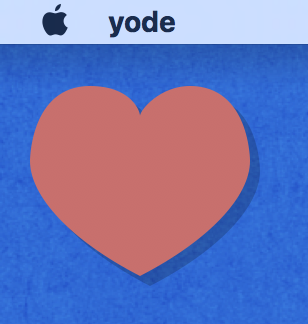 |
| 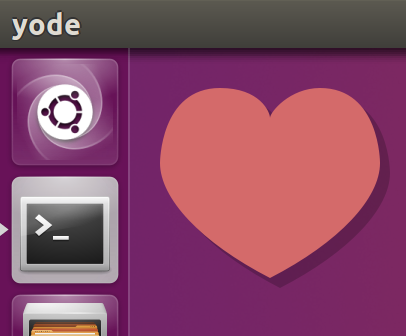 |
| 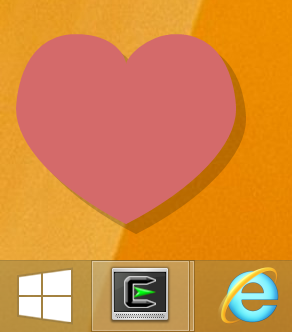 |
8 |
--------------------------------------------------------------------------------
/auto_height_edit/README.md:
--------------------------------------------------------------------------------
1 | # Auto height edit
2 |
3 | Automatically resizing window to text's size when changing text in TextEdit
4 |
5 | | macOS | Linux | Windows |
6 | | ----------------- | ----------------- | ----------------- |
7 | | ![][mac-edit] | ![][linux-edit] | ![][win-edit] |
8 |
9 | [mac-edit]: https://cdn.jsdelivr.net/gh/yue/yue-sample-apps@323b913/auto_height_edit/screenshots/mac_edit.png
10 | [linux-edit]: https://cdn.jsdelivr.net/gh/yue/yue-sample-apps@323b913/auto_height_edit/screenshots/linux_edit.png
11 | [win-edit]: https://cdn.jsdelivr.net/gh/yue/yue-sample-apps@323b913/auto_height_edit/screenshots/win_edit.png
12 |
13 |
--------------------------------------------------------------------------------
/drag_destination/README.md:
--------------------------------------------------------------------------------
1 | # Drag destination
2 |
3 | Demonstrates how to deal with dragged data.
4 |
5 | | macOS | Linux | Windows |
6 | | ----------------- | ----------------- | ----------------- |
7 | | ![][mac-dropping] | ![][linux-dropping] | ![][win-dropping] |
8 |
9 | [mac-dropping]: https://cdn.jsdelivr.net/gh/yue/yue-sample-apps@a29ec83/drag_destination/screenshots/mac_dropping.png
10 | [linux-dropping]: https://cdn.jsdelivr.net/gh/yue/yue-sample-apps@a29ec83/drag_destination/screenshots/linux_dropping.png
11 | [win-dropping]: https://cdn.jsdelivr.net/gh/yue/yue-sample-apps@a29ec83/drag_destination/screenshots/win_dropping.png
12 |
--------------------------------------------------------------------------------
/auto_height_edit/js/edit.js:
--------------------------------------------------------------------------------
1 | const gui = require('gui')
2 |
3 | global.win = gui.Window.create({})
4 | win.onClose = () => gui.MessageLoop.quit()
5 |
6 | const edit = gui.TextEdit.create()
7 | edit.setStyle({flex: 1})
8 | win.setContentView(edit)
9 |
10 | // Calculate height for 1 and 20 lines.
11 | edit.setText('1')
12 | const minHeight = edit.getTextBounds().height
13 | edit.setText('1' + '\n1'.repeat(19))
14 | const maxHeight = edit.getTextBounds().height
15 | edit.setText('')
16 |
17 | // Automatically change window size for the text edit view.
18 | edit.onTextChange = () => {
19 | let height = edit.getTextBounds().height
20 | if (height < minHeight)
21 | height = minHeight
22 | else if (height > maxHeight)
23 | height = maxHeight
24 | const size = win.getContentSize()
25 | if (height != size.height) {
26 | size.height = height
27 | win.setContentSize(size)
28 | }
29 | }
30 |
31 | win.setContentSize({width: 200, height: minHeight})
32 | win.center()
33 | win.activate()
34 | edit.focus()
35 |
36 | if (!process.versions.yode) {
37 | gui.MessageLoop.run()
38 | process.exit(0)
39 | }
40 |
--------------------------------------------------------------------------------
/floating_heart/js/heart.js:
--------------------------------------------------------------------------------
1 | const gui = require('gui')
2 |
3 | global.win = gui.Window.create({frame: false, transparent: true})
4 | win.setAlwaysOnTop(true)
5 | win.setContentSize({width: 150, height: 130})
6 | win.onClose = () => gui.MessageLoop.quit()
7 |
8 | const contentview = gui.Container.create()
9 | contentview.setMouseDownCanMoveWindow(true)
10 | win.setContentView(contentview)
11 |
12 | function drawHeart(painter) {
13 | painter.beginPath()
14 | painter.moveTo({x: 75, y: 40})
15 | painter.bezierCurveTo({x: 75, y: 37}, {x: 70, y: 25}, {x: 50, y: 25})
16 | painter.bezierCurveTo({x: 20, y: 25}, {x: 20, y: 62.5}, {x: 20, y: 62.5})
17 | painter.bezierCurveTo({x: 20, y: 80}, {x: 40, y: 102}, {x: 75, y: 120})
18 | painter.bezierCurveTo({x: 110, y: 102}, {x: 130, y: 80}, {x: 130, y: 62.5})
19 | painter.bezierCurveTo({x: 130, y: 62.5}, {x: 130, y: 25}, {x: 100, y: 25})
20 | painter.bezierCurveTo({x: 85, y: 25}, {x: 75, y: 37}, {x: 75, y: 40})
21 | painter.fill()
22 | }
23 |
24 | contentview.onDraw = (self, painter) => {
25 | painter.setFillColor('#3000')
26 | drawHeart(painter)
27 | painter.translate({x: -5, y: -5})
28 | painter.setFillColor('#D46A6A')
29 | drawHeart(painter)
30 | }
31 |
32 | win.center()
33 | win.activate()
34 |
35 | if (!process.versions.yode) {
36 | gui.MessageLoop.run()
37 | process.exit(0)
38 | }
39 |
--------------------------------------------------------------------------------
/table/js/table.js:
--------------------------------------------------------------------------------
1 | const gui = require('gui')
2 |
3 | global.win = gui.Window.create({})
4 | win.setContentSize({width: 400, height: 400})
5 | win.onClose = () => gui.MessageLoop.quit()
6 |
7 | const model = gui.AbstractTableModel.create(3)
8 | model.getRowCount = (self) => {
9 | return 10000
10 | }
11 |
12 | const editedText = {}
13 | model.getValue = (self, column, row) => {
14 | if (column == 0) {
15 | return String(row)
16 | } else if (column == 1) {
17 | if (editedText[row])
18 | return editedText[row]
19 | else
20 | return `Edit Me ${row}`
21 | } else if (column == 2) {
22 | const r = (row % 5) * 40 + (row % 55) * 1
23 | const g = (row % 4) * 40 + (row % 20) * 4
24 | const b = (row % 3) * 40 + (row % 10) * 13
25 | return {name: `rgb(${r}, ${g}, ${b})`, value: gui.Color.rgb(r, g, b)}
26 | }
27 | }
28 | model.setValue = (self, column, row, value) => {
29 | if (column == 1)
30 | editedText[row] = value
31 | }
32 |
33 | const onDraw = (painter, rect, value) => {
34 | painter.setFillColor(value.value)
35 | painter.fillRect(rect)
36 | painter.drawText(value.name, rect, {color: '#FFF'})
37 | }
38 |
39 | const table = gui.Table.create()
40 | table.addColumnWithOptions('ID', {width: 40})
41 | table.addColumnWithOptions('Editable Text', {type: 'edit', width: 100})
42 | table.addColumnWithOptions('Custom Color', {type: 'custom', onDraw})
43 | table.setModel(model)
44 |
45 | win.setContentView(table)
46 |
47 | win.center()
48 | win.activate()
49 |
50 | if (!process.versions.yode) {
51 | gui.MessageLoop.run()
52 | process.exit(0)
53 | }
54 |
--------------------------------------------------------------------------------
/table/lua/table.lua:
--------------------------------------------------------------------------------
1 | local gui = require('yue.gui')
2 |
3 | local win = gui.Window.create({})
4 | win:setcontentsize({width = 400, height = 400})
5 | win.onclose = function() gui.MessageLoop.quit() end
6 |
7 | local model = gui.AbstractTableModel.create(3)
8 | function model.getrowcount(self)
9 | return 10000
10 | end
11 |
12 | local editedText = {}
13 | function model.getvalue(self, column, row)
14 | if (column == 1) then
15 | return tostring(row)
16 | elseif (column == 2) then
17 | if (editedText[row]) then
18 | return editedText[row]
19 | else
20 | return 'Edit Me ' .. row
21 | end
22 | elseif (column == 3) then
23 | local r = (row % 5) * 40 + (row % 55) * 1
24 | local g = (row % 4) * 40 + (row % 20) * 4
25 | local b = (row % 3) * 40 + (row % 10) * 13
26 | return {name = 'rgb(' .. r .. ', ' .. g .. ', ' .. b .. ')', value = gui.Color.rgb(r, g, b)}
27 | end
28 | end
29 | function model.setvalue(self, column, row, value)
30 | print('setValue', column, row, value)
31 | if (column == 2) then
32 | editedText[row] = value
33 | elseif (column == 3) then
34 | editedCheckbox[row] = value
35 | end
36 | end
37 |
38 | local ondraw = function(painter, rect, value)
39 | painter:setfillcolor(value.value)
40 | painter:fillrect(rect)
41 | painter:drawtext(value.name, rect, {color = '#FFF'})
42 | end
43 |
44 | local table = gui.Table.create()
45 | table:addcolumnwithoptions('ID', {width = 40})
46 | table:addcolumnwithoptions('Editable Text', {type = 'edit', width = 100})
47 | table:addcolumnwithoptions('Custom Color', {type = 'custom', ondraw = ondraw})
48 | table:setmodel(model)
49 |
50 | local contentView = gui.Container.create()
51 | table:setstyle({margin = 10, flex = 1})
52 | table:sethasborder(true)
53 | contentView:addchildview(table)
54 |
55 | win:setcontentview(contentView)
56 |
57 | win:center()
58 | win:activate()
59 |
60 | gui.MessageLoop.run()
61 |
--------------------------------------------------------------------------------
/drag_source/js/drag.js:
--------------------------------------------------------------------------------
1 | const gui = require('gui')
2 | const path = require('path')
3 |
4 | // Create window and controls.
5 | global.win = gui.Window.create({})
6 | win.setContentSize({width: 240, height: 120})
7 | win.onClose = () => gui.MessageLoop.quit()
8 |
9 | const contentView = gui.Container.create()
10 | contentView.setStyle({flexDirection: 'row'})
11 | contentView.setBackgroundColor('#FFF')
12 | win.setContentView(contentView)
13 |
14 | const drag = gui.Container.create()
15 | drag.setStyle({width: 100, margin: 10})
16 | drag.setMouseDownCanMoveWindow(false)
17 | contentView.addChildView(drag)
18 |
19 | const drop = gui.Container.create()
20 | drop.setStyle({flex: 1, margin: 10})
21 | contentView.addChildView(drop)
22 |
23 | // The image that will be used as drag data.
24 | const pngPath = path.resolve('..', 'drag.png')
25 | const image = gui.Image.createFromPath(pngPath)
26 |
27 | // Handle dragging.
28 | drag.onDraw = (self, painter) => {
29 | const rect = self.getBounds()
30 | rect.x = 0
31 | rect.y = 0
32 | painter.drawImage(image, rect)
33 | }
34 | drag.onMouseDown = (self) => {
35 | self.doDragWithOptions([{type: 'file-paths', value: [pngPath]},
36 | {type: 'image', value: image}],
37 | gui.DraggingInfo.dragOperationCopy,
38 | {image})
39 | return true
40 | }
41 |
42 | // Drawing the dragged data.
43 | let data = {type: 'none', value: null}
44 | drop.onDraw = (self, painter) => {
45 | painter.setColor('#F23')
46 | const rect = self.getBounds()
47 | rect.x = 0
48 | rect.y = 0
49 | painter.strokeRect(rect)
50 |
51 | rect.x = rect.y = 1
52 | rect.width -= 2
53 | rect.height -= 2
54 | if (data.type == 'image')
55 | painter.drawImage(data.value, rect)
56 | else
57 | painter.drawText('Drag image here', rect,
58 | {color: '#999', align: 'center', valign: 'center'})
59 | }
60 |
61 | // Handle dropping.
62 | drop.registerDraggedTypes(['image'])
63 | drop.handleDragEnter = (self, info, point) => {
64 | return gui.DraggingInfo.dragOperationCopy
65 | }
66 | drop.handleDrop = (self, info, point) => {
67 | data = info.getData('image')
68 | self.schedulePaint()
69 | return true
70 | }
71 |
72 | win.center()
73 | win.activate()
74 |
--------------------------------------------------------------------------------
/drag_source/lua/drag.lua:
--------------------------------------------------------------------------------
1 | local gui = require('yue.gui')
2 |
3 | -- Create window and controls.
4 | local win = gui.Window.create{}
5 | win:setcontentsize{width=240, height=120}
6 |
7 | function win.onclose()
8 | gui.MessageLoop.quit()
9 | end
10 |
11 | local contentView = gui.Container.create()
12 | contentView:setstyle{flexDirection='row'}
13 | contentView:setbackgroundcolor('#FFF')
14 | win:setcontentview(contentView)
15 |
16 | local drag = gui.Container.create()
17 | drag:setstyle{width=100, margin=10}
18 | drag:setmousedowncanmovewindow(false)
19 | contentView:addchildview(drag)
20 |
21 | local drop = gui.Container.create()
22 | drop:setstyle{flex=1, margin=10}
23 | contentView:addchildview(drop)
24 |
25 | -- The image that will be used as drag data.
26 | local pngPath = '../drag.png'
27 | local image = gui.Image.createfrompath(pngPath)
28 |
29 | -- Handle dragging.
30 | function drag.ondraw(self, painter)
31 | local rect = self:getbounds()
32 | rect.x = 0
33 | rect.y = 0
34 | painter:drawimage(image, rect)
35 | end
36 |
37 | function drag.onmousedown(self)
38 | self:dodragwithoptions({{type='file-paths', value={pngPath}},
39 | {type='image', value=image}},
40 | gui.DraggingInfo.dragoperationcopy,
41 | {image=image})
42 | return true
43 | end
44 |
45 | -- Drawing the dragged data.
46 | local data = {type='none', value=null}
47 | function drop.ondraw(self, painter)
48 | painter:setcolor('#F23')
49 | local rect = self:getbounds()
50 | rect.x = 0
51 | rect.y = 0
52 | painter:strokerect(rect)
53 |
54 | rect.x = 1
55 | rect.y = 1
56 | rect.width = rect.width - 2
57 | rect.height = rect.height - 2
58 | if data.type == 'image' then
59 | painter:drawimage(data.value, rect)
60 | else
61 | painter:drawtext('Drag image here', rect,
62 | {color='#999', align='center', valign='center'})
63 | end
64 | end
65 |
66 | -- Handle dropping.
67 | drop:registerdraggedtypes({'image'})
68 | function drop.handledragenter(self, info, point)
69 | return gui.DraggingInfo.dragoperationcopy
70 | end
71 |
72 | function drop.handledrop(self, info, point)
73 | data = info:getdata('image')
74 | self:schedulepaint()
75 | return true
76 | end
77 |
78 | win:center()
79 | win:activate()
80 |
81 | -- Enter message loop.
82 | gui.MessageLoop.run()
83 |
--------------------------------------------------------------------------------
/drag_destination/js/main.js:
--------------------------------------------------------------------------------
1 | const gui = require('gui')
2 |
3 | // Create window and controls.
4 | global.win = gui.Window.create({})
5 | win.setContentSize({width: 400, height: 400})
6 | win.onClose = () => gui.MessageLoop.quit()
7 |
8 | const contentView = gui.Container.create()
9 | contentView.setBackgroundColor('#FFF')
10 | win.setContentView(contentView)
11 |
12 | const drop = gui.Container.create()
13 | drop.setStyle({flex: 1, margin: 10})
14 | contentView.addChildView(drop)
15 |
16 | // Drawing the dragged data.
17 | let isDragging = false
18 | let data = {type: 'none', value: null}
19 | drop.onDraw = (self, painter) => {
20 | painter.setColor(isDragging ? '#F23' : '#A89')
21 | const rect = self.getBounds()
22 | rect.x = 0
23 | rect.y = 0
24 | painter.strokeRect(rect)
25 |
26 | rect.x = rect.y = 1
27 | rect.width -= 2
28 | rect.height -= 2
29 | switch (data.type) {
30 | case 'file-paths':
31 | painter.drawText(data.value.join('\n'), rect, {})
32 | break
33 | case 'html':
34 | case 'text':
35 | painter.drawText(data.value, rect, {})
36 | break
37 | case 'image':
38 | painter.drawImage(data.value, rect)
39 | break
40 | default:
41 | painter.drawText('Please drag things here', rect,
42 | {color: '#999', align: 'center', valign: 'center'})
43 | break
44 | }
45 | }
46 |
47 | // Handle dropping.
48 | drop.registerDraggedTypes(['file-paths', 'html', 'text', 'image'])
49 | drop.handleDragEnter = (self, info, point) => {
50 | isDragging = true
51 | drop.schedulePaint()
52 | return gui.DraggingInfo.dragOperationCopy
53 | }
54 | drop.onDragLeave = () => {
55 | isDragging = false
56 | drop.schedulePaint()
57 | }
58 | drop.handleDrop = (self, info, point) => {
59 | data = info.getData('file-paths')
60 | // If dragging a single image, draw the image directly.
61 | if (data.value && data.value.length == 1) {
62 | const image = gui.Image.createFromPath(data.value[0])
63 | if (image.getSize().width > 1)
64 | data = {type: 'image', value: image}
65 | }
66 |
67 | // Try other types.
68 | if (!data.value)
69 | data = info.getData('html')
70 | if (!data.value)
71 | data = info.getData('text')
72 | if (!data.value)
73 | data = info.getData('image')
74 | drop.schedulePaint()
75 | return true
76 | }
77 |
78 | win.center()
79 | win.activate()
80 |
--------------------------------------------------------------------------------
/browser/lua/browser.lua:
--------------------------------------------------------------------------------
1 | local gui = require('yue.gui')
2 |
3 | -- Create window.
4 | win = gui.Window.create{}
5 | win.onclose = function() gui.MessageLoop.quit() end
6 | win:setcontentsize{width=500, height=500}
7 |
8 | -- Create controls and set layout.
9 | local contentview = gui.Container.create()
10 | win:setcontentview(contentview)
11 | local toolbar = gui.Container.create()
12 | toolbar:setstyle{flexdirection='row', padding=5}
13 | contentview:addchildview(toolbar)
14 | local back = gui.Button.create('<')
15 | back:setenabled(false)
16 | toolbar:addchildview(back)
17 | local forward = gui.Button.create('>')
18 | forward:setenabled(false)
19 | forward:setstyle{marginright=5}
20 | toolbar:addchildview(forward)
21 | local refresh = gui.Button.create('S')
22 | refresh:setstyle{width=20, marginright=5}
23 | toolbar:addchildview(refresh)
24 | local addressbar = gui.Entry.create()
25 | addressbar:setstyle{flex=1}
26 | toolbar:addchildview(addressbar)
27 | local go = gui.Button.create('GO')
28 | go:setstyle{marginleft=5}
29 | toolbar:addchildview(go)
30 | local browser = gui.Browser.create{contextmenu=true}
31 | browser:setstyle{flex=1}
32 | contentview:addchildview(browser)
33 |
34 | -- Bind browser events to toolbar.
35 | browser.onchangeloading = function(self)
36 | if browser:isloading() then
37 | refresh:settitle('S')
38 | else
39 | refresh:settitle('R')
40 | end
41 | end
42 |
43 | browser.onupdatecommand = function(self)
44 | back:setenabled(browser:cangoback())
45 | forward:setenabled(browser:cangoforward())
46 | addressbar:settext(browser:geturl())
47 | end
48 |
49 | browser.onupdatetitle = function(self, title)
50 | win:settitle(title)
51 | end
52 |
53 | browser.oncommitnavigation = function(self, url)
54 | addressbar:settext(url)
55 | end
56 |
57 | browser.onfinishnavigation = function(self, url)
58 | browser:focus()
59 | end
60 |
61 | -- Bind toolbar events to browser.
62 | addressbar.onactivate = function(self)
63 | browser:loadurl(self:gettext())
64 | end
65 |
66 | back.onclick = function(self)
67 | browser:goback()
68 | end
69 |
70 | forward.onclick = function(self)
71 | browser:goforward()
72 | end
73 |
74 | refresh.onclick = function(self)
75 | if browser:isloading() then
76 | browser:stop()
77 | else
78 | browser:reload()
79 | end
80 | end
81 |
82 | go.onclick = function(self)
83 | browser:loadurl(addressbar:gettext())
84 | end
85 |
86 | -- Load URL.
87 | browser:loadurl('https://github.com/yue/yue')
88 |
89 | -- Show window.
90 | win:center()
91 | win:activate()
92 |
93 | gui.MessageLoop.run()
94 |
--------------------------------------------------------------------------------
/editor/js/editor.js:
--------------------------------------------------------------------------------
1 | const fs = require('fs')
2 | const path = require('path')
3 | const gui = require('gui')
4 |
5 | const menu = gui.MenuBar.create([
6 | {
7 | label: 'File',
8 | submenu: [
9 | {
10 | label: 'Quit',
11 | accelerator: 'CmdOrCtrl+Q',
12 | onClick: () => gui.MessageLoop.quit()
13 | },
14 | ],
15 | },
16 | {
17 | label: 'Edit',
18 | submenu: [
19 | { role: 'copy' },
20 | { role: 'cut' },
21 | { role: 'paste' },
22 | { role: 'select-all' },
23 | { type: 'separator' },
24 | { role: 'undo' },
25 | { role: 'redo' },
26 | ],
27 | },
28 | ])
29 |
30 | global.win = gui.Window.create({})
31 | win.setContentSize({width: 400, height: 400})
32 | win.onClose = () => gui.MessageLoop.quit()
33 |
34 | const contentView = gui.Container.create()
35 | contentView.setStyle({flexDirection: 'row'})
36 | win.setContentView(contentView)
37 |
38 | let sidebar
39 | if (process.platform == 'darwin2') {
40 | sidebar = gui.Vibrant.create()
41 | sidebar.setBlendingMode('behind-window')
42 | sidebar.setMaterial('dark')
43 | } else {
44 | sidebar = gui.Container.create()
45 | }
46 | sidebar.setStyle({padding: 5})
47 | contentView.addChildView(sidebar)
48 |
49 | const edit = gui.TextEdit.create()
50 | contentView.setBackgroundColor('#F00')
51 | edit.setStyle({flex: 1})
52 | contentView.addChildView(edit)
53 |
54 | let filename
55 | let folder
56 |
57 | const open = gui.Button.create('')
58 | open.setImage(gui.Image.createFromPath(__dirname + '/eopen@2x.png'))
59 | open.setStyle({marginBottom: 5})
60 | open.onClick = () => {
61 | const dialog = gui.FileOpenDialog.create()
62 | dialog.setOptions(gui.FileDialog.optionShowHidden)
63 | dialog.setFilters([
64 | { description: 'All Files', extensions: ['*'] },
65 | { description: 'JavaScript Files', extensions: ['js'] },
66 | ])
67 | if (dialog.runForWindow(win)) {
68 | const p = dialog.getResult()
69 | folder = path.dirname(p)
70 | filename = path.basename(p)
71 | edit.setText(String(fs.readFileSync(p)))
72 | edit.focus()
73 | win.setTitle(filename)
74 | }
75 | }
76 | sidebar.addChildView(open)
77 |
78 | const save = gui.Button.create('')
79 | save.setImage(gui.Image.createFromPath(__dirname + '/esave@2x.png'))
80 | save.onClick = () => {
81 | if (!folder)
82 | return
83 | const dialog = gui.FileSaveDialog.create()
84 | dialog.setFolder(folder)
85 | dialog.setFilename(filename)
86 | if (dialog.runForWindow(win)) {
87 | fs.writeFileSync(String(dialog.getResult()), edit.getText())
88 | }
89 | }
90 | sidebar.addChildView(save)
91 |
92 | sidebar.setStyle({width: sidebar.getPreferredSize().width})
93 |
94 | if (process.platform == 'darwin')
95 | gui.app.setApplicationMenu(menu)
96 | else
97 | win.setMenuBar(menu)
98 |
99 | win.center()
100 | win.activate()
101 |
102 | if (!process.versions.yode) {
103 | gui.MessageLoop.run()
104 | process.exit(0)
105 | }
106 |
--------------------------------------------------------------------------------
/drag_source/cpp/main.cc:
--------------------------------------------------------------------------------
1 | // This file is published under public domain.
2 |
3 | #include "base/command_line.h"
4 | #include "base/files/file_path.h"
5 | #include "nativeui/nativeui.h"
6 |
7 | #if defined(OS_WIN)
8 | int WINAPI WinMain(HINSTANCE, HINSTANCE, LPSTR, int) {
9 | base::CommandLine::Init(0, nullptr);
10 | #else
11 | int main(int argc, const char *argv[]) {
12 | base::CommandLine::Init(argc, argv);
13 | #endif
14 |
15 | // Intialize GUI toolkit.
16 | nu::Lifetime lifetime;
17 |
18 | // Initialize the global instance of nativeui.
19 | nu::State state;
20 |
21 | // Create win and controls.
22 | scoped_refptr win(new nu::Window(nu::Window::Options()));
23 | win->SetContentSize(nu::SizeF(240, 120));
24 | win->on_close.Connect([](nu::Window*) {
25 | nu::MessageLoop::Quit();
26 | });
27 |
28 | nu::Container* content_view = new nu::Container;
29 | content_view->SetStyle("flexDirection", "row");
30 | content_view->SetBackgroundColor(nu::Color("#FFF"));
31 | win->SetContentView(content_view);
32 |
33 | nu::Container* drag = new nu::Container;
34 | drag->SetStyle("width", 100, "margin", 10);
35 | drag->SetMouseDownCanMoveWindow(false);
36 | content_view->AddChildView(drag);
37 |
38 | nu::Container* drop = new nu::Container;
39 | drop->SetStyle("flex", 1, "margin", 10);
40 | content_view->AddChildView(drop);
41 |
42 | win->Center();
43 | win->Activate();
44 |
45 | // The image that will be used as drag data.
46 | base::FilePath png_path(FILE_PATH_LITERAL("../drag.png"));
47 | scoped_refptr image(new nu::Image(png_path));
48 |
49 | // Handle dragging.
50 | drag->on_draw.Connect([&image](nu::View* self, nu::Painter* painter, const nu::RectF&) {
51 | nu::RectF rect = self->GetBounds();
52 | rect.set_x(0);
53 | rect.set_y(0);
54 | painter->DrawImage(image.get(), rect);
55 | });
56 | drag->on_mouse_down.Connect([&png_path, &image](nu::View* self, const nu::MouseEvent&) {
57 | std::vector data;
58 | data.emplace_back(std::vector({png_path}));
59 | data.emplace_back(image.get());
60 | self->DoDragWithOptions(std::move(data), nu::DRAG_OPERATION_COPY, nu::DragOptions(image.get()));
61 | return true;
62 | });
63 |
64 | // Drawing the dragged data.
65 | nu::Clipboard::Data data;
66 | drop->on_draw.Connect([&data](nu::View* self, nu::Painter* painter, const nu::RectF&) {
67 | painter->SetColor(nu::Color("#F23"));
68 | nu::RectF rect = self->GetBounds();
69 | rect.set_x(0);
70 | rect.set_y(0);
71 | painter->StrokeRect(rect);
72 |
73 | rect.set_x(1);
74 | rect.set_y(1);
75 | rect.set_width(rect.width() - 2);
76 | rect.set_height(rect.height() - 2);
77 | if (data.type() == nu::Clipboard::Data::Type::Image) {
78 | painter->DrawImage(data.image(), rect);
79 | } else {
80 | nu::TextAttributes attributes;
81 | attributes.color = nu::Color("#999");
82 | attributes.align = nu::TextAlign::Center;
83 | attributes.valign = nu::TextAlign::Center;
84 | painter->DrawText("Drag image here", rect, attributes);
85 | }
86 | });
87 |
88 | // Handle dropping.
89 | drop->RegisterDraggedTypes({nu::Clipboard::Data::Type::Image});
90 | drop->handle_drag_enter = [](nu::View*, nu::DraggingInfo*, const nu::PointF&) {
91 | return nu::DRAG_OPERATION_COPY;
92 | };
93 | drop->handle_drop = [&data](nu::View* self, nu::DraggingInfo* info, const nu::PointF&) {
94 | data = info->GetData(nu::Clipboard::Data::Type::Image);
95 | self->SchedulePaint();
96 | return true;
97 | };
98 |
99 | // Enter message loop.
100 | nu::MessageLoop::Run();
101 |
102 | return 0;
103 | }
104 |
--------------------------------------------------------------------------------
/drawing/lua/drawing.lua:
--------------------------------------------------------------------------------
1 | local gui = require('yue.gui')
2 |
3 | function draw_example1(painter)
4 | for i=0, 5, 1 do
5 | for j=0, 5, 1 do
6 | painter:setfillcolor(gui.Color.argb(255,
7 | math.floor(255 - 42.5 * i),
8 | math.floor(255 - 42.5 * j),
9 | 0))
10 | painter:fillrect(j * 25, i * 25, 25, 25)
11 | end
12 | end
13 | end
14 |
15 | function draw_example2(painter)
16 | painter:setstrokecolor('#550000')
17 | painter:setfillcolor('#D46A6A')
18 | painter:beginpath()
19 | painter:moveto(25, 25)
20 | painter:lineto(105, 25)
21 | painter:lineto(25, 105)
22 | painter:closepath()
23 | painter:fill()
24 | painter:beginpath()
25 | painter:moveto(125, 125)
26 | painter:lineto(125, 45)
27 | painter:lineto(45, 125)
28 | painter:closepath()
29 | painter:stroke()
30 | end
31 |
32 | function draw_example3(painter)
33 | painter:beginpath()
34 | painter:moveto(75, 40)
35 | painter:beziercurveto({x=75, y=37}, {x=70, y=25}, {x=50, y=25})
36 | painter:beziercurveto({x=20, y=25}, {x=20, y=62.5}, {x=20, y=62.5})
37 | painter:beziercurveto({x=20, y=80}, {x=40, y=102}, {x=75, y=120})
38 | painter:beziercurveto({x=110, y=102}, {x=130, y=80}, {x=130, y=62.5})
39 | painter:beziercurveto({x=130, y=62.5}, {x=130, y=25}, {x=100, y=25})
40 | painter:beziercurveto({x=85, y=25}, {x=75, y=37}, {x=75, y=40})
41 | painter:fill()
42 | end
43 |
44 | function draw_example4(painter)
45 | painter:beginpath()
46 | painter:arc({x=75, y=75}, 50, 0, math.pi * 2)
47 | painter:moveto(110, 75)
48 | painter:arc({x=75, y=75}, 35, 0, math.pi)
49 | painter:moveto(65, 65)
50 | painter:arc({x=60, y=65}, 5, 0, math.pi * 2)
51 | painter:moveto(95, 65)
52 | painter:arc({x=90, y=65}, 5, 0, math.pi * 2)
53 | painter:stroke()
54 | end
55 |
56 | function draw_example5(painter)
57 | painter:save()
58 | painter:cliprect(0, 0, 150, 150)
59 |
60 | rounded_rect(painter, {x=12, y=12, width=150, height=150}, 15)
61 | rounded_rect(painter, {x=19, y=19, width=150, height=150}, 9)
62 | rounded_rect(painter, {x=53, y=53, width=49, height=33}, 10)
63 | rounded_rect(painter, {x=53, y=119, width=49, height=16}, 6)
64 | rounded_rect(painter, {x=135, y=53, width=49, height=33}, 10)
65 | rounded_rect(painter, {x=135, y=119, width=25, height=49}, 10)
66 |
67 | painter:setfillcolor('#000')
68 | painter:beginpath()
69 | painter:arc({x=37, y=37}, 13, math.pi / 7, -math.pi / 7)
70 | painter:lineto(31, 37)
71 | painter:fill()
72 |
73 | for i=0, 7, 1 do
74 | painter:fillrect(51 + i * 16, 35, 4, 4)
75 | end
76 |
77 | for i=0, 5, 1 do
78 | painter:fillrect(115, 51 + i * 16, 4, 4)
79 | end
80 |
81 | for i=0, 7, 1 do
82 | painter:fillrect(51 + i * 16, 99, 4, 4)
83 | end
84 |
85 | painter:beginpath()
86 | painter:moveto(83, 116)
87 | painter:lineto(83, 102)
88 | painter:beziercurveto({x=83, y=94}, {x=89, y=88}, {x=97, y=88})
89 | painter:beziercurveto({x=105, y=88}, {x=111, y=94}, {x=111, y=102})
90 | painter:lineto(111, 116)
91 | painter:lineto(106.333, 111.333)
92 | painter:lineto(101.666, 116)
93 | painter:lineto(97, 111.333)
94 | painter:lineto(92.333, 116)
95 | painter:lineto(87.666, 111.333)
96 | painter:lineto(83, 116)
97 | painter:fill()
98 |
99 | painter:setfillcolor('#FFF')
100 | painter:beginpath()
101 | painter:moveto(91, 96)
102 | painter:beziercurveto({x=88, y=96}, {x=87, y=99}, {x=87, y=101})
103 | painter:beziercurveto({x=87, y=103}, {x=88, y=106}, {x=91, y=106})
104 | painter:beziercurveto({x=94, y=106}, {x=95, y=103}, {x=95, y=101})
105 | painter:beziercurveto({x=95, y=99}, {x=94, y=96}, {x=91, y=96})
106 | painter:moveto(103, 96)
107 | painter:beziercurveto({x=100, y=96}, {x=99, y=99}, {x=99, y=101})
108 | painter:beziercurveto({x=99, y=103}, {x=100, y=106}, {x=103, y=106})
109 | painter:beziercurveto({x=106, y=106}, {x=107, y=103}, {x=107, y=101})
110 | painter:beziercurveto({x=107, y=99}, {x=106, y=96}, {x=103, y=96})
111 | painter:fill()
112 |
113 | painter:setfillcolor('#000')
114 | painter:beginpath()
115 | painter:arc({x=101, y=102}, 2, 0, math.pi * 2, true)
116 | painter:fill()
117 |
118 | painter:beginpath()
119 | painter:arc({x=89, y=102}, 2, 0, math.pi * 2, true)
120 | painter:fill()
121 |
122 | painter:restore()
123 | end
124 |
125 | function rounded_rect(painter, r, radius)
126 | painter:beginpath()
127 | local degrees = math.pi / 180
128 | painter:arc({x=r.x + r.width - radius, y=r.y + radius},
129 | radius, -90 * degrees, 0)
130 | painter:arc({x=r.x + r.width - radius, y=r.y + r.height - radius},
131 | radius, 0, 90 * degrees)
132 | painter:arc({x=r.x + radius, y=r.y + r.height - radius},
133 | radius, 90 * degrees, 180 * degrees)
134 | painter:arc({x=r.x + radius, y=r.y + radius},
135 | radius, 180 * degrees, 270 * degrees)
136 | painter:closepath()
137 | painter:stroke()
138 | end
139 |
140 | function draw_example6(painter)
141 | painter:save()
142 | painter:rotate(math.pi / 4)
143 | local text = gui.AttributedText.create("draw example 6", {align='center'})
144 | local bounds = text:getboundsfor{width=150, height=150}
145 | bounds.x = 75
146 | bounds.y = 0
147 | painter:strokerect(bounds)
148 | painter:drawattributedtext(text, bounds)
149 | painter:restore()
150 | end
151 |
152 | function draw_example7(painter)
153 | local text = gui.AttributedText.create("draw example 7", {align='center'})
154 | text:setfont(gui.Font.create('Arial', 18, 'normal', 'normal'))
155 | local bounds = text:getboundsfor{width=150, height=150}
156 | bounds.x = (150 - bounds.width) / 2
157 | bounds.y = 75 - bounds.height
158 | painter:drawattributedtext(text, bounds)
159 | painter:save()
160 | painter:scale(1, -1)
161 | bounds.y = -150 + bounds.y
162 | text:setcolor('#888')
163 | painter:drawattributedtext(text, bounds)
164 | painter:restore()
165 | end
166 |
167 | function draw_example8(painter)
168 | local bounds = {x=10, y=10, width=130, height=130}
169 | rounded_rect(painter, bounds, 3)
170 | painter:drawtext("aaa", bounds, {align='start', valign='start'})
171 | painter:drawtext("bbb", bounds, {align='end', valign='start'})
172 | painter:drawtext("ccc", bounds, {align='start', valign='end'})
173 | painter:drawtext("ddd", bounds, {align='end', valign='end'})
174 | painter:drawtext("eee", bounds, {align='center', valign='center'})
175 | end
176 |
177 | function draw_example9(painter)
178 | local frame = gui.Image.createfrompath('frame.png')
179 | local picture = gui.Image.createfrompath('rhino.jpg')
180 | painter:drawimagefromrect(picture,
181 | {x=33, y=71, width=104, height=124},
182 | {x=32, y=21, width=85, height=102})
183 | local bounds = frame:getsize()
184 | bounds.x = 10
185 | bounds.y = 0
186 | painter:drawimage(frame, bounds)
187 | end
188 |
189 | function draw_all(painter)
190 | draw_example1(painter)
191 | painter:translate(150, 0)
192 | draw_example2(painter)
193 | painter:translate(150, 0)
194 | draw_example3(painter)
195 | painter:translate(-300, 150)
196 | draw_example4(painter)
197 | painter:translate(150, 0)
198 | draw_example5(painter)
199 | painter:translate(150, 0)
200 | draw_example6(painter)
201 | painter:translate(-300, 150)
202 | draw_example7(painter)
203 | painter:translate(150, 0)
204 | draw_example8(painter)
205 | painter:translate(150, 0)
206 | draw_example9(painter)
207 | end
208 |
209 | -- Draw on canvas.
210 | local canvas = gui.Canvas.createformainscreen{width=450, height=450}
211 | draw_all(canvas:getpainter())
212 |
213 | -- Create window.
214 | win = gui.Window.create{}
215 | win.onclose = function() gui.MessageLoop.quit() end
216 | win:setcontentsize{width=500, height=500}
217 |
218 | local content = gui.Container.create()
219 | content:setbackgroundcolor('#FFF')
220 | content:setstyle{flexgrow = 1}
221 | win:setcontentview(content)
222 |
223 | -- Draw from canvas.
224 | function content.ondraw(self, painter, dirty)
225 | -- draw_all(painter)
226 | painter:drawcanvas(canvas, {x=25, y=25, width=450, height=450})
227 | -- painter:drawcanvasfromrect(canvas,
228 | -- {x=0, y=0, width=450, height=450},
229 | -- self:getlocalbounds())
230 | end
231 |
232 | win:center()
233 | win:activate()
234 |
235 | gui.MessageLoop.run()
236 |
--------------------------------------------------------------------------------
|
8 |
--------------------------------------------------------------------------------
/auto_height_edit/README.md:
--------------------------------------------------------------------------------
1 | # Auto height edit
2 |
3 | Automatically resizing window to text's size when changing text in TextEdit
4 |
5 | | macOS | Linux | Windows |
6 | | ----------------- | ----------------- | ----------------- |
7 | | ![][mac-edit] | ![][linux-edit] | ![][win-edit] |
8 |
9 | [mac-edit]: https://cdn.jsdelivr.net/gh/yue/yue-sample-apps@323b913/auto_height_edit/screenshots/mac_edit.png
10 | [linux-edit]: https://cdn.jsdelivr.net/gh/yue/yue-sample-apps@323b913/auto_height_edit/screenshots/linux_edit.png
11 | [win-edit]: https://cdn.jsdelivr.net/gh/yue/yue-sample-apps@323b913/auto_height_edit/screenshots/win_edit.png
12 |
13 |
--------------------------------------------------------------------------------
/drag_destination/README.md:
--------------------------------------------------------------------------------
1 | # Drag destination
2 |
3 | Demonstrates how to deal with dragged data.
4 |
5 | | macOS | Linux | Windows |
6 | | ----------------- | ----------------- | ----------------- |
7 | | ![][mac-dropping] | ![][linux-dropping] | ![][win-dropping] |
8 |
9 | [mac-dropping]: https://cdn.jsdelivr.net/gh/yue/yue-sample-apps@a29ec83/drag_destination/screenshots/mac_dropping.png
10 | [linux-dropping]: https://cdn.jsdelivr.net/gh/yue/yue-sample-apps@a29ec83/drag_destination/screenshots/linux_dropping.png
11 | [win-dropping]: https://cdn.jsdelivr.net/gh/yue/yue-sample-apps@a29ec83/drag_destination/screenshots/win_dropping.png
12 |
--------------------------------------------------------------------------------
/auto_height_edit/js/edit.js:
--------------------------------------------------------------------------------
1 | const gui = require('gui')
2 |
3 | global.win = gui.Window.create({})
4 | win.onClose = () => gui.MessageLoop.quit()
5 |
6 | const edit = gui.TextEdit.create()
7 | edit.setStyle({flex: 1})
8 | win.setContentView(edit)
9 |
10 | // Calculate height for 1 and 20 lines.
11 | edit.setText('1')
12 | const minHeight = edit.getTextBounds().height
13 | edit.setText('1' + '\n1'.repeat(19))
14 | const maxHeight = edit.getTextBounds().height
15 | edit.setText('')
16 |
17 | // Automatically change window size for the text edit view.
18 | edit.onTextChange = () => {
19 | let height = edit.getTextBounds().height
20 | if (height < minHeight)
21 | height = minHeight
22 | else if (height > maxHeight)
23 | height = maxHeight
24 | const size = win.getContentSize()
25 | if (height != size.height) {
26 | size.height = height
27 | win.setContentSize(size)
28 | }
29 | }
30 |
31 | win.setContentSize({width: 200, height: minHeight})
32 | win.center()
33 | win.activate()
34 | edit.focus()
35 |
36 | if (!process.versions.yode) {
37 | gui.MessageLoop.run()
38 | process.exit(0)
39 | }
40 |
--------------------------------------------------------------------------------
/floating_heart/js/heart.js:
--------------------------------------------------------------------------------
1 | const gui = require('gui')
2 |
3 | global.win = gui.Window.create({frame: false, transparent: true})
4 | win.setAlwaysOnTop(true)
5 | win.setContentSize({width: 150, height: 130})
6 | win.onClose = () => gui.MessageLoop.quit()
7 |
8 | const contentview = gui.Container.create()
9 | contentview.setMouseDownCanMoveWindow(true)
10 | win.setContentView(contentview)
11 |
12 | function drawHeart(painter) {
13 | painter.beginPath()
14 | painter.moveTo({x: 75, y: 40})
15 | painter.bezierCurveTo({x: 75, y: 37}, {x: 70, y: 25}, {x: 50, y: 25})
16 | painter.bezierCurveTo({x: 20, y: 25}, {x: 20, y: 62.5}, {x: 20, y: 62.5})
17 | painter.bezierCurveTo({x: 20, y: 80}, {x: 40, y: 102}, {x: 75, y: 120})
18 | painter.bezierCurveTo({x: 110, y: 102}, {x: 130, y: 80}, {x: 130, y: 62.5})
19 | painter.bezierCurveTo({x: 130, y: 62.5}, {x: 130, y: 25}, {x: 100, y: 25})
20 | painter.bezierCurveTo({x: 85, y: 25}, {x: 75, y: 37}, {x: 75, y: 40})
21 | painter.fill()
22 | }
23 |
24 | contentview.onDraw = (self, painter) => {
25 | painter.setFillColor('#3000')
26 | drawHeart(painter)
27 | painter.translate({x: -5, y: -5})
28 | painter.setFillColor('#D46A6A')
29 | drawHeart(painter)
30 | }
31 |
32 | win.center()
33 | win.activate()
34 |
35 | if (!process.versions.yode) {
36 | gui.MessageLoop.run()
37 | process.exit(0)
38 | }
39 |
--------------------------------------------------------------------------------
/table/js/table.js:
--------------------------------------------------------------------------------
1 | const gui = require('gui')
2 |
3 | global.win = gui.Window.create({})
4 | win.setContentSize({width: 400, height: 400})
5 | win.onClose = () => gui.MessageLoop.quit()
6 |
7 | const model = gui.AbstractTableModel.create(3)
8 | model.getRowCount = (self) => {
9 | return 10000
10 | }
11 |
12 | const editedText = {}
13 | model.getValue = (self, column, row) => {
14 | if (column == 0) {
15 | return String(row)
16 | } else if (column == 1) {
17 | if (editedText[row])
18 | return editedText[row]
19 | else
20 | return `Edit Me ${row}`
21 | } else if (column == 2) {
22 | const r = (row % 5) * 40 + (row % 55) * 1
23 | const g = (row % 4) * 40 + (row % 20) * 4
24 | const b = (row % 3) * 40 + (row % 10) * 13
25 | return {name: `rgb(${r}, ${g}, ${b})`, value: gui.Color.rgb(r, g, b)}
26 | }
27 | }
28 | model.setValue = (self, column, row, value) => {
29 | if (column == 1)
30 | editedText[row] = value
31 | }
32 |
33 | const onDraw = (painter, rect, value) => {
34 | painter.setFillColor(value.value)
35 | painter.fillRect(rect)
36 | painter.drawText(value.name, rect, {color: '#FFF'})
37 | }
38 |
39 | const table = gui.Table.create()
40 | table.addColumnWithOptions('ID', {width: 40})
41 | table.addColumnWithOptions('Editable Text', {type: 'edit', width: 100})
42 | table.addColumnWithOptions('Custom Color', {type: 'custom', onDraw})
43 | table.setModel(model)
44 |
45 | win.setContentView(table)
46 |
47 | win.center()
48 | win.activate()
49 |
50 | if (!process.versions.yode) {
51 | gui.MessageLoop.run()
52 | process.exit(0)
53 | }
54 |
--------------------------------------------------------------------------------
/table/lua/table.lua:
--------------------------------------------------------------------------------
1 | local gui = require('yue.gui')
2 |
3 | local win = gui.Window.create({})
4 | win:setcontentsize({width = 400, height = 400})
5 | win.onclose = function() gui.MessageLoop.quit() end
6 |
7 | local model = gui.AbstractTableModel.create(3)
8 | function model.getrowcount(self)
9 | return 10000
10 | end
11 |
12 | local editedText = {}
13 | function model.getvalue(self, column, row)
14 | if (column == 1) then
15 | return tostring(row)
16 | elseif (column == 2) then
17 | if (editedText[row]) then
18 | return editedText[row]
19 | else
20 | return 'Edit Me ' .. row
21 | end
22 | elseif (column == 3) then
23 | local r = (row % 5) * 40 + (row % 55) * 1
24 | local g = (row % 4) * 40 + (row % 20) * 4
25 | local b = (row % 3) * 40 + (row % 10) * 13
26 | return {name = 'rgb(' .. r .. ', ' .. g .. ', ' .. b .. ')', value = gui.Color.rgb(r, g, b)}
27 | end
28 | end
29 | function model.setvalue(self, column, row, value)
30 | print('setValue', column, row, value)
31 | if (column == 2) then
32 | editedText[row] = value
33 | elseif (column == 3) then
34 | editedCheckbox[row] = value
35 | end
36 | end
37 |
38 | local ondraw = function(painter, rect, value)
39 | painter:setfillcolor(value.value)
40 | painter:fillrect(rect)
41 | painter:drawtext(value.name, rect, {color = '#FFF'})
42 | end
43 |
44 | local table = gui.Table.create()
45 | table:addcolumnwithoptions('ID', {width = 40})
46 | table:addcolumnwithoptions('Editable Text', {type = 'edit', width = 100})
47 | table:addcolumnwithoptions('Custom Color', {type = 'custom', ondraw = ondraw})
48 | table:setmodel(model)
49 |
50 | local contentView = gui.Container.create()
51 | table:setstyle({margin = 10, flex = 1})
52 | table:sethasborder(true)
53 | contentView:addchildview(table)
54 |
55 | win:setcontentview(contentView)
56 |
57 | win:center()
58 | win:activate()
59 |
60 | gui.MessageLoop.run()
61 |
--------------------------------------------------------------------------------
/drag_source/js/drag.js:
--------------------------------------------------------------------------------
1 | const gui = require('gui')
2 | const path = require('path')
3 |
4 | // Create window and controls.
5 | global.win = gui.Window.create({})
6 | win.setContentSize({width: 240, height: 120})
7 | win.onClose = () => gui.MessageLoop.quit()
8 |
9 | const contentView = gui.Container.create()
10 | contentView.setStyle({flexDirection: 'row'})
11 | contentView.setBackgroundColor('#FFF')
12 | win.setContentView(contentView)
13 |
14 | const drag = gui.Container.create()
15 | drag.setStyle({width: 100, margin: 10})
16 | drag.setMouseDownCanMoveWindow(false)
17 | contentView.addChildView(drag)
18 |
19 | const drop = gui.Container.create()
20 | drop.setStyle({flex: 1, margin: 10})
21 | contentView.addChildView(drop)
22 |
23 | // The image that will be used as drag data.
24 | const pngPath = path.resolve('..', 'drag.png')
25 | const image = gui.Image.createFromPath(pngPath)
26 |
27 | // Handle dragging.
28 | drag.onDraw = (self, painter) => {
29 | const rect = self.getBounds()
30 | rect.x = 0
31 | rect.y = 0
32 | painter.drawImage(image, rect)
33 | }
34 | drag.onMouseDown = (self) => {
35 | self.doDragWithOptions([{type: 'file-paths', value: [pngPath]},
36 | {type: 'image', value: image}],
37 | gui.DraggingInfo.dragOperationCopy,
38 | {image})
39 | return true
40 | }
41 |
42 | // Drawing the dragged data.
43 | let data = {type: 'none', value: null}
44 | drop.onDraw = (self, painter) => {
45 | painter.setColor('#F23')
46 | const rect = self.getBounds()
47 | rect.x = 0
48 | rect.y = 0
49 | painter.strokeRect(rect)
50 |
51 | rect.x = rect.y = 1
52 | rect.width -= 2
53 | rect.height -= 2
54 | if (data.type == 'image')
55 | painter.drawImage(data.value, rect)
56 | else
57 | painter.drawText('Drag image here', rect,
58 | {color: '#999', align: 'center', valign: 'center'})
59 | }
60 |
61 | // Handle dropping.
62 | drop.registerDraggedTypes(['image'])
63 | drop.handleDragEnter = (self, info, point) => {
64 | return gui.DraggingInfo.dragOperationCopy
65 | }
66 | drop.handleDrop = (self, info, point) => {
67 | data = info.getData('image')
68 | self.schedulePaint()
69 | return true
70 | }
71 |
72 | win.center()
73 | win.activate()
74 |
--------------------------------------------------------------------------------
/drag_source/lua/drag.lua:
--------------------------------------------------------------------------------
1 | local gui = require('yue.gui')
2 |
3 | -- Create window and controls.
4 | local win = gui.Window.create{}
5 | win:setcontentsize{width=240, height=120}
6 |
7 | function win.onclose()
8 | gui.MessageLoop.quit()
9 | end
10 |
11 | local contentView = gui.Container.create()
12 | contentView:setstyle{flexDirection='row'}
13 | contentView:setbackgroundcolor('#FFF')
14 | win:setcontentview(contentView)
15 |
16 | local drag = gui.Container.create()
17 | drag:setstyle{width=100, margin=10}
18 | drag:setmousedowncanmovewindow(false)
19 | contentView:addchildview(drag)
20 |
21 | local drop = gui.Container.create()
22 | drop:setstyle{flex=1, margin=10}
23 | contentView:addchildview(drop)
24 |
25 | -- The image that will be used as drag data.
26 | local pngPath = '../drag.png'
27 | local image = gui.Image.createfrompath(pngPath)
28 |
29 | -- Handle dragging.
30 | function drag.ondraw(self, painter)
31 | local rect = self:getbounds()
32 | rect.x = 0
33 | rect.y = 0
34 | painter:drawimage(image, rect)
35 | end
36 |
37 | function drag.onmousedown(self)
38 | self:dodragwithoptions({{type='file-paths', value={pngPath}},
39 | {type='image', value=image}},
40 | gui.DraggingInfo.dragoperationcopy,
41 | {image=image})
42 | return true
43 | end
44 |
45 | -- Drawing the dragged data.
46 | local data = {type='none', value=null}
47 | function drop.ondraw(self, painter)
48 | painter:setcolor('#F23')
49 | local rect = self:getbounds()
50 | rect.x = 0
51 | rect.y = 0
52 | painter:strokerect(rect)
53 |
54 | rect.x = 1
55 | rect.y = 1
56 | rect.width = rect.width - 2
57 | rect.height = rect.height - 2
58 | if data.type == 'image' then
59 | painter:drawimage(data.value, rect)
60 | else
61 | painter:drawtext('Drag image here', rect,
62 | {color='#999', align='center', valign='center'})
63 | end
64 | end
65 |
66 | -- Handle dropping.
67 | drop:registerdraggedtypes({'image'})
68 | function drop.handledragenter(self, info, point)
69 | return gui.DraggingInfo.dragoperationcopy
70 | end
71 |
72 | function drop.handledrop(self, info, point)
73 | data = info:getdata('image')
74 | self:schedulepaint()
75 | return true
76 | end
77 |
78 | win:center()
79 | win:activate()
80 |
81 | -- Enter message loop.
82 | gui.MessageLoop.run()
83 |
--------------------------------------------------------------------------------
/drag_destination/js/main.js:
--------------------------------------------------------------------------------
1 | const gui = require('gui')
2 |
3 | // Create window and controls.
4 | global.win = gui.Window.create({})
5 | win.setContentSize({width: 400, height: 400})
6 | win.onClose = () => gui.MessageLoop.quit()
7 |
8 | const contentView = gui.Container.create()
9 | contentView.setBackgroundColor('#FFF')
10 | win.setContentView(contentView)
11 |
12 | const drop = gui.Container.create()
13 | drop.setStyle({flex: 1, margin: 10})
14 | contentView.addChildView(drop)
15 |
16 | // Drawing the dragged data.
17 | let isDragging = false
18 | let data = {type: 'none', value: null}
19 | drop.onDraw = (self, painter) => {
20 | painter.setColor(isDragging ? '#F23' : '#A89')
21 | const rect = self.getBounds()
22 | rect.x = 0
23 | rect.y = 0
24 | painter.strokeRect(rect)
25 |
26 | rect.x = rect.y = 1
27 | rect.width -= 2
28 | rect.height -= 2
29 | switch (data.type) {
30 | case 'file-paths':
31 | painter.drawText(data.value.join('\n'), rect, {})
32 | break
33 | case 'html':
34 | case 'text':
35 | painter.drawText(data.value, rect, {})
36 | break
37 | case 'image':
38 | painter.drawImage(data.value, rect)
39 | break
40 | default:
41 | painter.drawText('Please drag things here', rect,
42 | {color: '#999', align: 'center', valign: 'center'})
43 | break
44 | }
45 | }
46 |
47 | // Handle dropping.
48 | drop.registerDraggedTypes(['file-paths', 'html', 'text', 'image'])
49 | drop.handleDragEnter = (self, info, point) => {
50 | isDragging = true
51 | drop.schedulePaint()
52 | return gui.DraggingInfo.dragOperationCopy
53 | }
54 | drop.onDragLeave = () => {
55 | isDragging = false
56 | drop.schedulePaint()
57 | }
58 | drop.handleDrop = (self, info, point) => {
59 | data = info.getData('file-paths')
60 | // If dragging a single image, draw the image directly.
61 | if (data.value && data.value.length == 1) {
62 | const image = gui.Image.createFromPath(data.value[0])
63 | if (image.getSize().width > 1)
64 | data = {type: 'image', value: image}
65 | }
66 |
67 | // Try other types.
68 | if (!data.value)
69 | data = info.getData('html')
70 | if (!data.value)
71 | data = info.getData('text')
72 | if (!data.value)
73 | data = info.getData('image')
74 | drop.schedulePaint()
75 | return true
76 | }
77 |
78 | win.center()
79 | win.activate()
80 |
--------------------------------------------------------------------------------
/browser/lua/browser.lua:
--------------------------------------------------------------------------------
1 | local gui = require('yue.gui')
2 |
3 | -- Create window.
4 | win = gui.Window.create{}
5 | win.onclose = function() gui.MessageLoop.quit() end
6 | win:setcontentsize{width=500, height=500}
7 |
8 | -- Create controls and set layout.
9 | local contentview = gui.Container.create()
10 | win:setcontentview(contentview)
11 | local toolbar = gui.Container.create()
12 | toolbar:setstyle{flexdirection='row', padding=5}
13 | contentview:addchildview(toolbar)
14 | local back = gui.Button.create('<')
15 | back:setenabled(false)
16 | toolbar:addchildview(back)
17 | local forward = gui.Button.create('>')
18 | forward:setenabled(false)
19 | forward:setstyle{marginright=5}
20 | toolbar:addchildview(forward)
21 | local refresh = gui.Button.create('S')
22 | refresh:setstyle{width=20, marginright=5}
23 | toolbar:addchildview(refresh)
24 | local addressbar = gui.Entry.create()
25 | addressbar:setstyle{flex=1}
26 | toolbar:addchildview(addressbar)
27 | local go = gui.Button.create('GO')
28 | go:setstyle{marginleft=5}
29 | toolbar:addchildview(go)
30 | local browser = gui.Browser.create{contextmenu=true}
31 | browser:setstyle{flex=1}
32 | contentview:addchildview(browser)
33 |
34 | -- Bind browser events to toolbar.
35 | browser.onchangeloading = function(self)
36 | if browser:isloading() then
37 | refresh:settitle('S')
38 | else
39 | refresh:settitle('R')
40 | end
41 | end
42 |
43 | browser.onupdatecommand = function(self)
44 | back:setenabled(browser:cangoback())
45 | forward:setenabled(browser:cangoforward())
46 | addressbar:settext(browser:geturl())
47 | end
48 |
49 | browser.onupdatetitle = function(self, title)
50 | win:settitle(title)
51 | end
52 |
53 | browser.oncommitnavigation = function(self, url)
54 | addressbar:settext(url)
55 | end
56 |
57 | browser.onfinishnavigation = function(self, url)
58 | browser:focus()
59 | end
60 |
61 | -- Bind toolbar events to browser.
62 | addressbar.onactivate = function(self)
63 | browser:loadurl(self:gettext())
64 | end
65 |
66 | back.onclick = function(self)
67 | browser:goback()
68 | end
69 |
70 | forward.onclick = function(self)
71 | browser:goforward()
72 | end
73 |
74 | refresh.onclick = function(self)
75 | if browser:isloading() then
76 | browser:stop()
77 | else
78 | browser:reload()
79 | end
80 | end
81 |
82 | go.onclick = function(self)
83 | browser:loadurl(addressbar:gettext())
84 | end
85 |
86 | -- Load URL.
87 | browser:loadurl('https://github.com/yue/yue')
88 |
89 | -- Show window.
90 | win:center()
91 | win:activate()
92 |
93 | gui.MessageLoop.run()
94 |
--------------------------------------------------------------------------------
/editor/js/editor.js:
--------------------------------------------------------------------------------
1 | const fs = require('fs')
2 | const path = require('path')
3 | const gui = require('gui')
4 |
5 | const menu = gui.MenuBar.create([
6 | {
7 | label: 'File',
8 | submenu: [
9 | {
10 | label: 'Quit',
11 | accelerator: 'CmdOrCtrl+Q',
12 | onClick: () => gui.MessageLoop.quit()
13 | },
14 | ],
15 | },
16 | {
17 | label: 'Edit',
18 | submenu: [
19 | { role: 'copy' },
20 | { role: 'cut' },
21 | { role: 'paste' },
22 | { role: 'select-all' },
23 | { type: 'separator' },
24 | { role: 'undo' },
25 | { role: 'redo' },
26 | ],
27 | },
28 | ])
29 |
30 | global.win = gui.Window.create({})
31 | win.setContentSize({width: 400, height: 400})
32 | win.onClose = () => gui.MessageLoop.quit()
33 |
34 | const contentView = gui.Container.create()
35 | contentView.setStyle({flexDirection: 'row'})
36 | win.setContentView(contentView)
37 |
38 | let sidebar
39 | if (process.platform == 'darwin2') {
40 | sidebar = gui.Vibrant.create()
41 | sidebar.setBlendingMode('behind-window')
42 | sidebar.setMaterial('dark')
43 | } else {
44 | sidebar = gui.Container.create()
45 | }
46 | sidebar.setStyle({padding: 5})
47 | contentView.addChildView(sidebar)
48 |
49 | const edit = gui.TextEdit.create()
50 | contentView.setBackgroundColor('#F00')
51 | edit.setStyle({flex: 1})
52 | contentView.addChildView(edit)
53 |
54 | let filename
55 | let folder
56 |
57 | const open = gui.Button.create('')
58 | open.setImage(gui.Image.createFromPath(__dirname + '/eopen@2x.png'))
59 | open.setStyle({marginBottom: 5})
60 | open.onClick = () => {
61 | const dialog = gui.FileOpenDialog.create()
62 | dialog.setOptions(gui.FileDialog.optionShowHidden)
63 | dialog.setFilters([
64 | { description: 'All Files', extensions: ['*'] },
65 | { description: 'JavaScript Files', extensions: ['js'] },
66 | ])
67 | if (dialog.runForWindow(win)) {
68 | const p = dialog.getResult()
69 | folder = path.dirname(p)
70 | filename = path.basename(p)
71 | edit.setText(String(fs.readFileSync(p)))
72 | edit.focus()
73 | win.setTitle(filename)
74 | }
75 | }
76 | sidebar.addChildView(open)
77 |
78 | const save = gui.Button.create('')
79 | save.setImage(gui.Image.createFromPath(__dirname + '/esave@2x.png'))
80 | save.onClick = () => {
81 | if (!folder)
82 | return
83 | const dialog = gui.FileSaveDialog.create()
84 | dialog.setFolder(folder)
85 | dialog.setFilename(filename)
86 | if (dialog.runForWindow(win)) {
87 | fs.writeFileSync(String(dialog.getResult()), edit.getText())
88 | }
89 | }
90 | sidebar.addChildView(save)
91 |
92 | sidebar.setStyle({width: sidebar.getPreferredSize().width})
93 |
94 | if (process.platform == 'darwin')
95 | gui.app.setApplicationMenu(menu)
96 | else
97 | win.setMenuBar(menu)
98 |
99 | win.center()
100 | win.activate()
101 |
102 | if (!process.versions.yode) {
103 | gui.MessageLoop.run()
104 | process.exit(0)
105 | }
106 |
--------------------------------------------------------------------------------
/drag_source/cpp/main.cc:
--------------------------------------------------------------------------------
1 | // This file is published under public domain.
2 |
3 | #include "base/command_line.h"
4 | #include "base/files/file_path.h"
5 | #include "nativeui/nativeui.h"
6 |
7 | #if defined(OS_WIN)
8 | int WINAPI WinMain(HINSTANCE, HINSTANCE, LPSTR, int) {
9 | base::CommandLine::Init(0, nullptr);
10 | #else
11 | int main(int argc, const char *argv[]) {
12 | base::CommandLine::Init(argc, argv);
13 | #endif
14 |
15 | // Intialize GUI toolkit.
16 | nu::Lifetime lifetime;
17 |
18 | // Initialize the global instance of nativeui.
19 | nu::State state;
20 |
21 | // Create win and controls.
22 | scoped_refptr win(new nu::Window(nu::Window::Options()));
23 | win->SetContentSize(nu::SizeF(240, 120));
24 | win->on_close.Connect([](nu::Window*) {
25 | nu::MessageLoop::Quit();
26 | });
27 |
28 | nu::Container* content_view = new nu::Container;
29 | content_view->SetStyle("flexDirection", "row");
30 | content_view->SetBackgroundColor(nu::Color("#FFF"));
31 | win->SetContentView(content_view);
32 |
33 | nu::Container* drag = new nu::Container;
34 | drag->SetStyle("width", 100, "margin", 10);
35 | drag->SetMouseDownCanMoveWindow(false);
36 | content_view->AddChildView(drag);
37 |
38 | nu::Container* drop = new nu::Container;
39 | drop->SetStyle("flex", 1, "margin", 10);
40 | content_view->AddChildView(drop);
41 |
42 | win->Center();
43 | win->Activate();
44 |
45 | // The image that will be used as drag data.
46 | base::FilePath png_path(FILE_PATH_LITERAL("../drag.png"));
47 | scoped_refptr image(new nu::Image(png_path));
48 |
49 | // Handle dragging.
50 | drag->on_draw.Connect([&image](nu::View* self, nu::Painter* painter, const nu::RectF&) {
51 | nu::RectF rect = self->GetBounds();
52 | rect.set_x(0);
53 | rect.set_y(0);
54 | painter->DrawImage(image.get(), rect);
55 | });
56 | drag->on_mouse_down.Connect([&png_path, &image](nu::View* self, const nu::MouseEvent&) {
57 | std::vector data;
58 | data.emplace_back(std::vector({png_path}));
59 | data.emplace_back(image.get());
60 | self->DoDragWithOptions(std::move(data), nu::DRAG_OPERATION_COPY, nu::DragOptions(image.get()));
61 | return true;
62 | });
63 |
64 | // Drawing the dragged data.
65 | nu::Clipboard::Data data;
66 | drop->on_draw.Connect([&data](nu::View* self, nu::Painter* painter, const nu::RectF&) {
67 | painter->SetColor(nu::Color("#F23"));
68 | nu::RectF rect = self->GetBounds();
69 | rect.set_x(0);
70 | rect.set_y(0);
71 | painter->StrokeRect(rect);
72 |
73 | rect.set_x(1);
74 | rect.set_y(1);
75 | rect.set_width(rect.width() - 2);
76 | rect.set_height(rect.height() - 2);
77 | if (data.type() == nu::Clipboard::Data::Type::Image) {
78 | painter->DrawImage(data.image(), rect);
79 | } else {
80 | nu::TextAttributes attributes;
81 | attributes.color = nu::Color("#999");
82 | attributes.align = nu::TextAlign::Center;
83 | attributes.valign = nu::TextAlign::Center;
84 | painter->DrawText("Drag image here", rect, attributes);
85 | }
86 | });
87 |
88 | // Handle dropping.
89 | drop->RegisterDraggedTypes({nu::Clipboard::Data::Type::Image});
90 | drop->handle_drag_enter = [](nu::View*, nu::DraggingInfo*, const nu::PointF&) {
91 | return nu::DRAG_OPERATION_COPY;
92 | };
93 | drop->handle_drop = [&data](nu::View* self, nu::DraggingInfo* info, const nu::PointF&) {
94 | data = info->GetData(nu::Clipboard::Data::Type::Image);
95 | self->SchedulePaint();
96 | return true;
97 | };
98 |
99 | // Enter message loop.
100 | nu::MessageLoop::Run();
101 |
102 | return 0;
103 | }
104 |
--------------------------------------------------------------------------------
/drawing/lua/drawing.lua:
--------------------------------------------------------------------------------
1 | local gui = require('yue.gui')
2 |
3 | function draw_example1(painter)
4 | for i=0, 5, 1 do
5 | for j=0, 5, 1 do
6 | painter:setfillcolor(gui.Color.argb(255,
7 | math.floor(255 - 42.5 * i),
8 | math.floor(255 - 42.5 * j),
9 | 0))
10 | painter:fillrect(j * 25, i * 25, 25, 25)
11 | end
12 | end
13 | end
14 |
15 | function draw_example2(painter)
16 | painter:setstrokecolor('#550000')
17 | painter:setfillcolor('#D46A6A')
18 | painter:beginpath()
19 | painter:moveto(25, 25)
20 | painter:lineto(105, 25)
21 | painter:lineto(25, 105)
22 | painter:closepath()
23 | painter:fill()
24 | painter:beginpath()
25 | painter:moveto(125, 125)
26 | painter:lineto(125, 45)
27 | painter:lineto(45, 125)
28 | painter:closepath()
29 | painter:stroke()
30 | end
31 |
32 | function draw_example3(painter)
33 | painter:beginpath()
34 | painter:moveto(75, 40)
35 | painter:beziercurveto({x=75, y=37}, {x=70, y=25}, {x=50, y=25})
36 | painter:beziercurveto({x=20, y=25}, {x=20, y=62.5}, {x=20, y=62.5})
37 | painter:beziercurveto({x=20, y=80}, {x=40, y=102}, {x=75, y=120})
38 | painter:beziercurveto({x=110, y=102}, {x=130, y=80}, {x=130, y=62.5})
39 | painter:beziercurveto({x=130, y=62.5}, {x=130, y=25}, {x=100, y=25})
40 | painter:beziercurveto({x=85, y=25}, {x=75, y=37}, {x=75, y=40})
41 | painter:fill()
42 | end
43 |
44 | function draw_example4(painter)
45 | painter:beginpath()
46 | painter:arc({x=75, y=75}, 50, 0, math.pi * 2)
47 | painter:moveto(110, 75)
48 | painter:arc({x=75, y=75}, 35, 0, math.pi)
49 | painter:moveto(65, 65)
50 | painter:arc({x=60, y=65}, 5, 0, math.pi * 2)
51 | painter:moveto(95, 65)
52 | painter:arc({x=90, y=65}, 5, 0, math.pi * 2)
53 | painter:stroke()
54 | end
55 |
56 | function draw_example5(painter)
57 | painter:save()
58 | painter:cliprect(0, 0, 150, 150)
59 |
60 | rounded_rect(painter, {x=12, y=12, width=150, height=150}, 15)
61 | rounded_rect(painter, {x=19, y=19, width=150, height=150}, 9)
62 | rounded_rect(painter, {x=53, y=53, width=49, height=33}, 10)
63 | rounded_rect(painter, {x=53, y=119, width=49, height=16}, 6)
64 | rounded_rect(painter, {x=135, y=53, width=49, height=33}, 10)
65 | rounded_rect(painter, {x=135, y=119, width=25, height=49}, 10)
66 |
67 | painter:setfillcolor('#000')
68 | painter:beginpath()
69 | painter:arc({x=37, y=37}, 13, math.pi / 7, -math.pi / 7)
70 | painter:lineto(31, 37)
71 | painter:fill()
72 |
73 | for i=0, 7, 1 do
74 | painter:fillrect(51 + i * 16, 35, 4, 4)
75 | end
76 |
77 | for i=0, 5, 1 do
78 | painter:fillrect(115, 51 + i * 16, 4, 4)
79 | end
80 |
81 | for i=0, 7, 1 do
82 | painter:fillrect(51 + i * 16, 99, 4, 4)
83 | end
84 |
85 | painter:beginpath()
86 | painter:moveto(83, 116)
87 | painter:lineto(83, 102)
88 | painter:beziercurveto({x=83, y=94}, {x=89, y=88}, {x=97, y=88})
89 | painter:beziercurveto({x=105, y=88}, {x=111, y=94}, {x=111, y=102})
90 | painter:lineto(111, 116)
91 | painter:lineto(106.333, 111.333)
92 | painter:lineto(101.666, 116)
93 | painter:lineto(97, 111.333)
94 | painter:lineto(92.333, 116)
95 | painter:lineto(87.666, 111.333)
96 | painter:lineto(83, 116)
97 | painter:fill()
98 |
99 | painter:setfillcolor('#FFF')
100 | painter:beginpath()
101 | painter:moveto(91, 96)
102 | painter:beziercurveto({x=88, y=96}, {x=87, y=99}, {x=87, y=101})
103 | painter:beziercurveto({x=87, y=103}, {x=88, y=106}, {x=91, y=106})
104 | painter:beziercurveto({x=94, y=106}, {x=95, y=103}, {x=95, y=101})
105 | painter:beziercurveto({x=95, y=99}, {x=94, y=96}, {x=91, y=96})
106 | painter:moveto(103, 96)
107 | painter:beziercurveto({x=100, y=96}, {x=99, y=99}, {x=99, y=101})
108 | painter:beziercurveto({x=99, y=103}, {x=100, y=106}, {x=103, y=106})
109 | painter:beziercurveto({x=106, y=106}, {x=107, y=103}, {x=107, y=101})
110 | painter:beziercurveto({x=107, y=99}, {x=106, y=96}, {x=103, y=96})
111 | painter:fill()
112 |
113 | painter:setfillcolor('#000')
114 | painter:beginpath()
115 | painter:arc({x=101, y=102}, 2, 0, math.pi * 2, true)
116 | painter:fill()
117 |
118 | painter:beginpath()
119 | painter:arc({x=89, y=102}, 2, 0, math.pi * 2, true)
120 | painter:fill()
121 |
122 | painter:restore()
123 | end
124 |
125 | function rounded_rect(painter, r, radius)
126 | painter:beginpath()
127 | local degrees = math.pi / 180
128 | painter:arc({x=r.x + r.width - radius, y=r.y + radius},
129 | radius, -90 * degrees, 0)
130 | painter:arc({x=r.x + r.width - radius, y=r.y + r.height - radius},
131 | radius, 0, 90 * degrees)
132 | painter:arc({x=r.x + radius, y=r.y + r.height - radius},
133 | radius, 90 * degrees, 180 * degrees)
134 | painter:arc({x=r.x + radius, y=r.y + radius},
135 | radius, 180 * degrees, 270 * degrees)
136 | painter:closepath()
137 | painter:stroke()
138 | end
139 |
140 | function draw_example6(painter)
141 | painter:save()
142 | painter:rotate(math.pi / 4)
143 | local text = gui.AttributedText.create("draw example 6", {align='center'})
144 | local bounds = text:getboundsfor{width=150, height=150}
145 | bounds.x = 75
146 | bounds.y = 0
147 | painter:strokerect(bounds)
148 | painter:drawattributedtext(text, bounds)
149 | painter:restore()
150 | end
151 |
152 | function draw_example7(painter)
153 | local text = gui.AttributedText.create("draw example 7", {align='center'})
154 | text:setfont(gui.Font.create('Arial', 18, 'normal', 'normal'))
155 | local bounds = text:getboundsfor{width=150, height=150}
156 | bounds.x = (150 - bounds.width) / 2
157 | bounds.y = 75 - bounds.height
158 | painter:drawattributedtext(text, bounds)
159 | painter:save()
160 | painter:scale(1, -1)
161 | bounds.y = -150 + bounds.y
162 | text:setcolor('#888')
163 | painter:drawattributedtext(text, bounds)
164 | painter:restore()
165 | end
166 |
167 | function draw_example8(painter)
168 | local bounds = {x=10, y=10, width=130, height=130}
169 | rounded_rect(painter, bounds, 3)
170 | painter:drawtext("aaa", bounds, {align='start', valign='start'})
171 | painter:drawtext("bbb", bounds, {align='end', valign='start'})
172 | painter:drawtext("ccc", bounds, {align='start', valign='end'})
173 | painter:drawtext("ddd", bounds, {align='end', valign='end'})
174 | painter:drawtext("eee", bounds, {align='center', valign='center'})
175 | end
176 |
177 | function draw_example9(painter)
178 | local frame = gui.Image.createfrompath('frame.png')
179 | local picture = gui.Image.createfrompath('rhino.jpg')
180 | painter:drawimagefromrect(picture,
181 | {x=33, y=71, width=104, height=124},
182 | {x=32, y=21, width=85, height=102})
183 | local bounds = frame:getsize()
184 | bounds.x = 10
185 | bounds.y = 0
186 | painter:drawimage(frame, bounds)
187 | end
188 |
189 | function draw_all(painter)
190 | draw_example1(painter)
191 | painter:translate(150, 0)
192 | draw_example2(painter)
193 | painter:translate(150, 0)
194 | draw_example3(painter)
195 | painter:translate(-300, 150)
196 | draw_example4(painter)
197 | painter:translate(150, 0)
198 | draw_example5(painter)
199 | painter:translate(150, 0)
200 | draw_example6(painter)
201 | painter:translate(-300, 150)
202 | draw_example7(painter)
203 | painter:translate(150, 0)
204 | draw_example8(painter)
205 | painter:translate(150, 0)
206 | draw_example9(painter)
207 | end
208 |
209 | -- Draw on canvas.
210 | local canvas = gui.Canvas.createformainscreen{width=450, height=450}
211 | draw_all(canvas:getpainter())
212 |
213 | -- Create window.
214 | win = gui.Window.create{}
215 | win.onclose = function() gui.MessageLoop.quit() end
216 | win:setcontentsize{width=500, height=500}
217 |
218 | local content = gui.Container.create()
219 | content:setbackgroundcolor('#FFF')
220 | content:setstyle{flexgrow = 1}
221 | win:setcontentview(content)
222 |
223 | -- Draw from canvas.
224 | function content.ondraw(self, painter, dirty)
225 | -- draw_all(painter)
226 | painter:drawcanvas(canvas, {x=25, y=25, width=450, height=450})
227 | -- painter:drawcanvasfromrect(canvas,
228 | -- {x=0, y=0, width=450, height=450},
229 | -- self:getlocalbounds())
230 | end
231 |
232 | win:center()
233 | win:activate()
234 |
235 | gui.MessageLoop.run()
236 |
--------------------------------------------------------------------------------