20 | - Empty.PRESENTED_IMAGE_DEFAULT
21 |
22 |
38 |
--------------------------------------------------------------------------------
/componentData/components/switch/docs.md:
--------------------------------------------------------------------------------
1 | ## 何时使用
2 | - 需要表示开关状态/两种状态之间的切换时;
3 | - 和 `checkbox` 的区别是,切换 `switch` 会直接触发状态改变,而 `checkbox` 一般用于状态标记,需要和提交操作配合。
4 | ## API
5 | | 参数 | 说明 | 类型 | 默认值 | 版本 |
6 | | --- | --- | --- | --- | --- |
7 | | autoFocus | 组件自动获取焦点 | boolean | false | |
8 | | checked | 指定当前是否选中 | boolean | false | |
9 | | checkedChildren | 选中时的内容 | ReactNode | - | |
10 | | className | Switch 器类名 | string | - | |
11 | | classNames | 用于自定义组件内部各语义化结构的 class,支持对象或函数 | Record<[SemanticDOM](#semantic-dom), string> \| (info: { props })=> Record<[SemanticDOM](#semantic-dom), string> | - |
12 | | defaultChecked | 初始是否选中 | boolean | false | |
13 | | defaultValue | `defaultChecked` 的别名 | boolean | - | 5.12.0 |
14 | | disabled | 是否禁用 | boolean | false | |
15 | | loading | 加载中的开关 | boolean | false | |
16 | | size | 开关大小,可选值:`default` `small` | string | `default` | |
17 | | styles | 用于自定义组件内部各语义化结构的行内 style,支持对象或函数 | Record<[SemanticDOM](#semantic-dom), CSSProperties> \| (info: { props })=> Record<[SemanticDOM](#semantic-dom), CSSProperties> | - |
18 | | unCheckedChildren | 非选中时的内容 | ReactNode | - | |
19 | | value | `checked` 的别名 | boolean | - | 5.12.0 |
20 | | onChange | 变化时的回调函数 | function(checked: boolean, event: Event) | - | |
21 | | onClick | 点击时的回调函数 | function(checked: boolean, event: Event) | - | |
22 | ## 方法
23 | | 名称 | 描述 |
24 | | ------- | -------- |
25 | | blur() | 移除焦点 |
26 | | focus() | 获取焦点 |
27 | ## FAQ
28 | ### 为什么在 Form.Item 下不能绑定数据?
29 | Form.Item 默认绑定值属性到 `value` 上,而 Switch 的值属性为 `checked`。你可以通过 `valuePropName` 来修改绑定的值属性。
30 | ```tsx | pure
31 |
32 |
34 | ```
35 |
--------------------------------------------------------------------------------
/cli.ts:
--------------------------------------------------------------------------------
1 | #!/usr/bin/env node
2 |
3 | import { resolve } from "path";
4 | import { DEFAULT_ANT_DESIGN_EXTRACT_PATH } from "./src/constants/path";
5 | import extractAllData from "./src/scripts/extract-docs";
6 | import antDesignServer from "./src/server";
7 |
8 | // 获取命令行参数
9 | const [command, ...restArgs] = process.argv.slice(2);
10 |
11 | // 根据命令选择要执行的脚本
12 | async function run() {
13 | try {
14 | if (!command) {
15 | antDesignServer();
16 | return;
17 | } else if (command === "extract") {
18 | // 解析命令行参数,获取需要提取的 Ant Design 相对当前的路径
19 | const [antdRepoArg] = restArgs;
20 |
21 | /** 如果未提供参数,默认使用 ./ant-design */
22 | const antdRepoPath = resolve(
23 | antdRepoArg ?? DEFAULT_ANT_DESIGN_EXTRACT_PATH
24 | );
25 |
26 | /** 运行提取过程 */
27 | extractAllData(antdRepoPath).catch((error) => {
28 | console.error("❌ 致命错误:", error);
29 | process.exit(1);
30 | });
31 | return;
32 | } else if (command === "version" || command === "-v") {
33 | const packageJson = require("./package.json");
34 | console.log(packageJson.version);
35 | return;
36 | }
37 |
38 | console.log("可用命令:");
39 | console.log(
40 | " npx @jzone-mcp/antd-components-mcp - 启动 MCP 服务器"
41 | );
42 | console.log(
43 | " npx @jzone-mcp/antd-components-mcp extract - 提取 Ant Design 组件文档,默认读取 ./ant-design"
44 | );
45 | console.log(
46 | " npx @jzone-mcp/antd-components-mcp extract [ant-design repo path]"
47 | );
48 | process.exit(1);
49 | } catch (error) {
50 | console.error("执行出错:", error);
51 | process.exit(1);
52 | }
53 | }
54 |
55 | run();
56 |
--------------------------------------------------------------------------------
/componentData/components/badge/docs.md:
--------------------------------------------------------------------------------
1 | ## 何时使用
2 | 一般出现在通知图标或头像的右上角,用于显示需要处理的消息条数,通过醒目视觉形式吸引用户处理。
3 | ## API
4 | ### Badge
5 | | 参数 | 说明 | 类型 | 默认值 | 版本 |
6 | | --- | --- | --- | --- | --- |
7 | | color | 自定义小圆点的颜色 | string | - | |
8 | | count | 展示的数字,大于 overflowCount 时显示为 `${overflowCount}+`,为 0 时隐藏 | ReactNode | - | |
9 | | classNames | 用于自定义组件内部各语义化结构的 class,支持对象或函数 | Record<[SemanticDOM](#semantic-dom), string> \| (info: { props })=> Record<[SemanticDOM](#semantic-dom), string> | - | |
10 | | dot | 不展示数字,只有一个小红点 | boolean | false | |
11 | | offset | 设置状态点的位置偏移 | \[number, number] | - | |
12 | | overflowCount | 展示封顶的数字值 | number | 99 | |
13 | | showZero | 当数值为 0 时,是否展示 Badge | boolean | false | |
14 | | size | 在设置了 `count` 的前提下有效,设置小圆点的大小 | `default` \| `small` | - | - |
15 | | status | 设置 Badge 为状态点 | `success` \| `processing` \| `default` \| `error` \| `warning` | - | |
16 | | styles | 用于自定义组件内部各语义化结构的行内 style,支持对象或函数 | Record<[SemanticDOM](#semantic-dom), CSSProperties> \| (info: { props })=> Record<[SemanticDOM](#semantic-dom), CSSProperties> | - | |
17 | | text | 在设置了 `status` 的前提下有效,设置状态点的文本 | ReactNode | - | |
18 | | title | 设置鼠标放在状态点上时显示的文字 | string | - | |
19 | ### Badge.Ribbon
20 | | 参数 | 说明 | 类型 | 默认值 | 版本 |
21 | | --- | --- | --- | --- | --- |
22 | | classNames | 用于自定义组件内部各语义化结构的 class,支持对象或函数 | Record<[SemanticDOM](#semantic-dom), string> \| (info: { props })=> Record<[SemanticDOM](#semantic-dom), string> | - | |
23 | | color | 自定义缎带的颜色 | string | - | |
24 | | placement | 缎带的位置,`start` 和 `end` 随文字方向(RTL 或 LTR)变动 | `start` \| `end` | `end` | |
25 | | styles | 用于自定义组件内部各语义化结构的行内 style,支持对象或函数 | Record<[SemanticDOM](#semantic-dom), CSSProperties> \| (info: { props })=> Record<[SemanticDOM](#semantic-dom), CSSProperties> | - | |
26 | | text | 缎带中填入的内容 | ReactNode | - | |
27 |
--------------------------------------------------------------------------------
/componentData/components/segmented/docs.md:
--------------------------------------------------------------------------------
1 | 自 `antd@4.20.0` 版本开始提供该组件。
2 | ## 何时使用
3 | - 用于展示多个选项并允许用户选择其中单个选项;
4 | - 当切换选中选项时,关联区域的内容会发生变化。
5 | ## API
6 | > 自 `antd@4.20.0` 版本开始提供该组件。
7 | ### Segmented
8 | | 参数 | 说明 | 类型 | 默认值 | 版本 |
9 | | --- | --- | --- | --- | --- |
10 | | block | 将宽度调整为父元素宽度的选项 | boolean | false | |
11 | | classNames | 用于自定义 Segmented 组件内部各语义化结构的 class,支持对象或函数 | Record<[SemanticDOM](#semantic-dom), string> \| (info: { props }) => Record<[SemanticDOM](#semantic-dom), string> | - | |
12 | | defaultValue | 默认选中的值 | string \| number | | |
13 | | disabled | 是否禁用 | boolean | false | |
14 | | onChange | 选项变化时的回调函数 | function(value: string \| number) | | |
15 | | options | 数据化配置选项内容 | string\[] \| number\[] \| SegmentedItemType\[] | [] | |
16 | | orientation | 排列方向 | `horizontal` \| `vertical` | `horizontal` | |
17 | | size | 控件尺寸 | `large` \| `middle` \| `small` | `middle` | |
18 | | styles | 用于自定义 Segmented 组件内部各语义化结构的行内 style,支持对象或函数 | Record<[SemanticDOM](#semantic-dom) , CSSProperties> \| (info: { props }) => Record<[SemanticDOM](#semantic-dom) , CSSProperties> | - | |
19 | | vertical | 排列方向,与 `orientation` 同时存在,以 `orientation` 优先 | boolean | `false` | 5.21.0 |
20 | | value | 当前选中的值 | string \| number | | |
21 | | shape | 形状 | `default` \| `round` | `default` | 5.24.0 |
22 | | name | Segmented 下所有 `input[type="radio"]` 的 `name` 属性。若未设置,则将回退到随机生成的名称 | string | | 5.23.0 |
23 | ### SegmentedItemType
24 | | 属性 | 描述 | 类型 | 默认值 | 版本 |
25 | | --- | --- | --- | --- | --- |
26 | | className | 自定义类名 | string | - | |
27 | | disabled | 分段项的禁用状态 | boolean | false | |
28 | | icon | 分段项的显示图标 | ReactNode | - | |
29 | | label | 分段项的显示文本 | ReactNode | - | |
30 | | tooltip | 分段项的工具提示 | string \| [TooltipProps](../tooltip/index.zh-CN.md#api) | - | |
31 | | value | 分段项的值 | string \| number | - | |
32 |
--------------------------------------------------------------------------------
/src/utils/cache.ts:
--------------------------------------------------------------------------------
1 | /**
2 | * 缓存工具类,缓存组件信息
3 | */
4 |
5 | interface CacheOptions {
6 | /**
7 | * 缓存过期时间(毫秒)
8 | */
9 | ttl: number
10 | }
11 |
12 | interface CacheItem {
13 | /**
14 | * 过期时间戳
15 | */
16 | expireAt: number
17 | /**
18 | * 缓存值
19 | */
20 | value: Value
21 | }
22 |
23 | const DEFAULT_TTL = 1000 * 60 * 10;
24 |
25 | /**
26 | * 缓存工具类
27 | * 默认过期时间 10 分钟
28 | */
29 | export class Cache> {
30 | private cache: Map> = new Map()
31 | private ttl: number;
32 |
33 | constructor(options?: CacheOptions) {
34 | this.ttl = options?.ttl || DEFAULT_TTL;
35 | }
36 |
37 | /**
38 | * 缓存组件信息
39 | * @param key
40 | * @param value
41 | */
42 | public set(key: CacheKey, value: CacheData[CacheKey]) {
43 | this.cache.set(key, {
44 | expireAt: Date.now() + this.ttl,
45 | value
46 | })
47 | }
48 |
49 | /**
50 | * 获取组件信息
51 | * @param key 组件key
52 | * @returns 组件信息
53 | */
54 | public get(key: CacheKey): CacheData[CacheKey] | undefined {
55 | const value = this.cache.get(key)
56 | if (!value) return undefined
57 |
58 | if (value.expireAt <= Date.now()) {
59 | this.cache.delete(key)
60 | return undefined
61 | }
62 |
63 | return value.value
64 | }
65 | /**
66 | * 删除组件信息
67 | * @param key 组件key
68 | */
69 | public delete(key: keyof CacheData) {
70 | this.cache.delete(key)
71 | }
72 |
73 | /**
74 | * 清空缓存
75 | */
76 | public clear() {
77 | this.cache.clear()
78 | }
79 | }
--------------------------------------------------------------------------------
/componentData/components/timeline/docs.md:
--------------------------------------------------------------------------------
1 | ## 何时使用
2 | - 当有一系列信息需按时间排列时,可正序和倒序。
3 | - 需要有一条时间轴进行视觉上的串联时。
4 | ## API
5 | ### Timeline
6 | | 参数 | 说明 | 类型 | 默认值 | 版本 |
7 | | --- | --- | --- | --- | --- |
8 | | classNames | 用于自定义组件内部各语义化结构的 class,支持对象或函数 | Record<[SemanticDOM](#semantic-dom), string> \| (info: { props })=> Record<[SemanticDOM](#semantic-dom), string> | - | |
9 | | items | 选项配置 | [Items](#Items)[] | - | |
10 | | mode | 通过设置 `mode` 可以改变时间轴和内容的相对位置 | `start` \| `alternate` \| `end` | `start` | |
11 | | orientation | 设置时间轴的方向 | `vertical` \| `horizontal` | `vertical` | |
12 | | ~~pending~~ | 指定最后一个幽灵节点是否存在或内容,请使用 `item.loading` 代替 | ReactNode | false | |
13 | | ~~pendingDot~~ | 当最后一个幽灵节点存在時,指定其时间图点,请使用 `item.icon` 代替 | ReactNode | <LoadingOutlined /> | |
14 | | reverse | 节点排序 | boolean | false | |
15 | | styles | 用于自定义组件内部各语义化结构的行内 style,支持对象或函数 | Record<[SemanticDOM](#semantic-dom), CSSProperties> \| (info: { props })=> Record<[SemanticDOM](#semantic-dom), CSSProperties> | - | |
16 | | titleSpan | 设置标题占比空间,为到 dot 中心点距离
25 | ## 方法
26 | | 名称 | 描述 |
27 | | ------------------------------ | ------------------------------------------------- |
28 | | goTo(slideNumber, dontAnimate) | 切换到指定面板, dontAnimate = true 时,不使用动画 |
29 | | next() | 切换到下一面板 |
30 | | prev() | 切换到上一面板 |
31 | ## FAQ
32 | ### 如何自定义箭头?
33 | 可参考 [#12479](https://github.com/ant-design/ant-design/issues/12479)。
34 |
--------------------------------------------------------------------------------
/componentData/components/splitter/docs.md:
--------------------------------------------------------------------------------
1 | ## 何时使用
2 | - 可以水平或垂直地分隔区域。
3 | - 当需要自由拖拽调整各区域大小。
4 | - 当需要指定区域的最大最小宽高时。
5 | ## API
6 | > Splitter 组件需要通过子元素计算面板大小,因而其子元素仅支持 `Splitter.Panel`。
7 | ### Splitter
8 | | 参数 | 说明 | 类型 | 默认值 | 版本 |
9 | | --- | --- | --- | --- | --- |
10 | | classNames | 用于自定义组件内部各语义化结构的 class,支持对象或函数 | Record<[SemanticDOM](#semantic-dom), string> \| (info: { props })=> Record<[SemanticDOM](#semantic-dom), string> | - | |
11 | | collapsibleIcon | 折叠图标 | `{start?: ReactNode; end?: ReactNode}` | - | 6.0.0 |
12 | | draggerIcon | 拖拽图标 | `ReactNode` | - | 6.0.0 |
13 | | ~~layout~~ | 布局方向 | `horizontal` \| `vertical` | `horizontal` | - |
14 | | lazy | 延迟渲染模式 | `boolean` | `false` | 5.23.0 |
15 | | onCollapse | 展开-收起时回调 | `(collapsed: boolean[], sizes: number[]) => void` | - | 5.28.0 |
16 | | orientation | 布局方向 | `horizontal` \| `vertical` | `horizontal` | - |
17 | | styles | 用于自定义组件内部各语义化结构的行内 style,支持对象或函数 | Record<[SemanticDOM](#semantic-dom), CSSProperties> \| (info: { props })=> Record<[SemanticDOM](#semantic-dom), CSSProperties> | - | |
18 | | vertical | 排列方向,与 `orientation` 同时存在,以 `orientation` 优先 | boolean | `false` | |
19 | | onResize | 面板大小变化回调 | `(sizes: number[]) => void` | - | - |
20 | | onResizeEnd | 拖拽结束回调 | `(sizes: number[]) => void` | - | - |
21 | | onResizeStart | 开始拖拽之前回调 | `(sizes: number[]) => void` | - | - |
22 | ### Panel
23 | | 参数 | 说明 | 类型 | 默认值 | 版本 |
24 | | --- | --- | --- | --- | --- |
25 | | collapsible | 快速折叠 | `boolean \| { start?: boolean; end?: boolean; showCollapsibleIcon?: boolean \| 'auto' }` | `false` | showCollapsibleIcon: 5.27.0 |
26 | | defaultSize | 初始面板大小,支持数字 px 或者文字 '百分比%' 类型 | `number \| string` | - | - |
27 | | max | 最大阈值,支持数字 px 或者文字 '百分比%' 类型 | `number \| string` | - | - |
28 | | min | 最小阈值,支持数字 px 或者文字 '百分比%' 类型 | `number \| string` | - | - |
29 | | resizable | 是否开启拖拽伸缩 | `boolean` | `true` | - |
30 | | size | 受控面板大小,支持数字 px 或者文字 '百分比%' 类型 | `number \| string` | - | - |
31 |
--------------------------------------------------------------------------------
/componentData/components/pagination/docs.md:
--------------------------------------------------------------------------------
1 | ## 何时使用
2 | - 当加载/渲染所有数据将花费很多时间时;
3 | - 可切换页码浏览数据。
4 | ## API
5 | ```jsx
6 | ` block populated by slash-command arguments), use that value after trimming whitespace.
16 | - If the conversation references a change loosely (for example by title or summary), run `openspec list` to surface likely IDs, share the relevant candidates, and confirm which one the user intends.
17 | - Otherwise, review the conversation, run `openspec list`, and ask the user which change to archive; wait for a confirmed change ID before proceeding.
18 | - If you still cannot identify a single change ID, stop and tell the user you cannot archive anything yet.
19 | 2. Validate the change ID by running `openspec list` (or `openspec show `) and stop if the change is missing, already archived, or otherwise not ready to archive.
20 | 3. Run `openspec archive --yes` so the CLI moves the change and applies spec updates without prompts (use `--skip-specs` only for tooling-only work).
21 | 4. Review the command output to confirm the target specs were updated and the change landed in `changes/archive/`.
22 | 5. Validate with `openspec validate --strict` and inspect with `openspec show ` if anything looks off.
23 |
24 | **Reference**
25 | - Use `openspec list` to confirm change IDs before archiving.
26 | - Inspect refreshed specs with `openspec list --specs` and address any validation issues before handing off.
27 |
28 |
--------------------------------------------------------------------------------
/componentData/components/qr-code/docs.md:
--------------------------------------------------------------------------------
1 | ## 何时使用
2 | 当需要将文本转换成为二维码时使用。
3 | ## API
4 | > 自 `antd@5.1.0` 版本开始提供该组件。
5 | | 参数 | 说明 | 类型 | 默认值 | 版本 |
6 | | :-- | :-- | :-- | :-- | :-- |
7 | | value | 扫描后的文本 | `string \| string[]` | - | `string[]`: 5.28.0 |
8 | | type | 渲染类型 | `canvas \| svg ` | `canvas` | 5.6.0 |
9 | | icon | 二维码中图片的地址(目前只支持图片地址) | string | - |
10 | | size | 二维码大小 | number | 160 |
11 | | iconSize | 二维码中图片的大小 | number \| { width: number; height: number } | 40 | 5.19.0 |
12 | | color | 二维码颜色 | string | `#000` |
13 | | classNames | 用于自定义组件内部各语义化结构的 class,支持对象或函数 | Record<[SemanticDOM](#semantic-dom), string> \| (info: { props })=> Record<[SemanticDOM](#semantic-dom), string> | - | |
14 | | bgColor | 二维码背景颜色 | string | `transparent` | 5.5.0 |
15 | | bordered | 是否有边框 | boolean | `true` |
16 | | errorLevel | 二维码纠错等级 | `'L' \| 'M' \| 'Q' \| 'H' ` | `M` |
17 | | boostLevel | 如果启用,自动提升纠错等级,结果的纠错级别可能会高于指定的纠错级别 | `boolean` | true | 5.28.0 |
18 | | status | 二维码状态 | `active \| expired \| loading \| scanned` | `active` | scanned: 5.13.0 |
19 | | statusRender | 自定义状态渲染器 | (info: [StatusRenderInfo](/components/qr-code-cn#statusrenderinfo)) => React.ReactNode | - | 5.20.0 |
20 | | styles | 用于自定义组件内部各语义化结构的行内 style,支持对象或函数 | Record<[SemanticDOM](#semantic-dom), CSSProperties> \| (info: { props })=> Record<[SemanticDOM](#semantic-dom), CSSProperties> | - | |
21 | | type | 渲染类型 | `canvas \| svg` | `canvas` | 5.6.0 |
22 | | value | 扫描后的文本 | string | - | |
23 | ### StatusRenderInfo
24 | ```typescript
25 | type StatusRenderInfo = {
26 | status: QRStatus;
27 | locale: Locale['QRCode'];
28 | onRefresh?: () => void;
29 | };
30 | ```
31 | ## FAQ
32 | ### 关于二维码纠错等级
33 | 纠错等级也叫纠错率,就是指二维码可以被遮挡后还能正常扫描,而这个能被遮挡的最大面积就是纠错率。
34 | 通常情况下二维码分为 4 个纠错级别:`L级` 可纠正约 `7%` 错误、`M级` 可纠正约 `15%` 错误、`Q级` 可纠正约 `25%` 错误、`H级` 可纠正约`30%` 错误。并不是所有位置都可以缺损,像最明显的三个角上的方框,直接影响初始定位。中间零散的部分是内容编码,可以容忍缺损。当二维码的内容编码携带信息比较少的时候,也就是链接比较短的时候,设置不同的纠错等级,生成的图片不会发生变化。
35 | > 有关更多信息,可参阅相关资料:[https://www.qrcode.com/zh/about/error_correction](https://www.qrcode.com/zh/about/error_correction.html)
36 | ### ⚠️⚠️⚠️ 二维码无法扫描?
37 | 若二维码无法扫码识别,可能是因为链接地址过长导致像素过于密集,可以通过 size 配置二维码更大,或者通过短链接服务等方式将链接变短。
38 |
--------------------------------------------------------------------------------
/openspec/changes/establish-version-mapping-strategy/specs/version-management/spec.md:
--------------------------------------------------------------------------------
1 | ## ADDED Requirements
2 |
3 | ### Requirement: 版本映射关系
4 | 项目版本号 SHALL 与 Ant Design 主版本号建立明确的对应关系,遵循"Ant Design 主版本号 + 1 = 项目主版本号"的规则。
5 |
6 | #### Scenario: Ant Design 5.0 用户选择版本
7 | - **WHEN** 用户使用 Ant Design 5.0
8 | - **THEN** 用户应安装项目 1.0.x 版本
9 | - **AND** 文档中明确说明此对应关系
10 |
11 | #### Scenario: Ant Design 6.0 用户选择版本
12 | - **WHEN** 用户使用 Ant Design 6.0
13 | - **THEN** 用户应安装项目 2.0.x 版本
14 | - **AND** 文档中明确说明此对应关系
15 |
16 | #### Scenario: 未来 Ant Design 7.0 版本对应
17 | - **WHEN** Ant Design 发布 7.0 版本
18 | - **THEN** 项目应发布 3.0.x 版本
19 | - **AND** 文档中提前说明此对应关系
20 |
21 | ### Requirement: 版本映射文档说明
22 | README.md 和 README.zh-CN.md SHALL 包含版本映射说明章节,明确说明:
23 | - Ant Design 5.0 对应项目 1.0.x 版本
24 | - Ant Design 6.0 对应项目 2.0.x 版本
25 | - Ant Design 7.0 将对应项目 3.0.x 版本(未来规划)
26 |
27 | #### Scenario: 用户查看英文文档
28 | - **WHEN** 用户查看 README.md
29 | - **THEN** 文档中包含版本映射说明章节
30 | - **AND** 说明清晰描述了 Ant Design 版本与项目版本的对应关系
31 |
32 | #### Scenario: 用户查看中文文档
33 | - **WHEN** 用户查看 README.zh-CN.md
34 | - **THEN** 文档中包含版本映射说明章节(中文)
35 | - **AND** 说明清晰描述了 Ant Design 版本与项目版本的对应关系
36 |
37 | ### Requirement: 版本同步升级方案说明
38 | 文档 SHALL 描述未来版本同步升级方案,说明当 Ant Design 发布新主版本时,项目将如何同步升级。
39 |
40 | #### Scenario: 用户了解升级方案
41 | - **WHEN** 用户查看文档中的版本同步升级方案
42 | - **THEN** 用户能够理解:
43 | - 当 Ant Design 发布新主版本时,项目将发布对应的新主版本
44 | - 版本映射规则(Ant Design 主版本号 + 1 = 项目主版本号)
45 | - 如何选择合适的项目版本
46 |
47 | ### Requirement: peerDependencies 配置
48 | 每个版本的 `package.json` SHALL 包含 `peerDependencies` 字段,明确指定所需的 Ant Design 版本范围。
49 |
50 | #### Scenario: 1.0.x 版本配置
51 | - **WHEN** 用户安装项目 1.0.x 版本
52 | - **THEN** `package.json` 中包含 `"peerDependencies": { "antd": "^5.0.0" }`
53 | - **AND** npm/yarn/pnpm 会在安装时检查 Ant Design 版本匹配
54 |
55 | #### Scenario: 2.0.x 版本配置
56 | - **WHEN** 用户安装项目 2.0.x 版本
57 | - **THEN** `package.json` 中包含 `"peerDependencies": { "antd": "^6.0.0" }`
58 | - **AND** npm/yarn/pnpm 会在安装时检查 Ant Design 版本匹配
59 |
60 | #### Scenario: 未来 3.0.x 版本配置
61 | - **WHEN** 项目发布 3.0.x 版本
62 | - **THEN** `package.json` 中包含 `"peerDependencies": { "antd": "^7.0.0" }`
63 | - **AND** npm/yarn/pnpm 会在安装时检查 Ant Design 版本匹配
64 |
--------------------------------------------------------------------------------
/package.json:
--------------------------------------------------------------------------------
1 | {
2 | "name": "@jzone-mcp/antd-components-mcp",
3 | "version": "2.0.1",
4 | "type": "module",
5 | "description": "An MCP service for Ant Design components query | 一个减少 Ant Design 组件代码生成幻觉的 MCP 服务,包含系统提示词、组件文档、API 文档、代码示例和更新日志查询",
6 | "bin": "dist/cli.js",
7 | "repository": {
8 | "type": "git",
9 | "url": "https://github.com/zhixiaoqiang/antd-components-mcp"
10 | },
11 | "homepage": "https://github.com/zhixiaoqiang/antd-components-mcp#readme",
12 | "bugs": {
13 | "url": "https://github.com/zhixiaoqiang/antd-components-mcp/issues",
14 | "email": "xdnazi1985@gmail.com"
15 | },
16 | "publishConfig": {
17 | "access": "public",
18 | "registry": "https://registry.npmjs.org/"
19 | },
20 | "author": {
21 | "name": "zhixiaoqiang",
22 | "email": "xdnazi1985@gmail.com",
23 | "url": "https://github.com/zhixiaoqiang"
24 | },
25 | "contributors": [
26 | {
27 | "name": "zhixiaoqiang",
28 | "email": "xdnazi1985@gmail.com",
29 | "url": "https://github.com/zhixiaoqiang"
30 | }
31 | ],
32 | "scripts": {
33 | "start": "node dist/cli.js",
34 | "build": "tsup",
35 | "dev": "tsup --watch",
36 | "pretest": "tsup",
37 | "test": "tsx test-server.ts",
38 | "extract": "tsx cli.ts extract ../ant-design",
39 | "inspector": "pnpm build & npx @modelcontextprotocol/inspector node dist/cli.js",
40 | "prepublishOnly": "pnpm build"
41 | },
42 | "keywords": [
43 | "mcp",
44 | "antd",
45 | "ant design",
46 | "model context protocol",
47 | "ui components"
48 | ],
49 | "files": [
50 | "dist",
51 | "componentData",
52 | "README.md",
53 | "README.zh-CN.md"
54 | ],
55 | "license": "MIT",
56 | "dependencies": {
57 | "@modelcontextprotocol/sdk": "latest",
58 | "to-vfile": "^8.0.0",
59 | "vfile-matter": "^5.0.1",
60 | "zod": "^3.24.2"
61 | },
62 | "devDependencies": {
63 | "@types/node": "^22.13.14",
64 | "tsup": "^8.4.0",
65 | "tsx": "^4.19.3",
66 | "typescript": "^5.8.2"
67 | },
68 | "engines": {
69 | "node": ">=16.0.0"
70 | },
71 | "peerDependencies": {
72 | "antd": "^6.0.0"
73 | }
74 | }
75 |
--------------------------------------------------------------------------------
/componentData/components/watermark/docs.md:
--------------------------------------------------------------------------------
1 | ## 何时使用
2 | - 页面需要添加水印标识版权时使用。
3 | - 适用于防止信息盗用。
4 | ## API
5 | > 自 `antd@5.1.0` 版本开始提供该组件。
6 | ### Watermark
7 | | 参数 | 说明 | 类型 | 默认值 | 版本 |
8 | | --- | --- | --- | --- | --- |
9 | | width | 水印的宽度,`content` 的默认值为自身的宽度 | number | 120 | |
10 | | height | 水印的高度,`content` 的默认值为自身的高度 | number | 64 | |
11 | | inherit | 是否将水印传导给弹出组件如 Modal、Drawer | boolean | true | 5.11.0 |
12 | | rotate | 水印绘制时,旋转的角度,单位 `°` | number | -22 | |
13 | | zIndex | 追加的水印元素的 z-index | number | 9 | |
14 | | image | 图片源,建议导出 2 倍或 3 倍图,优先级高 (支持 base64 格式) | string | - | |
15 | | content | 水印文字内容 | string \| string[] | - | |
16 | | font | 文字样式 | [Font](#font) | [Font](#font) | |
17 | | gap | 水印之间的间距 | \[number, number\] | \[100, 100\] | |
18 | | offset | 水印距离容器左上角的偏移量,默认为 `gap/2` | \[number, number\] | \[gap\[0\]/2, gap\[1\]/2\] | |
19 | | onRemove | 水印因 DOM 变更被移除时触发的回调 | `() => void` | - | 6.0.0 |
20 | ### Font
21 |
22 | | 参数 | 说明 | 类型 | 默认值 | 版本 |
23 | | --- | --- | --- | --- | --- |
24 | | color | 字体颜色 | [CanvasFillStrokeStyles.fillStyle](https://developer.mozilla.org/docs/Web/API/CanvasRenderingContext2D/fillStyle) | rgba(0,0,0,.15) | |
25 | | fontSize | 字体大小 | number | 16 | |
26 | | fontWeight | 字体粗细 | `normal` \| `light` \| `weight` \| number | normal | |
27 | | fontFamily | 字体类型 | string | sans-serif | |
28 | | fontStyle | 字体样式 | `none` \| `normal` \| `italic` \| `oblique` | normal | |
29 | | textAlign | 指定文本对齐方向 | [CanvasTextAlign](https://developer.mozilla.org/docs/Web/API/CanvasRenderingContext2D/textAlign) | `center` | 5.10.0 |
30 | ## FAQ
31 | ### 处理异常图片水印
32 | 当使用图片水印且图片加载异常时,可以同时添加 `content` 防止水印失效(自 5.2.3 开始支持)。
33 | ```typescript jsx
34 |
40 |
41 |
42 | ```
43 | ### 从 5.18.0 版本后,为什么添加了 `overflow: hidden` 样式?
44 | 在之前版本,用户可以通过开发者工具将容器高度设置为 0 来隐藏水印,为了避免这种情况,我们在容器上添加了 `overflow: hidden` 样式。当容器高度变化时,则内容也一同被隐藏。你可以通过覆盖样式来修改这个行为:
45 | ```tsx
46 |
29 |
32 |
35 |
38 |
39 | );
40 | };
41 | // Entry component
42 | export default () => (
43 |
44 |
46 | );
47 | ```
48 | ### Hooks 配置
49 | 对 `message`、`notification` 进行配置。
50 |
51 | ```tsx
52 | import React from 'react';
53 | import { App, Button, Space } from 'antd';
54 | // Sub page
55 | const MyPage = () => {
56 | const { message, notification } = App.useApp();
57 | const showMessage = () => {
58 | message.success('Success!');
59 | };
60 | const showNotification = () => {
61 | notification.info({
62 | title: 'Notification',
63 | description: 'Hello, Ant Design!!',
64 | });
65 | };
66 | return (
67 |
68 |
71 |
74 |
75 | );
76 | };
77 | // Entry component
78 | export default () => (
79 |
80 |
82 | );
83 | ```
84 |
--------------------------------------------------------------------------------
/src/utils/md-extract.ts:
--------------------------------------------------------------------------------
1 | /**
2 | * 将短横线分隔的字符串转换为帕斯卡命名法(PascalCase)
3 | *
4 | * @example
5 | * ```ts
6 | * const result = toPascalCase("ant-design-components");
7 | * console.log(result); // "AntDesignComponents"
8 | * ```
9 | * */
10 | export const toPascalCase = (str: string) => {
11 | return str
12 | .split("-")
13 | .map((part) => part.charAt(0).toUpperCase() + part.slice(1))
14 | .join("");
15 | };
16 |
17 | /**
18 | * 移除 markdown 中的 YAML frontmatter
19 | *
20 | * @example
21 | * ```ts
22 | * const content = `---
23 | * title: 标题
24 | * description: 描述
25 | * ---
26 | *
27 | * Markdown 内容
28 | * `
29 | *
30 | * const result = removeFrontmatter(content);
31 | * console.log(result); // "Markdown 内容"
32 | * ```
33 | * */
34 | export const removeFrontmatter = (content: string) => {
35 | return content.replace(/^---\n([\s\S]*?)\n---\n+/, "");
36 | };
37 |
38 | /**
39 | * 从 Markdown 中提取指定部分
40 | * @param markdown 要提取的 Markdown 内容
41 | * @param startMatch 要提取的部分的起始标记
42 | * @param endMatch 要提取的部分的结束标记 默认是下一个 `/\n## [^#]/`
43 | * @returns 提取的部分内容,如果未找到则返回 undefined
44 | */
45 | export const extractSection = (markdown: string, startMatch: string, endMatch = /\n## [^#]/) => {
46 | // 查找指定部分的起始位置
47 | const startIndex = markdown.indexOf(startMatch);
48 |
49 | if (startIndex !== -1) {
50 | let startPos = startIndex + 1
51 | let endPos = markdown.length;
52 |
53 | // 查找下一个 ## 标题(但不是 ###+ 标题)
54 | const nextHeadingMatch = markdown.slice(startPos).match(endMatch);
55 |
56 | if (nextHeadingMatch?.index && nextHeadingMatch?.index >= 0) {
57 | endPos = startPos + nextHeadingMatch.index;
58 | }
59 |
60 | // 提取完整的指定部分
61 | return markdown.slice(startIndex, endPos).trim();
62 | }
63 |
64 | return undefined;
65 | };
66 |
67 | /**
68 | * 移除指定部分
69 | * @param markdown 要提取的 Markdown 内容
70 | * @param startMatch 要提取的部分的起始标记
71 | * @param endMatch 要提取的部分的结束标记 默认是下一个 `/\n## [^#]/`
72 | * @returns 移除后的内容
73 | */
74 | export const removeSection = (markdown: string, startMatch: string, endMatch = /\n## [^#]/) => {
75 | const section = extractSection(markdown, startMatch, endMatch);
76 |
77 | if (section) {
78 | return markdown.replace(section, "");
79 | }
80 | return markdown;
81 | }
--------------------------------------------------------------------------------
/componentData/components/dropdown/docs.md:
--------------------------------------------------------------------------------
1 | ## 何时使用
2 | 当页面上的操作命令过多时,用此组件可以收纳操作元素。点击或移入触点,会出现一个下拉菜单。可在列表中进行选择,并执行相应的命令。
3 | - 用于收罗一组命令操作。
4 | - Select 用于选择,而 Dropdown 是命令集合。
5 | ## API
6 | ### Dropdown
7 | | 参数 | 说明 | 类型 | 默认值 | 版本 |
8 | | --- | --- | --- | --- | --- |
9 | | arrow | 下拉框箭头是否显示 | boolean \| { pointAtCenter: boolean } | false | |
10 | | autoAdjustOverflow | 下拉框被遮挡时自动调整位置 | boolean | true | 5.2.0 |
11 | | autoFocus | 打开后自动聚焦下拉框 | boolean | false | |
12 | | classNames | 用于自定义 Dropdown 组件内部各语义化结构的 class,支持对象或函数 | Record<[SemanticDOM](#semantic-dom), string> \| (info: { props }) => Record<[SemanticDOM](#semantic-dom), string> | - | |
13 | | disabled | 菜单是否禁用 | boolean | - | |
14 | | ~~destroyPopupOnHide~~ | 关闭后是否销毁 Dropdown,使用 `destroyOnHidden` 替换 | boolean | false | |
15 | | destroyOnHidden | 关闭后是否销毁 Dropdown | boolean | false | 5.25.0 |
16 | | ~~dropdownRender~~ | 自定义下拉框内容,使用 `popupRender` 替换 | (menus: ReactNode) => ReactNode | - | 4.24.0 |
17 | | popupRender | 自定义弹出框内容 | (menus: ReactNode) => ReactNode | - | 5.25.0 |
18 | | getPopupContainer | 菜单渲染父节点。默认渲染到 body 上,如果你遇到菜单滚动定位问题,试试修改为滚动的区域,并相对其定位。[示例](https://codepen.io/afc163/pen/zEjNOy?editors=0010) | (triggerNode: HTMLElement) => HTMLElement | () => document.body | |
19 | | menu | 菜单配置项 | [MenuProps](/components/menu-cn#api) | - | |
20 | | ~~overlayClassName~~ | 下拉根元素的类名称, 请使用 `classNames.root` 替换 | string | - | |
21 | | ~~overlayStyle~~ | 下拉根元素的样式,请使用 `styles.root` | CSSProperties | - | |
22 | | placement | 菜单弹出位置:`bottom` `bottomLeft` `bottomRight` `top` `topLeft` `topRight` | string | `bottomLeft` | |
23 | | styles | 用于自定义 Dropdown 组件内部各语义化结构的行内 style,支持对象或函数 | Record<[SemanticDOM](#semantic-dom) , CSSProperties> \| (info: { props }) => Record<[SemanticDOM](#semantic-dom) , CSSProperties> | - | |
24 | | trigger | 触发下拉的行为,移动端不支持 hover | Array<`click`\|`hover`\|`contextMenu`> | \[`hover`] | |
25 | | open | 菜单是否显示 | boolean | - | |
26 | | onOpenChange | 菜单显示状态改变时调用,点击菜单按钮导致的消失不会触发 | (open: boolean, info: { source: 'trigger' \| 'menu' }) => void | - | `info.source`: 5.11.0 |
27 | ## 注意
28 | 请确保 `Dropdown` 的子元素能接受 `onMouseEnter`、`onMouseLeave`、`onFocus`、`onClick` 事件。
29 | ## FAQ
30 | ### Dropdown 在水平方向超出屏幕时会被挤压该怎么办?
31 | 你可以通过 `width: max-content` 来解决这个问题,参考 [#43025](https://github.com/ant-design/ant-design/issues/43025#issuecomment-1594394135)。
32 |
--------------------------------------------------------------------------------
/componentData/components/space/docs.md:
--------------------------------------------------------------------------------
1 | ## 何时使用
2 | 避免组件紧贴在一起,拉开统一的空间。
3 | - 适合行内元素的水平间距。
4 | - 可以设置各种水平对齐方式。
5 | - 需要表单组件之间紧凑连接且合并边框时,使用 Space.Compact(自 `antd@4.24.0` 版本开始提供该组件)。
6 | ### 与 Flex 组件的区别
7 | - Space 为内联元素提供间距,其本身会为每一个子元素添加包裹元素用于内联对齐。适用于行、列中多个子元素的等距排列。
8 | - Flex 为块级元素提供间距,其本身不会添加包裹元素。适用于垂直或水平方向上的子元素布局,并提供了更多的灵活性和控制能力。
9 | ## API
10 | ### Space
11 | | 参数 | 说明 | 类型 | 默认值 | 版本 |
12 | | --- | --- | --- | --- | --- |
13 | | align | 对齐方式 | `start` \| `end` \|`center` \|`baseline` | - | 4.2.0 |
14 | | classNames | 用于自定义组件内部各语义化结构的 class,支持对象或函数 | Record<[SemanticDOM](#semantic-dom), string> \| (info: { props: SpaceProps })=> Record<[SemanticDOM](#semantic-dom), string> | - | |
15 | | ~~direction~~ | 间距方向 | `vertical` \| `horizontal` | `horizontal` | 4.1.0 |
16 | | orientation | 间距方向 | `vertical` \| `horizontal` | `horizontal` | |
17 | | size | 间距大小 | [Size](#size) \| [Size\[\]](#size) | `small` | 4.1.0 \| Array: 4.9.0 |
18 | | ~~split~~ | 设置分隔符, 请使用 `separator` 替换 | ReactNode | - | 4.7.0 |
19 | | separator | 设置分隔符 | ReactNode | - | - |
20 | | styles | 用于自定义组件内部各语义化结构的行内 style,支持对象或函数 | Record<[SemanticDOM](#semantic-dom), CSSProperties> \| (info: { props: SpaceProps })=> Record<[SemanticDOM](#semantic-dom), CSSProperties> | - | |
21 | | vertical | 是否垂直,和 `orientation` 同时配置以 `orientation` 优先 | boolean | false | - |
22 | | wrap | 是否自动换行,仅在 `horizontal` 时有效 | boolean | false | 4.9.0 |
23 | ### Size
24 | `'small' | 'middle' | 'large' | number`
25 | ### Space.Compact
26 | 需要表单组件之间紧凑连接且合并边框时,使用 Space.Compact,支持的组件有:
27 | - Button
28 | - AutoComplete
29 | - Cascader
30 | - DatePicker
31 | - Input/Input.Search
32 | - InputNumber
33 | - Select
34 | - TimePicker
35 | - TreeSelect
36 | | 参数 | 说明 | 类型 | 默认值 | 版本 |
37 | | --- | --- | --- | --- | --- |
38 | | block | 将宽度调整为父元素宽度的选项 | boolean | false | 4.24.0 |
39 | | ~~direction~~ | 指定排列方向 | `vertical` \| `horizontal` | `horizontal` | 4.24.0 |
40 | | orientation | 指定排列方向 | `vertical` \| `horizontal` | `horizontal` | |
41 | | size | 子组件大小 | `large` \| `middle` \| `small` | `middle` | 4.24.0 |
42 | | vertical | 是否垂直,和 `orientation` 同时配置以 `orientation` 优先 | boolean | false | - |
43 | ### Space.Addon
44 | > 自 antd@5.29.0 版本开始提供该组件。
45 | 用于在紧凑布局中创建自定义单元格。
46 | | 参数 | 说明 | 类型 | 默认值 | 版本 |
47 | | -------- | ---------- | --------- | ------ | ------ |
48 | | children | 自定义内容 | ReactNode | - | 5.29.0 |
49 |
--------------------------------------------------------------------------------
/componentData/components/statistic/docs.md:
--------------------------------------------------------------------------------
1 | ## 何时使用
2 | - 当需要突出某个或某组数字时。
3 | - 当需要展示带描述的统计类数据时使用。
4 | ## API
5 | #### Statistic
6 | | 参数 | 说明 | 类型 | 默认值 | 版本 |
7 | | --- | --- | --- | --- | --- |
8 | | classNames | 用于自定义 Statistic 组件内部各语义化结构的 class,支持对象或函数 | Record<[SemanticDOM](#semantic-dom), string> \| (info: { props }) => Record<[SemanticDOM](#semantic-dom), string> | - | |
9 | | decimalSeparator | 设置小数点 | string | `.` | |
10 | | formatter | 自定义数值展示 | (value) => ReactNode | - | |
11 | | groupSeparator | 设置千分位标识符 | string | `,` | |
12 | | loading | 数值是否加载中 | boolean | false | 4.8.0 |
13 | | precision | 数值精度 | number | - | |
14 | | prefix | 设置数值的前缀 | ReactNode | - | |
15 | | styles | 用于自定义 Statistic 组件内部各语义化结构的行内 style,支持对象或函数 | Record<[SemanticDOM](#semantic-dom) , CSSProperties> \| (info: { props }) => Record<[SemanticDOM](#semantic-dom) , CSSProperties> | - | |
16 | | suffix | 设置数值的后缀 | ReactNode | - | |
17 | | title | 数值的标题 | ReactNode | - | |
18 | | value | 数值内容 | string \| number | - | |
19 | | valueStyle | 设置数值区域的样式 | CSSProperties | - | |
20 | #### Statistic.Countdown Deprecated
21 | 5.25.0+
34 | | 参数 | 说明 | 类型 | 默认值 | 版本 |
35 | | --- | --- | --- | --- | --- |
36 | | type | 计时类型,正计时或者倒计时 | `countdown` `countup` | - | |
37 | | format | 格式化倒计时展示,参考 [dayjs](https://day.js.org/) | string | `HH:mm:ss` | |
38 | | prefix | 设置数值的前缀 | ReactNode | - | |
39 | | suffix | 设置数值的后缀 | ReactNode | - | |
40 | | title | 数值的标题 | ReactNode | - | |
41 | | value | 数值内容 | number | - | |
42 | | valueStyle | 设置数值区域的样式 | CSSProperties | - | |
43 | | onFinish | 倒计时完成时触发, 指定为 `countup` 此属性不生效 | () => void | - | |
44 | | onChange | 倒计时时间变化时触发 | (value: number) => void | - | |
45 |
--------------------------------------------------------------------------------
/componentData/components/card/docs.md:
--------------------------------------------------------------------------------
1 | ## 何时使用
2 | 最基础的卡片容器,可承载文字、列表、图片、段落,常用于后台概览页面。
3 | ## API
4 | ```jsx
5 | 卡片内容
6 | ```
7 | | 参数 | 说明 | 类型 | 默认值 | 版本 |
8 | | --- | --- | --- | --- | --- |
9 | | actions | 卡片操作组,位置在卡片底部 | Array<ReactNode> | - | |
10 | | activeTabKey | 当前激活页签的 key | string | - | |
11 | | ~~bordered~~ | 是否有边框, 请使用 `variant` 替换 | boolean | true | |
12 | | variant | 形态变体 | `outlined` \| `borderless` \| | `outlined` | 5.24.0 |
13 | | classNames | 用于自定义组件内部各语义化结构的 class,支持对象或函数 | Record<[SemanticDOM](#semantic-dom), string> \| (info: { props })=> Record<[SemanticDOM](#semantic-dom), string> | - | |
14 | | cover | 卡片封面 | ReactNode | - | |
15 | | defaultActiveTabKey | 初始化选中页签的 key,如果没有设置 activeTabKey | string | `第一个页签的 key` | |
16 | | extra | 卡片右上角的操作区域 | ReactNode | - | |
17 | | hoverable | 鼠标移过时可浮起 | boolean | false | |
18 | | loading | 当卡片内容还在加载中时,可以用 loading 展示一个占位 | boolean | false | |
19 | | size | card 的尺寸 | `default` \| `small` | `default` | |
20 | | tabBarExtraContent | tab bar 上额外的元素 | ReactNode | - | |
21 | | tabList | 页签标题列表 | [TabItemType](/components/tabs-cn#tabitemtype)[] | - | |
22 | | tabProps | [Tabs](/components/tabs-cn#tabs) | - | - | |
23 | | title | 卡片标题 | ReactNode | - | |
24 | | type | 卡片类型,可设置为 `inner` 或 不设置 | string | - | |
25 | | styles | 用于自定义组件内部各语义化结构的行内 style,支持对象或函数 | Record<[SemanticDOM](#semantic-dom), CSSProperties> \| (info: { props })=> Record<[SemanticDOM](#semantic-dom), CSSProperties> | - | |
26 | | onTabChange | 页签切换的回调 | (key) => void | - | |
27 | ### Card.Grid
28 | | 参数 | 说明 | 类型 | 默认值 | 版本 |
29 | | --------- | ---------------------- | ------------- | ------ | ---- |
30 | | className | 网格容器类名 | string | - | |
31 | | hoverable | 鼠标移过时可浮起 | boolean | true | |
32 | | style | 定义网格容器类名的样式 | CSSProperties | - | |
33 | ### Card.Meta
34 | | 参数 | 说明 | 类型 | 默认值 | 版本 |
35 | | ----------- | ------------------ | ------------- | ------ | ---- |
36 | | avatar | 头像/图标 | ReactNode | - | |
37 | | className | 容器类名 | string | - | |
38 | | description | 描述内容 | ReactNode | - | |
39 | | style | 定义容器类名的样式 | CSSProperties | - | |
40 | | title | 标题内容 | ReactNode | - | |
41 |
--------------------------------------------------------------------------------
/componentData/components/checkbox/docs.md:
--------------------------------------------------------------------------------
1 | ## 何时使用
2 | - 在一组可选项中进行多项选择时;
3 | - 单独使用可以表示两种状态之间的切换,和 `switch` 类似。区别在于切换 `switch` 会直接触发状态改变,而 `checkbox` 一般用于状态标记,需要和提交操作配合。
4 | ## API
5 | #### Checkbox
6 | | 参数 | 说明 | 类型 | 默认值 | 版本 |
7 | | --- | --- | --- | --- | --- |
8 | | autoFocus | 自动获取焦点 | boolean | false | |
9 | | checked | 指定当前是否选中 | boolean | false | |
10 | | classNames | 用于自定义组件内部各语义化结构的 class,支持对象或函数 | Record<[SemanticDOM](#semantic-dom), string> \| (info: { props })=> Record<[SemanticDOM](#semantic-dom), string> | - | |
11 | | defaultChecked | 初始是否选中 | boolean | false | |
12 | | disabled | 失效状态 | boolean | false | |
13 | | indeterminate | 设置 indeterminate 状态,只负责样式控制 | boolean | false | |
14 | | onChange | 变化时的回调函数 | (e: CheckboxChangeEvent) => void | - | |
15 | | onBlur | 失去焦点时的回调 | function() | - | |
16 | | onFocus | 获得焦点时的回调 | function() | - | |
17 | | styles | 用于自定义组件内部各语义化结构的行内 style,支持对象或函数 | Record<[SemanticDOM](#semantic-dom), CSSProperties> \| (info: { props })=> Record<[SemanticDOM](#semantic-dom), CSSProperties> | - | |
18 | #### Checkbox.Group
19 | | 参数 | 说明 | 类型 | 默认值 | 版本 |
20 | | --- | --- | --- | --- | --- |
21 | | defaultValue | 默认选中的选项 | (string \| number)\[] | \[] | |
22 | | disabled | 整组失效 | boolean | false | |
23 | | name | CheckboxGroup 下所有 `input[type="checkbox"]` 的 `name` 属性 | string | - | |
24 | | options | 指定可选项 | string\[] \| number\[] \| Option\[] | \[] | |
25 | | value | 指定选中的选项 | (string \| number \| boolean)\[] | \[] | |
26 | | title | 选项的 title | `string` | - | |
27 | | className | 选项的类名 | `string` | - | 5.25.0 |
28 | | style | 选项的样式 | `React.CSSProperties` | - | |
29 | | onChange | 变化时的回调函数 | (checkedValue: T[]) => void | - | |
30 | ##### Option
31 | ```typescript
32 | interface Option {
33 | label: string;
34 | value: string;
35 | disabled?: boolean;
36 | }
37 | ```
38 | ### 方法
39 | #### Checkbox
40 | | 名称 | 描述 | 版本 |
41 | | ------------- | ------------------------- | ------ |
42 | | blur() | 移除焦点 | |
43 | | focus() | 获取焦点 | |
44 | | nativeElement | 返回 Checkbox 的 DOM 节点 | 5.17.3 |
45 | ## FAQ
46 | ### 为什么在 Form.Item 下不能绑定数据?
47 | Form.Item 默认绑定值属性到 `value` 上,而 Checkbox 的值属性为 `checked`。你可以通过 `valuePropName` 来修改绑定的值属性。
48 | ```tsx | pure
49 |
50 |
52 | ```
53 |
--------------------------------------------------------------------------------
/componentData/components/steps/docs.md:
--------------------------------------------------------------------------------
1 | ## 何时使用
2 | 当任务复杂或者存在先后关系时,将其分解成一系列步骤,从而简化任务。
3 | ## API
4 | ### Steps
5 | 整体步骤条。
6 | | 参数 | 说明 | 类型 | 默认值 | 版本 |
7 | | --- | --- | --- | --- | --- |
8 | | classNames | 用于自定义组件内部各语义化结构的 class,支持对象或函数 | Record<[SemanticDOM](#semantic-dom), string> \| (info: { props })=> Record<[SemanticDOM](#semantic-dom), string> | - | |
9 | | current | 指定当前步骤,从 0 开始记数。在子 Step 元素中,可以通过 `status` 属性覆盖状态 | number | 0 | |
10 | | ~~direction~~ | 指定步骤条方向。目前支持水平(`horizontal`)和竖直(`vertical`)两种方向 | string | `horizontal` | |
11 | | iconRender | 自定义渲染图标,请优先使用 `items.icon` | (oriNode, info: { index, active, item }) => ReactNode | - | |
12 | | initial | 起始序号,从 0 开始记数 | number | 0 | |
13 | | ~~labelPlacement~~ | 指定标签放置位置,默认水平放图标右侧,可选 `vertical` 放图标下方 | string | `horizontal` | |
14 | | orientation | 指定步骤条方向。目前支持水平(`horizontal`)和竖直(`vertical`)两种方向 | string | `horizontal` | |
15 | | percent | 当前 `process` 步骤显示的进度条进度(只对基本类型的 Steps 生效) | number | - | 4.5.0 |
16 | | progressDot | 点状步骤条,可以设置为一个 function,`titlePlacement` 将强制为 `vertical` | boolean \| (iconDot, { index, status, title, content }) => ReactNode | false | |
17 | | responsive | 当屏幕宽度小于 `532px` 时自动变为垂直模式 | boolean | true | |
18 | | size | 指定大小,目前支持普通(`default`)和迷你(`small`) | string | `default` | |
19 | | status | 指定当前步骤的状态,可选 `wait` `process` `finish` `error` | string | `process` | |
20 | | styles | 用于自定义组件内部各语义化结构的行内 style,支持对象或函数 | Record<[SemanticDOM](#semantic-dom), CSSProperties> \| (info: { props })=> Record<[SemanticDOM](#semantic-dom), CSSProperties> | - | |
21 | | titlePlacement | 指定标签放置位置,默认水平放图标右侧,可选 `vertical` 放图标下方 | string | `horizontal` | |
22 | | type | 步骤条类型,可选 `default` `dot` `inline` `navigation` `panel` | string | `default` | |
23 | | variant | 设置样式变体 | `filled` \| `outlined` | `filled` | |
24 | | onChange | 点击切换步骤时触发 | (current) => void | - | |
25 | | items | 配置选项卡内容 | [StepItem](#stepitem) | [] | 4.24.0 |
26 | ### StepItem
27 | 步骤条内的每一个步骤。
28 | | 参数 | 说明 | 类型 | 默认值 | 版本 |
29 | | --- | --- | --- | --- | --- |
30 | | content | 步骤的详情描述,可选 | ReactNode | - | |
31 | | ~~description~~ | 步骤的详情描述,可选 | ReactNode | - | |
32 | | disabled | 禁用点击 | boolean | false | |
33 | | icon | 步骤图标的类型,可选 | ReactNode | - | |
34 | | status | 指定状态。当不配置该属性时,会使用 Steps 的 `current` 来自动指定状态。可选:`wait` `process` `finish` `error` | string | `wait` | |
35 | | subTitle | 子标题 | ReactNode | - | |
36 | | title | 标题 | ReactNode | - | |
37 |
--------------------------------------------------------------------------------
/componentData/components/tag/docs.md:
--------------------------------------------------------------------------------
1 | ## 何时使用
2 | - 用于标记事物的属性和维度。
3 | - 进行分类。
4 | ## API
5 | ### Tag
6 | | 参数 | 说明 | 类型 | 默认值 | 版本 |
7 | | --- | --- | --- | --- | --- |
8 | | classNames | 用于自定义组件内部各语义化结构的 class,支持对象或函数 | Record<[SemanticDOM](#semantic-dom), string> \| (info: { props })=> Record<[SemanticDOM](#semantic-dom), string> | - | |
9 | | closeIcon | 自定义关闭按钮。5.7.0:设置为 `null` 或 `false` 时隐藏关闭按钮 | ReactNode | false | 4.4.0 |
10 | | color | 标签色 | string | - | |
11 | | disabled | 是否禁用标签 | boolean | false | 6.0.0 |
12 | | href | 点击跳转的地址,指定此属性`tag`组件会渲染成 `` 标签 | string | - | 6.0.0 |
13 | | icon | 设置图标 | ReactNode | - | |
14 | | onClose | 关闭时的回调(可通过 `e.preventDefault()` 来阻止默认行为) | (e: React.MouseEvent) => void | - | |
15 | | styles | 用于自定义组件内部各语义化结构的行内 style,支持对象或函数 | Record<[SemanticDOM](#semantic-dom), CSSProperties> \| (info: { props })=> Record<[SemanticDOM](#semantic-dom), CSSProperties> | - | |
16 | | target | 相当于 a 标签的 target 属性,href 存在时生效 | string | - | 6.0.0 |
17 | | variant | 标签变体 | `'filled' \| 'solid' \| 'outlined'` | `'filled'` | 6.0.0 |
18 | ### Tag.CheckableTag
19 | | 参数 | 说明 | 类型 | 默认值 | 版本 |
20 | | -------- | -------------------- | ----------------- | ------ | ------ |
21 | | checked | 设置标签的选中状态 | boolean | false | |
22 | | icon | 设置图标 | ReactNode | - | 5.27.0 |
23 | | onChange | 点击标签时触发的回调 | (checked) => void | - | |
24 | ### Tag.CheckableTagGroup
25 | | 参数 | 说明 | 类型 | 默认值 | 版本 |
26 | | --- | --- | --- | --- | --- |
27 | | classNames | 用于自定义组件内部各语义化结构的 class,支持对象或函数 | Record<[SemanticDOM](#semantic-group), string> \| (info: { props }) => Record<[SemanticDOM](#semantic-group), string> | - | |
28 | | defaultValue | 初始选中值 | `string \| number \| Array \| null` | - | |
29 | | disabled | 禁用选中 | `boolean` | - | |
30 | | multiple | 多选模式 | `boolean` | - | |
31 | | options | 选项列表 | `Array<{ label: ReactNode; value: string \| number } \| string \| number>` | - | |
32 | | styles | 用于自定义组件内部各语义化结构的行内 style,支持对象或函数 | Record<[SemanticDOM](#semantic-group), CSSProperties> \| (info: { props }) => Record<[SemanticDOM](#semantic-group), CSSProperties> | - | |
33 | | value | 选中值 | `string \| number \| Array \| null` | - | |
34 | | onChange | 点击标签时触发的回调 | `(value: string \| number \| Array \| null) => void` | - | |
35 |
--------------------------------------------------------------------------------
/.cursor/commands/openspec-proposal.md:
--------------------------------------------------------------------------------
1 | ---
2 | name: /openspec-proposal
3 | id: openspec-proposal
4 | category: OpenSpec
5 | description: Scaffold a new OpenSpec change and validate strictly.
6 | ---
7 |
8 | **Guardrails**
9 | - Favor straightforward, minimal implementations first and add complexity only when it is requested or clearly required.
10 | - Keep changes tightly scoped to the requested outcome.
11 | - Refer to `openspec/AGENTS.md` (located inside the `openspec/` directory—run `ls openspec` or `openspec update` if you don't see it) if you need additional OpenSpec conventions or clarifications.
12 | - Identify any vague or ambiguous details and ask the necessary follow-up questions before editing files.
13 |
14 | **Steps**
15 | 1. Review `openspec/project.md`, run `openspec list` and `openspec list --specs`, and inspect related code or docs (e.g., via `rg`/`ls`) to ground the proposal in current behaviour; note any gaps that require clarification.
16 | 2. Choose a unique verb-led `change-id` and scaffold `proposal.md`, `tasks.md`, and `design.md` (when needed) under `openspec/changes//`.
17 | 3. Map the change into concrete capabilities or requirements, breaking multi-scope efforts into distinct spec deltas with clear relationships and sequencing.
18 | 4. Capture architectural reasoning in `design.md` when the solution spans multiple systems, introduces new patterns, or demands trade-off discussion before committing to specs.
19 | 5. Draft spec deltas in `changes//specs//spec.md` (one folder per capability) using `## ADDED|MODIFIED|REMOVED Requirements` with at least one `#### Scenario:` per requirement and cross-reference related capabilities when relevant.
20 | 6. Draft `tasks.md` as an ordered list of small, verifiable work items that deliver user-visible progress, include validation (tests, tooling), and highlight dependencies or parallelizable work.
21 | 7. Validate with `openspec validate --strict` and resolve every issue before sharing the proposal.
22 |
23 | **Reference**
24 | - Use `openspec show --json --deltas-only` or `openspec show --type spec` to inspect details when validation fails.
25 | - Search existing requirements with `rg -n "Requirement:|Scenario:" openspec/specs` before writing new ones.
26 | - Explore the codebase with `rg `, `ls`, or direct file reads so proposals align with current implementation realities.
27 |
28 |
--------------------------------------------------------------------------------
/componentData/components/float-button/docs.md:
--------------------------------------------------------------------------------
1 | ## 何时使用
2 | - 用于网站上的全局功能;
3 | - 无论浏览到何处都可以看见的按钮。
4 | ## API
5 | > 自 `antd@5.0.0` 版本开始提供该组件。
6 | ### 共同的 API
7 | | 参数 | 说明 | 类型 | 默认值 | 版本 |
8 | | --- | --- | --- | --- | --- |
9 | | icon | 自定义图标 | ReactNode | - | |
10 | | classNames | 用于自定义组件内部各语义化结构的 class,支持对象或函数 | Record<[SemanticDOM](#semantic-dom), string> \| (info: { props })=> Record<[SemanticDOM](#semantic-dom), string> | - | |
11 | | content | 文字及其它内容 | ReactNode | - | |
12 | | ~~description~~ | 请使用 `content` 代替 | ReactNode | - | |
13 | | tooltip | 气泡卡片的内容 | ReactNode \| [TooltipProps](/components/tooltip-cn#api) | - | TooltipProps: 5.25.0 |
14 | | type | 设置按钮类型 | `default` \| `primary` | `default` | |
15 | | shape | 设置按钮形状 | `circle` \| `square` | `circle` | |
16 | | styles | 用于自定义组件内部各语义化结构的行内 style,支持对象或函数 | Record<[SemanticDOM](#semantic-dom), CSSProperties> \| (info: { props })=> Record<[SemanticDOM](#semantic-dom), CSSProperties> | - | |
17 | | onClick | 点击按钮时的回调 | (event) => void | - | |
18 | | href | 点击跳转的地址,指定此属性 button 的行为和 a 链接一致 | string | - | |
19 | | target | 相当于 a 标签的 target 属性,href 存在时生效 | string | - | |
20 | | htmlType | 设置 `button` 原生的 `type` 值,可选值请参考 [HTML 标准](https://developer.mozilla.org/zh-CN/docs/Web/HTML/Element/button#type) | `submit` \| `reset` \| `button` | `button` | 5.21.0 |
21 | | badge | 带徽标数字的悬浮按钮(不支持 `status` 以及相关属性) | [BadgeProps](/components/badge-cn#api) | - | 5.4.0 |
22 | ### FloatButton.Group
23 | | 参数 | 说明 | 类型 | 默认值 | 版本 |
24 | | --- | --- | --- | --- | --- |
25 | | shape | 设置包含的 FloatButton 按钮形状 | `circle` \| `square` | `circle` | |
26 | | trigger | 触发方式(有触发方式为菜单模式) | `click` \| `hover` | - | |
27 | | open | 受控展开,需配合 trigger 一起使用 | boolean | - | |
28 | | closeIcon | 自定义关闭按钮 | React.ReactNode | `(100);
10 | const [bottom, setBottom] = React.useState(100);
11 | return (
12 | <>
13 |
14 |
17 |
18 |
19 |
20 |
23 |
24 |
25 | );
26 | };
27 | export default App;
28 | ```
29 | ### 固定状态改变的回调
30 | 可以获得是否固定的状态。
31 |
32 | ```tsx
33 | import React from 'react';
34 | import { Affix, Button } from 'antd';
35 | const App: React.FC = () => (
36 | console.log(affixed)}>
37 |
38 |
39 | );
40 | export default App;
41 | ```
42 | ### 滚动容器
43 | 用 `target` 设置 `Affix` 需要监听其滚动事件的元素,默认为 `window`。
44 |
45 | ```tsx
46 | import React from 'react';
47 | import { Affix, Button } from 'antd';
48 | const containerStyle: React.CSSProperties = {
49 | width: '100%',
50 | height: 100,
51 | overflow: 'auto',
52 | boxShadow: '0 0 0 1px #1677ff',
53 | scrollbarWidth: 'thin',
54 | scrollbarGutter: 'stable',
55 | };
56 | const style: React.CSSProperties = {
57 | width: '100%',
58 | height: 1000,
59 | };
60 | const App: React.FC = () => {
61 | const [container, setContainer] = React.useState(null);
62 | return (
63 |
33 | header
34 |
35 | left sidebar
36 | main content
37 | right sidebar
38 |
39 |
40 |
41 | ```
42 | ### Layout
43 | 布局容器。
44 | | 参数 | 说明 | 类型 | 默认值 |
45 | | --- | --- | --- | --- |
46 | | className | 容器 className | string | - |
47 | | hasSider | 表示子元素里有 Sider,一般不用指定。可用于服务端渲染时避免样式闪动 | boolean | - |
48 | | style | 指定样式 | CSSProperties | - |
49 | ### Layout.Sider
50 | 侧边栏。
51 | | 参数 | 说明 | 类型 | 默认值 |
52 | | --- | --- | --- | --- |
53 | | breakpoint | 触发响应式布局的[断点](/components/grid-cn#col) | `xs` \| `sm` \| `md` \| `lg` \| `xl` \| `xxl` | - |
54 | | className | 容器 className | string | - |
55 | | collapsed | 当前收起状态 | boolean | - |
56 | | collapsedWidth | 收缩宽度,设置为 0 会出现特殊 trigger | number | 80 |
57 | | collapsible | 是否可收起 | boolean | false |
58 | | defaultCollapsed | 是否默认收起 | boolean | false |
59 | | reverseArrow | 翻转折叠提示箭头的方向,当 Sider 在右边时可以使用 | boolean | false |
60 | | style | 指定样式 | CSSProperties | - |
61 | | theme | 主题颜色 | `light` \| `dark` | `dark` |
62 | | trigger | 自定义 trigger,设置为 null 时隐藏 trigger | ReactNode | - |
63 | | width | 宽度 | number \| string | 200 |
64 | | zeroWidthTriggerStyle | 指定当 `collapsedWidth` 为 0 时出现的特殊 trigger 的样式 | object | - |
65 | | onBreakpoint | 触发响应式布局[断点](/components/grid-cn#api)时的回调 | (broken) => {} | - |
66 | | onCollapse | 展开-收起时的回调函数,有点击 trigger 以及响应式反馈两种方式可以触发 | (collapsed, type) => {} | - |
67 | #### breakpoint width
68 | ```js
69 | {
70 | xs: '480px',
71 | sm: '576px',
72 | md: '768px',
73 | lg: '992px',
74 | xl: '1200px',
75 | xxl: '1600px',
76 | }
77 | ```
78 |
--------------------------------------------------------------------------------
/componentData/components/anchor/docs.md:
--------------------------------------------------------------------------------
1 | ## 何时使用
2 | 需要展现当前页面上可供跳转的锚点链接,以及快速在锚点之间跳转。
3 | > 开发者注意事项:
4 | >
5 | > 自 `4.24.0` 起,由于组件从 class 重构成 FC,之前一些获取 `ref` 并调用内部实例方法的写法都会失效
6 | ## API
7 | ### Anchor Props
8 | | 参数 | 说明 | 类型 | 默认值 | 版本 |
9 | | --- | --- | --- | --- | --- |
10 | | affix | 固定模式 | boolean \| Omit | true | object: 5.19.0 |
11 | | bounds | 锚点区域边界 | number | 5 | |
12 | | classNames | 用于自定义组件内部各语义化结构的 class,支持对象或函数 | Record<[SemanticDOM](#semantic-dom), string> \| (info: { props })=> Record<[SemanticDOM](#semantic-dom), string> | - | |
13 | | getContainer | 指定滚动的容器 | () => HTMLElement | () => window | |
14 | | getCurrentAnchor | 自定义高亮的锚点 | (activeLink: string) => string | - | |
15 | | offsetTop | 距离窗口顶部达到指定偏移量后触发 | number | | |
16 | | showInkInFixed | `affix={false}` 时是否显示小方块 | boolean | false | |
17 | | styles | 用于自定义组件内部各语义化结构的行内 style,支持对象或函数 | Record<[SemanticDOM](#semantic-dom), CSSProperties> \| (info: { props })=> Record<[SemanticDOM](#semantic-dom), CSSProperties> | - | |
18 | | targetOffset | 锚点滚动偏移量,默认与 offsetTop 相同,[例子](#anchor-demo-targetoffset) | number | - | |
19 | | onChange | 监听锚点链接改变 | (currentActiveLink: string) => void | - | |
20 | | onClick | `click` 事件的 handler | (e: MouseEvent, link: object) => void | - | |
21 | | items | 数据化配置选项内容,支持通过 children 嵌套 | { key, href, title, target, children }\[] [具体见](#anchoritem) | - | 5.1.0 |
22 | | direction | 设置导航方向 | `vertical` \| `horizontal` | `vertical` | 5.2.0 |
23 | | replace | 替换浏览器历史记录中项目的 href 而不是推送它 | boolean | false | 5.7.0 |
24 | ### AnchorItem
25 | | 参数 | 说明 | 类型 | 默认值 | 版本 |
26 | | --- | --- | --- | --- | --- |
27 | | key | 唯一标志 | string \| number | - | |
28 | | href | 锚点链接 | string | - | |
29 | | target | 该属性指定在何处显示链接的资源 | string | - | |
30 | | title | 文字内容 | ReactNode | - | |
31 | | children | 嵌套的 Anchor Link,`注意:水平方向该属性不支持` | [AnchorItem](#anchoritem)\[] | - | |
32 | | replace | 替换浏览器历史记录中的项目 href 而不是推送它 | boolean | false | 5.7.0 |
33 | ### Link Props
34 | 建议使用 items 形式。
35 | | 参数 | 说明 | 类型 | 默认值 | 版本 |
36 | | ------ | ------------------------------ | --------- | ------ | ---- |
37 | | href | 锚点链接 | string | - | |
38 | | target | 该属性指定在何处显示链接的资源 | string | - | |
39 | | title | 文字内容 | ReactNode | - | |
40 | ## FAQ
41 | ### 在 `5.25.0+` 版本中,锚点跳转后,目标元素的 `:target` 伪类未按预期生效
42 | 出于页面性能优化考虑,锚点跳转的实现方式从 `window.location.href` 调整为 `window.history.pushState/replaceState`。由于 `pushState/replaceState` 不会触发页面重载,因此浏览器不会自动更新 `:target` 伪类的匹配状态。可以手动构造完整URL:`href = window.location.origin + window.location.pathname + '#xxx'` 来解决这问题。
43 | 相关issues:[#53143](https://github.com/ant-design/ant-design/issues/53143) [#54255](https://github.com/ant-design/ant-design/issues/54255)
44 |
--------------------------------------------------------------------------------
/architecture.md:
--------------------------------------------------------------------------------
1 | # MCP Ant Design 组件服务架构
2 |
3 | 以下是使用Mermaid绘制的项目架构图,展示了MCP Ant Design组件服务的主要模块和数据流向。
4 |
5 | ## 整体架构
6 |
7 | ```mermaid
8 | graph TD
9 | %% 主要模块
10 | Server[MCP Server] --> Tools
11 | Server --> Transport[StdioServerTransport]
12 |
13 | %% 工具模块
14 | subgraph Tools[工具模块]
15 | ListComponents[list-components]
16 | GetDocs[get-component-docs]
17 | ListExamples[list-component-examples]
18 | GetChangelog[get-component-changelog]
19 | end
20 |
21 | %% 工具依赖的工具函数
22 | Tools --> Utils
23 |
24 | subgraph Utils[工具函数]
25 | Components[components.ts]
26 | Cache[cache.ts]
27 | MdExtract[md-extract.ts]
28 | MatterParse[matter-parse.ts]
29 | Write[write.ts]
30 | end
31 |
32 | %% 数据存储
33 | Utils --> ComponentData
34 |
35 | subgraph ComponentData[组件数据]
36 | CompIndex[components-index.json]
37 | CompChangelog[components-changelog.json]
38 | CompDirs[组件目录]
39 | end
40 |
41 | %% 组件目录详情
42 | CompDirs --> DocFiles[文档文件]
43 | CompDirs --> ExampleFiles[示例文件]
44 |
45 | %% 数据提取脚本
46 | Scripts[extract-docs.ts] --> ComponentData
47 | ```
48 |
49 | ## 数据流向
50 |
51 | ```mermaid
52 | sequenceDiagram
53 | participant Client as 客户端
54 | participant Server as MCP Server
55 | participant Tools as 工具模块
56 | participant Utils as 工具函数
57 | participant Data as 组件数据
58 |
59 | Client->>Server: 请求组件信息
60 | Server->>Tools: 调用相应工具
61 | Tools->>Utils: 使用工具函数
62 | Utils->>Data: 读取组件数据
63 | Data-->>Utils: 返回数据
64 | Utils-->>Tools: 处理后的数据
65 | Tools-->>Server: 格式化响应
66 | Server-->>Client: 返回组件信息
67 | ```
68 |
69 | ## 组件数据结构
70 |
71 | ```mermaid
72 | erDiagram
73 | COMPONENTS-INDEX ||--o{ COMPONENT : contains
74 | COMPONENT ||--|| DOC-FILE : has
75 | COMPONENT ||--|| EXAMPLE-FILE : has
76 | COMPONENTS-CHANGELOG ||--o{ COMPONENT : references
77 |
78 | COMPONENTS-INDEX {
79 | array components
80 | }
81 | COMPONENT {
82 | string name
83 | string dirName
84 | string title
85 | string subtitle
86 | }
87 | DOC-FILE {
88 | string content
89 | string api
90 | }
91 | EXAMPLE-FILE {
92 | string content
93 | array examples
94 | }
95 | COMPONENTS-CHANGELOG {
96 | object versions
97 | array changes
98 | }
99 | ```
100 |
101 | ## 缓存机制
102 |
103 | ```mermaid
104 | flowchart LR
105 | Request[组件请求] --> CacheCheck{缓存检查}
106 | CacheCheck -->|存在| ReturnCache[返回缓存数据]
107 | CacheCheck -->|不存在| ReadFile[读取文件]
108 | ReadFile --> ProcessData[处理数据]
109 | ProcessData --> UpdateCache[更新缓存]
110 | UpdateCache --> ReturnData[返回数据]
111 | ```
--------------------------------------------------------------------------------
/componentData/components/progress/docs.md:
--------------------------------------------------------------------------------
1 | ## 何时使用
2 | 在操作需要较长时间才能完成时,为用户显示该操作的当前进度和状态。
3 | - 当一个操作会打断当前界面,或者需要在后台运行,且耗时可能超过 2 秒时;
4 | - 当需要显示一个操作完成的百分比时。
5 | ## API
6 | 各类型共用的属性。
7 | | 属性 | 说明 | 类型 | 默认值 | 版本 |
8 | | --- | --- | --- | --- | --- |
9 | | classNames | 用于自定义组件内部各语义化结构的 class,支持对象或函数 | Record<[SemanticDOM](#semantic-dom), string> \| (info: { props })=> Record<[SemanticDOM](#semantic-dom), string> | - | |
10 | | format | 内容的模板函数 | function(percent, successPercent) | (percent) => percent + `%` | - |
11 | | percent | 百分比 | number | 0 | - |
12 | | railColor | 未完成的分段的颜色 | string | - | - |
13 | | showInfo | 是否显示进度数值或状态图标 | boolean | true | - |
14 | | status | 状态,可选:`success` `exception` `normal` `active`(仅限 line) | string | - | - |
15 | | strokeColor | 进度条的色彩 | string | - | - |
16 | | strokeLinecap | 进度条的样式 | `round` \| `butt` \| `square`,区别详见 [stroke-linecap](https://developer.mozilla.org/docs/Web/SVG/Attribute/stroke-linecap) | `round` | - |
17 | | styles | 用于自定义组件内部各语义化结构的行内 style,支持对象或函数 | Record<[SemanticDOM](#semantic-dom), CSSProperties> \| (info: { props })=> Record<[SemanticDOM](#semantic-dom), CSSProperties> | - | |
18 | | success | 成功进度条相关配置 | { percent: number, strokeColor: string } | - | - |
19 | | ~~trailColor~~ | 未完成的分段的颜色。已废弃,请使用 `railColor` | string | - | - |
20 | | type | 类型,可选 `line` `circle` `dashboard` | string | `line` | - |
21 | | size | 进度条的尺寸 | number \| \[number \| string, number] \| { width: number, height: number } \| "small" \| "default" | "default" | 5.3.0, Object: 5.18.0 |
22 | ### `type="line"`
23 | | 属性 | 说明 | 类型 | 默认值 | 版本 |
24 | | --- | --- | --- | --- | --- |
25 | | steps | 进度条总共步数 | number | - | - |
26 | | rounding | 用于四舍五入数值的函数 | (step: number) => number | Math.round | 5.24.0 |
27 | | strokeColor | 进度条的色彩,传入 object 时为渐变。当有 `steps` 时支持传入一个数组。 | string \| string[] \| { from: string; to: string; direction: string } | - | 4.21.0: `string[]` |
28 | | percentPosition | 进度数值位置,传入对象,`align` 表示数值的水平位置,`type` 表示数值在进度条内部还是外部 | { align: string; type: string } | { align: \"end\", type: \"outer\" } | 5.18.0 |
29 | ### `type="circle"`
30 | | 属性 | 说明 | 类型 | 默认值 | 版本 |
31 | | --- | --- | --- | --- | --- |
32 | | steps | 进度条总共步数,传入 object 时,count 指步数,gap 指间隔大小。传 number 类型时,gap 默认为 2。 | number \| { count: number, gap: number } | - | 5.16.0 |
33 | | strokeColor | 圆形进度条线的色彩,传入 object 时为渐变 | string \| { number%: string } | - | - |
34 | | strokeWidth | 圆形进度条线的宽度,单位是进度条画布宽度的百分比 | number | 6 | - |
35 | ### `type="dashboard"`
36 | | 属性 | 说明 | 类型 | 默认值 | 版本 |
37 | | --- | --- | --- | --- | --- |
38 | | steps | 进度条总共步数,传入 object 时,count 指步数,gap 指间隔大小。传 number 类型时,gap 默认为 2。 | number \| { count: number, gap: number } | - | 5.16.0 |
39 | | gapDegree | 仪表盘进度条缺口角度,可取值 0 ~ 295 | number | 75 | - |
40 | | gapPlacement | 仪表盘进度条缺口位置 | `top` \| `bottom` \| `start` \| `end` | `bottom` | - |
41 | | ~~gapPosition~~ | 仪表盘进度条缺口位置,请使用 `gapPlacement` 替换 | `top` \| `bottom` \| `left` \| `right` | `bottom` | - |
42 | | strokeWidth | 仪表盘进度条线的宽度,单位是进度条画布宽度的百分比 | number | 6 | - |
43 |
--------------------------------------------------------------------------------
/componentData/components/app/docs.md:
--------------------------------------------------------------------------------
1 | ## 何时使用
2 | - 提供可消费 React context 的 `message.xxx`、`Modal.xxx`、`notification.xxx` 的静态方法,可以简化 useMessage 等方法需要手动植入 `contextHolder` 的问题。
3 | - 提供基于 `.ant-app` 的默认重置样式,解决原生元素没有 antd 规范样式的问题。
4 | ## 如何使用
5 | ### 基础用法
6 | App 组件通过 `Context` 提供上下文方法调用,因而 useApp 需要作为子组件才能使用,我们推荐在应用中顶层包裹 App。
7 | ```tsx
8 | import React from 'react';
9 | import { App } from 'antd';
10 | const MyPage: React.FC = () => {
11 | const { message, notification, modal } = App.useApp();
12 | message.success('Good!');
13 | notification.info({ title: 'Good' });
14 | modal.warning({ title: 'Good' });
15 | // ....
16 | // other message, notification, modal static function
17 | return
21 |
23 | );
24 | export default MyApp;
25 | ```
26 | 注意:App.useApp 必须在 App 之下方可使用。
27 | ### 与 ConfigProvider 先后顺序
28 | App 组件只能在 `ConfigProvider` 之下才能使用 Design Token, 如果需要使用其样式重置能力,则 ConfigProvider 与 App 组件必须成对出现。
29 | ```tsx
30 |
31 |
32 | ...
33 |
34 |
35 | ```
36 | ### 内嵌使用场景(如无必要,尽量不做嵌套)
37 | ```tsx
38 |
39 |
40 | ...
41 | ...
42 |
43 |
44 | ```
45 | ### 全局场景(redux 场景)
46 | ```tsx
47 | // Entry component
48 | import { App } from 'antd';
49 | import type { MessageInstance } from 'antd/es/message/interface';
50 | import type { ModalStaticFunctions } from 'antd/es/modal/confirm';
51 | import type { NotificationInstance } from 'antd/es/notification/interface';
52 | let message: MessageInstance;
53 | let notification: NotificationInstance;
54 | let modal: Omit;
55 | export default () => {
56 | const staticFunction = App.useApp();
57 | message = staticFunction.message;
58 | modal = staticFunction.modal;
59 | notification = staticFunction.notification;
60 | return null;
61 | };
62 | export { message, notification, modal };
63 | ```
64 | ```tsx
65 | // sub page
66 | import React from 'react';
67 | import { Button, Space } from 'antd';
68 | import { message } from './store';
69 | export default () => {
70 | const showMessage = () => {
71 | message.success('Success!');
72 | };
73 | return (
74 |
75 |
78 |
79 | );
80 | };
81 | ```
82 | ## API
83 | > 自 `antd@5.1.0` 版本开始提供该组件。
84 | ### App
85 | | 参数 | 说明 | 类型 | 默认值 | 版本 |
86 | | --- | --- | --- | --- | --- |
87 | | component | 设置渲染元素,为 `false` 则不创建 DOM 节点 | ComponentType \| false | div | 5.11.0 |
88 | | message | App 内 Message 的全局配置 | [MessageConfig](/components/message-cn/#messageconfig) | - | 5.3.0 |
89 | | notification | App 内 Notification 的全局配置 | [NotificationConfig](/components/notification-cn/#notificationconfig) | - | 5.3.0 |
90 | ## FAQ
91 | ### CSS Var 在 `` 内不起作用
92 | 请确保 App 的 `component` 是一个有效的 html 标签名,以便在启用 CSS 变量时有一个容器来承载 CSS 类名。如果不设置,则默认为 `div` 标签,如果设置为 `false`,则不会创建额外的 DOM 节点,也不会提供默认样式。
93 |
--------------------------------------------------------------------------------
/componentData/components/grid/docs.md:
--------------------------------------------------------------------------------
1 | ## 设计理念
2 | {
43 | if (source === 'date') {
44 | console.log('Panel Select:', source);
45 | }
46 | }}
47 | />
48 | ```
49 |
--------------------------------------------------------------------------------
/componentData/components/list/docs.md:
--------------------------------------------------------------------------------
1 | ## 何时使用
2 | 最基础的列表展示,可承载文字、列表、图片、段落,常用于后台数据展示页面。
3 |
4 | :::warning{title=废弃提示}
5 | List 组件已经进入废弃阶段,将于下个 major 版本移除。
6 | :::
7 | ## API
8 | 另外我们封装了 [ProList](https://procomponents.ant.design/components/list),在 `antd` List 之上扩展了更多便捷易用的功能,比如多选,展开等功能,使用体验贴近 Table,欢迎尝试使用。
9 | ### List
10 | | 参数 | 说明 | 类型 | 默认值 | 版本 |
11 | | --- | --- | --- | --- | --- |
12 | | bordered | 是否展示边框 | boolean | false | |
13 | | dataSource | 列表数据源 | any\[] | - | |
14 | | footer | 列表底部 | ReactNode | - | |
15 | | grid | 列表栅格配置 | [object](#list-grid-props) | - | |
16 | | header | 列表头部 | ReactNode | - | |
17 | | itemLayout | 设置 `List.Item` 布局,设置成 `vertical` 则竖直样式显示,默认横排 | string | - | |
18 | | loading | 当卡片内容还在加载中时,可以用 `loading` 展示一个占位 | boolean \| [object](/components/spin-cn#api) ([更多](https://github.com/ant-design/ant-design/issues/8659)) | false | |
19 | | loadMore | 加载更多 | ReactNode | - | |
20 | | locale | 默认文案设置,目前包括空数据文案 | object | {emptyText: `暂无数据`} | |
21 | | pagination | 对应的 `pagination` 配置,设置 false 不显示 | boolean \| object | false | |
22 | | renderItem | 当使用 dataSource 时,可以用 `renderItem` 自定义渲染列表项 | (item: T, index: number) => ReactNode | - | |
23 | | rowKey | 当 `renderItem` 自定义渲染列表项有效时,自定义每一行的 `key` 的获取方式 | `keyof` T \| (item: T) => `React.Key` | `"key"` | |
24 | | size | list 的尺寸 | `default` \| `large` \| `small` | `default` | |
25 | | split | 是否展示分割线 | boolean | true | |
26 | ### pagination
27 | 分页的配置项。
28 | | 参数 | 说明 | 类型 | 默认值 |
29 | | -------- | ------------------ | ---------------------------- | -------- |
30 | | position | 指定分页显示的位置 | `top` \| `bottom` \| `both` | `bottom` |
31 | | align | 指定分页对齐的位置 | `start` \| `center` \| `end` | `end` |
32 | 更多配置项,请查看 [`Pagination`](/components/pagination-cn)。
33 | ### List grid props
34 | | 参数 | 说明 | 类型 | 默认值 | 版本 |
35 | | ------ | -------------------- | ------ | ------ | ---- |
36 | | column | 列数 | number | - | |
37 | | gutter | 栅格间隔 | number | 0 | |
38 | | xs | `<576px` 展示的列数 | number | - | |
39 | | sm | `≥576px` 展示的列数 | number | - | |
40 | | md | `≥768px` 展示的列数 | number | - | |
41 | | lg | `≥992px` 展示的列数 | number | - | |
42 | | xl | `≥1200px` 展示的列数 | number | - | |
43 | | xxl | `≥1600px` 展示的列数 | number | - | |
44 | ### List.Item
45 | | 参数 | 说明 | 类型 | 默认值 | 版本 |
46 | | --- | --- | --- | --- | --- |
47 | | actions | 列表操作组,根据 `itemLayout` 的不同,位置在卡片底部或者最右侧 | Array<ReactNode> | - | |
48 | | classNames | 语义化结构 className | [`Record`](#semantic-dom) | - | 5.18.0 |
49 | | extra | 额外内容,通常用在 `itemLayout` 为 `vertical` 的情况下,展示右侧内容; `horizontal` 展示在列表元素最右侧 | ReactNode | - | |
50 | | styles | 语义化结构 style | [`Record`](#semantic-dom) | - | 5.18.0 |
51 | ### List.Item.Meta
52 | | 参数 | 说明 | 类型 | 默认值 | 版本 |
53 | | ----------- | ------------------ | --------- | ------ | ---- |
54 | | avatar | 列表元素的图标 | ReactNode | - | |
55 | | description | 列表元素的描述内容 | ReactNode | - | |
56 | | title | 列表元素的标题 | ReactNode | - | |
57 |
--------------------------------------------------------------------------------
/componentData/components/breadcrumb/docs.md:
--------------------------------------------------------------------------------
1 | ## 何时使用
2 | - 当系统拥有超过两级以上的层级结构时;
3 | - 当需要告知用户『你在哪里』时;
4 | - 当需要向上导航的功能时。
5 | ```jsx
6 | // >=5.3.0 可用,推荐的写法 ✅
7 | return
11 | sample
12 |
13 | );
14 | // 或
15 | return 5.1.0+
4 |
5 | :::warning{title="升级提示"}
6 | 在 5.1.0 版本后,我们提供了 `
16 | Sample
17 |
18 | );
19 | ```
20 | ## API
21 | ### Mentions
22 | | 参数 | 说明 | 类型 | 默认值 | 版本 |
23 | | --- | --- | --- | --- | --- |
24 | | allowClear | 可以点击清除图标删除内容 | boolean \| { clearIcon?: ReactNode } | false | 5.13.0 |
25 | | autoFocus | 自动获得焦点 | boolean | false | |
26 | | autoSize | 自适应内容高度,可设置为 true \| false 或对象:{ minRows: 2, maxRows: 6 } | boolean \| object | false | |
27 | | classNames | 用于自定义组件内部各语义化结构的 class,支持对象或函数 | Record<[SemanticDOM](#semantic-dom), string> \| (info: { props })=> Record<[SemanticDOM](#semantic-dom), string> | - | |
28 | | defaultValue | 默认值 | string | - | |
29 | | filterOption | 自定义过滤逻辑 | false \| (input: string, option: OptionProps) => boolean | - | |
30 | | getPopupContainer | 指定建议框挂载的 HTML 节点 | () => HTMLElement | - | |
31 | | notFoundContent | 当下拉列表为空时显示的内容 | ReactNode | `Not Found` | |
32 | | placement | 弹出层展示位置 | `top` \| `bottom` | `bottom` | |
33 | | prefix | 设置触发关键字 | string \| string\[] | `@` | |
34 | | split | 设置选中项前后分隔符 | string | ` ` | |
35 | | status | 设置校验状态 | 'error' \| 'warning' | - | 4.19.0 |
36 | | validateSearch | 自定义触发验证逻辑 | (text: string, props: MentionsProps) => void | - | |
37 | | value | 设置值 | string | - | |
38 | | variant | 形态变体 | `outlined` \| `borderless` \| `filled` \| `underlined` | `outlined` | 5.13.0 \| `underlined`: 5.24.0 |
39 | | onBlur | 失去焦点时触发 | () => void | - | |
40 | | onChange | 值改变时触发 | (text: string) => void | - | |
41 | | onClear | 按下清除按钮的回调 | () => void | - | 5.20.0 |
42 | | onFocus | 获得焦点时触发 | () => void | - | |
43 | | onResize | resize 回调 | function({ width, height }) | - | |
44 | | onSearch | 搜索时触发 | (text: string, prefix: string) => void | - | |
45 | | onSelect | 选择选项时触发 | (option: OptionProps, prefix: string) => void | - | |
46 | | onPopupScroll | 滚动时触发 | (event: Event) => void | - | 5.23.0 |
47 | | options | 选项配置 | [Options](#option) | [] | 5.1.0 |
48 | | styles | 用于自定义组件内部各语义化结构的行内 style,支持对象或函数 | Record<[SemanticDOM](#semantic-dom), CSSProperties> \| (info: { props })=> Record<[SemanticDOM](#semantic-dom), CSSProperties> | - | |
49 | ### Mentions 方法
50 | | 名称 | 描述 |
51 | | ------- | -------- |
52 | | blur() | 移除焦点 |
53 | | focus() | 获取焦点 |
54 | ### Option
55 | | 参数 | 说明 | 类型 | 默认值 |
56 | | --------- | -------------- | ------------------- | ------ |
57 | | value | 选择时填充的值 | string | - |
58 | | label | 选项的标题 | React.ReactNode | - |
59 | | key | 选项的 key 值 | string | - |
60 | | disabled | 是否可选 | boolean | - |
61 | | className | css 类名 | string | - |
62 | | style | 选项样式 | React.CSSProperties | - |
63 |
--------------------------------------------------------------------------------
/componentData/components/descriptions/docs.md:
--------------------------------------------------------------------------------
1 | ## 何时使用
2 | 常见于详情页的信息展示。
3 | ```tsx | pure
4 | // >= 5.8.0 可用,推荐的写法 ✅
5 | const items: DescriptionsProps['items'] = [
6 | {
7 | key: '1',
8 | label: 'UserName',
9 | children:
35 | Zhou Maomao
36 | 1810000000
37 | Hangzhou, Zhejiang
38 | empty
39 |
40 | No. 18, Wantang Road, Xihu District, Hangzhou, Zhejiang, China
41 |
42 | ;
43 | ```
44 | ## API
45 | ### Descriptions
46 | | 参数 | 说明 | 类型 | 默认值 | 版本 |
47 | | --- | --- | --- | --- | --- |
48 | | bordered | 是否展示边框 | boolean | false | |
49 | | classNames | 用于自定义组件内部各语义化结构的 class,支持对象或函数 | Record<[SemanticDOM](#semantic-dom), string> \| (info: { props })=> Record<[SemanticDOM](#semantic-dom), string> | - | |
50 | | colon | 配置 `Descriptions.Item` 的 `colon` 的默认值。表示是否显示 label 后面的冒号 | boolean | true | |
51 | | column | 一行的 `DescriptionItems` 数量,可以写成像素值或支持响应式的对象写法 `{ xs: 8, sm: 16, md: 24}` | number \| [Record](https://github.com/ant-design/ant-design/blob/84ca0d23ae52e4f0940f20b0e22eabe743f90dca/components/descriptions/index.tsx#L111C21-L111C56) | 3 | |
52 | | ~~contentStyle~~ | 自定义内容样式,请使用 `styles.content` 替换 | CSSProperties | - | 4.10.0 |
53 | | extra | 描述列表的操作区域,显示在右上方 | ReactNode | - | 4.5.0 |
54 | | items | 描述列表项内容 | [DescriptionsItem](#descriptionitem)[] | - | 5.8.0 |
55 | | ~~labelStyle~~ | 自定义标签样式,请使用 `styles.label` 替换 | CSSProperties | - | 4.10.0 |
56 | | layout | 描述布局 | `horizontal` \| `vertical` | `horizontal` | |
57 | | size | 设置列表的大小。可以设置为 `middle` 、`small`, 或不填(只有设置 `bordered={true}` 生效) | `default` \| `middle` \| `small` | - | |
58 | | styles | 用于自定义组件内部各语义化结构的行内 style,支持对象或函数 | Record<[SemanticDOM](#semantic-dom), CSSProperties> \| (info: { props })=> Record<[SemanticDOM](#semantic-dom), CSSProperties> | - | |
59 | | title | 描述列表的标题,显示在最顶部 | ReactNode | - | |
60 | ### DescriptionItem
61 | | 参数 | 说明 | 类型 | 默认值 | 版本 |
62 | | --- | --- | --- | --- | --- |
63 | | ~~contentStyle~~ | 自定义内容样式,请使用 `styles.content` 替换 | CSSProperties | - | 4.9.0 |
64 | | label | 内容的描述 | ReactNode | - | |
65 | | ~~labelStyle~~ | 自定义标签样式,请使用 `styles.label` 替换 | CSSProperties | - | 4.9.0 |
66 | | span | 包含列的数量(`filled` 铺满当前行剩余部分) | number\| `filled` \| [Screens](/components/grid-cn#col) | 1 | `screens: 5.9.0`,`filled: 5.22.0` |
67 | > span 是 Description.Item 的数量。 span={2} 会占用两个 DescriptionItem 的宽度。当同时配置 `style` 和 `labelStyle`(或 `contentStyle`)时,两者会同时作用。样式冲突时,后者会覆盖前者。
68 |
--------------------------------------------------------------------------------
/openspec/changes/establish-version-mapping-strategy/design.md:
--------------------------------------------------------------------------------
1 | ## Context
2 |
3 | 当前项目需要支持多个 Ant Design 版本的用户:
4 | - Ant Design 5.0 用户需要稳定的 1.0.x 版本
5 | - Ant Design 6.0 用户需要当前的 2.0.x 版本
6 | - 未来 Ant Design 7.0 用户将需要 3.0.x 版本
7 |
8 | 需要建立清晰的版本映射关系和同步策略。
9 |
10 | ## Goals / Non-Goals
11 |
12 | ### Goals
13 | - 建立 Ant Design 主版本号与项目主版本号的对应关系
14 | - 在文档中明确说明版本映射关系
15 | - 描述未来版本同步升级方案
16 | - 确保用户可以根据使用的 Ant Design 版本选择正确的包版本
17 |
18 | ### Non-Goals
19 | - 不实现自动版本检测和切换(用户手动选择)
20 | - 不改变现有的数据提取和发布流程(仅添加版本说明)
21 | - 不实现多版本并行维护的自动化工具(保持手动管理)
22 |
23 | ## Decisions
24 |
25 | ### Decision: 版本号映射策略
26 | **选择**: Ant Design 主版本号 + 1 = 项目主版本号
27 | - Ant Design 5.0 → 项目 1.0.x
28 | - Ant Design 6.0 → 项目 2.0.x
29 | - Ant Design 7.0 → 项目 3.0.x(未来)
30 |
31 | **理由**:
32 | - 简单明了,易于理解和记忆
33 | - 与 Ant Design 主版本号保持同步,便于用户选择
34 | - 符合语义化版本规范
35 |
36 | **替代方案考虑**:
37 | - 使用相同的版本号:可能造成混淆,因为这是不同的包
38 | - 使用日期版本:不够直观,用户难以理解对应关系
39 |
40 | ### Decision: 版本发布方式
41 | **选择**:
42 | 1. 基于历史 commit 创建 1.0.0 版本(通过 git tag)
43 | 2. 当前代码发布为 2.0.0 版本
44 | 3. **不维护独立的分支**:所有版本在同一主分支上通过标签管理
45 |
46 | **理由**:
47 | - 保持版本历史连续性
48 | - 允许用户回退到稳定版本
49 | - 符合语义化版本规范(主版本号变更表示不兼容变更)
50 | - 简化维护流程,避免多分支管理的复杂性
51 |
52 | ### Decision: peerDependencies 配置
53 | **选择**: 在 `package.json` 中添加 `peerDependencies` 来提示用户 Ant Design 版本要求
54 |
55 | **理由**:
56 | - 帮助用户在安装时了解所需的 Ant Design 版本
57 | - npm/yarn/pnpm 会在安装时提示版本不匹配
58 | - 提升用户体验,减少版本选择错误
59 |
60 | **实现方式**:
61 | - 1.0.x 版本:`"peerDependencies": { "antd": "^5.0.0" }`
62 | - 2.0.x 版本:`"peerDependencies": { "antd": "^6.0.0" }`
63 | - 未来 3.0.x 版本:`"peerDependencies": { "antd": "^7.0.0" }`
64 |
65 | ## Risks / Trade-offs
66 |
67 | ### 风险
68 | - **版本维护复杂度增加**: 需要管理多个主版本
69 | - **缓解**: 不维护独立分支,通过 git tag 管理版本,简化维护流程
70 |
71 | - **用户混淆**: 用户可能不知道应该使用哪个版本
72 | - **缓解**:
73 | - 在文档中明确说明版本映射关系,并在 README 中突出显示
74 | - 通过 peerDependencies 在安装时提示用户
75 |
76 | - **npm 包管理**: 需要确保两个版本都可以正常安装
77 | - **缓解**: 在发布前进行充分测试
78 |
79 | - **peerDependencies 警告**: 用户可能看到版本不匹配警告
80 | - **缓解**: 这是预期行为,帮助用户选择正确版本
81 |
82 | ### 权衡
83 | - **文档清晰度 vs 维护成本**: 选择在文档中详细说明,虽然增加了文档维护成本,但能显著提升用户体验
84 | - **版本同步频率**: 仅在 Ant Design 主版本升级时同步,避免过于频繁的版本变更
85 |
86 | ## Migration Plan
87 |
88 | ### 步骤
89 | 1. **准备阶段**
90 | - 检查历史 commit 内容
91 | - 基于 commit `a60f13488a8dacbac25d15933c92582ff354739e` 创建 1.0.0 版本标签
92 | - 在该 commit 的 package.json 中添加 peerDependencies(antd ^5.0.0)
93 |
94 | 2. **发布阶段**
95 | - 发布 1.0.0 版本(基于历史 commit)
96 | - 更新当前代码版本号为 2.0.0
97 | - 在当前代码的 package.json 中添加 peerDependencies(antd ^6.0.0)
98 | - 发布 2.0.0 版本
99 |
100 | 3. **文档更新**
101 | - 在 README 中添加版本映射说明
102 | - 描述未来升级方案
103 |
104 | 4. **验证**
105 | - 确保两个版本都可以正常安装和使用
106 | - 验证 peerDependencies 正确配置
107 | - 验证文档说明清晰准确
108 |
109 | ### 回滚计划
110 | 如果出现问题,可以:
111 | - 删除错误的 npm 版本发布(如果尚未被广泛使用)
112 | - 更新文档纠正错误信息
113 | - 重新发布正确版本
114 |
115 | ## Resolved Questions
116 |
117 | - [x] **是否需要为每个主版本维护独立的分支?**
118 | - **答案**: 不需要。通过 git tag 管理版本,所有版本在同一主分支上。
119 |
120 | - [x] **未来 Ant Design 7.0 发布时,是否需要自动化工具辅助版本升级?**
121 | - **答案**: 不需要。保持手动管理,确保版本升级的准确性和可控性。
122 |
123 | - [x] **是否需要在 package.json 中添加 peerDependencies 来提示用户 Ant Design 版本要求?**
124 | - **答案**: 需要。添加 peerDependencies 可以帮助用户在安装时了解所需的 Ant Design 版本,减少版本选择错误。
125 |
--------------------------------------------------------------------------------
/componentData/components/drawer/docs.md:
--------------------------------------------------------------------------------
1 | ## 何时使用
2 | 抽屉从父窗体边缘滑入,覆盖住部分父窗体内容。用户在抽屉内操作时不必离开当前任务,操作完成后,可以平滑地回到原任务。
3 | - 当需要一个附加的面板来控制父窗体内容,这个面板在需要时呼出。比如,控制界面展示样式,往界面中添加内容。
4 | - 当需要在当前任务流中插入临时任务,创建或预览附加内容。比如展示协议条款,创建子对象。
5 | > 开发者注意事项:
6 | >
7 | > 自 `5.17.0` 版本,我们提供了 `loading` 属性,内置 Spin 组件作为加载状态,但是自 `5.18.0` 版本开始,我们修复了设计失误,将内置的 Spin 组件替换成了 Skeleton 组件,同时收窄了 `loading` api 的类型范围,只能接收 boolean 类型。
8 | ## API
9 |
10 | :::warning{title=注意}
11 | v5 使用 `rootClassName` 与 `rootStyle` 来配置最外层元素样式。原 v4 `className` 与 `style` 改至配置 Drawer 窗体样式以和 Modal 对齐。
12 | :::
13 | | 参数 | 说明 | 类型 | 默认值 | 版本 |
14 | | --- | --- | --- | --- | --- |
15 | | autoFocus | 抽屉展开后是否将焦点切换至其 DOM 节点 | boolean | true | 4.17.0 |
16 | | afterOpenChange | 切换抽屉时动画结束后的回调 | function(open) | - | |
17 | | className | Drawer 容器外层 className 设置,如果需要设置最外层,请使用 rootClassName | string | - | |
18 | | classNames | 用于自定义 Drawer 组件内部各语义化结构的 class,支持对象或函数 | Record<[SemanticDOM](#semantic-dom), string> \| (info: { props })=> Record<[SemanticDOM](#semantic-dom), string> | - | |
19 | | closable | 是否显示关闭按钮。可通过 `placement` 配置其位置 | boolean \| { closeIcon?: React.ReactNode; disabled?: boolean; placement?: 'start' \| 'end' } | true | placement: 5.28.0 |
20 | | ~~destroyOnClose~~ | 关闭时销毁 Drawer 里的子元素 | boolean | false | |
21 | | destroyOnHidden | 关闭时销毁 Drawer 里的子元素 | boolean | false | 5.25.0 |
22 | | extra | 抽屉右上角的操作区域 | ReactNode | - | 4.17.0 |
23 | | footer | 抽屉的页脚 | ReactNode | - | |
24 | | forceRender | 预渲染 Drawer 内元素 | boolean | false | |
25 | | getContainer | 指定 Drawer 挂载的节点,**并在容器内展现**,`false` 为挂载在当前位置 | HTMLElement \| () => HTMLElement \| Selectors \| false | body | |
26 | | ~~height~~ | 高度,在 `placement` 为 `top` 或 `bottom` 时使用,请使用 `size` 替换 | string \| number | 378 | |
27 | | keyboard | 是否支持键盘 esc 关闭 | boolean | true | |
28 | | mask | 遮罩效果 | boolean \| `{ enabled?: boolean, blur?: boolean }` | true | |
29 | | maskClosable | 点击蒙层是否允许关闭 | boolean | true | |
30 | | placement | 抽屉的方向 | `top` \| `right` \| `bottom` \| `left` | `right` | |
31 | | push | 用于设置多层 Drawer 的推动行为 | boolean \| { distance: string \| number } | { distance: 180 } | 4.5.0+ |
32 | | resizable | 是否启用拖拽改变尺寸 | [ResizableConfig](#resizableconfig) | - | 6.0.0 |
33 | | rootStyle | 可用于设置 Drawer 最外层容器的样式,和 `style` 的区别是作用节点包括 `mask` | CSSProperties | - | |
34 | | size | 预设抽屉宽度(或高度),default `378px` 和 large `736px`,或自定义数字 | 'default' \| 'large' \| number | 'default' | 4.17.0 |
35 | | styles | 用于自定义 Drawer 组件内部各语义化结构的行内 style,支持对象或函数 | Record<[SemanticDOM](#semantic-dom), CSSProperties> \| (info: { props })=> Record<[SemanticDOM](#semantic-dom), CSSProperties> | - | |
36 | | title | 标题 | ReactNode | - | |
37 | | loading | 显示骨架屏 | boolean | false | 5.17.0 |
38 | | open | Drawer 是否可见 | boolean | - |
39 | | ~~width~~ | 宽度,请使用 `size` 替换 | string \| number | 378 | |
40 | | zIndex | 设置 Drawer 的 `z-index` | number | 1000 | |
41 | | onClose | 点击遮罩层或左上角叉或取消按钮的回调 | function(e) | - | |
42 | | drawerRender | 自定义渲染抽屉 | (node: ReactNode) => ReactNode | - | 5.18.0 |
43 | ### ResizableConfig
44 | | 参数 | 说明 | 类型 | 默认值 | 版本 |
45 | | ------------- | ------------------------ | ---------------------- | ------ | ----- |
46 | | onResizeStart | 开始拖拽调整大小时的回调 | () => void | - | 6.0.0 |
47 | | onResize | 拖拽调整大小时的回调 | (size: number) => void | - | 6.0.0 |
48 | | onResizeEnd | 结束拖拽调整大小时的回调 | () => void | - | 6.0.0 |
49 |
--------------------------------------------------------------------------------
/componentData/components/button/docs.md:
--------------------------------------------------------------------------------
1 | ## 何时使用
2 | 标记了一个(或封装一组)操作命令,响应用户点击行为,触发相应的业务逻辑。
3 | 在 Ant Design 中我们提供了五种按钮。
4 | - 🔵 主按钮:用于主行动点,一个操作区域只能有一个主按钮。
5 | - ⚪️ 默认按钮:用于没有主次之分的一组行动点。
6 | - 😶 虚线按钮:常用于添加操作。
7 | - 🔤 文本按钮:用于最次级的行动点。
8 | - 🔗 链接按钮:一般用于链接,即导航至某位置。
9 | 以及四种状态属性与上面配合使用。
10 | - ⚠️ 危险:删除/移动/修改权限等危险操作,一般需要二次确认。
11 | - 👻 幽灵:用于背景色比较复杂的地方,常用在首页/产品页等展示场景。
12 | - 🚫 禁用:行动点不可用的时候,一般需要文案解释。
13 | - 🔃 加载中:用于异步操作等待反馈的时候,也可以避免多次提交。
14 | ## API
15 | 通过设置 Button 的属性来产生不同的按钮样式,推荐顺序为:`type` -> `shape` -> `size` -> `loading` -> `disabled`。
16 | 按钮的属性说明如下:
17 | | 属性 | 说明 | 类型 | 默认值 | 版本 |
18 | | --- | --- | --- | --- | --- |
19 | | autoInsertSpace | 我们默认提供两个汉字之间的空格,可以设置 `autoInsertSpace` 为 `false` 关闭 | boolean | `true` | 5.17.0 |
20 | | block | 将按钮宽度调整为其父宽度的选项 | boolean | false | |
21 | | classNames | 用于自定义组件内部各语义化结构的 class,支持对象或函数 | Record<[SemanticDOM](#semantic-dom), string> \| (info: { props })=> Record<[SemanticDOM](#semantic-dom), string> | - | |
22 | | color | 设置按钮的颜色 | `default` \| `primary` \| `danger` \| [PresetColors](#presetcolors) | - | `default`、`primary` 和 `danger`: 5.21.0, `PresetColors`: 5.23.0 |
23 | | danger | 语法糖,设置危险按钮。当设置 `color` 时会以后者为准 | boolean | false | |
24 | | disabled | 设置按钮失效状态 | boolean | false | |
25 | | ghost | 幽灵属性,使按钮背景透明 | boolean | false | |
26 | | href | 点击跳转的地址,指定此属性 button 的行为和 a 链接一致 | string | - | |
27 | | htmlType | 设置 `button` 原生的 `type` 值,可选值请参考 [HTML 标准](https://developer.mozilla.org/zh-CN/docs/Web/HTML/Element/button#type) | `submit` \| `reset` \| `button` | `button` | |
28 | | icon | 设置按钮的图标组件 | ReactNode | - | |
29 | | ~~iconPosition~~ | 设置按钮图标组件的位置,请使用 `iconPlacement` 替换 | `start` \| `end` | `start` | 5.17.0 |
30 | | iconPlacement | 设置按钮图标组件的位置 | `start` \| `end` | `start` | - |
31 | | loading | 设置按钮载入状态 | boolean \| { delay: number, icon: ReactNode } | false | icon: 5.23.0 |
32 | | shape | 设置按钮形状 | `default` \| `circle` \| `round` | `default` | |
33 | | size | 设置按钮大小 | `large` \| `middle` \| `small` | `middle` | |
34 | | styles | 用于自定义组件内部各语义化结构的行内 style,支持对象或函数 | Record<[SemanticDOM](#semantic-dom), CSSProperties> \| (info: { props })=> Record<[SemanticDOM](#semantic-dom), CSSProperties> | - | |
35 | | target | 相当于 a 链接的 target 属性,href 存在时生效 | string | - | |
36 | | type | 语法糖,设置按钮类型。当设置 `variant` 与 `color` 时以后者为准 | `primary` \| `dashed` \| `link` \| `text` \| `default` | `default` | |
37 | | onClick | 点击按钮时的回调 | (event: React.MouseEvent) => void | - | |
38 | | variant | 设置按钮的变体 | `outlined` \| `dashed` \| `solid` \| `filled` \| `text` \| `link` | - | 5.21.0 |
39 | 支持原生 button 的其他所有属性。
40 | ### PresetColors
41 | > type PresetColors = 'blue' | 'purple' | 'cyan' | 'green' | 'magenta' | 'pink' | 'red' | 'orange' | 'yellow' | 'volcano' | 'geekblue' | 'lime' | 'gold';
42 | ## FAQ
43 | ### 类型和颜色与变体如何选择? {#faq-type-color-variant}
44 | 类型本质上是颜色与变体的语法糖,内部为其提供了一组颜色与变体的映射关系。如果两者同时存在,优先使用颜色与变体。
45 | ```jsx
46 |
47 | ```
48 | 等同于
49 | ```jsx
50 |
53 | ```
54 | ### 如何关闭点击波纹效果? {#faq-close-wave-effect}
55 | 如果你不需要这个特性,可以设置 [ConfigProvider](/components/config-provider-cn#api) 的 `wave` 的 `disabled` 为 `true`。
56 | ```jsx
57 |
58 |
59 |
60 | ```
61 |
67 | ## 设计指引 {#design-guide}
68 | - [我的按钮究竟该放哪儿!?| Ant Design 4.0 系列分享](https://zhuanlan.zhihu.com/p/109644406)
69 |
--------------------------------------------------------------------------------
/componentData/components/radio/docs.md:
--------------------------------------------------------------------------------
1 | ## 何时使用
2 | - 用于在多个备选项中选中单个状态。
3 | - 和 Select 的区别是,Radio 所有选项默认可见,方便用户在比较中选择,因此选项不宜过多。
4 | ```tsx
5 | // 使用 Radio.Group 组件时,推荐的写法 ✅
6 | return (
7 |
19 | A
20 | B
21 | C
22 |
23 | );
24 | ```
25 | ## API
26 | ### Radio/Radio.Button
27 |
28 | | 参数 | 说明 | 类型 | 默认值 | 版本 |
29 | | --- | --- | --- | --- | --- |
30 | | autoFocus | 自动获取焦点 | boolean | false | |
31 | | checked | 指定当前是否选中 | boolean | false | |
32 | | classNames | 用于自定义组件内部各语义化结构的 class,支持对象或函数 | Record<[SemanticDOM](#semantic-dom), string> \| (info: { props })=> Record<[SemanticDOM](#semantic-dom), string> | - | 6.0.0 |
33 | | defaultChecked | 初始是否选中 | boolean | false | |
34 | | disabled | 禁用 Radio | boolean | false | |
35 | | styles | 用于自定义组件内部各语义化结构的行内 style,支持对象或函数 | Record<[SemanticDOM](#semantic-dom), CSSProperties> \| (info: { props })=> Record<[SemanticDOM](#semantic-dom), CSSProperties> | - | 6.0.0 |
36 | | value | 根据 value 进行比较,判断是否选中 | any | - | |
37 | ### Radio.Group
38 | 单选框组合,用于包裹一组 `Radio`。
39 |
40 | | 参数 | 说明 | 类型 | 默认值 | 版本 |
41 | | --- | --- | --- | --- | --- |
42 | | block | 将 RadioGroup 宽度调整为其父宽度的选项 | boolean | false | 5.21.0 |
43 | | buttonStyle | RadioButton 的风格样式,目前有描边和填色两种风格 | `outline` \| `solid` | `outline` | |
44 | | classNames | 用于自定义组件内部各语义化结构的 class,支持对象或函数 | Record<[SemanticDOM](#semantic-dom), string> \| (info: { props })=> Record<[SemanticDOM](#semantic-dom), string> | - | 6.0.0 |
45 | | defaultValue | 默认选中的值 | any | - | |
46 | | disabled | 禁选所有子单选器 | boolean | false | |
47 | | name | RadioGroup 下所有 `input[type="radio"]` 的 `name` 属性。若未设置,则将回退到随机生成的名称 | string | - | |
48 | | options | 以配置形式设置子元素 | string\[] \| number\[] \| Array<[CheckboxOptionType](#checkboxoptiontype)> | - | |
49 | | optionType | 用于设置 Radio `options` 类型 | `default` \| `button` | `default` | 4.4.0 |
50 | | orientation | 排列方向 | `horizontal` \| `vertical` | `horizontal` | |
51 | | size | 大小,只对按钮样式生效 | `large` \| `middle` \| `small` | - | |
52 | | styles | 用于自定义组件内部各语义化结构的行内 style,支持对象或函数 | Record<[SemanticDOM](#semantic-dom), CSSProperties> \| (info: { props })=> Record<[SemanticDOM](#semantic-dom), CSSProperties> | - | 6.0.0 |
53 | | value | 用于设置当前选中的值 | any | - | |
54 | | vertical | 值为 true,Radio Group 为垂直方向。与 `orientation` 同时存在,以 `orientation` 优先 | boolean | false | |
55 | | onChange | 选项变化时的回调函数 | function(e:Event) | - | |
56 | ### CheckboxOptionType
57 | | 属性 | 说明 | 类型 | 默认值 | 版本 |
58 | | --- | --- | --- | --- | --- |
59 | | label | 用于作为 Radio 选项展示的文本 | `string` | - | 4.4.0 |
60 | | value | 关联 Radio 选项的值 | `string` \| `number` \| `boolean` | - | 4.4.0 |
61 | | style | 应用到 Radio 选项的 style | `React.CSSProperties` | - | 4.4.0 |
62 | | className | Radio 选项的类名 | `string` | - | 5.25.0 |
63 | | disabled | 指定 Radio 选项是否要禁用 | `boolean` | `false` | 4.4.0 |
64 | | title | 添加 Title 属性值 | `string` | - | 4.4.0 |
65 | | id | 添加 Radio Id 属性值 | `string` | - | 4.4.0 |
66 | | onChange | 当 Radio Group 的值发送改变时触发 | `(e: CheckboxChangeEvent) => void;` | - | 4.4.0 |
67 | | required | 指定 Radio 选项是否必填 | `boolean` | `false` | 4.4.0 |
68 | ## 方法
69 | ### Radio
70 | | 名称 | 描述 |
71 | | ------- | -------- |
72 | | blur() | 移除焦点 |
73 | | focus() | 获取焦点 |
74 |
--------------------------------------------------------------------------------
/componentData/components/color-picker/docs.md:
--------------------------------------------------------------------------------
1 | ## 何时使用
2 | 当用户需要自定义颜色选择的时候使用。
3 | ## API
4 | > 自 `antd@5.5.0` 版本开始提供该组件。
5 |
6 | | 参数 | 说明 | 类型 | 默认值 | 版本 |
7 | | :-- | :-- | :-- | :-- | :-- |
8 | | allowClear | 允许清除选择的颜色 | boolean | false | |
9 | | arrow | 配置弹出的箭头 | `boolean \| { pointAtCenter: boolean }` | true | |
10 | | children | 颜色选择器的触发器 | React.ReactNode | - | |
11 | | classNames | 用于自定义组件内部各语义化结构的 class,支持对象或函数 | Record<[SemanticDOM](#semantic-dom), string> \| (info: { props })=> Record<[SemanticDOM](#semantic-dom), string> | - | |
12 | | defaultValue | 颜色默认的值 | [ColorType](#colortype) | - | |
13 | | defaultFormat | 颜色格式默认的值 | `rgb` \| `hex` \| `hsb` | `hex` | 5.9.0 |
14 | | disabled | 禁用颜色选择器 | boolean | - | |
15 | | disabledAlpha | 禁用透明度 | boolean | - | 5.8.0 |
16 | | disabledFormat | 禁用选择颜色格式 | boolean | - | |
17 | | ~~destroyTooltipOnHide~~ | 关闭后是否销毁弹窗 | `boolean` | false | 5.7.0 |
18 | | destroyOnHidden | 关闭后是否销毁弹窗 | `boolean` | false | 5.25.0 |
19 | | format | 颜色格式 | `rgb` \| `hex` \| `hsb` | - | |
20 | | mode | 选择器模式,用于配置单色与渐变 | `'single' \| 'gradient' \| ('single' \| 'gradient')[]` | `single` | 5.20.0 |
21 | | open | 是否显示弹出窗口 | boolean | - | |
22 | | presets | 预设的颜色 | [PresetColorType](#presetcolortype) | - | |
23 | | placement | 弹出窗口的位置 | 同 `Tooltips` 组件的 [placement](/components/tooltip-cn/#api) 参数设计 | `bottomLeft` | |
24 | | panelRender | 自定义渲染面板 | `(panel: React.ReactNode, extra: { components: { Picker: FC; Presets: FC } }) => React.ReactNode` | - | 5.7.0 |
25 | | showText | 显示颜色文本 | boolean \| `(color: Color) => React.ReactNode` | - | 5.7.0 |
26 | | size | 设置触发器大小 | `large` \| `middle` \| `small` | `middle` | 5.7.0 |
27 | | styles | 用于自定义组件内部各语义化结构的行内 style,支持对象或函数 | Record<[SemanticDOM](#semantic-dom), CSSProperties> \| (info: { props })=> Record<[SemanticDOM](#semantic-dom), CSSProperties> | - | |
28 | | trigger | 颜色选择器的触发模式 | `hover` \| `click` | `click` | |
29 | | value | 颜色的值 | [ColorType](#colortype) | - | |
30 | | onChange | 颜色变化的回调 | `(value: Color, css: string) => void` | - | |
31 | | onChangeComplete | 颜色选择完成的回调,通过 `onChangeComplete` 对 `value` 受控时拖拽不会改变展示颜色 | `(value: Color) => void` | - | 5.7.0 |
32 | | onFormatChange | 颜色格式变化的回调 | `(format: 'hex' \| 'rgb' \| 'hsb') => void` | - | |
33 | | onOpenChange | 当 `open` 被改变时的回调 | `(open: boolean) => void` | - | |
34 | | onClear | 清除的回调 | `() => void` | - | 5.6.0 |
35 | #### ColorType
36 | ```typescript
37 | type ColorType =
38 | | string
39 | | Color
40 | | {
41 | color: string;
42 | percent: number;
43 | }[];
44 | ```
45 | #### PresetColorType
46 | ```typescript
47 | type PresetColorType = {
48 | label: React.ReactNode;
49 | defaultOpen?: boolean;
50 | key?: React.Key;
51 | colors: ColorType[];
52 | };
53 | ```
54 | ### Color
55 |
56 | | 参数 | 说明 | 类型 | 版本 |
57 | | :-- | :-- | :-- | :-- |
58 | | toCssString | 转换成 CSS 支持的格式 | `() => string` | 5.20.0 |
59 | | toHex | 转换成 `hex` 格式字符,返回格式如:`1677ff` | `() => string` | - |
60 | | toHexString | 转换成 `hex` 格式颜色字符串,返回格式如:`#1677ff` | `() => string` | - |
61 | | toHsb | 转换成 `hsb` 对象 | `() => ({ h: number, s: number, b: number, a number })` | - |
62 | | toHsbString | 转换成 `hsb` 格式颜色字符串,返回格式如:`hsb(215, 91%, 100%)` | `() => string` | - |
63 | | toRgb | 转换成 `rgb` 对象 | `() => ({ r: number, g: number, b: number, a number })` | - |
64 | | toRgbString | 转换成 `rgb` 格式颜色字符串,返回格式如:`rgb(22, 119, 255)` | `() => string` | - |
65 | ## FAQ
66 | ### 关于颜色赋值的问题
67 | 颜色选择器的值同时支持字符串色值和选择器生成的 `Color` 对象,但由于不同格式的颜色字符串互相转换会有精度误差问题,所以受控场景推荐使用选择器生成的 `Color` 对象来进行赋值操作,这样可以避免精度问题,保证取值是精准的,选择器也可以按照预期工作。
68 |
--------------------------------------------------------------------------------
/openspec/project.md:
--------------------------------------------------------------------------------
1 | # Project Context
2 |
3 | ## Purpose
4 |
5 | 这是一个基于 Model Context Protocol (MCP) 的服务器项目,旨在为 AI 助手(如 Claude)提供 Ant Design 组件库的文档查询服务。项目的主要目标包括:
6 |
7 | - 减少 AI 在生成 Ant Design 组件代码时的幻觉问题
8 | - 提供准确的组件文档、API 定义和代码示例
9 | - 支持组件更新历史查询
10 | - 通过预处理的组件数据提高查询效率
11 | - 提供系统提示词优化,减少重复的工具调用
12 |
13 | ## Tech Stack
14 |
15 | - **运行时环境**: Node.js (>=16.0.0)
16 | - **编程语言**: TypeScript 5.8.2
17 | - **模块系统**: ES2022 (ESM)
18 | - **构建工具**: tsup 8.4.0
19 | - **包管理器**: pnpm
20 | - **核心依赖**:
21 | - `@modelcontextprotocol/sdk`: MCP 协议 SDK
22 | - `zod`: 数据验证
23 | - `to-vfile`, `vfile-matter`: Markdown 文件处理
24 | - **开发工具**:
25 | - `tsx`: TypeScript 执行工具
26 | - `@types/node`: Node.js 类型定义
27 |
28 | ## Project Conventions
29 |
30 | ### Code Style
31 |
32 | - **语言**: TypeScript,启用严格模式 (`strict: true`)
33 | - **模块格式**: ES2022 模块 (ESM),使用 `import/export` 语法
34 | - **命名规范**:
35 | - 文件命名: 使用 kebab-case(如 `get-component-docs.ts`, `list-components.ts`)
36 | - 函数/变量命名: 使用 camelCase(如 `loadComponentsList`, `registryTool`)
37 | - 类命名: 使用 PascalCase(如 `Cache`)
38 | - 常量命名: 使用 UPPER_SNAKE_CASE(如 `DEFAULT_TTL`)
39 | - **代码注释**:
40 | - 使用 JSDoc 格式注释函数和类
41 | - 关键逻辑添加中文注释说明
42 | - **格式化**:
43 | - 使用 2 空格缩进
44 | - 字符串使用单引号(根据代码示例推断)
45 | - 行尾不强制分号(根据代码示例推断)
46 |
47 | ### Architecture Patterns
48 |
49 | - **MCP 服务器架构**: 基于 MCP SDK 的标准服务器实现,使用 StdioServerTransport 进行通信
50 | - **模块化设计**:
51 | - `tools/`: MCP 工具模块,每个工具独立文件
52 | - `utils/`: 工具函数模块,提供可复用的功能
53 | - `prompt/`: 系统提示词模块
54 | - `scripts/`: 数据提取脚本
55 | - **工具注册模式**: 通过统一的 `index.ts` 文件注册所有工具和提示词
56 | - **缓存机制**: 使用内存缓存(Map)减少文件 IO,默认 TTL 10 分钟
57 | - **数据存储**: 组件数据存储在 `componentData/` 目录,包含 JSON 索引和 Markdown 文档
58 |
59 | ### Testing Strategy
60 |
61 | - **测试工具**: 使用 `tsx` 执行测试文件
62 | - **测试文件**: `test-server.ts` 用于测试服务器功能
63 | - **测试命令**: `pnpm test` (执行前自动构建)
64 | - **测试环境**: 本地开发环境,通过 MCP Inspector 工具进行调试
65 |
66 | ### Git Workflow
67 |
68 | - **主分支**: `main`
69 | - **自动化流程**:
70 | - 每周一晚上 10 点自动触发文档提取和发布
71 | - 支持手动触发文档提取
72 | - 自动检测 Ant Design 版本更新
73 | - 自动创建动态分支、提交、发布 npm 包和创建 PR
74 | - **版本管理**: 通过 `package.json` 的 `version` 字段管理,当前版本 1.0.43
75 | - **发布流程**: 使用 `prepublishOnly` 钩子确保发布前构建
76 |
77 | ## Domain Context
78 |
79 | - **MCP 协议**: Model Context Protocol,用于 AI 助手与外部数据源交互的协议
80 | - **Ant Design**: 企业级 UI 设计语言和 React UI 库
81 | - **组件文档结构**:
82 | - 每个组件有独立的目录(kebab-case 命名)
83 | - 包含 `docs.md`(文档和 API)和 `examples.md`(代码示例)
84 | - 组件索引存储在 `components-index.json`
85 | - 更新日志存储在 `components-changelog.json`
86 | - **数据提取流程**:
87 | - 从 Ant Design 仓库提取组件文档
88 | - 处理 Markdown 文件,提取 frontmatter 和内容
89 | - 生成结构化的组件数据供 MCP 服务器使用
90 | - **工具功能**:
91 | - `list-components`: 列出所有可用组件
92 | - `get-component-docs`: 获取组件详细文档(不含示例)
93 | - `list-component-examples`: 获取组件代码示例
94 | - `get-component-changelog`: 获取组件更新日志
95 |
96 | ## Important Constraints
97 |
98 | - **Node.js 版本**: 必须 >= 16.0.0
99 | - **模块系统**: 严格使用 ESM,不支持 CommonJS
100 | - **数据版本**: 当前预处理的组件数据基于 Ant Design V6.0.0 (2025/11/24)
101 | - **文件编码**: 构建时需保留 UTF-8 编码以支持中文字符
102 | - **客户端兼容性**:
103 | - 已测试支持 Claude Desktop
104 | - 目前不支持 GitHub Copilot/Cline 插件
105 | - **缓存策略**: 内存缓存,服务器重启后失效,默认 10 分钟过期
106 |
107 | ## External Dependencies
108 |
109 | - **Ant Design 仓库**: 用于提取组件文档的源数据
110 | - 仓库地址:
111 | - 提取命令需要访问本地克隆的仓库
112 | - **npm 注册表**: 发布包到公共 npm 注册表
113 | - 注册表:
117 | - 用于自动化 PR 创建和版本管理
118 |
--------------------------------------------------------------------------------
/componentData/components/input-number/docs.md:
--------------------------------------------------------------------------------
1 | ## 何时使用
2 | 当需要获取标准数值时。
3 | ## API
4 | | 参数 | 说明 | 类型 | 默认值 | 版本 |
5 | | --- | --- | --- | --- | --- |
6 | | ~~addonAfter~~ | 带标签的 input,设置后置标签,请使用 Space.Compact 替换 | ReactNode | - | 4.17.0 |
7 | | ~~addonBefore~~ | 带标签的 input,设置前置标签,请使用 Space.Compact 替换 | ReactNode | - | 4.17.0 |
8 | | autoFocus | 自动获取焦点 | boolean | false | - |
9 | | changeOnBlur | 是否在失去焦点时,触发 `onChange` 事件(例如值超出范围时,重新限制回范围并触发事件) | boolean | true | 5.11.0 |
10 | | changeOnWheel | 允许鼠标滚轮改变数值 | boolean | - | 5.14.0 |
11 | | classNames | 用于自定义组件内部各语义化结构的 class,支持对象或函数 | Record<[SemanticDOM](#semantic-dom), string> \| (info: { props })=> Record<[SemanticDOM](#semantic-dom), string> | - | - |
12 | | controls | 是否显示增减按钮,也可设置自定义箭头图标 | boolean \| { upIcon?: React.ReactNode; downIcon?: React.ReactNode; } | - | |
13 | | decimalSeparator | 小数点 | string | - | - |
14 | | placeholder | 占位符 | string | - | |
15 | | defaultValue | 初始值 | number | - | - |
16 | | disabled | 禁用 | boolean | false | - |
17 | | formatter | 指定输入框展示值的格式 | function(value: number \| string, info: { userTyping: boolean, input: string }): string | - | |
18 | | keyboard | 是否启用键盘快捷行为 | boolean | true | |
19 | | max | 最大值 | number | [Number.MAX_SAFE_INTEGER](https://developer.mozilla.org/zh-CN/docs/Web/JavaScript/Reference/Global_Objects/Number/MAX_SAFE_INTEGER) | - |
20 | | min | 最小值 | number | [Number.MIN_SAFE_INTEGER](https://developer.mozilla.org/zh-CN/docs/Web/JavaScript/Reference/Global_Objects/Number/MIN_SAFE_INTEGER) | - |
21 | | parser | 指定从 `formatter` 里转换回数字的方式,和 `formatter` 搭配使用 | function(string): number | - | - |
22 | | precision | 数值精度,配置 `formatter` 时会以 `formatter` 为准 | number | - | - |
23 | | readOnly | 只读 | boolean | false | - |
24 | | status | 设置校验状态 | 'error' \| 'warning' | - | |
25 | | styles | 用于自定义组件内部各语义化结构的行内 style,支持对象或函数 | Record<[SemanticDOM](#semantic-dom), CSSProperties> \| (info: { props })=> Record<[SemanticDOM](#semantic-dom), CSSProperties> | - | - |
26 | | prefix | 带有前缀图标的 input | ReactNode | - | |
27 | | suffix | 带有后缀图标的 input | ReactNode | - | 5.20.0 |
28 | | size | 输入框大小 | `large` \| `middle` \| `small` | - | - |
29 | | step | 每次改变步数,可以为小数 | number \| string | 1 | - |
30 | | stringMode | 字符值模式,开启后支持高精度小数。同时 `onChange` 将返回 string 类型 | boolean | false | 4.13.0 |
31 | | mode | 展示输入框或拨轮 | `'input' \| 'spinner'` | `'input'` | |
32 | | value | 当前值 | number | - | - |
33 | | variant | 形态变体 | `outlined` \| `borderless` \| `filled` \| `underlined` | `outlined` | 5.13.0 \| `underlined`: 5.24.0 |
34 | | onChange | 变化回调 | function(value: number \| string \| null) | - | - |
35 | | onPressEnter | 按下回车的回调 | function(e) | - | - |
36 | | onStep | 点击上下箭头的回调 | (value: number, info: { offset: number, type: 'up' \| 'down' }) => void | - | 4.7.0 |
37 | ## Ref
38 | | 名称 | 说明 | 参数 | 版本 |
39 | | --- | --- | --- | --- |
40 | | blur() | 移除焦点 | - | |
41 | | focus() | 获取焦点 | (option?: { preventScroll?: boolean, cursor?: 'start' \| 'end' \| 'all' }) | cursor - 5.22.0 |
42 | | nativeElement | 获取原生 DOM 元素 | - | 5.17.3 |
43 | ## FAQ
44 | ### 为何受控模式下,`value` 可以超出 `min` 和 `max` 范围?
45 | 在受控模式下,开发者可能自行存储相关数据。如果组件将数据约束回范围内,会导致展示数据与实际存储数据不一致的情况。这使得一些如表单场景存在潜在的数据问题。
46 | ### 为何动态修改 `min` 和 `max` 让 `value` 超出范围不会触发 `onChange` 事件?
47 | `onChange` 事件为用户触发事件,自行触发会导致表单库误以为变更来自用户操作。我们以错误样式展示超出范围的数值。
48 | ### 为何 `onBlur` 等事件获取不到正确的 value?
49 | InputNumber 的值由内部逻辑封装而成,通过 `onBlur` 等事件获取的 `event.target.value` 仅为 DOM 元素的 `value` 而非 InputNumber 的实际值。例如通过 `formatter` 或者 `decimalSeparator` 更改展示格式,DOM 中得到的就是格式化后的字符串。你总是应该通过 `onChange` 获取当前值。
50 | ### 为何 `changeOnWheel` 无法控制鼠标滚轮是否改变数值?
51 | > 不建议使用 `type` 属性
52 | InputNumber 组件允许你使用 input 元素的所有属性最终透传至 input 元素,当你传入 `type="number"` 时 input 元素也会添加这个属性,这会使 input 元素触发原生特性(允许鼠标滚轮改变数值),从而导致 `changeOnWheel` 无法控制鼠标滚轮是否改变数值。
53 |
--------------------------------------------------------------------------------
/componentData/components/collapse/docs.md:
--------------------------------------------------------------------------------
1 | ## 何时使用
2 | - 对复杂区域进行分组和隐藏,保持页面的整洁。
3 | - `手风琴` 是一种特殊的折叠面板,只允许单个内容区域展开。
4 | ```tsx | pure
5 | // >= 5.6.0 可用,推荐的写法 ✅
6 | const text = `
7 | A dog is a type of domesticated animal.
8 | Known for its loyalty and faithfulness,
9 | it can be found as a welcome guest in many households across the world.
10 | `;
11 | const items: CollapseProps['items'] = [
12 | {
13 | key: '1',
14 | label: 'This is panel header 1',
15 | children:
31 |
32 |
34 |
35 |
37 |
38 |
40 | ;
41 | ```
42 | ## API
43 | ### Collapse
44 | | 参数 | 说明 | 类型 | 默认值 | 版本 |
45 | | --- | --- | --- | --- | --- |
46 | | accordion | 手风琴模式 | boolean | false | |
47 | | activeKey | 当前激活 tab 面板的 key | string\[] \| string
number\[] \| number | [手风琴模式](#collapse-demo-accordion)下默认第一个元素 | | 48 | | bordered | 带边框风格的折叠面板 | boolean | true | | 49 | | classNames | 用于自定义组件内部各语义化结构的 class,支持对象或函数 | Record<[SemanticDOM](#semantic-dom), string> \| (info: { props })=> Record<[SemanticDOM](#semantic-dom), string> | - | | 50 | | collapsible | 所有子面板是否可折叠或指定可折叠触发区域 | `header` \| `icon` \| `disabled` | - | 4.9.0 | 51 | | defaultActiveKey | 初始化选中面板的 key | string\[] \| string
number\[] \| number | - | | 52 | | ~~destroyInactivePanel~~ | 销毁折叠隐藏的面板 | boolean | false | | 53 | | destroyOnHidden | 销毁折叠隐藏的面板 | boolean | false | 5.25.0 | 54 | | expandIcon | 自定义切换图标 | (panelProps) => ReactNode | - | | 55 | | expandIconPlacement | 设置图标位置 | `start` \| `end` | `start` | - | 56 | | ~~expandIconPosition~~ | 设置图标位置,请使用 `expandIconPlacement` 替换 | `start` \| `end` | - | 4.21.0 | 57 | | ghost | 使折叠面板透明且无边框 | boolean | false | 4.4.0 | 58 | | size | 设置折叠面板大小 | `large` \| `middle` \| `small` | `middle` | 5.2.0 | 59 | | styles | 用于自定义组件内部各语义化结构的行内 style,支持对象或函数 | Record<[SemanticDOM](#semantic-dom), CSSProperties> \| (info: { props })=> Record<[SemanticDOM](#semantic-dom), CSSProperties> | - | | 60 | | onChange | 切换面板的回调 | function | - | | 61 | | items | 折叠项目内容 | [ItemType](#itemtype) | - | 5.6.0 | 62 | ### ItemType 63 | | 参数 | 说明 | 类型 | 默认值 | 版本 | 64 | | --- | --- | --- | --- | --- | 65 | | classNames | 语义化结构 className | [`Record`](#semantic-dom) | - | 5.21.0 |
66 | | collapsible | 是否可折叠或指定可折叠触发区域 | `header` \| `icon` \| `disabled` | - | |
67 | | children | body 区域内容 | ReactNode | - | |
68 | | extra | 自定义渲染每个面板右上角的内容 | ReactNode | - | |
69 | | forceRender | 被隐藏时是否渲染 body 区域 DOM 结构 | boolean | false | |
70 | | key | 对应 activeKey | string \| number | - | |
71 | | label | 面板标题 | ReactNode | - | - |
72 | | showArrow | 是否展示当前面板上的箭头(为 false 时,collapsible 不能设为 icon) | boolean | true | |
73 | | styles | 语义化结构 style | [`Record`](#semantic-dom) | - | 5.21.0 |
74 | ### Collapse.Panel
75 |
76 | :::warning{title=已废弃}
77 | 版本 >= 5.6.0 时请使用 items 方式配置面板。
78 | :::
79 | | 参数 | 说明 | 类型 | 默认值 | 版本 |
80 | | --- | --- | --- | --- | --- |
81 | | collapsible | 是否可折叠或指定可折叠触发区域 | `header` \| `icon` \| `disabled` | - | 4.9.0 (icon: 4.24.0) |
82 | | extra | 自定义渲染每个面板右上角的内容 | ReactNode | - | |
83 | | forceRender | 被隐藏时是否渲染 body 区域 DOM 结构 | boolean | false | |
84 | | header | 面板标题 | ReactNode | - | |
85 | | key | 对应 activeKey | string \| number | - | |
86 | | showArrow | 是否展示当前面板上的箭头(为 false 时,collapsible 不能设为 icon) | boolean | true | |
87 |
--------------------------------------------------------------------------------
/componentData/components/message/docs.md:
--------------------------------------------------------------------------------
1 | ## 何时使用
2 | - 可提供成功、警告和错误等反馈信息。
3 | - 顶部居中显示并自动消失,是一种不打断用户操作的轻量级提示方式。
4 | ## API
5 | 组件提供了一些静态方法,使用方式和参数如下:
6 | - `message.success(content, [duration], onClose)`
7 | - `message.error(content, [duration], onClose)`
8 | - `message.info(content, [duration], onClose)`
9 | - `message.warning(content, [duration], onClose)`
10 | - `message.loading(content, [duration], onClose)`
11 | | 参数 | 说明 | 类型 | 默认值 |
12 | | -------- | ------------------------------------------- | ------------------- | ------ |
13 | | content | 提示内容 | ReactNode \| config | - |
14 | | duration | 自动关闭的延时,单位秒。设为 0 时不自动关闭 | number | 3 |
15 | | onClose | 关闭时触发的回调函数 | function | - |
16 | 组件同时提供 promise 接口。
17 | - `message[level](content, [duration]).then(afterClose)`
18 | - `message[level](content, [duration], onClose).then(afterClose)`
19 | 其中 `message[level]` 是组件已经提供的静态方法。`then` 接口返回值是 Promise。
20 | 也可以对象的形式传递参数:
21 | - `message.open(config)`
22 | - `message.success(config)`
23 | - `message.error(config)`
24 | - `message.info(config)`
25 | - `message.warning(config)`
26 | - `message.loading(config)`
27 | `config` 对象属性如下:
28 | | 参数 | 说明 | 类型 | 默认值 |
29 | | --- | --- | --- | --- |
30 | | className | 自定义 CSS class | string | - |
31 | | classNames | 用于自定义组件内部各语义化结构的 class,支持对象或函数 | Record<[SemanticDOM](#semantic-dom), string> \| (info: { props })=> Record<[SemanticDOM](#semantic-dom), string> | - |
32 | | content | 提示内容 | ReactNode | - |
33 | | duration | 自动关闭的延时,单位秒。设为 0 时不自动关闭 | number | 3 |
34 | | icon | 自定义图标 | ReactNode | - |
35 | | pauseOnHover | 悬停时是否暂停计时器 | boolean | true |
36 | | key | 当前提示的唯一标志 | string \| number | - |
37 | | style | 自定义内联样式 | [CSSProperties](https://github.com/DefinitelyTyped/DefinitelyTyped/blob/e434515761b36830c3e58a970abf5186f005adac/types/react/index.d.ts#L794) | - |
38 | | styles | 用于自定义组件内部各语义化结构的行内 style,支持对象或函数 | Record<[SemanticDOM](#semantic-dom), CSSProperties> \| (info: { props })=> Record<[SemanticDOM](#semantic-dom), CSSProperties> | - |
39 | | onClick | 点击 message 时触发的回调函数 | function | - |
40 | ### 全局方法
41 | 还提供了全局配置和全局销毁方法:
42 | - `message.config(options)`
43 | - `message.destroy()`
44 | > 也可通过 `message.destroy(key)` 来关闭一条消息。
45 | #### message.config
46 | > 当你使用 `ConfigProvider` 进行全局化配置时,系统会默认自动开启 RTL 模式。(4.3.0+)
47 | >
48 | > 当你想单独使用,可通过如下设置开启 RTL 模式。
49 | ```js
50 | message.config({
51 | top: 100,
52 | duration: 2,
53 | maxCount: 3,
54 | rtl: true,
55 | prefixCls: 'my-message',
56 | });
57 | ```
58 | | 参数 | 说明 | 类型 | 默认值 | 版本 |
59 | | --- | --- | --- | --- | --- |
60 | | duration | 默认自动关闭延时,单位秒 | number | 3 | |
61 | | getContainer | 配置渲染节点的输出位置,但依旧为全屏展示 | () => HTMLElement | () => document.body | |
62 | | maxCount | 最大显示数,超过限制时,最早的消息会被自动关闭 | number | - | |
63 | | prefixCls | 消息节点的 className 前缀 | string | `ant-message` | 4.5.0 |
64 | | rtl | 是否开启 RTL 模式 | boolean | false | |
65 | | top | 消息距离顶部的位置 | string \| number | 8 | |
66 | ## FAQ
67 | ### 为什么 message 不能获取 context、redux 的内容和 ConfigProvider 的 `locale/prefixCls/theme` 等配置?
68 | 直接调用 message 方法,antd 会通过 `ReactDOM.render` 动态创建新的 React 实体。其 context 与当前代码所在 context 并不相同,因而无法获取 context 信息。
69 | 当你需要 context 信息(例如 ConfigProvider 配置的内容)时,可以通过 `message.useMessage` 方法会返回 `api` 实体以及 `contextHolder` 节点。将其插入到你需要获取 context 位置即可:
70 | ```tsx
71 | const [api, contextHolder] = message.useMessage();
72 | return (
73 |
74 | {/* contextHolder 在 Context1 内,它可以获得 Context1 的 context */}
75 | {contextHolder}
76 |
77 | {/* contextHolder 在 Context2 外,因而不会获得 Context2 的 context */}
78 |
79 |
80 | );
81 | ```
82 | **异同**:通过 hooks 创建的 `contextHolder` 必须插入到子元素节点中才会生效,当你不需要上下文信息时请直接调用。
83 | > 可通过 [App 包裹组件](/components/app-cn) 简化 `useMessage` 等方法需要手动植入 contextHolder 的问题。
84 | ### 静态方法如何设置 prefixCls ?
85 | 你可以通过 [`ConfigProvider.config`](/components/config-provider-cn#configproviderconfig-4130) 进行设置。
86 |
--------------------------------------------------------------------------------
/componentData/components/tabs/docs.md:
--------------------------------------------------------------------------------
1 | ## 何时使用
2 | 提供平级的区域将大块内容进行收纳和展现,保持界面整洁。
3 | Ant Design 依次提供了三级选项卡,分别用于不同的场景。
4 | - 卡片式的页签,提供可关闭的样式,常用于容器顶部。
5 | - 既可用于容器顶部,也可用于容器内部,是最通用的 Tabs。
6 | - [Radio.Button](/components/radio-cn/#radio-demo-radiobutton) 可作为更次级的页签来使用。
7 | ## API
8 | ### Tabs
9 | | 参数 | 说明 | 类型 | 默认值 | 版本 |
10 | | --- | --- | --- | --- | --- |
11 | | activeKey | 当前激活 tab 面板的 key | string | - | |
12 | | addIcon | 自定义添加按钮,设置 `type="editable-card"` 时有效 | ReactNode | `
19 |
23 | );
24 | export default App;
25 | ```
26 | ### 半星
27 | 支持选中半星。
28 |
29 | ```tsx
30 | import React from 'react';
31 | import { Rate } from 'antd';
32 | const App: React.FC = () =>
57 |
60 | );
61 | };
62 | export default App;
63 | ```
64 | ### 只读
65 | 只读,无法进行鼠标交互。
66 |
67 | ```tsx
68 | import React from 'react';
69 | import { Rate } from 'antd';
70 | const App: React.FC = () =>
81 |
82 |
85 |
86 |
89 |
90 | );
91 | export default App;
92 | ```
93 | ### 其他字符
94 | 可以将星星替换为其他字符,比如字母,数字,字体图标甚至中文。
95 |
96 | ```tsx
97 | import React from 'react';
98 | import { HeartOutlined } from '@ant-design/icons';
99 | import { Flex, Rate } from 'antd';
100 | const App: React.FC = () => (
101 |
102 |
106 | );
107 | export default App;
108 | ```
109 | ### 自定义字符
110 | 可以使用 `(RateProps) => ReactNode` 的方式自定义每一个字符。
111 |
112 | ```tsx
113 | import React from 'react';
114 | import { FrownOutlined, MehOutlined, SmileOutlined } from '@ant-design/icons';
115 | import { Flex, Rate } from 'antd';
116 | const customIcons: Record = {
117 | 1:
125 | index + 1} />
126 | customIcons[index + 1]} />
127 |
128 | );
129 | export default App;
130 | ```
131 | ### 组件 Token
132 | 调试使用。
133 |
134 | ```tsx
135 | import React from 'react';
136 | import { ConfigProvider, Rate } from 'antd';
137 | /** Test usage. Do not use in your production. */
138 | export default () => (
139 |
151 |
153 | );
154 | ```
155 |
--------------------------------------------------------------------------------
/componentData/components/popover/docs.md:
--------------------------------------------------------------------------------
1 | ## 何时使用
2 | 当目标元素有进一步的描述和相关操作时,可以收纳到卡片中,根据用户的操作行为进行展现。
3 | 和 `Tooltip` 的区别是,用户可以对浮层上的元素进行操作,因此它可以承载更复杂的内容,比如链接或按钮等。
4 | ## API
5 | | 参数 | 说明 | 类型 | 默认值 | 版本 |
6 | | --- | --- | --- | --- | --- |
7 | | classNames | 用于自定义组件内部各语义化结构的 class,支持对象或函数 | Record<[SemanticDOM](#semantic-dom), string> \| (info: { props })=> Record<[SemanticDOM](#semantic-dom), string> | - | |
8 | | content | 卡片内容 | ReactNode \| () => ReactNode | - | |
9 | | title | 卡片标题 | ReactNode \| () => ReactNode | - | |
10 | | styles | 用于自定义组件内部各语义化结构的行内 style,支持对象或函数 | Record<[SemanticDOM](#semantic-dom), CSSProperties> \| (info: { props })=> Record<[SemanticDOM](#semantic-dom), CSSProperties> | - | |
11 |
12 |
44 | - 使用 `forwardRef` 消除警告:
45 | ### 为什么自定义子组件无法正常工作?
46 | 类似问题: [#15909](https://github.com/ant-design/ant-design/issues/15909), [#12812](https://github.com/ant-design/ant-design/issues/12812)。
47 | 请确保子元素能接受 `onMouseEnter`、`onMouseLeave`、`onPointerEnter`、`onPointerLeave`、`onFocus`、`onClick` 事件。[参考示例](http://ant.design/components/tooltip-cn#tooltip-demo-wrap-custom-component)
48 | ### placement 的行为逻辑是什么?
49 | 当屏幕空间足够时,会按照 `placement` 的设置进行弹层。当空间不足时则会取反向位置进行弹层(例如 `top` 不够时,会改为 `bottom`,`topLeft` 不够时会改为 `bottomLeft`)。单一方向如 `top` `bottom` `left` `right` 当贴边时进行自动位移:
50 | 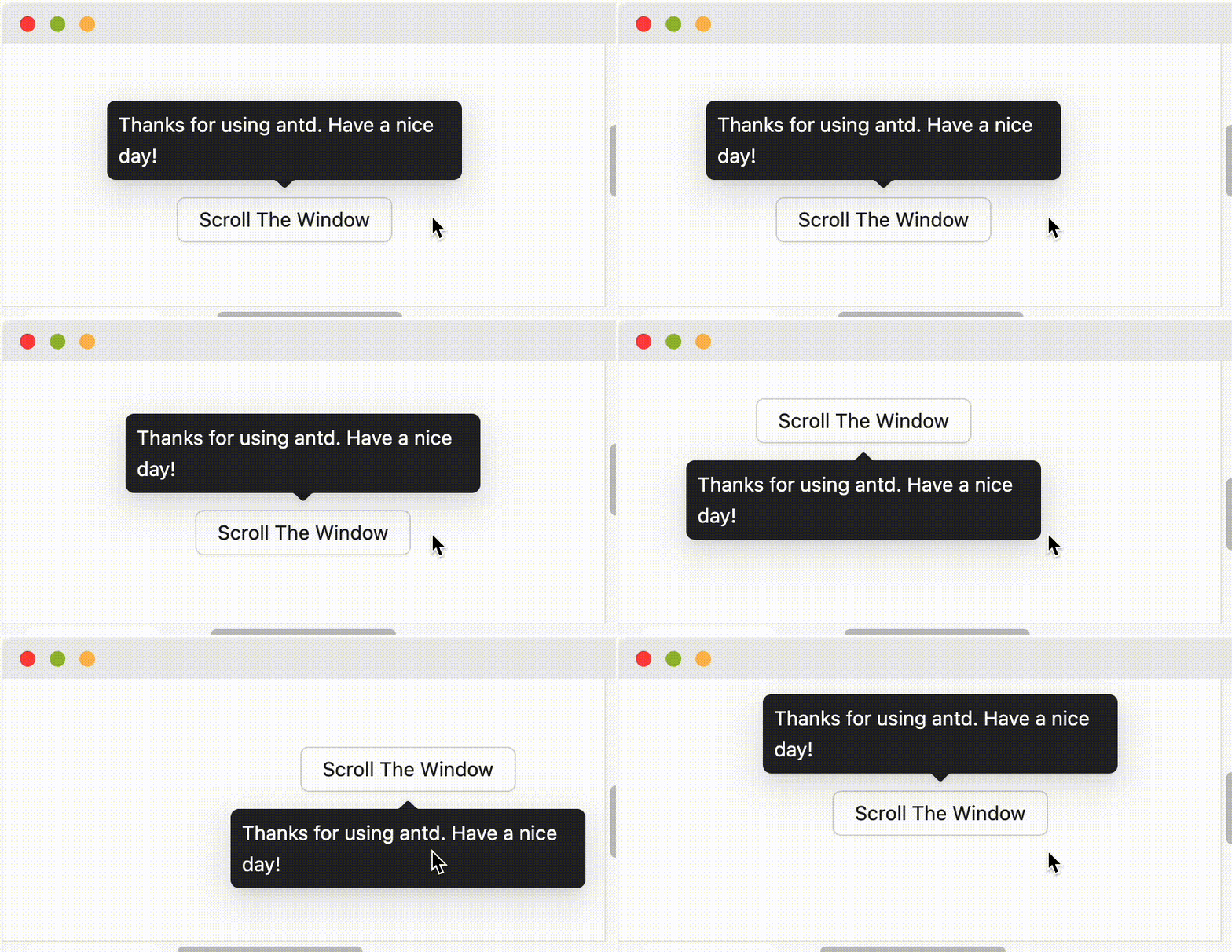 51 | 当设置为边缘对齐方向如 `topLeft` `bottomRight` 等,则会仅做翻转而不做位移。
52 | 更多问题,请参考 [Tooltip FAQ](/components/tooltip-cn#faq)。
53 |
--------------------------------------------------------------------------------
/componentData/components/popconfirm/docs.md:
--------------------------------------------------------------------------------
1 | ## 何时使用
2 | 目标元素的操作需要用户进一步的确认时,在目标元素附近弹出浮层提示,询问用户。
3 | 和 `confirm` 弹出的全屏居中模态对话框相比,交互形式更轻量。
4 | ## API
5 | | 参数 | 说明 | 类型 | 默认值 | 版本 |
6 | | --- | --- | --- | --- | --- |
7 | | cancelButtonProps | cancel 按钮 props | [ButtonProps](/components/button-cn#api) | - | |
8 | | cancelText | 取消按钮文字 | string | `取消` | |
9 | | disabled | 阻止点击 Popconfirm 子元素时弹出确认框 | boolean | false | |
10 | | icon | 自定义弹出气泡 Icon 图标 | ReactNode | <ExclamationCircle /> | |
11 | | okButtonProps | ok 按钮 props | [ButtonProps](/components/button-cn#api) | - | |
12 | | okText | 确认按钮文字 | string | `确定` | |
13 | | okType | 确认按钮类型 | string | `primary` | |
14 | | showCancel | 是否显示取消按钮 | boolean | true | 4.18.0 |
15 | | title | 确认框标题 | ReactNode \| () => ReactNode | - | |
16 | | description | 确认内容的详细描述 | ReactNode \| () => ReactNode | - | 5.1.0 |
17 | | onCancel | 点击取消的回调 | function(e) | - | |
18 | | onConfirm | 点击确认的回调 | function(e) | - | |
19 | | onPopupClick | 弹出气泡点击事件 | function(e) | - | 5.5.0 |
20 |
21 |
51 | 当设置为边缘对齐方向如 `topLeft` `bottomRight` 等,则会仅做翻转而不做位移。
52 | 更多问题,请参考 [Tooltip FAQ](/components/tooltip-cn#faq)。
53 |
--------------------------------------------------------------------------------
/componentData/components/popconfirm/docs.md:
--------------------------------------------------------------------------------
1 | ## 何时使用
2 | 目标元素的操作需要用户进一步的确认时,在目标元素附近弹出浮层提示,询问用户。
3 | 和 `confirm` 弹出的全屏居中模态对话框相比,交互形式更轻量。
4 | ## API
5 | | 参数 | 说明 | 类型 | 默认值 | 版本 |
6 | | --- | --- | --- | --- | --- |
7 | | cancelButtonProps | cancel 按钮 props | [ButtonProps](/components/button-cn#api) | - | |
8 | | cancelText | 取消按钮文字 | string | `取消` | |
9 | | disabled | 阻止点击 Popconfirm 子元素时弹出确认框 | boolean | false | |
10 | | icon | 自定义弹出气泡 Icon 图标 | ReactNode | <ExclamationCircle /> | |
11 | | okButtonProps | ok 按钮 props | [ButtonProps](/components/button-cn#api) | - | |
12 | | okText | 确认按钮文字 | string | `确定` | |
13 | | okType | 确认按钮类型 | string | `primary` | |
14 | | showCancel | 是否显示取消按钮 | boolean | true | 4.18.0 |
15 | | title | 确认框标题 | ReactNode \| () => ReactNode | - | |
16 | | description | 确认内容的详细描述 | ReactNode \| () => ReactNode | - | 5.1.0 |
17 | | onCancel | 点击取消的回调 | function(e) | - | |
18 | | onConfirm | 点击确认的回调 | function(e) | - | |
19 | | onPopupClick | 弹出气泡点击事件 | function(e) | - | 5.5.0 |
20 |
21 |
51 | - 使用 `forwardRef` 消除警告:
52 | ### 为什么自定义子组件无法正常工作?
53 | 类似问题: [#15909](https://github.com/ant-design/ant-design/issues/15909), [#12812](https://github.com/ant-design/ant-design/issues/12812)。
54 | 请确保子元素能接受 `onMouseEnter`、`onMouseLeave`、`onPointerEnter`、`onPointerLeave`、`onFocus`、`onClick` 事件。[参考示例](http://ant.design/components/tooltip-cn#tooltip-demo-wrap-custom-component)
55 | ### placement 的行为逻辑是什么?
56 | 当屏幕空间足够时,会按照 `placement` 的设置进行弹层。当空间不足时则会取反向位置进行弹层(例如 `top` 不够时,会改为 `bottom`,`topLeft` 不够时会改为 `bottomLeft`)。单一方向如 `top` `bottom` `left` `right` 当贴边时进行自动位移:
57 |
58 | 当设置为边缘对齐方向如 `topLeft` `bottomRight` 等,则会仅做翻转而不做位移。
59 | 更多问题,请参考 [Tooltip FAQ](/components/tooltip-cn#faq)。
60 |
--------------------------------------------------------------------------------
/componentData/components/switch/examples.md:
--------------------------------------------------------------------------------
1 | ## Switch 组件示例
2 | ### 基本
3 | 最简单的用法。
4 |
5 | ```tsx
6 | import React from 'react';
7 | import { Switch } from 'antd';
8 | const onChange = (checked: boolean) => {
9 | console.log(`switch to ${checked}`);
10 | };
11 | const App: React.FC = () =>
27 |
32 | );
33 | };
34 | export default App;
35 | ```
36 | ### 文字和图标
37 | 带有文字和图标。
38 |
39 | ```tsx
40 | import React from 'react';
41 | import { CheckOutlined, CloseOutlined } from '@ant-design/icons';
42 | import { Space, Switch } from 'antd';
43 | const App: React.FC = () => (
44 |
45 |
53 | );
54 | export default App;
55 | ```
56 | ### 两种大小
57 | `size="small"` 表示小号开关。
58 |
59 | ```tsx
60 | import React from 'react';
61 | import { Switch } from 'antd';
62 | const App: React.FC = () => (
63 | <>
64 |
66 |
81 |
112 |
113 |
115 |
116 | );
117 | export default App;
118 | ```
119 | ### 自定义语义结构的样式和类
120 | 通过 `classNames` 和 `styles` 传入对象/函数可以自定义 Switch 的[语义化结构](#semantic-dom)样式。
121 |
122 | ```tsx
123 | import React from 'react';
124 | import { Flex, Switch } from 'antd';
125 | import type { SwitchProps } from 'antd';
126 | import { createStyles } from 'antd-style';
127 | const useStyle = createStyles(({ token }) => ({
128 | root: {
129 | width: 40,
130 | backgroundColor: token.colorPrimary,
131 | },
132 | }));
133 | const stylesObject: SwitchProps['styles'] = {
134 | root: {
135 | backgroundColor: '#F5D2D2',
136 | },
137 | };
138 | const stylesFn: SwitchProps['styles'] = (info) => {
139 | if (info.props.size === 'default') {
140 | return {
141 | root: {
142 | backgroundColor: '#BDE3C3',
143 | },
144 | } satisfies SwitchProps['styles'];
145 | }
146 | return {};
147 | };
148 | const App: React.FC = () => {
149 | const { styles: classNames } = useStyle();
150 | return (
151 |
152 |
161 | );
162 | };
163 | export default App;
164 | ```
165 |
--------------------------------------------------------------------------------
/componentData/components/transfer/docs.md:
--------------------------------------------------------------------------------
1 | ## 何时使用
2 | - 需要在多个可选项中进行多选时。
3 | - 比起 Select 和 TreeSelect,穿梭框占据更大的空间,可以展示可选项的更多信息。
4 | 穿梭选择框用直观的方式在两栏中移动元素,完成选择行为。
5 | 选择一个或以上的选项后,点击对应的方向键,可以把选中的选项移动到另一栏。其中,左边一栏为 `source`,右边一栏为 `target`,API 的设计也反映了这两个概念。
6 | > 注意:穿梭框组件只支持受控使用,不支持非受控模式。
7 | ## API
8 | ### Transfer
9 | | 参数 | 说明 | 类型 | 默认值 | 版本 |
10 | | --- | --- | --- | --- | --- |
11 | | actions | 操作文案集合,顺序从上至下。当为字符串数组时使用默认的按钮,当为 ReactNode 数组时直接使用自定义元素 | ReactNode\[] | \[`>`, `<`] | 6.0.0 |
12 | | classNames | 用于自定义组件内部各语义化结构的 class,支持对象或函数 | Record<[SemanticDOM](#semantic-dom), string> \| (info: { props })=> Record<[SemanticDOM](#semantic-dom), string> | - | |
13 | | dataSource | 数据源,其中的数据将会被渲染到左边一栏中,`targetKeys` 中指定的除外 | [RecordType extends TransferItem = TransferItem](https://github.com/ant-design/ant-design/blob/1bf0bab2a7bc0a774119f501806e3e0e3a6ba283/components/transfer/index.tsx#L12)\[] | \[] | |
14 | | disabled | 是否禁用 | boolean | false | |
15 | | selectionsIcon | 自定义下拉菜单图标 | React.ReactNode | | 5.8.0 |
16 | | filterOption | 根据搜索内容进行筛选,接收 `inputValue` `option` `direction` 三个参数,(`direction` 自5.9.0+支持),当 `option` 符合筛选条件时,应返回 true,反之则返回 false | (inputValue, option, direction: `left` \| `right`): boolean | - | |
17 | | footer | 底部渲染函数 | (props, { direction }) => ReactNode | - | direction: 4.17.0 |
18 | | ~~listStyle~~ | 两个穿梭框的自定义样式,使用 `styles.section` 代替 | object\|({direction: `left` \| `right`}) => object | - | |
19 | | locale | 各种语言 | { itemUnit: string; itemsUnit: string; searchPlaceholder: string; notFoundContent: ReactNode \| ReactNode[]; } | { itemUnit: `项`, itemsUnit: `项`, searchPlaceholder: `请输入搜索内容` } | |
20 | | oneWay | 展示为单向样式 | boolean | false | 4.3.0 |
21 | | ~~operations~~ | 操作文案集合,顺序从上至下。使用 `actions` 代替 | string\[] | \[`>`, `<`] | |
22 | | ~~operationStyle~~ | 操作栏的自定义样式,使用 `styles.actions` 代替 | CSSProperties | - | |
23 | | pagination | 使用分页样式,自定义渲染列表下无效 | boolean \| { pageSize: number, simple: boolean, showSizeChanger?: boolean, showLessItems?: boolean } | false | 4.3.0 |
24 | | render | 每行数据渲染函数,该函数的入参为 `dataSource` 中的项,返回值为 ReactElement。或者返回一个普通对象,其中 `label` 字段为 ReactElement,`value` 字段为 title | (record) => ReactNode | - | |
25 | | selectAllLabels | 自定义顶部多选框标题的集合 | (ReactNode \| (info: { selectedCount: number, totalCount: number }) => ReactNode)\[] | - | |
26 | | selectedKeys | 设置哪些项应该被选中 | string\[] \| number\[] | \[] | |
27 | | showSearch | 是否显示搜索框,或可对两侧搜索框进行配置 | boolean \| { placeholder:string,defaultValue:string } | false | |
28 | | showSelectAll | 是否展示全选勾选框 | boolean | true | |
29 | | status | 设置校验状态 | 'error' \| 'warning' | - | 4.19.0 |
30 | | styles | 用于自定义组件内部各语义化结构的行内 style,支持对象或函数 | Record<[SemanticDOM](#semantic-dom), CSSProperties> \| (info: { props })=> Record<[SemanticDOM](#semantic-dom), CSSProperties> | - | |
31 | | targetKeys | 显示在右侧框数据的 key 集合 | string\[] \| number\[] | \[] | |
32 | | titles | 标题集合,顺序从左至右 | ReactNode\[] | - | |
33 | | onChange | 选项在两栏之间转移时的回调函数 | (targetKeys, direction, moveKeys): void | - | |
34 | | onScroll | 选项列表滚动时的回调函数 | (direction, event): void | - | |
35 | | onSearch | 搜索框内容时改变时的回调函数 | (direction: `left` \| `right`, value: string): void | - | |
36 | | onSelectChange | 选中项发生改变时的回调函数 | (sourceSelectedKeys, targetSelectedKeys): void | - | |
37 | ### Render Props
38 | Transfer 支持接收 `children` 自定义渲染列表,并返回以下参数:
39 | | 参数 | 说明 | 类型 | 版本 |
40 | | --------------- | -------------- | ------------------------------------------------- | ---- |
41 | | direction | 渲染列表的方向 | `left` \| `right` | |
42 | | disabled | 是否禁用列表 | boolean | |
43 | | filteredItems | 过滤后的数据 | RecordType\[] | |
44 | | selectedKeys | 选中的条目 | string\[] \| number\[] | |
45 | | onItemSelect | 勾选条目 | (key: string \| number, selected: boolean) | |
46 | | onItemSelectAll | 勾选一组条目 | (keys: string\[] \| number\[], selected: boolean) | |
47 | #### 参考示例
48 | ```jsx
49 | {(listProps) =>
50 | ```
51 | ## 注意
52 | 按照 React 的[规范](https://zh-hans.react.dev/learn/rendering-lists#why-does-react-need-keys),所有的组件数组必须绑定 key。在 Transfer 中,`dataSource` 里的数据值需要指定 `key` 值。对于 `dataSource` 默认将每列数据的 `key` 属性作为唯一的标识。
53 | 如果你的数据没有这个属性,务必使用 `rowKey` 来指定数据列的主键。
54 | ```jsx
55 | // 比如你的数据主键是 uid
56 | return record.uid} />;
57 | ```
58 | ## FAQ
59 | ### 怎样让 Transfer 穿梭框列表支持异步数据加载
60 | 为了保持页码同步,在勾选时可以不移除选项而以禁用代替:
61 |
--------------------------------------------------------------------------------
/componentData/components/time-picker/docs.md:
--------------------------------------------------------------------------------
1 | ## 何时使用
2 | 当用户需要输入一个时间,可以点击标准输入框,弹出时间面板进行选择。
3 | ## API
4 | ---
5 | ```jsx
6 | import dayjs from 'dayjs';
7 | import customParseFormat from 'dayjs/plugin/customParseFormat'
8 | dayjs.extend(customParseFormat)
9 |
32 | Customize Description
33 |
34 | }
35 | >
36 |
37 |
38 | );
39 | export default App;
40 | ```
41 | ### 全局化配置
42 | 自定义全局组件的 Empty 样式。
43 |
44 | ```tsx
45 | import React, { useState } from 'react';
46 | import { SmileOutlined } from '@ant-design/icons';
47 | import {
48 | Cascader,
49 | ConfigProvider,
50 | Divider,
51 | List,
52 | Select,
53 | Space,
54 | Switch,
55 | Table,
56 | Transfer,
57 | TreeSelect,
58 | } from 'antd';
59 | const customizeRenderEmpty = () => (
60 |
78 |
79 |
95 |
98 |
99 |
100 | );
101 | };
102 | export default App;
103 | ```
104 | ### 自定义语义结构的样式和类
105 | 通过 `classNames` 和 `styles` 传入对象/函数可以自定义 Empty 的[语义化结构](#semantic-dom)样式。
106 |
107 | ```tsx
108 | import React from 'react';
109 | import { Button, Empty, Flex } from 'antd';
110 | import { createStyles } from 'antd-style';
111 | import type { EmptyProps } from '..';
112 | const emptySharedProps: EmptyProps = {
113 | image: Empty.PRESENTED_IMAGE_SIMPLE,
114 | children: ,
115 | };
116 | const useStyle = createStyles(({ css }) => ({
117 | root: css`
118 | border: 1px dashed #ccc;
119 | padding: 16px;
120 | `,
121 | }));
122 | const stylesObject: EmptyProps['styles'] = {
123 | root: { backgroundColor: '#f5f5f5', borderRadius: '8px' },
124 | image: { filter: 'grayscale(100%)' },
125 | description: { color: '#1890ff', fontWeight: 'bold' },
126 | footer: { marginTop: '16px' },
127 | };
128 | const stylesFn: EmptyProps['styles'] = ({ props }) => {
129 | if (props.description) {
130 | return {
131 | root: { backgroundColor: '#e6f7ff', border: '1px solid #91d5ff' },
132 | description: { color: '#1890ff', fontWeight: 'bold' },
133 | image: { filter: 'hue-rotate(180deg)' },
134 | } satisfies EmptyProps['styles'];
135 | }
136 | return {};
137 | };
138 | const App: React.FC = () => {
139 | const { styles } = useStyle();
140 | const classNames: EmptyProps['classNames'] = {
141 | root: styles.root,
142 | };
143 | return (
144 |
145 |
158 | );
159 | };
160 | export default App;
161 | ```
162 | ### 无描述
163 | 无描述展示。
164 |
165 | ```tsx
166 | import React from 'react';
167 | import { Empty } from 'antd';
168 | const App: React.FC = () =>
12 | componentsDoc: Record
13 | componentApi: Record
14 | componentExample: Record
15 | }
16 |
17 | const componentCache = new Cache()
18 |
19 | /** 加载组件列表 */
20 | export async function loadComponentsList() {
21 | try {
22 | const cacheComponentList = componentCache.get('componentsList')
23 | if (cacheComponentList) {
24 | return cacheComponentList
25 | }
26 |
27 | const componentList = await readFile(EXTRACTED_COMPONENTS_LIST_PATH, "utf-8");
28 |
29 | const componentListJson = JSON.parse(componentList) as ComponentData[]
30 |
31 | componentCache.set('componentsList', componentListJson)
32 |
33 | return componentListJson
34 | } catch (error) {
35 | console.error(`加载组件列表错误: ${(error as Error).message}`);
36 | return [];
37 | }
38 | }
39 |
40 | /** 根据组件名称查找组件 */
41 | export async function findComponentByName(componentName: string) {
42 | const components = await loadComponentsList();
43 | return components.find(
44 | (c) =>
45 | c.name.toLowerCase() === componentName.toLowerCase() ||
46 | c.dirName.toLowerCase() === componentName.toLowerCase(),
47 | );
48 | }
49 |
50 | /** 获取 Ant Design 特定组件文档 */
51 | export const getComponentDocumentation = async (componentName: string) => {
52 | const component = await findComponentByName(componentName);
53 |
54 | if (!component) {
55 | return ` "${componentName}" 组件文档不存在`;
56 | }
57 |
58 | const docPath = join(EXTRACTED_COMPONENTS_DATA_PATH, component.dirName, DOC_FILE_NAME);
59 |
60 | try {
61 | const cacheComponentDoc = componentCache.get('componentsDoc') || {}
62 | if (cacheComponentDoc?.[component.name]) {
63 | return cacheComponentDoc[component.name]
64 | }
65 |
66 | if (existsSync(docPath)) {
67 | const docResult = await readFile(docPath, "utf-8");
68 |
69 | cacheComponentDoc[component.name] = docResult
70 | componentCache.set('componentsDoc', cacheComponentDoc)
71 |
72 | return docResult
73 | }
74 |
75 | return `${component.name} 组件文档不存在`;
76 | } catch (error) {
77 | console.error(`获取 ${component.name} 组件文档错误: ${(error as Error).message}`);
78 | return `获取 ${component.name} 组件文档错误: ${(error as Error).message}`;
79 | }
80 | };
81 |
82 | /** 获取 Ant Design 特定组件示例 */
83 | export const listComponentExamples = async (componentName: string) => {
84 | const component = await findComponentByName(componentName);
85 |
86 | if (!component) {
87 | return "当前组件不存在";
88 | }
89 |
90 | const examplesMdPath = join(EXTRACTED_COMPONENTS_DATA_PATH, component.dirName, EXAMPLE_FILE_NAME);
91 |
92 | if (!existsSync(examplesMdPath)) {
93 | return `${component.name} 的示例代码不存在`;
94 | }
95 | try {
96 | const cacheComponentExample = componentCache.get('componentExample') || {}
97 | if (cacheComponentExample?.[component.name]) {
98 | return cacheComponentExample[component.name]
99 | }
100 |
101 | if (existsSync(examplesMdPath)) {
102 | const exampleResult = await readFile(examplesMdPath, "utf-8");
103 |
104 | cacheComponentExample[component.name] = exampleResult
105 | componentCache.set('componentExample', cacheComponentExample)
106 |
107 | return exampleResult
108 | }
109 |
110 | return await readFile(examplesMdPath, "utf-8");
111 | } catch (error) {
112 | console.error(`${component.name} 的示例代码不存在: ${(error as Error).message}`);
113 | return `${component.name} 的示例代码不存在`;
114 | }
115 | };
116 |
117 | interface ComponentChangelogItem {
118 | version: string;
119 | changelog: string;
120 | refs: string[]
121 | releaseDate: string
122 | contributors: string[]
123 | }
124 |
125 | /** 获取组件更新记录 */
126 | export const getComponentsChangelog = async (componentName: string): Promise | string> => {
127 | const component = await findComponentByName(componentName);
128 |
129 | if (!component) {
130 | return `${component} 组件不存在`;
131 | }
132 |
133 | try {
134 | const cacheComponentChangelog = componentCache.get('componentsChangelog')
135 | if (cacheComponentChangelog) {
136 | return cacheComponentChangelog
137 | }
138 | const componentChangelog = await readFile(EXTRACTED_COMPONENTS_DATA_CHANGELOG_PATH, "utf-8");
139 | const componentChangelogJson = JSON.parse(componentChangelog)
140 |
141 | componentCache.set('componentsChangelog', componentChangelogJson)
142 | return componentChangelogJson
143 |
144 | } catch (error) {
145 | console.error(`获取组件更新记录错误 ${component.name}: ${(error as Error).message}`);
146 | return `未找到 ${component.name} 更新日志`;
147 | }
148 | };
149 |
--------------------------------------------------------------------------------
/componentData/components/menu/docs.md:
--------------------------------------------------------------------------------
1 | ## 何时使用
2 | 导航菜单是一个网站的灵魂,用户依赖导航在各个页面中进行跳转。一般分为顶部导航和侧边导航,顶部导航提供全局性的类目和功能,侧边导航提供多级结构来收纳和排列网站架构。
3 | 更多布局和导航的使用可以参考:[通用布局](/components/layout-cn)。
4 | ## 开发者注意事项
5 | - Menu 元素为 `ul`,因而仅支持 [`li` 以及 `script-supporting` 子元素](https://html.spec.whatwg.org/multipage/grouping-content.html#the-ul-element)。因而你的子节点元素应该都在 `Menu.Item` 内使用。
6 | - Menu 需要计算节点结构,因而其子元素仅支持 `Menu.*` 以及对此进行封装的 HOC 组件。
7 | ## API
8 | ### Menu
9 | | 参数 | 说明 | 类型 | 默认值 | 版本 |
10 | | --- | --- | --- | --- | --- |
11 | | classNames | 用于自定义组件内部各语义化结构的 class,支持对象或函数 | Record<[SemanticDOM](#semantic-dom), string> \| (info: { props }) => Record<[SemanticDOM](#semantic-dom), string> | - | |
12 | | defaultOpenKeys | 初始展开的 SubMenu 菜单项 key 数组 | string\[] | - | |
13 | | defaultSelectedKeys | 初始选中的菜单项 key 数组 | string\[] | - | |
14 | | expandIcon | 自定义展开图标 | ReactNode \| `(props: SubMenuProps & { isSubMenu: boolean }) => ReactNode` | - | 4.9.0 |
15 | | forceSubMenuRender | 在子菜单展示之前就渲染进 DOM | boolean | false | |
16 | | inlineCollapsed | inline 时菜单是否收起状态 | boolean | - | |
17 | | inlineIndent | inline 模式的菜单缩进宽度 | number | 24 | |
18 | | items | 菜单内容 | [ItemType\[\]](#itemtype) | - | 4.20.0 |
19 | | mode | 菜单类型,现在支持垂直、水平、和内嵌模式三种 | `vertical` \| `horizontal` \| `inline` | `vertical` | |
20 | | multiple | 是否允许多选 | boolean | false | |
21 | | openKeys | 当前展开的 SubMenu 菜单项 key 数组 | string\[] | - | |
22 | | overflowedIndicator | 用于自定义 Menu 水平空间不足时的省略收缩的图标 | ReactNode | `
19 |
64 |
70 | );
71 | };
72 | export default App;
73 | ```
74 | ### 调整浏览器大小,观察 Affix 容器是否发生变化。跟随变化为正常。#17678
75 | DEBUG
76 |
77 | ```tsx
78 | import React, { useState } from 'react';
79 | import { Affix, Button } from 'antd';
80 | const App: React.FC = () => {
81 | const [top, setTop] = useState(10);
82 | return (
83 |
65 | container}>
66 |
67 |
68 |
69 |
84 |
86 |
92 |
94 | );
95 | };
96 | export default App;
97 | ```
98 |
--------------------------------------------------------------------------------
/componentData/components/layout/docs.md:
--------------------------------------------------------------------------------
1 | ## 设计规则
2 | ### 尺寸
3 | 一级导航项偏左靠近 logo 放置,辅助菜单偏右放置。
4 | - 顶部导航(大部分系统):一级导航高度 `64px`,二级导航 `48px`。
5 | - 顶部导航(展示类页面):一级导航高度 `80px`,二级导航 `56px`。
6 | - 顶部导航高度的范围计算公式为:`48+8n`。
7 | - 侧边导航宽度的范围计算公式:`200+8n`。
8 | ### 交互
9 | - 一级导航和末级的导航需要在可视化的层面被强调出来;
10 | - 当前项应该在呈现上优先级最高;
11 | - 当导航收起的时候,当前项的样式自动赋予给它的上一个层级;
12 | - 左侧导航栏的收放交互同时支持手风琴和全展开的样式,根据业务的要求进行适当的选择。
13 | ### 视觉
14 | 导航样式上需要根据信息层级合理的选择样式:
15 | - **大色块强调**
16 | 建议用于底色为深色系时,当前页面父级的导航项。
17 | - **高亮火柴棍**
18 | 当导航栏底色为浅色系时使用,可用于当前页面对应导航项,建议尽量在导航路径的最终项使用。
19 | - **字体高亮变色**
20 | 从可视化层面,字体高亮的视觉强化力度低于大色块,通常在当前项的上一级使用。
21 | - **字体放大**
22 | `12px`、`14px` 是导航的标准字号,14 号字体用在一、二级导航中。字号可以考虑导航项的等级做相应选择。
23 | ## 组件概述
24 | - `Layout`:布局容器,其下可嵌套 `Header` `Sider` `Content` `Footer` 或 `Layout` 本身,可以放在任何父容器中。
25 | - `Header`:顶部布局,自带默认样式,其下可嵌套任何元素,只能放在 `Layout` 中。
26 | - `Sider`:侧边栏,自带默认样式及基本功能,其下可嵌套任何元素,只能放在 `Layout` 中。
27 | - `Content`:内容部分,自带默认样式,其下可嵌套任何元素,只能放在 `Layout` 中。
28 | - `Footer`:底部布局,自带默认样式,其下可嵌套任何元素,只能放在 `Layout` 中。
29 | > 注意:采用 flex 布局实现,请注意[浏览器兼容性](http://caniuse.com/#search=flex)问题。
30 | ## API
31 | ```jsx
32 | Top
85 |
87 |
90 |
91 | Bottom
93 | Hello word
;
18 | };
19 | const MyApp: React.FC = () => (
20 |
3 |  4 |
4 |
5 | 在多数业务情况下,Ant Design 需要在设计区域内解决大量信息收纳的问题,因此在 12 栅格系统的基础上,我们将整个设计建议区域按照 24 等分的原则进行划分。
6 | 划分之后的信息区块我们称之为『盒子』。建议横向排列的盒子数量最多四个,最少一个。『盒子』在整个屏幕上占比见上图。设计部分基于盒子的单位定制盒子内部的排版规则,以保证视觉层面的舒适感。
7 | ## 概述
8 | 布局的栅格化系统,我们是基于行(row)和列(col)来定义信息区块的外部框架,以保证页面的每个区域能够稳健地排布起来。下面简单介绍一下它的工作原理:
9 | - 通过 `row` 在水平方向建立一组 `column`(简写 col)。
10 | - 你的内容应当放置于 `col` 内,并且,只有 `col` 可以作为 `row` 的直接元素。
11 | - 栅格系统中的列是指 1 到 24 的值来表示其跨越的范围。例如,三个等宽的列可以使用 `
4 | Zhou Maomao
, 10 | }, 11 | { 12 | key: '2', 13 | label: 'Telephone', 14 | children:1810000000
, 15 | }, 16 | { 17 | key: '3', 18 | label: 'Live', 19 | children:Hangzhou, Zhejiang
, 20 | }, 21 | { 22 | key: '4', 23 | label: 'Remark', 24 | children:empty
, 25 | }, 26 | { 27 | key: '5', 28 | label: 'Address', 29 | children:No. 18, Wantang Road, Xihu District, Hangzhou, Zhejiang, China
, 30 | }, 31 | ]; 32 |{text}
, 16 | }, 17 | { 18 | key: '2', 19 | label: 'This is panel header 2', 20 | children:{text}
, 21 | }, 22 | { 23 | key: '3', 24 | label: 'This is panel header 3', 25 | children:{text}
, 26 | }, 27 | ]; 28 |{text}
33 |{text}
36 |{text}
39 |number\[] \| number | [手风琴模式](#collapse-demo-accordion)下默认第一个元素 | | 48 | | bordered | 带边框风格的折叠面板 | boolean | true | | 49 | | classNames | 用于自定义组件内部各语义化结构的 class,支持对象或函数 | Record<[SemanticDOM](#semantic-dom), string> \| (info: { props })=> Record<[SemanticDOM](#semantic-dom), string> | - | | 50 | | collapsible | 所有子面板是否可折叠或指定可折叠触发区域 | `header` \| `icon` \| `disabled` | - | 4.9.0 | 51 | | defaultActiveKey | 初始化选中面板的 key | string\[] \| string
number\[] \| number | - | | 52 | | ~~destroyInactivePanel~~ | 销毁折叠隐藏的面板 | boolean | false | | 53 | | destroyOnHidden | 销毁折叠隐藏的面板 | boolean | false | 5.25.0 | 54 | | expandIcon | 自定义切换图标 | (panelProps) => ReactNode | - | | 55 | | expandIconPlacement | 设置图标位置 | `start` \| `end` | `start` | - | 56 | | ~~expandIconPosition~~ | 设置图标位置,请使用 `expandIconPlacement` 替换 | `start` \| `end` | - | 4.21.0 | 57 | | ghost | 使折叠面板透明且无边框 | boolean | false | 4.4.0 | 58 | | size | 设置折叠面板大小 | `large` \| `middle` \| `small` | `middle` | 5.2.0 | 59 | | styles | 用于自定义组件内部各语义化结构的行内 style,支持对象或函数 | Record<[SemanticDOM](#semantic-dom), CSSProperties> \| (info: { props })=> Record<[SemanticDOM](#semantic-dom), CSSProperties> | - | | 60 | | onChange | 切换面板的回调 | function | - | | 61 | | items | 折叠项目内容 | [ItemType](#itemtype) | - | 5.6.0 | 62 | ### ItemType 63 | | 参数 | 说明 | 类型 | 默认值 | 版本 | 64 | | --- | --- | --- | --- | --- | 65 | | classNames | 语义化结构 className | [`Record
51 | 当设置为边缘对齐方向如 `topLeft` `bottomRight` 等,则会仅做翻转而不做位移。
52 | 更多问题,请参考 [Tooltip FAQ](/components/tooltip-cn#faq)。
53 |
--------------------------------------------------------------------------------
/componentData/components/popconfirm/docs.md:
--------------------------------------------------------------------------------
1 | ## 何时使用
2 | 目标元素的操作需要用户进一步的确认时,在目标元素附近弹出浮层提示,询问用户。
3 | 和 `confirm` 弹出的全屏居中模态对话框相比,交互形式更轻量。
4 | ## API
5 | | 参数 | 说明 | 类型 | 默认值 | 版本 |
6 | | --- | --- | --- | --- | --- |
7 | | cancelButtonProps | cancel 按钮 props | [ButtonProps](/components/button-cn#api) | - | |
8 | | cancelText | 取消按钮文字 | string | `取消` | |
9 | | disabled | 阻止点击 Popconfirm 子元素时弹出确认框 | boolean | false | |
10 | | icon | 自定义弹出气泡 Icon 图标 | ReactNode | <ExclamationCircle /> | |
11 | | okButtonProps | ok 按钮 props | [ButtonProps](/components/button-cn#api) | - | |
12 | | okText | 确认按钮文字 | string | `确定` | |
13 | | okType | 确认按钮类型 | string | `primary` | |
14 | | showCancel | 是否显示取消按钮 | boolean | true | 4.18.0 |
15 | | title | 确认框标题 | ReactNode \| () => ReactNode | - | |
16 | | description | 确认内容的详细描述 | ReactNode \| () => ReactNode | - | 5.1.0 |
17 | | onCancel | 点击取消的回调 | function(e) | - | |
18 | | onConfirm | 点击确认的回调 | function(e) | - | |
19 | | onPopupClick | 弹出气泡点击事件 | function(e) | - | 5.5.0 |
20 |
21 |
58 | 当设置为边缘对齐方向如 `topLeft` `bottomRight` 等,则会仅做翻转而不做位移。
59 | 更多问题,请参考 [Tooltip FAQ](/components/tooltip-cn#faq)。
60 |
--------------------------------------------------------------------------------
/componentData/components/switch/examples.md:
--------------------------------------------------------------------------------
1 | ## Switch 组件示例
2 | ### 基本
3 | 最简单的用法。
4 |
5 | ```tsx
6 | import React from 'react';
7 | import { Switch } from 'antd';
8 | const onChange = (checked: boolean) => {
9 | console.log(`switch to ${checked}`);
10 | };
11 | const App: React.FC = () => 66 |
81 |
61 |
64 | );
65 | const style: React.CSSProperties = { width: 200 };
66 | const App: React.FC = () => {
67 | const [customize, setCustomize] = useState(true);
68 | return (
69 | <>
70 | Data Not Found
63 |Select
80 | 81 |TreeSelect
82 |Cascader
84 |Transfer
86 |Table
88 |List
96 |
92 |
95 | ```
96 |
--------------------------------------------------------------------------------
Some Content
93 |
94 |