├── ai-bridge ├── .gitignore ├── package.json ├── utils │ ├── model-utils.js │ ├── async-stream.js │ ├── stdin-utils.js │ └── path-utils.js ├── config │ └── api-config.js └── services │ ├── session-titles-service.cjs │ ├── claude │ ├── attachment-service.js │ └── session-service.js │ └── favorites-service.cjs ├── .idea ├── .gitignore ├── codeStyles │ ├── codeStyleConfig.xml │ └── Project.xml ├── vcs.xml ├── misc.xml └── gradle.xml ├── webview ├── src │ ├── codicon.ttf │ ├── components │ │ ├── ChatInputBox │ │ │ ├── hooks │ │ │ │ └── index.ts │ │ │ ├── selectors │ │ │ │ ├── index.ts │ │ │ │ └── ModeSelect.tsx │ │ │ ├── providers │ │ │ │ └── index.ts │ │ │ ├── index.tsx │ │ │ ├── TokenIndicator.tsx │ │ │ ├── AttachmentList.tsx │ │ │ └── ContextBar.tsx │ │ ├── skills │ │ │ ├── index.ts │ │ │ └── SkillConfirmDialog.tsx │ │ ├── mcp │ │ │ ├── index.ts │ │ │ ├── McpConfirmDialog.tsx │ │ │ └── McpHelpDialog.tsx │ │ ├── toolBlocks │ │ │ ├── index.ts │ │ │ ├── TodoListBlock.tsx │ │ │ ├── TaskExecutionBlock.tsx │ │ │ └── BashToolBlock.tsx │ │ ├── settings │ │ │ ├── UsageSection │ │ │ │ ├── index.tsx │ │ │ │ └── style.module.less │ │ │ ├── style.module.less │ │ │ ├── SettingsHeader │ │ │ │ ├── index.tsx │ │ │ │ └── style.module.less │ │ │ ├── CommunitySection │ │ │ │ ├── index.tsx │ │ │ │ └── style.module.less │ │ │ ├── PlaceholderSection │ │ │ │ ├── style.module.less │ │ │ │ └── index.tsx │ │ │ ├── ProviderManageSection │ │ │ │ ├── style.module.less │ │ │ │ └── index.tsx │ │ │ ├── SettingsSidebar │ │ │ │ ├── index.tsx │ │ │ │ └── style.module.less │ │ │ └── ConfigInfoDisplay │ │ │ │ └── style.module.less │ │ ├── Icons.tsx │ │ ├── ConfirmDialog.tsx │ │ ├── Toast.tsx │ │ ├── WaitingIndicator.tsx │ │ ├── AlertDialog.tsx │ │ ├── MarkdownBlock.tsx │ │ └── history │ │ │ └── VirtualList.tsx │ ├── main.tsx │ ├── styles │ │ ├── app.less │ │ └── less │ │ │ ├── components │ │ │ ├── menu.less │ │ │ ├── scroll-control.less │ │ │ ├── todo.less │ │ │ ├── loading.less │ │ │ ├── preview.less │ │ │ ├── toast.less │ │ │ ├── task.less │ │ │ ├── input.less │ │ │ ├── buttons.less │ │ │ ├── provider.less │ │ │ ├── usage-chart.less │ │ │ ├── tools.less │ │ │ └── config-info.less │ │ │ ├── base.less │ │ │ └── responsive.less │ ├── i18n │ │ └── config.ts │ ├── types │ │ ├── provider.ts │ │ ├── skill.ts │ │ ├── usage.ts │ │ ├── index.ts │ │ └── mcp.ts │ └── utils │ │ ├── helpers.ts │ │ └── bridge.ts ├── index.html ├── .gitignore ├── vite.config.ts ├── scripts │ ├── copy-dist.mjs │ └── extract-version.mjs ├── tsconfig.json └── package.json ├── gradle └── wrapper │ ├── gradle-wrapper.jar │ └── gradle-wrapper.properties ├── src └── main │ ├── resources │ ├── icons │ │ ├── logo.png │ │ ├── send-to-terminal.svg │ │ └── cc-gui-icon.svg │ ├── META-INF │ │ ├── demo.png │ │ └── plugin.xml │ └── libs │ │ └── codicon.ttf │ ├── java │ └── com │ │ └── github │ │ └── claudecodegui │ │ ├── handler │ │ ├── MessageHandler.java │ │ ├── BaseMessageHandler.java │ │ ├── MessageDispatcher.java │ │ └── HandlerContext.java │ │ ├── config │ │ └── TimeoutConfig.java │ │ ├── SessionLoadService.java │ │ ├── util │ │ └── JsUtils.java │ │ └── permission │ │ └── PermissionConfig.java │ └── kotlin │ └── Main.kt ├── sandbox-idea.properties ├── gradle.properties ├── settings.gradle ├── .gitignore ├── checkstyle.xml ├── docs ├── skills │ ├── avoiding-tmp-writes.md │ ├── tempdir-permission-sync.md │ ├── windows-cli-path-bug.md │ ├── multimodal-permission-bug.md │ └── cmdline-argument-escaping-bug.md └── sdk │ └── codex-sdk-npm-demo.md ├── .github └── workflows │ └── build.yml ├── gradlew.bat └── README.zh-CN.md /ai-bridge/.gitignore: -------------------------------------------------------------------------------- 1 | node_modules/ 2 | -------------------------------------------------------------------------------- /.idea/.gitignore: -------------------------------------------------------------------------------- 1 | # 默认忽略的文件 2 | /shelf/ 3 | /workspace.xml 4 | # 基于编辑器的 HTTP 客户端请求 5 | /httpRequests/ 6 | -------------------------------------------------------------------------------- /webview/src/codicon.ttf: -------------------------------------------------------------------------------- https://raw.githubusercontent.com/zhukunpenglinyutong/idea-claude-code-gui/HEAD/webview/src/codicon.ttf -------------------------------------------------------------------------------- /gradle/wrapper/gradle-wrapper.jar: -------------------------------------------------------------------------------- https://raw.githubusercontent.com/zhukunpenglinyutong/idea-claude-code-gui/HEAD/gradle/wrapper/gradle-wrapper.jar -------------------------------------------------------------------------------- /src/main/resources/icons/logo.png: -------------------------------------------------------------------------------- https://raw.githubusercontent.com/zhukunpenglinyutong/idea-claude-code-gui/HEAD/src/main/resources/icons/logo.png -------------------------------------------------------------------------------- /src/main/resources/META-INF/demo.png: -------------------------------------------------------------------------------- https://raw.githubusercontent.com/zhukunpenglinyutong/idea-claude-code-gui/HEAD/src/main/resources/META-INF/demo.png -------------------------------------------------------------------------------- /src/main/resources/libs/codicon.ttf: -------------------------------------------------------------------------------- https://raw.githubusercontent.com/zhukunpenglinyutong/idea-claude-code-gui/HEAD/src/main/resources/libs/codicon.ttf -------------------------------------------------------------------------------- /sandbox-idea.properties: -------------------------------------------------------------------------------- 1 | idea.auto.reload.plugins=false 2 | idea.is.internal=true 3 | idea.plugin.in.sandbox.mode=true 4 | idea.plugins.load.timeout=60000 5 | 6 | -------------------------------------------------------------------------------- /gradle.properties: -------------------------------------------------------------------------------- 1 | kotlin.code.style=official 2 | # org.gradle.unsafe.configuration-cache=true 3 | org.jetbrains.intellij.buildFeature.selfUpdateCheck=false 4 | 5 | -------------------------------------------------------------------------------- /.idea/codeStyles/codeStyleConfig.xml: -------------------------------------------------------------------------------- 1 | 2 | 3 | 5 | -------------------------------------------------------------------------------- /.idea/vcs.xml: -------------------------------------------------------------------------------- 1 | 2 | 3 | 4 | 5 | 6 | -------------------------------------------------------------------------------- /settings.gradle: -------------------------------------------------------------------------------- 1 | pluginManagement { 2 | repositories { 3 | gradlePluginPortal() 4 | mavenCentral() 5 | 6 | } 7 | } 8 | 9 | rootProject.name = 'idea-claude-code-gui' 10 | -------------------------------------------------------------------------------- /webview/src/components/ChatInputBox/hooks/index.ts: -------------------------------------------------------------------------------- 1 | export { useTriggerDetection, getRectAtCharOffset } from './useTriggerDetection'; 2 | export { useCompletionDropdown } from './useCompletionDropdown'; 3 | -------------------------------------------------------------------------------- /webview/src/components/ChatInputBox/selectors/index.ts: -------------------------------------------------------------------------------- 1 | export { ModeSelect } from './ModeSelect'; 2 | export { ModelSelect } from './ModelSelect'; 3 | export { ProviderSelect } from './ProviderSelect'; 4 | -------------------------------------------------------------------------------- /webview/src/components/skills/index.ts: -------------------------------------------------------------------------------- 1 | export { SkillsSettingsSection } from './SkillsSettingsSection'; 2 | export { SkillHelpDialog } from './SkillHelpDialog'; 3 | export { SkillConfirmDialog } from './SkillConfirmDialog'; 4 | -------------------------------------------------------------------------------- /gradle/wrapper/gradle-wrapper.properties: -------------------------------------------------------------------------------- 1 | #Wed Nov 19 01:08:29 CST 2025 2 | distributionBase=GRADLE_USER_HOME 3 | distributionPath=wrapper/dists 4 | distributionUrl=https\://services.gradle.org/distributions/gradle-8.14-bin.zip 5 | zipStoreBase=GRADLE_USER_HOME 6 | zipStorePath=wrapper/dists 7 | -------------------------------------------------------------------------------- /.idea/misc.xml: -------------------------------------------------------------------------------- 1 | 2 | 3 | 4 | 5 | 6 | 7 | -------------------------------------------------------------------------------- /webview/src/components/ChatInputBox/providers/index.ts: -------------------------------------------------------------------------------- 1 | export { 2 | fileReferenceProvider, 3 | fileToDropdownItem, 4 | resetFileReferenceState, 5 | } from './fileReferenceProvider'; 6 | 7 | export { 8 | slashCommandProvider, 9 | commandToDropdownItem, 10 | setupSlashCommandsCallback, 11 | resetSlashCommandsState, 12 | } from './slashCommandProvider'; 13 | -------------------------------------------------------------------------------- /webview/index.html: -------------------------------------------------------------------------------- 1 | 2 | 3 | 4 | 5 | 6 | Claude Chat Webview 7 | 8 | 9 |
10 | 11 | 12 | 13 | -------------------------------------------------------------------------------- /webview/.gitignore: -------------------------------------------------------------------------------- 1 | # Logs 2 | logs 3 | *.log 4 | npm-debug.log* 5 | yarn-debug.log* 6 | yarn-error.log* 7 | pnpm-debug.log* 8 | lerna-debug.log* 9 | 10 | node_modules 11 | dist 12 | dist-ssr 13 | *.local 14 | 15 | # Editor directories and files 16 | .vscode/* 17 | !.vscode/extensions.json 18 | .idea 19 | .DS_Store 20 | *.suo 21 | *.ntvs* 22 | *.njsproj 23 | *.sln 24 | *.sw? 25 | -------------------------------------------------------------------------------- /webview/src/components/mcp/index.ts: -------------------------------------------------------------------------------- 1 | /** 2 | * MCP (Model Context Protocol) 相关组件 3 | */ 4 | 5 | export { McpSettingsSection } from './McpSettingsSection'; 6 | export { McpServerDialog } from './McpServerDialog'; 7 | export { McpPresetDialog } from './McpPresetDialog'; 8 | export { McpHelpDialog } from './McpHelpDialog'; 9 | export { McpConfirmDialog } from './McpConfirmDialog'; 10 | -------------------------------------------------------------------------------- /webview/src/components/toolBlocks/index.ts: -------------------------------------------------------------------------------- 1 | export { default as GenericToolBlock } from './GenericToolBlock'; 2 | export { default as TodoListBlock } from './TodoListBlock'; 3 | export { default as TaskExecutionBlock } from './TaskExecutionBlock'; 4 | export { default as ReadToolBlock } from './ReadToolBlock'; 5 | export { default as EditToolBlock } from './EditToolBlock'; 6 | export { default as BashToolBlock } from './BashToolBlock'; 7 | 8 | -------------------------------------------------------------------------------- /.idea/codeStyles/Project.xml: -------------------------------------------------------------------------------- 1 | 2 | 3 | 4 | 6 | 7 | 9 | 10 | -------------------------------------------------------------------------------- /ai-bridge/package.json: -------------------------------------------------------------------------------- 1 | { 2 | "name": "ai-bridge", 3 | "version": "1.0.0", 4 | "description": "Unified bridge for Claude and Codex SDKs from Java", 5 | "type": "module", 6 | "dependencies": { 7 | "@anthropic-ai/claude-agent-sdk": "^0.1.0", 8 | "@anthropic-ai/sdk": "^0.25.0", 9 | "sql.js": "^1.12.0", 10 | "zod": "^3.25.76" 11 | }, 12 | "scripts": { 13 | "test:claude": "node channel-manager.js claude send", 14 | "test:codex": "node channel-manager.js codex send" 15 | } 16 | } 17 | -------------------------------------------------------------------------------- /webview/vite.config.ts: -------------------------------------------------------------------------------- 1 | import { defineConfig } from 'vite'; 2 | import react from '@vitejs/plugin-react-swc'; 3 | import { viteSingleFile } from 'vite-plugin-singlefile'; 4 | 5 | export default defineConfig({ 6 | plugins: [ 7 | react(), 8 | viteSingleFile(), 9 | ], 10 | build: { 11 | assetsInlineLimit: 1024 * 1024, 12 | cssCodeSplit: false, 13 | sourcemap: false, 14 | rollupOptions: { 15 | output: { 16 | manualChunks: undefined, 17 | }, 18 | }, 19 | }, 20 | }); 21 | 22 | -------------------------------------------------------------------------------- /webview/src/main.tsx: -------------------------------------------------------------------------------- 1 | import ReactDOM from 'react-dom/client'; 2 | import App from './App'; 3 | import './codicon.css'; 4 | import './styles/app.less'; 5 | import './i18n/config'; // 导入 i18n 配置 6 | 7 | // 预注册 updateSlashCommands,避免后端调用早于 React 初始化 8 | if (typeof window !== 'undefined' && !window.updateSlashCommands) { 9 | window.updateSlashCommands = (json: string) => { 10 | window.__pendingSlashCommands = json; 11 | }; 12 | } 13 | 14 | ReactDOM.createRoot(document.getElementById('app') as HTMLElement).render( 15 | , 16 | ); 17 | -------------------------------------------------------------------------------- /src/main/java/com/github/claudecodegui/handler/MessageHandler.java: -------------------------------------------------------------------------------- 1 | package com.github.claudecodegui.handler; 2 | 3 | /** 4 | * 消息处理器接口 5 | * 用于处理来自前端 JavaScript 的消息 6 | */ 7 | public interface MessageHandler { 8 | 9 | /** 10 | * 处理消息 11 | * @param type 消息类型 12 | * @param content 消息内容 13 | * @return true 如果消息被处理,false 如果未被处理 14 | */ 15 | boolean handle(String type, String content); 16 | 17 | /** 18 | * 获取此 Handler 支持的消息类型前缀 19 | * 用于快速判断是否应该由此 Handler 处理 20 | * @return 消息类型前缀数组 21 | */ 22 | String[] getSupportedTypes(); 23 | } 24 | -------------------------------------------------------------------------------- /webview/src/components/settings/UsageSection/index.tsx: -------------------------------------------------------------------------------- 1 | import { useTranslation } from 'react-i18next'; 2 | import UsageStatisticsSection from '../../UsageStatisticsSection'; 3 | import styles from './style.module.less'; 4 | 5 | const UsageSection = () => { 6 | const { t } = useTranslation(); 7 | 8 | return ( 9 |
10 |

{t('settings.usage')}

11 |

{t('settings.usageDesc')}

12 | 13 |
14 | ); 15 | }; 16 | 17 | export default UsageSection; 18 | -------------------------------------------------------------------------------- /src/main/kotlin/Main.kt: -------------------------------------------------------------------------------- 1 | package org.example 2 | 3 | //TIP 要运行代码,请按 或 4 | // 点击装订区域中的 图标。 5 | fun main() { 6 | val name = "Kotlin" 7 | //TIP 当文本光标位于高亮显示的文本处时按 8 | // 查看 IntelliJ IDEA 建议如何修正。 9 | println("Hello, " + name + "!") 10 | 11 | for (i in 1..5) { 12 | //TIP 按 开始调试代码。我们已经设置了一个 断点 13 | // 但您始终可以通过按 添加更多断点。 14 | println("i = $i") 15 | } 16 | } -------------------------------------------------------------------------------- /.idea/gradle.xml: -------------------------------------------------------------------------------- 1 | 2 | 3 | 4 | 5 | 16 | 17 | -------------------------------------------------------------------------------- /src/main/resources/icons/send-to-terminal.svg: -------------------------------------------------------------------------------- 1 | 2 | 3 | 4 | 5 | 6 | 7 | 8 | 9 | 10 | 11 | -------------------------------------------------------------------------------- /webview/src/components/settings/UsageSection/style.module.less: -------------------------------------------------------------------------------- 1 | .configSection { 2 | max-width: 800px; 3 | padding-bottom: 24px; 4 | } 5 | 6 | .sectionTitle { 7 | font-size: 20px; 8 | font-weight: 600; 9 | margin: 0 0 8px 0; 10 | color: var(--text-primary); 11 | } 12 | 13 | .sectionDesc { 14 | color: var(--text-tertiary); 15 | margin: 0 0 24px 0; 16 | font-size: 13px; 17 | } 18 | 19 | /* 响应式适配 */ 20 | @media (max-width: 480px) { 21 | .configSection { 22 | max-width: 100%; 23 | } 24 | 25 | .sectionTitle { 26 | font-size: 16px; 27 | margin-bottom: 6px; 28 | } 29 | 30 | .sectionDesc { 31 | font-size: 12px; 32 | margin-bottom: 16px; 33 | } 34 | } 35 | -------------------------------------------------------------------------------- /webview/scripts/copy-dist.mjs: -------------------------------------------------------------------------------- 1 | import { mkdir, readFile, writeFile } from 'node:fs/promises'; 2 | import path from 'node:path'; 3 | 4 | const cwd = process.cwd(); 5 | const distFile = path.resolve(cwd, 'dist/index.html'); 6 | const targetFile = path.resolve(cwd, '../src/main/resources/html/claude-chat.html'); 7 | 8 | const main = async () => { 9 | const html = await readFile(distFile, 'utf-8'); 10 | await mkdir(path.dirname(targetFile), { recursive: true }); 11 | await writeFile(targetFile, html, 'utf-8'); 12 | console.log(`[copy-dist] 已同步 ${distFile} -> ${targetFile}`); 13 | }; 14 | 15 | main().catch((error) => { 16 | console.error('[copy-dist] 复制构建产物失败', error); 17 | process.exit(1); 18 | }); 19 | 20 | -------------------------------------------------------------------------------- /webview/src/components/settings/style.module.less: -------------------------------------------------------------------------------- 1 | .settingsPage { 2 | display: flex; 3 | flex-direction: column; 4 | height: 100%; 5 | background: var(--bg-primary); 6 | color: var(--text-primary); 7 | } 8 | 9 | .settingsMain { 10 | display: flex; 11 | flex: 1; 12 | overflow: hidden; 13 | } 14 | 15 | .settingsContent { 16 | flex: 1; 17 | padding: 24px 24px 80px 24px; 18 | overflow-y: auto; 19 | } 20 | 21 | .providerSettingsContent { 22 | // 供应商管理页面可能需要更多内容 23 | } 24 | 25 | /* 响应式适配 - 480px 小屏幕 */ 26 | @media (max-width: 480px) { 27 | .settingsContent { 28 | padding: 12px; 29 | } 30 | } 31 | 32 | /* 超小屏幕 360px */ 33 | @media (max-width: 360px) { 34 | .settingsContent { 35 | padding: 8px; 36 | } 37 | } 38 | -------------------------------------------------------------------------------- /webview/src/components/settings/SettingsHeader/index.tsx: -------------------------------------------------------------------------------- 1 | import styles from './style.module.less'; 2 | import { useTranslation } from 'react-i18next'; 3 | 4 | interface SettingsHeaderProps { 5 | onClose: () => void; 6 | } 7 | 8 | const SettingsHeader = ({ onClose }: SettingsHeaderProps) => { 9 | const { t } = useTranslation(); 10 | 11 | return ( 12 |
13 |
14 | 17 |

{t('settings.title')}

18 |
19 |
20 | ); 21 | }; 22 | 23 | export default SettingsHeader; 24 | -------------------------------------------------------------------------------- /webview/tsconfig.json: -------------------------------------------------------------------------------- 1 | { 2 | "compilerOptions": { 3 | "target": "ES2022", 4 | "useDefineForClassFields": true, 5 | "module": "ESNext", 6 | "lib": ["ES2022", "DOM", "DOM.Iterable"], 7 | "types": ["vite/client"], 8 | "skipLibCheck": true, 9 | 10 | /* Bundler mode */ 11 | "moduleResolution": "bundler", 12 | "allowImportingTsExtensions": true, 13 | "verbatimModuleSyntax": true, 14 | "moduleDetection": "force", 15 | "jsx": "react-jsx", 16 | "noEmit": true, 17 | 18 | /* Linting */ 19 | "strict": true, 20 | "noUnusedLocals": true, 21 | "noUnusedParameters": true, 22 | "erasableSyntaxOnly": true, 23 | "noFallthroughCasesInSwitch": true, 24 | "noUncheckedSideEffectImports": true 25 | }, 26 | "include": ["src"] 27 | } 28 | -------------------------------------------------------------------------------- /webview/package.json: -------------------------------------------------------------------------------- 1 | { 2 | "name": "webview", 3 | "private": true, 4 | "version": "0.0.0", 5 | "type": "module", 6 | "scripts": { 7 | "dev": "vite", 8 | "prebuild": "node scripts/extract-version.mjs", 9 | "build": "tsc && vite build", 10 | "postbuild": "node scripts/copy-dist.mjs", 11 | "preview": "vite preview" 12 | }, 13 | "devDependencies": { 14 | "@types/react": "^19.2.6", 15 | "@types/react-dom": "^19.2.3", 16 | "@vitejs/plugin-react-swc": "^4.2.2", 17 | "less": "^4.4.2", 18 | "typescript": "~5.9.3", 19 | "vite": "^7.2.4", 20 | "vite-plugin-singlefile": "^2.3.0" 21 | }, 22 | "dependencies": { 23 | "@lobehub/icons": "^2.43.1", 24 | "i18next": "^25.7.2", 25 | "marked": "^17.0.1", 26 | "react": "^19.2.0", 27 | "react-dom": "^19.2.0", 28 | "react-i18next": "^16.4.1" 29 | } 30 | } 31 | -------------------------------------------------------------------------------- /webview/src/components/ChatInputBox/index.tsx: -------------------------------------------------------------------------------- 1 | /** 2 | * ChatInputBox 组件模块导出 3 | * 功能: 004-refactor-input-box 4 | */ 5 | 6 | export { ChatInputBox, default } from './ChatInputBox'; 7 | export { ButtonArea } from './ButtonArea'; 8 | export { TokenIndicator } from './TokenIndicator'; 9 | export { AttachmentList } from './AttachmentList'; 10 | export { ModeSelect, ModelSelect } from './selectors'; 11 | 12 | // 导出类型 13 | export type { 14 | Attachment, 15 | ChatInputBoxProps, 16 | ButtonAreaProps, 17 | TokenIndicatorProps, 18 | AttachmentListProps, 19 | PermissionMode, 20 | DropdownItemData, 21 | DropdownPosition, 22 | TriggerQuery, 23 | FileItem, 24 | CommandItem, 25 | CompletionType, 26 | } from './types'; 27 | 28 | // 导出常量 29 | export { 30 | AVAILABLE_MODES, 31 | AVAILABLE_MODELS, 32 | IMAGE_MEDIA_TYPES, 33 | isImageAttachment, 34 | } from './types'; 35 | -------------------------------------------------------------------------------- /webview/src/components/settings/SettingsHeader/style.module.less: -------------------------------------------------------------------------------- 1 | .header { 2 | display: flex; 3 | justify-content: space-between; 4 | align-items: center; 5 | padding: 12px 16px; 6 | border-bottom: 1px solid var(--border-primary); 7 | background: var(--bg-secondary); 8 | } 9 | 10 | .headerLeft { 11 | display: flex; 12 | align-items: center; 13 | gap: 8px; 14 | } 15 | 16 | .backBtn { 17 | display: flex; 18 | align-items: center; 19 | gap: 4px; 20 | padding: 6px 8px; 21 | border: none; 22 | border-radius: 4px; 23 | background: transparent; 24 | color: var(--text-tertiary); 25 | cursor: pointer; 26 | font-size: 13px; 27 | 28 | &:hover { 29 | background: var(--bg-hover); 30 | color: var(--text-secondary); 31 | } 32 | } 33 | 34 | .title { 35 | font-size: 18px; 36 | font-weight: 600; 37 | margin: 0; 38 | color: var(--text-primary); 39 | } 40 | -------------------------------------------------------------------------------- /ai-bridge/utils/model-utils.js: -------------------------------------------------------------------------------- 1 | /** 2 | * 模型工具模块 3 | * 负责模型 ID 映射 4 | */ 5 | 6 | /** 7 | * 将完整的模型 ID 映射为 Claude SDK 期望的简短名称 8 | * @param {string} modelId - 完整的模型 ID(如 'claude-sonnet-4-5') 9 | * @returns {string} SDK 期望的模型名称(如 'sonnet') 10 | */ 11 | export function mapModelIdToSdkName(modelId) { 12 | if (!modelId || typeof modelId !== 'string') { 13 | return 'sonnet'; // 默认使用 sonnet 14 | } 15 | 16 | const lowerModel = modelId.toLowerCase(); 17 | 18 | // 映射规则: 19 | // - 包含 'opus' -> 'opus' 20 | // - 包含 'haiku' -> 'haiku' 21 | // - 其他情况(包含 'sonnet' 或未知)-> 'sonnet' 22 | if (lowerModel.includes('opus')) { 23 | return 'opus'; 24 | } else if (lowerModel.includes('haiku')) { 25 | return 'haiku'; 26 | } else { 27 | return 'sonnet'; 28 | } 29 | } 30 | 31 | // 注意:getClaudeCliPath() 函数已被移除 32 | // 现在完全使用 SDK 内置的 cli.js(位于 node_modules/@anthropic-ai/claude-agent-sdk/cli.js) 33 | // 这样可以避免 Windows 下系统 CLI 路径问题(ENOENT 错误),且版本与 SDK 完全对齐 34 | -------------------------------------------------------------------------------- /src/main/java/com/github/claudecodegui/config/TimeoutConfig.java: -------------------------------------------------------------------------------- 1 | package com.github.claudecodegui.config; 2 | 3 | import java.util.concurrent.TimeUnit; 4 | 5 | /** 6 | * 统一的超时配置 7 | * 用于所有异步操作的超时控制 8 | */ 9 | public class TimeoutConfig { 10 | /** 11 | * 快速操作超时:30秒 12 | * 适用于:启动 Channel、获取命令列表等 13 | */ 14 | public static final long QUICK_OPERATION_TIMEOUT = 30; 15 | public static final TimeUnit QUICK_OPERATION_UNIT = TimeUnit.SECONDS; 16 | 17 | /** 18 | * 消息发送超时:3分钟 19 | * 适用于:发送消息、AI 响应等 20 | */ 21 | public static final long MESSAGE_TIMEOUT = 180; 22 | public static final TimeUnit MESSAGE_UNIT = TimeUnit.SECONDS; 23 | 24 | /** 25 | * 长时间操作超时:10分钟 26 | * 适用于:文件索引、大量数据处理等 27 | */ 28 | public static final long LONG_OPERATION_TIMEOUT = 600; 29 | public static final TimeUnit LONG_OPERATION_UNIT = TimeUnit.SECONDS; 30 | 31 | private TimeoutConfig() { 32 | // 工具类,不允许实例化 33 | } 34 | } 35 | -------------------------------------------------------------------------------- /webview/src/components/settings/CommunitySection/index.tsx: -------------------------------------------------------------------------------- 1 | import { useTranslation } from 'react-i18next'; 2 | import styles from './style.module.less'; 3 | 4 | const CommunitySection = () => { 5 | const { t } = useTranslation(); 6 | 7 | return ( 8 |
9 |

{t('settings.community')}

10 |

{t('settings.communityDesc')}

11 | 12 |
13 |
14 | {t('settings.communityQrAlt')} 19 |

{t('settings.communityQrTip')}

20 |
21 |
22 |
23 | ); 24 | }; 25 | 26 | export default CommunitySection; 27 | -------------------------------------------------------------------------------- /webview/src/components/Icons.tsx: -------------------------------------------------------------------------------- 1 | export const BackIcon = () => ( 2 | 3 | 4 | 5 | 6 | ); 7 | 8 | export const StopIcon = () => ( 9 | 10 | 11 | 12 | ); 13 | 14 | export const SendIcon = () => ( 15 | 16 | 17 | 18 | 19 | ); 20 | -------------------------------------------------------------------------------- /.gitignore: -------------------------------------------------------------------------------- 1 | .gradle 2 | build/ 3 | !gradle/wrapper/gradle-wrapper.jar 4 | !**/src/main/**/build/ 5 | !**/src/test/**/build/ 6 | 7 | ### IntelliJ IDEA ### 8 | .idea/modules.xml 9 | .idea/jarRepositories.xml 10 | .idea/compiler.xml 11 | .idea/libraries/ 12 | *.iws 13 | *.iml 14 | *.ipr 15 | out/ 16 | !**/src/main/**/out/ 17 | !**/src/test/**/out/ 18 | 19 | ### Kotlin ### 20 | .kotlin 21 | 22 | ### Eclipse ### 23 | .apt_generated 24 | .classpath 25 | .factorypath 26 | .project 27 | .settings 28 | .springBeans 29 | .sts4-cache 30 | bin/ 31 | !**/src/main/**/bin/ 32 | !**/src/test/**/bin/ 33 | 34 | ### NetBeans ### 35 | /nbproject/private/ 36 | /nbbuild/ 37 | /dist/ 38 | /nbdist/ 39 | /.nb-gradle/ 40 | 41 | ### VS Code ### 42 | .vscode/ 43 | 44 | ### Mac OS ### 45 | .DS_Store 46 | 47 | .npm-cache 48 | 49 | # Webview frontend artifacts 50 | node_modules/ 51 | **/node_modules/ 52 | webview/dist/ 53 | 54 | src/main/resources/html/* 55 | 56 | .specify 57 | .claude 58 | specs 59 | CLAUDE.md 60 | .idea/copilot* 61 | **/.nvmrc 62 | .github/*.md 63 | webview/src/version/version.ts 64 | 65 | # 自定义沙箱目录(如果启用) 66 | .sandbox/ 67 | logs/*.log 68 | .intellijPlatform/ 69 | -------------------------------------------------------------------------------- /webview/src/styles/app.less: -------------------------------------------------------------------------------- 1 | // 变量定义 2 | @import "less/variables.less"; 3 | 4 | // 基础样式 5 | @import "less/base.less"; 6 | 7 | // 组件样式 8 | @import "less/components/header.less"; 9 | @import "less/components/menu.less"; 10 | @import "less/components/toast.less"; 11 | @import "less/components/message.less"; 12 | @import "less/components/history.less"; 13 | @import "less/components/loading.less"; 14 | @import "less/components/input.less"; 15 | @import "less/components/todo.less"; 16 | @import "less/components/task.less"; 17 | @import "less/components/buttons.less"; 18 | @import "less/components/provider.less"; 19 | @import "less/components/settings.less"; 20 | @import "less/components/dialogs.less"; 21 | @import "less/components/permission.less"; 22 | @import "less/components/usage.less"; 23 | @import "less/components/usage-chart.less"; 24 | @import "less/components/preview.less"; 25 | @import "less/components/tools.less"; 26 | @import "less/components/config-info.less"; 27 | @import "less/components/mcp.less"; 28 | @import "less/components/skills.less"; 29 | @import "less/components/scroll-control.less"; 30 | 31 | // 响应式适配 32 | @import "less/responsive.less"; 33 | -------------------------------------------------------------------------------- /webview/src/i18n/config.ts: -------------------------------------------------------------------------------- 1 | import i18n from 'i18next'; 2 | import { initReactI18next } from 'react-i18next'; 3 | import zh from './locales/zh.json'; 4 | import en from './locales/en.json'; 5 | import zhTW from './locales/zh-TW.json'; 6 | import hi from './locales/hi.json'; 7 | import es from './locales/es.json'; 8 | import fr from './locales/fr.json'; 9 | 10 | // 从 localStorage 获取保存的语言设置,如果没有则默认为中文 11 | const getInitialLanguage = (): string => { 12 | const savedLanguage = localStorage.getItem('language'); 13 | return savedLanguage || 'zh'; // 默认简体中文 14 | }; 15 | 16 | i18n 17 | .use(initReactI18next) // 让 i18n 和 React 一起工作 18 | .init({ 19 | resources: { 20 | zh: { translation: zh }, // 简体中文翻译资源 21 | en: { translation: en }, // 英文翻译资源 22 | 'zh-TW': { translation: zhTW }, // 繁体中文翻译资源 23 | hi: { translation: hi }, // 印地语翻译资源 24 | es: { translation: es }, // 西班牙语翻译资源 25 | fr: { translation: fr }, // 法语翻译资源 26 | }, 27 | lng: getInitialLanguage(), // 默认语言(简体中文) 28 | fallbackLng: 'zh', // 如果翻译缺失,回退到简体中文 29 | interpolation: { 30 | escapeValue: false, // React 已经自动处理 XSS 防护 31 | }, 32 | }); 33 | 34 | export default i18n; 35 | -------------------------------------------------------------------------------- /webview/src/types/provider.ts: -------------------------------------------------------------------------------- 1 | /** 2 | * 供应商配置相关类型定义 3 | */ 4 | 5 | /** 6 | * 供应商配置(简化版,适配当前项目) 7 | */ 8 | export interface ProviderConfig { 9 | /** 供应商唯一 ID */ 10 | id: string; 11 | /** 供应商名称 */ 12 | name: string; 13 | /** 备注 */ 14 | remark?: string; 15 | /** 官网链接 (已弃用,保留兼容) */ 16 | websiteUrl?: string; 17 | /** 供应商分类 */ 18 | category?: ProviderCategory; 19 | /** 创建时间戳(毫秒) */ 20 | createdAt?: number; 21 | /** 是否为当前使用的供应商 */ 22 | isActive?: boolean; 23 | /** 来源 */ 24 | source?: 'cc-switch' | string; 25 | /** 配置信息 */ 26 | settingsConfig?: { 27 | env?: { 28 | ANTHROPIC_AUTH_TOKEN?: string; 29 | ANTHROPIC_BASE_URL?: string; 30 | ANTHROPIC_MODEL?: string; 31 | ANTHROPIC_DEFAULT_SONNET_MODEL?: string; 32 | ANTHROPIC_DEFAULT_OPUS_MODEL?: string; 33 | ANTHROPIC_DEFAULT_HAIKU_MODEL?: string; 34 | [key: string]: any; 35 | }; 36 | permissions?: { 37 | allow?: string[]; 38 | deny?: string[]; 39 | }; 40 | }; 41 | } 42 | 43 | /** 44 | * 供应商分类 45 | */ 46 | export type ProviderCategory = 47 | | 'official' // 官方 48 | | 'cn_official' // 国产官方 49 | | 'aggregator' // 聚合服务 50 | | 'third_party' // 第三方 51 | | 'custom'; // 自定义 52 | -------------------------------------------------------------------------------- /checkstyle.xml: -------------------------------------------------------------------------------- 1 | 2 | 5 | 6 | 7 | 8 | 9 | 10 | 11 | 12 | 13 | 14 | 15 | 16 | 17 | 18 | 19 | 20 | 21 | 22 | 23 | 24 | 25 | -------------------------------------------------------------------------------- /webview/src/components/settings/PlaceholderSection/style.module.less: -------------------------------------------------------------------------------- 1 | .configSection { 2 | max-width: 800px; 3 | padding-bottom: 24px; 4 | } 5 | 6 | .sectionTitle { 7 | font-size: 20px; 8 | font-weight: 600; 9 | margin: 0 0 8px 0; 10 | color: var(--text-primary); 11 | } 12 | 13 | .sectionDesc { 14 | color: var(--text-tertiary); 15 | margin: 0 0 24px 0; 16 | font-size: 13px; 17 | } 18 | 19 | .tempNotice { 20 | text-align: center; 21 | padding: 48px 24px; 22 | color: var(--text-tertiary); 23 | background: var(--bg-secondary); 24 | border: 1px solid var(--border-primary); 25 | border-radius: 6px; 26 | 27 | .codicon { 28 | font-size: 48px; 29 | opacity: 0.5; 30 | margin-bottom: 16px; 31 | display: block; 32 | } 33 | 34 | p { 35 | margin: 0; 36 | font-size: 14px; 37 | } 38 | } 39 | 40 | /* 响应式适配 */ 41 | @media (max-width: 480px) { 42 | .sectionTitle { 43 | font-size: 16px; 44 | margin-bottom: 6px; 45 | } 46 | 47 | .sectionDesc { 48 | font-size: 12px; 49 | margin-bottom: 16px; 50 | } 51 | 52 | .tempNotice { 53 | padding: 32px 16px; 54 | 55 | .codicon { 56 | font-size: 36px; 57 | } 58 | 59 | p { 60 | font-size: 12px; 61 | } 62 | } 63 | } 64 | -------------------------------------------------------------------------------- /src/main/java/com/github/claudecodegui/handler/BaseMessageHandler.java: -------------------------------------------------------------------------------- 1 | package com.github.claudecodegui.handler; 2 | 3 | /** 4 | * 消息处理器基类 5 | * 提供通用的工具方法 6 | */ 7 | public abstract class BaseMessageHandler implements MessageHandler { 8 | 9 | protected final HandlerContext context; 10 | 11 | public BaseMessageHandler(HandlerContext context) { 12 | this.context = context; 13 | } 14 | 15 | /** 16 | * 调用 JavaScript 函数 17 | */ 18 | protected void callJavaScript(String functionName, String... args) { 19 | context.callJavaScript(functionName, args); 20 | } 21 | 22 | /** 23 | * 转义 JavaScript 字符串 24 | */ 25 | protected String escapeJs(String str) { 26 | return context.escapeJs(str); 27 | } 28 | 29 | /** 30 | * 在 EDT 线程上执行 JavaScript 31 | */ 32 | protected void executeJavaScript(String jsCode) { 33 | context.executeJavaScriptOnEDT(jsCode); 34 | } 35 | 36 | /** 37 | * 检查消息类型是否匹配 38 | */ 39 | protected boolean matchesType(String type, String... supportedTypes) { 40 | for (String supported : supportedTypes) { 41 | if (supported.equals(type)) { 42 | return true; 43 | } 44 | } 45 | return false; 46 | } 47 | } 48 | -------------------------------------------------------------------------------- /webview/src/styles/less/components/menu.less: -------------------------------------------------------------------------------- 1 | /* Menu Dropdown */ 2 | .menu-dropdown { 3 | position: absolute; 4 | top: 45px; 5 | right: 16px; 6 | background: var(--bg-secondary); 7 | border: 1px solid var(--border-secondary); 8 | border-radius: 6px; 9 | padding: 4px; 10 | box-shadow: 0 4px 12px rgba(0, 0, 0, 0.5); 11 | z-index: 100; 12 | min-width: 140px; 13 | } 14 | 15 | .menu-item { 16 | display: flex; 17 | width: 100%; 18 | text-align: left; 19 | padding: 8px 12px; 20 | background: transparent; 21 | border: none; 22 | color: var(--text-secondary); 23 | font-size: 13px; 24 | cursor: pointer; 25 | border-radius: 4px; 26 | align-items: center; 27 | gap: 8px; 28 | } 29 | 30 | .menu-item:hover { 31 | background: var(--color-menu-bg-hover); 32 | } 33 | 34 | .menu-item.danger { 35 | color: var(--color-menu-delete); 36 | } 37 | 38 | .menu-item.danger:hover { 39 | background: rgba(255, 107, 107, 0.1); 40 | } 41 | 42 | .menu-divider { 43 | height: 1px; 44 | background: var(--color-menu-bg-active); 45 | margin: 4px 0; 46 | } 47 | 48 | .status-indicator { 49 | font-size: 12px; 50 | color: var(--text-muted); 51 | margin-left: 8px; 52 | max-width: 200px; 53 | overflow: hidden; 54 | text-overflow: ellipsis; 55 | white-space: nowrap; 56 | } 57 | -------------------------------------------------------------------------------- /webview/src/components/settings/ProviderManageSection/style.module.less: -------------------------------------------------------------------------------- 1 | .configSection { 2 | min-width: 400px; 3 | padding-bottom: 24px; 4 | } 5 | 6 | .sectionTitle { 7 | font-size: 20px; 8 | font-weight: 600; 9 | margin: 0 0 8px 0; 10 | color: var(--text-primary); 11 | } 12 | 13 | .sectionDesc { 14 | color: var(--text-tertiary); 15 | margin: 0 0 24px 0; 16 | font-size: 13px; 17 | } 18 | 19 | .configInfoWrapper { 20 | margin-top: 20px; 21 | margin-bottom: 24px; 22 | } 23 | 24 | .tempNotice { 25 | text-align: center; 26 | padding: 48px 24px; 27 | color: var(--text-tertiary); 28 | background: var(--bg-secondary); 29 | border: 1px solid var(--border-primary); 30 | border-radius: 6px; 31 | 32 | .codicon { 33 | font-size: 48px; 34 | opacity: 0.5; 35 | margin-bottom: 16px; 36 | display: block; 37 | } 38 | 39 | p { 40 | margin: 0; 41 | font-size: 14px; 42 | } 43 | } 44 | 45 | /* 响应式适配 */ 46 | @media (max-width: 480px) { 47 | .configSection { 48 | min-width: auto; 49 | } 50 | 51 | .sectionTitle { 52 | font-size: 16px; 53 | margin-bottom: 6px; 54 | } 55 | 56 | .sectionDesc { 57 | font-size: 12px; 58 | margin-bottom: 16px; 59 | } 60 | 61 | .tempNotice { 62 | padding: 32px 16px; 63 | 64 | .codicon { 65 | font-size: 36px; 66 | } 67 | 68 | p { 69 | font-size: 12px; 70 | } 71 | } 72 | } 73 | -------------------------------------------------------------------------------- /ai-bridge/utils/async-stream.js: -------------------------------------------------------------------------------- 1 | /** 2 | * AsyncStream - 手动控制的异步迭代器 3 | * 用于向 Claude Agent SDK 传递用户消息(包括图片) 4 | */ 5 | export class AsyncStream { 6 | constructor() { 7 | this.queue = []; 8 | this.readResolve = undefined; 9 | this.isDone = false; 10 | this.started = false; 11 | } 12 | 13 | [Symbol.asyncIterator]() { 14 | if (this.started) { 15 | throw new Error("Stream can only be iterated once"); 16 | } 17 | this.started = true; 18 | return this; 19 | } 20 | 21 | async next() { 22 | if (this.queue.length > 0) { 23 | return { done: false, value: this.queue.shift() }; 24 | } 25 | if (this.isDone) { 26 | return { done: true, value: undefined }; 27 | } 28 | return new Promise((resolve) => { 29 | this.readResolve = resolve; 30 | }); 31 | } 32 | 33 | enqueue(value) { 34 | if (this.readResolve) { 35 | const resolve = this.readResolve; 36 | this.readResolve = undefined; 37 | resolve({ done: false, value }); 38 | } else { 39 | this.queue.push(value); 40 | } 41 | } 42 | 43 | done() { 44 | this.isDone = true; 45 | if (this.readResolve) { 46 | const resolve = this.readResolve; 47 | this.readResolve = undefined; 48 | resolve({ done: true, value: undefined }); 49 | } 50 | } 51 | 52 | async return() { 53 | this.isDone = true; 54 | return { done: true, value: undefined }; 55 | } 56 | } 57 | -------------------------------------------------------------------------------- /ai-bridge/utils/stdin-utils.js: -------------------------------------------------------------------------------- 1 | /** 2 | * stdin 读取工具模块(统一版) 3 | * 支持 Claude 和 Codex 两种 SDK 4 | */ 5 | 6 | /** 7 | * 从 stdin 读取 JSON 数据 8 | * @param {string} provider - 'claude' 或 'codex' 9 | * @returns {Promise} 解析后的 JSON 对象,或 null 10 | */ 11 | export async function readStdinData(provider = 'claude') { 12 | // 检查是否启用了 stdin 输入 13 | const envKey = provider === 'codex' ? 'CODEX_USE_STDIN' : 'CLAUDE_USE_STDIN'; 14 | if (process.env[envKey] !== 'true') { 15 | return null; 16 | } 17 | 18 | return new Promise((resolve) => { 19 | let data = ''; 20 | const stdin = process.stdin; 21 | 22 | stdin.setEncoding('utf8'); 23 | 24 | // 设置超时,避免无限等待 25 | const timeout = setTimeout(() => { 26 | resolve(null); 27 | }, 5000); 28 | 29 | stdin.on('readable', () => { 30 | let chunk; 31 | while ((chunk = stdin.read()) !== null) { 32 | data += chunk; 33 | } 34 | }); 35 | 36 | stdin.on('end', () => { 37 | clearTimeout(timeout); 38 | if (data.trim()) { 39 | try { 40 | const parsed = JSON.parse(data.trim()); 41 | resolve(parsed); 42 | } catch (e) { 43 | console.error('[STDIN_PARSE_ERROR]', e.message); 44 | resolve(null); 45 | } 46 | } else { 47 | resolve(null); 48 | } 49 | }); 50 | 51 | stdin.on('error', (err) => { 52 | clearTimeout(timeout); 53 | console.error('[STDIN_ERROR]', err.message); 54 | resolve(null); 55 | }); 56 | }); 57 | } 58 | -------------------------------------------------------------------------------- /webview/src/types/skill.ts: -------------------------------------------------------------------------------- 1 | /** 2 | * Skills 类型定义 3 | * 4 | * Skills 是自定义的命令和功能扩展,存储在特定目录中: 5 | * - 全局: ~/.claude/skills(启用)/ ~/.codemoss/skills/global(停用) 6 | * - 本地: {workspace}/.claude/skills(启用)/ ~/.codemoss/skills/{项目哈希}(停用) 7 | * 8 | * 每个 Skill 可以是文件(.md)或目录(包含 skill.md) 9 | */ 10 | 11 | /** 12 | * Skill 类型:文件或目录 13 | */ 14 | export type SkillType = 'file' | 'directory'; 15 | 16 | /** 17 | * Skill 作用域:全局或本地 18 | */ 19 | export type SkillScope = 'global' | 'local'; 20 | 21 | /** 22 | * Skill 配置 23 | */ 24 | export interface Skill { 25 | /** 唯一标识符(格式:{scope}-{name} 或 {scope}-{name}-disabled) */ 26 | id: string; 27 | /** 显示名称 */ 28 | name: string; 29 | /** 类型:文件或目录 */ 30 | type: SkillType; 31 | /** 作用域:全局或本地 */ 32 | scope: SkillScope; 33 | /** 完整路径 */ 34 | path: string; 35 | /** 是否启用(true: 在使用中目录,false: 在管理目录) */ 36 | enabled: boolean; 37 | /** 描述(从 skill.md 的 frontmatter 提取) */ 38 | description?: string; 39 | /** 创建时间 */ 40 | createdAt?: string; 41 | /** 修改时间 */ 42 | modifiedAt?: string; 43 | } 44 | 45 | /** 46 | * Skills 映射 (id -> Skill) 47 | */ 48 | export type SkillsMap = Record; 49 | 50 | /** 51 | * Skills 配置结构 52 | */ 53 | export interface SkillsConfig { 54 | /** 全局 Skills */ 55 | global: SkillsMap; 56 | /** 本地 Skills */ 57 | local: SkillsMap; 58 | } 59 | 60 | /** 61 | * Skills 筛选器 62 | */ 63 | export type SkillFilter = 'all' | 'global' | 'local'; 64 | 65 | /** 66 | * Skills 启用状态筛选器 67 | */ 68 | export type SkillEnabledFilter = 'all' | 'enabled' | 'disabled'; 69 | -------------------------------------------------------------------------------- /webview/src/types/usage.ts: -------------------------------------------------------------------------------- 1 | export interface UsageData { 2 | inputTokens: number; 3 | outputTokens: number; 4 | cacheWriteTokens: number; 5 | cacheReadTokens: number; 6 | totalTokens: number; 7 | } 8 | 9 | export interface SessionSummary { 10 | sessionId: string; 11 | timestamp: number; 12 | model: string; 13 | usage: UsageData; 14 | cost: number; 15 | summary?: string; 16 | } 17 | 18 | export interface DailyUsage { 19 | date: string; 20 | sessions: number; 21 | usage: UsageData; 22 | cost: number; 23 | modelsUsed: string[]; 24 | } 25 | 26 | export interface ModelUsage { 27 | model: string; 28 | totalCost: number; 29 | totalTokens: number; 30 | inputTokens: number; 31 | outputTokens: number; 32 | cacheCreationTokens: number; 33 | cacheReadTokens: number; 34 | sessionCount: number; 35 | } 36 | 37 | export interface WeeklyComparison { 38 | currentWeek: { 39 | sessions: number; 40 | cost: number; 41 | tokens: number; 42 | }; 43 | lastWeek: { 44 | sessions: number; 45 | cost: number; 46 | tokens: number; 47 | }; 48 | trends: { 49 | sessions: number; 50 | cost: number; 51 | tokens: number; 52 | }; 53 | } 54 | 55 | export interface ProjectStatistics { 56 | projectPath: string; 57 | projectName: string; 58 | totalSessions: number; 59 | totalUsage: UsageData; 60 | estimatedCost: number; 61 | sessions: SessionSummary[]; 62 | dailyUsage: DailyUsage[]; 63 | weeklyComparison: WeeklyComparison; 64 | byModel: ModelUsage[]; 65 | lastUpdated: number; 66 | } 67 | -------------------------------------------------------------------------------- /webview/src/styles/less/components/scroll-control.less: -------------------------------------------------------------------------------- 1 | /* ===== 滚动控制按钮样式 ===== */ 2 | .scroll-control-button { 3 | position: fixed; 4 | right: 24px; 5 | bottom: 120px; 6 | width: 40px; 7 | height: 40px; 8 | border-radius: 8px; 9 | background: var(--color-scroll-control-bg); 10 | border: 1px solid var(--color-scroll-control-border); 11 | color: var(--color-scroll-control-text); 12 | cursor: pointer; 13 | display: flex; 14 | align-items: center; 15 | justify-content: center; 16 | z-index: 1000; 17 | opacity: 0; 18 | animation: scrollControlFadeIn 0.2s ease-out forwards; 19 | transition: background 0.15s ease, border-color 0.15s ease; 20 | } 21 | 22 | .scroll-control-button:hover { 23 | background: var(--color-scroll-control-hover-bg); 24 | border-color: var(--color-scroll-control-hover-border); 25 | } 26 | 27 | .scroll-control-button:active { 28 | background: var(--color-scroll-control-active-bg); 29 | } 30 | 31 | .scroll-control-button svg { 32 | width: 20px; 33 | height: 20px; 34 | stroke: var(--color-scroll-control-icon); 35 | transition: transform 0.15s ease; 36 | } 37 | 38 | /* 按钮淡入动画 */ 39 | @keyframes scrollControlFadeIn { 40 | from { 41 | opacity: 0; 42 | } 43 | to { 44 | opacity: 1; 45 | } 46 | } 47 | 48 | /* 响应式调整 */ 49 | @media (max-width: 768px) { 50 | .scroll-control-button { 51 | right: 16px; 52 | width: 36px; 53 | height: 36px; 54 | } 55 | 56 | .scroll-control-button svg { 57 | width: 18px; 58 | height: 18px; 59 | } 60 | } 61 | -------------------------------------------------------------------------------- /src/main/java/com/github/claudecodegui/handler/MessageDispatcher.java: -------------------------------------------------------------------------------- 1 | package com.github.claudecodegui.handler; 2 | 3 | import java.util.ArrayList; 4 | import java.util.List; 5 | 6 | /** 7 | * 消息分发器 8 | * 负责将消息分发到合适的 Handler 处理 9 | */ 10 | public class MessageDispatcher { 11 | 12 | private final List handlers = new ArrayList<>(); 13 | 14 | /** 15 | * 注册消息处理器 16 | */ 17 | public void registerHandler(MessageHandler handler) { 18 | handlers.add(handler); 19 | } 20 | 21 | /** 22 | * 分发消息到合适的处理器 23 | * @param type 消息类型 24 | * @param content 消息内容 25 | * @return true 如果消息被处理,false 如果没有处理器能处理此消息 26 | */ 27 | public boolean dispatch(String type, String content) { 28 | for (MessageHandler handler : handlers) { 29 | if (handler.handle(type, content)) { 30 | return true; 31 | } 32 | } 33 | return false; 34 | } 35 | 36 | /** 37 | * 检查是否有处理器支持指定的消息类型 38 | */ 39 | public boolean hasHandlerFor(String type) { 40 | for (MessageHandler handler : handlers) { 41 | for (String supported : handler.getSupportedTypes()) { 42 | if (supported.equals(type)) { 43 | return true; 44 | } 45 | } 46 | } 47 | return false; 48 | } 49 | 50 | /** 51 | * 获取所有已注册的处理器数量 52 | */ 53 | public int getHandlerCount() { 54 | return handlers.size(); 55 | } 56 | 57 | /** 58 | * 清除所有处理器 59 | */ 60 | public void clear() { 61 | handlers.clear(); 62 | } 63 | } 64 | -------------------------------------------------------------------------------- /webview/src/styles/less/base.less: -------------------------------------------------------------------------------- 1 | * { 2 | margin: 0; 3 | padding: 0; 4 | box-sizing: border-box; 5 | } 6 | 7 | body { 8 | font-family: -apple-system, BlinkMacSystemFont, 'Segoe UI', Roboto, Helvetica, Arial, sans-serif; 9 | background: var(--bg-primary); 10 | color: var(--text-primary); 11 | height: 100vh; 12 | overflow: hidden; 13 | } 14 | 15 | html { 16 | overflow: hidden; 17 | height: 100vh; 18 | } 19 | 20 | #app { 21 | /* 22 | * 当使用 zoom 缩放时,容器的渲染尺寸会变大。 23 | * 为了适应视口,我们需要反向调整容器的 CSS 尺寸。 24 | * 例如:zoom: 1.2 (120%) 时,高度设置为 100vh / 1.2, 25 | * 这样渲染出来的高度刚好是 100vh。 26 | */ 27 | height: calc(100vh / var(--font-scale, 1)); 28 | width: calc(100vw / var(--font-scale, 1)); 29 | 30 | display: flex; 31 | flex-direction: column; 32 | border-left: 1px solid var(--border-primary); 33 | overflow: hidden; 34 | /* 应用字体缩放 - 使用 zoom 属性缩放整个应用,包括所有 px 单位 */ 35 | zoom: var(--font-scale, 1); 36 | } 37 | 38 | /* Global Scrollbar Styles - Force Override */ 39 | *::-webkit-scrollbar { 40 | width: 10px !important; 41 | height: 10px !important; 42 | } 43 | 44 | *::-webkit-scrollbar-track { 45 | background: transparent !important; 46 | } 47 | 48 | *::-webkit-scrollbar-thumb { 49 | background-color: var(--scrollbar-thumb) !important; 50 | border-radius: 5px !important; 51 | border: 2px solid transparent !important; 52 | background-clip: content-box !important; 53 | } 54 | 55 | *::-webkit-scrollbar-thumb:hover { 56 | background-color: var(--scrollbar-thumb-hover) !important; 57 | } 58 | 59 | *::-webkit-scrollbar-corner { 60 | background: transparent !important; 61 | } 62 | -------------------------------------------------------------------------------- /webview/src/components/settings/CommunitySection/style.module.less: -------------------------------------------------------------------------------- 1 | .configSection { 2 | max-width: 600px; 3 | padding-bottom: 24px; 4 | } 5 | 6 | .sectionTitle { 7 | font-size: 20px; 8 | font-weight: 600; 9 | margin: 0 0 8px 0; 10 | color: var(--text-primary); 11 | } 12 | 13 | .sectionDesc { 14 | color: var(--text-tertiary); 15 | margin: 0 0 24px 0; 16 | font-size: 13px; 17 | } 18 | 19 | .qrcodeContainer { 20 | display: flex; 21 | justify-content: center; 22 | align-items: center; 23 | padding: 32px 0; 24 | margin-top: 20px; 25 | } 26 | 27 | .qrcodeWrapper { 28 | display: flex; 29 | flex-direction: column; 30 | align-items: center; 31 | gap: 16px; 32 | padding: 24px; 33 | background: var(--bg-secondary); 34 | border: 1px solid var(--border-primary); 35 | border-radius: 8px; 36 | box-shadow: 0 2px 8px rgba(0, 0, 0, 0.1); 37 | } 38 | 39 | .qrcodeImage { 40 | width: 280px; 41 | height: 280px; 42 | object-fit: contain; 43 | border-radius: 4px; 44 | background: #ffffff; 45 | padding: 8px; 46 | } 47 | 48 | .qrcodeTip { 49 | margin: 0; 50 | font-size: 14px; 51 | color: var(--text-tertiary); 52 | text-align: center; 53 | } 54 | 55 | /* 响应式适配 - 480px */ 56 | @media (max-width: 480px) { 57 | .sectionTitle { 58 | font-size: 16px; 59 | margin-bottom: 6px; 60 | } 61 | 62 | .sectionDesc { 63 | font-size: 12px; 64 | margin-bottom: 16px; 65 | } 66 | 67 | .qrcodeContainer { 68 | padding: 24px 0; 69 | } 70 | 71 | .qrcodeWrapper { 72 | padding: 20px; 73 | } 74 | 75 | .qrcodeImage { 76 | width: 240px; 77 | height: 240px; 78 | } 79 | 80 | .qrcodeTip { 81 | font-size: 13px; 82 | } 83 | } 84 | -------------------------------------------------------------------------------- /docs/skills/avoiding-tmp-writes.md: -------------------------------------------------------------------------------- 1 | # 解决 Claude CLI 在 IDEA 插件中写入 `/tmp` 的问题 2 | 3 | 在 IDE 插件中调用 `claude-code` CLI 时,模型经常会把 `Write/Edit` 等工具的 `file_path` 指向 `/tmp/xxx`。如果直接将 CLI 入口点切换到 `claude-vscode`,虽然会沿用 VSCode 的“工作区信任”策略,但也会强制要求通过 `/login` 获取官方凭证,并且只支持官方 `https://api.anthropic.com`。对于使用自建网关或手动配置 `ANTHROPIC_API_KEY` 的场景,这条路不可行。 4 | 5 | 最终有效的方案有两部分: 6 | 7 | ## 1. 使用 `sdk-ts` 入口点并注入自有 API 凭证 8 | 9 | 1. 在 `claude-bridge/channel-manager.js` 中把入口点固定为 `sdk-ts`: 10 | 11 | ```java 12 | process.env.CLAUDE_CODE_ENTRYPOINT = "sdk-ts"; 13 | ``` 14 | 15 | 2. 调用 CLI 前,从 `~/.claude/settings.json` 或环境变量读取 `ANTHROPIC_AUTH_TOKEN / ANTHROPIC_BASE_URL`,写入 `process.env`。这样 CLI 就不会提示 `/login`,自建 API 也能正常工作。 16 | 17 | 3. 仍然可以保留现有的 `cwd`/`TMPDIR` 设置与 `additionalDirectories`,便于调试和记录日志,但不再依赖 `WorkspaceTrustManager` 自动改写 `settings.json`。 18 | 19 | ## 2. 在 `permission-handler` 中重写工具的写入路径 20 | 21 | 1. 在 `claude-bridge/permission-handler.js` 的 `canUseTool` 里增加一段重写逻辑:当检测到工具输入中出现 `file_path` 且指向 `/tmp`、`/var/tmp` 等临时目录时,自动改写为当前工作区根 (`IDEA_PROJECT_PATH` 或 `PROJECT_PATH`) 下的同名文件。 22 | 23 | ```javascript 24 | rewriteToolInputPaths(toolName, input); 25 | ``` 26 | 27 | 2. `rewriteToolInputPaths` 会递归检查 `input`,遇到 `/tmp/foo.js` 这类路径时将其换成 `path.join(workdir, "foo.js")`,并在日志中打印所有改写记录,方便验证。 28 | 29 | 3. 由于这一步发生在 CLI 真正执行工具之前,Claude 即使仍然生成 `/tmp/...` 也会被我们拦下,从而保证所有写入都落在项目目录内。 30 | 31 | ## 3. 验证方式 32 | 33 | 1. 在 IDE 中触发“创建文件”之类的工作流。 34 | 2. 观察插件日志,确认: 35 | - `CLAUDE_CODE_ENTRYPOINT` 为 `sdk-ts`; 36 | - `permission-handler` 输出了 `[PERMISSION] Rewrote paths ...`,说明临时路径被成功改写; 37 | - CLI `tool_use` 日志中仍可能出现 `/tmp/...`,但实际执行时使用的则是被改写后的路径。 38 | 39 | 通过这套方案,可以继续使用自管的 API/网关,并根除 CLI 在 IDEA 环境下写入 `/tmp` 的问题,同时避免依赖 VSCode 专用的认证流程。 40 | 41 | -------------------------------------------------------------------------------- /webview/src/styles/less/components/todo.less: -------------------------------------------------------------------------------- 1 | /* Todo List Styles */ 2 | .todo-container { 3 | background: var(--bg-primary); 4 | border: 1px solid var(--border-primary); 5 | border-radius: 8px; 6 | padding: 10px; 7 | margin-top: 4px; 8 | font-family: -apple-system, BlinkMacSystemFont, "Segoe UI", Roboto, Helvetica, Arial, sans-serif; 9 | } 10 | 11 | .todo-header { 12 | display: flex; 13 | align-items: center; 14 | gap: 8px; 15 | font-size: 13px; 16 | font-weight: 600; 17 | color: var(--color-todo-header); 18 | margin-bottom: 8px; 19 | } 20 | 21 | .todo-header-icon { 22 | color: var(--color-todo-header); 23 | } 24 | 25 | .todo-list { 26 | display: flex; 27 | flex-direction: column; 28 | gap: 0; 29 | } 30 | 31 | .todo-item { 32 | display: flex; 33 | align-items: flex-start; 34 | gap: 10px; 35 | font-size: 13px; 36 | line-height: 1.4; 37 | color: var(--color-todo-text); 38 | padding: 6px 0; 39 | border-bottom: 1px solid var(--color-todo-divider); 40 | } 41 | 42 | .todo-item:last-child { 43 | border-bottom: none; 44 | } 45 | 46 | .todo-item.completed { 47 | color: var(--text-muted); 48 | text-decoration: line-through; 49 | } 50 | 51 | .todo-status-icon { 52 | flex-shrink: 0; 53 | width: 16px; 54 | height: 16px; 55 | display: flex; 56 | align-items: center; 57 | justify-content: center; 58 | margin-top: 2px; 59 | } 60 | 61 | /* Icons based on status */ 62 | .status-pending .codicon { color: var(--color-todo-status-pending); } 63 | .status-in-progress .codicon { color: var(--color-todo-status-progress); } 64 | .status-completed .codicon { color: var(--color-todo-status-completed); } 65 | -------------------------------------------------------------------------------- /webview/src/utils/helpers.ts: -------------------------------------------------------------------------------- 1 | export const getFileName = (filePath?: string | null) => { 2 | if (!filePath) { 3 | return ''; 4 | } 5 | const segments = filePath.split(/[\\/]/); 6 | return segments[segments.length - 1] ?? filePath; 7 | }; 8 | 9 | export const formatParamValue = (value: unknown) => { 10 | if (typeof value === 'object' && value !== null) { 11 | return JSON.stringify(value, null, 2); 12 | } 13 | return String(value); 14 | }; 15 | 16 | export const truncate = (text: string, maxLength = 60) => { 17 | if (text.length <= maxLength) { 18 | return text; 19 | } 20 | return `${text.substring(0, maxLength)}...`; 21 | }; 22 | 23 | /** 24 | * 复制文本到剪贴板 25 | * @param text 要复制的文本内容 26 | * @returns Promise 是否复制成功 27 | */ 28 | export const copyToClipboard = async (text: string): Promise => { 29 | try { 30 | await navigator.clipboard.writeText(text); 31 | return true; 32 | } catch (error) { 33 | console.error('[Clipboard] Failed to copy text:', error); 34 | // 降级方案:使用传统的 execCommand 方法 35 | try { 36 | const textArea = document.createElement('textarea'); 37 | textArea.value = text; 38 | textArea.style.position = 'fixed'; 39 | textArea.style.left = '-999999px'; 40 | textArea.style.top = '-999999px'; 41 | document.body.appendChild(textArea); 42 | textArea.focus(); 43 | textArea.select(); 44 | const successful = document.execCommand('copy'); 45 | document.body.removeChild(textArea); 46 | return successful; 47 | } catch (fallbackError) { 48 | console.error('[Clipboard] Fallback copy method also failed:', fallbackError); 49 | return false; 50 | } 51 | } 52 | }; 53 | 54 | -------------------------------------------------------------------------------- /webview/src/components/skills/SkillConfirmDialog.tsx: -------------------------------------------------------------------------------- 1 | interface SkillConfirmDialogProps { 2 | title: string; 3 | message: string; 4 | confirmText?: string; 5 | cancelText?: string; 6 | onConfirm: () => void; 7 | onCancel: () => void; 8 | } 9 | 10 | /** 11 | * Skill 确认弹窗 12 | * 用于删除等危险操作的二次确认 13 | */ 14 | export function SkillConfirmDialog({ 15 | title, 16 | message, 17 | confirmText = '确认', 18 | cancelText = '取消', 19 | onConfirm, 20 | onCancel, 21 | }: SkillConfirmDialogProps) { 22 | // 阻止事件冒泡 23 | const handleBackdropClick = (e: React.MouseEvent) => { 24 | if (e.target === e.currentTarget) { 25 | onCancel(); 26 | } 27 | }; 28 | 29 | return ( 30 |
31 |
32 | {/* 标题栏 */} 33 |
34 |

{title}

35 | 38 |
39 | 40 | {/* 内容 */} 41 |
42 |
43 | 44 |

{message}

45 |
46 |
47 | 48 | {/* 底部按钮 */} 49 |
50 | 53 | 56 |
57 |
58 |
59 | ); 60 | } 61 | -------------------------------------------------------------------------------- /webview/src/components/toolBlocks/TodoListBlock.tsx: -------------------------------------------------------------------------------- 1 | import { useTranslation } from 'react-i18next'; 2 | import type { TodoItem } from '../../types'; 3 | 4 | interface TodoListBlockProps { 5 | todos?: TodoItem[]; 6 | } 7 | 8 | const statusClassMap: Record = { 9 | pending: 'status-pending', 10 | in_progress: 'status-in-progress', 11 | completed: 'status-completed', 12 | }; 13 | 14 | const statusIconMap: Record = { 15 | pending: 'codicon-circle-outline', 16 | in_progress: 'codicon-arrow-right', 17 | completed: 'codicon-check', 18 | }; 19 | 20 | const TodoListBlock = ({ todos }: TodoListBlockProps) => { 21 | const { t } = useTranslation(); 22 | if (!todos?.length) { 23 | return null; 24 | } 25 | 26 | return ( 27 |
28 |
29 | 30 | {t('tools.todoList')} {todos.length} 31 |
32 |
33 | {todos.map((todo, index) => { 34 | const status = todo.status ?? 'pending'; 35 | return ( 36 |
40 |
41 | 42 |
43 |
{todo.content}
44 |
45 | ); 46 | })} 47 |
48 |
49 | ); 50 | }; 51 | 52 | export default TodoListBlock; 53 | 54 | -------------------------------------------------------------------------------- /webview/src/types/index.ts: -------------------------------------------------------------------------------- 1 | export type ClaudeRole = 'user' | 'assistant' | 'error' | string; 2 | 3 | export type ToolInput = Record; 4 | 5 | export type ClaudeContentBlock = 6 | | { type: 'text'; text?: string } 7 | | { type: 'thinking'; thinking?: string; text?: string } 8 | | { type: 'tool_use'; id?: string; name?: string; input?: ToolInput } 9 | | { type: 'image'; src?: string; mediaType?: string; alt?: string }; 10 | 11 | export interface ToolResultBlock { 12 | type: 'tool_result'; 13 | tool_use_id?: string; 14 | content?: string | Array<{ type?: string; text?: string }>; 15 | is_error?: boolean; 16 | [key: string]: unknown; 17 | } 18 | 19 | export type ClaudeContentOrResultBlock = ClaudeContentBlock | ToolResultBlock; 20 | 21 | export interface ClaudeRawMessage { 22 | content?: string | ClaudeContentOrResultBlock[]; 23 | message?: { content?: string | ClaudeContentOrResultBlock[] }; 24 | type?: string; 25 | [key: string]: unknown; 26 | } 27 | 28 | export interface ClaudeMessage { 29 | type: ClaudeRole; 30 | content?: string; 31 | raw?: ClaudeRawMessage | string; 32 | timestamp?: string; 33 | [key: string]: unknown; 34 | } 35 | 36 | export interface TodoItem { 37 | id?: string; 38 | content: string; 39 | status: 'pending' | 'in_progress' | 'completed'; 40 | } 41 | 42 | export interface HistorySessionSummary { 43 | sessionId: string; 44 | title: string; 45 | messageCount: number; 46 | lastTimestamp?: string; 47 | isFavorited?: boolean; 48 | favoritedAt?: number; 49 | } 50 | 51 | export interface HistoryData { 52 | success: boolean; 53 | error?: string; 54 | sessions?: HistorySessionSummary[]; 55 | total?: number; 56 | favorites?: Record; 57 | } 58 | -------------------------------------------------------------------------------- /webview/src/components/mcp/McpConfirmDialog.tsx: -------------------------------------------------------------------------------- 1 | interface McpConfirmDialogProps { 2 | title: string; 3 | message: string; 4 | confirmText?: string; 5 | cancelText?: string; 6 | onConfirm: () => void; 7 | onCancel: () => void; 8 | } 9 | 10 | /** 11 | * MCP 确认对话框 12 | */ 13 | export function McpConfirmDialog({ 14 | title, 15 | message, 16 | confirmText = '确定', 17 | cancelText = '取消', 18 | onConfirm, 19 | onCancel, 20 | }: McpConfirmDialogProps) { 21 | // 点击遮罩关闭 22 | const handleOverlayClick = (e: React.MouseEvent) => { 23 | if (e.target === e.currentTarget) { 24 | onCancel(); 25 | } 26 | }; 27 | 28 | return ( 29 |
30 |
31 |
32 |

{title}

33 | 36 |
37 | 38 |
39 |
40 | 41 |

{message}

42 |
43 |
44 | 45 |
46 |
47 | 50 | 53 |
54 |
55 |
56 |
57 | ); 58 | } 59 | -------------------------------------------------------------------------------- /src/main/java/com/github/claudecodegui/SessionLoadService.java: -------------------------------------------------------------------------------- 1 | package com.github.claudecodegui; 2 | 3 | /** 4 | * 会话加载服务(单例) 5 | * 用于在"历史会话"和"Claude Code GUI"工具窗口之间传递会话加载请求 6 | */ 7 | public class SessionLoadService { 8 | 9 | private static final SessionLoadService INSTANCE = new SessionLoadService(); 10 | 11 | private SessionLoadListener listener; 12 | private String pendingSessionId; 13 | private String pendingProjectPath; 14 | 15 | private SessionLoadService() { 16 | } 17 | 18 | public static SessionLoadService getInstance() { 19 | return INSTANCE; 20 | } 21 | 22 | /** 23 | * 会话加载监听器 24 | */ 25 | public interface SessionLoadListener { 26 | void onLoadSessionRequest(String sessionId, String projectPath); 27 | } 28 | 29 | /** 30 | * 设置监听器(由 Claude Code GUI 窗口调用) 31 | */ 32 | public void setListener(SessionLoadListener listener) { 33 | this.listener = listener; 34 | 35 | // 如果有待处理的加载请求,立即触发 36 | if (pendingSessionId != null && listener != null) { 37 | listener.onLoadSessionRequest(pendingSessionId, pendingProjectPath); 38 | pendingSessionId = null; 39 | pendingProjectPath = null; 40 | } 41 | } 42 | 43 | /** 44 | * 请求加载会话(由"历史会话"窗口调用) 45 | */ 46 | public void requestLoadSession(String sessionId, String projectPath) { 47 | if (listener != null) { 48 | listener.onLoadSessionRequest(sessionId, projectPath); 49 | } else { 50 | // 如果监听器还未设置,保存待处理的请求 51 | pendingSessionId = sessionId; 52 | pendingProjectPath = projectPath; 53 | } 54 | } 55 | 56 | /** 57 | * 清除监听器 58 | */ 59 | public void clearListener() { 60 | this.listener = null; 61 | } 62 | } 63 | -------------------------------------------------------------------------------- /webview/src/components/ConfirmDialog.tsx: -------------------------------------------------------------------------------- 1 | import { useEffect } from 'react'; 2 | 3 | interface ConfirmDialogProps { 4 | isOpen: boolean; 5 | title: string; 6 | message: string; 7 | confirmText?: string; 8 | cancelText?: string; 9 | onConfirm: () => void; 10 | onCancel: () => void; 11 | } 12 | 13 | const ConfirmDialog = ({ 14 | isOpen, 15 | title, 16 | message, 17 | confirmText = '确定', 18 | cancelText = '取消', 19 | onConfirm, 20 | onCancel, 21 | }: ConfirmDialogProps) => { 22 | useEffect(() => { 23 | if (isOpen) { 24 | const handleEscape = (e: KeyboardEvent) => { 25 | if (e.key === 'Escape') { 26 | onCancel(); 27 | } 28 | }; 29 | window.addEventListener('keydown', handleEscape); 30 | return () => window.removeEventListener('keydown', handleEscape); 31 | } 32 | }, [isOpen, onCancel]); 33 | 34 | if (!isOpen) { 35 | return null; 36 | } 37 | 38 | return ( 39 |
40 |
e.stopPropagation()}> 41 |
42 |

{title}

43 |
44 |
45 |

{message}

46 |
47 |
48 | 51 | 54 |
55 |
56 |
57 | ); 58 | }; 59 | 60 | export default ConfirmDialog; 61 | -------------------------------------------------------------------------------- /webview/src/components/Toast.tsx: -------------------------------------------------------------------------------- 1 | import React, { useEffect, useState } from 'react'; 2 | 3 | export interface ToastMessage { 4 | id: string; 5 | message: string; 6 | type?: 'info' | 'success' | 'warning' | 'error'; 7 | } 8 | 9 | interface ToastProps { 10 | message: ToastMessage; 11 | onDismiss: (id: string) => void; 12 | duration?: number; 13 | } 14 | 15 | const Toast: React.FC = ({ message, onDismiss, duration = 3000 }) => { 16 | const [isExiting, setIsExiting] = useState(false); 17 | 18 | useEffect(() => { 19 | const timer = setTimeout(() => { 20 | setIsExiting(true); 21 | setTimeout(() => onDismiss(message.id), 300); // Wait for exit animation 22 | }, duration); 23 | 24 | return () => clearTimeout(timer); 25 | }, [message.id, duration, onDismiss]); 26 | 27 | return ( 28 |
29 |
30 | {message.message} 31 | 40 |
41 |
42 | ); 43 | }; 44 | 45 | interface ToastContainerProps { 46 | messages: ToastMessage[]; 47 | onDismiss: (id: string) => void; 48 | } 49 | 50 | export const ToastContainer: React.FC = ({ messages, onDismiss }) => { 51 | return ( 52 |
53 | {messages.map((msg) => ( 54 | 55 | ))} 56 |
57 | ); 58 | }; 59 | 60 | -------------------------------------------------------------------------------- /docs/skills/tempdir-permission-sync.md: -------------------------------------------------------------------------------- 1 | # Claude 临时目录与权限通道改进说明 2 | 3 | ## 背景 4 | 此前 `claude-agent-sdk` 会在运行 `Bash`/`Write` 等工具时: 5 | 6 | - 把当前 `process.cwd()` 作为临时目录根路径并生成 `claude-xxxx-cwd` 标记文件; 7 | - 在 `TMPDIR/claude-permission/` 下与 IDE 交换权限请求。 8 | 9 | 这会带来两个问题: 10 | 11 | 1. 项目根目录持续出现大量 `claude-*-cwd` 文件,影响使用体验; 12 | 2. 若我们把 `TMPDIR` 改到其它位置,Node 侧的 `permission-handler` 与 Java 侧 `PermissionService` 将监听不同目录,最终导致所有写入请求超时并被默认拒绝。 13 | 14 | ## 改动概览 15 | 16 | ### 1. 定制临时目录 17 | - 在 `ClaudeSDKBridge` 启动任何 Node 子进程时,统一创建 `System.getProperty("java.io.tmpdir")/claude-agent-tmp`,并通过 `TMPDIR/TEMP/TMP` 环境变量强制使用该目录; 18 | - 记录进程前后的 `claude-*-cwd` 文件,待进程结束后只保留原有文件,其余全部清理。 19 | 20 | 这样 IDE 项目目录不再出现无意义的临时标记文件,真实的临时数据会集中在系统 `tmp` 目录下,并在每次任务结束时自动回收。 21 | 22 | ### 2. 同步权限通道目录 23 | - 新增 `CLAUDE_PERMISSION_DIR` 环境变量,并在 `updateProcessEnvironment` 中默认指向 `System.getProperty("java.io.tmpdir")/claude-permission`; 24 | - `claude-bridge/permission-handler.js` 读取该变量,若不存在则回退到 `os.tmpdir()`; 25 | - Java 端的 `PermissionService` 依然监听系统 `tmp/claude-permission`,因此 Node/Java 再次共享同一个通信目录,权限弹窗能正常弹出。 26 | 27 | ## 使用方式 28 | 1. **无需额外配置**:安装新版插件后自动启用上述逻辑; 29 | 2. **自定义路径**(可选):若想把权限目录指向其它位置,可在 IDE 进程环境中设置 `CLAUDE_PERMISSION_DIR=/your/path/claude-permission`,Node 侧会按此目录写入,Java 侧同步读取; 30 | 3. **验证**: 31 | - 运行任意会写文件的指令(例如 “创建 hello.js”),应能看到权限弹窗; 32 | - 权限通过后,文件应成功写入,且项目根目录不再出现 `claude-*-cwd`; 33 | - 系统 `tmp/claude-agent-tmp` 目录中的残留文件会在指令结束后清理;若需排查,可手动查看该目录。 34 | 35 | ## 相关文件 36 | - `src/main/java/com/github/claudecodegui/ClaudeSDKBridge.java`:负责设置 `TMPDIR`、清理临时文件、注入 `CLAUDE_PERMISSION_DIR`; 37 | - `claude-bridge/permission-handler.js`:读取 `CLAUDE_PERMISSION_DIR` 并在该目录下与 Java 交互; 38 | - `src/main/java/com/github/claudecodegui/permission/PermissionService.java`:继续监听系统 `tmp/claude-permission` 目录(无需修改)。 39 | 40 | 如需进一步扩展(例如把权限记录持久化到项目目录),可以基于 `CLAUDE_PERMISSION_DIR` 再封装自定义路径逻辑。 41 | 42 | -------------------------------------------------------------------------------- /webview/scripts/extract-version.mjs: -------------------------------------------------------------------------------- 1 | #!/usr/bin/env node 2 | 3 | import fs from 'fs'; 4 | import path from 'path'; 5 | import { fileURLToPath } from 'url'; 6 | 7 | // 获取当前目录 8 | const __filename = fileURLToPath(import.meta.url); 9 | const __dirname = path.dirname(__filename); 10 | 11 | // 获取项目根目录 (webview 的父目录) 12 | const projectRoot = path.resolve(__dirname, '../..'); 13 | const buildGradlePath = path.join(projectRoot, 'build.gradle'); 14 | 15 | // 读取 build.gradle 文件 16 | const buildGradleContent = fs.readFileSync(buildGradlePath, 'utf8'); 17 | 18 | // 提取版本号 19 | // 查找类似 version = '0.1.0-beta3' 这样的行 20 | let versionMatch = buildGradleContent.match(/^version\s*=\s*'(.+)'$/m); 21 | if (!versionMatch) { 22 | // 如果上面的正则失败,尝试另一种方式 23 | const lines = buildGradleContent.split('\n'); 24 | const versionLine = lines.find(line => line.trim().startsWith('version =')); 25 | if (versionLine) { 26 | const match = versionLine.match(/version\s*=\s*'(.+)'/); 27 | if (match) { 28 | versionMatch = match; 29 | } 30 | } 31 | } 32 | if (!versionMatch) { 33 | console.error('Error: Could not find version in build.gradle'); 34 | process.exit(1); 35 | } 36 | 37 | const version = versionMatch[1]; 38 | console.log(`Found version: ${version}`); 39 | 40 | // 创建版本文件供 webview 使用 41 | const versionDir = path.join(__dirname, '../src/version'); 42 | if (!fs.existsSync(versionDir)) { 43 | fs.mkdirSync(versionDir, { recursive: true }); 44 | } 45 | 46 | const versionFilePath = path.join(versionDir, 'version.ts'); 47 | const versionFileContent = `// Auto-generated version file 48 | // This file is automatically generated during the build process 49 | // Do not edit manually 50 | 51 | export const APP_VERSION = '${version}'; 52 | `; 53 | 54 | fs.writeFileSync(versionFilePath, versionFileContent); 55 | console.log(`Version file created at: ${versionFilePath}`); 56 | -------------------------------------------------------------------------------- /webview/src/components/settings/PlaceholderSection/index.tsx: -------------------------------------------------------------------------------- 1 | import { useTranslation } from 'react-i18next'; 2 | import { McpSettingsSection } from '../../mcp/McpSettingsSection'; 3 | import styles from './style.module.less'; 4 | 5 | interface PlaceholderSectionProps { 6 | type: 'permissions' | 'mcp' | 'agents' | 'skills'; 7 | } 8 | 9 | const PlaceholderSection = ({ type }: PlaceholderSectionProps) => { 10 | const { t } = useTranslation(); 11 | 12 | const sectionConfig = { 13 | permissions: { 14 | title: t('settings.permissions'), 15 | desc: t('settings.permissionsDesc'), 16 | icon: 'codicon-shield', 17 | message: t('settings.permissionsComingSoon'), 18 | }, 19 | mcp: { 20 | title: t('settings.mcp'), 21 | desc: t('settings.mcpDesc'), 22 | icon: 'codicon-server', 23 | message: null, // MCP有专门的组件 24 | }, 25 | agents: { 26 | title: t('settings.agents'), 27 | desc: t('settings.agentsDesc'), 28 | icon: 'codicon-robot', 29 | message: t('settings.agentsComingSoon'), 30 | }, 31 | skills: { 32 | title: t('settings.skills'), 33 | desc: t('settings.skillsDesc'), 34 | icon: 'codicon-book', 35 | message: t('settings.skillsComingSoon'), 36 | }, 37 | }; 38 | 39 | const config = sectionConfig[type]; 40 | 41 | return ( 42 |
43 |

{config.title}

44 |

{config.desc}

45 | 46 | {type === 'mcp' ? ( 47 | 48 | ) : ( 49 |
50 | 51 |

{config.message}

52 |
53 | )} 54 |
55 | ); 56 | }; 57 | 58 | export default PlaceholderSection; 59 | -------------------------------------------------------------------------------- /webview/src/styles/less/components/loading.less: -------------------------------------------------------------------------------- 1 | /* 加载动画 */ 2 | .loading { 3 | display: none; 4 | padding: 12px; 5 | text-align: center; 6 | color: var(--text-tertiary); 7 | font-size: 13px; 8 | } 9 | 10 | .loading.show { 11 | display: block; 12 | } 13 | 14 | .loading::after { 15 | content: '...'; 16 | animation: dots 1.5s steps(4, end) infinite; 17 | } 18 | 19 | @keyframes dots { 20 | 0%, 20% { content: '.'; } 21 | 40% { content: '..'; } 22 | 60%, 100% { content: '...'; } 23 | } 24 | 25 | /* Waiting Indicator 样式 */ 26 | .waiting-indicator { 27 | display: inline-flex; 28 | flex-direction: row; 29 | align-items: center; 30 | gap: 12px; 31 | color: var(--vscode-foreground, #d4d4d4); 32 | padding: 14px 24px; 33 | } 34 | 35 | .waiting-spinner { 36 | display: inline-block; 37 | position: relative; 38 | flex-shrink: 0; 39 | } 40 | 41 | .waiting-spinner::before, 42 | .waiting-spinner::after { 43 | content: ''; 44 | position: absolute; 45 | top: 50%; 46 | left: 50%; 47 | width: 100%; 48 | height: 100%; 49 | border-radius: 50%; 50 | border: 2px solid transparent; 51 | border-top-color: #b0b0b0; 52 | transform: translate(-50%, -50%); 53 | animation: waiting-spin 1s linear infinite; 54 | } 55 | 56 | .waiting-spinner::after { 57 | width: 60%; 58 | height: 60%; 59 | border-top-color: #707070; 60 | animation-duration: 0.8s; 61 | animation-direction: reverse; 62 | } 63 | 64 | @keyframes waiting-spin { 65 | 0% { transform: translate(-50%, -50%) rotate(0deg); } 66 | 100% { transform: translate(-50%, -50%) rotate(360deg); } 67 | } 68 | 69 | .waiting-text { 70 | font-size: 14px; 71 | color: var(--vscode-descriptionForeground, #858585); 72 | font-family: -apple-system, BlinkMacSystemFont, 'Segoe UI', Roboto, sans-serif; 73 | letter-spacing: 1px; 74 | } 75 | 76 | .waiting-dots { 77 | display: inline-block; 78 | min-width: 2em; 79 | text-align: left; 80 | } 81 | -------------------------------------------------------------------------------- /webview/src/styles/less/components/preview.less: -------------------------------------------------------------------------------- 1 | 2 | .message-image-block img, 3 | .message .markdown-content img { 4 | max-width: 480px; 5 | max-height: 360px; 6 | width: auto; 7 | height: auto; 8 | border-radius: 4px; 9 | display: inline-block; 10 | cursor: zoom-in; 11 | } 12 | 13 | /* 用户消息中的图片 - 确保不超出气泡宽度 */ 14 | .message.user .message-image-block img, 15 | .message.user .markdown-content img { 16 | max-width: 100%; 17 | } 18 | 19 | /* 用户上传图片的样式 */ 20 | .message-image-block.user-image { 21 | display: inline-block; 22 | margin: 4px 4px 4px 0; 23 | max-width: 100%; 24 | } 25 | 26 | .message-image-block.user-image img { 27 | border: 1px solid #3e3e42; 28 | transition: transform 0.2s, box-shadow 0.2s; 29 | } 30 | 31 | .message-image-block.user-image:hover img { 32 | transform: scale(1.02); 33 | box-shadow: 0 4px 12px rgba(0, 0, 0, 0.3); 34 | } 35 | 36 | /* 图片预览遮罩层 */ 37 | .image-preview-overlay { 38 | position: fixed; 39 | top: 0; 40 | left: 0; 41 | right: 0; 42 | bottom: 0; 43 | background: rgba(0, 0, 0, 0.85); 44 | display: flex; 45 | align-items: center; 46 | justify-content: center; 47 | z-index: 10000; 48 | animation: fadeIn 0.2s ease-out; 49 | cursor: pointer; 50 | } 51 | 52 | .image-preview-content { 53 | max-width: 90vw; 54 | max-height: 90vh; 55 | object-fit: contain; 56 | border-radius: 8px; 57 | box-shadow: 0 8px 32px rgba(0, 0, 0, 0.5); 58 | cursor: default; 59 | } 60 | 61 | .image-preview-close { 62 | position: absolute; 63 | top: 20px; 64 | right: 20px; 65 | width: 40px; 66 | height: 40px; 67 | display: flex; 68 | align-items: center; 69 | justify-content: center; 70 | font-size: 24px; 71 | color: #ffffff; 72 | background: rgba(255, 255, 255, 0.1); 73 | border-radius: 50%; 74 | cursor: pointer; 75 | transition: background 0.2s; 76 | } 77 | 78 | .image-preview-close:hover { 79 | background: rgba(255, 255, 255, 0.2); 80 | } 81 | -------------------------------------------------------------------------------- /src/main/java/com/github/claudecodegui/util/JsUtils.java: -------------------------------------------------------------------------------- 1 | package com.github.claudecodegui.util; 2 | 3 | /** 4 | * JavaScript 工具类 5 | * 提供 JavaScript 字符串转义和调用相关的工具方法 6 | */ 7 | public class JsUtils { 8 | 9 | /** 10 | * 转义 JavaScript 字符串 11 | * 用于将 Java 字符串安全地嵌入到 JavaScript 代码中 12 | */ 13 | public static String escapeJs(String str) { 14 | if (str == null) { 15 | return ""; 16 | } 17 | return str 18 | .replace("\\", "\\\\") 19 | .replace("'", "\\'") 20 | .replace("\"", "\\\"") 21 | .replace("\n", "\\n") 22 | .replace("\r", "\\r"); 23 | } 24 | 25 | /** 26 | * 构建 JavaScript 函数调用代码 27 | * @param functionName 函数名称 28 | * @param args 参数列表(已转义的字符串) 29 | * @return JavaScript 代码 30 | */ 31 | public static String buildJsCall(String functionName, String... args) { 32 | StringBuilder js = new StringBuilder(); 33 | js.append("if (typeof ").append(functionName).append(" === 'function') { "); 34 | js.append(functionName).append("("); 35 | 36 | for (int i = 0; i < args.length; i++) { 37 | if (i > 0) js.append(", "); 38 | js.append("'").append(args[i]).append("'"); 39 | } 40 | 41 | js.append("); }"); 42 | return js.toString(); 43 | } 44 | 45 | /** 46 | * 构建带有存在性检查的 JavaScript 调用 47 | * @param objectPath 对象路径(如 "window.myFunction") 48 | * @param args 参数列表(已转义的字符串) 49 | * @return JavaScript 代码 50 | */ 51 | public static String buildSafeJsCall(String objectPath, String... args) { 52 | StringBuilder js = new StringBuilder(); 53 | js.append("if (").append(objectPath).append(") { "); 54 | js.append(objectPath).append("("); 55 | 56 | for (int i = 0; i < args.length; i++) { 57 | if (i > 0) js.append(", "); 58 | js.append("'").append(args[i]).append("'"); 59 | } 60 | 61 | js.append("); }"); 62 | return js.toString(); 63 | } 64 | } 65 | -------------------------------------------------------------------------------- /webview/src/components/WaitingIndicator.tsx: -------------------------------------------------------------------------------- 1 | import { useState, useEffect } from 'react'; 2 | import { useTranslation } from 'react-i18next'; 3 | 4 | interface WaitingIndicatorProps { 5 | size?: number; 6 | /** 开始加载的时间戳(毫秒),用于在视图切换后保持计时连续 */ 7 | startTime?: number; 8 | } 9 | 10 | export const WaitingIndicator = ({ size = 18, startTime }: WaitingIndicatorProps) => { 11 | const { t } = useTranslation(); 12 | const [dotCount, setDotCount] = useState(1); 13 | const [elapsedSeconds, setElapsedSeconds] = useState(() => { 14 | // 如果提供了开始时间,计算已经过去的秒数 15 | if (startTime) { 16 | return Math.floor((Date.now() - startTime) / 1000); 17 | } 18 | return 0; 19 | }); 20 | 21 | // 省略号动画 22 | useEffect(() => { 23 | const timer = setInterval(() => { 24 | setDotCount(prev => (prev % 3) + 1); 25 | }, 500); 26 | return () => clearInterval(timer); 27 | }, []); 28 | 29 | // 计时器:记录当前思考轮次已经经过的秒数 30 | useEffect(() => { 31 | const timer = setInterval(() => { 32 | if (startTime) { 33 | // 使用外部传入的开始时间计算,避免视图切换后重置 34 | setElapsedSeconds(Math.floor((Date.now() - startTime) / 1000)); 35 | } else { 36 | setElapsedSeconds(prev => prev + 1); 37 | } 38 | }, 1000); 39 | 40 | return () => { 41 | clearInterval(timer); 42 | }; 43 | }, [startTime]); 44 | 45 | const dots = '.'.repeat(dotCount); 46 | 47 | // 格式化时间显示:60秒以内显示"X秒",超过60秒显示"X分Y秒" 48 | const formatElapsedTime = (seconds: number): string => { 49 | if (seconds < 60) { 50 | return `${seconds} ${t('common.seconds')}`; 51 | } 52 | const minutes = Math.floor(seconds / 60); 53 | const remainingSeconds = seconds % 60; 54 | return `${t('chat.minutesAndSeconds', { minutes, seconds: remainingSeconds })}`; 55 | }; 56 | 57 | return ( 58 |
59 | 60 | 61 | {t('chat.generatingResponse')}{dots} 62 | ({t('chat.elapsedTime', { time: formatElapsedTime(elapsedSeconds) })}) 63 | 64 |
65 | ); 66 | }; 67 | 68 | export default WaitingIndicator; 69 | 70 | -------------------------------------------------------------------------------- /.github/workflows/build.yml: -------------------------------------------------------------------------------- 1 | name: Build Plugin 2 | 3 | on: 4 | push: 5 | branches: [ '**' ] 6 | tags: [ '**' ] 7 | 8 | jobs: 9 | build: 10 | runs-on: ubuntu-latest 11 | outputs: 12 | artifact-name: ${{ steps.extract.outputs.artifact-name }} 13 | 14 | steps: 15 | - name: Checkout 16 | uses: actions/checkout@v4 17 | 18 | - name: Setup JDK 21 19 | uses: actions/setup-java@v4 20 | with: 21 | java-version: '21' 22 | distribution: 'temurin' 23 | 24 | - name: Setup Node.js 22 25 | uses: actions/setup-node@v4 26 | with: 27 | node-version: '22.12.0' 28 | 29 | - name: Setup Gradle 30 | uses: gradle/actions/setup-gradle@v4 31 | 32 | - name: Install webview dependencies 33 | working-directory: webview 34 | run: npm ci 35 | 36 | - name: Install ai-bridge dependencies 37 | working-directory: ai-bridge 38 | run: npm ci 39 | 40 | - name: Build Plugin 41 | run: ./gradlew buildPlugin 42 | 43 | - name: Extract plugin artifact 44 | id: extract 45 | run: | 46 | ZIP_FILE=$(ls build/distributions/*.zip | head -n 1) 47 | ARTIFACT_NAME=$(basename "$ZIP_FILE" .zip) 48 | mkdir -p extracted 49 | unzip "$ZIP_FILE" -d extracted/ 50 | echo "artifact-name=$ARTIFACT_NAME" >> $GITHUB_OUTPUT 51 | 52 | - name: Upload artifact 53 | uses: actions/upload-artifact@v4 54 | with: 55 | name: ${{ steps.extract.outputs.artifact-name }} 56 | path: extracted/** 57 | 58 | release: 59 | needs: build 60 | runs-on: ubuntu-latest 61 | if: startsWith(github.ref, 'refs/tags/') 62 | 63 | permissions: 64 | contents: write 65 | 66 | steps: 67 | - name: Download artifact 68 | uses: actions/download-artifact@v4 69 | with: 70 | name: ${{ needs.build.outputs.artifact-name }} 71 | path: dist 72 | 73 | - name: Repackage as zip 74 | run: | 75 | cd dist 76 | zip -r ../${{ needs.build.outputs.artifact-name }}.zip . 77 | cd .. 78 | 79 | - name: Create Release 80 | uses: softprops/action-gh-release@v2 81 | with: 82 | files: ${{ needs.build.outputs.artifact-name }}.zip 83 | generate_release_notes: true 84 | -------------------------------------------------------------------------------- /docs/skills/windows-cli-path-bug.md: -------------------------------------------------------------------------------- 1 | # Windows 下 Claude CLI 路径问题 2 | 3 | ## 问题描述 4 | 5 | 在 Windows 环境下,插件启动时会报错: 6 | 7 | ``` 8 | process exited with code 1 9 | ``` 10 | 11 | 日志显示 ENOENT 错误: 12 | 13 | ``` 14 | [Node.js] [DEBUG] Error in message loop: Failed to spawn Claude Code process: spawn D:\Apps\Scoop\apps\nvm\current\nodejs\nodejs\claude ENOENT 15 | ``` 16 | 17 | ## 问题原因 18 | 19 | ### 1. `where claude` 命令返回的路径问题 20 | 21 | 在 Windows 上,`where claude` 命令会返回多个匹配结果: 22 | 23 | ``` 24 | D:\Apps\Scoop\apps\nvm\current\nodejs\nodejs\claude 25 | D:\Apps\Scoop\apps\nvm\current\nodejs\nodejs\claude.cmd 26 | ``` 27 | 28 | 原代码取第一个结果 `claude`(无扩展名),但这个路径: 29 | - 在 Windows 上**不能直接被 `spawn()` 执行** 30 | - 它实际上是一个 shim 文件,需要通过 `.cmd` 包装器来调用 31 | - 直接 spawn 会导致 `ENOENT`(文件不存在)错误 32 | 33 | ### 2. SDK 的 spawn 机制 34 | 35 | Claude Agent SDK 使用 Node.js 的 `child_process.spawn()` 来启动 CLI 进程。在 Windows 上: 36 | - `.cmd` 文件可以通过 `shell: true` 选项执行 37 | - 但无扩展名的 shim 文件无法直接执行 38 | 39 | ## 解决方案 40 | 41 | **完全使用 SDK 内置的 cli.js,不再查找系统安装的 Claude CLI。** 42 | 43 | SDK 内置了官方 CLI: 44 | - 路径:`node_modules/@anthropic-ai/claude-agent-sdk/cli.js` 45 | - 这是 Anthropic 官方 Claude Code CLI 的 Node 版本 46 | - 当不传递 `pathToClaudeCodeExecutable` 选项时,SDK 会自动使用它 47 | 48 | ### 修改内容 49 | 50 | #### 1. `claude-bridge/services/message-service.js` 51 | 52 | 移除 `getClaudeCliPath` 相关代码: 53 | 54 | ```javascript 55 | // 之前 56 | import { mapModelIdToSdkName, getClaudeCliPath } from '../utils/model-utils.js'; 57 | const claudeCliPath = getClaudeCliPath(); 58 | const options = { 59 | // ... 60 | pathToClaudeCodeExecutable: claudeCliPath, 61 | }; 62 | 63 | // 之后 64 | import { mapModelIdToSdkName } from '../utils/model-utils.js'; 65 | const options = { 66 | // ... 67 | // 不传递 pathToClaudeCodeExecutable,SDK 将自动使用内置 cli.js 68 | }; 69 | ``` 70 | 71 | #### 2. `claude-bridge/utils/model-utils.js` 72 | 73 | 删除整个 `getClaudeCliPath()` 函数(约 60 行代码),包括: 74 | - `where claude` / `which claude` 命令调用 75 | - 常见路径检测逻辑 76 | - 相关的 `fs` 和 `child_process` import 77 | 78 | ## 使用内置 CLI 的优点 79 | 80 | 1. **跨平台最稳定**:不依赖 `where`/`which` 等平台相关命令 81 | 2. **版本对齐**:CLI 版本与 SDK 完全一致,避免兼容性问题 82 | 3. **自定义 Base URL 仍然有效**:SDK 会继承 `process.env` 中的 `ANTHROPIC_BASE_URL` 83 | 4. **配置来源一致**:内置 CLI 同样读取 `~/.claude/settings.json` 84 | 85 | ## 注意事项 86 | 87 | - 如果将来需要支持"使用系统 CLI"的高级选项,需要在 Windows 上: 88 | - 优先选择 `.cmd` 结尾的路径 89 | - 或者使用 `shell: true` 选项执行 90 | - 当前方案是最简单可靠的修复,适用于大多数用户场景 91 | 92 | -------------------------------------------------------------------------------- /webview/src/utils/bridge.ts: -------------------------------------------------------------------------------- 1 | const BRIDGE_UNAVAILABLE_WARNED = new Set(); 2 | 3 | const callBridge = (payload: string) => { 4 | if (window.sendToJava) { 5 | window.sendToJava(payload); 6 | return true; 7 | } 8 | if (!BRIDGE_UNAVAILABLE_WARNED.has(payload)) { 9 | console.warn('[Claude Bridge] sendToJava not available. payload=', payload); 10 | BRIDGE_UNAVAILABLE_WARNED.add(payload); 11 | } 12 | return false; 13 | }; 14 | 15 | export const sendBridgeEvent = (event: string, content = '') => { 16 | callBridge(`${event}:${content}`); 17 | }; 18 | 19 | export const openFile = (filePath?: string) => { 20 | if (!filePath) { 21 | return; 22 | } 23 | sendBridgeEvent('open_file', filePath); 24 | }; 25 | 26 | export const openBrowser = (url?: string) => { 27 | if (!url) { 28 | return; 29 | } 30 | sendBridgeEvent('open_browser', url); 31 | }; 32 | 33 | /** 34 | * Send message to Java backend with object payload 35 | * @param message Message type 36 | * @param payload Payload object 37 | */ 38 | export const sendToJava = (message: string, payload: any = {}) => { 39 | const payloadStr = typeof payload === 'string' ? payload : JSON.stringify(payload); 40 | sendBridgeEvent(message, payloadStr); 41 | }; 42 | 43 | /** 44 | * Refresh a file in IDEA after it has been modified 45 | * @param filePath The path of the file to refresh 46 | */ 47 | export const refreshFile = (filePath: string) => { 48 | if (!filePath) return; 49 | sendToJava('refresh_file', { filePath }); 50 | }; 51 | 52 | /** 53 | * Show diff view in IDEA 54 | * @param filePath The path of the file 55 | * @param oldContent The content before the edit 56 | * @param newContent The content after the edit 57 | * @param title Optional title for the diff view 58 | */ 59 | export const showDiff = (filePath: string, oldContent: string, newContent: string, title?: string) => { 60 | sendToJava('show_diff', { filePath, oldContent, newContent, title }); 61 | }; 62 | 63 | /** 64 | * Show multi-edit diff view in IDEA 65 | * @param filePath The path of the file 66 | * @param edits Array of edit operations 67 | * @param currentContent Optional current content of the file 68 | */ 69 | export const showMultiEditDiff = ( 70 | filePath: string, 71 | edits: Array<{ oldString: string; newString: string; replaceAll?: boolean }>, 72 | currentContent?: string 73 | ) => { 74 | sendToJava('show_multi_edit_diff', { filePath, edits, currentContent }); 75 | }; 76 | 77 | -------------------------------------------------------------------------------- /webview/src/styles/less/responsive.less: -------------------------------------------------------------------------------- 1 | /* 响应式适配 - 480px 小屏幕 */ 2 | /* 设置页面样式已迁移到组件级 less 文件 */ 3 | @media (max-width: 480px) { 4 | /* 表单适配 */ 5 | .form-group label { 6 | font-size: 12px; 7 | } 8 | 9 | .form-input, 10 | .form-select { 11 | font-size: 12px; 12 | padding: 7px 10px; 13 | } 14 | 15 | .form-hint { 16 | font-size: 11px; 17 | } 18 | 19 | .form-actions { 20 | flex-direction: column; 21 | gap: 8px; 22 | } 23 | 24 | .btn-primary, 25 | .btn-secondary { 26 | width: 100%; 27 | justify-content: center; 28 | padding: 8px 12px; 29 | font-size: 12px; 30 | } 31 | 32 | /* 使用统计响应式 - 480px */ 33 | .usage-section { 34 | max-width: 100%; 35 | } 36 | 37 | .usage-controls { 38 | flex-direction: column; 39 | align-items: stretch; 40 | } 41 | 42 | .scope-selector { 43 | width: 100%; 44 | } 45 | 46 | .scope-btn { 47 | flex: 1; 48 | justify-content: center; 49 | } 50 | 51 | .refresh-btn { 52 | width: 100%; 53 | justify-content: center; 54 | } 55 | 56 | .stat-cards { 57 | grid-template-columns: 1fr; 58 | } 59 | 60 | .stat-value { 61 | font-size: 20px; 62 | } 63 | 64 | .model-details { 65 | grid-template-columns: 1fr 1fr; 66 | } 67 | 68 | .sessions-header { 69 | flex-direction: column; 70 | align-items: stretch; 71 | gap: 8px; 72 | } 73 | 74 | .sort-controls { 75 | justify-content: space-between; 76 | } 77 | 78 | .chart-label { 79 | font-size: 9px; 80 | } 81 | } 82 | 83 | /* 超小屏幕 360px */ 84 | /* 设置页面样式已迁移到组件级 less 文件 */ 85 | @media (max-width: 360px) { 86 | /* 使用统计响应式 - 360px */ 87 | .stat-label { 88 | font-size: 11px; 89 | } 90 | 91 | .stat-value { 92 | font-size: 18px; 93 | } 94 | 95 | .legend-item { 96 | font-size: 11px; 97 | } 98 | 99 | .model-name { 100 | font-size: 12px; 101 | } 102 | 103 | .model-stats { 104 | font-size: 11px; 105 | } 106 | 107 | .session-id, 108 | .session-summary, 109 | .session-meta { 110 | font-size: 11px; 111 | } 112 | 113 | .session-cost { 114 | font-size: 12px; 115 | } 116 | } 117 | -------------------------------------------------------------------------------- /webview/src/components/AlertDialog.tsx: -------------------------------------------------------------------------------- 1 | import { useEffect } from 'react'; 2 | 3 | export type AlertType = 'error' | 'warning' | 'info' | 'success'; 4 | 5 | interface AlertDialogProps { 6 | isOpen: boolean; 7 | type?: AlertType; 8 | title: string; 9 | message: string; 10 | confirmText?: string; 11 | onClose: () => void; 12 | } 13 | 14 | const AlertDialog = ({ 15 | isOpen, 16 | type = 'info', 17 | title, 18 | message, 19 | confirmText = '确定', 20 | onClose, 21 | }: AlertDialogProps) => { 22 | useEffect(() => { 23 | if (isOpen) { 24 | const handleEscape = (e: KeyboardEvent) => { 25 | if (e.key === 'Escape' || e.key === 'Enter') { 26 | onClose(); 27 | } 28 | }; 29 | window.addEventListener('keydown', handleEscape); 30 | return () => window.removeEventListener('keydown', handleEscape); 31 | } 32 | }, [isOpen, onClose]); 33 | 34 | if (!isOpen) { 35 | return null; 36 | } 37 | 38 | const getIconClass = () => { 39 | switch (type) { 40 | case 'error': 41 | return 'codicon-error'; 42 | case 'warning': 43 | return 'codicon-warning'; 44 | case 'success': 45 | return 'codicon-pass'; 46 | default: 47 | return 'codicon-info'; 48 | } 49 | }; 50 | 51 | const getIconColor = () => { 52 | switch (type) { 53 | case 'error': 54 | return '#f48771'; 55 | case 'warning': 56 | return '#cca700'; 57 | case 'success': 58 | return '#89d185'; 59 | default: 60 | return '#75beff'; 61 | } 62 | }; 63 | 64 | return ( 65 |
66 |
e.stopPropagation()}> 67 |
68 | 72 |

{title}

73 |
74 |
75 |

{message}

76 |
77 |
78 | 81 |
82 |
83 |
84 | ); 85 | }; 86 | 87 | export default AlertDialog; 88 | -------------------------------------------------------------------------------- /webview/src/components/MarkdownBlock.tsx: -------------------------------------------------------------------------------- 1 | import { marked } from 'marked'; 2 | import { useMemo, useState } from 'react'; 3 | import { openBrowser, openFile } from '../utils/bridge'; 4 | 5 | marked.setOptions({ 6 | breaks: false, 7 | gfm: true, 8 | }); 9 | 10 | interface MarkdownBlockProps { 11 | content?: string; 12 | } 13 | 14 | const MarkdownBlock = ({ content = '' }: MarkdownBlockProps) => { 15 | const [previewSrc, setPreviewSrc] = useState(null); 16 | const html = useMemo(() => { 17 | try { 18 | // 去除内容末尾的换行符,避免产生额外空白 19 | const trimmedContent = content.replace(/[\r\n]+$/, ''); 20 | // marked.parse 返回的 HTML 末尾可能有换行符,也需要去除 21 | const parsed = marked.parse(trimmedContent); 22 | return typeof parsed === 'string' ? parsed.trim() : parsed; 23 | } catch (error) { 24 | console.error('[MarkdownBlock] Failed to parse markdown', error); 25 | return content; 26 | } 27 | }, [content]); 28 | 29 | const handleClick = (event: React.MouseEvent) => { 30 | const target = event.target as HTMLElement; 31 | const img = target.closest('img'); 32 | if (img && img.getAttribute('src')) { 33 | setPreviewSrc(img.getAttribute('src')); 34 | return; 35 | } 36 | 37 | const anchor = target.closest('a'); 38 | if (!anchor) { 39 | return; 40 | } 41 | 42 | event.preventDefault(); 43 | const href = anchor.getAttribute('href'); 44 | if (!href) { 45 | return; 46 | } 47 | 48 | if (/^(https?:|mailto:)/.test(href)) { 49 | openBrowser(href); 50 | } else { 51 | openFile(href); 52 | } 53 | }; 54 | 55 | return ( 56 | <> 57 |
62 | {previewSrc && ( 63 |
setPreviewSrc(null)} 66 | onKeyDown={(e) => e.key === 'Escape' && setPreviewSrc(null)} 67 | tabIndex={0} 68 | > 69 | e.stopPropagation()} 74 | /> 75 | 82 |
83 | )} 84 | 85 | ); 86 | }; 87 | 88 | export default MarkdownBlock; 89 | -------------------------------------------------------------------------------- /webview/src/components/settings/SettingsSidebar/index.tsx: -------------------------------------------------------------------------------- 1 | import styles from './style.module.less'; 2 | import { useTranslation } from 'react-i18next'; 3 | 4 | export type SettingsTab = 'basic' | 'providers' | 'usage' | 'permissions' | 'mcp' | 'agents' | 'skills' | 'community'; 5 | 6 | interface SidebarItem { 7 | key: SettingsTab; 8 | icon: string; 9 | labelKey: string; // 改为翻译 key 10 | } 11 | 12 | const sidebarItems: SidebarItem[] = [ 13 | { key: 'basic', icon: 'codicon-settings-gear', labelKey: 'settings.basic.title' }, 14 | { key: 'providers', icon: 'codicon-vm-connect', labelKey: 'settings.providers' }, 15 | { key: 'usage', icon: 'codicon-graph', labelKey: 'settings.usage' }, 16 | { key: 'mcp', icon: 'codicon-server', labelKey: 'settings.mcp' }, 17 | { key: 'permissions', icon: 'codicon-shield', labelKey: 'settings.permissions' }, 18 | { key: 'agents', icon: 'codicon-robot', labelKey: 'settings.agents' }, 19 | { key: 'skills', icon: 'codicon-book', labelKey: 'settings.skills' }, 20 | { key: 'community', icon: 'codicon-comment-discussion', labelKey: 'settings.community' }, 21 | ]; 22 | 23 | interface SettingsSidebarProps { 24 | currentTab: SettingsTab; 25 | onTabChange: (tab: SettingsTab) => void; 26 | isCollapsed: boolean; 27 | onToggleCollapse: () => void; 28 | } 29 | 30 | const SettingsSidebar = ({ 31 | currentTab, 32 | onTabChange, 33 | isCollapsed, 34 | onToggleCollapse, 35 | }: SettingsSidebarProps) => { 36 | const { t } = useTranslation(); 37 | 38 | return ( 39 |
40 |
41 | {sidebarItems.map((item) => { 42 | const label = t(item.labelKey); 43 | return ( 44 |
onTabChange(item.key)} 48 | title={isCollapsed ? label : ''} 49 | > 50 | 51 | {label} 52 |
53 | ); 54 | })} 55 |
56 | 57 | {/* 折叠按钮 */} 58 |
63 | 64 |
65 |
66 | ); 67 | }; 68 | 69 | export default SettingsSidebar; 70 | -------------------------------------------------------------------------------- /webview/src/components/settings/ProviderManageSection/index.tsx: -------------------------------------------------------------------------------- 1 | import { useTranslation } from 'react-i18next'; 2 | import type { ProviderConfig } from '../../../types/provider'; 3 | import ConfigInfoDisplay, { type ClaudeConfig } from '../ConfigInfoDisplay'; 4 | import ProviderList from '../ProviderList'; 5 | import styles from './style.module.less'; 6 | 7 | interface ProviderManageSectionProps { 8 | claudeConfig: ClaudeConfig | null; 9 | claudeConfigLoading: boolean; 10 | providers: ProviderConfig[]; 11 | loading: boolean; 12 | onAddProvider: () => void; 13 | onEditProvider: (provider: ProviderConfig) => void; 14 | onDeleteProvider: (provider: ProviderConfig) => void; 15 | onSwitchProvider: (id: string) => void; 16 | addToast: (message: string, type: 'info' | 'success' | 'warning' | 'error') => void; 17 | } 18 | 19 | const ProviderManageSection = ({ 20 | claudeConfig, 21 | claudeConfigLoading, 22 | providers, 23 | loading, 24 | onAddProvider, 25 | onEditProvider, 26 | onDeleteProvider, 27 | onSwitchProvider, 28 | addToast, 29 | }: ProviderManageSectionProps) => { 30 | const { t } = useTranslation(); 31 | 32 | return ( 33 |
34 |

{t('settings.providers')}

35 |

{t('settings.providersDesc')}

36 | 37 | {/* 当前 Claude CLI 配置信息展示 */} 38 |
39 | ({ id: p.id, name: p.name, isActive: p.isActive, source: p.source }))} 43 | onSwitchProvider={onSwitchProvider} 44 | addToast={addToast} 45 | /> 46 |
47 | 48 | {loading && ( 49 |
50 | 51 |

{t('settings.provider.loading')}

52 |
53 | )} 54 | 55 | {!loading && ( 56 | 65 | 66 |

{t('settings.provider.emptyProvider')}

67 | 68 | } 69 | /> 70 | )} 71 |
72 | ); 73 | }; 74 | 75 | export default ProviderManageSection; 76 | -------------------------------------------------------------------------------- /webview/src/styles/less/components/toast.less: -------------------------------------------------------------------------------- 1 | /* Toast Notification Styles */ 2 | .toast-container { 3 | position: fixed; 4 | top: 60px; 5 | right: 16px; 6 | z-index: 9999; 7 | display: flex; 8 | flex-direction: column; 9 | gap: 8px; 10 | pointer-events: none; 11 | } 12 | 13 | .toast { 14 | pointer-events: auto; 15 | background: var(--bg-elevated); 16 | border: 1px solid var(--border-secondary); 17 | border-radius: 6px; 18 | padding: 12px 16px; 19 | min-width: 280px; 20 | max-width: 400px; 21 | box-shadow: var(--shadow-md); 22 | animation: toast-slide-in 0.3s ease-out; 23 | transition: all 0.3s ease-out; 24 | } 25 | 26 | .toast-exit { 27 | animation: toast-slide-out 0.3s ease-out; 28 | opacity: 0; 29 | transform: translateX(100%); 30 | } 31 | 32 | @keyframes toast-slide-in { 33 | from { 34 | opacity: 0; 35 | transform: translateX(100%); 36 | } 37 | to { 38 | opacity: 1; 39 | transform: translateX(0); 40 | } 41 | } 42 | 43 | @keyframes toast-slide-out { 44 | from { 45 | opacity: 1; 46 | transform: translateX(0); 47 | } 48 | to { 49 | opacity: 0; 50 | transform: translateX(100%); 51 | } 52 | } 53 | 54 | .toast-content { 55 | display: flex; 56 | align-items: center; 57 | justify-content: space-between; 58 | gap: 12px; 59 | } 60 | 61 | .toast-message { 62 | font-size: 13px; 63 | color: var(--text-secondary); 64 | flex: 1; 65 | line-height: 1.4; 66 | white-space: pre-wrap; 67 | word-break: break-word; 68 | } 69 | 70 | .toast-close { 71 | background: transparent; 72 | border: none; 73 | color: var(--text-tertiary); 74 | cursor: pointer; 75 | padding: 4px; 76 | display: flex; 77 | align-items: center; 78 | justify-content: center; 79 | border-radius: 4px; 80 | transition: all 0.2s; 81 | flex-shrink: 0; 82 | } 83 | 84 | .toast-close:hover { 85 | background: var(--border-secondary); 86 | color: var(--text-secondary); 87 | } 88 | 89 | .toast-close .codicon { 90 | font-size: 14px; 91 | } 92 | 93 | /* Toast types */ 94 | .toast-info { 95 | border-left: 3px solid var(--color-toast-info-border); 96 | } 97 | 98 | .toast-success { 99 | border-left: 3px solid var(--color-toast-success-border); 100 | } 101 | 102 | .toast-warning { 103 | border-left: 3px solid var(--color-toast-warning-border); 104 | } 105 | 106 | .toast-error { 107 | border-left: 3px solid var(--color-toast-error-border); 108 | } 109 | -------------------------------------------------------------------------------- /webview/src/components/toolBlocks/TaskExecutionBlock.tsx: -------------------------------------------------------------------------------- 1 | import { useState } from 'react'; 2 | import type { ToolInput } from '../../types'; 3 | 4 | interface TaskExecutionBlockProps { 5 | input?: ToolInput; 6 | } 7 | 8 | const TaskExecutionBlock = ({ input }: TaskExecutionBlockProps) => { 9 | const [expanded, setExpanded] = useState(false); 10 | 11 | if (!input) { 12 | return null; 13 | } 14 | 15 | const { description, prompt, subagent_type: subagentType, ...rest } = input; 16 | 17 | return ( 18 |
19 |
setExpanded((prev) => !prev)}> 20 |
21 | 22 | 23 | 24 | 任务 25 | 26 | {typeof subagentType === 'string' && subagentType && ( 27 | {subagentType} 28 | )} 29 | 30 | {typeof description === 'string' && ( 31 | 32 | {description} 33 | 34 | )} 35 |
36 | 37 |
44 |
45 | 46 | {expanded && ( 47 |
48 |
49 | {typeof prompt === 'string' && ( 50 |
51 |
52 | 53 | 提示词 (Prompt) 54 |
55 |
{prompt}
56 |
57 | )} 58 | 59 | {Object.entries(rest).map(([key, value]) => ( 60 |
61 |
{key}
62 |
63 | {typeof value === 'object' && value !== null 64 | ? JSON.stringify(value, null, 2) 65 | : String(value)} 66 |
67 |
68 | ))} 69 |
70 |
71 | )} 72 |

73 | ); 74 | }; 75 | 76 | export default TaskExecutionBlock; 77 | 78 | -------------------------------------------------------------------------------- /webview/src/components/ChatInputBox/TokenIndicator.tsx: -------------------------------------------------------------------------------- 1 | import { useTranslation } from 'react-i18next'; 2 | import type { TokenIndicatorProps } from './types'; 3 | 4 | /** 5 | * TokenIndicator - 使用量圆环进度条组件 6 | * 使用 SVG 双圆圈方案实现 7 | */ 8 | export const TokenIndicator = ({ 9 | percentage, 10 | size = 14, 11 | usedTokens, 12 | maxTokens, 13 | }: TokenIndicatorProps) => { 14 | const { t } = useTranslation(); 15 | // 圆的半径(留出 stroke 空间) 16 | const radius = (size - 3) / 2; 17 | const center = size / 2; 18 | 19 | // 圆周长 20 | const circumference = 2 * Math.PI * radius; 21 | 22 | // 计算偏移量(从顶部开始顺时针填充) 23 | const strokeOffset = circumference * (1 - percentage / 100); 24 | 25 | // 百分比统一保留一位小数(四舍五入),但 .0 结尾时隐藏小数 26 | const rounded = Math.round(percentage * 10) / 10; 27 | const formattedPercentage = Number.isInteger(rounded) 28 | ? `${Math.round(rounded)}%` 29 | : `${rounded.toFixed(1)}%`; 30 | 31 | const formatTokens = (value?: number) => { 32 | if (typeof value !== 'number' || !isFinite(value)) return undefined; 33 | // 始终使用 k (千) 为单位显示容量 34 | // 例如: 1,000,000 → 1000k, 500,000 → 500k 35 | if (value >= 1_000) { 36 | const kValue = value / 1_000; 37 | // 如果是整数,不显示小数点 38 | return Number.isInteger(kValue) ? `${kValue}k` : `${kValue.toFixed(1)}k`; 39 | } 40 | return `${value}`; 41 | }; 42 | 43 | const usedText = formatTokens(usedTokens); 44 | const maxText = formatTokens(maxTokens); 45 | const tooltip = usedText && maxText 46 | ? `${formattedPercentage} · ${usedText} / ${maxText} ${t('chat.context')}` 47 | : t('chat.usagePercentage', { percentage: formattedPercentage }); 48 | 49 | return ( 50 |
51 |
52 | 58 | {/* 背景圆 */} 59 | 65 | {/* 进度弧 */} 66 | 74 | 75 | {/* 悬停气泡 */} 76 |
77 | {tooltip} 78 |
79 |
80 | {formattedPercentage} 81 |
82 | ); 83 | }; 84 | 85 | export default TokenIndicator; 86 | -------------------------------------------------------------------------------- /webview/src/components/settings/SettingsSidebar/style.module.less: -------------------------------------------------------------------------------- 1 | .sidebar { 2 | width: 200px; 3 | background: var(--bg-secondary); 4 | border-right: 1px solid var(--border-primary); 5 | padding: 8px 0; 6 | overflow-y: auto; 7 | transition: width 0.2s ease; 8 | display: flex; 9 | flex-direction: column; 10 | 11 | &.collapsed { 12 | width: 60px; 13 | 14 | .sidebarItem { 15 | justify-content: center; 16 | padding: 10px 8px; 17 | } 18 | 19 | .sidebarItemText { 20 | display: none; 21 | } 22 | } 23 | } 24 | 25 | .sidebarItems { 26 | flex: 1; 27 | overflow-y: auto; 28 | } 29 | 30 | .sidebarItem { 31 | display: flex; 32 | align-items: center; 33 | gap: 8px; 34 | padding: 10px 16px; 35 | cursor: pointer; 36 | font-size: 13px; 37 | color: var(--text-primary); 38 | position: relative; 39 | white-space: nowrap; 40 | 41 | .codicon:first-child { 42 | font-size: 16px; 43 | flex-shrink: 0; 44 | } 45 | 46 | &:hover { 47 | background: var(--bg-hover); 48 | } 49 | 50 | &.active { 51 | background: var(--accent-primary); 52 | color: #ffffff; 53 | font-weight: 600; 54 | position: relative; 55 | 56 | &::before { 57 | content: ''; 58 | position: absolute; 59 | left: 0; 60 | top: 0; 61 | bottom: 0; 62 | width: 3px; 63 | background: #ffffff; 64 | } 65 | } 66 | 67 | } 68 | 69 | .sidebarItemText { 70 | // 默认显示 71 | } 72 | 73 | .sidebarToggle { 74 | display: none; /* 隐藏侧边栏展开/收起按钮 */ 75 | align-items: center; 76 | justify-content: center; 77 | padding: 8px; 78 | margin: 8px 8px 0 8px; 79 | cursor: pointer; 80 | color: #999; 81 | border-radius: 4px; 82 | transition: background 0.15s ease; 83 | border-top: 1px solid #333; 84 | margin-top: auto; 85 | flex-shrink: 0; 86 | 87 | .codicon { 88 | font-size: 16px; 89 | } 90 | 91 | &:hover { 92 | background: rgba(255, 255, 255, 0.1); 93 | color: #fff; 94 | } 95 | } 96 | 97 | /* 响应式适配 - 480px 小屏幕 */ 98 | @media (max-width: 480px) { 99 | .sidebar { 100 | width: 60px; 101 | padding: 8px 0; 102 | } 103 | 104 | .sidebarItem { 105 | flex-direction: column; 106 | padding: 12px 8px; 107 | gap: 4px; 108 | font-size: 10px; 109 | text-align: center; 110 | 111 | .codicon:first-child { 112 | font-size: 16px; 113 | } 114 | 115 | } 116 | } 117 | 118 | /* 超小屏幕 360px */ 119 | @media (max-width: 360px) { 120 | .sidebar { 121 | width: 50px; 122 | } 123 | 124 | .sidebarItem { 125 | padding: 10px 4px; 126 | font-size: 9px; 127 | 128 | .codicon:first-child { 129 | font-size: 16px; 130 | } 131 | } 132 | } 133 | -------------------------------------------------------------------------------- /webview/src/components/toolBlocks/BashToolBlock.tsx: -------------------------------------------------------------------------------- 1 | import { useState } from 'react'; 2 | import { useTranslation } from 'react-i18next'; 3 | import type { ToolInput, ToolResultBlock } from '../../types'; 4 | 5 | interface BashToolBlockProps { 6 | name?: string; 7 | input?: ToolInput; 8 | result?: ToolResultBlock | null; 9 | } 10 | 11 | const BashToolBlock = ({ input, result }: BashToolBlockProps) => { 12 | const { t } = useTranslation(); 13 | const [expanded, setExpanded] = useState(false); 14 | 15 | if (!input) { 16 | return null; 17 | } 18 | 19 | const command = (input.command as string | undefined) ?? ''; 20 | const description = (input.description as string | undefined) ?? ''; 21 | 22 | let isError = false; 23 | let output = ''; 24 | 25 | if (result) { 26 | if (result.is_error) { 27 | isError = true; 28 | } 29 | 30 | const content = result.content; 31 | if (typeof content === 'string') { 32 | output = content; 33 | } else if (Array.isArray(content)) { 34 | output = content.map((block) => block.text ?? '').join('\n'); 35 | } 36 | } 37 | 38 | return ( 39 |
40 |
setExpanded((prev) => !prev)} 43 | > 44 |
45 | 46 | {t('tools.runCommand')} 47 | {description} 48 |
49 | 50 |
57 |
58 | 59 | {expanded && ( 60 |
61 |
62 |
63 |
64 |
{command}
65 | 66 | {output && ( 67 |
68 | {isError && ( 69 | 70 | )} 71 | {output} 72 |
73 | )} 74 |
75 |
76 |
77 | )} 78 |
79 | ); 80 | }; 81 | 82 | export default BashToolBlock; 83 | 84 | -------------------------------------------------------------------------------- /webview/src/styles/less/components/task.less: -------------------------------------------------------------------------------- 1 | /* Task Execution Block Styles */ 2 | .task-container { 3 | background: var(--bg-primary); 4 | border: 1px solid var(--border-primary); 5 | border-radius: 8px; 6 | margin: 12px 0; 7 | overflow: hidden; 8 | font-family: -apple-system, BlinkMacSystemFont, "Segoe UI", Roboto, Helvetica, Arial, sans-serif; 9 | } 10 | 11 | .task-header { 12 | display: flex; 13 | align-items: center; 14 | justify-content: space-between; 15 | padding: 8px 12px; 16 | background: var(--bg-primary); 17 | cursor: pointer; 18 | user-select: none; 19 | transition: background-color 0.2s; 20 | } 21 | 22 | .task-header:hover { 23 | background: var(--bg-secondary); 24 | } 25 | 26 | .task-title-section { 27 | display: flex; 28 | align-items: center; 29 | gap: 0; 30 | overflow: hidden; 31 | flex: 1; 32 | } 33 | 34 | .task-icon-wrapper { 35 | width: 24px; 36 | height: 24px; 37 | display: flex; 38 | align-items: center; 39 | justify-content: center; 40 | border-radius: 4px; 41 | background: var(--color-task-icon-bg); 42 | flex-shrink: 0; 43 | } 44 | 45 | .task-icon { 46 | color: var(--color-task-icon); 47 | font-size: 14px; 48 | } 49 | 50 | .task-type-badge { 51 | font-size: 11px; 52 | font-weight: 600; 53 | color: var(--color-task-badge-text); 54 | background: var(--color-task-badge-bg); 55 | padding: 2px 6px; 56 | border-radius: 4px; 57 | text-transform: uppercase; 58 | flex-shrink: 0; 59 | } 60 | 61 | .task-summary-text { 62 | font-size: 13px; 63 | color: var(--text-secondary); 64 | white-space: nowrap; 65 | overflow: hidden; 66 | text-overflow: ellipsis; 67 | font-weight: 500; 68 | flex: 1; 69 | } 70 | 71 | .task-details { 72 | padding: 0; 73 | border-top: 1px solid var(--border-primary); 74 | background: var(--bg-primary); 75 | } 76 | 77 | .task-content-wrapper { 78 | padding: 10px; 79 | } 80 | 81 | .task-field { 82 | margin-bottom: 10px; 83 | } 84 | 85 | .task-field:last-child { 86 | margin-bottom: 0; 87 | } 88 | 89 | .task-field-label { 90 | font-size: 11px; 91 | text-transform: uppercase; 92 | color: var(--text-tertiary); 93 | margin-bottom: 4px; 94 | font-weight: 600; 95 | display: flex; 96 | align-items: center; 97 | gap: 4px; 98 | } 99 | 100 | .task-field-content { 101 | font-size: 13px; 102 | color: var(--text-primary); 103 | line-height: 1.5; 104 | white-space: pre-wrap; 105 | background: var(--bg-secondary); 106 | padding: 8px; 107 | border-radius: 6px; 108 | font-family: 'JetBrains Mono', 'Consolas', monospace; 109 | border: 1px solid var(--border-primary); 110 | } 111 | -------------------------------------------------------------------------------- /src/main/resources/META-INF/plugin.xml: -------------------------------------------------------------------------------- 1 | 2 | com.github.idea-claude-code-gui 3 | Claude Code GUI 4 | CodeMossAI 5 | 6 | Claude Code GUI - A powerful AI assistant and productivity tool that brings Claude Code capabilities with an intuitive graphical interface directly into IntelliJ IDEA.

8 | 9 |

Features:

10 |
    11 |
  • AI-Powered Code Generation: Leverage Claude AI for intelligent code generation and refactoring
  • 12 |
  • Smart Assistant: Context-aware AI coding assistant that understands your project
  • 13 |
  • Integrated Claude Code CLI: Full Claude Code functionality with an easy-to-use GUI interface
  • 14 |
  • Direct Code Analysis: Send selected code to Claude for instant AI-powered analysis and suggestions
  • 15 |
  • Productivity Boost: Seamless integration that enhances your coding workflow
  • 16 |
17 | 18 |
19 | 20 |

How to Use:

21 |
    22 |
  • Open the Claude Code GUI tool window from the right sidebar
  • 23 |
  • Select code and use Ctrl+Alt+K (Win/Linux) or Cmd+Alt+K (Mac) to send to Claude
  • 24 |
  • Get instant AI-powered code assistance, generation, and intelligent suggestions
  • 25 |
26 | 27 |

Keywords: Claude, AI Assistant, Code Generation, AI Coding, Productivity, Claude Code, Intelligent Code Assistant

28 | ]]>
29 | 30 | com.intellij.modules.platform 31 | 32 | 33 | 34 | 38 | 39 | 40 | 41 | 42 | 47 | 48 | 49 | 50 | 51 | 52 | 53 | 54 |
55 | -------------------------------------------------------------------------------- /webview/src/components/history/VirtualList.tsx: -------------------------------------------------------------------------------- 1 | import type { ReactNode, UIEvent } from 'react'; 2 | import { useCallback, useEffect, useMemo, useRef, useState } from 'react'; 3 | 4 | interface VirtualListProps { 5 | items: T[]; 6 | itemHeight: number; 7 | height: number; 8 | overscanCount?: number; 9 | renderItem: (item: T, index: number) => ReactNode; 10 | getItemKey?: (item: T, index: number) => React.Key; 11 | className?: string; 12 | } 13 | 14 | const VirtualList = ({ 15 | items, 16 | itemHeight, 17 | height, 18 | overscanCount = 3, 19 | renderItem, 20 | getItemKey, 21 | className, 22 | }: VirtualListProps) => { 23 | const [scrollTop, setScrollTop] = useState(0); 24 | const rafRef = useRef(null); 25 | 26 | const handleScroll = useCallback((event: UIEvent) => { 27 | const target = event.currentTarget; 28 | if (rafRef.current) { 29 | cancelAnimationFrame(rafRef.current); 30 | } 31 | 32 | rafRef.current = requestAnimationFrame(() => { 33 | setScrollTop(target.scrollTop); 34 | }); 35 | }, []); 36 | 37 | useEffect(() => { 38 | return () => { 39 | if (rafRef.current) { 40 | cancelAnimationFrame(rafRef.current); 41 | } 42 | }; 43 | }, []); 44 | 45 | const { startIndex, visibleItems, offsetY } = useMemo(() => { 46 | const visibleStartIndex = Math.floor(scrollTop / itemHeight); 47 | const visibleEndIndex = Math.ceil((scrollTop + height) / itemHeight); 48 | 49 | const start = Math.max(0, visibleStartIndex - overscanCount); 50 | const end = Math.min(items.length - 1, visibleEndIndex + overscanCount); 51 | 52 | return { 53 | startIndex: start, 54 | visibleItems: items.slice(start, end + 1), 55 | offsetY: start * itemHeight, 56 | }; 57 | }, [height, itemHeight, items, overscanCount, scrollTop]); 58 | 59 | const totalHeight = items.length * itemHeight; 60 | 61 | return ( 62 |
67 |
68 |
0 ? 'transform' : undefined, 76 | }} 77 | > 78 | {visibleItems.map((item, index) => { 79 | const actualIndex = startIndex + index; 80 | const key = 81 | getItemKey?.(item, actualIndex) ?? (item as { sessionId?: string })?.sessionId ?? actualIndex; 82 | 83 | return ( 84 |
85 | {renderItem(item, actualIndex)} 86 |
87 | ); 88 | })} 89 |
90 |
91 |
92 | ); 93 | }; 94 | 95 | export default VirtualList; 96 | 97 | -------------------------------------------------------------------------------- /webview/src/types/mcp.ts: -------------------------------------------------------------------------------- 1 | /** 2 | * MCP (Model Context Protocol) 类型定义 3 | * 4 | * MCP 是 Anthropic 的标准协议,让 AI 模型与外部工具和数据源通信。 5 | * 6 | * 支持两种配置来源: 7 | * 1. cc-switch 格式: ~/.cc-switch/config.json (主要) 8 | * 2. Claude 原生格式: ~/.claude.json (兼容) 9 | */ 10 | 11 | /** 12 | * MCP 服务器连接规格 13 | * 支持三种连接方式: stdio, http, sse 14 | */ 15 | export interface McpServerSpec { 16 | /** 连接类型,默认为 stdio */ 17 | type?: 'stdio' | 'http' | 'sse'; 18 | 19 | // stdio 类型字段 20 | /** 执行命令 (stdio 类型必需) */ 21 | command?: string; 22 | /** 命令参数 */ 23 | args?: string[]; 24 | /** 环境变量 */ 25 | env?: Record; 26 | /** 工作目录 */ 27 | cwd?: string; 28 | 29 | // http/sse 类型字段 30 | /** 服务器 URL (http/sse 类型必需) */ 31 | url?: string; 32 | /** 请求头 */ 33 | headers?: Record; 34 | 35 | /** 允许扩展字段 */ 36 | [key: string]: any; 37 | } 38 | 39 | /** 40 | * MCP 应用启用状态 (cc-switch v3.7.0 格式) 41 | * 标记服务器应用到哪些客户端 42 | */ 43 | export interface McpApps { 44 | claude: boolean; 45 | codex: boolean; 46 | gemini: boolean; 47 | } 48 | 49 | /** 50 | * MCP 服务器完整配置 51 | */ 52 | export interface McpServer { 53 | /** 唯一标识符 (配置文件中的 key) */ 54 | id: string; 55 | /** 显示名称 */ 56 | name?: string; 57 | /** 服务器连接规格 */ 58 | server: McpServerSpec; 59 | /** 应用启用状态 (cc-switch 格式) */ 60 | apps?: McpApps; 61 | /** 描述 */ 62 | description?: string; 63 | /** 标签 */ 64 | tags?: string[]; 65 | /** 主页链接 */ 66 | homepage?: string; 67 | /** 文档链接 */ 68 | docs?: string; 69 | /** 是否启用 (旧格式兼容) */ 70 | enabled?: boolean; 71 | /** 允许扩展字段 */ 72 | [key: string]: any; 73 | } 74 | 75 | /** 76 | * MCP 服务器映射 (id -> McpServer) 77 | */ 78 | export type McpServersMap = Record; 79 | 80 | /** 81 | * cc-switch 配置文件结构 (~/.cc-switch/config.json) 82 | */ 83 | export interface CCSwitchConfig { 84 | /** MCP 配置 */ 85 | mcp?: { 86 | /** 服务器列表 */ 87 | servers?: Record; 88 | }; 89 | /** Claude 供应商配置 */ 90 | claude?: { 91 | providers?: Record; 92 | current?: string; 93 | }; 94 | /** 其他配置 */ 95 | [key: string]: any; 96 | } 97 | 98 | /** 99 | * Claude 配置文件结构 (~/.claude.json) 100 | * 参考官方格式 101 | */ 102 | export interface ClaudeConfig { 103 | /** MCP 服务器配置 */ 104 | mcpServers?: Record; 105 | /** 其他配置 */ 106 | [key: string]: any; 107 | } 108 | 109 | /** 110 | * MCP 预设配置 111 | */ 112 | export interface McpPreset { 113 | id: string; 114 | name: string; 115 | description?: string; 116 | tags?: string[]; 117 | server: McpServerSpec; 118 | homepage?: string; 119 | docs?: string; 120 | } 121 | 122 | /** 123 | * MCP 服务器状态 124 | */ 125 | export type McpServerStatus = 'connected' | 'checking' | 'error' | 'unknown'; 126 | 127 | /** 128 | * MCP 服务器验证结果 129 | */ 130 | export interface McpServerValidationResult { 131 | valid: boolean; 132 | serverId?: string; 133 | errors?: string[]; 134 | warnings?: string[]; 135 | } 136 | -------------------------------------------------------------------------------- /ai-bridge/config/api-config.js: -------------------------------------------------------------------------------- 1 | /** 2 | * API 配置模块 3 | * 负责加载和管理 Claude API 配置 4 | */ 5 | 6 | import { readFileSync } from 'fs'; 7 | import { join } from 'path'; 8 | import { homedir } from 'os'; 9 | 10 | /** 11 | * 读取 Claude Code 配置 12 | */ 13 | export function loadClaudeSettings() { 14 | try { 15 | const settingsPath = join(homedir(), '.claude', 'settings.json'); 16 | const settings = JSON.parse(readFileSync(settingsPath, 'utf8')); 17 | return settings; 18 | } catch (error) { 19 | return null; 20 | } 21 | } 22 | 23 | /** 24 | * 配置 API Key 25 | * @returns {Object} 包含 apiKey, baseUrl, authType 及其来源 26 | */ 27 | export function setupApiKey() { 28 | const settings = loadClaudeSettings(); 29 | 30 | let apiKey; 31 | let baseUrl; 32 | let authType = 'api_key'; // 默认使用 api_key(x-api-key header) 33 | let apiKeySource = 'default'; 34 | let baseUrlSource = 'default'; 35 | 36 | // 🔥 配置优先级:只从 settings.json 读取,忽略系统环境变量 37 | // 这样确保配置来源唯一,避免 shell 环境变量干扰 38 | console.log('[DEBUG] Loading configuration from settings.json only (ignoring shell environment variables)...'); 39 | 40 | // 优先使用 ANTHROPIC_AUTH_TOKEN(Bearer 认证),回退到 ANTHROPIC_API_KEY(x-api-key 认证) 41 | // 这样可以兼容 Claude Code CLI 的两种认证方式 42 | if (settings?.env?.ANTHROPIC_AUTH_TOKEN) { 43 | apiKey = settings.env.ANTHROPIC_AUTH_TOKEN; 44 | authType = 'auth_token'; // Bearer 认证 45 | apiKeySource = 'settings.json (ANTHROPIC_AUTH_TOKEN)'; 46 | } else if (settings?.env?.ANTHROPIC_API_KEY) { 47 | apiKey = settings.env.ANTHROPIC_API_KEY; 48 | authType = 'api_key'; // x-api-key 认证 49 | apiKeySource = 'settings.json (ANTHROPIC_API_KEY)'; 50 | } 51 | 52 | if (settings?.env?.ANTHROPIC_BASE_URL) { 53 | baseUrl = settings.env.ANTHROPIC_BASE_URL; 54 | baseUrlSource = 'settings.json'; 55 | } 56 | 57 | if (!apiKey) { 58 | console.error('[ERROR] API Key not configured. Please set ANTHROPIC_API_KEY or ANTHROPIC_AUTH_TOKEN in ~/.claude/settings.json'); 59 | throw new Error('API Key not configured'); 60 | } 61 | 62 | // 根据认证类型设置对应的环境变量 63 | if (authType === 'auth_token') { 64 | process.env.ANTHROPIC_AUTH_TOKEN = apiKey; 65 | // 清除 ANTHROPIC_API_KEY 避免混淆 66 | delete process.env.ANTHROPIC_API_KEY; 67 | } else { 68 | process.env.ANTHROPIC_API_KEY = apiKey; 69 | // 清除 ANTHROPIC_AUTH_TOKEN 避免混淆 70 | delete process.env.ANTHROPIC_AUTH_TOKEN; 71 | } 72 | 73 | if (baseUrl) { 74 | process.env.ANTHROPIC_BASE_URL = baseUrl; 75 | } 76 | 77 | console.log('[DEBUG] Auth type:', authType); 78 | 79 | return { apiKey, baseUrl, authType, apiKeySource, baseUrlSource }; 80 | } 81 | 82 | /** 83 | * 检测是否使用自定义 Base URL(非官方 Anthropic API) 84 | * @param {string} baseUrl - Base URL 85 | * @returns {boolean} 是否为自定义 URL 86 | */ 87 | export function isCustomBaseUrl(baseUrl) { 88 | if (!baseUrl) return false; 89 | const officialUrls = [ 90 | 'https://api.anthropic.com', 91 | 'https://api.anthropic.com/', 92 | 'api.anthropic.com' 93 | ]; 94 | return !officialUrls.some(url => baseUrl.toLowerCase().includes('api.anthropic.com')); 95 | } 96 | -------------------------------------------------------------------------------- /gradlew.bat: -------------------------------------------------------------------------------- 1 | @rem 2 | @rem Copyright 2015 the original author or authors. 3 | @rem 4 | @rem Licensed under the Apache License, Version 2.0 (the "License"); 5 | @rem you may not use this file except in compliance with the License. 6 | @rem You may obtain a copy of the License at 7 | @rem 8 | @rem https://www.apache.org/licenses/LICENSE-2.0 9 | @rem 10 | @rem Unless required by applicable law or agreed to in writing, software 11 | @rem distributed under the License is distributed on an "AS IS" BASIS, 12 | @rem WITHOUT WARRANTIES OR CONDITIONS OF ANY KIND, either express or implied. 13 | @rem See the License for the specific language governing permissions and 14 | @rem limitations under the License. 15 | @rem 16 | 17 | @if "%DEBUG%" == "" @echo off 18 | @rem ########################################################################## 19 | @rem 20 | @rem Gradle startup script for Windows 21 | @rem 22 | @rem ########################################################################## 23 | 24 | @rem Set local scope for the variables with windows NT shell 25 | if "%OS%"=="Windows_NT" setlocal 26 | 27 | set DIRNAME=%~dp0 28 | if "%DIRNAME%" == "" set DIRNAME=. 29 | set APP_BASE_NAME=%~n0 30 | set APP_HOME=%DIRNAME% 31 | 32 | @rem Resolve any "." and ".." in APP_HOME to make it shorter. 33 | for %%i in ("%APP_HOME%") do set APP_HOME=%%~fi 34 | 35 | @rem Add default JVM options here. You can also use JAVA_OPTS and GRADLE_OPTS to pass JVM options to this script. 36 | set DEFAULT_JVM_OPTS="-Xmx64m" "-Xms64m" 37 | 38 | @rem Find java.exe 39 | if defined JAVA_HOME goto findJavaFromJavaHome 40 | 41 | set JAVA_EXE=java.exe 42 | %JAVA_EXE% -version >NUL 2>&1 43 | if "%ERRORLEVEL%" == "0" goto execute 44 | 45 | echo. 46 | echo ERROR: JAVA_HOME is not set and no 'java' command could be found in your PATH. 47 | echo. 48 | echo Please set the JAVA_HOME variable in your environment to match the 49 | echo location of your Java installation. 50 | 51 | goto fail 52 | 53 | :findJavaFromJavaHome 54 | set JAVA_HOME=%JAVA_HOME:"=% 55 | set JAVA_EXE=%JAVA_HOME%/bin/java.exe 56 | 57 | if exist "%JAVA_EXE%" goto execute 58 | 59 | echo. 60 | echo ERROR: JAVA_HOME is set to an invalid directory: %JAVA_HOME% 61 | echo. 62 | echo Please set the JAVA_HOME variable in your environment to match the 63 | echo location of your Java installation. 64 | 65 | goto fail 66 | 67 | :execute 68 | @rem Setup the command line 69 | 70 | set CLASSPATH=%APP_HOME%\gradle\wrapper\gradle-wrapper.jar 71 | 72 | 73 | @rem Execute Gradle 74 | "%JAVA_EXE%" %DEFAULT_JVM_OPTS% %JAVA_OPTS% %GRADLE_OPTS% "-Dorg.gradle.appname=%APP_BASE_NAME%" -classpath "%CLASSPATH%" org.gradle.wrapper.GradleWrapperMain %* 75 | 76 | :end 77 | @rem End local scope for the variables with windows NT shell 78 | if "%ERRORLEVEL%"=="0" goto mainEnd 79 | 80 | :fail 81 | rem Set variable GRADLE_EXIT_CONSOLE if you need the _script_ return code instead of 82 | rem the _cmd.exe /c_ return code! 83 | if not "" == "%GRADLE_EXIT_CONSOLE%" exit 1 84 | exit /b 1 85 | 86 | :mainEnd 87 | if "%OS%"=="Windows_NT" endlocal 88 | 89 | :omega 90 | -------------------------------------------------------------------------------- /webview/src/styles/less/components/input.less: -------------------------------------------------------------------------------- 1 | /* Input Area Styles */ 2 | .input-area { 3 | padding: 9px 8px 8px; 4 | background: var(--bg-primary); 5 | border-top: 1px solid var(--bg-tertiary); 6 | flex-shrink: 0; 7 | } 8 | 9 | .input-container { 10 | display: flex; 11 | flex-direction: column; 12 | gap: 8px; 13 | background: var(--bg-tertiary); 14 | border: 1px solid var(--border-secondary); 15 | border-radius: 8px; 16 | padding: 12px 12px 8px 12px; 17 | transition: all 0.2s ease; 18 | box-shadow: var(--shadow-sm); 19 | } 20 | 21 | .input-container:focus-within { 22 | border-color: var(--accent-primary); 23 | box-shadow: 0 0 0 1px var(--accent-primary), var(--shadow-sm); 24 | } 25 | 26 | #messageInput { 27 | width: 100%; 28 | padding: 0; 29 | background: transparent; 30 | border: none; 31 | color: var(--text-primary); 32 | font-size: 13px; 33 | line-height: 20px; 34 | resize: none; 35 | font-family: inherit; 36 | outline: none; 37 | min-height: 24px; 38 | max-height: 200px; 39 | } 40 | 41 | #messageInput::placeholder { 42 | color: var(--text-placeholder); 43 | } 44 | 45 | /* Input Footer (Tools & Actions) */ 46 | .input-footer { 47 | display: flex; 48 | justify-content: space-between; 49 | align-items: center; 50 | padding-top: 4px; 51 | } 52 | 53 | .input-tools-left { 54 | display: flex; 55 | align-items: center; 56 | gap: 8px; 57 | } 58 | 59 | /* Placeholder for future tool buttons */ 60 | .tool-button-placeholder { 61 | width: 24px; 62 | height: 24px; 63 | border-radius: 4px; 64 | display: flex; 65 | align-items: center; 66 | justify-content: center; 67 | color: #6e6e6e; 68 | cursor: pointer; 69 | transition: all 0.2s; 70 | } 71 | 72 | .tool-button-placeholder:hover { 73 | background: rgba(255, 255, 255, 0.1); 74 | color: var(--text-primary); 75 | } 76 | 77 | /* Send/Stop Button Styles */ 78 | .input-actions { 79 | display: flex; 80 | align-items: center; 81 | gap: 6px; 82 | } 83 | 84 | .action-button { 85 | width: 28px; 86 | height: 28px; 87 | display: flex; 88 | align-items: center; 89 | justify-content: center; 90 | border-radius: 6px; 91 | border: none; 92 | cursor: pointer; 93 | transition: all 0.2s; 94 | flex-shrink: 0; 95 | color: #ffffff; 96 | } 97 | 98 | .send-button { 99 | background: var(--accent-primary); 100 | cursor: pointer; 101 | } 102 | 103 | .send-button:hover { 104 | background: var(--accent-primary-hover); 105 | } 106 | 107 | .send-button:active { 108 | background: var(--accent-primary-active); 109 | } 110 | 111 | .send-button:disabled { 112 | background: var(--border-secondary); 113 | color: var(--text-placeholder); 114 | cursor: not-allowed; 115 | } 116 | 117 | .stop-button { 118 | background: rgba(211, 47, 47, 0.1); 119 | border: 1px solid rgba(211, 47, 47, 0.3); 120 | color: #d32f2f; 121 | cursor: pointer; 122 | } 123 | 124 | .stop-button:hover { 125 | background: rgba(211, 47, 47, 0.2); 126 | border-color: #d32f2f; 127 | } 128 | -------------------------------------------------------------------------------- /webview/src/styles/less/components/buttons.less: -------------------------------------------------------------------------------- 1 | /* Buttons Styles */ 2 | .btn-primary { 3 | display: flex; 4 | align-items: center; 5 | gap: 6px; 6 | padding: 8px 16px; 7 | border: none; 8 | border-radius: 4px; 9 | background: var(--accent-primary); 10 | color: var(--color-button-text); 11 | cursor: pointer; 12 | font-size: 13px; 13 | font-weight: 500; 14 | transition: background 0.2s; 15 | } 16 | 17 | .btn-primary:hover { 18 | background: var(--accent-primary-hover); 19 | } 20 | 21 | .btn-primary:active { 22 | background: var(--accent-primary-active); 23 | } 24 | 25 | .btn-primary .codicon { 26 | font-size: 14px; 27 | } 28 | 29 | .btn-secondary { 30 | display: flex; 31 | align-items: center; 32 | gap: 6px; 33 | padding: 8px 16px; 34 | border: 1px solid var(--border-secondary); 35 | border-radius: 4px; 36 | background: transparent; 37 | color: var(--text-primary); 38 | cursor: pointer; 39 | font-size: 13px; 40 | font-weight: 500; 41 | transition: all 0.2s; 42 | } 43 | 44 | .btn-secondary:hover { 45 | background: rgba(255, 255, 255, 0.1); 46 | border-color: var(--border-hover); 47 | } 48 | 49 | .btn-secondary:active { 50 | background: rgba(255, 255, 255, 0.15); 51 | } 52 | 53 | .btn-secondary .codicon { 54 | font-size: 14px; 55 | } 56 | 57 | .btn-small { 58 | display: flex; 59 | align-items: center; 60 | gap: 6px; 61 | padding: 6px 12px; 62 | font-size: 12px; 63 | border: 1px solid var(--border-secondary); 64 | border-radius: 6px; 65 | background: var(--bg-tertiary); 66 | color: var(--text-primary); 67 | cursor: pointer; 68 | transition: all 0.2s; 69 | font-weight: 500; 70 | } 71 | 72 | .btn-small:hover { 73 | background: var(--bg-hover); 74 | border-color: var(--text-tertiary); 75 | } 76 | 77 | .btn-small:active { 78 | background: var(--bg-active); 79 | transform: translateY(1px); 80 | } 81 | 82 | .btn-small.btn-primary { 83 | background: var(--accent-primary); 84 | border-color: var(--accent-primary); 85 | color: var(--color-button-text); 86 | } 87 | 88 | .btn-small.btn-primary:hover { 89 | background: var(--accent-primary-hover); 90 | box-shadow: 0 2px 8px rgba(0, 127, 212, 0.3); 91 | } 92 | 93 | .btn-small.btn-danger { 94 | background: transparent; 95 | border-color: rgba(211, 47, 47, 0.3); 96 | color: var(--color-danger); 97 | } 98 | 99 | .btn-small.btn-danger:hover { 100 | background: rgba(211, 47, 47, 0.1); 101 | border-color: var(--color-danger); 102 | } 103 | 104 | .btn-small.btn-success { 105 | background: var(--color-button-success-bg); 106 | border-color: var(--color-button-success-border); 107 | color: var(--color-success); 108 | } 109 | 110 | .btn-small.btn-success:hover { 111 | background: var(--color-button-success-hover-bg); 112 | border-color: var(--color-success); 113 | box-shadow: 0 2px 8px rgba(76, 175, 80, 0.3); 114 | } 115 | 116 | .btn-small:disabled { 117 | opacity: 0.5; 118 | cursor: not-allowed; 119 | pointer-events: none; 120 | } 121 | 122 | .btn-small .codicon { 123 | font-size: 14px; 124 | } 125 | -------------------------------------------------------------------------------- /webview/src/styles/less/components/provider.less: -------------------------------------------------------------------------------- 1 | /* Provider List Styles */ 2 | .provider-list-container { 3 | display: flex; 4 | flex-direction: column; 5 | gap: 20px; 6 | padding-bottom: 32px; 7 | } 8 | 9 | .provider-list-header { 10 | display: flex; 11 | justify-content: space-between; 12 | align-items: center; 13 | margin-bottom: 12px; 14 | padding-bottom: 8px; 15 | border-bottom: 1px solid var(--border-primary); 16 | } 17 | 18 | .provider-list-header h4 { 19 | margin: 0; 20 | font-size: 16px; 21 | font-weight: 600; 22 | color: var(--text-primary); 23 | } 24 | 25 | .provider-list-header small { 26 | color: var(--text-tertiary); 27 | font-size: 12px; 28 | } 29 | 30 | .provider-card { 31 | background: var(--bg-secondary); 32 | border: 1px solid var(--border-secondary); 33 | border-radius: 8px; 34 | padding: 20px; 35 | transition: all 0.2s ease; 36 | box-shadow: var(--shadow-sm); 37 | } 38 | 39 | .provider-card:hover { 40 | border-color: var(--border-hover); 41 | box-shadow: var(--shadow-md); 42 | transform: translateY(-1px); 43 | } 44 | 45 | .provider-card.active { 46 | border-color: var(--accent-primary); 47 | background: linear-gradient(to right, rgba(0, 127, 212, 0.08), transparent); 48 | border-left: 4px solid var(--accent-primary); 49 | padding-left: 16px; /* Adjust for left border */ 50 | } 51 | 52 | .provider-card-header { 53 | display: flex; 54 | justify-content: space-between; 55 | align-items: flex-start; 56 | margin-bottom: 16px; 57 | } 58 | 59 | .provider-info { 60 | flex: 1; 61 | } 62 | 63 | .provider-name { 64 | margin: 0 0 6px 0; 65 | font-size: 15px; 66 | font-weight: 600; 67 | display: flex; 68 | align-items: center; 69 | gap: 10px; 70 | } 71 | 72 | .active-badge { 73 | display: inline-flex; 74 | align-items: center; 75 | background: var(--accent-primary); 76 | color: #ffffff; 77 | font-size: 11px; 78 | font-weight: 600; 79 | padding: 2px 8px; 80 | border-radius: 10px; 81 | box-shadow: 0 2px 4px rgba(0, 0, 0, 0.1); 82 | } 83 | 84 | .provider-url { 85 | font-size: 12px; 86 | color: var(--color-link); 87 | text-decoration: none; 88 | opacity: 0.8; 89 | transition: opacity 0.2s; 90 | } 91 | 92 | .provider-url:hover { 93 | text-decoration: underline; 94 | opacity: 1; 95 | } 96 | 97 | .provider-actions { 98 | display: flex; 99 | gap: 10px; 100 | } 101 | 102 | .provider-details { 103 | display: flex; 104 | flex-direction: column; 105 | gap: 10px; 106 | background: var(--bg-primary); 107 | padding: 12px; 108 | border-radius: 6px; 109 | border: 1px solid var(--border-secondary); 110 | } 111 | 112 | .detail-row { 113 | display: flex; 114 | font-size: 13px; 115 | line-height: 1.5; 116 | } 117 | 118 | .detail-label { 119 | color: var(--text-tertiary); 120 | min-width: 100px; 121 | font-weight: 500; 122 | } 123 | 124 | .detail-value { 125 | color: var(--text-primary); 126 | word-break: break-all; 127 | font-family: 'JetBrains Mono', 'Consolas', monospace; 128 | font-size: 12px; 129 | } 130 | -------------------------------------------------------------------------------- /webview/src/components/mcp/McpHelpDialog.tsx: -------------------------------------------------------------------------------- 1 | interface McpHelpDialogProps { 2 | onClose: () => void; 3 | } 4 | 5 | /** 6 | * MCP 帮助信息对话框 7 | */ 8 | export function McpHelpDialog({ onClose }: McpHelpDialogProps) { 9 | // 点击遮罩关闭 10 | const handleOverlayClick = (e: React.MouseEvent) => { 11 | if (e.target === e.currentTarget) { 12 | onClose(); 13 | } 14 | }; 15 | 16 | return ( 17 |
18 |
19 |
20 |

什么是 MCP?

21 | 24 |
25 | 26 |
27 |
28 |
29 |

30 | 31 | Model Context Protocol 32 |

33 |

34 | MCP (Model Context Protocol) 是 Anthropic 开发的开放协议, 35 | 让 AI 模型能够安全地访问外部工具和数据源。 36 |

37 |
38 | 39 |
40 |

41 | 42 | 主要特性 43 |

44 |
    45 |
  • 工具扩展:为 Claude 添加文件系统、网络访问等能力
  • 46 |
  • 数据连接:连接数据库、API 等外部数据源
  • 47 |
  • 安全可控:严格的权限控制和数据隔离
  • 48 |
  • 易于集成:支持多种编程语言和运行环境
  • 49 |
50 |
51 | 52 |
53 |

54 | 55 | 配置方式 56 |

57 |

支持两种配置类型:

58 |
    59 |
  • 60 | STDIO:通过标准输入输出与本地进程通信 61 | npx/uvx 命令启动 62 |
  • 63 |
  • 64 | HTTP/SSE:通过网络与远程服务器通信 65 | URL 地址 66 |
  • 67 |
68 |
69 | 70 |
71 |

72 | 73 | 了解更多 74 |

75 |

76 | 访问官方文档: 77 | 83 | modelcontextprotocol.io 84 | 85 | 86 |

87 |
88 |
89 |
90 | 91 |
92 | 93 |
94 |
95 |
96 | ); 97 | } 98 | -------------------------------------------------------------------------------- /webview/src/styles/less/components/usage-chart.less: -------------------------------------------------------------------------------- 1 | 2 | .token-bar-item { 3 | display: flex; 4 | flex-direction: column; 5 | gap: 6px; 6 | } 7 | 8 | .token-bar-header { 9 | display: flex; 10 | justify-content: space-between; 11 | align-items: center; 12 | } 13 | 14 | .token-bar-label { 15 | font-size: 13px; 16 | color: var(--text-primary); 17 | } 18 | 19 | .token-bar-value { 20 | font-size: 13px; 21 | font-weight: 600; 22 | color: var(--text-secondary); 23 | } 24 | 25 | .token-bar-track { 26 | width: 100%; 27 | height: 8px; 28 | background: var(--bg-tertiary); 29 | border-radius: 4px; 30 | overflow: hidden; 31 | } 32 | 33 | .token-bar-fill { 34 | height: 100%; 35 | border-radius: 4px; 36 | transition: width 0.3s ease; 37 | } 38 | 39 | .token-bar-fill.input { 40 | background: var(--color-chart-bar-1); 41 | } 42 | 43 | .token-bar-fill.output { 44 | background: var(--color-chart-bar-2); 45 | } 46 | 47 | .token-bar-fill.cache-write { 48 | background: var(--color-chart-bar-3); 49 | } 50 | 51 | .token-bar-fill.cache-read { 52 | background: var(--color-chart-bar-4); 53 | } 54 | 55 | /* 会话标题样式 */ 56 | .session-title { 57 | font-size: 13px; 58 | font-weight: 500; 59 | color: var(--text-secondary); 60 | margin-bottom: 4px; 61 | overflow: hidden; 62 | text-overflow: ellipsis; 63 | white-space: nowrap; 64 | max-width: 100%; /* Ensure it respects parent container width */ 65 | flex-shrink: 1; /* Allow it to shrink if needed */ 66 | } 67 | 68 | .session-id-small { 69 | font-size: 11px; 70 | font-family: 'Monaco', 'Menlo', 'Consolas', monospace; 71 | color: var(--text-muted); 72 | margin-bottom: 4px; 73 | } 74 | 75 | /* 图表增强样式 - Y轴和网格线 */ 76 | .chart-with-axis { 77 | display: flex; 78 | gap: 12px; 79 | height: 280px; 80 | } 81 | 82 | .chart-y-axis { 83 | display: flex; 84 | flex-direction: column; 85 | justify-content: space-between; 86 | width: 60px; 87 | padding: 0 8px 24px 0; 88 | flex-shrink: 0; 89 | } 90 | 91 | .y-axis-label { 92 | font-size: 11px; 93 | color: var(--text-tertiary); 94 | text-align: right; 95 | font-family: 'Monaco', 'Menlo', 'Consolas', monospace; 96 | } 97 | 98 | .chart-main { 99 | flex: 1; 100 | position: relative; 101 | min-width: 0; 102 | } 103 | 104 | .chart-grid { 105 | position: absolute; 106 | top: 0; 107 | left: 0; 108 | right: 0; 109 | bottom: 24px; 110 | pointer-events: none; 111 | } 112 | 113 | .chart-grid-line { 114 | position: absolute; 115 | left: 0; 116 | right: 0; 117 | height: 1px; 118 | background: rgba(255, 255, 255, 0.06); 119 | } 120 | 121 | .chart-bars { 122 | display: flex; 123 | align-items: flex-end; 124 | justify-content: space-between; 125 | height: calc(100% - 24px); 126 | gap: 4px; 127 | position: relative; 128 | z-index: 1; 129 | } 130 | 131 | /* 最后更新时间样式 */ 132 | .last-updated { 133 | display: flex; 134 | align-items: center; 135 | justify-content: center; 136 | gap: 6px; 137 | padding: 12px; 138 | margin-top: 16px; 139 | border-top: 1px solid var(--color-chart-divider); 140 | font-size: 12px; 141 | color: var(--text-muted); 142 | } 143 | 144 | .last-updated .codicon { 145 | font-size: 12px; 146 | } 147 | -------------------------------------------------------------------------------- /webview/src/components/ChatInputBox/selectors/ModeSelect.tsx: -------------------------------------------------------------------------------- 1 | import { useCallback, useEffect, useRef, useState } from 'react'; 2 | import { AVAILABLE_MODES, type PermissionMode } from '../types'; 3 | 4 | interface ModeSelectProps { 5 | value: PermissionMode; 6 | onChange: (mode: PermissionMode) => void; 7 | } 8 | 9 | /** 10 | * ModeSelect - 模式选择器组件 11 | * 支持默认模式、代理模式、规划模式切换 12 | */ 13 | export const ModeSelect = ({ value, onChange }: ModeSelectProps) => { 14 | const [isOpen, setIsOpen] = useState(false); 15 | const buttonRef = useRef(null); 16 | const dropdownRef = useRef(null); 17 | 18 | const currentMode = AVAILABLE_MODES.find(m => m.id === value) || AVAILABLE_MODES[0]; 19 | 20 | /** 21 | * 切换下拉菜单 22 | */ 23 | const handleToggle = useCallback((e: React.MouseEvent) => { 24 | e.stopPropagation(); 25 | setIsOpen(!isOpen); 26 | }, [isOpen]); 27 | 28 | /** 29 | * 选择模式 30 | */ 31 | const handleSelect = useCallback((mode: PermissionMode) => { 32 | onChange(mode); 33 | setIsOpen(false); 34 | }, [onChange]); 35 | 36 | /** 37 | * 点击外部关闭 38 | */ 39 | useEffect(() => { 40 | if (!isOpen) return; 41 | 42 | const handleClickOutside = (e: MouseEvent) => { 43 | if ( 44 | dropdownRef.current && 45 | !dropdownRef.current.contains(e.target as Node) && 46 | buttonRef.current && 47 | !buttonRef.current.contains(e.target as Node) 48 | ) { 49 | setIsOpen(false); 50 | } 51 | }; 52 | 53 | // 延迟添加事件监听,避免立即触发 54 | const timer = setTimeout(() => { 55 | document.addEventListener('mousedown', handleClickOutside); 56 | }, 0); 57 | 58 | return () => { 59 | clearTimeout(timer); 60 | document.removeEventListener('mousedown', handleClickOutside); 61 | }; 62 | }, [isOpen]); 63 | 64 | return ( 65 |
66 | 76 | 77 | {isOpen && ( 78 |
89 | {AVAILABLE_MODES.map((mode) => ( 90 |
handleSelect(mode.id)} 94 | > 95 | 96 | {mode.label} 97 | {mode.id === value && ( 98 | 99 | )} 100 |
101 | ))} 102 |
103 | )} 104 |
105 | ); 106 | }; 107 | 108 | export default ModeSelect; 109 | -------------------------------------------------------------------------------- /ai-bridge/services/session-titles-service.cjs: -------------------------------------------------------------------------------- 1 | /** 2 | * 会话标题服务模块 3 | * 负责管理会话自定义标题功能 4 | */ 5 | 6 | const fs = require('fs'); 7 | const path = require('path'); 8 | const os = require('os'); 9 | 10 | const HOME_DIR = os.homedir(); 11 | const TITLES_DIR = path.join(HOME_DIR, '.codemoss'); 12 | const TITLES_FILE = path.join(TITLES_DIR, 'session-titles.json'); 13 | 14 | /** 15 | * 确保标题目录存在 16 | */ 17 | function ensureTitlesDir() { 18 | if (!fs.existsSync(TITLES_DIR)) { 19 | fs.mkdirSync(TITLES_DIR, { recursive: true }); 20 | } 21 | } 22 | 23 | /** 24 | * 加载标题数据 25 | * @returns {Object} 标题数据,格式: { "sessionId": { "customTitle": "标题", "updatedAt": timestamp } } 26 | */ 27 | function loadTitles() { 28 | try { 29 | ensureTitlesDir(); 30 | 31 | if (!fs.existsSync(TITLES_FILE)) { 32 | return {}; 33 | } 34 | 35 | const data = fs.readFileSync(TITLES_FILE, 'utf-8'); 36 | return JSON.parse(data); 37 | } catch (error) { 38 | console.error('[SessionTitles] Failed to load titles:', error.message); 39 | return {}; 40 | } 41 | } 42 | 43 | /** 44 | * 保存标题数据 45 | * @param {Object} titles - 标题数据 46 | */ 47 | function saveTitles(titles) { 48 | try { 49 | ensureTitlesDir(); 50 | fs.writeFileSync(TITLES_FILE, JSON.stringify(titles, null, 2), 'utf-8'); 51 | } catch (error) { 52 | console.error('[SessionTitles] Failed to save titles:', error.message); 53 | throw error; 54 | } 55 | } 56 | 57 | /** 58 | * 更新会话标题 59 | * @param {string} sessionId - 会话ID 60 | * @param {string} customTitle - 自定义标题 61 | * @returns {Object} { success: boolean, title: string } 62 | */ 63 | function updateTitle(sessionId, customTitle) { 64 | try { 65 | const titles = loadTitles(); 66 | 67 | // 验证标题长度(最多50个字符) 68 | if (customTitle && customTitle.length > 50) { 69 | return { 70 | success: false, 71 | error: 'Title too long (max 50 characters)' 72 | }; 73 | } 74 | 75 | titles[sessionId] = { 76 | customTitle: customTitle, 77 | updatedAt: Date.now() 78 | }; 79 | 80 | saveTitles(titles); 81 | console.log('[SessionTitles] Updated title for session:', sessionId); 82 | return { 83 | success: true, 84 | title: customTitle 85 | }; 86 | } catch (error) { 87 | console.error('[SessionTitles] Failed to update title:', error.message); 88 | return { 89 | success: false, 90 | error: error.message 91 | }; 92 | } 93 | } 94 | 95 | /** 96 | * 获取会话标题 97 | * @param {string} sessionId - 会话ID 98 | * @returns {string|null} 自定义标题,未设置返回 null 99 | */ 100 | function getTitle(sessionId) { 101 | const titles = loadTitles(); 102 | return titles[sessionId]?.customTitle || null; 103 | } 104 | 105 | /** 106 | * 删除会话标题 107 | * @param {string} sessionId - 会话ID 108 | * @returns {boolean} 是否成功 109 | */ 110 | function deleteTitle(sessionId) { 111 | try { 112 | const titles = loadTitles(); 113 | 114 | if (!titles[sessionId]) { 115 | console.log('[SessionTitles] Session title not found:', sessionId); 116 | return true; 117 | } 118 | 119 | delete titles[sessionId]; 120 | 121 | saveTitles(titles); 122 | console.log('[SessionTitles] Deleted title for session:', sessionId); 123 | return true; 124 | } catch (error) { 125 | console.error('[SessionTitles] Failed to delete title:', error.message); 126 | return false; 127 | } 128 | } 129 | 130 | /** 131 | * 获取更新时间 132 | * @param {string} sessionId - 会话ID 133 | * @returns {number|null} 更新时间戳,未设置返回 null 134 | */ 135 | function getUpdatedAt(sessionId) { 136 | const titles = loadTitles(); 137 | return titles[sessionId]?.updatedAt || null; 138 | } 139 | 140 | // 使用 CommonJS 导出 141 | module.exports = { 142 | loadTitles, 143 | updateTitle, 144 | getTitle, 145 | deleteTitle, 146 | getUpdatedAt, 147 | ensureTitlesDir 148 | }; 149 | -------------------------------------------------------------------------------- /src/main/java/com/github/claudecodegui/permission/PermissionConfig.java: -------------------------------------------------------------------------------- 1 | package com.github.claudecodegui.permission; 2 | 3 | import java.util.Arrays; 4 | import java.util.HashSet; 5 | import java.util.Set; 6 | 7 | /** 8 | * 权限配置类 9 | * 定义需要权限控制的工具和默认配置 10 | */ 11 | public class PermissionConfig { 12 | 13 | /** 14 | * 需要权限控制的工具列表 15 | */ 16 | public static final Set CONTROLLED_TOOLS = new HashSet<>(Arrays.asList( 17 | // 文件操作 18 | "Write", // 写入文件 19 | "Edit", // 编辑文件 20 | "Delete", // 删除文件 21 | "CreateDirectory", // 创建目录 22 | "MoveFile", // 移动文件 23 | "CopyFile", // 复制文件 24 | "Rename", // 重命名文件 25 | 26 | // 系统操作 27 | "Bash", // 执行Shell命令 28 | "ExecuteCommand", // 执行系统命令 29 | "RunCode", // 运行代码 30 | "SystemCommand", // 系统命令 31 | 32 | // 包管理 33 | "InstallPackage", // 安装软件包 34 | "UninstallPackage",// 卸载软件包 35 | "UpdatePackage", // 更新软件包 36 | 37 | // 网络操作 38 | "HttpRequest", // HTTP请求 39 | "Download", // 下载文件 40 | "Upload", // 上传文件 41 | 42 | // Git操作 43 | "GitCommit", // Git提交 44 | "GitPush", // Git推送 45 | "GitPull", // Git拉取 46 | "GitMerge", // Git合并 47 | "GitCheckout", // Git切换分支 48 | 49 | // 数据库操作 50 | "DatabaseQuery", // 数据库查询 51 | "DatabaseUpdate", // 数据库更新 52 | "DatabaseDelete" // 数据库删除 53 | )); 54 | 55 | /** 56 | * 高风险工具 - 总是需要确认 57 | */ 58 | public static final Set HIGH_RISK_TOOLS = new HashSet<>(Arrays.asList( 59 | "Delete", 60 | "DatabaseDelete", 61 | "GitPush", 62 | "SystemCommand", 63 | "UninstallPackage" 64 | )); 65 | 66 | /** 67 | * 默认允许的安全工具 68 | */ 69 | public static final Set SAFE_TOOLS = new HashSet<>(Arrays.asList( 70 | "Read", // 读取文件 71 | "List", // 列出文件 72 | "Search", // 搜索 73 | "Grep", // 文本搜索 74 | "Find" // 查找文件 75 | )); 76 | 77 | /** 78 | * 判断工具是否需要权限控制 79 | */ 80 | public static boolean requiresPermission(String toolName) { 81 | return CONTROLLED_TOOLS.contains(toolName); 82 | } 83 | 84 | /** 85 | * 判断工具是否为高风险 86 | */ 87 | public static boolean isHighRisk(String toolName) { 88 | return HIGH_RISK_TOOLS.contains(toolName); 89 | } 90 | 91 | /** 92 | * 判断工具是否安全 93 | */ 94 | public static boolean isSafe(String toolName) { 95 | return SAFE_TOOLS.contains(toolName); 96 | } 97 | 98 | /** 99 | * 获取工具的风险等级描述 100 | */ 101 | public static String getRiskLevel(String toolName) { 102 | if (isHighRisk(toolName)) { 103 | return "高风险"; 104 | } else if (requiresPermission(toolName)) { 105 | return "需要权限"; 106 | } else if (isSafe(toolName)) { 107 | return "安全"; 108 | } else { 109 | return "未知"; 110 | } 111 | } 112 | 113 | /** 114 | * 默认权限配置 115 | */ 116 | public static class DefaultSettings { 117 | // 是否启用权限系统 118 | public static boolean ENABLED = true; 119 | 120 | // 是否对高风险操作总是询问 121 | public static boolean ALWAYS_ASK_HIGH_RISK = true; 122 | 123 | // 权限记忆超时时间(毫秒) 124 | public static long MEMORY_TIMEOUT = 3600000; // 1小时 125 | 126 | // 最大记忆条目数 127 | public static int MAX_MEMORY_ENTRIES = 100; 128 | 129 | // 是否记录权限日志 130 | public static boolean LOG_PERMISSIONS = true; 131 | 132 | // 是否在开发模式下跳过权限检查 133 | public static boolean SKIP_IN_DEV_MODE = false; 134 | } 135 | } -------------------------------------------------------------------------------- /docs/sdk/codex-sdk-npm-demo.md: -------------------------------------------------------------------------------- 1 | Codex SDK 2 | Embed the Codex agent in your workflows and apps. 3 | 4 | The TypeScript SDK wraps the bundled codex binary. It spawns the CLI and exchanges JSONL events over stdin/stdout. 5 | 6 | Installation 7 | npm install @openai/codex-sdk 8 | Requires Node.js 18+. 9 | 10 | Quickstart 11 | import { Codex } from "@openai/codex-sdk"; 12 | 13 | const codex = new Codex(); 14 | const thread = codex.startThread(); 15 | const turn = await thread.run("Diagnose the test failure and propose a fix"); 16 | 17 | console.log(turn.finalResponse); 18 | console.log(turn.items); 19 | Call run() repeatedly on the same Thread instance to continue that conversation. 20 | 21 | const nextTurn = await thread.run("Implement the fix"); 22 | Streaming responses 23 | run() buffers events until the turn finishes. To react to intermediate progress—tool calls, streaming responses, and file change notifications—use runStreamed() instead, which returns an async generator of structured events. 24 | 25 | const { events } = await thread.runStreamed("Diagnose the test failure and propose a fix"); 26 | 27 | for await (const event of events) { 28 | switch (event.type) { 29 | case "item.completed": 30 | console.log("item", event.item); 31 | break; 32 | case "turn.completed": 33 | console.log("usage", event.usage); 34 | break; 35 | } 36 | } 37 | Structured output 38 | The Codex agent can produce a JSON response that conforms to a specified schema. The schema can be provided for each turn as a plain JSON object. 39 | 40 | const schema = { 41 | type: "object", 42 | properties: { 43 | summary: { type: "string" }, 44 | status: { type: "string", enum: ["ok", "action_required"] }, 45 | }, 46 | required: ["summary", "status"], 47 | additionalProperties: false, 48 | } as const; 49 | 50 | const turn = await thread.run("Summarize repository status", { outputSchema: schema }); 51 | console.log(turn.finalResponse); 52 | You can also create a JSON schema from a Zod schema using the zod-to-json-schema package and setting the target to "openAi". 53 | 54 | const schema = z.object({ 55 | summary: z.string(), 56 | status: z.enum(["ok", "action_required"]), 57 | }); 58 | 59 | const turn = await thread.run("Summarize repository status", { 60 | outputSchema: zodToJsonSchema(schema, { target: "openAi" }), 61 | }); 62 | console.log(turn.finalResponse); 63 | Attaching images 64 | Provide structured input entries when you need to include images alongside text. Text entries are concatenated into the final prompt while image entries are passed to the Codex CLI via --image. 65 | 66 | const turn = await thread.run([ 67 | { type: "text", text: "Describe these screenshots" }, 68 | { type: "local_image", path: "./ui.png" }, 69 | { type: "local_image", path: "./diagram.jpg" }, 70 | ]); 71 | Resuming an existing thread 72 | Threads are persisted in ~/.codex/sessions. If you lose the in-memory Thread object, reconstruct it with resumeThread() and keep going. 73 | 74 | const savedThreadId = process.env.CODEX_THREAD_ID!; 75 | const thread = codex.resumeThread(savedThreadId); 76 | await thread.run("Implement the fix"); 77 | Working directory controls 78 | Codex runs in the current working directory by default. To avoid unrecoverable errors, Codex requires the working directory to be a Git repository. You can skip the Git repository check by passing the skipGitRepoCheck option when creating a thread. 79 | 80 | const thread = codex.startThread({ 81 | workingDirectory: "/path/to/project", 82 | skipGitRepoCheck: true, 83 | }); 84 | Controlling the Codex CLI environment 85 | By default, the Codex CLI inherits the Node.js process environment. Provide the optional env parameter when instantiating the Codex client to fully control which variables the CLI receives—useful for sandboxed hosts like Electron apps. 86 | 87 | const codex = new Codex({ 88 | env: { 89 | PATH: "/usr/local/bin", 90 | }, 91 | }); 92 | The SDK still injects its required variables (such as OPENAI_BASE_URL and CODEX_API_KEY) on top of the environment you provide. -------------------------------------------------------------------------------- /src/main/resources/icons/cc-gui-icon.svg: -------------------------------------------------------------------------------- 1 | 2 | 3 | 4 | 5 | 6 | 7 | 8 | -------------------------------------------------------------------------------- /docs/skills/multimodal-permission-bug.md: -------------------------------------------------------------------------------- 1 | # 多模态消息权限弹窗失效问题 2 | 3 | ## 问题描述 4 | 5 | 当用户发送包含图片的多模态消息时,Claude 在执行工具(如 Write、Bash)时不会弹出权限确认对话框,工具直接执行。而发送纯文本消息时权限弹窗正常工作。 6 | 7 | ### 表现形式 8 | 9 | | 消息类型 | 权限弹窗 | 结果 | 10 | |---------|---------|------| 11 | | 纯文本消息 | ✅ 正常显示 | 用户可以确认或拒绝 | 12 | | 图片+文本消息 | ❌ 不显示 | 工具直接执行,无需确认 | 13 | | 先发图片,AI回复后再发纯文本 | ✅ 正常显示 | 用户可以确认或拒绝 | 14 | 15 | ## 根本原因 16 | 17 | ### Claude Agent SDK 的 `query()` 函数签名 18 | 19 | ```typescript 20 | function query({ 21 | prompt, 22 | options 23 | }: { 24 | prompt: string | AsyncIterable; 25 | options?: Options; 26 | }): Query 27 | ``` 28 | 29 | `prompt` 参数有两种模式: 30 | 1. **字符串模式** (`string`):直接传递文本消息 31 | 2. **流式模式** (`AsyncIterable`):用于发送复杂的多模态消息 32 | 33 | ### 问题所在 34 | 35 | **当使用 `AsyncIterable` 作为 `prompt` 时,SDK 的 `canUseTool` 回调不会被触发。** 36 | 37 | 这是 SDK 在流式输入模式下的一个行为特性(或 bug)。在这种模式下,`options.canUseTool` 虽然被设置,但 SDK 内部不会调用它。 38 | 39 | ### 代码对比 40 | 41 | **纯文本消息(正常工作):** 42 | ```javascript 43 | const result = query({ 44 | prompt: message, // string 类型 45 | options: { 46 | canUseTool: canUseTool // ✅ 会被调用 47 | } 48 | }); 49 | ``` 50 | 51 | **多模态消息(权限失效):** 52 | ```javascript 53 | const inputStream = new AsyncStream(); 54 | inputStream.enqueue(userMessage); // SDKUserMessage 包含图片 55 | inputStream.done(); 56 | 57 | const result = query({ 58 | prompt: inputStream, // AsyncIterable 类型 59 | options: { 60 | canUseTool: canUseTool // ❌ 不会被调用 61 | } 62 | }); 63 | ``` 64 | 65 | ## 解决方案 66 | 67 | 使用 **PreToolUse Hook** 替代 `canUseTool` 回调。 68 | 69 | SDK 提供了 hooks 机制,其中 `PreToolUse` hook 会在工具执行前被调用,无论 `prompt` 是什么类型。 70 | 71 | ### 修复代码 72 | 73 | ```javascript 74 | // PreToolUse hook 用于权限控制 75 | const preToolUseHook = async (input, toolUseID, options) => { 76 | console.log('[HOOK] PreToolUse called:', input.tool_name); 77 | 78 | if (normalizedPermissionMode !== 'default') { 79 | return { decision: 'approve' }; 80 | } 81 | 82 | // 调用原有的 canUseTool 进行权限检查 83 | const result = await canUseTool(input.tool_name, input.tool_input); 84 | 85 | if (result.behavior === 'allow') { 86 | return { decision: 'approve' }; 87 | } else if (result.behavior === 'deny') { 88 | return { 89 | decision: 'block', 90 | reason: result.message || 'Permission denied' 91 | }; 92 | } 93 | return {}; 94 | }; 95 | 96 | const options = { 97 | // ... 其他配置 98 | hooks: { 99 | PreToolUse: [{ 100 | hooks: [preToolUseHook] 101 | }] 102 | } 103 | }; 104 | ``` 105 | 106 | ## 后续开发注意事项 107 | 108 | ### 1. 多模态消息必须使用 hooks 109 | 110 | 当需要发送包含图片的消息时,**不要依赖 `canUseTool`**,必须同时配置 `PreToolUse` hook: 111 | 112 | ```javascript 113 | const options = { 114 | canUseTool: canUseTool, // 可能不生效 115 | hooks: { 116 | PreToolUse: [{ hooks: [preToolUseHook] }] // 必须配置 117 | } 118 | }; 119 | ``` 120 | 121 | ### 2. Hook 的返回值格式 122 | 123 | ```typescript 124 | // 允许执行 125 | return { decision: 'approve' }; 126 | 127 | // 拒绝执行 128 | return { decision: 'block', reason: '拒绝原因' }; 129 | 130 | // 让 SDK 自行决定(显示默认权限提示) 131 | return {}; 132 | ``` 133 | 134 | ### 3. Hook 输入参数 135 | 136 | ```typescript 137 | interface PreToolUseHookInput { 138 | hook_event_name: 'PreToolUse'; 139 | tool_name: string; // 工具名称:Write, Bash, Edit 等 140 | tool_input: ToolInput; // 工具参数 141 | session_id: string; 142 | cwd: string; 143 | } 144 | ``` 145 | 146 | ### 4. 测试清单 147 | 148 | 添加多模态功能时,务必测试以下场景: 149 | 150 | - [ ] 纯文本消息 + Write 工具 → 权限弹窗 151 | - [ ] 纯文本消息 + Bash 工具 → 权限弹窗 152 | - [ ] 图片+文本消息 + Write 工具 → 权限弹窗 153 | - [ ] 图片+文本消息 + Bash 工具 → 权限弹窗 154 | - [ ] 拒绝权限后工具不执行 155 | 156 | ## 相关文件 157 | 158 | - `claude-bridge/services/message-service.js` - 消息发送逻辑 159 | - `claude-bridge/permission-handler.js` - 权限处理逻辑 160 | - `docs/claude-agent-sdk.md` - SDK 官方文档参考 161 | 162 | ## 参考资料 163 | 164 | - [Claude Agent SDK - Hooks 文档](docs/claude-agent-sdk.md#钩子类型) 165 | - [Claude Agent SDK - CanUseTool 类型](docs/claude-agent-sdk.md#canusetool) 166 | 167 | -------------------------------------------------------------------------------- /docs/skills/cmdline-argument-escaping-bug.md: -------------------------------------------------------------------------------- 1 | # 命令行参数特殊字符解析问题 2 | 3 | ## 问题描述 4 | 5 | 在 Windows PowerShell 环境中,通过 `ProcessBuilder` 将用户输入作为命令行参数传递给 Node.js 进程时,如果用户输入包含特殊字符(如括号、引号、换行符等),会导致参数被错误解析和拆分。 6 | 7 | ### 典型错误表现 8 | 9 | 用户发送包含代码片段的消息: 10 | ```go 11 | queryBuild := data.DB.Table("flight_record"). 12 | Where("deleted_at is null"). 13 | Order(fmt.Sprintf("CASE WHEN inspection_status = %d THEN 0...")) 14 | ``` 15 | 16 | 在 Node.js 端收到的参数会被错误拆分: 17 | - `args[0]` (message): 只包含部分消息 18 | - `args[1]` (sessionId): 变成 `"null).\r\n\t\tOrder(fmt.Sprintf(CASE"` 19 | - `args[2]` (cwd): 变成 `"inspection_status"` 20 | 21 | ### 问题原因 22 | 23 | Windows PowerShell 对命令行参数有特殊的解析规则: 24 | 1. 括号 `()` 被解释为子表达式 25 | 2. 引号 `"` 需要特殊转义 26 | 3. 换行符 `\r\n` 会分割参数 27 | 4. 百分号 `%` 可能触发变量替换 28 | 29 | ## 解决方案 30 | 31 | **通过 stdin 传递参数,而不是命令行参数。** 32 | 33 | ### Java 端实现 34 | 35 | ```java 36 | // 1. 构建 JSON 对象 37 | JsonObject stdinInput = new JsonObject(); 38 | stdinInput.addProperty("message", message); 39 | stdinInput.addProperty("sessionId", sessionId); 40 | // ... 其他参数 41 | String stdinJson = gson.toJson(stdinInput); 42 | 43 | // 2. 构建命令(不包含用户输入) 44 | List command = new ArrayList<>(); 45 | command.add(node); 46 | command.add(scriptPath); 47 | command.add("send"); // 只传固定的命令名称 48 | 49 | // 3. 设置环境变量 50 | ProcessBuilder pb = new ProcessBuilder(command); 51 | pb.environment().put("CLAUDE_USE_STDIN", "true"); 52 | 53 | // 4. 启动进程后写入 stdin 54 | Process process = pb.start(); 55 | try (OutputStream stdin = process.getOutputStream()) { 56 | stdin.write(stdinJson.getBytes(StandardCharsets.UTF_8)); 57 | stdin.flush(); 58 | } 59 | ``` 60 | 61 | ### Node.js 端实现 62 | 63 | ```javascript 64 | // 读取 stdin 数据 65 | async function readStdinData() { 66 | if (process.env.CLAUDE_USE_STDIN !== 'true') { 67 | return null; 68 | } 69 | 70 | return new Promise((resolve) => { 71 | let data = ''; 72 | process.stdin.setEncoding('utf8'); 73 | process.stdin.on('data', chunk => data += chunk); 74 | process.stdin.on('end', () => { 75 | try { 76 | resolve(JSON.parse(data)); 77 | } catch { 78 | resolve(null); 79 | } 80 | }); 81 | 82 | // 超时回退 83 | setTimeout(() => resolve(null), 100); 84 | }); 85 | } 86 | 87 | // 使用时 88 | const stdinData = await readStdinData(); 89 | if (stdinData && stdinData.message !== undefined) { 90 | // 从 stdin 读取参数 91 | const { message, sessionId, cwd } = stdinData; 92 | } else { 93 | // 向后兼容:从命令行参数读取 94 | const [message, sessionId, cwd] = process.argv.slice(3); 95 | } 96 | ``` 97 | 98 | ## 受影响的文件 99 | 100 | 已修复的文件列表: 101 | 102 | | 文件 | 方法/函数 | 103 | |------|-----------| 104 | | `ClaudeSDKBridge.java` | `sendMessageWithChannel()` | 105 | | `ClaudeSDKBridge.java` | `executeQuerySync()` | 106 | | `ClaudeSDKBridge.java` | `executeQueryStream()` | 107 | | `ClaudeSDKTest.java` | `executeQuery()` | 108 | | `channel-manager.js` | `send` 和 `sendWithAttachments` 命令 | 109 | | `simple-query.js` | `getUserPrompt()` | 110 | 111 | ## 开发注意事项 112 | 113 | ⚠️ **重要规则**: 114 | 115 | 1. **永远不要**通过命令行参数传递用户输入的自由文本 116 | 2. **始终使用** stdin + JSON 的方式传递可能包含特殊字符的数据 117 | 3. 只有固定的、已知安全的值(如命令名称、UUID)可以通过命令行参数传递 118 | 4. 新增任何调用 Node.js 脚本的代码时,必须检查是否涉及用户输入 119 | 120 | ## 复现 Bug 的测试用例 121 | 122 | 以下消息可以在**未修复版本**中稳定复现此 bug: 123 | 124 | ### 测试用例 1:包含括号和引号的 Go 代码 125 | ``` 126 | queryBuild := data.DB.Table("flight_record").Where("deleted_at is null") 127 | ``` 128 | 129 | ### 测试用例 2:包含 fmt.Sprintf 的代码 130 | ``` 131 | fmt.Sprintf("CASE WHEN status = %d THEN 0", constant.StatusRunning) 132 | ``` 133 | 134 | ### 测试用例 3:包含换行和缩进的多行代码 135 | ``` 136 | if err != nil { 137 | return fmt.Errorf("failed: %w", err) 138 | } 139 | ``` 140 | 141 | ### 测试用例 4:包含 SQL 语句 142 | ``` 143 | SELECT * FROM users WHERE name = 'test' AND status IN (1, 2, 3) 144 | ``` 145 | 146 | ### 测试用例 5:包含 JSON 字符串 147 | ``` 148 | {"key": "value", "array": [1, 2, 3]} 149 | ``` 150 | 151 | ### 测试用例 6:Windows 路径 152 | ``` 153 | C:\Users\test\Documents\file (1).txt 154 | ``` 155 | 156 | -------------------------------------------------------------------------------- /webview/src/styles/less/components/tools.less: -------------------------------------------------------------------------------- 1 | /* 工具块标题样式 - 支持亮色/暗色主题 */ 2 | .tool-title-icon { 3 | color: var(--text-primary); 4 | font-size: 16px; 5 | margin-right: 4px; 6 | } 7 | 8 | .tool-title-text { 9 | font-weight: 500; 10 | font-size: 13px; 11 | color: var(--text-secondary); 12 | } 13 | 14 | .tool-title-summary { 15 | color: var(--text-tertiary); 16 | margin-left: 8px; 17 | } 18 | 19 | /* 可点击的文件名样式 */ 20 | .clickable-file { 21 | cursor: pointer; 22 | color: var(--color-link); 23 | text-decoration: underline; 24 | text-decoration-color: transparent; 25 | text-underline-offset: 2px; 26 | transition: text-decoration-color 0.15s ease; 27 | } 28 | 29 | .clickable-file:hover { 30 | text-decoration-color: var(--color-link); 31 | } 32 | 33 | /* Bash命令块样式 */ 34 | .bash-tool-header { 35 | border-bottom: none; 36 | background: var(--bg-primary); 37 | } 38 | 39 | .bash-tool-header.expanded { 40 | border-bottom: 1px solid var(--border-primary); 41 | } 42 | 43 | .bash-tool-icon { 44 | color: var(--text-primary); 45 | font-size: 16px; 46 | margin-right: 6px; 47 | } 48 | 49 | .bash-tool-title { 50 | font-weight: 500; 51 | font-size: 13px; 52 | color: var(--text-secondary); 53 | } 54 | 55 | .bash-tool-description { 56 | color: var(--text-tertiary); 57 | font-style: normal; 58 | margin-left: 12px; 59 | } 60 | 61 | .bash-tool-status { 62 | width: 8px; 63 | height: 8px; 64 | border-radius: 50%; 65 | margin-right: 4px; 66 | } 67 | 68 | .bash-tool-status.pending { 69 | background-color: var(--text-tertiary); 70 | } 71 | 72 | .bash-tool-status.completed { 73 | background-color: var(--color-success); 74 | } 75 | 76 | .bash-tool-status.error { 77 | background-color: var(--color-error); 78 | } 79 | 80 | .bash-tool-content { 81 | display: flex; 82 | flex-direction: column; 83 | background: var(--bg-primary); 84 | position: relative; 85 | } 86 | 87 | .bash-tool-line { 88 | position: absolute; 89 | left: 21px; 90 | top: 0; 91 | bottom: 0; 92 | width: 1px; 93 | background-color: var(--border-primary); 94 | z-index: 0; 95 | } 96 | 97 | .bash-command-block { 98 | background: var(--bg-secondary); 99 | border: 1px solid var(--border-primary); 100 | border-radius: 6px; 101 | padding: 10px 12px; 102 | font-family: 'JetBrains Mono', 'Consolas', monospace; 103 | font-size: 13px; 104 | color: var(--text-primary); 105 | white-space: pre-wrap; 106 | word-break: break-all; 107 | } 108 | 109 | .bash-output-block { 110 | margin-top: 8px; 111 | font-family: 'JetBrains Mono', 'Consolas', monospace; 112 | font-size: 12px; 113 | white-space: pre-wrap; 114 | display: flex; 115 | gap: 6px; 116 | } 117 | 118 | .bash-output-block.normal { 119 | color: var(--text-tertiary); 120 | } 121 | 122 | .bash-output-block.error { 123 | color: var(--color-error); 124 | } 125 | 126 | /* ==================== 亮色模式适配 ==================== */ 127 | [data-theme="light"] .tool-block { 128 | background: rgba(0, 0, 0, 0.03); 129 | border: 1px solid rgba(0, 0, 0, 0.1); 130 | } 131 | 132 | [data-theme="light"] .tool-name { 133 | color: #0078d4; 134 | } 135 | 136 | [data-theme="light"] .tool-icon { 137 | color: #106ebe; 138 | } 139 | 140 | [data-theme="light"] .tool-summary { 141 | color: #666666; 142 | } 143 | 144 | [data-theme="light"] .tool-file-link { 145 | color: #107c10; 146 | } 147 | 148 | [data-theme="light"] .tool-params { 149 | background: rgba(0, 0, 0, 0.02); 150 | } 151 | 152 | /* 亮色模式下工具块摘要使用更深的颜色 */ 153 | [data-theme="light"] .tool-title-summary { 154 | color: #444444; 155 | } 156 | 157 | /* 亮色模式下可点击文件名样式 */ 158 | [data-theme="light"] .clickable-file { 159 | color: var(--color-link); 160 | } 161 | 162 | [data-theme="light"] .clickable-file:hover { 163 | text-decoration-color: var(--color-link); 164 | } 165 | 166 | /* 亮色模式下 Bash 块的额外适配 */ 167 | [data-theme="light"] .bash-command-block { 168 | background: #f5f5f5; 169 | border: 1px solid #d0d0d0; 170 | } 171 | -------------------------------------------------------------------------------- /ai-bridge/services/claude/attachment-service.js: -------------------------------------------------------------------------------- 1 | /** 2 | * 附件处理服务模块 3 | * 负责附件的加载和处理 4 | */ 5 | 6 | import fs from 'fs'; 7 | 8 | /** 9 | * 读取附件 JSON(通过环境变量 CLAUDE_ATTACHMENTS_FILE 指定路径) 10 | * @deprecated 使用 loadAttachmentsFromStdin 替代,避免文件 I/O 11 | */ 12 | export function loadAttachmentsFromEnv() { 13 | try { 14 | const filePath = process.env.CLAUDE_ATTACHMENTS_FILE; 15 | if (!filePath) return []; 16 | const content = fs.readFileSync(filePath, 'utf8'); 17 | const arr = JSON.parse(content); 18 | if (Array.isArray(arr)) return arr; 19 | return []; 20 | } catch (e) { 21 | console.error('[ATTACHMENTS] Failed to load attachments:', e.message); 22 | return []; 23 | } 24 | } 25 | 26 | /** 27 | * 从 stdin 读取附件数据(异步) 28 | * Java 端通过 stdin 发送 JSON 格式的附件数组,避免临时文件 29 | * 格式: { "attachments": [...], "message": "用户消息" } 30 | */ 31 | export async function readStdinData() { 32 | return new Promise((resolve) => { 33 | // 检查是否有环境变量标记表示使用 stdin 34 | if (process.env.CLAUDE_USE_STDIN !== 'true') { 35 | resolve(null); 36 | return; 37 | } 38 | 39 | let data = ''; 40 | const timeout = setTimeout(() => { 41 | resolve(null); 42 | }, 5000); // 5秒超时 43 | 44 | process.stdin.setEncoding('utf8'); 45 | process.stdin.on('data', (chunk) => { 46 | data += chunk; 47 | }); 48 | process.stdin.on('end', () => { 49 | clearTimeout(timeout); 50 | if (data.trim()) { 51 | try { 52 | const parsed = JSON.parse(data); 53 | resolve(parsed); 54 | } catch (e) { 55 | console.error('[STDIN] Failed to parse stdin JSON:', e.message); 56 | resolve(null); 57 | } 58 | } else { 59 | resolve(null); 60 | } 61 | }); 62 | process.stdin.on('error', (err) => { 63 | clearTimeout(timeout); 64 | console.error('[STDIN] Error reading stdin:', err.message); 65 | resolve(null); 66 | }); 67 | 68 | // 开始读取 69 | process.stdin.resume(); 70 | }); 71 | } 72 | 73 | /** 74 | * 从 stdin 或环境变量文件加载附件(兼容两种方式) 75 | * 优先使用 stdin,如果没有则回退到文件方式 76 | * 77 | * 支持的 stdinData 格式: 78 | * 1. 直接数组格式: [{fileName, mediaType, data}, ...] 79 | * 2. 包装对象格式: { attachments: [...] } 80 | */ 81 | export async function loadAttachments(stdinData) { 82 | // 优先使用 stdin 传入的数据 83 | if (stdinData) { 84 | // 格式1: 直接数组格式 (Java 端发送) 85 | if (Array.isArray(stdinData)) { 86 | return stdinData; 87 | } 88 | // 格式2: 包装对象格式 89 | if (Array.isArray(stdinData.attachments)) { 90 | return stdinData.attachments; 91 | } 92 | } 93 | 94 | // 回退到文件方式(兼容旧版本) 95 | return loadAttachmentsFromEnv(); 96 | } 97 | 98 | /** 99 | * 构建用户消息内容块(支持图片和文本) 100 | * @param {Array} attachments - 附件数组 101 | * @param {string} message - 用户消息文本 102 | * @returns {Array} 内容块数组 103 | */ 104 | export function buildContentBlocks(attachments, message) { 105 | const contentBlocks = []; 106 | 107 | // 添加图片块 108 | for (const a of attachments) { 109 | const mt = typeof a.mediaType === 'string' ? a.mediaType : ''; 110 | if (mt.startsWith('image/')) { 111 | contentBlocks.push({ 112 | type: 'image', 113 | source: { 114 | type: 'base64', 115 | media_type: mt || 'image/png', 116 | data: a.data 117 | } 118 | }); 119 | } else { 120 | // 非图片附件作为文本提示 121 | const name = a.fileName || '附件'; 122 | contentBlocks.push({ type: 'text', text: `[附件: ${name}]` }); 123 | } 124 | } 125 | 126 | // 处理空消息情况 127 | let userText = message; 128 | if (!userText || userText.trim() === '') { 129 | const imageCount = contentBlocks.filter(b => b.type === 'image').length; 130 | const textCount = contentBlocks.filter(b => b.type === 'text').length; 131 | if (imageCount > 0) { 132 | userText = `[已上传 ${imageCount} 张图片]`; 133 | } else if (textCount > 0) { 134 | userText = `[已上传附件]`; 135 | } else { 136 | userText = '[空消息]'; 137 | } 138 | } 139 | 140 | // 添加用户文本 141 | contentBlocks.push({ type: 'text', text: userText }); 142 | 143 | return contentBlocks; 144 | } 145 | -------------------------------------------------------------------------------- /src/main/java/com/github/claudecodegui/handler/HandlerContext.java: -------------------------------------------------------------------------------- 1 | package com.github.claudecodegui.handler; 2 | 3 | import com.github.claudecodegui.ClaudeSDKBridge; 4 | import com.github.claudecodegui.ClaudeSession; 5 | import com.github.claudecodegui.CodexSDKBridge; 6 | import com.github.claudecodegui.CodemossSettingsService; 7 | import com.intellij.openapi.application.ApplicationManager; 8 | import com.intellij.openapi.project.Project; 9 | import com.intellij.ui.jcef.JBCefBrowser; 10 | 11 | import java.util.function.Consumer; 12 | 13 | /** 14 | * Handler 上下文 15 | * 提供 Handler 所需的所有共享资源和回调 16 | */ 17 | public class HandlerContext { 18 | 19 | private final Project project; 20 | private final ClaudeSDKBridge claudeSDKBridge; 21 | private final CodexSDKBridge codexSDKBridge; 22 | private final CodemossSettingsService settingsService; 23 | private final JsCallback jsCallback; 24 | 25 | // 可变状态通过 getter/setter 访问 26 | private ClaudeSession session; 27 | private JBCefBrowser browser; 28 | private String currentModel = "claude-sonnet-4-5"; 29 | private String currentProvider = "claude"; 30 | private volatile boolean disposed = false; 31 | 32 | /** 33 | * JavaScript 回调接口 34 | */ 35 | public interface JsCallback { 36 | void callJavaScript(String functionName, String... args); 37 | String escapeJs(String str); 38 | } 39 | 40 | public HandlerContext( 41 | Project project, 42 | ClaudeSDKBridge claudeSDKBridge, 43 | CodexSDKBridge codexSDKBridge, 44 | CodemossSettingsService settingsService, 45 | JsCallback jsCallback 46 | ) { 47 | this.project = project; 48 | this.claudeSDKBridge = claudeSDKBridge; 49 | this.codexSDKBridge = codexSDKBridge; 50 | this.settingsService = settingsService; 51 | this.jsCallback = jsCallback; 52 | } 53 | 54 | // Getters 55 | public Project getProject() { 56 | return project; 57 | } 58 | 59 | public ClaudeSDKBridge getClaudeSDKBridge() { 60 | return claudeSDKBridge; 61 | } 62 | 63 | public CodexSDKBridge getCodexSDKBridge() { 64 | return codexSDKBridge; 65 | } 66 | 67 | public CodemossSettingsService getSettingsService() { 68 | return settingsService; 69 | } 70 | 71 | public ClaudeSession getSession() { 72 | return session; 73 | } 74 | 75 | public JBCefBrowser getBrowser() { 76 | return browser; 77 | } 78 | 79 | public String getCurrentModel() { 80 | return currentModel; 81 | } 82 | 83 | public String getCurrentProvider() { 84 | return currentProvider; 85 | } 86 | 87 | public boolean isDisposed() { 88 | return disposed; 89 | } 90 | 91 | // Setters 92 | public void setSession(ClaudeSession session) { 93 | this.session = session; 94 | } 95 | 96 | public void setBrowser(JBCefBrowser browser) { 97 | this.browser = browser; 98 | } 99 | 100 | public void setCurrentModel(String currentModel) { 101 | this.currentModel = currentModel; 102 | } 103 | 104 | public void setCurrentProvider(String currentProvider) { 105 | this.currentProvider = currentProvider; 106 | } 107 | 108 | public void setDisposed(boolean disposed) { 109 | this.disposed = disposed; 110 | } 111 | 112 | // JavaScript 回调代理方法 113 | public void callJavaScript(String functionName, String... args) { 114 | jsCallback.callJavaScript(functionName, args); 115 | } 116 | 117 | public String escapeJs(String str) { 118 | return jsCallback.escapeJs(str); 119 | } 120 | 121 | /** 122 | * 在 EDT 线程上执行 JavaScript 123 | */ 124 | public void executeJavaScriptOnEDT(String jsCode) { 125 | if (browser != null && !disposed) { 126 | ApplicationManager.getApplication().invokeLater(() -> { 127 | if (browser != null && !disposed) { 128 | browser.getCefBrowser().executeJavaScript(jsCode, browser.getCefBrowser().getURL(), 0); 129 | } 130 | }); 131 | } 132 | } 133 | } 134 | -------------------------------------------------------------------------------- /webview/src/components/ChatInputBox/AttachmentList.tsx: -------------------------------------------------------------------------------- 1 | import { useCallback, useState } from 'react'; 2 | import { useTranslation } from 'react-i18next'; 3 | import type { Attachment, AttachmentListProps } from './types'; 4 | import { isImageAttachment } from './types'; 5 | 6 | /** 7 | * AttachmentList - 附件列表组件 8 | * 显示图片缩略图或文件图标 9 | */ 10 | export const AttachmentList = ({ 11 | attachments, 12 | onRemove, 13 | onPreview, 14 | }: AttachmentListProps) => { 15 | const { t } = useTranslation(); 16 | const [previewImage, setPreviewImage] = useState(null); 17 | 18 | /** 19 | * 处理附件点击 20 | */ 21 | const handleClick = useCallback((attachment: Attachment) => { 22 | if (isImageAttachment(attachment)) { 23 | if (onPreview) { 24 | onPreview(attachment); 25 | } else { 26 | setPreviewImage(attachment); 27 | } 28 | } 29 | }, [onPreview]); 30 | 31 | /** 32 | * 处理移除附件 33 | */ 34 | const handleRemove = useCallback((e: React.MouseEvent, id: string) => { 35 | e.stopPropagation(); 36 | onRemove?.(id); 37 | }, [onRemove]); 38 | 39 | /** 40 | * 关闭预览 41 | */ 42 | const closePreview = useCallback(() => { 43 | setPreviewImage(null); 44 | }, []); 45 | 46 | /** 47 | * 获取文件图标 48 | */ 49 | const getFileIcon = (mediaType: string): string => { 50 | if (mediaType.startsWith('text/')) return 'codicon-file-text'; 51 | if (mediaType.includes('json')) return 'codicon-json'; 52 | if (mediaType.includes('javascript') || mediaType.includes('typescript')) return 'codicon-file-code'; 53 | if (mediaType.includes('pdf')) return 'codicon-file-pdf'; 54 | return 'codicon-file'; 55 | }; 56 | 57 | /** 58 | * 获取文件扩展名 59 | */ 60 | const getExtension = (fileName: string): string => { 61 | const parts = fileName.split('.'); 62 | return parts.length > 1 ? parts[parts.length - 1].toUpperCase() : ''; 63 | }; 64 | 65 | if (attachments.length === 0) { 66 | return null; 67 | } 68 | 69 | return ( 70 | <> 71 |
72 | {attachments.map((attachment) => ( 73 |
handleClick(attachment)} 77 | title={attachment.fileName} 78 | > 79 | {isImageAttachment(attachment) ? ( 80 | {attachment.fileName} 85 | ) : ( 86 |
87 | 88 | 89 | {getExtension(attachment.fileName) || attachment.fileName.slice(0, 6)} 90 | 91 |
92 | )} 93 | 94 | 101 |
102 | ))} 103 |
104 | 105 | {/* 图片预览对话框 */} 106 | {previewImage && ( 107 |
e.key === 'Escape' && closePreview()} 111 | tabIndex={0} 112 | > 113 | {previewImage.fileName} e.stopPropagation()} 118 | /> 119 | 126 |
127 | )} 128 | 129 | ); 130 | }; 131 | 132 | export default AttachmentList; 133 | -------------------------------------------------------------------------------- /webview/src/components/settings/ConfigInfoDisplay/style.module.less: -------------------------------------------------------------------------------- 1 | .container { 2 | border-radius: 8px; 3 | border: 1px solid var(--border-secondary); 4 | background: var(--bg-secondary); 5 | /* 移除 overflow: hidden 以允许下拉菜单超出容器显示 */ 6 | } 7 | 8 | .header { 9 | display: flex; 10 | align-items: center; 11 | justify-content: space-between; 12 | gap: 8px; 13 | padding: 12px 16px; 14 | background: var(--bg-tertiary); 15 | border-bottom: 1px solid var(--border-secondary); 16 | /* 手动设置顶部圆角,因为容器移除了 overflow: hidden */ 17 | border-top-left-radius: 7px; 18 | border-top-right-radius: 7px; 19 | 20 | .headerLeft { 21 | display: flex; 22 | align-items: center; 23 | gap: 8px; 24 | } 25 | 26 | .title { 27 | font-size: 13px; 28 | font-weight: 500; 29 | color: var(--text-secondary); 30 | } 31 | 32 | .badge { 33 | background: var(--accent-primary, #0078d4); 34 | color: #ffffff; 35 | font-size: 11px; 36 | font-weight: 600; 37 | padding: 2px 8px; 38 | border-radius: 10px; 39 | display: inline-block; 40 | } 41 | } 42 | 43 | .loading, .empty { 44 | display: flex; 45 | align-items: center; 46 | justify-content: center; 47 | gap: 8px; 48 | padding: 24px; 49 | color: var(--text-tertiary); 50 | font-size: 13px; 51 | } 52 | 53 | .switchWrapper { 54 | position: relative; 55 | } 56 | 57 | .switchBtn { 58 | display: flex; 59 | align-items: center; 60 | gap: 6px; 61 | padding: 4px 10px; 62 | background: var(--color-switch-btn-bg); 63 | border: 1px solid var(--color-switch-btn-border); 64 | border-radius: 4px; 65 | color: var(--text-secondary); 66 | font-size: 12px; 67 | cursor: pointer; 68 | transition: all 0.2s; 69 | 70 | &:hover { 71 | background: var(--color-switch-btn-hover-bg); 72 | } 73 | } 74 | 75 | .dropdown { 76 | position: absolute; 77 | top: 100%; 78 | right: 0; 79 | margin-top: 4px; 80 | background: var(--bg-secondary); 81 | border: 1px solid var(--border-secondary); 82 | border-radius: 6px; 83 | box-shadow: 0 4px 12px rgba(0, 0, 0, 0.2); 84 | z-index: 100; 85 | min-width: 160px; 86 | max-height: 300px; 87 | overflow-y: auto; 88 | } 89 | 90 | .dropdownItem { 91 | display: flex; 92 | align-items: center; 93 | gap: 8px; 94 | width: 100%; 95 | padding: 8px 12px; 96 | background: transparent; 97 | border: none; 98 | border-bottom: 1px solid var(--border-primary); 99 | color: var(--text-secondary); 100 | cursor: pointer; 101 | transition: background 0.2s; 102 | 103 | &:last-child { 104 | border-bottom: none; 105 | } 106 | 107 | &:hover { 108 | background: var(--bg-hover); 109 | } 110 | 111 | span { 112 | white-space: nowrap; 113 | } 114 | } 115 | 116 | .ccSwitchTag { 117 | font-size: 10px; 118 | padding: 1px 4px; 119 | background: var(--bg-tertiary); 120 | border-radius: 3px; 121 | color: var(--text-tertiary); 122 | margin-left: auto; 123 | border: 1px solid var(--border-primary); 124 | } 125 | 126 | .content { 127 | display: flex; 128 | padding: 12px 16px; 129 | gap: 16px; 130 | } 131 | 132 | .field { 133 | display: flex; 134 | align-items: center; 135 | gap: 8px; 136 | flex: 1; 137 | min-width: 0; 138 | background: var(--bg-primary); 139 | border: 1px solid var(--border-primary); 140 | border-radius: 4px; 141 | padding: 6px 10px; 142 | 143 | &:hover { 144 | border-color: var(--border-hover); 145 | } 146 | } 147 | 148 | .icon { 149 | color: var(--text-tertiary); 150 | font-size: 14px; 151 | } 152 | 153 | .value { 154 | flex: 1; 155 | font-family: var(--font-mono); 156 | font-size: 12px; 157 | color: var(--text-secondary); 158 | overflow: hidden; 159 | text-overflow: ellipsis; 160 | white-space: nowrap; 161 | } 162 | 163 | .clickable { 164 | cursor: pointer; 165 | &:hover { 166 | color: var(--text-primary); 167 | } 168 | } 169 | 170 | .toggleBtn { 171 | background: none; 172 | border: none; 173 | color: var(--text-tertiary); 174 | cursor: pointer; 175 | padding: 2px; 176 | display: flex; 177 | align-items: center; 178 | justify-content: center; 179 | border-radius: 4px; 180 | 181 | &:hover { 182 | background: var(--bg-hover); 183 | color: var(--text-secondary); 184 | } 185 | } 186 | -------------------------------------------------------------------------------- /webview/src/components/ChatInputBox/ContextBar.tsx: -------------------------------------------------------------------------------- 1 | import React, { useRef, useCallback } from 'react'; 2 | import { getFileIcon } from '../../utils/fileIcons'; 3 | import { TokenIndicator } from './TokenIndicator'; 4 | 5 | interface ContextBarProps { 6 | activeFile?: string; 7 | selectedLines?: string; 8 | percentage?: number; 9 | usedTokens?: number; 10 | maxTokens?: number; 11 | showUsage?: boolean; 12 | onClearFile?: () => void; 13 | onAddAttachment?: (files: FileList) => void; 14 | } 15 | 16 | export const ContextBar: React.FC = ({ 17 | activeFile, 18 | selectedLines, 19 | percentage = 0, 20 | usedTokens, 21 | maxTokens, 22 | showUsage = true, 23 | onClearFile, 24 | onAddAttachment 25 | }) => { 26 | const fileInputRef = useRef(null); 27 | 28 | const handleAttachClick = useCallback((e: React.MouseEvent) => { 29 | e.preventDefault(); 30 | e.stopPropagation(); 31 | fileInputRef.current?.click(); 32 | }, []); 33 | 34 | const handleFileChange = useCallback((e: React.ChangeEvent) => { 35 | if (e.target.files && e.target.files.length > 0) { 36 | onAddAttachment?.(e.target.files); 37 | } 38 | e.target.value = ''; 39 | }, [onAddAttachment]); 40 | 41 | // Extract filename from path 42 | const getFileName = (path: string) => { 43 | return path.split(/[/\\]/).pop() || path; 44 | }; 45 | 46 | const getFileIconSvg = (path: string) => { 47 | const fileName = getFileName(path); 48 | const extension = fileName.indexOf('.') !== -1 ? fileName.split('.').pop() : ''; 49 | return getFileIcon(extension, fileName); 50 | }; 51 | 52 | const displayText = activeFile ? ( 53 | selectedLines ? `${getFileName(activeFile)}#${selectedLines}` : getFileName(activeFile) 54 | ) : ''; 55 | 56 | const fullDisplayText = activeFile ? ( 57 | selectedLines ? `${activeFile}#${selectedLines}` : activeFile 58 | ) : ''; 59 | 60 | return ( 61 |
62 | {/* Tool Icons Group */} 63 |
64 |
69 | 70 |
71 | 72 | {/* Token Indicator */} 73 | {showUsage && ( 74 |
75 | 81 |
82 | )} 83 | 84 | {/* Hidden file input */} 85 | 94 | 95 |
96 |
97 | 98 | {/* Active Context Chip */} 99 | {displayText && ( 100 |
105 | {activeFile && ( 106 | 117 | )} 118 | 119 | {displayText} 120 | 121 | 126 |
127 | )} 128 |
129 | ); 130 | }; 131 | -------------------------------------------------------------------------------- /ai-bridge/services/claude/session-service.js: -------------------------------------------------------------------------------- 1 | /** 2 | * 会话管理服务模块 3 | * 负责会话的持久化和历史消息管理 4 | */ 5 | 6 | import fs from 'fs'; 7 | import { existsSync } from 'fs'; 8 | import { readFile } from 'fs/promises'; 9 | import { join } from 'path'; 10 | import { homedir } from 'os'; 11 | import { randomUUID } from 'crypto'; 12 | 13 | /** 14 | * 将一条消息追加到 JSONL 历史文件 15 | * 添加必要的元数据字段以确保与历史记录读取器兼容 16 | */ 17 | export function persistJsonlMessage(sessionId, cwd, obj) { 18 | try { 19 | const projectsDir = join(homedir(), '.claude', 'projects'); 20 | const sanitizedCwd = (cwd || process.cwd()).replace(/[^a-zA-Z0-9]/g, '-'); 21 | const projectHistoryDir = join(projectsDir, sanitizedCwd); 22 | fs.mkdirSync(projectHistoryDir, { recursive: true }); 23 | const sessionFile = join(projectHistoryDir, `${sessionId}.jsonl`); 24 | 25 | // 添加必要的元数据字段以确保与 ClaudeHistoryReader 兼容 26 | const enrichedObj = { 27 | ...obj, 28 | uuid: randomUUID(), 29 | sessionId: sessionId, 30 | timestamp: new Date().toISOString() 31 | }; 32 | 33 | fs.appendFileSync(sessionFile, JSON.stringify(enrichedObj) + '\n', 'utf8'); 34 | console.log('[PERSIST] Message saved to:', sessionFile); 35 | } catch (e) { 36 | console.error('[PERSIST_ERROR]', e.message); 37 | } 38 | } 39 | 40 | /** 41 | * 加载会话历史消息(用于恢复会话时维护上下文) 42 | * 返回 Anthropic Messages API 格式的消息数组 43 | */ 44 | export function loadSessionHistory(sessionId, cwd) { 45 | try { 46 | const projectsDir = join(homedir(), '.claude', 'projects'); 47 | const sanitizedCwd = (cwd || process.cwd()).replace(/[^a-zA-Z0-9]/g, '-'); 48 | const sessionFile = join(projectsDir, sanitizedCwd, `${sessionId}.jsonl`); 49 | 50 | if (!fs.existsSync(sessionFile)) { 51 | return []; 52 | } 53 | 54 | const content = fs.readFileSync(sessionFile, 'utf8'); 55 | const lines = content.split('\n').filter(line => line.trim()); 56 | const messages = []; 57 | 58 | for (const line of lines) { 59 | try { 60 | const msg = JSON.parse(line); 61 | if (msg.type === 'user' && msg.message && msg.message.content) { 62 | messages.push({ 63 | role: 'user', 64 | content: msg.message.content 65 | }); 66 | } else if (msg.type === 'assistant' && msg.message && msg.message.content) { 67 | messages.push({ 68 | role: 'assistant', 69 | content: msg.message.content 70 | }); 71 | } 72 | } catch (e) { 73 | // 跳过解析失败的行 74 | } 75 | } 76 | 77 | // 排除最后一条用户消息(因为我们在调用此函数前已经持久化了当前用户消息) 78 | if (messages.length > 0 && messages[messages.length - 1].role === 'user') { 79 | messages.pop(); 80 | } 81 | 82 | return messages; 83 | } catch (e) { 84 | console.error('[LOAD_HISTORY_ERROR]', e.message); 85 | return []; 86 | } 87 | } 88 | 89 | /** 90 | * 获取会话历史消息 91 | * 从 ~/.claude/projects/ 目录读取 92 | */ 93 | export async function getSessionMessages(sessionId, cwd = null) { 94 | try { 95 | const projectsDir = join(homedir(), '.claude', 'projects'); 96 | 97 | // 转义项目路径(与 ClaudeSessionService.ts 相同逻辑) 98 | const sanitizedCwd = (cwd || process.cwd()).replace(/[^a-zA-Z0-9]/g, '-'); 99 | const projectHistoryDir = join(projectsDir, sanitizedCwd); 100 | 101 | // 会话文件路径 102 | const sessionFile = join(projectHistoryDir, `${sessionId}.jsonl`); 103 | 104 | if (!existsSync(sessionFile)) { 105 | console.log(JSON.stringify({ 106 | success: false, 107 | error: 'Session file not found' 108 | })); 109 | return; 110 | } 111 | 112 | // 读取 JSONL 文件 113 | const content = await readFile(sessionFile, 'utf8'); 114 | const messages = content 115 | .split('\n') 116 | .filter(line => line.trim()) 117 | .map(line => { 118 | try { 119 | return JSON.parse(line); 120 | } catch { 121 | return null; 122 | } 123 | }) 124 | .filter(msg => msg !== null); 125 | 126 | console.log(JSON.stringify({ 127 | success: true, 128 | messages 129 | })); 130 | 131 | } catch (error) { 132 | console.error('[GET_SESSION_ERROR]', error.message); 133 | console.log(JSON.stringify({ 134 | success: false, 135 | error: error.message 136 | })); 137 | } 138 | } 139 | -------------------------------------------------------------------------------- /ai-bridge/utils/path-utils.js: -------------------------------------------------------------------------------- 1 | /** 2 | * 路径处理工具模块 3 | * 负责路径规范化、临时目录检测、工作目录选择 4 | */ 5 | 6 | import fs from 'fs'; 7 | import { resolve, join } from 'path'; 8 | import { homedir, tmpdir } from 'os'; 9 | 10 | /** 11 | * 获取系统临时目录前缀列表 12 | * 支持 Windows、macOS 和 Linux 13 | */ 14 | export function getTempPathPrefixes() { 15 | const prefixes = []; 16 | 17 | // 1. 使用 os.tmpdir() 获取系统临时目录 18 | const systemTempDir = tmpdir(); 19 | if (systemTempDir) { 20 | prefixes.push(normalizePathForComparison(systemTempDir)); 21 | } 22 | 23 | // 2. Windows 特定环境变量 24 | if (process.platform === 'win32') { 25 | const winTempVars = ['TEMP', 'TMP', 'LOCALAPPDATA']; 26 | for (const varName of winTempVars) { 27 | const value = process.env[varName]; 28 | if (value) { 29 | prefixes.push(normalizePathForComparison(value)); 30 | // Windows Temp 通常在 LOCALAPPDATA\Temp 31 | if (varName === 'LOCALAPPDATA') { 32 | prefixes.push(normalizePathForComparison(join(value, 'Temp'))); 33 | } 34 | } 35 | } 36 | // Windows 默认临时路径 37 | prefixes.push('c:\\windows\\temp'); 38 | prefixes.push('c:\\temp'); 39 | } else { 40 | // Unix/macOS 临时路径前缀 41 | prefixes.push('/tmp'); 42 | prefixes.push('/var/tmp'); 43 | prefixes.push('/private/tmp'); 44 | 45 | // 环境变量 46 | if (process.env.TMPDIR) { 47 | prefixes.push(normalizePathForComparison(process.env.TMPDIR)); 48 | } 49 | } 50 | 51 | // 去重 52 | return [...new Set(prefixes)]; 53 | } 54 | 55 | /** 56 | * 规范化路径用于比较 57 | * Windows: 转小写,使用正斜杠 58 | */ 59 | export function normalizePathForComparison(pathValue) { 60 | if (!pathValue) return ''; 61 | let normalized = pathValue.replace(/\\/g, '/'); 62 | if (process.platform === 'win32') { 63 | normalized = normalized.toLowerCase(); 64 | } 65 | return normalized; 66 | } 67 | 68 | /** 69 | * 清理路径 70 | * @param {string} candidate - 候选路径 71 | * @returns {string|null} 规范化后的路径或 null 72 | */ 73 | export function sanitizePath(candidate) { 74 | if (!candidate || typeof candidate !== 'string' || candidate.trim() === '') { 75 | return null; 76 | } 77 | try { 78 | return resolve(candidate.trim()); 79 | } catch { 80 | return null; 81 | } 82 | } 83 | 84 | /** 85 | * 检查路径是否为临时目录 86 | * @param {string} pathValue - 路径 87 | * @returns {boolean} 88 | */ 89 | export function isTempDirectory(pathValue) { 90 | if (!pathValue) return false; 91 | 92 | const normalizedPath = normalizePathForComparison(pathValue); 93 | const tempPrefixes = getTempPathPrefixes(); 94 | 95 | return tempPrefixes.some(tempPath => { 96 | if (!tempPath) return false; 97 | return normalizedPath.startsWith(tempPath) || 98 | normalizedPath === tempPath; 99 | }); 100 | } 101 | 102 | /** 103 | * 智能选择工作目录 104 | * @param {string} requestedCwd - 请求的工作目录 105 | * @returns {string} 选定的工作目录 106 | */ 107 | export function selectWorkingDirectory(requestedCwd) { 108 | const candidates = []; 109 | 110 | const envProjectPath = process.env.IDEA_PROJECT_PATH || process.env.PROJECT_PATH; 111 | 112 | if (requestedCwd && requestedCwd !== 'undefined' && requestedCwd !== 'null') { 113 | candidates.push(requestedCwd); 114 | } 115 | if (envProjectPath) { 116 | candidates.push(envProjectPath); 117 | } 118 | 119 | candidates.push(process.cwd()); 120 | candidates.push(homedir()); 121 | 122 | console.log('[DEBUG] selectWorkingDirectory candidates:', JSON.stringify(candidates)); 123 | 124 | for (const candidate of candidates) { 125 | const normalized = sanitizePath(candidate); 126 | if (!normalized) continue; 127 | 128 | if (isTempDirectory(normalized) && envProjectPath) { 129 | console.log('[DEBUG] Skipping temp directory candidate:', normalized); 130 | continue; 131 | } 132 | 133 | try { 134 | const stats = fs.statSync(normalized); 135 | if (stats.isDirectory()) { 136 | console.log('[DEBUG] selectWorkingDirectory resolved:', normalized); 137 | return normalized; 138 | } 139 | } catch { 140 | // Ignore invalid candidates 141 | console.log('[DEBUG] Candidate is invalid:', normalized); 142 | } 143 | } 144 | 145 | console.log('[DEBUG] selectWorkingDirectory fallback triggered'); 146 | return envProjectPath || homedir(); 147 | } 148 | -------------------------------------------------------------------------------- /README.zh-CN.md: -------------------------------------------------------------------------------- 1 |
2 | 3 | # IDEA Claude Code GUI 插件 4 | 5 | Image 6 | 7 | **简体中文** · [English](./README.md) 8 | 9 | ![][github-contributors-shield] ![][github-forks-shield] ![][github-stars-shield] ![][github-issues-shield] 10 | 11 |
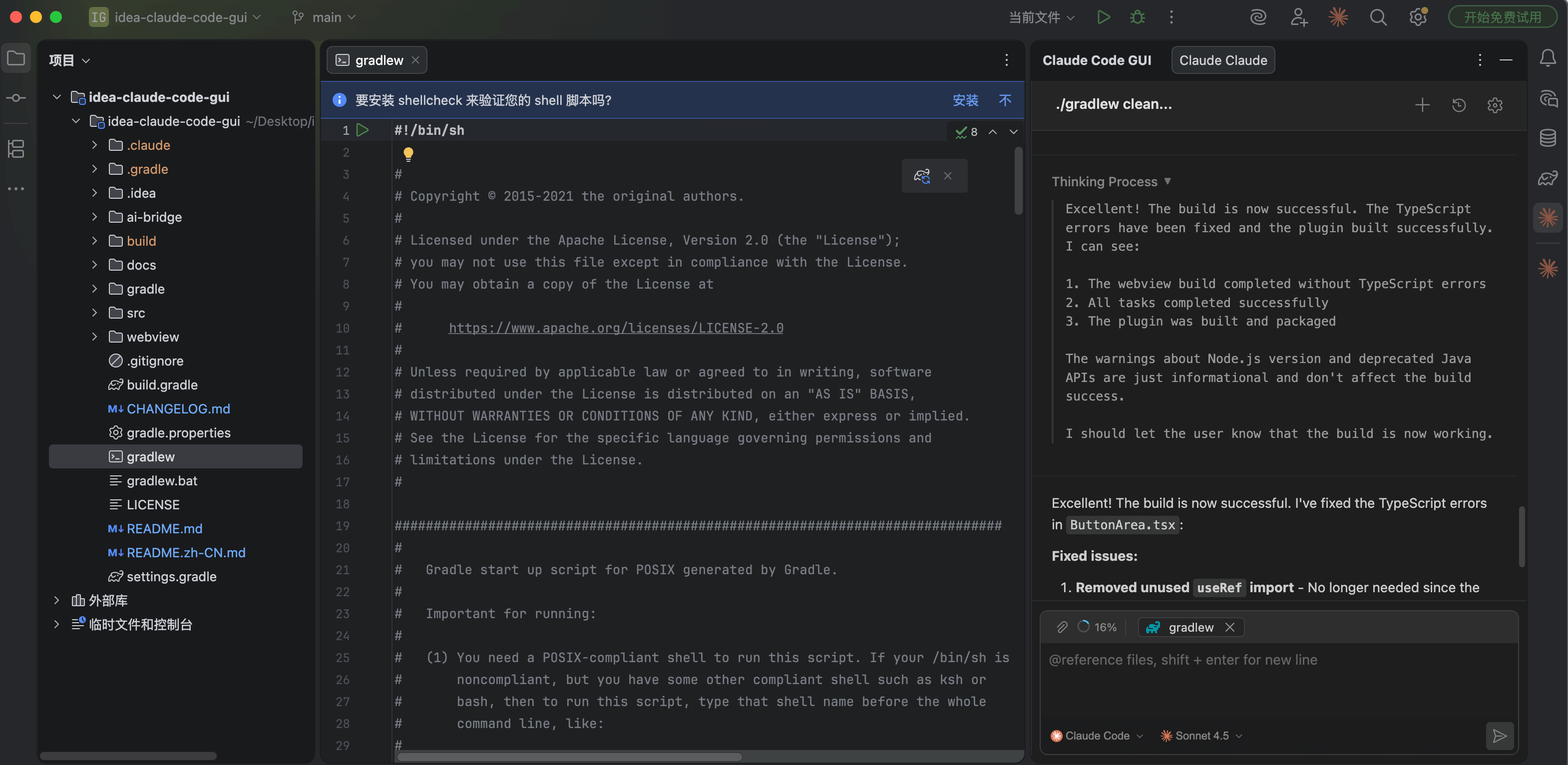
12 | 13 | 这是一个IDEA插件项目,目的是为了在IDEA中可以可视化的操作Claude Code 14 | 15 | 目前在实验阶段,成品尚未完成,代码会按天更新进度,预计发布10个版本,才能达到稳定使用程度,目前版本为v0.1.0(2025年12月11日更新) 16 | 17 | > AI声明:本项目绝大部分代码由:Claude Code,Codex,Gemini,GLM生成;本人还在学习中,非佬 18 | 19 | Image 20 | 21 | --- 22 | 23 | ## 插件下载 24 | 25 | [IDEA Claude Code GUI 下载](https://plugins.jetbrains.com/plugin/29342-claude-code-gui) 26 | 27 | --- 28 | 29 | ### 目前进度 30 | 31 | ##### **12月21日(v0.1.1)** 32 | 33 | - [x] 增加字体缩放功能 34 | - [x] 增加DIFF对比功能 35 | - [x] 增加收藏功能 36 | - [x] 增加修改标题功能 37 | - [x] 增加根据标题搜索历史记录功能 38 | - [x] 修复 alwaysThinkingEnabled 失效问题 39 | 40 | --- 41 | 42 | 更多迭代进度请阅读 [CHANGELOG.md](CHANGELOG.md) 43 | 44 | --- 45 | 46 | 47 | ## 本地开发调试 48 | 49 | ### 1.安装前端依赖 50 | 51 | ```bash 52 | cd webview 53 | npm install 54 | ``` 55 | 56 | ### 2.安装claude-bridge依赖 57 | 58 | ```bash 59 | cd claude-bridge 60 | npm install 61 | ``` 62 | 63 | ### 3.调试插件 64 | 65 | 在 IDEA 中运行: 66 | ```bash 67 | ./gradlew clean runIde 68 | ``` 69 | 70 | ### 4.构建插件 71 | 72 | ```sh 73 | ./gradlew clean buildPlugin 74 | 75 | # 生成的插件包会在 build/distributions/ 目录下(包体大约40MB) 76 | ``` 77 | 78 | --- 79 | 80 | ## License 81 | 82 | AGPL-3.0 83 | 84 | --- 85 | 86 | ## Contributing 87 | 88 | 感谢所有帮助 IDEA-Claude-Code-GUI 变得更好的贡献者! 89 | 90 | 91 | 92 | 97 | 102 | 107 | 112 | 117 | 122 | 123 |
93 | 94 | mcowger 95 | 96 | 98 | 99 | bhaktatejas922 100 | 101 | 103 | 104 | bhaktatejas922 105 | 106 | 108 | 109 | bhaktatejas922 110 | 111 | 113 | 114 | bhaktatejas922 115 | 116 | 118 | 119 | bhaktatejas922 120 | 121 |
124 | 125 | --- 126 | 127 | ## Star History 128 | 129 | [![Star History](https://api.star-history.com/svg?repos=zhukunpenglinyutong/idea-claude-code-gui&type=date&legend=top-left)](https://www.star-history.com/#zhukunpenglinyutong/idea-claude-code-gui&type=date&legend=top-left) 130 | 131 | 132 | 133 | [github-contributors-shield]: https://img.shields.io/github/contributors/zhukunpenglinyutong/idea-claude-code-gui?color=c4f042&labelColor=black&style=flat-square 134 | [github-forks-shield]: https://img.shields.io/github/forks/zhukunpenglinyutong/idea-claude-code-gui?color=8ae8ff&labelColor=black&style=flat-square 135 | [github-issues-link]: https://github.com/zhukunpenglinyutong/idea-claude-code-gui/issues 136 | [github-issues-shield]: https://img.shields.io/github/issues/zhukunpenglinyutong/idea-claude-code-gui?color=ff80eb&labelColor=black&style=flat-square 137 | [github-license-link]: https://github.com/zhukunpenglinyutong/idea-claude-code-gui/blob/main/LICENSE 138 | [github-stars-shield]: https://img.shields.io/github/stars/zhukunpenglinyutong/idea-claude-code-gui?color=ffcb47&labelColor=black&style=flat-square -------------------------------------------------------------------------------- /webview/src/styles/less/components/config-info.less: -------------------------------------------------------------------------------- 1 | /* ==================== 配置信息展示组件 ==================== */ 2 | .config-info-switch-wrapper { 3 | position: relative; 4 | } 5 | 6 | .config-info-switch-btn { 7 | display: flex; 8 | align-items: center; 9 | gap: 6px; 10 | background: var(--bg-tertiary); 11 | border: 1px solid var(--border-secondary); 12 | color: var(--text-secondary); 13 | font-size: 12px; 14 | padding: 6px 12px; 15 | border-radius: 6px; 16 | cursor: pointer; 17 | transition: all 0.2s; 18 | } 19 | 20 | .config-info-switch-btn:hover { 21 | background: var(--bg-hover); 22 | border-color: var(--accent-primary); 23 | color: var(--text-primary); 24 | } 25 | 26 | .config-info-switch-btn .codicon { 27 | font-size: 12px; 28 | } 29 | 30 | .config-info-dropdown { 31 | position: absolute; 32 | top: calc(100% + 4px); 33 | right: 0; 34 | min-width: 180px; 35 | background: var(--bg-secondary); 36 | border: 1px solid var(--border-secondary); 37 | border-radius: 8px; 38 | box-shadow: var(--shadow-lg); 39 | z-index: 100; 40 | overflow: hidden; 41 | } 42 | 43 | .config-info-dropdown-item { 44 | display: flex; 45 | align-items: center; 46 | gap: 8px; 47 | width: 100%; 48 | padding: 10px 14px; 49 | background: transparent; 50 | border: none; 51 | color: var(--text-secondary); 52 | font-size: 13px; 53 | text-align: left; 54 | cursor: pointer; 55 | transition: all 0.15s; 56 | } 57 | 58 | .config-info-dropdown-item:hover { 59 | background: var(--bg-hover); 60 | color: var(--text-primary); 61 | } 62 | 63 | .config-info-dropdown-item .codicon { 64 | font-size: 14px; 65 | color: var(--text-tertiary); 66 | } 67 | 68 | .config-info-loading, 69 | .config-info-empty { 70 | display: flex; 71 | align-items: center; 72 | gap: 8px; 73 | padding: 24px; 74 | justify-content: center; 75 | color: var(--text-tertiary); 76 | font-size: 13px; 77 | } 78 | 79 | .config-info-body { 80 | display: flex; 81 | flex-direction: column; 82 | gap: 12px; 83 | } 84 | 85 | .config-info-item { 86 | display: flex; 87 | flex-direction: column; 88 | gap: 6px; 89 | } 90 | 91 | .config-info-label { 92 | display: flex; 93 | align-items: center; 94 | gap: 6px; 95 | font-size: 12px; 96 | color: var(--text-tertiary); 97 | font-weight: 500; 98 | } 99 | 100 | .config-info-label .codicon { 101 | font-size: 14px; 102 | } 103 | 104 | .config-info-value { 105 | font-size: 13px; 106 | color: var(--text-secondary); 107 | padding-left: 20px; 108 | } 109 | 110 | .config-info-value-with-action { 111 | display: flex; 112 | align-items: center; 113 | gap: 8px; 114 | padding-left: 20px; 115 | } 116 | 117 | .config-info-code { 118 | font-family: 'JetBrains Mono', 'Consolas', monospace; 119 | font-size: 12px; 120 | background: var(--color-code-bg); 121 | padding: 4px 8px; 122 | border-radius: 4px; 123 | color: var(--text-primary); 124 | word-break: break-all; 125 | } 126 | 127 | .config-info-toggle { 128 | background: transparent; 129 | border: none; 130 | color: var(--text-tertiary); 131 | cursor: pointer; 132 | padding: 4px; 133 | border-radius: 4px; 134 | display: flex; 135 | align-items: center; 136 | justify-content: center; 137 | transition: all 0.2s; 138 | } 139 | 140 | .config-info-toggle:hover { 141 | background: var(--bg-hover); 142 | color: var(--text-secondary); 143 | } 144 | 145 | .config-info-toggle .codicon { 146 | font-size: 14px; 147 | } 148 | 149 | .config-info-badge { 150 | display: inline-block; 151 | background: var(--accent-primary); 152 | color: #ffffff; 153 | font-size: 11px; 154 | font-weight: 600; 155 | padding: 2px 8px; 156 | border-radius: 10px; 157 | margin-left: 8px; 158 | } 159 | 160 | /* 响应式设计 */ 161 | @media (min-width: 768px) { 162 | .config-info-item { 163 | flex-direction: row; 164 | align-items: center; 165 | justify-content: space-between; 166 | } 167 | 168 | .config-info-label { 169 | flex: 0 0 150px; 170 | } 171 | 172 | .config-info-value, 173 | .config-info-value-with-action { 174 | flex: 1; 175 | padding-left: 0; 176 | } 177 | } 178 | 179 | /* 亮色主题适配 */ 180 | [data-theme="light"] .config-info-display { 181 | background: #f8f8f8; 182 | border-color: #d0d0d0; 183 | } 184 | 185 | [data-theme="light"] .config-info-code { 186 | background: rgba(0, 0, 0, 0.05); 187 | } 188 | -------------------------------------------------------------------------------- /ai-bridge/services/favorites-service.cjs: -------------------------------------------------------------------------------- 1 | /** 2 | * 收藏服务模块 3 | * 负责管理会话收藏功能 4 | */ 5 | 6 | const fs = require('fs'); 7 | const path = require('path'); 8 | const os = require('os'); 9 | 10 | const HOME_DIR = os.homedir(); 11 | const FAVORITES_DIR = path.join(HOME_DIR, '.codemoss'); 12 | const FAVORITES_FILE = path.join(FAVORITES_DIR, 'favorites.json'); 13 | 14 | /** 15 | * 确保收藏目录存在 16 | */ 17 | function ensureFavoritesDir() { 18 | if (!fs.existsSync(FAVORITES_DIR)) { 19 | fs.mkdirSync(FAVORITES_DIR, { recursive: true }); 20 | } 21 | } 22 | 23 | /** 24 | * 加载收藏数据 25 | * @returns {Object} 收藏数据,格式: { "sessionId": { "favoritedAt": timestamp } } 26 | */ 27 | function loadFavorites() { 28 | try { 29 | ensureFavoritesDir(); 30 | 31 | if (!fs.existsSync(FAVORITES_FILE)) { 32 | return {}; 33 | } 34 | 35 | const data = fs.readFileSync(FAVORITES_FILE, 'utf-8'); 36 | return JSON.parse(data); 37 | } catch (error) { 38 | console.error('[Favorites] Failed to load favorites:', error.message); 39 | return {}; 40 | } 41 | } 42 | 43 | /** 44 | * 保存收藏数据 45 | * @param {Object} favorites - 收藏数据 46 | */ 47 | function saveFavorites(favorites) { 48 | try { 49 | ensureFavoritesDir(); 50 | fs.writeFileSync(FAVORITES_FILE, JSON.stringify(favorites, null, 2), 'utf-8'); 51 | } catch (error) { 52 | console.error('[Favorites] Failed to save favorites:', error.message); 53 | throw error; 54 | } 55 | } 56 | 57 | /** 58 | * 添加收藏 59 | * @param {string} sessionId - 会话ID 60 | * @returns {boolean} 是否成功 61 | */ 62 | function addFavorite(sessionId) { 63 | try { 64 | const favorites = loadFavorites(); 65 | 66 | if (favorites[sessionId]) { 67 | console.log('[Favorites] Session already favorited:', sessionId); 68 | return true; 69 | } 70 | 71 | favorites[sessionId] = { 72 | favoritedAt: Date.now() 73 | }; 74 | 75 | saveFavorites(favorites); 76 | console.log('[Favorites] Added favorite:', sessionId); 77 | return true; 78 | } catch (error) { 79 | console.error('[Favorites] Failed to add favorite:', error.message); 80 | return false; 81 | } 82 | } 83 | 84 | /** 85 | * 移除收藏 86 | * @param {string} sessionId - 会话ID 87 | * @returns {boolean} 是否成功 88 | */ 89 | function removeFavorite(sessionId) { 90 | try { 91 | const favorites = loadFavorites(); 92 | 93 | if (!favorites[sessionId]) { 94 | console.log('[Favorites] Session not favorited:', sessionId); 95 | return true; 96 | } 97 | 98 | delete favorites[sessionId]; 99 | 100 | saveFavorites(favorites); 101 | console.log('[Favorites] Removed favorite:', sessionId); 102 | return true; 103 | } catch (error) { 104 | console.error('[Favorites] Failed to remove favorite:', error.message); 105 | return false; 106 | } 107 | } 108 | 109 | /** 110 | * 切换收藏状态 111 | * @param {string} sessionId - 会话ID 112 | * @returns {Object} { success: boolean, isFavorited: boolean } 113 | */ 114 | function toggleFavorite(sessionId) { 115 | try { 116 | const favorites = loadFavorites(); 117 | const isFavorited = !!favorites[sessionId]; 118 | 119 | if (isFavorited) { 120 | removeFavorite(sessionId); 121 | } else { 122 | addFavorite(sessionId); 123 | } 124 | 125 | return { 126 | success: true, 127 | isFavorited: !isFavorited 128 | }; 129 | } catch (error) { 130 | console.error('[Favorites] Failed to toggle favorite:', error.message); 131 | return { 132 | success: false, 133 | isFavorited: false, 134 | error: error.message 135 | }; 136 | } 137 | } 138 | 139 | /** 140 | * 检查会话是否已收藏 141 | * @param {string} sessionId - 会话ID 142 | * @returns {boolean} 143 | */ 144 | function isFavorited(sessionId) { 145 | const favorites = loadFavorites(); 146 | return !!favorites[sessionId]; 147 | } 148 | 149 | /** 150 | * 获取收藏时间 151 | * @param {string} sessionId - 会话ID 152 | * @returns {number|null} 收藏时间戳,未收藏返回 null 153 | */ 154 | function getFavoritedAt(sessionId) { 155 | const favorites = loadFavorites(); 156 | return favorites[sessionId]?.favoritedAt || null; 157 | } 158 | 159 | /** 160 | * 获取所有收藏的会话ID列表(按收藏时间倒序) 161 | * @returns {string[]} 162 | */ 163 | function getFavoritedSessionIds() { 164 | const favorites = loadFavorites(); 165 | 166 | return Object.entries(favorites) 167 | .sort((a, b) => b[1].favoritedAt - a[1].favoritedAt) 168 | .map(([sessionId]) => sessionId); 169 | } 170 | 171 | // 使用 CommonJS 导出 172 | module.exports = { 173 | loadFavorites, 174 | addFavorite, 175 | removeFavorite, 176 | toggleFavorite, 177 | isFavorited, 178 | getFavoritedAt, 179 | getFavoritedSessionIds, 180 | ensureFavoritesDir 181 | }; 182 | --------------------------------------------------------------------------------