106 | );
107 | }
108 |
109 | export default App;
110 |
--------------------------------------------------------------------------------
/src/lib/Zingchart.js:
--------------------------------------------------------------------------------
1 | import React, { Component } from "react";
2 | import zingchart from "zingchart";
3 | import constants from "zingchart-constants";
4 |
5 | const {
6 | DEFAULT_WIDTH,
7 | DEFAULT_HEIGHT,
8 | DEFAULT_OUTPUT,
9 | EVENT_NAMES,
10 | METHOD_NAMES,
11 | } = constants;
12 |
13 | // One time setup globally to handle all zingchart-react objects in the app space.
14 | if (!window.ZCReact) {
15 | window.ZCReact = {
16 | instances: {},
17 | count: 0,
18 | };
19 | }
20 |
21 | class ZingChart extends Component {
22 | constructor(props) {
23 | super(props);
24 | this.id = this.props.id || "zingchart-react-" + window.ZCReact.count++;
25 |
26 | // Bind all methods available to zingchart to be accessed via Refs.
27 | METHOD_NAMES.forEach((name) => {
28 | this[name] = (args) => {
29 | return window.zingchart.exec(this.id, name, args);
30 | };
31 | });
32 | this.state = {
33 | style: {
34 | height: this.props.height || DEFAULT_HEIGHT,
35 | width: this.props.width || DEFAULT_WIDTH,
36 | },
37 | };
38 | }
39 |
40 | render() {
41 | return ;
42 | }
43 |
44 | bindEvent(eventName, originalEventName) {
45 | if (EVENT_NAMES.includes(eventName)) {
46 | // Filter through the provided events list, then register it to zingchart.
47 | window.zingchart.bind(this.id, eventName, (result) => {
48 | this.props[originalEventName || eventName](result);
49 | });
50 | return true;
51 | } else {
52 | return false;
53 | }
54 | }
55 |
56 | componentDidMount() {
57 | // Bind all events registered.
58 | Object.keys(this.props).forEach((eventName) => {
59 | if (!this.bindEvent(eventName)) {
60 | // Replace '_' with '.' and attempt again
61 | let newEventName = eventName.replace(/\_/g, ".");
62 | this.bindEvent(newEventName, eventName);
63 | }
64 | });
65 |
66 | this.renderChart();
67 | }
68 |
69 | // Used to check the values being passed in to avoid unnecessary changes.
70 | shouldComponentUpdate(nextProps) {
71 | // Data change
72 | if (JSON.stringify(nextProps.data) !== JSON.stringify(this.props.data)) {
73 | zingchart.exec(this.id, "setdata", {
74 | data: nextProps.data,
75 | });
76 |
77 | // Series change
78 | } else if (
79 | JSON.stringify(nextProps.series) !== JSON.stringify(this.props.series)
80 | ) {
81 | zingchart.exec(this.id, "setseriesdata", {
82 | graphid: 0,
83 | plotindex: 0,
84 | data: nextProps.series,
85 | });
86 |
87 | // Resize
88 | } else if (
89 | nextProps.width !== this.props.width ||
90 | nextProps.height !== this.props.height
91 | ) {
92 | this.setState({
93 | style: {
94 | width: nextProps.width || DEFAULT_WIDTH,
95 | height: nextProps.height || DEFAULT_HEIGHT,
96 | },
97 | });
98 | zingchart.exec(this.id, "resize", {
99 | width: nextProps.width || DEFAULT_WIDTH,
100 | height: nextProps.height || DEFAULT_HEIGHT,
101 | });
102 | }
103 |
104 | // React should never re-render since ZingChart controls this component.
105 | return false;
106 | }
107 |
108 | renderChart() {
109 | const renderObject = {};
110 | Object.keys(this.props).forEach((prop) => {
111 | renderObject[prop] = this.props[prop];
112 | });
113 | // Overwrite some existing props.
114 | renderObject.id = this.id;
115 | renderObject.width = this.props.width || DEFAULT_WIDTH;
116 | renderObject.height = this.props.height || DEFAULT_HEIGHT;
117 | renderObject.data = this.props.data;
118 | renderObject.output = this.props.output || DEFAULT_OUTPUT;
119 |
120 | if (this.props.series) {
121 | renderObject.data.series = this.props.series;
122 | }
123 | if (this.props.theme) {
124 | renderObject.defaults = this.props.theme;
125 | }
126 | if (this.props.modules) {
127 | renderObject.modules = this.props.modules;
128 | }
129 | zingchart.render(renderObject);
130 | }
131 |
132 | componentWillUnmount() {
133 | zingchart.exec(this.id, "destroy");
134 | }
135 | }
136 |
137 | // export ZingChart react class as the default
138 | export default ZingChart;
139 |
--------------------------------------------------------------------------------
/README.md:
--------------------------------------------------------------------------------
1 | 
2 | 
3 | 
4 | 
5 |
6 | 
7 | 
8 | 
9 |
10 | [](http://commitizen.github.io/cz-cli/)
11 |
12 | [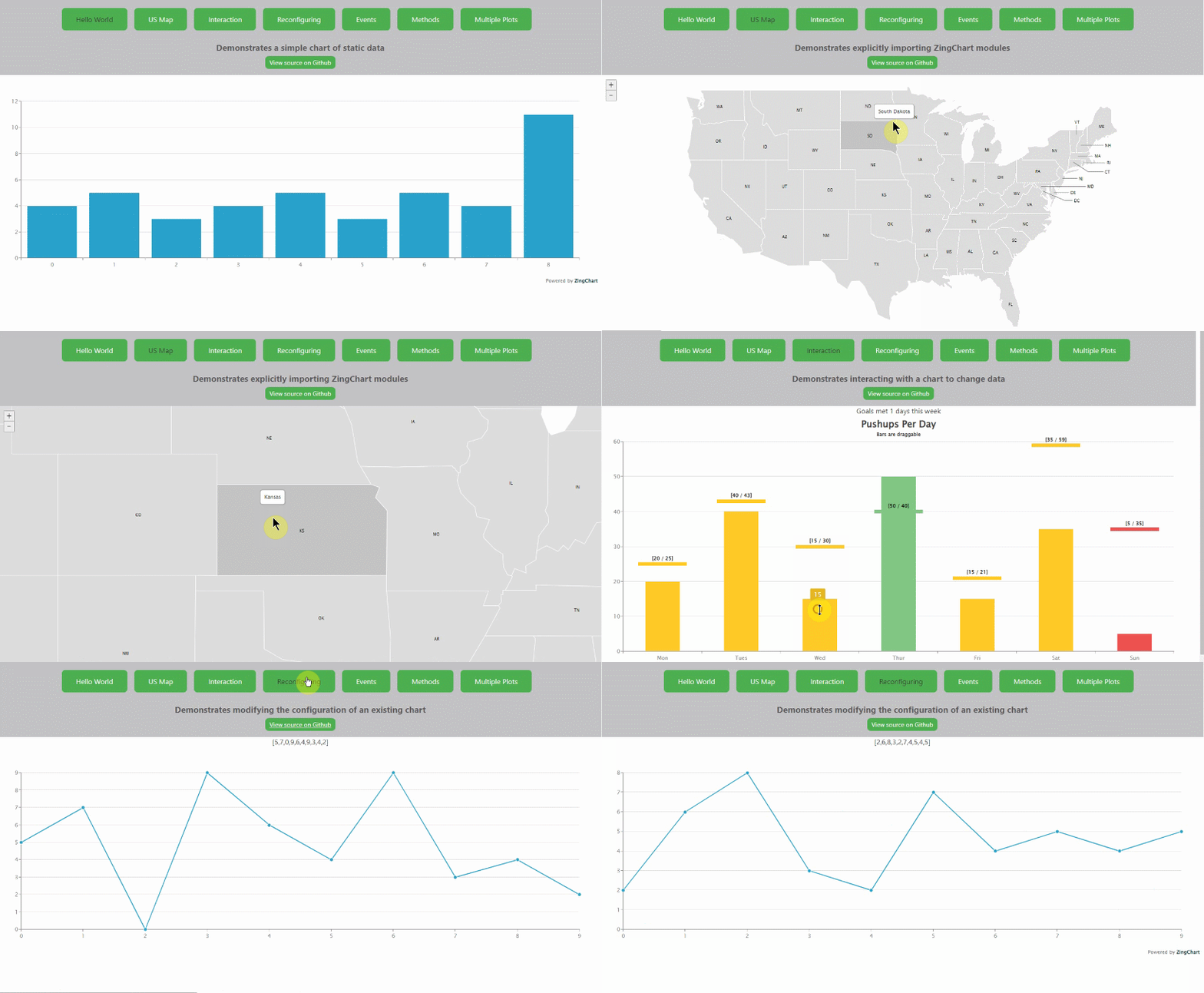](https://codesandbox.io/s/zingchart-react-wrapper-example-dxfc9)
13 |
14 | ## Quickstart Guide
15 |
16 | Quickly add charts to your React application with our ZingChart component
17 |
18 | This guide assumes some basic working knowledge of React and jsx.
19 |
20 |
21 | ## 1. Install
22 |
23 | Install the `zingchart` package via npm
24 |
25 | `npm install zingchart`
26 |
27 | Install the `zingchart-react` package via npm
28 |
29 | `npm install zingchart-react`
30 |
31 | ## 2. Include the `zingchart` package in your project
32 |
33 | The `zingchart` package is a **DIRECT** dependency of `zingchart-react` but you can also update this package outside of this component. Meaning the wrapper is no longer tied to a ZingChart library version, but just the component itself.
34 |
35 | You can import the library like so:
36 |
37 | ```javascript
38 | // import the es6 version
39 | import 'zingchart/es6';
40 | ```
41 |
42 | ## 3. Include the component in your project
43 |
44 | You can either include the zingchart-react component to your project via UMD or modules (recommended).
45 |
46 |
47 | ### Modules (recommended)
48 | ```js
49 | import 'zingchart/es6';
50 | import ZingChart from 'zingchart-react';
51 | ```
52 |
53 | You must **EXPLICITLY IMPORT MODULE CHARTS**. The modules are
54 | wrapped as a closure an eval statement so there is **NO** default
55 | export objects. Just import them.
56 |
57 | ```js
58 | import 'zingchart/es6';
59 | import ZingChart from 'zingchart-react';
60 | // EXPLICITLY IMPORT MODULE from node_modules
61 | import "zingchart/modules-es6/zingchart-maps.min.js";
62 | import "zingchart/modules-es6/zingchart-maps-usa.min.js";
63 | ```
64 |
65 | ### UMD
66 |
67 | In your main html file, include the package as a script include.
68 | ```html
69 |
70 |
71 | ```
72 |
73 | ### `zingchart` Global Object
74 |
75 | If you need access to the `window.zingchart` objects for licensing or development flags or any top level
76 | variables for other modules like `zingchart.loadGeoJSON()`. This is all exposed by importing the library as
77 | the `zingchart` variable with `import zingchart from 'zingchart/es6'`.
78 |
79 | ```javascript
80 | import zingchart from 'zingchart/es6';
81 | import ZingChart from 'zingchart-react';
82 |
83 | // zingchart object for performance flags
84 | zingchart.DEV.KEEPSOURCE = 0; // prevents lib from storing the original data package
85 | zingchart.DEV.COPYDATA = 0; // prevents lib from creating a copy of the data package
86 |
87 | // ZC object for license key
88 | zingchart.LICENSE = ['abcdefghijklmnopqrstuvwxy'];
89 | ```
90 |
91 | ## Usage
92 |
93 | Use the newly imported `ZingChart` component in your markup.
94 |
95 | ### Using class components:
96 |
97 | ```jsx
98 | import React, {Component} from 'react';
99 | import zingchart from 'zingchart/es6';
100 | import ZingChart from 'zingchart-react';
101 | /* Additional imports and settings as needed, see above */
102 |
103 | class Simple extends Component {
104 | constructor(props) {
105 | super(props);
106 | this.state = {
107 | config: {
108 | type: 'bar',
109 | series: [{
110 | values: [4,5,3,4,5,3,5,4,11]
111 | }]
112 | }
113 | }
114 | }
115 | render() {
116 | return (
117 |
118 |
119 |
120 | );
121 | }
122 | }
123 |
124 | export default Simple;
125 | ```
126 |
127 | ### Using function components:
128 |
129 | ```jsx
130 | import React, {useState} from 'react';
131 | import 'zingchart/es6';
132 | import ZingChart from 'zingchart-react';
133 | /* Additional imports and settings as needed, see above */
134 |
135 | function Simple() {
136 | const [config] = useState({
137 | type: 'bar',
138 | series: [{
139 | values: [4,5,3,4,5,3,5,4,11]
140 | }]
141 | })
142 |
143 | return
144 | }
145 |
146 | export default Simple;
147 | ```
148 |
149 | ## Parameters
150 |
151 | The properties, or parameters, you can pass to the `` tag itself.
152 |
153 |
154 | ### data [object]
155 |
156 | ```jsx
157 |
158 | const myData = {
159 | type: 'line',
160 | series: [
161 | { values: [1,2,4,5,6] }
162 | ]
163 | };
164 |
165 |
166 | ```
167 |
168 | ### `id` [string] (optional)
169 | The id for the DOM element for ZingChart to attach to. If no id is specified, the id will be autogenerated in the form of zingchart-react-#
170 |
171 | ### `series` [array] (optional)
172 | Accepts an array of series objects, and overrides a series if it was supplied into the config object. Varries by chart type used - Refer to the ZingChart documentation for more details.
173 |
174 |
175 | ```jsx
176 | const myData = {
177 | type: 'line',
178 | };
179 |
180 | const mySeries = [
181 | { values: [1,2,4,5,6] }
182 | ];
183 |
184 |
185 |
186 | ```
187 |
188 | ### `width` [string or number] (optional)
189 |
190 | The width of the chart. **Defaults to 100%**.
191 |
192 | ### `height` [string or number] (optional)
193 |
194 | The height of the chart. **Defaults to 480px**.
195 |
196 | ### `theme` [object] (optional)
197 |
198 | The theme or 'defaults' object defined by ZingChart. More information available here: https://www.zingchart.com/docs/api/themes
199 |
200 | ### modules [string] (optional)
201 | The modules object to load additional modules. More information available here: https://www.zingchart.com/docs/api/zingchart-modules#modules-list
202 |
203 | ### `output` [string] (optional)
204 |
205 | The render type of the chart. **The default is `svg`** but you can also pass the string `canvas` to render the charts in canvas.
206 |
207 | Note: All other properties that are added as a prop will be added to the render object. This allows for settings such as 'customprogresslogo' to be set. Any unrecognized properties will be ignored.
208 |
209 | ## Events
210 | All zingchart events are readily available on the component to listen to. For example, to listen for the 'complete' event when the chart is finished rendering:
211 |
212 | ```jsx
213 | class App extends Component {
214 | constructor(props) {
215 | super(props);
216 | this.state = {
217 | config: {
218 | type: 'line',
219 | series: [{
220 | values: [4,5,3,4,5,3,5,4,11]
221 | }]
222 | }
223 | }
224 | this.chartDone = this.chartDone.bind(this);
225 | }
226 | render() {
227 | return (
228 |
229 |
230 |
231 | );
232 | }
233 | chartDone(event) {
234 | console.log(`Event "Complete" - The chart is rendered\n`);
235 | }
236 | }
237 | ```
238 |
239 | For a list of all the events that you can listen to, refer to the complete documentation on https://www.zingchart.com/docs/api/events
240 |
241 |
242 | ### Methods
243 |
244 | All zingchart methods are readily available on the component's instance to call. For example, to add a new plot node to the chart:
245 |
246 | ```jsx
247 | class App extends Component {
248 | constructor(props) {
249 | super(props);
250 | this.state = {
251 | config: {
252 | type: 'bar',
253 | series: [{
254 | values: [4,5,3,4,5,3,5,4,11]
255 | }]
256 | }
257 | };
258 | this.chart = React.createRef();
259 | this.addPlot = this.addPlot.bind(this);
260 |
261 | }
262 | render() {
263 | return (
264 |
265 |
266 |
267 |
268 | );
269 | }
270 | addPlot() {
271 | this.chart.current.addplot({
272 | data: {
273 | values: [5,3,3,5,6,4,3,4,6],
274 | text: "My new plot"
275 | }
276 | });
277 | }
278 | }
279 |
280 | ```
281 |
282 | For a list of all the methods that you can call and the parameters each method can take, refer to the complete documentation on https://www.zingchart.com/docs/api/methods
283 |
284 | ## Working Example
285 |
286 | See https://github.com/zingchart-demos/zingchart-react-demo for a demo based on "Create React App" that shows this component in action.
287 |
--------------------------------------------------------------------------------