°F
5 | -------------------------------------------------------------------------------- /ZP_PyDash/widgets/stcontact/stcontact.html: -------------------------------------------------------------------------------- 1 | 2 | 3 |%
5 | -------------------------------------------------------------------------------- /ZP_PyDash/widgets/stpresence/stpresence.html: -------------------------------------------------------------------------------- 1 | 2 | 3 |6 | 7 |
8 | 9 | 10 | 11 | 12 | -------------------------------------------------------------------------------- /ZP_PyDash/widgets/stmeter/stmeter.scss: -------------------------------------------------------------------------------- 1 | // ---------------------------------------------------------------------------- 2 | // Widget-stmeter styles 3 | // ---------------------------------------------------------------------------- 4 | .widget-stmeter { 5 | 6 | input.stmeter { 7 | background-color: #444; 8 | color: #aa00ff; 9 | } 10 | 11 | .title { 12 | color: #fff; 13 | } 14 | 15 | } 16 | -------------------------------------------------------------------------------- /ZP_PyDash/widgets/stselectdimmer/stselectdimmer.scss: -------------------------------------------------------------------------------- 1 | // ---------------------------------------------------------------------------- 2 | // Widget-select-color styles 3 | // ---------------------------------------------------------------------------- 4 | .widget-select-color { 5 | 6 | background-color: #000 !important; 7 | 8 | .title { 9 | color: rgba(255, 255, 255, 0.7); 10 | } 11 | 12 | } 13 | -------------------------------------------------------------------------------- /ZP_PyDash/widgets/text/text.html: -------------------------------------------------------------------------------- 1 | 2 | 3 | 4 | 5 | 6 || 5 | 6 | | 7 |8 | 9 | 10 | | 11 |
°F
6 | 7 |/
11 | 12 | 13 | 14 | 15 | 16 |/
23 | 24 | 25 | 26 | 27 | -------------------------------------------------------------------------------- /ZP_PyDash/widgets/number/number.scss: -------------------------------------------------------------------------------- 1 | // ---------------------------------------------------------------------------- 2 | // Sass declarations 3 | // ---------------------------------------------------------------------------- 4 | $background-color: #47bbb3; 5 | $value-color: #fff; 6 | 7 | $title-color: rgba(255, 255, 255, 0.7);; 8 | $moreinfo-color: rgba(255, 255, 255, 0.7);; 9 | 10 | // ---------------------------------------------------------------------------- 11 | // Widget-number styles 12 | // ---------------------------------------------------------------------------- 13 | .widget-number { 14 | 15 | background-color: $background-color; 16 | 17 | .title { 18 | color: $title-color; 19 | } 20 | 21 | .value { 22 | color: $value-color; 23 | } 24 | 25 | .change-rate { 26 | font-weight: 500; 27 | font-size: 30px; 28 | color: $value-color; 29 | } 30 | 31 | .more-info { 32 | color: $moreinfo-color; 33 | } 34 | 35 | .updated-at { 36 | color: rgba(0, 0, 0, 0.3); 37 | } 38 | 39 | } -------------------------------------------------------------------------------- /ZP_PyDash/widgets/stsetlevel/stsetlevel.coffee: -------------------------------------------------------------------------------- 1 | class Dashing.Stsetlevel extends Dashing.ClickableWidget 2 | constructor: -> 3 | super 4 | 5 | 6 | @accessor 'level', 7 | get: -> @_level ? "off" 8 | set: (key, value) -> @_level = value 9 | 10 | @accessor 'levellabel', 11 | get: -> if @get('level') != 'off' then @get('level') + '%' else 'Off' 12 | set: (key, value) -> @_level = value 13 | 14 | @accessor 'opacitylevel', 15 | get: -> if @get('level') == 'off' then '100 ; color:Black' else @get('level') / 100 16 | set: (key, value) -> @_opacitylevel = value 17 | 18 | postState: -> 19 | path = '/setdimmer/' 20 | $.post path, 21 | deviceType: 'dimmer', 22 | level: @get('level'), 23 | 24 | 25 | ready: -> 26 | 27 | onData: (data) -> 28 | 29 | onClick: (node, event) -> 30 | @postState() 31 | Dashing.cycleDashboardsNow( 32 | boardnumber: @get('page'), 33 | stagger: @get('stagger'), 34 | fastTransition: @get('fasttransition'), 35 | transitiontype: @get('transitiontype')) 36 | -------------------------------------------------------------------------------- /ZP_PyDash/assets/javascripts/jquery.leanModal.min.js: -------------------------------------------------------------------------------- 1 | // leanModal v1.1 by Ray Stone - http://finelysliced.com.au 2 | // Dual licensed under the MIT and GPL 3 | 4 | (function($){$.fn.extend({leanModal:function(options){var defaults={top:100,overlay:0.5,closeButton:null};var overlay=$("");$("body").append(overlay);options=$.extend(defaults,options);return this.each(function(){var o=options;$(this).click(function(e){var modal_id=$(this).attr("href");$("#lean_overlay").click(function(){close_modal(modal_id)});$(o.closeButton).click(function(){close_modal(modal_id)});var modal_height=$(modal_id).outerHeight();var modal_width=$(modal_id).outerWidth(); 5 | $("#lean_overlay").css({"display":"block",opacity:0});$("#lean_overlay").fadeTo(200,o.overlay);$(modal_id).css({"display":"block","position":"fixed","opacity":0,"z-index":11000,"left":50+"%","margin-left":-(modal_width/2)+"px","top":o.top+"px"});$(modal_id).fadeTo(200,1);e.preventDefault()})});function close_modal(modal_id){$("#lean_overlay").fadeOut(200);$(modal_id).css({"display":"none"})}}})})(jQuery); 6 | -------------------------------------------------------------------------------- /ZP_PyDash/assets/javascripts/application.coffee: -------------------------------------------------------------------------------- 1 | console.log("Yeah! The dashboard has started!") 2 | 3 | Dashing.on 'ready', -> 4 | Dashing.widget_margins ||= [5, 5] 5 | Dashing.widget_base_dimensions ||= [120, 120] 6 | Dashing.numColumns ||= 7 7 | Dashing.cycleDashboards({timeInSeconds: 0, stagger: true, page: 1}); 8 | 9 | contentWidth = (Dashing.widget_base_dimensions[0] + Dashing.widget_margins[0] * 2) * Dashing.numColumns 10 | 11 | Batman.setImmediate -> 12 | $('.gridster').width(contentWidth) 13 | $('.gridster > ul').gridster 14 | widget_margins: Dashing.widget_margins 15 | widget_base_dimensions: Dashing.widget_base_dimensions 16 | avoid_overlapped_widgets: !Dashing.customGridsterLayout 17 | draggable: 18 | stop: Dashing.showGridsterInstructions 19 | start: -> Dashing.currentWidgetPositions = Dashing.getWidgetPositions() 20 | if( /Android|webOS|iPhone|iPad|iPod|BlackBerry/i.test(navigator.userAgent) ) 21 | $('.gridster > ul').each -> 22 | $(@).gridster().data('gridster').draggable().disable() 23 | -------------------------------------------------------------------------------- /Gruntfile.js: -------------------------------------------------------------------------------- 1 | module.exports = function(grunt) { 2 | 3 | // Project configuration. 4 | grunt.initConfig({ 5 | pkg: grunt.file.readJSON('package.json'), 6 | 7 | concat: { 8 | dist: { 9 | src: [ 10 | '**/*.scss', 11 | ], 12 | dest: '.compile/build.scss', 13 | } 14 | }, 15 | 16 | sass: { // Task 17 | dist: { 18 | files: { 19 | 'ZP_PyDash/assets/stylesheets/application.css':'.compile/build.scss' 20 | } 21 | } 22 | }, 23 | 24 | // Run "grunt watch" while developing to have it keep an eye out for CSS changes 25 | watch: { 26 | scripts: { 27 | files: ['**/*.scss'], 28 | tasks: ['compile_css'], 29 | }, 30 | }, 31 | }); 32 | 33 | 34 | grunt.loadNpmTasks('grunt-contrib-sass'); 35 | grunt.loadNpmTasks('grunt-contrib-concat'); 36 | grunt.loadNpmTasks('grunt-contrib-watch'); 37 | 38 | 39 | grunt.registerTask('compile_css', ['concat', 'sass']) 40 | 41 | 42 | // If we don't tell it what to do... 43 | grunt.registerTask('default', ['compile_css', 'watch']); 44 | }; -------------------------------------------------------------------------------- /ZP_PyDash/widgets/graph/graph.coffee: -------------------------------------------------------------------------------- 1 | class Dashing.Graph extends Dashing.Widget 2 | 3 | @accessor 'current', -> 4 | return @get('displayedValue') if @get('displayedValue') 5 | points = @get('points') 6 | if points 7 | points[points.length - 1].y 8 | 9 | ready: -> 10 | container = $(@node).parent() 11 | # Gross hacks. Let's fix this. 12 | width = (Dashing.widget_base_dimensions[0] * container.data("sizex")) + Dashing.widget_margins[0] * 2 * (container.data("sizex") - 1) 13 | height = (Dashing.widget_base_dimensions[1] * container.data("sizey")) 14 | @graph = new Rickshaw.Graph( 15 | element: @node 16 | width: width 17 | height: height 18 | series: [ 19 | { 20 | color: "#fff", 21 | data: [{x:0, y:0}] 22 | } 23 | ] 24 | ) 25 | 26 | @graph.series[0].data = @get('points') if @get('points') 27 | 28 | x_axis = new Rickshaw.Graph.Axis.Time(graph: @graph) 29 | y_axis = new Rickshaw.Graph.Axis.Y(graph: @graph, tickFormat: Rickshaw.Fixtures.Number.formatKMBT) 30 | @graph.render() 31 | 32 | onData: (data) -> 33 | if @graph 34 | @graph.series[0].data = data.points 35 | @graph.render() 36 | -------------------------------------------------------------------------------- /ZP_PyDash/dashie_sampler.py: -------------------------------------------------------------------------------- 1 | import datetime 2 | import json 3 | from repeated_timer import RepeatedTimer 4 | 5 | class DashieSampler: 6 | def __init__(self, app, interval): 7 | self._app = app 8 | self._timer = RepeatedTimer(interval, self._sample) 9 | 10 | def stop(self): 11 | self._timer.stop() 12 | 13 | def start(self): 14 | self._timer.start() 15 | 16 | def name(self): 17 | ''' 18 | Child class implements this function 19 | ''' 20 | return 'UnknownSampler' 21 | 22 | def sample(self): 23 | ''' 24 | Child class implements this function 25 | ''' 26 | return {} 27 | 28 | def _send_event(self, widget_id, body): 29 | body['id'] = widget_id 30 | body['updatedAt'] = datetime.datetime.now().strftime('%Y-%m-%d %H:%M:%S +0000') 31 | formatted_json = 'data: %s\n\n' % (json.dumps(body)) 32 | self._app.last_events[widget_id] = formatted_json 33 | for event_queue in self._app.events_queue.values(): 34 | event_queue.put(formatted_json) 35 | 36 | def _sample(self): 37 | data = self.sample() 38 | if data: 39 | self._send_event(self.name(), data) 40 | -------------------------------------------------------------------------------- /ZP_PyDash/widgets/stselectcolor/stselectcolor.coffee: -------------------------------------------------------------------------------- 1 | class Dashing.Stselectcolor extends Dashing.ClickableWidget 2 | constructor: -> 3 | super 4 | 5 | 6 | @accessor 'color', 7 | get: -> @_color ? "Unknown" 8 | set: (key, value) -> @_color = value 9 | 10 | @accessor 'hue', 11 | get: -> @_hue ? "Unknown" 12 | set: (key, value) -> @_hue = value 13 | 14 | @accessor 'sat', 15 | get: -> @_sat ? "Unknown" 16 | set: (key, value) -> @_sat = value 17 | 18 | @accessor 'level', 19 | get: -> @_level ? "Unknown" 20 | set: (key, value) -> @_level = value 21 | 22 | @accessor 'colorhsla', 23 | get: -> '(' + @get('hue') + ',' + @get('sat') + '%,' + @get('level') + '%,1)' 24 | set: (key, value) -> @colorhsla = value 25 | 26 | postState: -> 27 | path = '/setcolor/' 28 | $.post path, 29 | deviceType: 'color', 30 | color: @get('color') 31 | hue: @get('hue'), 32 | sat: @get('sat'), 33 | 34 | 35 | ready: -> 36 | 37 | onData: (data) -> 38 | 39 | onClick: (node, event) -> 40 | @postState() 41 | Dashing.cycleDashboardsNow( 42 | boardnumber: @get('page'), 43 | stagger: @get('stagger'), 44 | fastTransition: @get('fasttransition'), 45 | transitiontype: @get('transitiontype')) 46 | -------------------------------------------------------------------------------- /ZP_PyDash/zp_st_pydash_app.py: -------------------------------------------------------------------------------- 1 | from smartthings_samplers import * 2 | 3 | samplers = [] 4 | 5 | 6 | def run(app, xyzzyP): 7 | global samplers 8 | global xyzzy 9 | xyzzy = xyzzyP 10 | 11 | samplers = [ 12 | StswitchSampler(xyzzy, 7), 13 | DimmerSampler(xyzzy, 7), 14 | ColorSampler(xyzzy, 7), 15 | HumiditySampler(xyzzy, 30), 16 | ContactSampler(xyzzy, 7), 17 | MotionSampler(xyzzy, 15), 18 | PowerSampler(xyzzy, 10), 19 | ModeSampler(xyzzy, 10), 20 | PresenceSampler(xyzzy, 10), 21 | WeatherSampler(xyzzy, 600), 22 | TempSampler(xyzzy,60) 23 | 24 | ] 25 | 26 | try: 27 | app.run(debug=True, 28 | port=5000, 29 | threaded=True, 30 | use_reloader=False, 31 | use_debugger=True, 32 | host='0.0.0.0' 33 | ) 34 | finally: 35 | print "Disconnecting clients" 36 | xyzzy.stopped = True 37 | 38 | print "Stopping %d timers" % len(samplers) 39 | for (i, sampler) in enumerate(samplers): 40 | sampler.stop() 41 | 42 | print "Done" 43 | 44 | def startSamplers(): 45 | global samplers 46 | global xyzzy 47 | samplers = [ 48 | 49 | ] 50 | -------------------------------------------------------------------------------- /ZP_PyDash/widgets/stlock/stlock.coffee: -------------------------------------------------------------------------------- 1 | class Dashing.Stlock extends Dashing.ClickableWidget 2 | constructor: -> 3 | super 4 | @queryState() 5 | 6 | @accessor 'state', 7 | get: -> @_state ? 'unlocked' 8 | set: (key, value) -> @_state = value 9 | 10 | @accessor 'icon', 11 | get: -> if @get('state') == 'unlocked' then 'unlock-alt' else 'lock' 12 | set: Batman.Property.defaultAccessor.set 13 | 14 | @accessor 'icon-style', -> 15 | if @get('state') == 'locked' then 'icon-locked' else 'icon-unlocked' 16 | 17 | toggleState: -> 18 | newState = if @get('state') == 'locked' then 'unlock' else 'lock' 19 | @set 'state', newState 20 | return newState 21 | 22 | queryState: -> 23 | $.get '/smartthings/dispatch', 24 | widgetId: @get('id'), 25 | deviceType: 'lock', 26 | deviceId: @get('device') 27 | (data) => 28 | json = JSON.parse data 29 | @set 'state', json.state 30 | 31 | postState: -> 32 | newState = @toggleState() 33 | $.post '/smartthings/dispatch', 34 | deviceType: 'lock', 35 | deviceId: @get('device'), 36 | command: newState, 37 | (data) => 38 | json = JSON.parse data 39 | if json.error != 0 40 | @toggleState() 41 | 42 | ready: -> 43 | 44 | onData: (data) -> 45 | 46 | onClick: (event) -> 47 | @postState() 48 | -------------------------------------------------------------------------------- /ZP_PyDash/widgets/list/list.scss: -------------------------------------------------------------------------------- 1 | // ---------------------------------------------------------------------------- 2 | // Sass declarations 3 | // ---------------------------------------------------------------------------- 4 | $background-color: #12b0c5; 5 | $value-color: #fff; 6 | 7 | $title-color: rgba(255, 255, 255, 0.7); 8 | $label-color: rgba(255, 255, 255, 0.7); 9 | $moreinfo-color: rgba(255, 255, 255, 0.7); 10 | 11 | // ---------------------------------------------------------------------------- 12 | // Widget-list styles 13 | // ---------------------------------------------------------------------------- 14 | .widget-list { 15 | 16 | background-color: $background-color; 17 | vertical-align: top; 18 | 19 | .title { 20 | color: $title-color; 21 | } 22 | 23 | ol, ul { 24 | margin: 0 15px; 25 | text-align: left; 26 | color: $label-color; 27 | } 28 | 29 | ol { 30 | list-style-position: inside; 31 | } 32 | 33 | li { 34 | margin-bottom: 5px; 35 | } 36 | 37 | .list-nostyle { 38 | list-style: none; 39 | } 40 | 41 | .label { 42 | color: $label-color; 43 | } 44 | 45 | .value { 46 | float: right; 47 | margin-left: 12px; 48 | font-weight: 600; 49 | color: $value-color; 50 | } 51 | 52 | .updated-at { 53 | color: rgba(0, 0, 0, 0.3); 54 | } 55 | 56 | .more-info { 57 | color: $moreinfo-color; 58 | } 59 | 60 | } -------------------------------------------------------------------------------- /ZP_PyDash/assets/javascripts/dashing.gridster.coffee: -------------------------------------------------------------------------------- 1 | #= require_directory ./gridster 2 | 3 | # This file enables gridster integration (http://gridster.net/) 4 | # Delete it if you'd rather handle the layout yourself. 5 | # You'll miss out on a lot if you do, but we won't hold it against you. 6 | 7 | Dashing.gridsterLayout = (positions) -> 8 | Dashing.customGridsterLayout = true 9 | positions = positions.replace(/^"|"$/g, '') 10 | positions = $.parseJSON(positions) 11 | widgets = $("[data-row^=]") 12 | for widget, index in widgets 13 | $(widget).attr('data-row', positions[index].row) 14 | $(widget).attr('data-col', positions[index].col) 15 | 16 | Dashing.getWidgetPositions = -> 17 | $(".gridster ul:first").gridster().data('gridster').serialize() 18 | 19 | Dashing.showGridsterInstructions = -> 20 | newWidgetPositions = Dashing.getWidgetPositions() 21 | 22 | unless JSON.stringify(newWidgetPositions) == JSON.stringify(Dashing.currentWidgetPositions) 23 | Dashing.currentWidgetPositions = newWidgetPositions 24 | $('#save-gridster').slideDown() 25 | $('#gridster-code').text(" 26 | 31 | ") 32 | 33 | $ -> 34 | $('#save-gridster').leanModal() 35 | 36 | $('#save-gridster').click -> 37 | $('#save-gridster').slideUp() 38 | 39 | -------------------------------------------------------------------------------- /ZP_PyDash/widgets/stdimmer/stdimmer.scss: -------------------------------------------------------------------------------- 1 | // ---------------------------------------------------------------------------- 2 | // Widget styles 3 | // ---------------------------------------------------------------------------- 4 | .widget-stdimmer { 5 | 6 | background-color: #444 !important; 7 | position: relative; 8 | 9 | .title { 10 | color: #fff; 11 | margin-bottom: 0; 12 | margin-top: 10px; 13 | } 14 | 15 | .dimmer-icon-off .dimmer-icon-on { 16 | font-size: 150%; 17 | } 18 | 19 | .dimmer-icon-off { 20 | color: #888888; 21 | } 22 | 23 | .dimmer-icon-on { 24 | color: #aaff00; 25 | } 26 | 27 | .toggle-area { 28 | z-index: 10; 29 | position: absolute; 30 | top: 0; 31 | left: 0; 32 | width: 100%; 33 | height: 100px; 34 | } 35 | 36 | .level { 37 | display: inline-block; 38 | margin-bottom: 5px; 39 | color: rgba(255, 255, 255, 0.7); 40 | } 41 | 42 | .unit { 43 | display: inline-block; 44 | color: rgba(255, 255, 255, 0.7); 45 | } 46 | 47 | .secondary-icon { 48 | position: absolute; 49 | bottom: 0px; 50 | font-size: 25px; 51 | width: 32px; 52 | color: #888888; 53 | 54 | &.plus { 55 | right: 24px; 56 | 57 | i { 58 | padding-top: 10px; 59 | padding-left: 30px; 60 | } 61 | } 62 | 63 | &.minus { 64 | left: 8px; 65 | 66 | i { 67 | padding-top: 10px; 68 | padding-right: 30px; 69 | } 70 | } 71 | } 72 | 73 | } 74 | -------------------------------------------------------------------------------- /ZP_PyDash/widgets/graph/graph.scss: -------------------------------------------------------------------------------- 1 | // ---------------------------------------------------------------------------- 2 | // Sass declarations 3 | // ---------------------------------------------------------------------------- 4 | $background-color: #dc5945; 5 | 6 | $title-color: rgba(255, 255, 255, 0.7); 7 | $moreinfo-color: rgba(255, 255, 255, 0.3); 8 | $tick-color: rgba(0, 0, 0, 0.4); 9 | 10 | 11 | // ---------------------------------------------------------------------------- 12 | // Widget-graph styles 13 | // ---------------------------------------------------------------------------- 14 | .widget-graph { 15 | 16 | background-color: $background-color; 17 | position: relative; 18 | 19 | 20 | svg { 21 | position: absolute; 22 | opacity: 0.4; 23 | fill-opacity: 0.4; 24 | left: 0px; 25 | top: 0px; 26 | } 27 | 28 | .title, .value { 29 | position: relative; 30 | z-index: 99; 31 | } 32 | 33 | .title { 34 | color: $title-color; 35 | } 36 | 37 | .more-info { 38 | color: $moreinfo-color; 39 | font-weight: 600; 40 | font-size: 20px; 41 | margin-top: 0; 42 | } 43 | 44 | .x_tick { 45 | position: absolute; 46 | bottom: 0; 47 | .title { 48 | font-size: 20px; 49 | color: $tick-color; 50 | opacity: 0.5; 51 | padding-bottom: 3px; 52 | } 53 | } 54 | 55 | .y_ticks { 56 | font-size: 20px; 57 | fill: $tick-color; 58 | fill-opacity: 1; 59 | } 60 | 61 | .domain { 62 | display: none; 63 | } 64 | 65 | } -------------------------------------------------------------------------------- /ZP_PyDash/widgets/stswitch/stswitch.coffee: -------------------------------------------------------------------------------- 1 | class Dashing.Stswitch extends Dashing.ClickableWidget 2 | constructor: -> 3 | super 4 | @queryState() 5 | 6 | @accessor 'state', 7 | get: -> @_state ? 'Unknown' 8 | set: (key, value) -> @_state = value 9 | 10 | 11 | @accessor 'icon', 12 | get: -> if @['icon'] then @['icon'] else 13 | if @get('state') == 'on' then @get('iconon') else @get('iconoff') 14 | set: Batman.Property.defaultAccessor.set 15 | 16 | @accessor 'iconon', 17 | get: -> @get('icon') ? 'connectdevelop' 18 | set: Batman.Property.defaultAccessor.set 19 | 20 | @accessor 'iconoff', 21 | get: -> @get('icon') ? 'connectdevelop' 22 | set: Batman.Property.defaultAccessor.set 23 | 24 | @accessor 'icon-style', -> 25 | if @get('state') == 'on' then 'switch-icon-on' else 'switch-icon-off' 26 | 27 | toggleState: -> 28 | newState = if @get('state') == 'on' then 'off' else 'on' 29 | @set 'state', newState 30 | return newState 31 | 32 | 33 | queryState: -> 34 | path = '/switch/' + @get('device') 35 | $.get path, 36 | (data) => 37 | json = JSON.parse(data) 38 | @set 'state', json.switch 39 | 40 | 41 | 42 | postState: -> 43 | @toggleState() 44 | path = '/switch/' + @get('device') + '/' 45 | $.post path, 46 | deviceType: 'switch', 47 | deviceId: @get('device'), 48 | command: 't', 49 | 50 | 51 | ready: -> 52 | 53 | onData: (data) -> 54 | @queryState() 55 | 56 | onClick: (event) -> 57 | @postState() 58 | 59 | -------------------------------------------------------------------------------- /ZP_PyDash/widgets/stselectdimmer/stselectdimmer.coffee: -------------------------------------------------------------------------------- 1 | class Dashing.Stselectdimmer extends Dashing.ClickableWidget 2 | constructor: -> 3 | super 4 | @queryState() 5 | 6 | 7 | @accessor 'state', 8 | get: -> @_state ? 'off' 9 | set: (key, value) -> @_state = value 10 | 11 | @accessor 'level', 12 | get: -> if @get('state') != 'off' then @_level else 'Off' 13 | set: (key, value) -> @_level = value 14 | 15 | @accessor 'levellabel', 16 | get: -> if @get('state') != 'off' then @get('level') + '%' else 'Off' 17 | set: (key, value) -> @_level = value 18 | 19 | @accessor 'opacitylevel', 20 | get: -> if @get('state') == 'off' then '100 ; color:Black' else @get('level') / 50 21 | set: (key, value) -> @_opacitylevel = value 22 | 23 | postState: -> 24 | path = '/setselecteddimmer/' + @get('device') + '/' 25 | $.post path, 26 | deviceType: 'dimmer', 27 | deviceId: @get('device'), 28 | 29 | queryState: -> 30 | path = '/dimmer/' + @get('device') 31 | $.get path, 32 | deviceType: 'dimmer', 33 | deviceId: @get('device') 34 | (data) => 35 | json = JSON.parse data 36 | @set 'state', json.state 37 | @set 'level', json.level 38 | 39 | ready: -> 40 | 41 | onData: (data) -> 42 | @queryState() 43 | 44 | onClick: (node, event) -> 45 | @postState() 46 | Dashing.cycleDashboardsNow( 47 | boardnumber: @get('page'), 48 | stagger: @get('stagger'), 49 | fastTransition: @get('fasttransition'), 50 | transitiontype: @get('transitiontype')) 51 | -------------------------------------------------------------------------------- /ZP_PyDash/widgets/stselecthue/stselecthue.coffee: -------------------------------------------------------------------------------- 1 | class Dashing.Stselecthue extends Dashing.ClickableWidget 2 | constructor: -> 3 | super 4 | @queryState() 5 | 6 | 7 | @accessor 'hue', 8 | get: -> @_hue ? "Unknown" 9 | set: (key, value) -> @_hue = value 10 | 11 | @accessor 'sat', 12 | get: -> @_sat ? "50" 13 | set: (key, value) -> @_sat = value 14 | 15 | @accessor 'level', 16 | get: -> @_level ? "50" 17 | set: (key, value) -> @_level = value 18 | 19 | @accessor 'colorhsla', 20 | get: -> @_colorhsla 21 | set: (key, value) -> @_colorhsla = value 22 | 23 | postState: -> 24 | path = '/setselectedhue/' + @get('device') + '/' 25 | $.post path, 26 | deviceType: 'color', 27 | deviceId: @get('device'), 28 | 29 | sethsla: -> 30 | neshsla = '(' + @get('hue') * 360 / 100 + ',' + @get('sat') * 255 / 100 + '%,' + @get('level') + '%,1)' 31 | @set 'colorhsla', newhsla 32 | return newhsla 33 | 34 | queryState: -> 35 | path = '/color/' + @get('device') 36 | $.get path, 37 | (data) => 38 | json = JSON.parse(data) 39 | @set 'hue', json.hue 40 | @set 'sat', json.sat 41 | @set 'colorhsla', '(' + @get('hue') * 360 / 100 + ',' + @get('sat') * 255 / 100 + '%,' + @get('level') + '%,1)' 42 | 43 | 44 | ready: -> 45 | 46 | onData: (data) -> 47 | @queryState() 48 | 49 | 50 | onClick: (node, event) -> 51 | @postState() 52 | Dashing.cycleDashboardsNow( 53 | boardnumber: @get('page'), 54 | stagger: @get('stagger'), 55 | fastTransition: @get('fasttransition'), 56 | transitiontype: @get('transitiontype')) -------------------------------------------------------------------------------- /ZP_PyDash/widgets/stweather/stweather.scss: -------------------------------------------------------------------------------- 1 | // ---------------------------------------------------------------------------- 2 | // Widget-stmode styles 3 | // ---------------------------------------------------------------------------- 4 | .widget-stweather { 5 | 6 | h1 { 7 | margin-bottom: 0px; 8 | } 9 | 10 | .colored { 11 | color: #ffaa00 !important; 12 | } 13 | 14 | [class^="primary"] { 15 | display: inline-block; 16 | vertical-align: middle; 17 | padding: 0; 18 | margin-left: 10px; 19 | margin-right: 10px; 20 | margin-top: 0px; 21 | margin-bottom: 0px; 22 | } 23 | 24 | [class^="secondary"] { 25 | display: inline-block; 26 | vertical-align: middle; 27 | padding: 0; 28 | margin-left: 0px; 29 | margin-right: 0px; 30 | margin-top: 0px; 31 | margin-bottom: 0px; 32 | color: rgba(255, 255, 255, 0.6); 33 | } 34 | 35 | .primary-climacon { 36 | font-family: "Climacons-Font"; 37 | font-size: 70px; 38 | } 39 | 40 | .primary-info { 41 | font-size: 280%; 42 | font-weight: 400; 43 | } 44 | 45 | .primary-unit { 46 | font-size: 200%; 47 | font-weight: 400; 48 | margin-left: 0; 49 | margin-top: 20px; 50 | vertical-align: top; 51 | } 52 | 53 | .secondary-icon { 54 | font-family: "Climacons-Font"; 55 | font-size: 40px; 56 | margin-left: 10px; 57 | margin-right: 0px; 58 | } 59 | 60 | .secondary-climacon { 61 | font-family: "Climacons-Font"; 62 | font-size: 35px; 63 | margin-left: 10px; 64 | margin-right: 10px; 65 | } 66 | 67 | .secondary-info { 68 | font-size: 80%; 69 | font-weight: 200; 70 | } 71 | 72 | hr { 73 | width: 90%; 74 | border: 0; 75 | height: 1px; 76 | background: rgba(255, 255, 255, 0.25); 77 | margin-top: 15px; 78 | margin-bottom: 15px; 79 | } 80 | 81 | } 82 | -------------------------------------------------------------------------------- /ZP_PyDash/widgets/stdimmer/stdimmer.coffee: -------------------------------------------------------------------------------- 1 | class Dashing.Stdimmer extends Dashing.ClickableWidget 2 | constructor: -> 3 | super 4 | @queryState() 5 | 6 | @accessor 'state', 7 | get: -> @_state ? 'off' 8 | set: (key, value) -> @_state = value 9 | 10 | @accessor 'level', 11 | get: -> @_level ? '50' 12 | set: (key, value) -> @_level = value 13 | 14 | @accessor 'icon', 15 | get: -> if @['icon'] then @['icon'] else 16 | if @get('state') == 'on' then @get('iconon') else @get('iconoff') 17 | set: Batman.Property.defaultAccessor.set 18 | 19 | @accessor 'iconon', 20 | get: -> @['iconon'] ? 'circle' 21 | set: Batman.Property.defaultAccessor.set 22 | 23 | @accessor 'iconoff', 24 | get: -> @['iconoff'] ? 'circle-thin' 25 | set: Batman.Property.defaultAccessor.set 26 | 27 | @accessor 'icon-style', -> 28 | if @get('state') == 'on' then 'dimmer-icon-on' else 'dimmer-icon-off' 29 | 30 | plusLevel: -> 31 | newLevel = parseInt(@get('level'))+10 32 | if newLevel > 100 33 | newLevel = 100 34 | else if newLevel < 0 35 | newLevel = 0 36 | @set 'level', newLevel 37 | return @get('level') 38 | 39 | minusLevel: -> 40 | newLevel = parseInt(@get('level'))-10 41 | if newLevel > 100 42 | newLevel = 100 43 | else if newLevel < 0 44 | newLevel = 0 45 | @set 'level', newLevel 46 | return @get('level') 47 | 48 | levelUp: -> 49 | newLevel = @plusLevel() 50 | path = '/dimmer/' + @get('device') + '/' 51 | $.post path, 52 | deviceType: 'dimmerLevel', 53 | deviceId: @get('device'), 54 | level: newLevel, 55 | (data) => 56 | json = JSON.parse data 57 | 58 | 59 | levelDown: -> 60 | newLevel = @minusLevel() 61 | path = '/dimmer/' + @get('device') + '/' 62 | $.post path, 63 | deviceType: 'dimmerLevel', 64 | deviceId: @get('device'), 65 | level: newLevel, 66 | (data) => 67 | json = JSON.parse data 68 | 69 | toggleState: -> 70 | newState = if @get('state') == 'on' then 'off' else 'on' 71 | @set 'state', newState 72 | return newState 73 | 74 | queryState: -> 75 | path = '/dimmer/' + @get('device') 76 | $.get path, 77 | deviceType: 'dimmer', 78 | deviceId: @get('device') 79 | (data) => 80 | json = JSON.parse data 81 | @set 'state', json.state 82 | @set 'level', json.level 83 | 84 | postState: -> 85 | path = '/dimmer/' + @get('device') + '/' 86 | $.post path, 87 | deviceType: 'switch', 88 | deviceId: @get('device'), 89 | command: 't', 90 | 91 | 92 | ready: -> 93 | 94 | onData: (data) -> 95 | @queryState() 96 | 97 | onClick: (event) -> 98 | if event.target.id == "level-down" 99 | @levelDown() 100 | else if event.target.id == "level-up" 101 | @levelUp() 102 | else if event.target.id == "switch" 103 | @toggleState() 104 | @postState() 105 | -------------------------------------------------------------------------------- /ZP_PyDash/widgets/stweather/stweather.coffee: -------------------------------------------------------------------------------- 1 | class Dashing.Stweather extends Dashing.Widget 2 | constructor: -> 3 | super 4 | @queryWeather() 5 | @_icons = 6 | chanceflurries: '', 7 | chancerain: '', 8 | chancesleet: '', 9 | chancesnow: '', 10 | chancetstorms: '', 11 | clear: '', 12 | cloudy: '', 13 | flurries: '', 14 | fog: '', 15 | hazy: '', 16 | mostlycloudy: '', 17 | mostlysunny: '', 18 | partlycloudy: '', 19 | partlysunny: '', 20 | sleet: '', 21 | rain: '', 22 | snow: '', 23 | sunny: '', 24 | tstorms: '' 25 | 26 | 27 | 28 | @accessor 'todayicon', -> 29 | get: -> @_todayicon ? "??" 30 | set: (key, value) -> @_todayicon = value 31 | 32 | @accessor 'tomorrowicon', -> 33 | get: -> @_tomorrowicon ? "??" 34 | set: (key, value) -> @_tomorrowicon = value 35 | 36 | 37 | @accessor 'now_temp', -> 38 | get: -> @_now_temp ? "??" 39 | set: (key, value) -> @_now_temp = value 40 | 41 | @accessor 'wicon', -> 42 | get: -> @_wicon ? "??" 43 | set: (key, value) -> @_wicon = value 44 | 45 | @accessor 'now_temp', 46 | get: -> if @_temp then Math.floor(@_temp) else 0 47 | set: (key, value) -> @_temp = value 48 | 49 | @accessor 'precip', 50 | get: -> if @_precip then Math.floor(@_precip) else 0 51 | set: (key, value) -> @_precip = value 52 | 53 | @accessor 'tomorrow_precip', 54 | get: -> if @_tomorrow_precip then Math.floor(@_tomorrow_precip) else 0 55 | set: (key, value) -> @_tomorrow_precip = value 56 | 57 | @accessor 'temp_high', 58 | get: -> if @_temp_high then Math.floor(@_temp_high) else 0 59 | set: (key, value) -> @_temp_high = value 60 | 61 | @accessor 'temp_low', 62 | get: -> if @_temp_low then Math.floor(@_temp_low) else 0 63 | set: (key, value) -> @_temp_low = value 64 | 65 | @accessor 'tomorrow_temp_high', 66 | get: -> if @_tomorrow_temp_high then Math.floor(@_tomorrow_temp_high) else 0 67 | set: (key, value) -> @_tomorrow_temp_high = value 68 | 69 | @accessor 'tomorrow_temp_low', 70 | get: -> if @_tomorrow_temp_low then Math.floor(@_tomorrow_temp_low) else 0 71 | set: (key, value) -> @_tomorrow_temp_low = value 72 | 73 | 74 | 75 | queryWeather: -> 76 | $.get '/weather/', 77 | deviceType: 'mode' 78 | (data) => 79 | json = JSON.parse data 80 | @set 'tomorrow_precip',json.tomorrow_precip 81 | @set 'precip', json.precip 82 | @set 'now_temp', json.temperature 83 | @set 'tomorrow_temp_high',json.tomorrow_temp_high 84 | @set 'tomorrow_temp_low', json.tomorrow_temp_low 85 | @set 'temp_high', json.high 86 | @set 'temp_low', json.low 87 | @set 'today_icon', json.icon 88 | @set 'tomorrow_icon', json.tomorrow_icon 89 | 90 | 91 | 92 | 93 | ready: -> 94 | 95 | onData: (data) -> 96 | @queryWeather() 97 | -------------------------------------------------------------------------------- /ZP_PyDash/assets/javascripts/dashing.coffee: -------------------------------------------------------------------------------- 1 | #= require jquery 2 | #= require es5-shim 3 | #= require batman 4 | #= require batman.jquery 5 | 6 | 7 | #Batman.Filters.prettyNumber = (num) -> 8 | # num.toString().replace(/\B(?=(\d{3})+(?!\d))/g, ",") unless isNaN(num) 9 | # 10 | #Batman.Filters.dashize = (str) -> 11 | # dashes_rx1 = /([A-Z]+)([A-Z][a-z])/g; 12 | # dashes_rx2 = /([a-z\d])([A-Z])/g; 13 | # 14 | # return str.replace(dashes_rx1, '$1_$2').replace(dashes_rx2, '$1_$2').replace('_', '-').toLowerCase() 15 | # 16 | #Batman.Filters.shortenedNumber = (num) -> 17 | # return num if isNaN(num) 18 | # if num >= 1000000000 19 | # (num / 1000000000).toFixed(1) + 'B' 20 | # else if num >= 1000000 21 | # (num / 1000000).toFixed(1) + 'M' 22 | # else if num >= 1000 23 | # (num / 1000).toFixed(1) + 'K' 24 | # else 25 | # num 26 | 27 | #class window.Dashing extends Batman.App 28 | # @root -> 29 | #Dashing.params = Batman.URI.paramsFromQuery(window.location.search.slice(1)); 30 | # 31 | #class Dashing.Widget extends Batman.View 32 | # constructor: -> 33 | # # Set the view path 34 | # @constructor::source = Batman.Filters.underscore(@constructor.name) 35 | # super 36 | # 37 | # @mixin($(@node).data()) 38 | # Dashing.widgets[@id] ||= [] 39 | # Dashing.widgets[@id].push(@) 40 | # @mixin(Dashing.lastEvents[@id]) # in case the events from the server came before the widget was rendered 41 | # 42 | # type = Batman.Filters.dashize(@view) 43 | # $(@node).addClass("widget widget-#{type} #{@id}") 44 | # 45 | # @accessor 'updatedAtMessage', -> 46 | # if updatedAt = @get('updatedAt') 47 | # timestamp = updatedAt.toString().match(/\d*:\d*/)[0] 48 | # "Last updated at #{timestamp}" 49 | # 50 | # @::on 'ready', -> 51 | # Dashing.Widget.fire 'ready' 52 | # 53 | # receiveData: (data) => 54 | # @mixin(data) 55 | # @onData(data) 56 | # 57 | # onData: (data) => 58 | # # Widgets override this to handle incoming data 59 | # 60 | 61 | Dashing.AnimatedValue = 62 | get: Batman.Property.defaultAccessor.get 63 | set: (k, to) -> 64 | if !to? || isNaN(to) 65 | @[k] = to 66 | else 67 | timer = "interval_#{k}" 68 | num = if (!isNaN(@[k]) && @[k]?) then @[k] else 0 69 | unless @[timer] || num == to 70 | to = parseFloat(to) 71 | num = parseFloat(num) 72 | up = to > num 73 | num_interval = Math.abs(num - to) / 90 74 | @[timer] = 75 | setInterval => 76 | num = if up then Math.ceil(num+num_interval) else Math.floor(num-num_interval) 77 | if (up && num > to) || (!up && num < to) 78 | num = to 79 | clearInterval(@[timer]) 80 | @[timer] = null 81 | delete @[timer] 82 | @[k] = num 83 | @set k, to 84 | , 10 85 | @[k] = num 86 | 87 | Dashing.widgets = widgets = {} 88 | Dashing.lastEvents = lastEvents = {} 89 | Dashing.debugMode = false 90 | 91 | source = new EventSource('/events') 92 | source.addEventListener 'open', (e) -> 93 | console.log("Connection opened") 94 | 95 | source.addEventListener 'error', (e)-> 96 | console.log("Connection error") 97 | if (e.readyState == EventSource.CLOSED) 98 | console.log("Connection closed") 99 | 100 | source.addEventListener 'message', (e) => 101 | data = JSON.parse(e.data) 102 | if Dashing.debugMode 103 | console.log("Received data for #{data.id}", data) 104 | lastEvents[data.id] = data 105 | if widgets[data.id]?.length > 0 106 | for widget in widgets[data.id] 107 | widget.receiveData(data) 108 | 109 | 110 | $(document).ready -> 111 | Dashing.run() 112 | -------------------------------------------------------------------------------- /ZP_PyDash/smartthings_samplers.py: -------------------------------------------------------------------------------- 1 | from dashie_sampler import DashieSampler 2 | import zp_pydashie_interface as zp_st 3 | 4 | import random 5 | import collections 6 | import requests 7 | 8 | 9 | class StswitchSampler(DashieSampler): 10 | def __init__(self, *args, **kwargs): 11 | DashieSampler.__init__(self, *args, **kwargs) 12 | self._last = 'on' 13 | 14 | def name(self): 15 | return "stswitch" 16 | 17 | def sample(self): 18 | 19 | zp_st.updateSwitch() 20 | results = zp_st.getAllDeviceType('switch') 21 | 22 | return results 23 | 24 | class ContactSampler(DashieSampler): 25 | def __init__(self, *args, **kwargs): 26 | DashieSampler.__init__(self, *args, **kwargs) 27 | self._last = 'on' 28 | 29 | def name(self): 30 | return "stcontact" 31 | 32 | def sample(self): 33 | 34 | zp_st.updateContact() 35 | results = zp_st.getAllDeviceType('contact') 36 | 37 | return results 38 | 39 | class ColorSampler(DashieSampler): 40 | def __init__(self, *args, **kwargs): 41 | DashieSampler.__init__(self, *args, **kwargs) 42 | self._last = 'on' 43 | 44 | def name(self): 45 | return "stcolor" 46 | 47 | def sample(self): 48 | 49 | zp_st.updateColor() 50 | results = zp_st.getAllDeviceType('color') 51 | 52 | return results 53 | 54 | class PresenceSampler(DashieSampler): 55 | def __init__(self, *args, **kwargs): 56 | DashieSampler.__init__(self, *args, **kwargs) 57 | self._last = 'on' 58 | 59 | def name(self): 60 | return "stpresence" 61 | 62 | def sample(self): 63 | 64 | zp_st.updatePresence() 65 | results = zp_st.getAllDeviceType('presence') 66 | 67 | return results 68 | 69 | class MotionSampler(DashieSampler): 70 | def __init__(self, *args, **kwargs): 71 | DashieSampler.__init__(self, *args, **kwargs) 72 | self._last = 'on' 73 | 74 | def name(self): 75 | return "stmotion" 76 | 77 | def sample(self): 78 | 79 | zp_st.updateMotion() 80 | results = zp_st.getAllDeviceType('motion') 81 | 82 | return results 83 | 84 | class DimmerSampler(DashieSampler): 85 | def __init__(self, *args, **kwargs): 86 | DashieSampler.__init__(self, *args, **kwargs) 87 | self._last = 'on' 88 | 89 | def name(self): 90 | return "stdimmer" 91 | 92 | def sample(self): 93 | 94 | zp_st.updateDimmer() 95 | results = zp_st.getAllDeviceType('dimmer') 96 | #print results 97 | 98 | return results 99 | 100 | class PowerSampler(DashieSampler): 101 | def __init__(self, *args, **kwargs): 102 | DashieSampler.__init__(self, *args, **kwargs) 103 | self._last = 'on' 104 | 105 | def name(self): 106 | return "stmeter" 107 | 108 | def sample(self): 109 | 110 | zp_st.updatePower() 111 | results = zp_st.getAllDeviceType('power') 112 | #print results 113 | 114 | return results 115 | 116 | class WeatherSampler(DashieSampler): 117 | def __init__(self, *args, **kwargs): 118 | DashieSampler.__init__(self, *args, **kwargs) 119 | self._last = 'on' 120 | 121 | def name(self): 122 | return "stweather" 123 | 124 | def sample(self): 125 | 126 | zp_st.updateWeather() 127 | results = zp_st.getWeather() 128 | 129 | return results 130 | 131 | class TempSampler(DashieSampler): 132 | def __init__(self, *args, **kwargs): 133 | DashieSampler.__init__(self, *args, **kwargs) 134 | self._last = 'on' 135 | 136 | def name(self): 137 | return "sttemp" 138 | 139 | def sample(self): 140 | 141 | zp_st.updateTemp() 142 | results = zp_st.getAllDeviceType('temperature') 143 | 144 | return results 145 | 146 | class HumiditySampler(DashieSampler): 147 | def __init__(self, *args, **kwargs): 148 | DashieSampler.__init__(self, *args, **kwargs) 149 | self._last = 'on' 150 | 151 | def name(self): 152 | return "sthumidity" 153 | 154 | def sample(self): 155 | 156 | zp_st.updateHumidity() 157 | results = zp_st.getAllDeviceType('humidity') 158 | 159 | return results 160 | 161 | class ModeSampler(DashieSampler): 162 | def __init__(self, *args, **kwargs): 163 | DashieSampler.__init__(self, *args, **kwargs) 164 | self._last = 'Unknown' 165 | 166 | def name(self): 167 | return "mode" 168 | 169 | def sample(self): 170 | zp_st.updateMode() 171 | mode = zp_st.getMode() 172 | results = {'mode':mode} 173 | 174 | return results -------------------------------------------------------------------------------- /README.md: -------------------------------------------------------------------------------- 1 | 2 | # SmartThings PyDash 3 | A python-based UI for SmartThings. 4 | 5 | ##### Credits: 6 | *Credit given to: FlorianZ for [hadashboard](https://github.com/FlorianZ/hadashboard)* 7 | 8 | 9 | ## Requirements and setup 10 | 11 | ### Local development environment 12 | Your computer or virtual environment needs the following installed before you go any further: 13 | 14 | * [Node](https://nodejs.org/) and [NPM](https://docs.npmjs.com/getting-started/installing-node) 15 | * [Grunt](http://gruntjs.com/) - run `npm install -g grunt-cli` (see [Getting started](http://gruntjs.com/getting-started)) 16 | * Python 17 | * [PIP](https://pip.pypa.io/en/stable/installing.html) 18 | 19 | To run SmartThings PyDash, you'll need the python packages specified in [requirements.txt](./requirements.txt). Note that this application is built on [pyDashie](https://github.com/evolvedlight/pydashie) and and so has the same runtime requirements. 20 | 21 | Once you have the above requirements installed on your computer, clone this repository, and run the following from the project root to get the environment setup for running SmartThings PyDash: 22 | 23 | 1. `pip install -r requirements.txt` 24 | 1. `npm install` 25 | 1. `grunt` 26 | 27 | At that point, grunt will compile the CSS and remain in a "watch" mode, and automatically recompile the CSS if any of the .scss files change. Exit watch mode with the standard control-C interrupt. 28 | 29 | ### Install the SmartApp 30 | To get PyDash to talk to your SmartThings devices, you need to create a SmartApp that will serve as an API. Navigate to https://graph.api.smartthings.com and log in to your SmartThings IDE account. Select the **'My SmartApps'** tab, and click the **'+ New SmartApp'** button to create a new SmartApp. 31 | 32 | Fill in the required information. The **'Name'** and **'Description'** are both required fields, but their values are not important. 33 | 34 | Make sure to click the **'Enable OAuth in Smart App'** button to grant REST API access to the new SmartApp. Note the **'OAuth Client ID'** and **'OAuth Client Secret'**. Both will later be required by the Dashing backend to authenticate with the new SmartApp and talk to SmartThings. 35 | 36 | Hit the **'Create'** button to get to the code editor. Replace the content of the code editor with the content of the file at: `Documents/ZP_PyDash_Access.groovy` 37 | 38 | Click the **'Save'** button and then **'Publish -> For Me'**. 39 | 40 | ### Configure oauthin.json File 41 | Copy the 'Documents/sample_oauthin.json' to the 'ZP_PyDash/oauthin.json' on your host/server. Once copied open the file in a text editor and past the **'OAuth Client ID'** and **'OAuth Client Secret'** from the last step. Also if you are not going to be running this as localhost, enter the server hostname/ip/url here. (If you want to chnage the port you will have to chnage it in another spot as well..) 42 | 43 | 44 | ### Usage 45 | ```` 46 | run: python main.py 47 | 48 | open your browser and goto http://localhost:5000/ 49 | ```` 50 | *If you changed the host URL/IP replace the localhost with that IP. On first run the app will do the smartthings auth as long as you compleated oathin.json.* 51 | 52 | 53 | ## Customizing styles 54 | 55 | You can check the Gruntfile.js for the details, but basically grunt is setup to find all the .scss files throughout the project and compile them into a single application.css file. 56 | 57 | To customize styling, edit the .scss files found throughout the project. There's one with each widget in ZP_PyDash/widgets, as well as the main one under ZP_PyDash/assets/stylesheets/application.scss. 58 | 59 | Anytime you modify SCSS files, application.css has to be recompiled. Run `grunt` to do this. Or, run `grunt watch` and it will automatically recompile application.css whenever is detects change to SCSS files anywhere in the project. 60 | 61 | *NOTE: Suggested future enhancement is to make these scss files more "locked down", and then offer a "custom.css" file or similar that will be gitignored, and will get concatenated onto the end of the compiled application.css. This will make it easier for novices to clone the project and do a little style customizing without having to dig around, and without having their customizations wiped out if they update.* 62 | 63 | 64 | ## Additional Info 65 | 66 | ### Sample Images 67 | 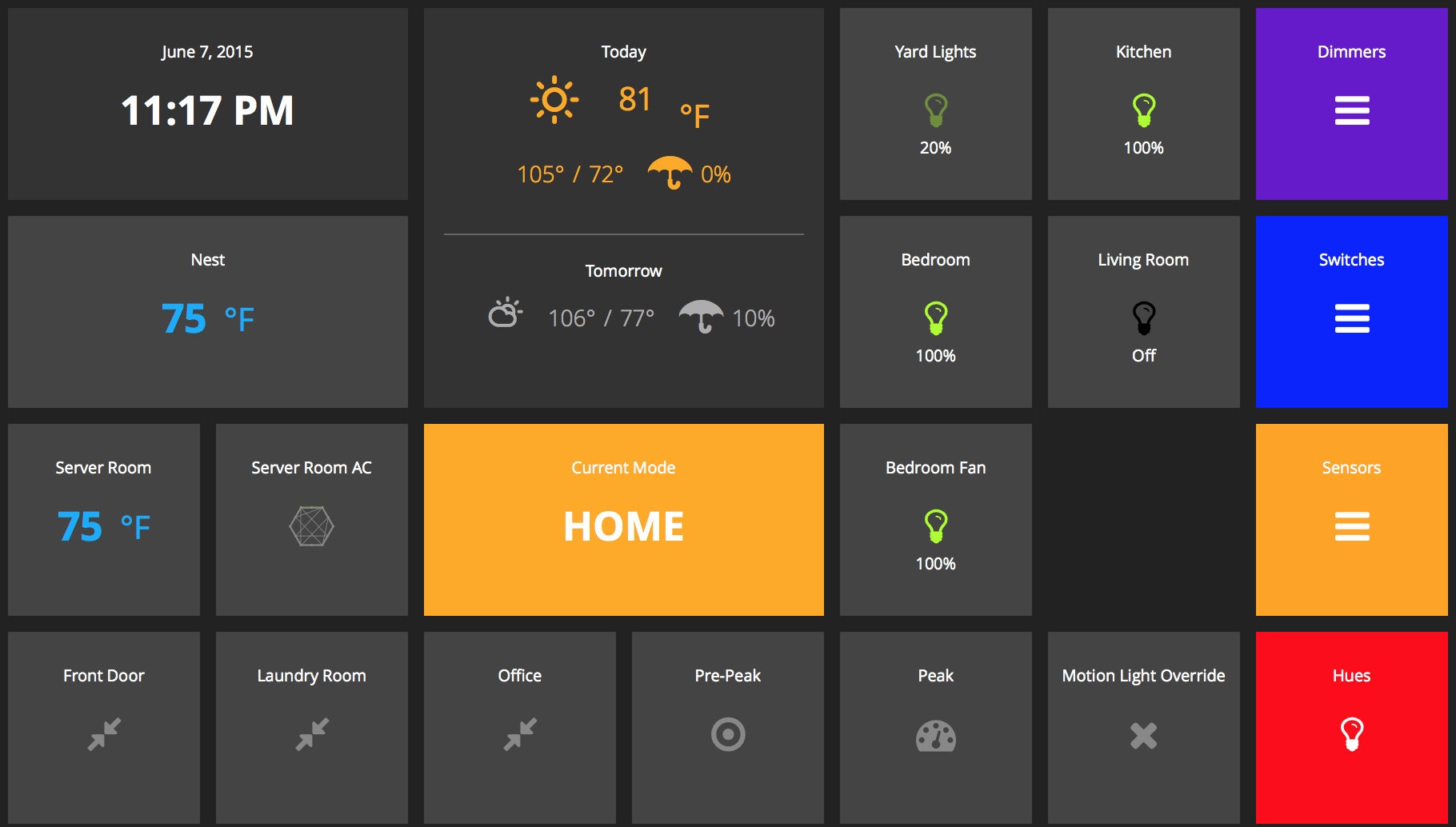 68 |  69 | 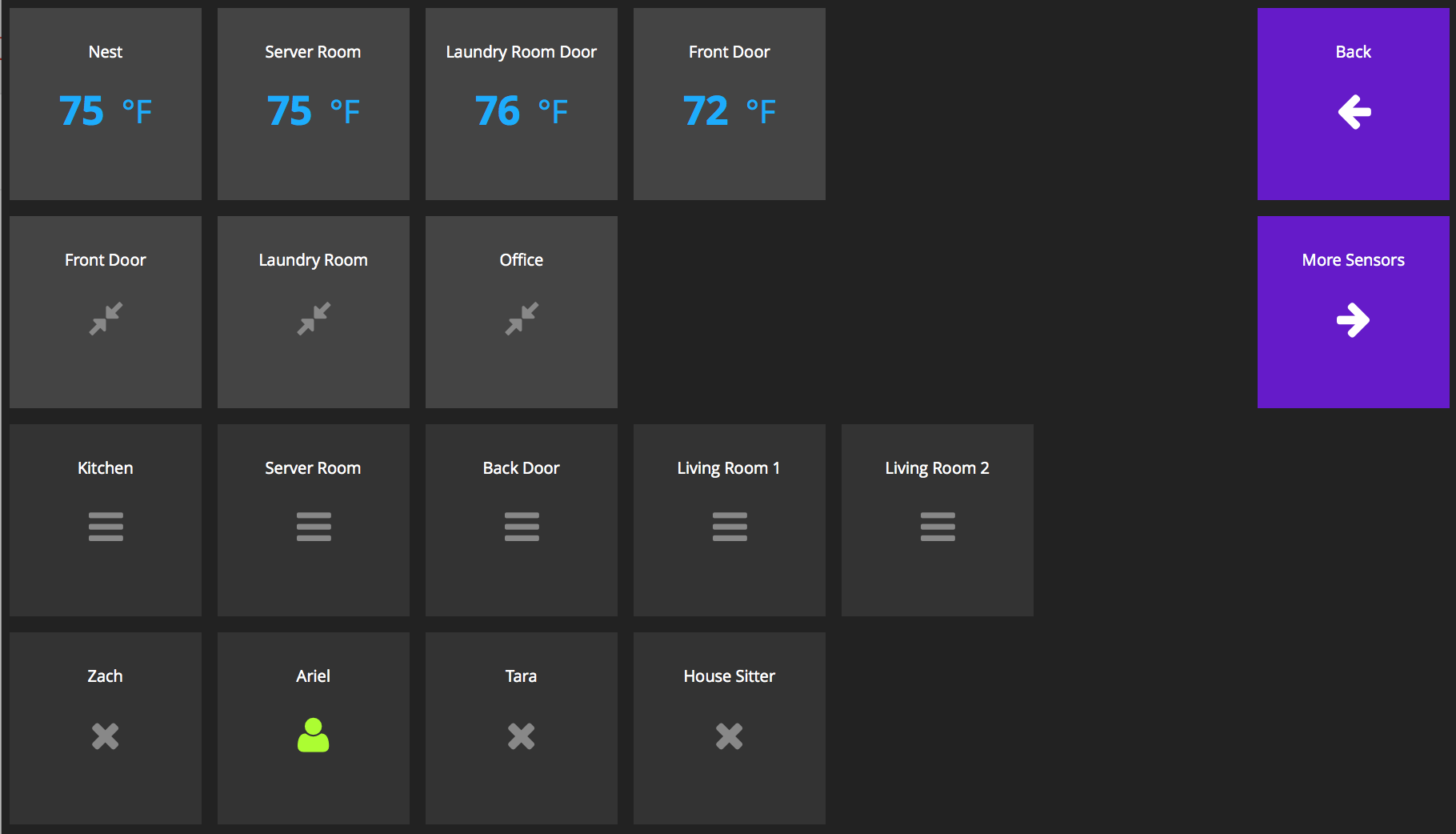 70 | 71 | ### Notes 72 | 73 | 74 | ### To Do: 75 | * Add a Update All devices function - This will make it so all devices are updated in only one call. 76 | * Add custom.css file support so users can easily override styles without impacting the "core" app. 77 | * Add grunt auto-watch task so it can keep running while you develop and automatically catch/compile CSS changes 78 | * Add grunt JS concatination/minification task. 79 | 80 | 81 | -------------------------------------------------------------------------------- /ZP_PyDash/zp_pydashie_interface.py: -------------------------------------------------------------------------------- 1 | #! /usr/bin/python 2 | import sys 3 | import requests 4 | import pprint 5 | import json 6 | import os 7 | 8 | from urllib import quote 9 | 10 | import zp_smartthings 11 | 12 | base_auth_url = "https://graph.api.smartthings.com/oauth/authorize?response_type=code&client_id=" 13 | base_auth_url2 = "&scope=app&redirect_uri=" 14 | 15 | callback_auth_url = "https://graph.api.smartthings.com/oauth/token?grant_type=authorization_code&client_id=CLIENTID&client_secret=CLIENTSECRECT&redirect_uri=URL&scope=app&code=CODE" 16 | 17 | stInitd = False 18 | selectedHue = None 19 | selectedDimmer = None 20 | hostURL = None 21 | 22 | 23 | 24 | def initST(): 25 | global stInitd 26 | global smartThings 27 | global allDevices 28 | stInitd = False 29 | smartThings = zp_smartthings.SmartThings() 30 | 31 | def setHostUrl(filename="oauthin.json"): 32 | global hostURL 33 | oauthIn = {} 34 | with open(filename) as oauthfile: 35 | oauthIn = json.load(oauthfile) 36 | hostURL = oauthIn['host_url'] 37 | 38 | def getHostUrl(): 39 | global hostURL 40 | return hostURL 41 | 42 | 43 | 44 | def initd(): 45 | global stInitd 46 | return stInitd 47 | 48 | 49 | def authInit(url,settingsFile="smartthings.json", filename="oauthin.json"): 50 | global smartThings 51 | global allDevices 52 | global oauthIn 53 | 54 | if(os.path.isfile(settingsFile)): 55 | init() 56 | return "/" 57 | 58 | oauthIn = {} 59 | with open(filename) as oauthfile: 60 | oauthIn = json.load(oauthfile) 61 | 62 | authURL = base_auth_url + oauthIn['client_id'] + base_auth_url2 + quote(url) 63 | return authURL 64 | 65 | 66 | def reauth(url,settingsFile="smartthings.json", filename="oauthin.json"): 67 | global smartThings 68 | global allDevices 69 | global oauthIn 70 | 71 | oauthIn = {} 72 | with open(filename) as oauthfile: 73 | oauthIn = json.load(oauthfile) 74 | 75 | authURL = base_auth_url + oauthIn['client_id'] + base_auth_url2 + quote(url) 76 | return authURL 77 | 78 | def authSecond(code, url, filename="smartthings.json"): 79 | global smartThings 80 | global allDevices 81 | global oauthIn 82 | 83 | authdata = {} 84 | 85 | authURL = callback_auth_url.replace("CLIENTID",oauthIn['client_id']).replace("CLIENTSECRECT",oauthIn['client_secret']).replace("CODE",code).replace("URL",quote(url)) 86 | authdata = requests.get(authURL).json() 87 | authdata['client_id'] = oauthIn['client_id'] 88 | authdata['client_secret'] = oauthIn['client_secret'] 89 | authdata['api'] = "https://graph.api.smartthings.com/api/smartapps/endpoints/" + oauthIn['client_id'] + "/" 90 | authdata['api_location'] = "graph.api.smartthings.com" 91 | 92 | #print authdata 93 | 94 | with open(filename,'w') as oauthfile: 95 | json.dump(authdata,oauthfile) 96 | 97 | return "/init" 98 | 99 | 100 | def init(): 101 | global stInitd 102 | global smartThings 103 | global allDevices 104 | stInitd = True 105 | 106 | #smartThings = zp_smartthings.SmartThings() 107 | smartThings.load_settings() 108 | smartThings.request_endpoints() 109 | 110 | allDevices = smartThings.getAllDevices() 111 | 112 | 113 | 114 | def getAllDeviceType(deviceType): 115 | global allDevices 116 | return allDevices[deviceType] 117 | 118 | def getDevice(deviceType, deviceId): 119 | global allDevices 120 | return allDevices[deviceType][deviceId] 121 | 122 | def getDeviceStatus(deviceType, deviceId, deviceStatus): 123 | global allDevices 124 | device = getDevice(deviceType,deviceId) 125 | return device[deviceStatus] 126 | 127 | def setSelectedHue(deviceId): 128 | global selectedHue 129 | selectedHue = deviceId 130 | 131 | def getSelectedHue(): 132 | global selectedHue 133 | return selectedHue 134 | 135 | def setSelectedDimmer(deviceId): 136 | global selectedDimmer 137 | selectedDimmer = deviceId 138 | 139 | def getSelectedDimmer(): 140 | global selectedDimmer 141 | return selectedDimmer 142 | 143 | def setColor(deviceId,color): 144 | global smartThings 145 | 146 | results = smartThings.set_color(deviceId,color) 147 | return results 148 | 149 | def setColorHSLA(deviceId,hue,sat,color): 150 | global smartThings 151 | 152 | results = smartThings.set_color_hsla(deviceId,hue,sat,color) 153 | return results 154 | 155 | def updateAll(): 156 | global allDevices 157 | global smartThings 158 | 159 | allDevices = smartThings.getAllDevices() 160 | 161 | def updateSwitch(): 162 | global allDevices 163 | global smartThings 164 | 165 | allDevices['switch'] = smartThings.updateSwitch() 166 | 167 | def updateColor(): 168 | global allDevices 169 | global smartThings 170 | 171 | allDevices['color'] = smartThings.updateColor() 172 | 173 | def updateContact(): 174 | global allDevices 175 | global smartThings 176 | 177 | allDevices['contact'] = smartThings.updateContact() 178 | 179 | def updatePresence(): 180 | global allDevices 181 | global smartThings 182 | 183 | allDevices['presence'] = smartThings.updatePresence() 184 | 185 | def updateHumidity(): 186 | global allDevices 187 | global smartThings 188 | 189 | allDevices['humidity'] = smartThings.updateHumidity() 190 | 191 | def updatePower(): 192 | global allDevices 193 | global smartThings 194 | 195 | allDevices['power'] = smartThings.updatePower() 196 | 197 | def updateMotion(): 198 | global allDevices 199 | global smartThings 200 | 201 | allDevices['motion'] = smartThings.updateMotion() 202 | 203 | def toggleSwitch(deviceId): 204 | global smartThings 205 | global allDevices 206 | 207 | newState = smartThings.command_switch(deviceId, 't') 208 | allDevices['switch'][deviceId]['state'] = newState 209 | allDevices['switch'] = smartThings.updateSwitch() 210 | 211 | def setSwitch(deviceId,state): 212 | global smartThings 213 | global allDevices 214 | 215 | newState = smartThings.command_switch(deviceId, state) 216 | allDevices['switch'][deviceId]['state'] = state 217 | allDevices['switch'] = smartThings.updateSwitch() 218 | 219 | 220 | def getMode(): 221 | global allDevices 222 | return allDevices['mode']['Mode']['mode'] 223 | 224 | def updateMode(): 225 | global allDevices 226 | global smartThings 227 | 228 | allDevices['mode'] = smartThings.updateMode() 229 | 230 | def setMode(mode): 231 | global allDevices 232 | global smartThings 233 | 234 | smartThings.command_mode(mode) 235 | 236 | 237 | def updateDimmer(): 238 | global allDevices 239 | global smartThings 240 | 241 | allDevices['dimmer'] = smartThings.updateDimmer() 242 | 243 | def setDimmer(deviceId,level): 244 | global allDevices 245 | global smartThings 246 | 247 | smartThings.command_dimmer(deviceId,level) 248 | allDevices['dimmer'][deviceId]['level'] = level 249 | allDevices['dimmer'] = smartThings.updateDimmer() 250 | 251 | def getWeather(): 252 | global smartThings 253 | 254 | return smartThings.get_weather() 255 | 256 | def updateWeather(): 257 | global allDevices 258 | global smartThings 259 | 260 | allDevices['weather'] = smartThings.updateWeather() 261 | 262 | def updateTemp(): 263 | global allDevices 264 | global smartThings 265 | 266 | allDevices['temperature'] = smartThings.updateTemp() 267 | 268 | -------------------------------------------------------------------------------- /ZP_PyDash/assets/stylesheets/application.scss: -------------------------------------------------------------------------------- 1 | // ---------------------------------------------------------------------------- 2 | // Sass declarations 3 | // ---------------------------------------------------------------------------- 4 | $background-color: #222; 5 | $text-color: #fff; 6 | 7 | $background-warning-color-1: #e82711; 8 | $background-warning-color-2: #9b2d23; 9 | $text-warning-color: #fff; 10 | 11 | $background-danger-color-1: #eeae32; 12 | $background-danger-color-2: #ff9618; 13 | $text-danger-color: #fff; 14 | 15 | @-webkit-keyframes status-warning-background { 16 | 0% { background-color: $background-warning-color-1; } 17 | 50% { background-color: $background-warning-color-2; } 18 | 100% { background-color: $background-warning-color-1; } 19 | } 20 | @-webkit-keyframes status-danger-background { 21 | 0% { background-color: $background-danger-color-1; } 22 | 50% { background-color: $background-danger-color-2; } 23 | 100% { background-color: $background-danger-color-1; } 24 | } 25 | @mixin animation($animation-name, $duration, $function, $animation-iteration-count:""){ 26 | -webkit-animation: $animation-name $duration $function #{$animation-iteration-count}; 27 | -moz-animation: $animation-name $duration $function #{$animation-iteration-count}; 28 | -ms-animation: $animation-name $duration $function #{$animation-iteration-count}; 29 | } 30 | 31 | // ---------------------------------------------------------------------------- 32 | // Base styles 33 | // ---------------------------------------------------------------------------- 34 | html { 35 | font-size: 100%; 36 | -webkit-text-size-adjust: 100%; 37 | -ms-text-size-adjust: 100%; 38 | } 39 | 40 | body { 41 | margin: 0; 42 | background-color: $background-color; 43 | font-size: 20px; 44 | color: $text-color; 45 | font-family: 'Open Sans', "Helvetica Neue", Helvetica, Arial, sans-serif; 46 | } 47 | 48 | b, strong { 49 | font-weight: bold; 50 | } 51 | 52 | a { 53 | text-decoration: none; 54 | color: inherit; 55 | } 56 | 57 | img { 58 | border: 0; 59 | -ms-interpolation-mode: bicubic; 60 | vertical-align: middle; 61 | } 62 | 63 | img, object { 64 | max-width: 100%; 65 | } 66 | 67 | iframe { 68 | max-width: 100%; 69 | } 70 | 71 | table { 72 | border-collapse: collapse; 73 | border-spacing: 0; 74 | width: 100%; 75 | } 76 | 77 | td { 78 | vertical-align: middle; 79 | } 80 | 81 | ul, ol { 82 | padding: 0; 83 | margin: 0; 84 | } 85 | 86 | h1, h2, h3, h4, h5, p { 87 | padding: 0; 88 | margin: 0; 89 | } 90 | 91 | h1 { 92 | margin-bottom: 12px; 93 | text-align: center; 94 | font-size: 10px; 95 | font-weight: 400; 96 | } 97 | h2 { 98 | text-transform: uppercase; 99 | font-size: 25px; 100 | font-weight: 700; 101 | color: $text-color; 102 | } 103 | h3 { 104 | font-size: 20px; 105 | font-weight: 600; 106 | color: $text-color; 107 | } 108 | 109 | [class^="icon-"]:before, [class*=" icon-"]:before { 110 | font-family: FontAwesome; 111 | font-weight: normal; 112 | font-style: normal; 113 | display: inline-block; 114 | text-decoration: inherit; 115 | } 116 | a [class^="icon-"], a [class*=" icon-"] { 117 | display: inline-block; 118 | text-decoration: inherit; 119 | } 120 | /* makes the font 33% larger relative to the icon container */ 121 | .icon-large:before { 122 | vertical-align: top; 123 | font-size: 1.3333333333333333em; 124 | } 125 | .btn [class^="icon-"], .btn [class*=" icon-"] { 126 | /* keeps button heights with and without icons the same */ 127 | 128 | line-height: .9em; 129 | } 130 | li [class^="icon-"], li [class*=" icon-"] { 131 | display: inline-block; 132 | width: 1.25em; 133 | text-align: center; 134 | } 135 | li .icon-large[class^="icon-"], li .icon-large[class*=" icon-"] { 136 | /* 1.5 increased font size for icon-large * 1.25 width */ 137 | 138 | width: 1.875em; 139 | } 140 | li[class^="icon-"], li[class*=" icon-"] { 141 | margin-left: 0; 142 | list-style-type: none; 143 | } 144 | li[class^="icon-"]:before, li[class*=" icon-"]:before { 145 | text-indent: -2em; 146 | text-align: center; 147 | } 148 | li[class^="icon-"].icon-large:before, li[class*=" icon-"].icon-large:before { 149 | text-indent: -1.3333333333333333em; 150 | } 151 | 152 | // ---------------------------------------------------------------------------- 153 | // Base widget styles 154 | // ---------------------------------------------------------------------------- 155 | .gridster { 156 | margin: 0px auto; 157 | 158 | .gs_w{ 159 | z-index: 2; 160 | position: absolute; 161 | } 162 | 163 | .preview-holder { 164 | z-index: 1; 165 | position: absolute; 166 | background-color: #fff; 167 | border-color: #fff; 168 | opacity: 0.3; 169 | } 170 | 171 | .player-revert { 172 | z-index: 10!important; 173 | -webkit-transition: left .3s, top .3s!important; 174 | -moz-transition: left .3s, top .3s!important; 175 | -o-transition: left .3s, top .3s!important; 176 | transition: left .3s, top .3s!important; 177 | } 178 | 179 | .dragging { 180 | z-index: 10!important; 181 | -webkit-transition: all 0s !important; 182 | -moz-transition: all 0s !important; 183 | -o-transition: all 0s !important; 184 | transition: all 0s !important; 185 | } 186 | } 187 | 188 | .ready .gs_w:not(.preview-holder) { 189 | -webkit-transition: opacity .3s, left .3s, top .3s; 190 | -moz-transition: opacity .3s, left .3s, top .3s; 191 | -o-transition: opacity .3s, left .3s, top .3s; 192 | transition: opacity .3s, left .3s, top .3s; 193 | } 194 | 195 | 196 | .icon-background { 197 | width: 100%!important; 198 | height: 100%; 199 | position: absolute; 200 | left: 0; 201 | top: 0; 202 | opacity: 0.1; 203 | font-size: 275px; 204 | } 205 | 206 | .list-nostyle { 207 | list-style: none; 208 | } 209 | 210 | .gridster ul { 211 | list-style: none; 212 | } 213 | 214 | .gs_w { 215 | width: 100%; 216 | display: table; 217 | cursor: pointer; 218 | } 219 | 220 | .widget { 221 | padding-top: 20px; 222 | text-align: center; 223 | width: 100%; 224 | display: table-cell; 225 | vertical-align: top; 226 | background-color: #333; 227 | } 228 | 229 | .more-info { 230 | font-size: 15px; 231 | position: absolute; 232 | bottom: 32px; 233 | left: 0; 234 | right: 0; 235 | } 236 | 237 | .updated-at { 238 | font-size: 15px; 239 | position: absolute; 240 | bottom: 12px; 241 | left: 0; 242 | right: 0; 243 | } 244 | 245 | #save-gridster { 246 | display: none; 247 | position: fixed; 248 | top: 0; 249 | margin: 0px auto; 250 | left: 50%; 251 | z-index: 1000; 252 | background: black; 253 | width: 190px; 254 | text-align: center; 255 | border: 1px solid white; 256 | border-top: 0px; 257 | margin-left: -95px; 258 | padding: 15px; 259 | } 260 | 261 | #save-gridster:hover { 262 | padding-top: 25px; 263 | } 264 | 265 | #saving-instructions { 266 | display: none; 267 | padding: 10px; 268 | width: 500px; 269 | height: 122px; 270 | z-index: 1000; 271 | background: white; 272 | top: 100px; 273 | color: black; 274 | font-size: 15px; 275 | padding-bottom: 4px; 276 | 277 | textarea { 278 | white-space: nowrap; 279 | width: 494px; 280 | height: 80px; 281 | } 282 | } 283 | 284 | #lean_overlay { 285 | position: fixed; 286 | z-index:100; 287 | top: 0px; 288 | left: 0px; 289 | height:100%; 290 | width:100%; 291 | background: #000; 292 | display: none; 293 | } 294 | 295 | #container { 296 | padding-top: 5px; 297 | } 298 | 299 | .fa { 300 | display: inline-block; 301 | font: normal normal normal 14px/1 FontAwesome; 302 | font-size: inherit; 303 | text-rendering: auto; 304 | -webkit-font-smoothing: antialiased; 305 | -moz-osx-font-smoothing: grayscale; 306 | } 307 | /* makes the font 33% larger relative to the icon container */ 308 | .fa-lg { 309 | font-size: 1.33333333em; 310 | line-height: 0.75em; 311 | vertical-align: -15%; 312 | } 313 | .fa-2x { 314 | font-size: 2em; 315 | } 316 | .fa-3x { 317 | font-size: 3em; 318 | } 319 | .fa-4x { 320 | font-size: 4em; 321 | } 322 | .fa-5x { 323 | font-size: 5em; 324 | } 325 | .fa-fw { 326 | width: 1.28571429em; 327 | text-align: center; 328 | } 329 | .fa-ul { 330 | padding-left: 0; 331 | margin-left: 2.14285714em; 332 | list-style-type: none; 333 | } 334 | .fa-ul > li { 335 | position: relative; 336 | } 337 | .fa-li { 338 | position: absolute; 339 | left: -2.14285714em; 340 | width: 2.14285714em; 341 | top: 0.14285714em; 342 | text-align: center; 343 | } 344 | .fa-li.fa-lg { 345 | left: -1.85714286em; 346 | } 347 | .fa-border { 348 | padding: .2em .25em .15em; 349 | border: solid 0.08em #eeeeee; 350 | border-radius: .1em; 351 | } 352 | .pull-right { 353 | float: right; 354 | } 355 | .pull-left { 356 | float: left; 357 | } 358 | .fa.pull-left { 359 | margin-right: .3em; 360 | } 361 | .fa.pull-right { 362 | margin-left: .3em; 363 | } 364 | .fa-spin { 365 | -webkit-animation: fa-spin 2s infinite linear; 366 | animation: fa-spin 2s infinite linear; 367 | } 368 | @-webkit-keyframes fa-spin { 369 | 0% { 370 | -webkit-transform: rotate(0deg); 371 | transform: rotate(0deg); 372 | } 373 | 100% { 374 | -webkit-transform: rotate(359deg); 375 | transform: rotate(359deg); 376 | } 377 | } 378 | @keyframes fa-spin { 379 | 0% { 380 | -webkit-transform: rotate(0deg); 381 | transform: rotate(0deg); 382 | } 383 | 100% { 384 | -webkit-transform: rotate(359deg); 385 | transform: rotate(359deg); 386 | } 387 | } 388 | .fa-rotate-90 { 389 | filter: progid:DXImageTransform.Microsoft.BasicImage(rotation=1); 390 | -webkit-transform: rotate(90deg); 391 | -ms-transform: rotate(90deg); 392 | transform: rotate(90deg); 393 | } 394 | .fa-rotate-180 { 395 | filter: progid:DXImageTransform.Microsoft.BasicImage(rotation=2); 396 | -webkit-transform: rotate(180deg); 397 | -ms-transform: rotate(180deg); 398 | transform: rotate(180deg); 399 | } 400 | .fa-rotate-270 { 401 | filter: progid:DXImageTransform.Microsoft.BasicImage(rotation=3); 402 | -webkit-transform: rotate(270deg); 403 | -ms-transform: rotate(270deg); 404 | transform: rotate(270deg); 405 | } 406 | .fa-flip-horizontal { 407 | filter: progid:DXImageTransform.Microsoft.BasicImage(rotation=0, mirror=1); 408 | -webkit-transform: scale(-1, 1); 409 | -ms-transform: scale(-1, 1); 410 | transform: scale(-1, 1); 411 | } 412 | .fa-flip-vertical { 413 | filter: progid:DXImageTransform.Microsoft.BasicImage(rotation=2, mirror=1); 414 | -webkit-transform: scale(1, -1); 415 | -ms-transform: scale(1, -1); 416 | transform: scale(1, -1); 417 | } 418 | :root .fa-rotate-90, 419 | :root .fa-rotate-180, 420 | :root .fa-rotate-270, 421 | :root .fa-flip-horizontal, 422 | :root .fa-flip-vertical { 423 | filter: none; 424 | } 425 | .fa-stack { 426 | position: relative; 427 | display: inline-block; 428 | width: 2em; 429 | height: 2em; 430 | line-height: 2em; 431 | vertical-align: middle; 432 | } 433 | .fa-stack-1x, 434 | .fa-stack-2x { 435 | position: absolute; 436 | left: 0; 437 | width: 100%; 438 | text-align: center; 439 | } 440 | .fa-stack-1x { 441 | line-height: inherit; 442 | } 443 | .fa-stack-2x { 444 | font-size: 2em; 445 | } 446 | .fa-inverse { 447 | color: #ffffff; 448 | } 449 | 450 | 451 | @font-face { 452 | font-family:'Climacons-Font'; 453 | src: url('/assets/fonts/climacons-webfont.eot'); 454 | src: url('/assets/fonts/climacons-webfont.eot?#iefix') format('embedded-opentype'), 455 | url('/assets/fonts/climacons-webfont.woff') format('woff'), 456 | url('/assets/fonts/climacons-webfont.ttf') format('truetype'); 457 | font-weight: normal; 458 | font-style: normal; 459 | } 460 | 461 | 462 | 463 | // ---------------------------------------------------------------------------- 464 | // Clearfix 465 | // ---------------------------------------------------------------------------- 466 | .clearfix:before, .clearfix:after { content: "\0020"; display: block; height: 0; overflow: hidden; } 467 | .clearfix:after { clear: both; } 468 | .clearfix { zoom: 1; } 469 | 470 | -------------------------------------------------------------------------------- /ZP_PyDash/assets/javascripts/app.js: -------------------------------------------------------------------------------- 1 | (function() { 2 | var __bind = function(fn, me){ return function(){ return fn.apply(me, arguments); }; }, 3 | __hasProp = {}.hasOwnProperty, 4 | __extends = function(child, parent) { for (var key in parent) { if (__hasProp.call(parent, key)) child[key] = parent[key]; } function ctor() { this.constructor = child; } ctor.prototype = parent.prototype; child.prototype = new ctor(); child.__super__ = parent.prototype; return child; }; 5 | 6 | Dashing.Clock = (function(_super) { 7 | 8 | __extends(Clock, _super); 9 | 10 | function Clock() { 11 | this.startTime = __bind(this.startTime, this); 12 | return Clock.__super__.constructor.apply(this, arguments); 13 | } 14 | 15 | Clock.prototype.ready = function() { 16 | return setInterval(this.startTime, 500); 17 | }; 18 | 19 | Clock.prototype.startTime = function() { 20 | var h, m, s, today; 21 | today = new Date(); 22 | h = today.getHours(); 23 | m = today.getMinutes(); 24 | s = today.getSeconds(); 25 | m = this.formatTime(m); 26 | s = this.formatTime(s); 27 | this.set('time', h + ":" + m + ":" + s); 28 | return this.set('date', today.toDateString()); 29 | }; 30 | 31 | Clock.prototype.formatTime = function(i) { 32 | if (i < 10) { 33 | return "0" + i; 34 | } else { 35 | return i; 36 | } 37 | }; 38 | 39 | return Clock; 40 | 41 | })(Dashing.Widget); 42 | 43 | }).call(this); 44 | (function() { 45 | var __bind = function(fn, me){ return function(){ return fn.apply(me, arguments); }; }, 46 | __hasProp = {}.hasOwnProperty, 47 | __extends = function(child, parent) { for (var key in parent) { if (__hasProp.call(parent, key)) child[key] = parent[key]; } function ctor() { this.constructor = child; } ctor.prototype = parent.prototype; child.prototype = new ctor(); child.__super__ = parent.prototype; return child; }; 48 | 49 | Dashing.Comments = (function(_super) { 50 | 51 | __extends(Comments, _super); 52 | 53 | function Comments() { 54 | this.nextComment = __bind(this.nextComment, this); 55 | return Comments.__super__.constructor.apply(this, arguments); 56 | } 57 | 58 | Comments.accessor('quote', function() { 59 | var _ref; 60 | return "“" + ((_ref = this.get('current_comment')) != null ? _ref.body : void 0) + "â€"; 61 | }); 62 | 63 | Comments.prototype.ready = function() { 64 | this.currentIndex = 0; 65 | this.commentElem = $(this.node).find('.comment-container'); 66 | this.nextComment(); 67 | return this.startCarousel(); 68 | }; 69 | 70 | Comments.prototype.onData = function(data) { 71 | return this.currentIndex = 0; 72 | }; 73 | 74 | Comments.prototype.startCarousel = function() { 75 | return setInterval(this.nextComment, 8000); 76 | }; 77 | 78 | Comments.prototype.nextComment = function() { 79 | var comments, 80 | _this = this; 81 | comments = this.get('comments'); 82 | if (comments) { 83 | return this.commentElem.fadeOut(function() { 84 | _this.currentIndex = (_this.currentIndex + 1) % comments.length; 85 | _this.set('current_comment', comments[_this.currentIndex]); 86 | return _this.commentElem.fadeIn(); 87 | }); 88 | } 89 | }; 90 | 91 | return Comments; 92 | 93 | })(Dashing.Widget); 94 | 95 | }).call(this); 96 | (function() { 97 | var __hasProp = {}.hasOwnProperty, 98 | __extends = function(child, parent) { for (var key in parent) { if (__hasProp.call(parent, key)) child[key] = parent[key]; } function ctor() { this.constructor = child; } ctor.prototype = parent.prototype; child.prototype = new ctor(); child.__super__ = parent.prototype; return child; }; 99 | 100 | Dashing.Graph = (function(_super) { 101 | 102 | __extends(Graph, _super); 103 | 104 | function Graph() { 105 | return Graph.__super__.constructor.apply(this, arguments); 106 | } 107 | 108 | Graph.accessor('current', function() { 109 | var points; 110 | if (this.get('displayedValue')) { 111 | return this.get('displayedValue'); 112 | } 113 | points = this.get('points'); 114 | if (points) { 115 | return points[points.length - 1].y; 116 | } 117 | }); 118 | 119 | Graph.prototype.ready = function() { 120 | var container, height, width, x_axis, y_axis; 121 | container = $(this.node).parent(); 122 | width = (Dashing.widget_base_dimensions[0] * container.data("sizex")) + Dashing.widget_margins[0] * 2 * (container.data("sizex") - 1); 123 | height = Dashing.widget_base_dimensions[1] * container.data("sizey"); 124 | this.graph = new Rickshaw.Graph({ 125 | element: this.node, 126 | width: width, 127 | height: height, 128 | series: [ 129 | { 130 | color: "#fff", 131 | data: [ 132 | { 133 | x: 0, 134 | y: 0 135 | } 136 | ] 137 | } 138 | ] 139 | }); 140 | if (this.get('points')) { 141 | this.graph.series[0].data = this.get('points'); 142 | } 143 | x_axis = new Rickshaw.Graph.Axis.Time({ 144 | graph: this.graph 145 | }); 146 | y_axis = new Rickshaw.Graph.Axis.Y({ 147 | graph: this.graph, 148 | tickFormat: Rickshaw.Fixtures.Number.formatKMBT 149 | }); 150 | return this.graph.render(); 151 | }; 152 | 153 | Graph.prototype.onData = function(data) { 154 | if (this.graph) { 155 | this.graph.series[0].data = data.points; 156 | return this.graph.render(); 157 | } 158 | }; 159 | 160 | return Graph; 161 | 162 | })(Dashing.Widget); 163 | 164 | }).call(this); 165 | (function() { 166 | var __hasProp = {}.hasOwnProperty, 167 | __extends = function(child, parent) { for (var key in parent) { if (__hasProp.call(parent, key)) child[key] = parent[key]; } function ctor() { this.constructor = child; } ctor.prototype = parent.prototype; child.prototype = new ctor(); child.__super__ = parent.prototype; return child; }; 168 | 169 | Dashing.Iframe = (function(_super) { 170 | 171 | __extends(Iframe, _super); 172 | 173 | function Iframe() { 174 | return Iframe.__super__.constructor.apply(this, arguments); 175 | } 176 | 177 | Iframe.prototype.ready = function() {}; 178 | 179 | Iframe.prototype.onData = function(data) {}; 180 | 181 | return Iframe; 182 | 183 | })(Dashing.Widget); 184 | 185 | }).call(this); 186 | (function() { 187 | var __hasProp = {}.hasOwnProperty, 188 | __extends = function(child, parent) { for (var key in parent) { if (__hasProp.call(parent, key)) child[key] = parent[key]; } function ctor() { this.constructor = child; } ctor.prototype = parent.prototype; child.prototype = new ctor(); child.__super__ = parent.prototype; return child; }; 189 | 190 | Dashing.Image = (function(_super) { 191 | 192 | __extends(Image, _super); 193 | 194 | function Image() { 195 | return Image.__super__.constructor.apply(this, arguments); 196 | } 197 | 198 | Image.prototype.ready = function() {}; 199 | 200 | Image.prototype.onData = function(data) {}; 201 | 202 | return Image; 203 | 204 | })(Dashing.Widget); 205 | 206 | }).call(this); 207 | (function() { 208 | var __hasProp = {}.hasOwnProperty, 209 | __extends = function(child, parent) { for (var key in parent) { if (__hasProp.call(parent, key)) child[key] = parent[key]; } function ctor() { this.constructor = child; } ctor.prototype = parent.prototype; child.prototype = new ctor(); child.__super__ = parent.prototype; return child; }; 210 | 211 | Dashing.List = (function(_super) { 212 | 213 | __extends(List, _super); 214 | 215 | function List() { 216 | return List.__super__.constructor.apply(this, arguments); 217 | } 218 | 219 | List.prototype.ready = function() { 220 | if (this.get('unordered')) { 221 | return $(this.node).find('ol').remove(); 222 | } else { 223 | return $(this.node).find('ul').remove(); 224 | } 225 | }; 226 | 227 | return List; 228 | 229 | })(Dashing.Widget); 230 | 231 | }).call(this); 232 | (function() { 233 | var __hasProp = {}.hasOwnProperty, 234 | __extends = function(child, parent) { for (var key in parent) { if (__hasProp.call(parent, key)) child[key] = parent[key]; } function ctor() { this.constructor = child; } ctor.prototype = parent.prototype; child.prototype = new ctor(); child.__super__ = parent.prototype; return child; }; 235 | 236 | Dashing.Meter = (function(_super) { 237 | 238 | __extends(Meter, _super); 239 | 240 | Meter.accessor('value', Dashing.AnimatedValue); 241 | 242 | function Meter() { 243 | Meter.__super__.constructor.apply(this, arguments); 244 | this.observe('value', function(value) { 245 | return $(this.node).find(".meter").val(value).trigger('change'); 246 | }); 247 | } 248 | 249 | Meter.prototype.ready = function() { 250 | var meter; 251 | meter = $(this.node).find(".meter"); 252 | meter.attr("data-bgcolor", meter.css("background-color")); 253 | meter.attr("data-fgcolor", meter.css("color")); 254 | return meter.knob(); 255 | }; 256 | 257 | return Meter; 258 | 259 | })(Dashing.Widget); 260 | 261 | }).call(this); 262 | (function() { 263 | var __hasProp = {}.hasOwnProperty, 264 | __extends = function(child, parent) { for (var key in parent) { if (__hasProp.call(parent, key)) child[key] = parent[key]; } function ctor() { this.constructor = child; } ctor.prototype = parent.prototype; child.prototype = new ctor(); child.__super__ = parent.prototype; return child; }; 265 | 266 | Dashing.Number = (function(_super) { 267 | 268 | __extends(Number, _super); 269 | 270 | function Number() { 271 | return Number.__super__.constructor.apply(this, arguments); 272 | } 273 | 274 | Number.accessor('current', Dashing.AnimatedValue); 275 | 276 | Number.accessor('difference', function() { 277 | var current, diff, last; 278 | if (this.get('last')) { 279 | last = parseInt(this.get('last')); 280 | current = parseInt(this.get('current')); 281 | if (last !== 0) { 282 | diff = Math.abs(Math.round((current - last) / last * 100)); 283 | return "" + diff + "%"; 284 | } 285 | } else { 286 | return ""; 287 | } 288 | }); 289 | 290 | Number.accessor('arrow', function() { 291 | if (this.get('last')) { 292 | if (parseInt(this.get('current')) > parseInt(this.get('last'))) { 293 | return 'icon-arrow-up'; 294 | } else { 295 | return 'icon-arrow-down'; 296 | } 297 | } 298 | }); 299 | 300 | Number.accessor('needsAttention', function() { 301 | return this.get('status') === 'warning' || this.get('status') === 'danger'; 302 | }); 303 | 304 | Number.prototype.onData = function(data) { 305 | if (data.status) { 306 | return $(this.get('node')).addClass("status-" + data.status); 307 | } 308 | }; 309 | 310 | return Number; 311 | 312 | })(Dashing.Widget); 313 | 314 | }).call(this); 315 | (function() { 316 | var __hasProp = {}.hasOwnProperty, 317 | __extends = function(child, parent) { for (var key in parent) { if (__hasProp.call(parent, key)) child[key] = parent[key]; } function ctor() { this.constructor = child; } ctor.prototype = parent.prototype; child.prototype = new ctor(); child.__super__ = parent.prototype; return child; }; 318 | 319 | Dashing.Text = (function(_super) { 320 | 321 | __extends(Text, _super); 322 | 323 | function Text() { 324 | return Text.__super__.constructor.apply(this, arguments); 325 | } 326 | 327 | return Text; 328 | 329 | })(Dashing.Widget); 330 | 331 | }).call(this); 332 | (function() { 333 | 334 | console.log("Yeah! The dashboard has started!"); 335 | 336 | Dashing.on('ready', function() { 337 | var contentWidth; 338 | Dashing.widget_margins || (Dashing.widget_margins = [5, 5]); 339 | Dashing.widget_base_dimensions || (Dashing.widget_base_dimensions = [120 , 120]); 340 | Dashing.numColumns || (Dashing.numColumns = 8); 341 | contentWidth = (Dashing.widget_base_dimensions[0] + Dashing.widget_margins[0] * 2) * Dashing.numColumns; 342 | return Batman.setImmediate(function() { 343 | $('.gridster').width(contentWidth); 344 | return $('.gridster ul:first').gridster({ 345 | widget_margins: Dashing.widget_margins, 346 | widget_base_dimensions: Dashing.widget_base_dimensions, 347 | avoid_overlapped_widgets: !Dashing.customGridsterLayout, 348 | draggable: { 349 | stop: Dashing.showGridsterInstructions 350 | } 351 | }); 352 | }); 353 | }); 354 | 355 | }).call(this); 356 | -------------------------------------------------------------------------------- /ZP_PyDash/zp_smartthings.py: -------------------------------------------------------------------------------- 1 | #! /usr/bin/python 2 | ################################################# 3 | # SmartThings Python API # 4 | ################################################# 5 | # Zachary Priddy - 2015 # 6 | # me@zpriddy.com # 7 | # # 8 | # Features: # 9 | # - Read and Write capabilities with # 10 | # SmartThings using RESTapi # 11 | ################################################# 12 | ################################################# 13 | 14 | 15 | ################################################# 16 | # TO DO: 17 | # -Add Thermostat Control 18 | # -Add HUE Intagration 19 | 20 | 21 | 22 | import sys 23 | import requests 24 | import pprint 25 | import json 26 | import math 27 | 28 | icons = { 29 | 'chanceflurries': '', 30 | 'chancerain': '', 31 | 'chancesleet': '', 32 | 'chancesnow': '', 33 | 'chancetstorms': '', 34 | 'clear': '', 35 | 'cloudy': '', 36 | 'flurries': '', 37 | 'fog': '', 38 | 'hazy': '', 39 | 'mostlycloudy': '', 40 | 'mostlysunny': '', 41 | 'partlycloudy': '', 42 | 'partlysunny': '', 43 | 'sleet': '', 44 | 'rain': '', 45 | 'snow': '', 46 | 'sunny': '', 47 | 'tstorms': '' 48 | } 49 | 50 | class SmartThings(object): 51 | def __init__(self, verbose=True): 52 | self.verbose = verbose 53 | self.std = {} 54 | self.endpointd = {} 55 | self.deviceds = {} 56 | 57 | def load_settings(self, filename="smartthings.json"): 58 | """Load the JSON Settings file. 59 | 60 | See the documentation, but briefly you can 61 | get it from here: 62 | https://iotdb.org/playground/oauthorize 63 | """ 64 | 65 | with open(filename) as fin: 66 | self.std = json.load(fin) 67 | 68 | def request_endpoints(self): 69 | """Get the endpoints exposed by the SmartThings App 70 | 71 | The first command you need to call 72 | """ 73 | 74 | endpoints_url = self.std["api"] 75 | endpoints_paramd = { 76 | "access_token": self.std["access_token"] 77 | } 78 | 79 | endpoints_response = requests.get(url=endpoints_url, params=endpoints_paramd) 80 | self.endpointd = endpoints_response.json()[0] 81 | 82 | 83 | def request_devices(self, device_type, device_id=None): 84 | """List the devices""" 85 | 86 | devices_url = "https://graph.api.smartthings.com%s/%s" % ( self.endpointd["url"], device_type ) 87 | devices_paramd = { 88 | "deviceId":device_id, 89 | } 90 | devices_headerd = { 91 | "Authorization": "Bearer %s" % self.std["access_token"], 92 | "deviceId":device_id 93 | } 94 | 95 | devices_response = requests.get(url=devices_url, params=devices_paramd, headers=devices_headerd, json=devices_paramd) 96 | #print devices_response.headers 97 | self.deviceds = devices_response.json() 98 | 99 | 100 | 101 | return self.deviceds 102 | 103 | def command_devices(self, device_type, device_id, command): 104 | 105 | devices_url = "https://graph.api.smartthings.com%s/%s" % ( self.endpointd["url"], device_type ) 106 | devices_paramd = { 107 | "deviceId":device_id, 108 | "mode":command 109 | } 110 | devices_headerd = { 111 | "Authorization": "Bearer %s" % self.std["access_token"], 112 | "deviceId":device_id 113 | } 114 | devices_response = requests.post(url=devices_url, params=devices_paramd, headers=devices_headerd, json=devices_paramd) 115 | self.deviceds = devices_response.json() 116 | 117 | return self.deviceds 118 | 119 | def command_switch(self, device_id, command): 120 | if(command == "t"): 121 | currentState = self.request_devices("switch", device_id)['switch'] 122 | if(currentState == 'on'): 123 | command = 'off' 124 | else: 125 | command = 'on' 126 | 127 | devices_url = "https://graph.api.smartthings.com%s/%s" % ( self.endpointd["url"], "switch" ) 128 | devices_paramd = { 129 | "deviceId":device_id, 130 | "command":command 131 | } 132 | devices_headerd = { 133 | "Authorization": "Bearer %s" % self.std["access_token"], 134 | } 135 | devices_response = requests.post(url=devices_url, params=devices_paramd, headers=devices_headerd, json=devices_paramd) 136 | self.deviceds = devices_response.json() 137 | 138 | return command 139 | 140 | def command_dimmer(self, device_id, command): 141 | if(command == "t"): 142 | self.deviceds = self.command_switch(device_id,"t") 143 | else: 144 | devices_url = "https://graph.api.smartthings.com%s/%s" % ( self.endpointd["url"], "dimmer" ) 145 | devices_paramd = { 146 | "deviceId":device_id, 147 | "command": "setLevel" 148 | 149 | } 150 | devices_headerd = { 151 | "Authorization": "Bearer %s" % self.std["access_token"], 152 | } 153 | devices_response = requests.post(url=devices_url, params=devices_paramd, headers=devices_headerd, json=devices_paramd) 154 | 155 | devices_url = "https://graph.api.smartthings.com%s/%s" % ( self.endpointd["url"], "dimmerLevel" ) 156 | devices_paramd = { 157 | "deviceId":device_id, 158 | "command": command 159 | 160 | } 161 | devices_headerd = { 162 | "Authorization": "Bearer %s" % self.std["access_token"], 163 | } 164 | devices_response = requests.post(url=devices_url, params=devices_paramd, headers=devices_headerd, json=devices_paramd) 165 | 166 | self.deviceds = devices_response.json() 167 | 168 | return self.deviceds 169 | 170 | def set_color(self,deviceId,color): 171 | devices_url = "https://graph.api.smartthings.com%s/%s" % ( self.endpointd["url"], "color" ) 172 | devices_paramd = rgbToHsl(color) 173 | devices_paramd['deviceId'] = deviceId 174 | devices_headerd = { 175 | "Authorization": "Bearer %s" % self.std["access_token"], 176 | } 177 | 178 | devices_response = requests.post(url=devices_url, params=devices_paramd, headers=devices_headerd, json=devices_paramd) 179 | 180 | return self.deviceds 181 | 182 | def set_color_hsla(self,deviceId,hue,sat,color): 183 | devices_url = "https://graph.api.smartthings.com%s/%s" % ( self.endpointd["url"], "color" ) 184 | devices_paramd = {} 185 | devices_paramd['hex'] = color 186 | devices_paramd['hue'] = hue 187 | devices_paramd['sat'] = sat 188 | devices_paramd['deviceId'] = deviceId 189 | devices_headerd = { 190 | "Authorization": "Bearer %s" % self.std["access_token"], 191 | } 192 | 193 | devices_response = requests.post(url=devices_url, params=devices_paramd, headers=devices_headerd, json=devices_paramd) 194 | 195 | return self.deviceds 196 | 197 | 198 | 199 | def command_mode(self, mode_id): 200 | devices_url = "https://graph.api.smartthings.com%s/%s" % ( self.endpointd["url"], "mode" ) 201 | devices_paramd = { 202 | "mode":mode_id 203 | } 204 | devices_headerd = { 205 | "Authorization": "Bearer %s" % self.std["access_token"], 206 | } 207 | 208 | devices_response = requests.post(url=devices_url, params=devices_paramd, headers=devices_headerd, json=devices_paramd) 209 | devices_response = requests.post(url=devices_url, params=devices_paramd, headers=devices_headerd, json=devices_paramd) 210 | self.deviceds = devices_response.json() 211 | 212 | return self.deviceds 213 | 214 | def get_mode(self): 215 | devices_url = "https://graph.api.smartthings.com%s/%s" % ( self.endpointd["url"], "mode" ) 216 | devices_paramd = { 217 | 218 | } 219 | devices_headerd = { 220 | "Authorization": "Bearer %s" % self.std["access_token"], 221 | } 222 | 223 | devices_response = requests.get(url=devices_url, params=devices_paramd, headers=devices_headerd, json=devices_paramd) 224 | self.deviceds = devices_response.json() 225 | return self.deviceds 226 | 227 | 228 | def get_weather(self): 229 | devices_url = "https://graph.api.smartthings.com%s/%s" % ( self.endpointd["url"], "weather" ) 230 | devices_paramd = { 231 | 232 | } 233 | devices_headerd = { 234 | "Authorization": "Bearer %s" % self.std["access_token"], 235 | } 236 | 237 | devices_response = requests.get(url=devices_url, params=devices_paramd, headers=devices_headerd, json=devices_paramd) 238 | self.weather = devices_response.json() 239 | 240 | weatherInfo = {} 241 | weatherInfo['location'] = self.weather['current_observation']['display_location']['full'] 242 | weatherInfo['sky'] = self.weather['current_observation']['weather'] 243 | weatherInfo['wind'] = self.weather['current_observation']['wind_mph'] 244 | weatherInfo['temperature'] = self.weather['current_observation']['temp_f'] 245 | weatherInfo['humidity'] = self.weather['current_observation']['relative_humidity'] 246 | 247 | devices_url = "https://graph.api.smartthings.com%s/%s" % ( self.endpointd["url"], "weather" ) 248 | devices_paramd = { 249 | 'feature': 'forecast' 250 | 251 | } 252 | devices_headerd = { 253 | "Authorization": "Bearer %s" % self.std["access_token"], 254 | } 255 | 256 | devices_response = requests.get(url=devices_url, params=devices_paramd, headers=devices_headerd, json=devices_paramd) 257 | self.weather = devices_response.json() 258 | 259 | weatherInfo['low'] = self.weather["forecast"]["simpleforecast"]["forecastday"][0]["low"]["fahrenheit"] 260 | weatherInfo['high'] = self.weather["forecast"]["simpleforecast"]["forecastday"][0]["high"]["fahrenheit"] 261 | weatherInfo['icon'] = icons[self.weather["forecast"]["simpleforecast"]["forecastday"][0]["icon"]] 262 | weatherInfo['precip'] = self.weather["forecast"]["simpleforecast"]["forecastday"][0]["pop"] 263 | weatherInfo['tomorrow_temp_low'] = self.weather["forecast"]["simpleforecast"]["forecastday"][1]["low"]["fahrenheit"] 264 | weatherInfo['tomorrow_temp_high'] = self.weather["forecast"]["simpleforecast"]["forecastday"][1]["high"]["fahrenheit"] 265 | weatherInfo['tomorrow_icon'] = icons[self.weather["forecast"]["simpleforecast"]["forecastday"][1]["icon"]] 266 | weatherInfo['tomorrow_precip'] = self.weather["forecast"]["simpleforecast"]["forecastday"][1]["pop"] 267 | 268 | return weatherInfo 269 | 270 | def getAllDevices(self): 271 | allDevices = {} 272 | allDevices["switch"] = self.request_devices("switch") 273 | allDevices["contact"] = self.request_devices("contact") 274 | allDevices["lock"] = self.request_devices("lock") 275 | allDevices["mode"] = self.request_devices("mode") 276 | allDevices["power"] = self.request_devices("power") 277 | allDevices["presence"] = self.request_devices("presence") 278 | allDevices["dimmer"] = self.request_devices("dimmer") 279 | allDevices["temperature"] = self.request_devices("temperature") 280 | allDevices["humidity"] = self.request_devices("humidity") 281 | allDevices["weather"] = self.request_devices("weather") 282 | allDevices["motion"] = self.request_devices("motion") 283 | allDevices["color"] = self.request_devices("color") 284 | 285 | return allDevices 286 | 287 | def updateSwitch(self): 288 | switches = {} 289 | switches = self.request_devices("switch") 290 | 291 | return switches 292 | 293 | def updateColor(self): 294 | colors = {} 295 | colors = self.request_devices("color") 296 | #print colors 297 | 298 | return colors 299 | 300 | def updatePower(self): 301 | power = {} 302 | power = self.request_devices("power") 303 | 304 | return power 305 | 306 | def updateHumidity(self): 307 | humidity = {} 308 | humidity = self.request_devices("humidity") 309 | 310 | return humidity 311 | 312 | def updateContact(self): 313 | contacts = {} 314 | contacts = self.request_devices("contact") 315 | 316 | return contacts 317 | 318 | def updatePresence(self): 319 | presence = {} 320 | presence = self.request_devices("presence") 321 | 322 | return presence 323 | 324 | def updateMotion(self): 325 | motion = {} 326 | motion = self.request_devices("motion") 327 | 328 | return motion 329 | 330 | 331 | def updateMode(self): 332 | mode = {} 333 | mode = self.request_devices("mode") 334 | 335 | return mode 336 | 337 | def updateDimmer(self): 338 | dimmer = {} 339 | dimmer = self.request_devices("dimmer") 340 | 341 | return dimmer 342 | 343 | def updateWeather(self): 344 | weather = {} 345 | weather = self.request_devices("weather") 346 | 347 | return weather 348 | 349 | def updateTemp(self): 350 | temperature = {} 351 | temperature = self.request_devices("temperature") 352 | 353 | return temperature 354 | 355 | 356 | 357 | def printAllDevices(allDevices): 358 | devicesWithState=['switch','contact','presence','dimmer','motion'] 359 | devicesWithValue=['temperature','humidity','power'] 360 | devicesWithEnergy=['power'] 361 | devicesWithLevel=['dimmer'] 362 | 363 | for device in allDevices: 364 | deviceKeys = allDevices[device].keys() 365 | print "Device Type: ", device 366 | for k in deviceKeys: 367 | if (device != "deviceType" and device != "weather" ): 368 | print "\t", k, 369 | if device in devicesWithState: 370 | print " - ", allDevices[device][k]['state'], 371 | if device in devicesWithValue: 372 | print " - ", allDevices[device][k]['value'], 373 | if device in devicesWithEnergy: 374 | print " - ", allDevices[device][k]['energy'], 375 | if device in devicesWithLevel: 376 | print " - ", allDevices[device][k]['level'], 377 | if device == "mode": 378 | print " - ", allDevices[device][k]['mode'], 379 | print " - ", allDevices[device][k]['deviceType'], 380 | print "" 381 | 382 | def rgbToHsl(hex_value): 383 | r = int(hex_value[1:3],16) 384 | g = int(hex_value[3:5],16) 385 | b = int(hex_value[5:7],16) 386 | r = float(r) / 255.0 387 | g = float(g) / 255.0 388 | b = float(b) / 255.0 389 | # Calculate the hsl values. 390 | cmax = max(r, g, b) 391 | cmin = min(r, g, b) 392 | delta = cmax - cmin 393 | # Hue 394 | if (cmax == r) and (delta > 0): 395 | h = 60 * (((g - b) / delta) % 6.0) 396 | elif (cmax == g) and (delta > 0): 397 | h = 60 * (((b - r) / delta) + 2.0) 398 | elif (cmax == b) and (delta > 0): 399 | h = 60 * (((r - g) / delta) + 4.0) 400 | elif (delta == 0): 401 | h = 0 402 | # Lightness 403 | l = (cmax + cmin) / 2.0 404 | # Saturation 405 | if (delta == 0): 406 | s = 0 407 | else: 408 | s = (delta / (1 - abs((2 * l) - 1))) 409 | s = s * 100.0 410 | l = l * 100.0 411 | return {"hue":h, "sat":s, "level":l, "hex":hex_value} 412 | 413 | -------------------------------------------------------------------------------- /ZP_PyDash/main.py: -------------------------------------------------------------------------------- 1 | import os 2 | import logging 3 | import zp_st_pydash_app 4 | from urllib import quote, unquote 5 | from flask import Flask, render_template, Response, send_from_directory, request, current_app, redirect, jsonify, json 6 | import zp_pydashie_interface as zp_st 7 | 8 | app = Flask(__name__) 9 | logging.basicConfig() 10 | log = logging.getLogger(__name__) 11 | 12 | 13 | 14 | @app.route("/") 15 | def main(): 16 | if(zp_st.getHostUrl() == None): 17 | print "Trying to set Host URL" 18 | zp_st.setHostUrl() 19 | if(zp_st.getHostUrl() == None): 20 | print "Error setting Host URL" 21 | exit() 22 | if(zp_st.initd()): 23 | return render_template('main.html', title='ZP SmartThings PyDash') 24 | else: 25 | return redirect("/auth/") 26 | 27 | @app.route("/
 42 |      * k.o.call(this);
 43 |      *
44 | */
45 | k.o = function () {
46 | var s = this;
47 |
48 | this.o = null; // array of options
49 | this.$ = null; // jQuery wrapped element
50 | this.i = null; // mixed HTMLInputElement or array of HTMLInputElement
51 | this.g = null; // 2D graphics context for 'pre-rendering'
52 | this.v = null; // value ; mixed array or integer
53 | this.cv = null; // change value ; not commited value
54 | this.x = 0; // canvas x position
55 | this.y = 0; // canvas y position
56 | this.$c = null; // jQuery canvas element
57 | this.c = null; // rendered canvas context
58 | this.t = 0; // touches index
59 | this.isInit = false;
60 | this.fgColor = null; // main color
61 | this.pColor = null; // previous color
62 | this.dH = null; // draw hook
63 | this.cH = null; // change hook
64 | this.eH = null; // cancel hook
65 | this.rH = null; // release hook
66 |
67 | this.run = function () {
68 | var cf = function (e, conf) {
69 | var k;
70 | for (k in conf) {
71 | s.o[k] = conf[k];
72 | }
73 | s.init();
74 | s._configure()
75 | ._draw();
76 | };
77 |
78 | if(this.$.data('kontroled')) return;
79 | this.$.data('kontroled', true);
80 |
81 | this.extend();
82 | this.o = $.extend(
83 | {
84 | // Config
85 | min : this.$.data('min') || 0,
86 | max : this.$.data('max') || 100,
87 | stopper : true,
88 | readOnly : this.$.data('readonly'),
89 |
90 | // UI
91 | cursor : (this.$.data('cursor') === true && 30)
92 | || this.$.data('cursor')
93 | || 0,
94 | thickness : this.$.data('thickness') || 0.35,
95 | width : this.$.data('width') || 200,
96 | height : this.$.data('height') || 200,
97 | displayInput : this.$.data('displayinput') == null || this.$.data('displayinput'),
98 | displayPrevious : this.$.data('displayprevious'),
99 | fgColor : this.$.data('fgcolor') || '#87CEEB',
100 | inline : false,
101 |
102 | // Hooks
103 | draw : null, // function () {}
104 | change : null, // function (value) {}
105 | cancel : null, // function () {}
106 | release : null // function (value) {}
107 | }, this.o
108 | );
109 |
110 | // routing value
111 | if(this.$.is('fieldset')) {
112 |
113 | // fieldset = array of integer
114 | this.v = {};
115 | this.i = this.$.find('input')
116 | this.i.each(function(k) {
117 | var $this = $(this);
118 | s.i[k] = $this;
119 | s.v[k] = $this.val();
120 |
121 | $this.bind(
122 | 'change'
123 | , function () {
124 | var val = {};
125 | val[k] = $this.val();
126 | s.val(val);
127 | }
128 | );
129 | });
130 | this.$.find('legend').remove();
131 |
132 | } else {
133 | // input = integer
134 | this.i = this.$;
135 | this.v = this.$.val();
136 | (this.v == '') && (this.v = this.o.min);
137 |
138 | this.$.bind(
139 | 'change'
140 | , function () {
141 | s.val(s.$.val());
142 | }
143 | );
144 | }
145 |
146 | (!this.o.displayInput) && this.$.hide();
147 |
148 | this.$c = $('');
151 | this.c = this.$c[0].getContext("2d");
152 |
153 | this.$
154 | .wrap($(''))
157 | .before(this.$c);
158 |
159 | if (this.v instanceof Object) {
160 | this.cv = {};
161 | this.copy(this.v, this.cv);
162 | } else {
163 | this.cv = this.v;
164 | }
165 |
166 | this.$
167 | .bind("configure", cf)
168 | .parent()
169 | .bind("configure", cf);
170 |
171 | this._listen()
172 | ._configure()
173 | ._xy()
174 | .init();
175 |
176 | this.isInit = true;
177 |
178 | this._draw();
179 |
180 | return this;
181 | };
182 |
183 | this._draw = function () {
184 |
185 | // canvas pre-rendering
186 | var d = true,
187 | c = document.createElement('canvas');
188 |
189 | c.width = s.o.width;
190 | c.height = s.o.height;
191 | s.g = c.getContext('2d');
192 |
193 | s.clear();
194 |
195 | s.dH
196 | && (d = s.dH());
197 |
198 | (d !== false) && s.draw();
199 |
200 | s.c.drawImage(c, 0, 0);
201 | c = null;
202 | };
203 |
204 | this._touch = function (e) {
205 |
206 | var touchMove = function (e) {
207 |
208 | var v = s.xy2val(
209 | e.originalEvent.touches[s.t].pageX,
210 | e.originalEvent.touches[s.t].pageY
211 | );
212 |
213 | if (v == s.cv) return;
214 |
215 | if (
216 | s.cH
217 | && (s.cH(v) === false)
218 | ) return;
219 |
220 |
221 | s.change(v);
222 | s._draw();
223 | };
224 |
225 | // get touches index
226 | this.t = k.c.t(e);
227 |
228 | // First touch
229 | touchMove(e);
230 |
231 | // Touch events listeners
232 | k.c.d
233 | .bind("touchmove.k", touchMove)
234 | .bind(
235 | "touchend.k"
236 | , function () {
237 | k.c.d.unbind('touchmove.k touchend.k');
238 |
239 | if (
240 | s.rH
241 | && (s.rH(s.cv) === false)
242 | ) return;
243 |
244 | s.val(s.cv);
245 | }
246 | );
247 |
248 | return this;
249 | };
250 |
251 | this._mouse = function (e) {
252 |
253 | var mouseMove = function (e) {
254 | var v = s.xy2val(e.pageX, e.pageY);
255 | if (v == s.cv) return;
256 |
257 | if (
258 | s.cH
259 | && (s.cH(v) === false)
260 | ) return;
261 |
262 | s.change(v);
263 | s._draw();
264 | };
265 |
266 | // First click
267 | mouseMove(e);
268 |
269 | // Mouse events listeners
270 | k.c.d
271 | .bind("mousemove.k", mouseMove)
272 | .bind(
273 | // Escape key cancel current change
274 | "keyup.k"
275 | , function (e) {
276 | if (e.keyCode === 27) {
277 | k.c.d.unbind("mouseup.k mousemove.k keyup.k");
278 |
279 | if (
280 | s.eH
281 | && (s.eH() === false)
282 | ) return;
283 |
284 | s.cancel();
285 | }
286 | }
287 | )
288 | .bind(
289 | "mouseup.k"
290 | , function (e) {
291 | k.c.d.unbind('mousemove.k mouseup.k keyup.k');
292 |
293 | if (
294 | s.rH
295 | && (s.rH(s.cv) === false)
296 | ) return;
297 |
298 | s.val(s.cv);
299 | }
300 | );
301 |
302 | return this;
303 | };
304 |
305 | this._xy = function () {
306 | var o = this.$c.offset();
307 | this.x = o.left;
308 | this.y = o.top;
309 | return this;
310 | };
311 |
312 | this._listen = function () {
313 |
314 | if (!this.o.readOnly) {
315 | this.$c
316 | .bind(
317 | "mousedown"
318 | , function (e) {
319 | e.preventDefault();
320 | s._xy()._mouse(e);
321 | }
322 | )
323 | .bind(
324 | "touchstart"
325 | , function (e) {
326 | e.preventDefault();
327 | s._xy()._touch(e);
328 | }
329 | );
330 | this.listen();
331 | } else {
332 | this.$.attr('readonly', 'readonly');
333 | }
334 |
335 | return this;
336 | };
337 |
338 | this._configure = function () {
339 |
340 | // Hooks
341 | if (this.o.draw) this.dH = this.o.draw;
342 | if (this.o.change) this.cH = this.o.change;
343 | if (this.o.cancel) this.eH = this.o.cancel;
344 | if (this.o.release) this.rH = this.o.release;
345 |
346 | if (this.o.displayPrevious) {
347 | this.pColor = this.h2rgba(this.o.fgColor, "0.4");
348 | this.fgColor = this.h2rgba(this.o.fgColor, "0.6");
349 | } else {
350 | this.fgColor = this.o.fgColor;
351 | }
352 |
353 | return this;
354 | };
355 |
356 | this._clear = function () {
357 | this.$c[0].width = this.$c[0].width;
358 | };
359 |
360 | // Abstract methods
361 | this.listen = function () {}; // on start, one time
362 | this.extend = function () {}; // each time configure triggered
363 | this.init = function () {}; // each time configure triggered
364 | this.change = function (v) {}; // on change
365 | this.val = function (v) {}; // on release
366 | this.xy2val = function (x, y) {}; //
367 | this.draw = function () {}; // on change / on release
368 | this.clear = function () { this._clear(); };
369 |
370 | // Utils
371 | this.h2rgba = function (h, a) {
372 | var rgb;
373 | h = h.substring(1,7)
374 | rgb = [parseInt(h.substring(0,2),16)
375 | ,parseInt(h.substring(2,4),16)
376 | ,parseInt(h.substring(4,6),16)];
377 | return "rgba(" + rgb[0] + "," + rgb[1] + "," + rgb[2] + "," + a + ")";
378 | };
379 |
380 | this.copy = function (f, t) {
381 | for (var i in f) { t[i] = f[i]; }
382 | };
383 | };
384 |
385 |
386 | /**
387 | * k.Dial
388 | */
389 | k.Dial = function () {
390 | k.o.call(this);
391 |
392 | this.startAngle = null;
393 | this.xy = null;
394 | this.radius = null;
395 | this.lineWidth = null;
396 | this.cursorExt = null;
397 | this.w2 = null;
398 | this.PI2 = 2*Math.PI;
399 |
400 | this.extend = function () {
401 | this.o = $.extend(
402 | {
403 | bgColor : this.$.data('bgcolor') || '#EEEEEE',
404 | angleOffset : this.$.data('angleoffset') || 0,
405 | angleArc : this.$.data('anglearc') || 360,
406 | inline : true
407 | }, this.o
408 | );
409 | };
410 |
411 | this.val = function (v) {
412 | if (null != v) {
413 | this.cv = this.o.stopper ? max(min(v, this.o.max), this.o.min) : v;
414 | this.v = this.cv;
415 | this.$.val(this.v);
416 | this._draw();
417 | } else {
418 | return this.v;
419 | }
420 | };
421 |
422 | this.xy2val = function (x, y) {
423 | var a, ret;
424 |
425 | a = Math.atan2(
426 | x - (this.x + this.w2)
427 | , - (y - this.y - this.w2)
428 | ) - this.angleOffset;
429 |
430 | if(this.angleArc != this.PI2 && (a < 0) && (a > -0.5)) {
431 | // if isset angleArc option, set to min if .5 under min
432 | a = 0;
433 | } else if (a < 0) {
434 | a += this.PI2;
435 | }
436 |
437 | ret = ~~ (0.5 + (a * (this.o.max - this.o.min) / this.angleArc))
438 | + this.o.min;
439 |
440 | this.o.stopper
441 | && (ret = max(min(ret, this.o.max), this.o.min));
442 |
443 | return ret;
444 | };
445 |
446 | this.listen = function () {
447 | // bind MouseWheel
448 | var s = this,
449 | mw = function (e) {
450 | e.preventDefault();
451 |
452 | var ori = e.originalEvent
453 | ,deltaX = ori.detail || ori.wheelDeltaX
454 | ,deltaY = ori.detail || ori.wheelDeltaY
455 | ,v = parseInt(s.$.val()) + (deltaX>0 || deltaY>0 ? 1 : deltaX<0 || deltaY<0 ? -1 : 0);
456 |
457 | if (
458 | s.cH
459 | && (s.cH(v) === false)
460 | ) return;
461 |
462 | s.val(v);
463 | }
464 | , kval, to, m = 1, kv = {37:-1, 38:1, 39:1, 40:-1};
465 |
466 | this.$
467 | .bind(
468 | "keydown"
469 | ,function (e) {
470 | var kc = e.keyCode;
471 | kval = parseInt(String.fromCharCode(kc));
472 |
473 | if (isNaN(kval)) {
474 |
475 | (kc !== 13) // enter
476 | && (kc !== 8) // bs
477 | && (kc !== 9) // tab
478 | && (kc !== 189) // -
479 | && e.preventDefault();
480 |
481 | // arrows
482 | if ($.inArray(kc,[37,38,39,40]) > -1) {
483 | e.preventDefault();
484 |
485 | var v = parseInt(s.$.val()) + kv[kc] * m;
486 |
487 | s.o.stopper
488 | && (v = max(min(v, s.o.max), s.o.min));
489 |
490 | s.change(v);
491 | s._draw();
492 |
493 | // long time keydown speed-up
494 | to = window.setTimeout(
495 | function () { m*=2; }
496 | ,30
497 | );
498 | }
499 | }
500 | }
501 | )
502 | .bind(
503 | "keyup"
504 | ,function (e) {
505 | if (isNaN(kval)) {
506 | if (to) {
507 | window.clearTimeout(to);
508 | to = null;
509 | m = 1;
510 | s.val(s.$.val());
511 | }
512 | } else {
513 | // kval postcond
514 | (s.$.val() > s.o.max && s.$.val(s.o.max))
515 | || (s.$.val() < s.o.min && s.$.val(s.o.min));
516 | }
517 |
518 | }
519 | );
520 |
521 | this.$c.bind("mousewheel DOMMouseScroll", mw);
522 | this.$.bind("mousewheel DOMMouseScroll", mw)
523 | };
524 |
525 | this.init = function () {
526 |
527 | if (
528 | this.v < this.o.min
529 | || this.v > this.o.max
530 | ) this.v = this.o.min;
531 |
532 | this.$.val(this.v);
533 | this.w2 = this.o.width / 2;
534 | this.cursorExt = this.o.cursor / 100;
535 | this.xy = this.w2;
536 | this.lineWidth = this.xy * this.o.thickness;
537 | this.radius = this.xy - this.lineWidth / 2;
538 |
539 | this.o.angleOffset
540 | && (this.o.angleOffset = isNaN(this.o.angleOffset) ? 0 : this.o.angleOffset);
541 |
542 | this.o.angleArc
543 | && (this.o.angleArc = isNaN(this.o.angleArc) ? this.PI2 : this.o.angleArc);
544 |
545 | // deg to rad
546 | this.angleOffset = this.o.angleOffset * Math.PI / 180;
547 | this.angleArc = this.o.angleArc * Math.PI / 180;
548 |
549 | // compute start and end angles
550 | this.startAngle = 1.5 * Math.PI + this.angleOffset;
551 | this.endAngle = 1.5 * Math.PI + this.angleOffset + this.angleArc;
552 |
553 | var s = max(
554 | String(Math.abs(this.o.max)).length
555 | , String(Math.abs(this.o.min)).length
556 | , 2
557 | ) + 2;
558 |
559 | this.o.displayInput
560 | && this.i.css({
561 | 'width' : ((this.o.width / 2 + 4) >> 0) + 'px'
562 | ,'height' : ((this.o.width / 3) >> 0) + 'px'
563 | ,'position' : 'absolute'
564 | ,'vertical-align' : 'middle'
565 | ,'margin-top' : ((this.o.width / 3) >> 0) + 'px'
566 | ,'margin-left' : '-' + ((this.o.width * 3 / 4 + 2) >> 0) + 'px'
567 | ,'border' : 0
568 | ,'background' : 'none'
569 | ,'font' : 'bold ' + ((this.o.width / s) >> 0) + 'px Arial'
570 | ,'text-align' : 'center'
571 | ,'color' : this.o.fgColor
572 | ,'padding' : '0px'
573 | ,'-webkit-appearance': 'none'
574 | })
575 | || this.i.css({
576 | 'width' : '0px'
577 | ,'visibility' : 'hidden'
578 | });
579 | };
580 |
581 | this.change = function (v) {
582 | this.cv = v;
583 | this.$.val(v);
584 | };
585 |
586 | this.angle = function (v) {
587 | return (v - this.o.min) * this.angleArc / (this.o.max - this.o.min);
588 | };
589 |
590 | this.draw = function () {
591 |
592 | var c = this.g, // context
593 | a = this.angle(this.cv) // Angle
594 | , sat = this.startAngle // Start angle
595 | , eat = sat + a // End angle
596 | , sa, ea // Previous angles
597 | , r = 1;
598 |
599 | c.lineWidth = this.lineWidth;
600 |
601 | this.o.cursor
602 | && (sat = eat - this.cursorExt)
603 | && (eat = eat + this.cursorExt);
604 |
605 | c.beginPath();
606 | c.strokeStyle = this.o.bgColor;
607 | c.arc(this.xy, this.xy, this.radius, this.endAngle, this.startAngle, true);
608 | c.stroke();
609 |
610 | if (this.o.displayPrevious) {
611 | ea = this.startAngle + this.angle(this.v);
612 | sa = this.startAngle;
613 | this.o.cursor
614 | && (sa = ea - this.cursorExt)
615 | && (ea = ea + this.cursorExt);
616 |
617 | c.beginPath();
618 | c.strokeStyle = this.pColor;
619 | c.arc(this.xy, this.xy, this.radius, sa, ea, false);
620 | c.stroke();
621 | r = (this.cv == this.v);
622 | }
623 |
624 | c.beginPath();
625 | c.strokeStyle = r ? this.o.fgColor : this.fgColor ;
626 | c.arc(this.xy, this.xy, this.radius, sat, eat, false);
627 | c.stroke();
628 | };
629 |
630 | this.cancel = function () {
631 | this.val(this.v);
632 | };
633 | };
634 |
635 | $.fn.dial = $.fn.knob = function (o) {
636 | return this.each(
637 | function () {
638 | var d = new k.Dial();
639 | d.o = o;
640 | d.$ = $(this);
641 | d.run();
642 | }
643 | ).parent();
644 | };
645 |
646 | });
--------------------------------------------------------------------------------
/Documents/ZP_PyDash_Access.groovy:
--------------------------------------------------------------------------------
1 | /**
2 | * Dashing Access
3 | *
4 | * Copyright 2014 florianz
5 | *
6 | * Author: florianz
7 | * Contributor: bmmiller, Dianoga, mattjfrank, ronnycarr
8 | *
9 | */
10 |
11 |
12 | //
13 | // Definition
14 | //
15 | definition(
16 | name: "ZP PyDash Access",
17 | namespace: "zpriddy",
18 | author: "zpriddy",
19 | description: "API access for PyDash dashboards.",
20 | category: "Convenience",
21 | iconUrl: "https://s3.amazonaws.com/smartapp-icons/Convenience/Cat-Convenience.png",
22 | iconX2Url: "https://s3.amazonaws.com/smartapp-icons/Convenience/Cat-Convenience@2x.png",
23 | oauth: true) {
24 | }
25 |
26 |
27 | //
28 | // Preferences
29 | //
30 | preferences {
31 | section("Allow access to the following things...") {
32 | input "contacts", "capability.contactSensor", title: "Which contact sensors?", multiple: true, required: false
33 | input "locks", "capability.lock", title: "Which Locks?", multiple: true, required: false
34 | input "meters", "capability.powerMeter", title: "Which meters?", multiple: true, required: false
35 | input "motions", "capability.motionSensor", title: "Which motion sensors?", multiple: true, required: false
36 | input "presences", "capability.presenceSensor", title: "Which presence sensors?", multiple: true, required: false
37 | input "dimmers", "capability.switchLevel", title: "Which dimmers?", multiple: true, required: false
38 | input "switches", "capability.switch", title: "Which switches?", multiple: true, required: false
39 | input "temperatures", "capability.temperatureMeasurement", title: "Which temperature sensors?", multiple: true, required: false
40 | input "humidities", "capability.relativeHumidityMeasurement", title: "Which humidity sensors?", multiple: true, required: false
41 | input "colors", "capability.colorControl", title: "Which Color Lights?", multiple: true, required: false
42 |
43 |
44 | }
45 | }
46 |
47 |
48 | //
49 | // Mappings
50 | //
51 | mappings {
52 | path("/config") {
53 | action: [
54 | GET: "getConfig",
55 | POST: "postConfig"
56 | ]
57 | }
58 | path("/contact") {
59 | action: [
60 | GET: "getContact"
61 | ]
62 | }
63 | path("/color") {
64 | action: [
65 | GET: "getColor",
66 | POST: "postColor"
67 | ]
68 | }
69 | path("/lock") {
70 | action: [
71 | GET: "getLock",
72 | POST: "postLock"
73 | ]
74 | }
75 | path("/mode") {
76 | action: [
77 | GET: "getMode",
78 | POST: "postMode"
79 | ]
80 | }
81 | path("/motion") {
82 | action: [
83 | GET: "getMotion"
84 | ]
85 | }
86 | path("/phrase") {
87 | action: [
88 | POST: "postPhrase"
89 | ]
90 | }
91 | path("/power") {
92 | action: [
93 | GET: "getPower"
94 | ]
95 | }
96 | path("/presence") {
97 | action: [
98 | GET: "getPresence"
99 | ]
100 | }
101 | path("/dimmer") {
102 | action: [
103 | GET: "getDimmer",
104 | POST: "postDimmer"
105 | ]
106 | }
107 | path("/dimmerLevel") {
108 | action: [
109 | POST: "dimmerLevel"
110 | ]
111 | }
112 | path("/switch") {
113 | action: [
114 | GET: "getSwitch",
115 | POST: "postSwitch"
116 | ]
117 | }
118 | path("/temperature") {
119 | action: [
120 | GET: "getTemperature"
121 | ]
122 | }
123 | path("/humidity") {
124 | action: [
125 | GET: "getHumidity"
126 | ]
127 | }
128 | path("/weather") {
129 | action: [
130 | GET: "getWeather"
131 | ]
132 | }
133 | }
134 |
135 |
136 | //
137 | // Installation
138 | //
139 | def installed() {
140 | initialize()
141 | }
142 |
143 | def updated() {
144 | unsubscribe()
145 | initialize()
146 | }
147 |
148 | def initialize() {
149 | state.dashingURI = ""
150 | state.dashingAuthToken = ""
151 | state.widgets = [
152 | "contact": [:],
153 | "lock": [:],
154 | "mode": [],
155 | "motion": [:],
156 | "power": [:],
157 | "presence": [:],
158 | "dimmer": [:],
159 | "switch": [:],
160 | "temperature": [:],
161 | "humidity": [:],
162 | "color" : [:],
163 |
164 | ]
165 |
166 | subscribe(contacts, "contact", contactHandler)
167 | subscribe(location, locationHandler)
168 | subscribe(locks, "lock", lockHandler)
169 | subscribe(motions, "motion", motionHandler)
170 | subscribe(meters, "power", meterHandler)
171 | subscribe(presences, "presence", presenceHandler)
172 | subscribe(dimmers, "switch", dimmerSwitch)
173 | subscribe(dimmers, "level", dimmerHandler)
174 | subscribe(switches, "switch", switchHandler)
175 | subscribe(temperatures, "temperature", temperatureHandler)
176 | subscribe(humidities, "humidity", humidityHandler)
177 | subscribe(colors, "color", colorHandler)
178 |
179 | }
180 |
181 |
182 | //
183 | // Config
184 | //
185 | def getConfig() {
186 | ["dashingURI": state.dashingURI, "dashingAuthToken": state.dashingAuthToken]
187 | }
188 |
189 | def postConfig() {
190 | state.dashingURI = request.JSON?.dashingURI
191 | state.dashingAuthToken = request.JSON?.dashingAuthToken
192 | respondWithSuccess()
193 | }
194 |
195 | //
196 | // Contacts
197 | //
198 | def getContact() {
199 | def deviceId = request.JSON?.deviceId
200 | log.debug "getContact ${deviceId}"
201 |
202 | if (deviceId) {
203 | registerWidget("contact", deviceId, request.JSON?.widgetId)
204 |
205 | def whichContact = contacts.find { it.displayName == deviceId }
206 | if (!whichContact) {
207 | return respondWithStatus(404, "Device '${deviceId}' not found.")
208 | } else {
209 | return [
210 | "deviceId": deviceId,
211 | "deviceType":whichContact.name,
212 | "state": whichContact.currentContact]
213 | }
214 | }
215 |
216 | def result = [:]
217 | contacts.each {
218 | result[it.displayName] = [
219 | "state": it.currentContact,
220 | "deviceType":it.name,
221 | "widgetId": state.widgets.contact[it.displayName]]}
222 |
223 | return result
224 | }
225 |
226 | def contactHandler(evt) {
227 | def widgetId = state.widgets.contact[evt.displayName]
228 | notifyWidget(widgetId, ["state": evt.value])
229 | }
230 |
231 | //
232 | // Locks
233 | //
234 | def getLock() {
235 | def deviceId = request.JSON?.deviceId
236 | log.debug "getLock ${deviceId}"
237 |
238 | if (deviceId) {
239 | registerWidget("lock", deviceId, request.JSON?.widgetId)
240 |
241 | def whichLock = locks.find { it.displayName == deviceId }
242 | if (!whichLock) {
243 | return respondWithStatus(404, "Device '${deviceId}' not found.")
244 | } else {
245 | return [
246 | "deviceId": deviceId,
247 | "deviceType":whichLock.name,
248 | "state": whichLock.currentLock]
249 | }
250 | }
251 |
252 | def result = [:]
253 | locks.each {
254 | result[it.displayName] = [
255 | "state": it.currentLock,
256 | "deviceType":it.name,
257 | "widgetId": state.widgets.lock[it.displayName]]}
258 |
259 | return result
260 | }
261 |
262 | def postLock() {
263 | def command = request.JSON?.command
264 | def deviceId = request.JSON?.deviceId
265 | log.debug "postLock ${deviceId}, ${command}"
266 |
267 | if (command && deviceId) {
268 | def whichLock = locks.find { it.displayName == deviceId }
269 | if (!whichLock) {
270 | return respondWithStatus(404, "Device '${deviceId}' not found.")
271 | } else {
272 | whichLock."$command"()
273 | }
274 | }
275 | return respondWithSuccess()
276 | }
277 |
278 | def lockHandler(evt) {
279 | def widgetId = state.widgets.lock[evt.displayName]
280 | notifyWidget(widgetId, ["state": evt.value])
281 | }
282 |
283 | //
284 | // Meters
285 | //
286 | def getPower() {
287 | def deviceId = request.JSON?.deviceId
288 | log.debug "getPower ${deviceId}"
289 |
290 | if (deviceId) {
291 | registerWidget("power", deviceId, request.JSON?.widgetId)
292 |
293 | def whichMeter = meters.find { it.displayName == deviceId }
294 | if (!whichMeter) {
295 | return respondWithStatus(404, "Device '${deviceId}' not found.")
296 | } else {
297 | return [
298 | "deviceId": deviceId,
299 | "value": whichMeter.currentValue("power"),
300 | "deviceType":whichMeter.name,
301 | "energy":whichMeter.currentValue("energy")]
302 | }
303 | }
304 |
305 | def result = [:]
306 | meters.each {
307 | it.poll()
308 | result[it.displayName] = [
309 | "value": it.currentValue("power"),
310 | "energy": it.currentValue("energy"),
311 | "deviceType":it.name,
312 | "widgetId": state.widgets.power[it.displayName]]}
313 |
314 | return result
315 | }
316 |
317 | def meterHandler(evt) {
318 | def widgetId = state.widgets.power[evt.displayName]
319 | notifyWidget(widgetId, ["value": evt.value])
320 | }
321 |
322 | //
323 | // Modes
324 | //
325 | def getMode() {
326 | def result = [:]
327 | def widgetId = request.JSON?.widgetId
328 | if (widgetId) {
329 | if (!state['widgets']['mode'].contains(widgetId)) {
330 | state['widgets']['mode'].add(widgetId)
331 | log.debug "registerWidget for mode: ${widgetId}"
332 | }
333 | }
334 |
335 | log.debug "getMode"
336 | result["Mode"] = ["mode": location.mode,"deviceType" : "Mode"]
337 | return result
338 | }
339 |
340 | def postMode() {
341 | def mode = request.JSON?.mode
342 | log.debug "postMode ${mode}"
343 |
344 | if (mode) {
345 | setLocationMode(mode)
346 | }
347 |
348 | if (location.mode != mode) {
349 | return respondWithStatus(404, "Mode not found.")
350 | }
351 | return respondWithSuccess()
352 | }
353 |
354 | def locationHandler(evt) {
355 | for (i in state['widgets']['mode']) {
356 | notifyWidget(i, ["mode": evt.value])
357 | }
358 | }
359 |
360 | //
361 | // Motions
362 | //
363 | def getMotion() {
364 | def deviceId = request.JSON?.deviceId
365 | log.debug "getMotion ${deviceId}"
366 |
367 | if (deviceId) {
368 | registerWidget("motion", deviceId, request.JSON?.widgetId)
369 |
370 | def whichMotion = motions.find { it.displayName == deviceId }
371 | if (!whichMotion) {
372 | return respondWithStatus(404, "Device '${deviceId}' not found.")
373 | } else {
374 | return [
375 | "deviceId": deviceId,
376 | "deviceType":whichMotion.name,
377 | "state": whichMotion.currentValue("motion")]
378 | }
379 | }
380 |
381 | def result = [:]
382 | motions.each {
383 | result[it.displayName] = [
384 | "state": it.currentValue("motion"),
385 | "deviceType":it.name,
386 | "widgetId": state.widgets.motion[it.displayName]]}
387 |
388 |
389 |
390 | return result
391 | }
392 |
393 | def motionHandler(evt) {
394 | def widgetId = state.widgets.motion[evt.displayName]
395 | notifyWidget(widgetId, ["state": evt.value])
396 | }
397 |
398 | //
399 | // Phrases
400 | //
401 | def postPhrase() {
402 | def phrase = request.JSON?.phrase
403 | log.debug "postPhrase ${phrase}"
404 |
405 | if (!phrase) {
406 | respondWithStatus(404, "Phrase not specified.")
407 | }
408 |
409 | location.helloHome.execute(phrase)
410 |
411 | return respondWithSuccess()
412 |
413 | }
414 |
415 | //
416 | // Presences
417 | //
418 | def getPresence() {
419 | def deviceId = request.JSON?.deviceId
420 | log.debug "getPresence ${deviceId}"
421 |
422 | if (deviceId) {
423 | registerWidget("presence", deviceId, request.JSON?.widgetId)
424 |
425 | def whichPresence = presences.find { it.displayName == deviceId }
426 | if (!whichPresence) {
427 | return respondWithStatus(404, "Device '${deviceId}' not found.")
428 | } else {
429 | return [
430 | "deviceId": deviceId,
431 | "deviceType":whichPresence.name,
432 | "state": whichPresence.currentPresence]
433 | }
434 | }
435 |
436 | def result = [:]
437 | presences.each {
438 | result[it.displayName] = [
439 | "state": it.currentPresence,
440 | "deviceType":it.name,
441 | "widgetId": state.widgets.presence[it.displayName]]}
442 |
443 | return result
444 | }
445 |
446 | def presenceHandler(evt) {
447 | def widgetId = state.widgets.presence[evt.displayName]
448 | notifyWidget(widgetId, ["state": evt.value])
449 | }
450 |
451 | //
452 | // Dimmers
453 | //
454 | def getDimmer() {
455 | def deviceId = request.JSON?.deviceId
456 | log.debug "getDimmer ${deviceId}"
457 |
458 | if (deviceId) {
459 | registerWidget("dimmer", deviceId, request.JSON?.widgetId)
460 |
461 | def whichDimmer = dimmers.find { it.displayName == deviceId }
462 | if (!whichDimmer) {
463 | return respondWithStatus(404, "Device '${deviceId}' not found.")
464 | } else {
465 | return [
466 | "deviceId": deviceId,
467 | "level": whichDimmer.currentValue("level"),
468 | "deviceType":whichDimmer.name,
469 | "state": whichDimmer.currentValue("switch")
470 | ]
471 | }
472 | }
473 |
474 | def result = [:]
475 | dimmers.each {
476 | result[it.displayName] = [
477 | "state": it.currentValue("switch"),
478 | "level": it.currentValue("level"),
479 | "deviceType":it.name,
480 | "widgetId": state.widgets.dimmer[it.displayName]]}
481 |
482 | return result
483 | }
484 |
485 | def postDimmer() {
486 | def command = request.JSON?.command
487 | def deviceId = request.JSON?.deviceId
488 | log.debug "postDimmer ${deviceId}, ${command}"
489 |
490 | if (command && deviceId) {
491 | def whichDimmer = dimmers.find { it.displayName == deviceId }
492 | if (!whichDimmer) {
493 | return respondWithStatus(404, "Device '${deviceId}' not found.")
494 | } else {
495 | whichDimmer."$command"()
496 | }
497 | }
498 | return respondWithSuccess()
499 | }
500 |
501 | def dimmerLevel() {
502 | def command = request.JSON?.command
503 | def deviceId = request.JSON?.deviceId
504 | log.debug "dimmerLevel ${deviceId}, ${command}"
505 | command = command.toInteger()
506 | if (command && deviceId) {
507 | def whichDimmer = dimmers.find { it.displayName == deviceId }
508 | if (!whichDimmer) {
509 | return respondWithStatus(404, "Device '${deviceId}' not found.")
510 | } else {
511 | whichDimmer.setLevel(command)
512 | }
513 | }
514 | return respondWithSuccess()
515 | }
516 |
517 | def dimmerHandler(evt) {
518 | def widgetId = state.widgets.dimmer[evt.displayName]
519 | pause(1000)
520 | notifyWidget(widgetId, ["level": evt.value])
521 | }
522 |
523 | def dimmerSwitch(evt) {
524 | def whichDimmer = dimmers.find { it.displayName == evt.displayName }
525 | def widgetId = state.widgets.dimmer[evt.displayName]
526 | notifyWidget(widgetId, ["state": evt.value])
527 | }
528 |
529 | //
530 | // Switches
531 | //
532 | def getSwitch() {
533 | def deviceId = request.JSON?.deviceId
534 | log.debug requestJSON
535 | log.debug "getSwitch ${deviceId}"
536 |
537 | if (deviceId) {
538 | registerWidget("switch", deviceId, request.JSON?.widgetId)
539 |
540 | def whichSwitch = switches.find { it.displayName == deviceId }
541 | if (!whichSwitch) {
542 | return respondWithStatus(404, "Device '${deviceId}' not found.")
543 | } else {
544 | return [
545 | "deviceId": deviceId,
546 | "deviceType":whichSwitch.name,
547 | "switch": whichSwitch.currentSwitch]
548 | }
549 | }
550 |
551 | def result = [:]
552 | switches.each {
553 | result[it.displayName] = [
554 | "state": it.currentSwitch,
555 | "deviceType":it.name,
556 | "widgetId": state.widgets.switch[it.displayName]]}
557 |
558 | return result
559 | }
560 |
561 | def postSwitch() {
562 | def command = request.JSON?.command
563 | def deviceId = request.JSON?.deviceId
564 | log.debug "postSwitch ${deviceId}, ${command}"
565 |
566 | if (command && deviceId) {
567 | def whichSwitch = switches.find { it.displayName == deviceId }
568 | if (!whichSwitch) {
569 | return respondWithStatus(404, "Device '${deviceId}' not found.")
570 | } else {
571 | whichSwitch."$command"()
572 | }
573 | }
574 | return respondWithSuccess()
575 | }
576 |
577 | def switchHandler(evt) {
578 | def widgetId = state.widgets.switch[evt.displayName]
579 | notifyWidget(widgetId, ["state": evt.value])
580 | }
581 |
582 | //
583 | // Colors
584 | //
585 | def getColor() {
586 | def deviceId = request.JSON?.deviceId
587 | log.debug requestJSON
588 | log.debug "getColor ${deviceId}"
589 |
590 | if (deviceId) {
591 | registerWidget("color", deviceId, request.JSON?.widgetId)
592 |
593 | def whichColor = colors.find { it.displayName == deviceId }
594 | if (!whichColor) {
595 | return respondWithStatus(404, "Device '${deviceId}' not found.")
596 | } else {
597 | return [
598 | "deviceId": deviceId,
599 | "deviceType":whichSwitch.name,
600 | "color": whichColor.currentColor]
601 | }
602 | }
603 |
604 | def result = [:]
605 | colors.each {
606 | result[it.displayName] = [
607 | "hue": it.currentValue("hue"),
608 | "sat": it.currentValue("saturation"),
609 | "deviceType":it.name,
610 | "widgetId": state.widgets.color[it.displayName]]}
611 |
612 | return result
613 | }
614 |
615 | def postColor() {
616 | def hex = request.JSON?.hex
617 | def hue = request.JSON?.hue
618 | def sat = request.JSON?.sat
619 | def level = request.JSON?.level
620 | def deviceId = request.JSON?.deviceId
621 | log.debug "postColor ${deviceId}, ${hex}, ${hue}, ${sat}"
622 | def value = [:]
623 | value.hex = hex
624 | value.saturation = (sat as Integer)/255*100
625 | value.hue = (hue as Integer) /360*100
626 | value.level = null
627 |
628 | log.debug value
629 |
630 | if (command && deviceId) {
631 | def whichColor = colors.find { it.displayName == deviceId }
632 | if (!whichColor) {
633 | return respondWithStatus(404, "Device '${deviceId}' not found.")
634 | } else {
635 | whichColor.setColor(value)
636 | }
637 | }
638 | return respondWithSuccess()
639 | }
640 |
641 | def colorHandler(evt) {
642 | def widgetId = state.widgets.color[evt.displayName]
643 | notifyWidget(widgetId, ["color": evt.value])
644 | }
645 |
646 | //
647 | // Temperatures
648 | //
649 | def getTemperature() {
650 | def deviceId = request.JSON?.deviceId
651 | log.debug "getTemperature ${deviceId}"
652 |
653 | if (deviceId) {
654 | registerWidget("temperature", deviceId, request.JSON?.widgetId)
655 |
656 | def whichTemperature = temperatures.find { it.displayName == deviceId }
657 | if (!whichTemperature) {
658 | return respondWithStatus(404, "Device '${deviceId}' not found.")
659 | } else {
660 | return [
661 | "deviceId": deviceId,
662 | "deviceType":whichTemperature.name,
663 | "value": whichTemperature.currentTemperature]
664 | }
665 | }
666 |
667 | def result = [:]
668 | temperatures.each {
669 | result[it.displayName] = [
670 | "value": it.currentTemperature,
671 | "deviceType":it.name,
672 | "widgetId": state.widgets.temperature[it.displayName]]}
673 |
674 | return result
675 | }
676 |
677 | def temperatureHandler(evt) {
678 | def widgetId = state.widgets.temperature[evt.displayName]
679 | notifyWidget(widgetId, ["value": evt.value])
680 | }
681 |
682 | //
683 | // Humidities
684 | //
685 | def getHumidity() {
686 | def deviceId = request.JSON?.deviceId
687 | log.debug "getHumidity ${deviceId}"
688 |
689 | if (deviceId) {
690 | registerWidget("humidity", deviceId, request.JSON?.widgetId)
691 |
692 | def whichHumidity = humidities.find { it.displayName == deviceId }
693 | if (!whichHumidity) {
694 | return respondWithStatus(404, "Device '${deviceId}' not found.")
695 | } else {
696 | return [
697 | "deviceId": deviceId,
698 | "deviceType":ehichHumidity.name,
699 | "value": whichHumidity.currentHumidity]
700 | }
701 | }
702 |
703 | def result = [:]
704 | humidities.each {
705 | result[it.displayName] = [
706 | "value": it.currentHumidity,
707 | "deviceType":it.name,
708 | "widgetId": state.widgets.humidity[it.displayName]]}
709 |
710 | return result
711 | }
712 |
713 | def humidityHandler(evt) {
714 | def widgetId = state.widgets.humidity[evt.displayName]
715 | notifyWidget(widgetId, ["value": evt.value])
716 | }
717 |
718 | //
719 | // Weather
720 | //
721 | def getWeather() {
722 | def feature = request.JSON?.feature
723 | if (!feature) {
724 | feature = "conditions"
725 | }
726 | return getWeatherFeature(feature)
727 | }
728 |
729 |
730 | //
731 | // Widget Helpers
732 | //
733 | private registerWidget(deviceType, deviceId, widgetId) {
734 | if (deviceType && deviceId && widgetId) {
735 | state['widgets'][deviceType][deviceId] = widgetId
736 | log.debug "registerWidget ${deviceType}:${deviceId}@${widgetId}"
737 | }
738 | }
739 |
740 | private notifyWidget(widgetId, data) {
741 | if (widgetId && state.dashingAuthToken) {
742 | def uri = getWidgetURI(widgetId)
743 | data["auth_token"] = state.dashingAuthToken
744 | log.debug "notifyWidget ${uri} ${data}"
745 | httpPostJson(uri, data)
746 | }
747 | }
748 |
749 | private getWidgetURI(widgetId) {
750 | state.dashingURI + "/widgets/${widgetId}"
751 | }
752 |
753 |
754 | //
755 | // Response Helpers
756 | //
757 | private respondWithStatus(status, details = null) {
758 | def response = ["error": status as Integer]
759 | if (details) {
760 | response["details"] = details as String
761 | }
762 | return response
763 | }
764 |
765 | private respondWithSuccess() {
766 | return respondWithStatus(0)
767 | }
--------------------------------------------------------------------------------
![]()
4 | 5 |